



I have been pretty focused on automation in the home lab. But there is also mindset changes I needed to make to keep from having to baby sit my lab even with automation involved. My goal isn’t necessarily to automate every possible task. Automation definitely helps, but this goes further than that. I want the environment to be understandable, able to be recovered, resilient against failure, and predictable even when I am not around. These are 7 weekend projects that make your home lab less dependent on you. Take a look.
1. Home lab documentation
Relying on our memories is not documentation and it WILL come back to bite you. I have had this happen to me more times than I would like to admit. My most famous mistake that I have disclosed is reloading the “wrong” VMware ESXi host in a vSAN cluster when I had a host go down. Yeah, that was not a fun day. The whole reason for that mistake was a lack of documentation and labeling.
Here is what gets us. When we first build something new, it is glaringly fresh to us. We know the IP addresses we used, we know all the VLANs and any nuances or config that might have been out of the normal. But then, 6 months goes by and we haven’t thought about that build since then. Something goes down or goes wrong and we are struggling to remember everything we have just mentioned. What host it runs on, which IP addresses, which VLANs, etc.
One lesson I have learned is that documentation is needed. It also needs to be easy to update or we just won’t stick with it. Case in point. A simple MD file with a few notes is usually better than some elaborate documentation platform since we will be more likely to jot down a few notes in the file rather than changing a bunch of documentation.
Really, the goal of documentation is simple. We don’t want the architecture of our labs to exist mainly inside our heads. We want to keep track of everything in a meaningful way so that, when needed, we have a record of everything that makes sense.
Check out my deeper look at how I keep track of everything in my lab: How I Organize My Entire Home Lab So I Can Actually Find Anything
2. Move your configs into Git
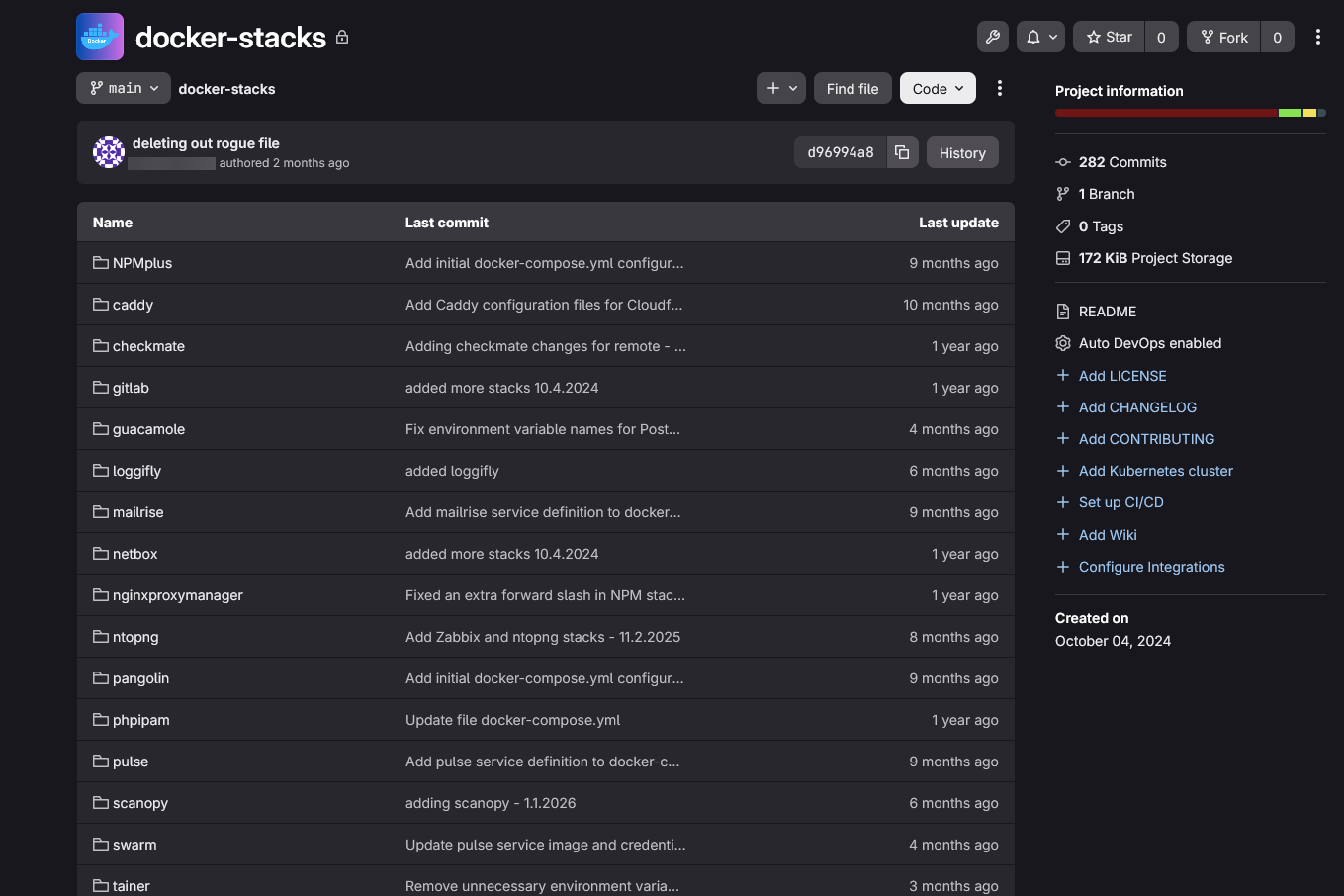
I can’t tell you how much more powerful configurations are when they live inside your Git repository. This also fits perfectly with the section above on documentation because when you have your configs in Git outside of your production environment. It serves as documentation itself.
Also, the configs allow you to recreate things and they don’t lie about how things are configured currently. Especially if you have been diligent about keeping your environment in sync with what you have in code. My goal with my home lab today is that I want my configuration for containers, Kubernetes, server builds, etc, to exist in code somewhere else.
All of my Docker Compose files are now stored in my self-hosted Git repository server, GitLab and then this is synchronized with a GitLab cloud server (free). I have the repos synchronizing which is really nice. This way I not only have the code outside my prod environment, I also have the repo itself backed up and synchronized.
I covered the repositories that have made the biggest difference in my own environment here: These Git Repositories Changed How I Manage My Home Lab.
Also, if you are looking for a really great self-hosted Git solution in the home lab, I highly suggest something like Gitea, or recently I covered Forgejo which is a fork of Gitea. Check out my article on it here: I Tried Forgejo in My Home Lab. It Might Be the Easiest Self-Hosted Git Server Yet.
3. I build things with the assumption they will need to be rebuilt soon
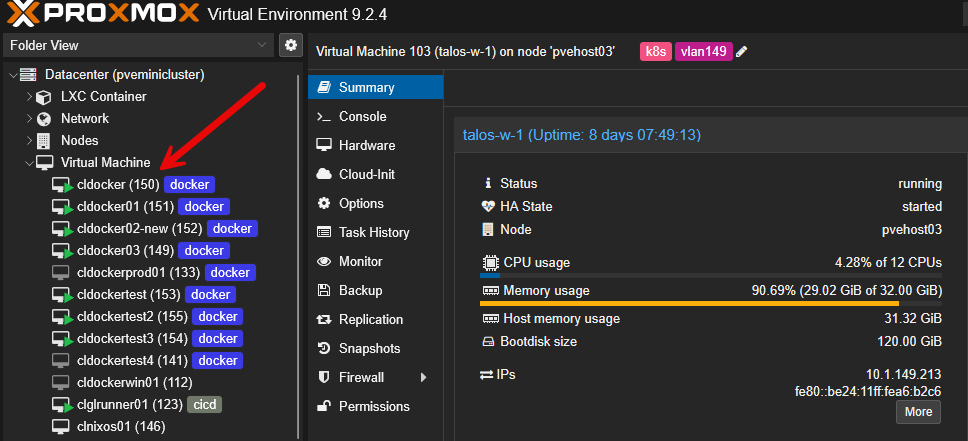
Pets vs Cattle is a way of life for a DevOps professional and this is a mindset that I have definitely adopted in the home lab environment. Instead of “how will I get this working again if something breaks”, I say “how do I totally recreate this when it disappears?”
When you artisanally create servers by hand from scratch, that is HARD to reproduce in a pinch. The day it fails, things will be much more stressful than they need to be. Separating your infrastructure from the data is a great approach that matters and keeps things from turning into these snowflakes that we see in so many production environments.
My philosophy now is that a Docker host should not be unique. The container images should be able to be pulled right back down. A Proxmox VM running a service shouldn’t be unique either. We should be able to recreate that host and move on.
So, for me, the things that I care about the most are:
- The configurations
- Persistent app data
- Databases
- Credentials
- Certificates
- Backups
Now, I don’t worry so much about backing up the “specific VM” with the intent to recreate that exact VM, but I am backing it up for the application data. So, for that, I have Proxmox Backup Server and Veeam as well for backing up my VMs and LXCs.
When I can destroy something without being nervous about recreating it, I know I am getting closer to the kind of infrastructure I want.
I went much deeper into the habits that let me rebuild large parts of my environment quickly here: I Can Rebuild My Home Lab From Scratch in Hours and These 5 Habits Made It Possible
4. Critical services need to have more than one instance running
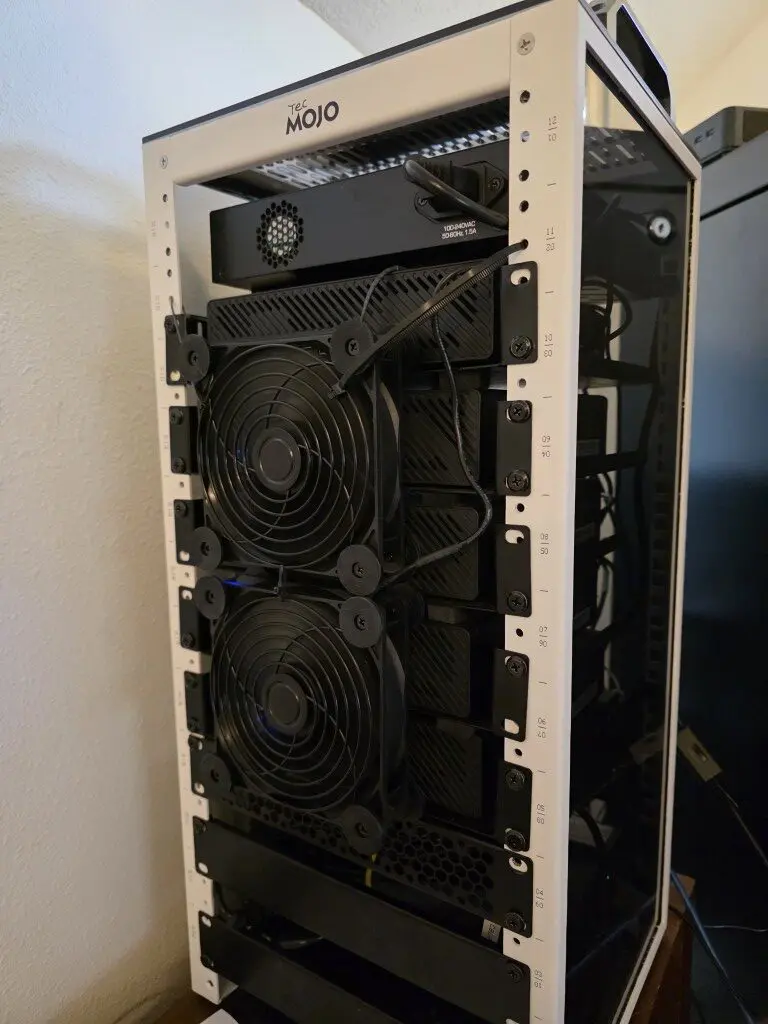
I am all about being able to rebuild things at the drop of a hat. But for my main, critical services, I want to make sure that I have more than one instance running. The reason for this is so for those services that the rest of my lab depends on, I don’t want to have to wait until rebuilding or recovering before getting things back up and going.
A prime example of this type of critical service in the home lab is DNS. DNS is not just another service that we treat the same as everything else. When it goes down, you quickly understand just how important it is to have up and running ALWAYS. Almost everything else depends on it.
It is easy to treat DNS as just another home lab service until it goes offline. Then you quickly realize that DNS isn’t just another application. Almost everything else expects it to be there.
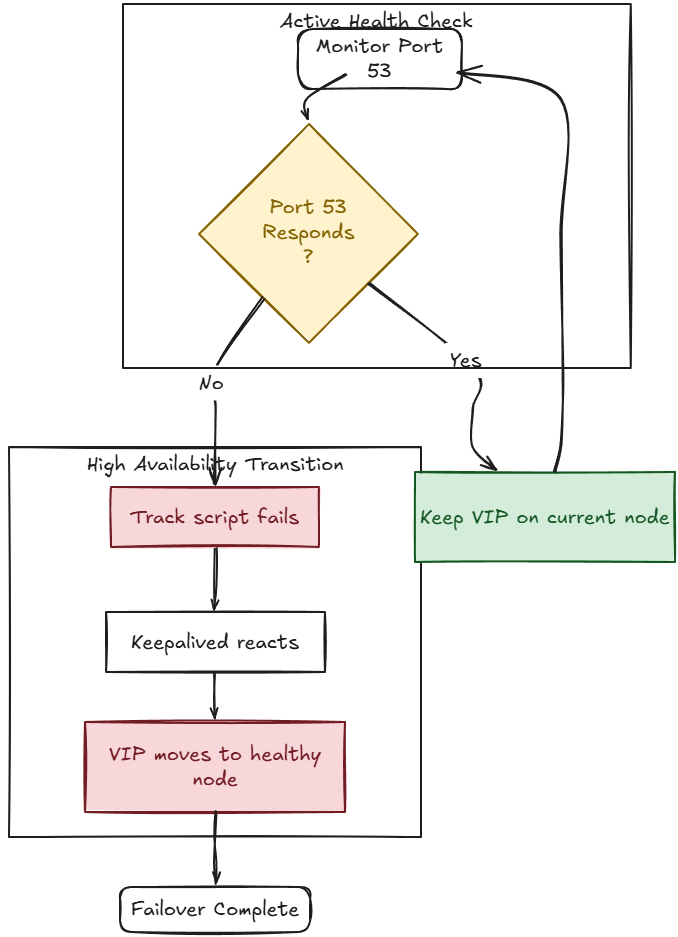
Now, I make sure I have at least (2) of these critical services running on different Docker hosts and I have been experimenting lately more with application level awareness for failovers so that I can monitor things at the app level and then have the applications failed over automatically.
Check out my recent post on a new feature of Keepalived that I discovered in my home lab that I think you will benefit from as well: I Thought Keepalived Only Protected My Home Lab Servers. Then I Found Track Scripts
5. I learned to look for the dependencies hiding underneath everything
If there is one area that will absolutely kill you, it is dependencies. Even when you think that your home lab doesnt’ need you, the dependencies can cause you tremendous headaches. We have all probably been there. We have an app that we self-host that just stops working, but the container looks fine. Logins might start to fail but the auth server is healthy. A cert doesn’t renew, but the cert service isn’t the problem.
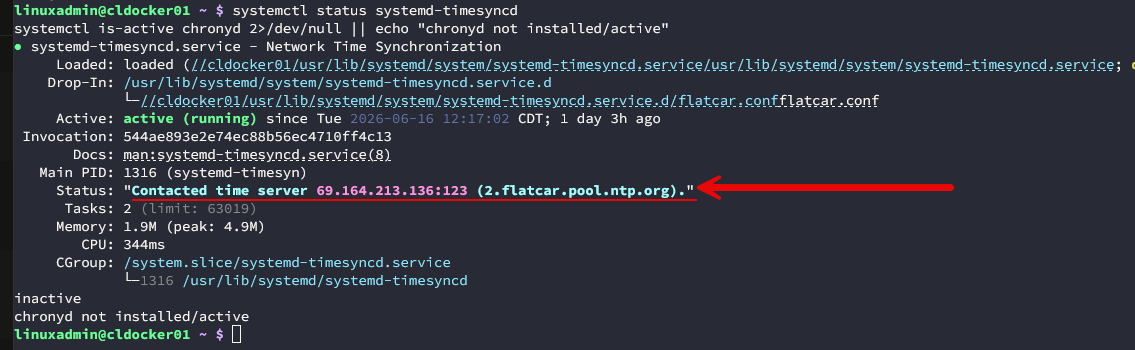
We have these webs of interdependencies that can cause other errors that don’t really make sense. DNS is one of the biggest culprits. Time sync is another for authentication. Also, storage dependencies, Git repos, cert authorities, reverse proxies and Internet connectivity are usually all very quiet dependencies that many of our services may rely on.
I know in my case, the more sophisticated my home lab become, the more important it was to understand those relationships. Don’t just assume that you understand what your apps need in order to work. Performing a “scream” test where you start unplugging things and see what breaks, or disconnecting virtual NICs. This really helps to flesh these things out quickly.
Take a look at this post where I covered several of these dependency “catch 22’s” here: Most Home Lab Outages Start With These Hidden Dependencies
6. I monitor the warning signs instead of waiting for something to break
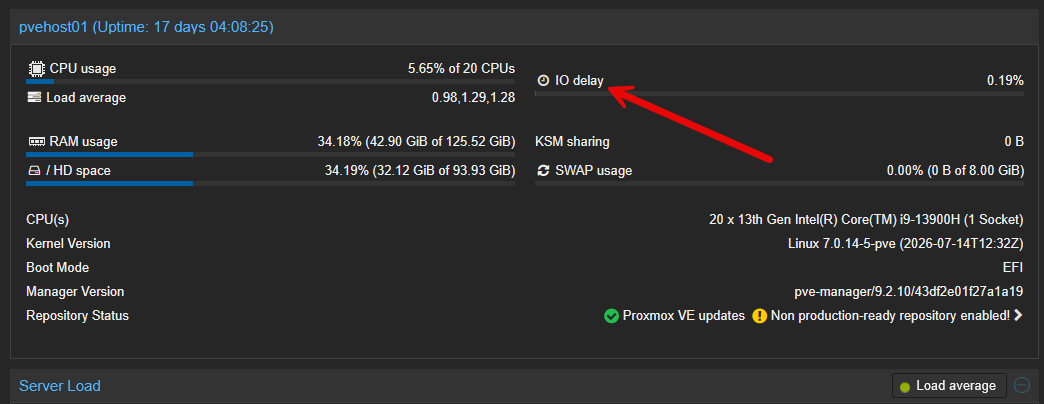
Sometimes we only monitor things that are “down”. But a lot of times, there are tell tale signs that start happening before something just goes down. Usually if this is something that is hardware related, like a drive failure, if we are monitoring the status of our drives, we may start to see errors incrementing. We may start to see SMART failures start happening.
Monitoring things like network latency and errors on a network interface is also a really good metric to monitor before you notice a problem in the lab environment. The key here is proactive monitoring. I like to think more in terms of how I can proactively see errors in the home lab environment, before these turn into all out outages.
These are some of the things that I have learned to keep an eye on: 9 Home Lab Metrics I Watch Before Something Goes Wrong
7. I stopped assuming everything needs to run all the time
One of the really worthwhile journeys I have been on I would say this year is efficiency. I have started to learn in my home lab that not everything needs to run all the time. For instance. I am now scheduling my Synology NAS to power down for the majority of the day. I have it power up before scheduled backups are set to fire off. This not only save in cooling my home lab space, it also saves on my power bill.
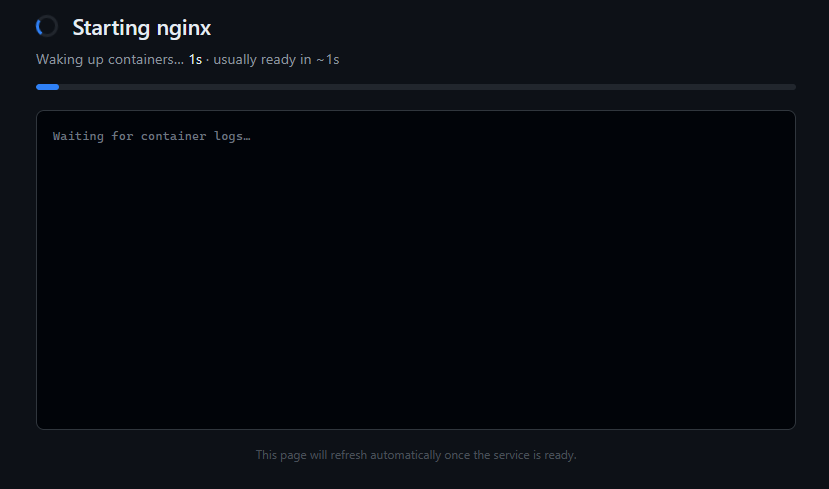
Also, a more recent project has been to spin down Docker containers when these are not needed. I have started asking that question on whether or not certain things need to exist in the running environment at all times. For years my approach was pretty straightforward with my virtualization environment. I kept things powered on and accessible at all times.
This makes sense for those critical containerized services like DNS, monitoring, reverse proxies, databases that support active apps, auth systems, and other infrastructure services. But I have found most of my other services that I am experimenting with can be spun down.
For a lot of these workloads, I have started experimenting with starting containers on demand instead of having them run all the time. I found a tool called DockerWakeUp that I wrote about recently that can make this process extremely easy to implement.
Check out my full write up on how I configure things in my home lab now: I Stopped Running All My Docker Containers 24/7 and Do This Instead
Wrapping up
A lot of the weekend projects that we can take on with our home labs don’t have to be major technology changes, but are more related to how we think and changing our mindset. Sometimes we make assumptions about how things work and we don’t really into consideration the nuances. As they say, the “devil is in the details”. Hopefully these project ideas help to spur on some thought with the community on how we can automate more but also work smarter and not harder with our home labs. Let me know your thoughts. I would love to know how you are working to take yourself more out of the loop as a dependency.
More in this topic

Google is updating how articles are shown. Don’t miss our leading home lab and tech content, written by humans, by setting Virtualization Howto as a preferred source.
About The Author
