


If you have ever worked at rebuilding your home lab from scratch or even part of it, you know how painful this can be. This could possibly turn into a multi-day grind of reinstalling operating systems, reconfiguring services, hunting down old settings, or trying to remember how everything was configured. I have been there more times than I can count, many of which were not by choice. What used to be painful though, changed when I changed just a few core habits. Rebuilds got much easier and I wasn’t as stressed at the thought of having to restore or spin things back up fresh. Let’s look at 5 habits that that made the biggest difference for me and that have changed how I think about infrastructure.
Treat your home lab like cattle, not pets
This is an analogy that you hear a lot in the world of DevOps. It definitely applies there, and it also applies in the home lab. I think a lot of the principles that we will discuss here are closely linked to DevOps principles. However, this is the habit that unlocks everything else I think.
If you treat your virtual machines, containers, apps, and services like pets, you are going to struggle with rebuilds. You give them names so to speak, you tweak them over time, and you become dependent on the exact state they are in. When something breaks, you try to fix it in place instead of replacing it.
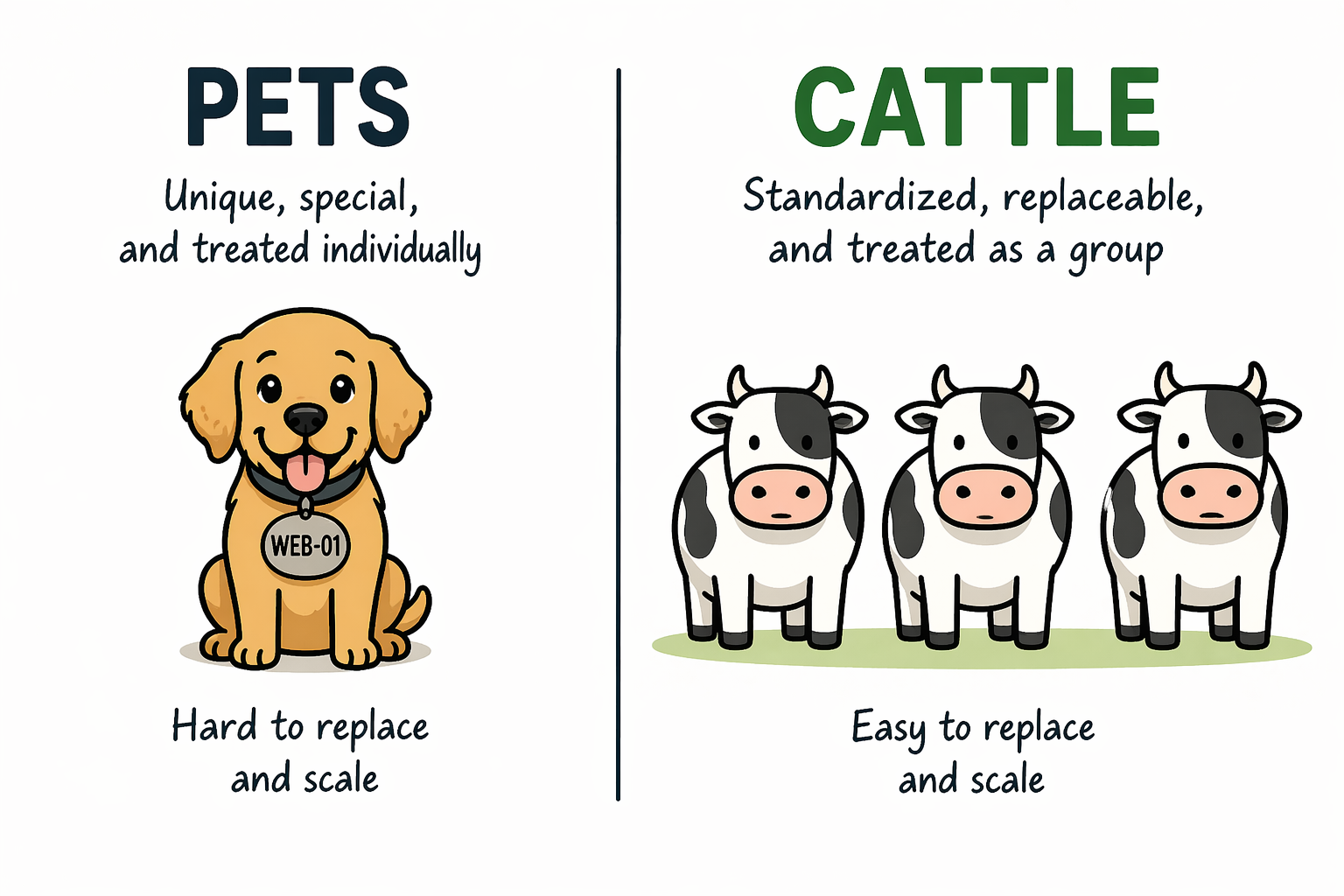
That may work fine until you need to start over. When you shift your mindset to treating your home lab like cattle, I think this is the point that everything changes. So, instead of you thinking of systems as unique and like snowflakes, you think of them as disposable. If something goes wrong, you would rather delete it and recreate it.
This does not mean you do not care about your environment. It means you design it so that nothing is special. This comes down to a few principles that you follow:
- Avoiding one-off manual changes inside VMs
- Any config on a server should be in state
- Rebuilding instead of repairing when something gets messy
- Standardizing how your systems are created
The goal is simple. You want to get to the point that you feel comfortable deleting any VM or container in your lab at any time.
Abstract your workloads from the hardware
Many in the home lab swear by bare metal and I get it. There is a lot to be said by running a bare metal Linux server and running tons of containers directly on your hardware. But, honestly for me, I would choose an abstraction layer of a hypervisor any day when it comes to being able to recover things or rebuild when needed.
The virtualization revolution that we saw starting around 2004-2005 or so was a paradigm shift in how we thought about running our workloads. Once we got away from the tight coupling of workloads to specific hardware, things got a lot easier.
Below is a look at my recently built Proxmox Ceph cluster using Minisforum MS-01 mini PCs. You can read my blog on this project here: I Built a 5-Node Proxmox and Ceph Home Lab with 17TB and Dual 10Gb LACP.
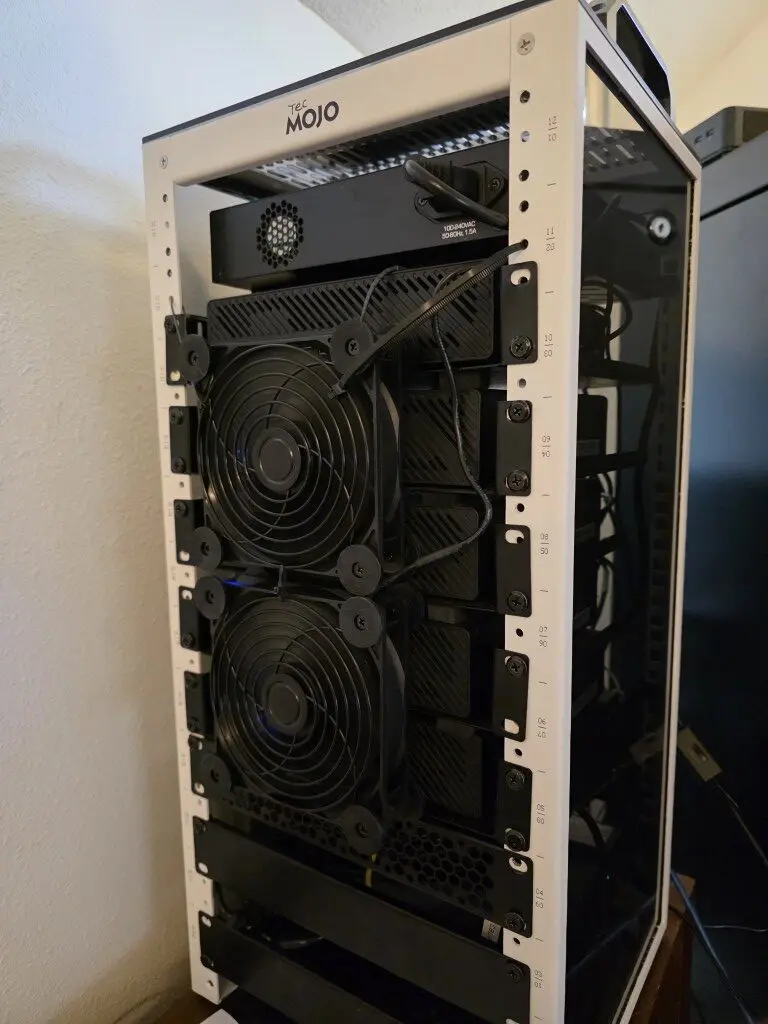
Platforms like Proxmox allow you to move workloads between nodes and avoid tying them to a single piece of hardware. This helps you to build and rebuild and then have the ability to move workloads around as you get things up and running.
Also, if you have dissimilar hardware, this helps on that front as well. Proxmox and other hypervisors allow you to present a standard set of virtual hardware to the OS so it doesn’t know about changing hardware components underneath.
When you get this right, you gain a lot of flexibility on so many levels. You can:
- Move workloads between nodes
- Rebuild hosts without affecting services
- Scale up or down without reworking everything
I think one of the most important things overall is you can remove the hidden dependencies that make rebuilds slow and painful.
Run critical services in containers
Containers are one of the reasons why we can also rebuild things quickly if we use these for our critical services in the home lab. Before I moved to containers for most of my services, rebuilds meant reinstalling applications one by one. I had to remember the installation steps, dependencies, reapply configs, and troubleshoot things that I had solved from before.
The problem is that this does not allow you to scale very well and it definitely keeps you in the realm of having “pets” instead of “cattle”. But, when you run things in containers, you turn those deployments into something that is repeatable. Containers allow you to have your application and everything it requires in a “container image” that runs as a container on a container host.
With tools like Docker and Docker Compose, this becomes very easy and extremely powerful. You can define:
- The container image to use
- Environment variables
- Networking
- Volumes for persistent data
Once those things for your containers are defined, rebuilding is as simple as running a command like docker compose up -d. Containers also make it easy to move workloads between hosts. If one system goes down, you can spin the same services up somewhere else without going through a full install process.
I have also moved away from more “pet” type Linux Docker container hosts like Ubuntu Server and over to Flatcar Linux that allows building and customizing the operating system from an ignition file that you can store in git.
Check out my blog here on Flatcar Linux: I Thought I Had the Best Docker OS in My Home Lab Until I Tried This.
This does not mean everything has to be containerized. There are still very good use cases for full VMs (like container hosts). But for most applications in a home lab, containers drastically reduce the time it takes to rebuild everything or refresh an application.
Check out the containers I still run in Docker even though I have a Kubernetes cluster in the home lab: I Still Run These Docker Containers Every Day in 2026 (After Moving to Kubernetes).
Store your configurations in Git
If you are not storing your configurations in Git, you are making rebuilds much harder than they need to be. I really think one of the biggest risks in the home lab and production environments is relying on your memory to try to reconstruct something and the way it was configured. But weeks or months later, it becomes hard to remember how you had everything configured.
This is where git comes into play. By storing your configurations like Docker Compose in a repository, you create a source of truth for your environment. What are some ideas of things to store in git with version control? Note the following:
- Docker Compose files
- Infrastructure code
- Configuration templates
- Scripts used for setup and automation
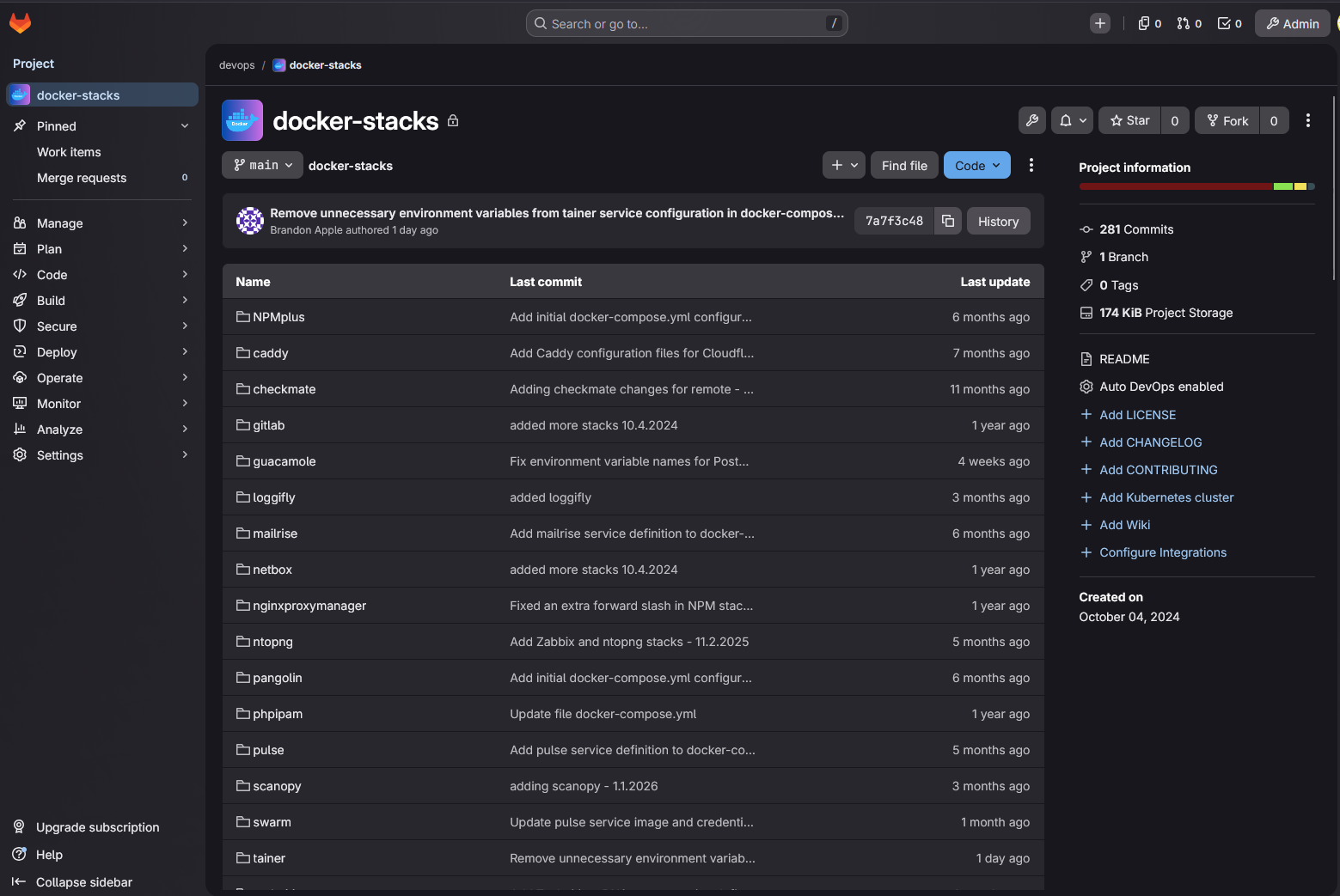
Now, instead of guessing, you can pull your repository and recreate your environment based on what you have already defined. Git has version control built in. So you can see what changed, roll back if something breaks, and experiment without the fear of losing your working setup. You can also clone down your repository on a new system with only git needed and start rebuilding things immediately.
Choosing the right git solution for home lab environments is crucial. Check out my thoughts comparing Gitea vs Gitlab here: Gitea vs GitLab: Which one for Home Lab?
Back up your data and test restores
One of the key pieces to being able to rebuild your entire lab in hours and not days is to have good copies of your data. We can use hypervisors to host Docker hosts that then run container images, but these need to connect to the data that is important in your environment.
Containers and configurations if these are stored in Git is easy to recreate. But data is not so easy without good backups. That is why your backups are critical. Also, backups though are only useful if they can be successfully restored.
A project I have had recently is wiping out my services that I have running in Kubernetes in Talos Linux and then using my Veeam Kasten instance to totally restore everything, like PVCs, ingresses, etc.
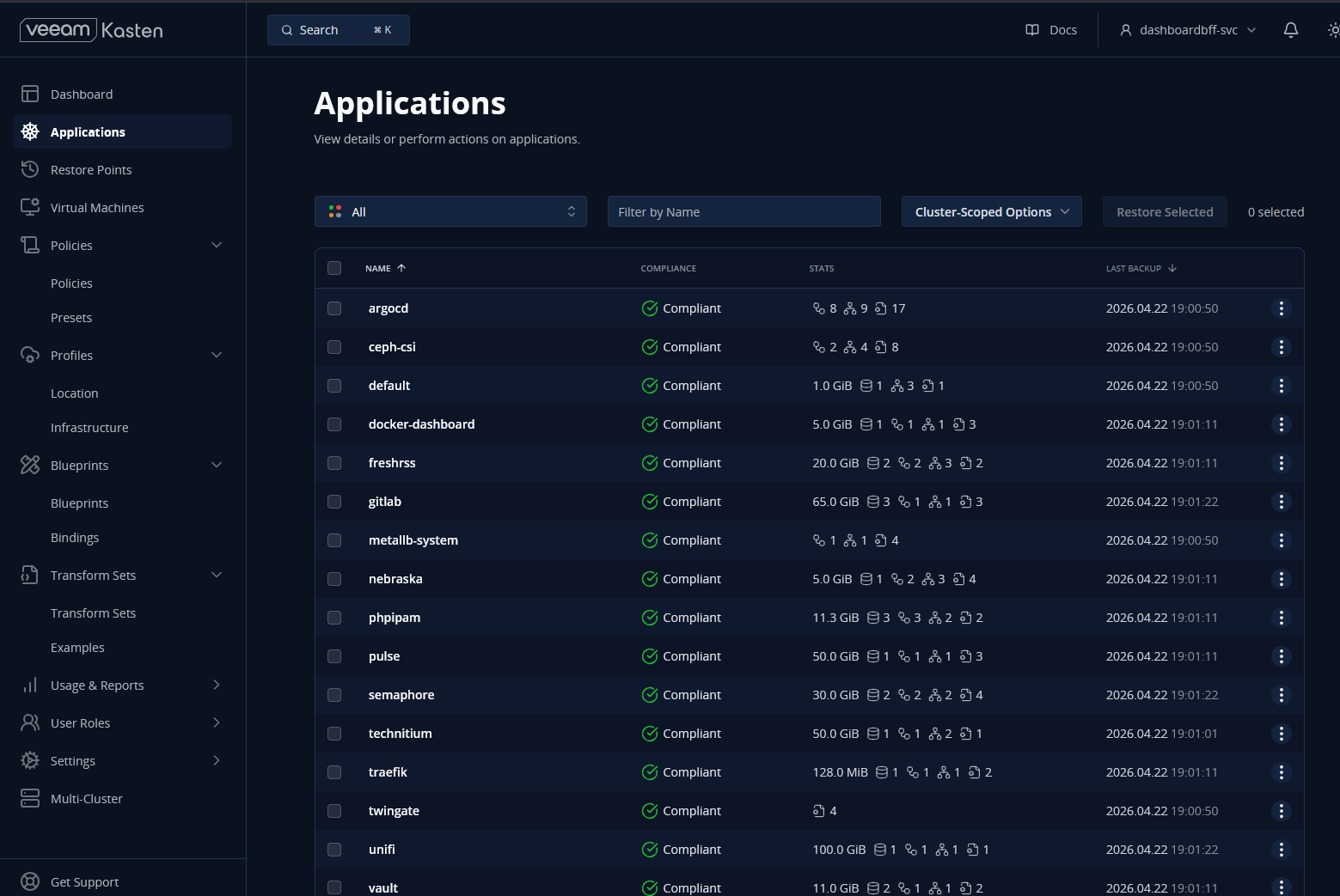
So be sure to test your backups from time to time to spot check and make sure everything is working as you would expect it to work. In my own home lab, I focus on backing up:
- Databases
- Application data directories
- Persistent bind mounts for Docker
- Any critical VM disks
But I also make a point to test restores. This is where many setups fall short. It is easy to assume backups are working, but until you actually restore them, you do not know for sure. On that note, check out my recent challenges with Kubernetes backups and restores: I Thought My Kubernetes Backups Worked in My Home Lab but I Was Wrong.
Wrapping up
I think when you take each of these habits by themselves, each one will make your home lab a little more resilient. But when you combine these into habits that you use daily, it will accumulate to be something powerful that will start to happen. You will stop worrying about losing your environment if things were wiped out because you will be confident that you can bring things back up.
The environment will no longer be fragile, but it will be much more flexible. It will be repeatable and easy to rebuild. You will start to think about your lab differently. It will start to feel more like a “platform” and not a bunch of individual “pets” that you have to nurse along. What about you? Are you adopting some of these practices and habits in your home lab?
More in this topic



Google is updating how articles are shown. Don’t miss our leading home lab and tech content, written by humans, by setting Virtualization Howto as a preferred source.
About The Author
