


One of the biggest changes I have made in my home lab over the past few years has nothing to do with Proxmox, Kubernetes, Docker, networking, or storage. Instead, it has been changing how I think about configuration management, my documentation, and deploying apps and services. For a long time, I was guilty of doing what many home labbers do. I would build a server, tweak configurations until everything worked perfectly, and then move on to the next project. Six months later, when I needed to rebuild something or troubleshoot an issue, I found myself trying to remember exactly how I configured it in the first place. Today, I look at my Git repositories as some of the most valuable assets in my entire environment because they store all the critical information I need to rebuild and recover my configs. These are the Git repositories I believe every serious home lab should have.
Docker stacks repository
If you don’t have a self-hosted Git instance today and spin one up tomorrow, this is the first repo I would create for the purposes of a home lab. Create a Docker stacks respository. This repo is created to have a centralized location for all of your Docker stacks. Instead of scattering compose files across different servers, you can use this repo to organize everything and keep things stored in git.
This is probably the repository I use more than any other. Each application has its own folder containing the docker-compose.yml file, environment variable examples, deployment notes, and any supporting configuration files.
As you can see below, I organize these in folders for each application that contains my docker-compose.yml files.
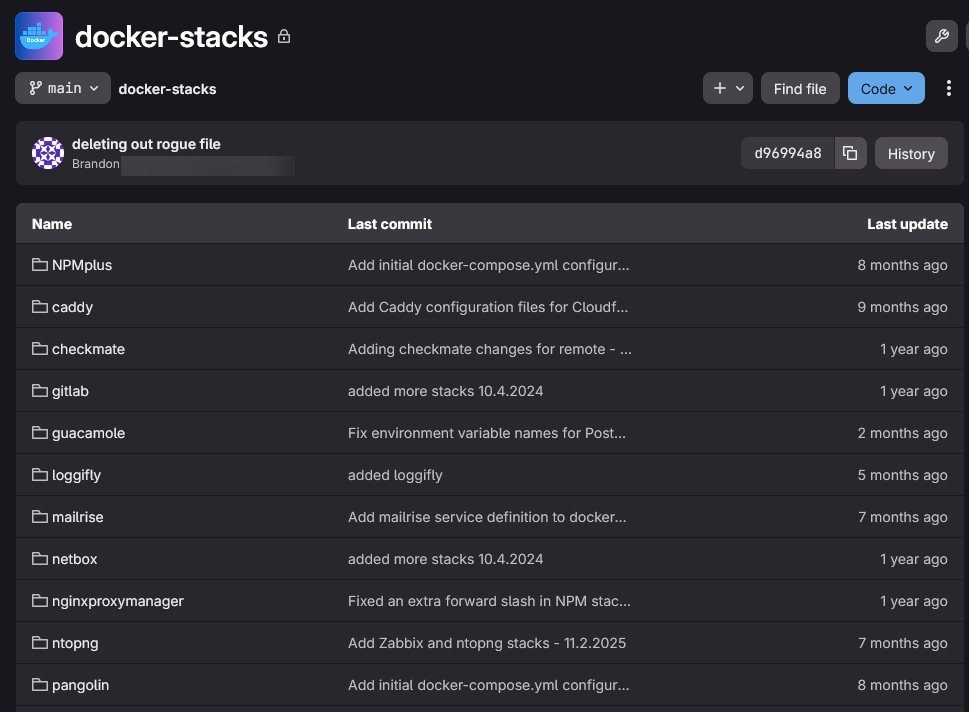
This approach has completely changed how I manage Docker services. When I need to rebuild a Docker host, migrate a service to another server, or simply review a configuration change I made months ago, everything is already documented and version controlled.
One of the biggest benefits is consistency. Every stack follows a similar structure. Every deployment is repeatable and can have mobility. If I decide to deploy a new Flatcar host or Ubuntu Docker server, I can pull my repository and start deploying services immediately.
Instead of rebuilding services from memory, I am rebuilding from source-controlled infrastructure. That is a huge difference.
Kubernetes manifests repository
Kubernetes is where Git really starts to shine I think in many practical ways. When I first started learning Kubernetes, I treated it a lot like Docker. I would apply manifests directly and make changes on the fly. I would try to manually track what was deployed.
This became a nightmare pretty quickly. Today, my Kubernetes clusters are driven from Git repositories using ArgoCD. But the first key to being able to use something like ArgoCD or FluxCD is having a single source of truth in Git.
My repository for my Talos Linux Kubernetes cluster holds:
- Kubernetes manifests
- Helm values files
- ArgoCD applications
- Ingress definitions
- Storage configurations
- Certificate management settings
I have an “apps” directory for the app manifests, a “bootstrap” directory for ArgoCD specific config, and then an “infra” directory for the Kubernetes infrastructure related config like storage providers, etc.
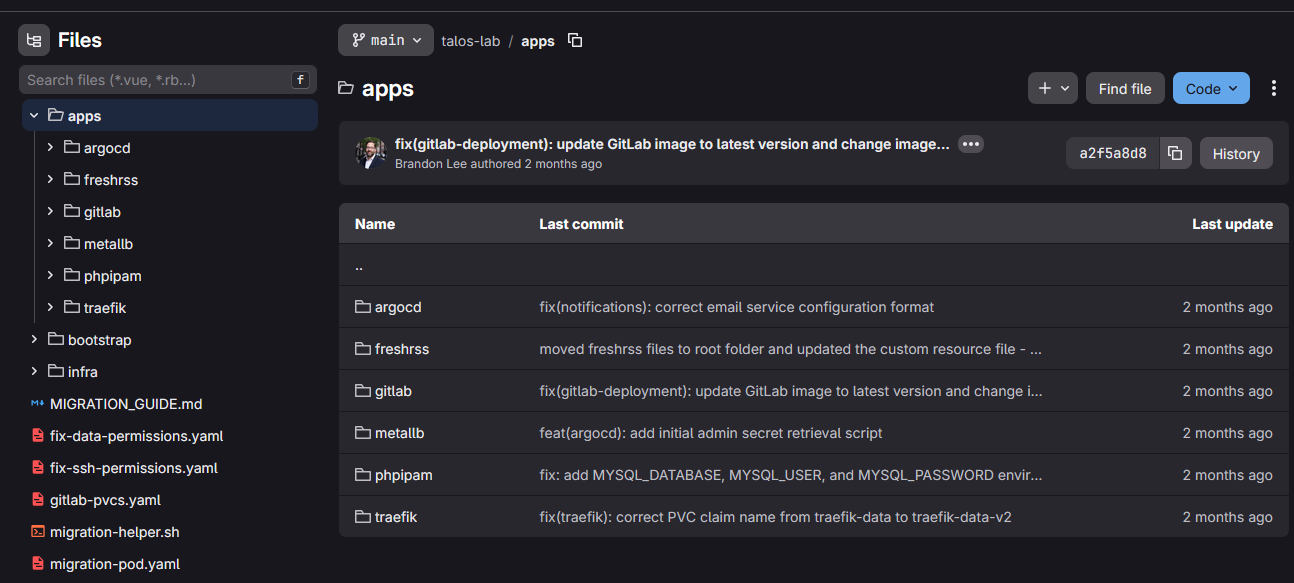
One of the biggest lessons I learned is that Kubernetes clusters should be disposable in nature in terms of how you run your applications. What I mean is that the cluster itself should not be the source of truth. The source of truth should be Git.
When using GitOps tools like ArgoCD or FluxCD, the repository is the authoritative version of your infrastructure. If a cluster fails, I can deploy a new cluster and have ArgoCD rebuild applications from the repository. That creates an entirely different mindset around infrastructure management.
Instead of worrying about preserving every change made inside a cluster, I focus on preserving the repository that defines the cluster.
VM template build repository
Another fantastic Git repo to have in your self-hosted git repository is VM templates build code using Packer and also any “ignition” files for use with Linux operating systems like CoreOS or Flatcar. Let’s look at the template part of this first.
I have long used Hashicorp Packer as a preferred way to create and maintain both Linux and Windows virtual machine templates. Packer is an automation tool that allows you to create these automated build templates that you can have scheduled to run and always keep your virtual machine templates fresh and ready to deploy when you need them.
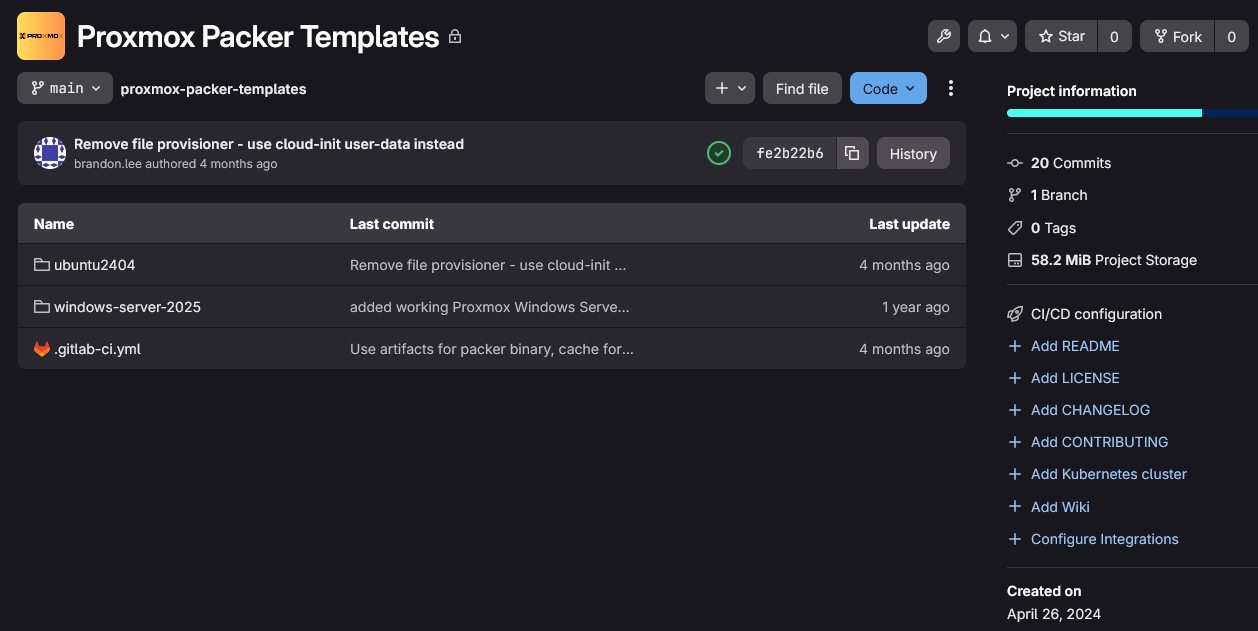
I have mine setup to run every weekend and push out new templates with all the latest updates, etc. Packer powers on the virtual machine, loads the operating system, runs any other customizations you want it to run with cloud-init and then powers down the VM and then converts it to a template.
Immutable Linux configuration repository
Over the past year, I have spent quite a bit of time experimenting with immutable operating systems like Flatcar Linux. One thing becomes immediately obvious when working with immutable systems. The configuration becomes everything.
Read my recent post on Flatcar here: I Installed Flatcar Linux on Proxmox and It’s Not Like a Normal Linux VM.
As many of you know reading my content here, I have switched all of my container hosts over to using Flatcar Linux as my container operating system of choice from my aging Ubuntu Server 22.04 LTS boxes. Flatcar is great and is an immutable operating system that allows you to bootstrap the configuration with what is called a “Butane” file that is human readable YAML syntax. Then you convert the Butane config over to an Ignition file that is JSON formatted with a command line tool.
Since the operating system itself is largely read-only and designed to be recreated, the real value lives in the Ignition or Butane configuration files that define the system. These ignition files mean that you have basically everything you need to rebuild your container host if something were to happen. So, now I also store all of my Butane and Ignition files for the specific servers that I have running in Flatcar so these can be easily recreated if needed.
Because of this, I maintain a dedicated repository for immutable Linux configurations. This repository contains:
- Flatcar Ignition files
- Butane configurations
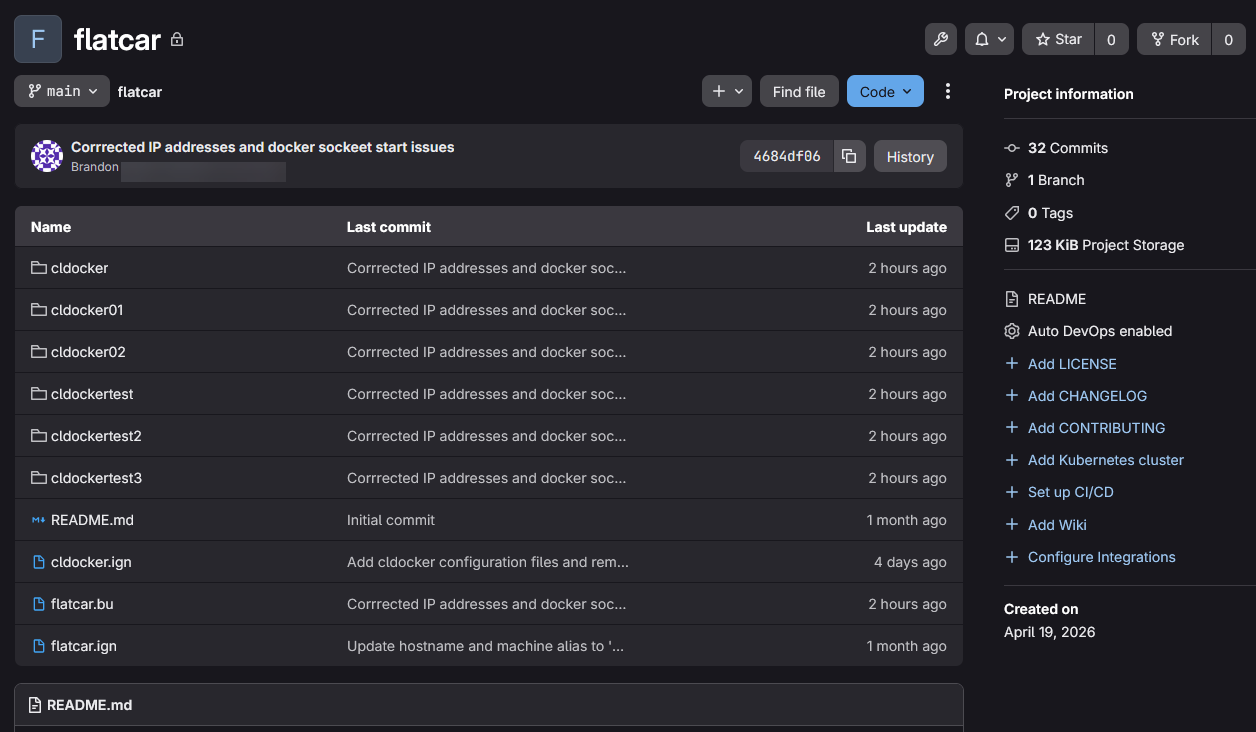
Without Git, managing immutable infrastructure would be tedious and difficult to keep up with. The entire philosophy behind immutable operating systems is that systems can be recreated at any time. That only works if the configuration is stored somewhere reliable. Every change is tracked and revisions are documented. Every deployment becomes repeatable.
Proxmox host configuration repository
This is one repository I wish I had started much earlier. Many home labbers spend considerable time documenting virtual machines, containers, and applications while completely ignoring the hypervisor layer. That can become a painful mistake.
Over the years, I have rebuilt enough Proxmox hosts to appreciate how important it is to document host-level configuration. My Proxmox repository contains things like:
- Network interface configurations
- Storage definitions
- Cluster notes
- SDN configurations
- Host build procedures
- Hardware-specific tweaks
- Upgrade notes
- Troubleshooting documentation
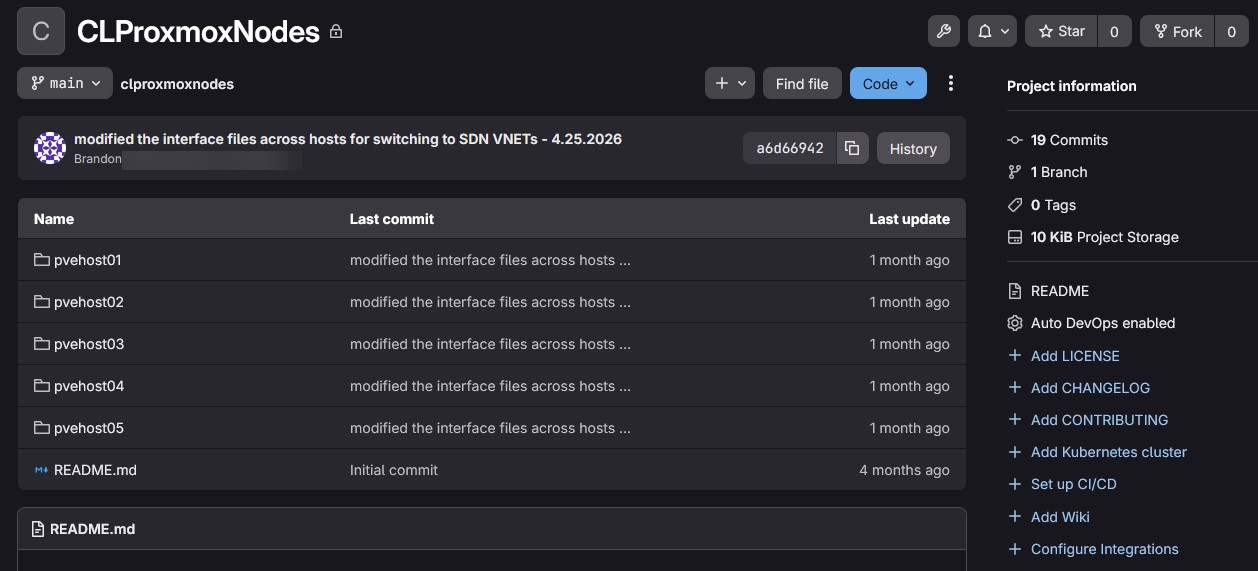
One area where this repository has already proven its valuable is networking. Networking configurations tend to evolve over time. VLANs get added. Bridges get modified. Interfaces get repurposed. Storage networks get introduced. Several months later it can become extremely difficult to remember exactly why something was configured a certain way.
Having those configurations stored in Git provides both documentation and historical change context so you can see when and why you added something. If I need to rebuild a Proxmox host, I am not trying to reconstruct networking from memory. I already have the configuration history available. That alone makes this repository worth maintaining.
General documentation repository
I also have an “everything goes” repo where I store things that don’t really fit nicely into another bucket of git storage. Documentation is often overlooked because it does not feel exciting. So, part of this repo, I would say is a general-purpose documentation repository.
My general documentation repository contains:
- VLAN assignments
- IP addressing plans
- DNS architecture
- Hardware inventories
- Rack layouts
- Service dependencies
- Disaster recovery procedures
- Infrastructure diagrams
- Lessons learned
- Troubleshooting notes
One phrase I have learned to live by is this. “Memory is not documentation.” Something that seems obvious today may be completely forgotten six months from now. I cannot count how many times I have searched my documentation repository to answer a question I once knew the answer to but had forgotten since then. Documentation really does compound in value over time. The older your home lab becomes, the more valuable your documentation becomes.
What I do not store in Git
Not everything needs to be committed in a repository. In fact, some things absolutely should not be there. Don’t ever store things like:
- Passwords
- API keys
- Private certificates
- Private keys
- Authentication tokens
- Sensitive secrets
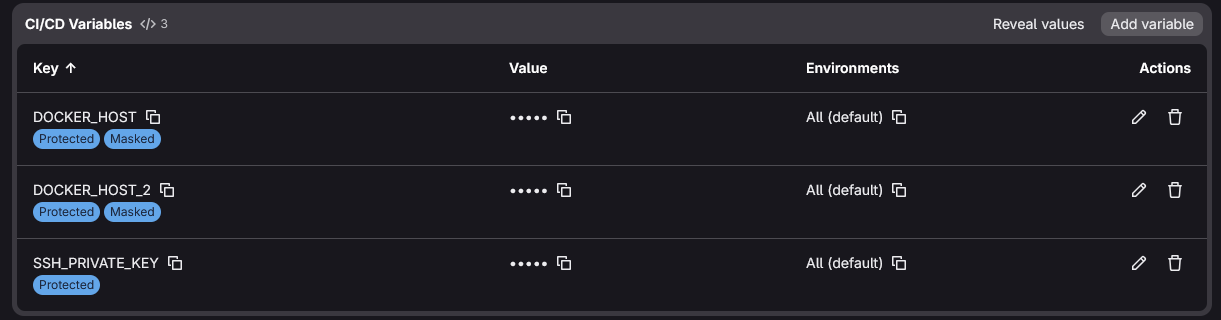
Instead, I use environment variables, secrets management tools, encrypted storage, and vault solutions depending on the environment. Even private repositories should be treated carefully. A good rule of thumb is to assume that a repository could someday become public accidentally. If that happens, you want your infrastructure definitions exposed, not your credentials. Separating configuration from secrets is a good habit worth getting into early.
GitLab, like most CI/CD platforms, has what is known as pipeline variables that allows you to securely store sensitive information and call these via variables in the pipeline config:
Wrapping up
If you have thought about standing up a self-hosted git repository server in your home lab but wondered what would be some of the things you would store there, hopefully this post gives you some ideas. I use Git daily in the home lab for building, looking at documentation, or storing new changes. Storing your information in Git might seem unnecessary, especially if your home lab is small. But, you will be surprised at even having a small number of workloads how much information is needed over time. Plus it helps you to easily get into the mindset of DevOps and GitOps workflows early on as a skillset. How about you? What are your most important repositories in your Git instance? I would love to know what you are storing there.
More in this topic



Google is updating how articles are shown. Don’t miss our leading home lab and tech content, written by humans, by setting Virtualization Howto as a preferred source.
About The Author

Excellent advice, and a nice summary of good practices that leverage the utility of git repositories.
Since a git repository relies on a database service of some sort, I would be interested in your educated perspective on sound practices for leveraging a database service to support git repositories and other local applications or services that also rely on database services.
eChuck,
Thanks so much for the kind words! I actually use GitLab Omnibus installation which includes PostgreSQL I believe as part of the installation. I haven’t had any issues with the Omnibus install so far with database services. Like any solution though you have to keep a watch on CPU use, and storage issues if you have pressure in either place. GitLab isn’t the most efficient solution, but I really like all the features it provides for running CI/CD pipelines. You can also use a solution like Gitea or Forgejo.
Brandon
I am using Gitea and Ansible for this kind of thing. Any push to the ‘stacks’ folder triggers a playbook that (re)deploys changed apps. Any push to the ‘nginx’ folder triggers a playbook that updates my proxy definitions and creates new certificates, if needed. I have (manual) playbooks for bootstrapping a new VM/host and creating a new Gitea runner (which is tricky).
Part of the bootstrap process creates minimal .bashrc files everywhere (including root accounts inside containers) so my standard ls and cd aliases, and PS exports are present everywhere.