


One of the core monitoring components of my home lab is uptime monitoring. In other words, are my apps, services, web resources, etc up and running? Is anything down? I use Uptime Kuma because I have found it to be the best light, simple, and easy to deploy solution that I have found out there and it is flexible enough to monitor just about anything I care about for uptime in the home lab. But, it is important to call out, the monitoring tool you use isn’t really the focus. The important part is deciding what needs to be monitored in the first place. I have a list of services that I feel are the most important part of my home lab and I never stop monitoring these. Each has earned a permanent place in my Uptime Kuma dashboard. Let me show you which ones they are and why.
DNS servers
This is a big one and I think if you are going to monitor any service, from an infrastructure standpoint, it should be DNS. After all, if DNS is broken, everything else will appear to be broken. So, instead of chasing down a “rabbit hole” thinking something else is wrong, having a simple monitor on your DNS servers can help you know when something may be going on with name resolution.
Which DNS servers am I monitoring? I have three different DNS servers running in my home lab. I have a traditional DNS server running on my Windows Server domain controllers. I have a pair of these. Then I have a pair of Technitium DNS servers in a cluster configuration. Then I have two standalone Unbound servers that are functioning as conditional forwarder zones that are configured in a “split horizon” setup.
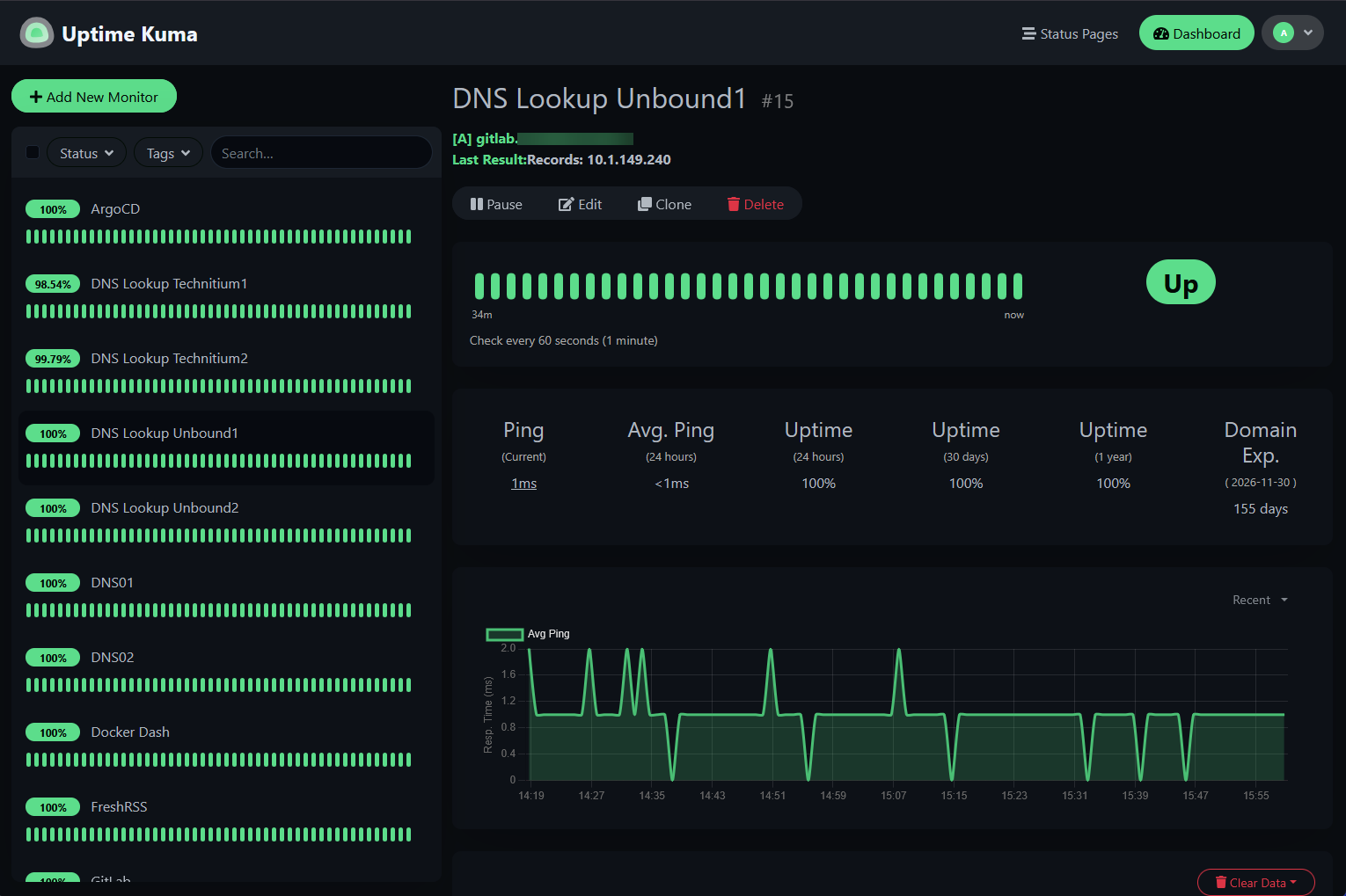
So, with all three of these, I am monitoring name resolution and querying for different DNS records. The Unbound servers I use a query check on these looking for local records that I know should resolve locally as part of my split horizon DNS zone.
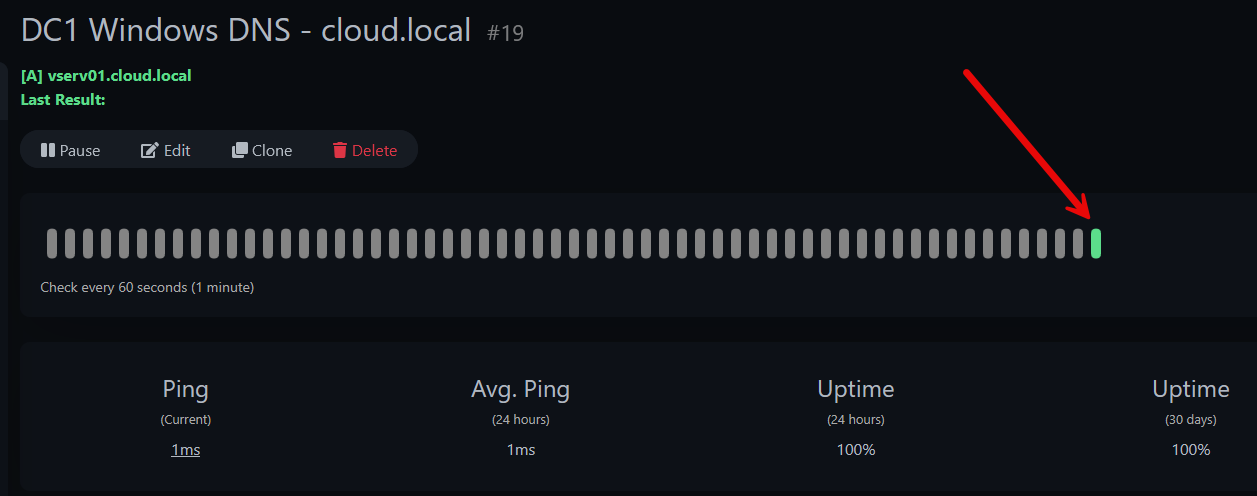
The Windows Servers I use DNS server checks for my internal “cloud.local” domain.
Then, finally, for the Technitium servers, I query external DNS records for public resources just so I know these servers can resolve names that should exist on the Internet.
Reverse proxies
Traefik sits directly in front of my production services running in the home lab in my Talos Linux Kubernetes cluster. I also have a couple of standalone Traefik instances that provide SSL certificates and services for other services I am running or testing out.
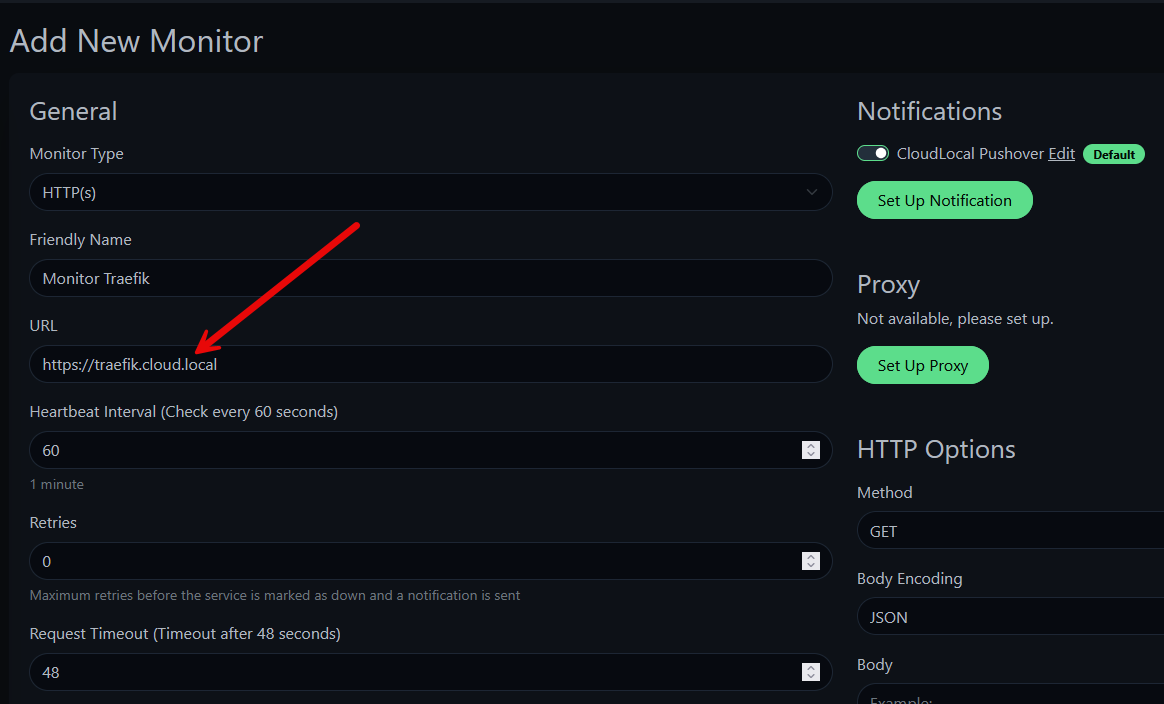
When Traefik itself has a problem, monitoring the HTTPS endpoint for that address helps me to know that the Traefik pod is having issues or has gone down, either intentionally or unintentionally. I also monitor certificate expiration as part of my checks on individual self-hosted services to make sure the Let’s Encrypt certificate renewal process is working as expected.
Authentication services
Another important service that you will probably want to monitor in the home lab and that I monitor is your authentication services. If you rely on something like Authentik or Authelia in the home lab, or even something like Microsoft Active Directory, if something stops working with these services, like DNS problems, there is usually a cascade effect.
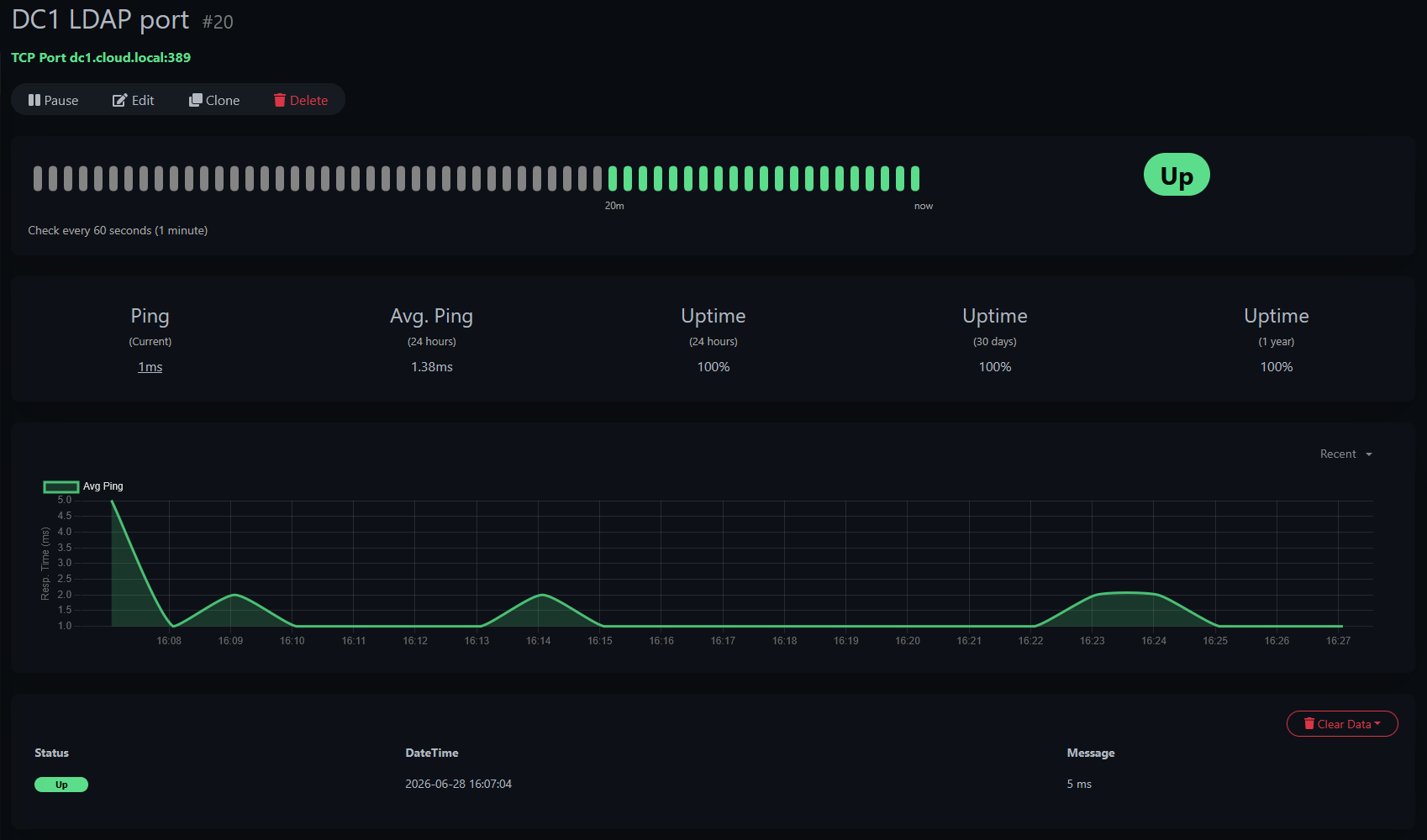
Below, you can see one of the monitors I have setup pointed to my Windows Server Active Directory servers, monitoring the LDAP port 389.
Docker hosts
One of the foundationally important things to monitor I think if you are running Docker containers in your home lab environment is monitoring your Docker container hosts themselves. So, to begin with, I don’t monitor every single container. First, I start with uptime monitoring the container host.
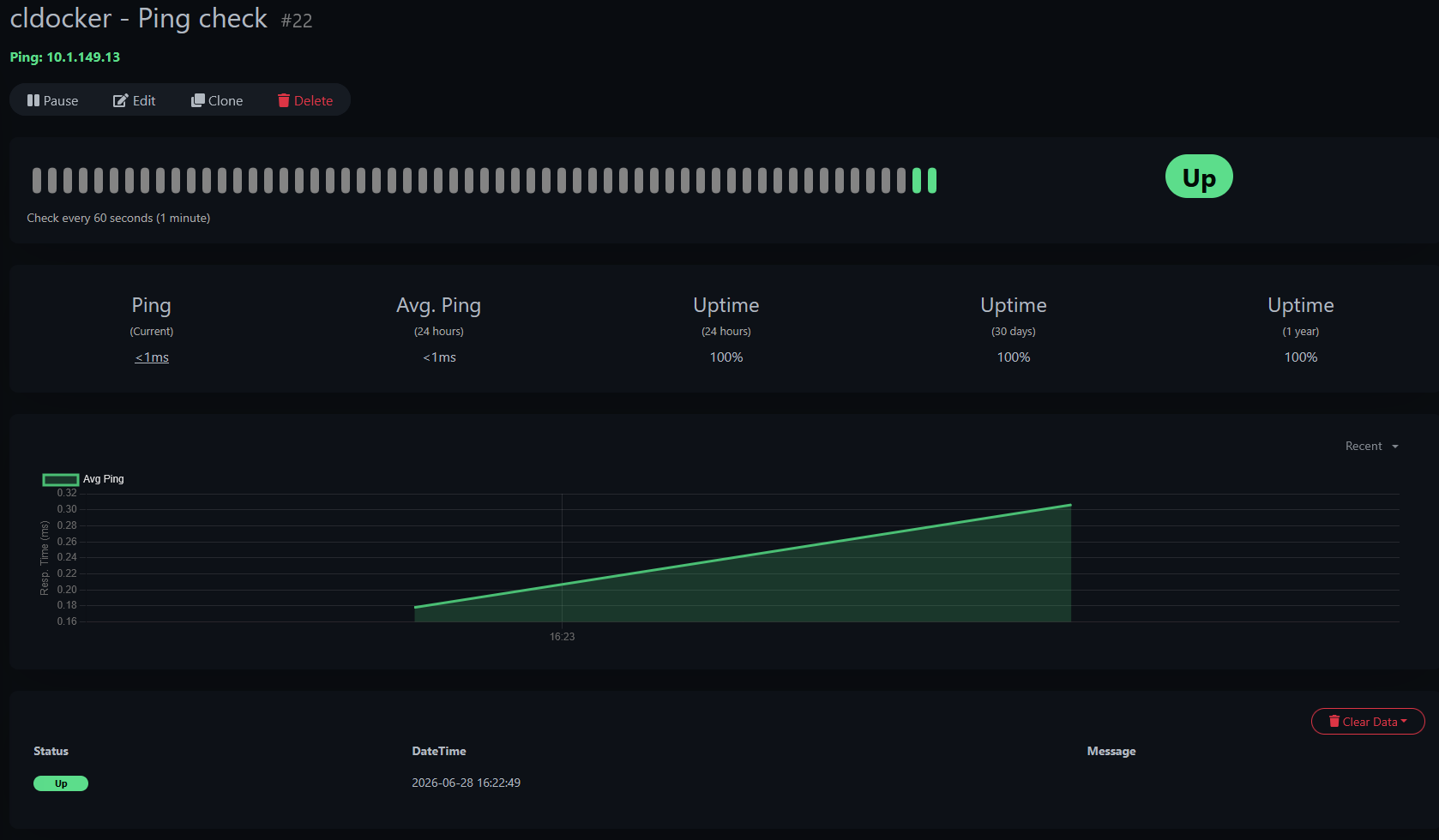
Believe it or not, this gives you so much visibility when things happen, even outside of your Docker host. If your whole node goes down and the machine goes offline waiting on an HA failover, you will still see those types of events along with other general things like reboots, etc.
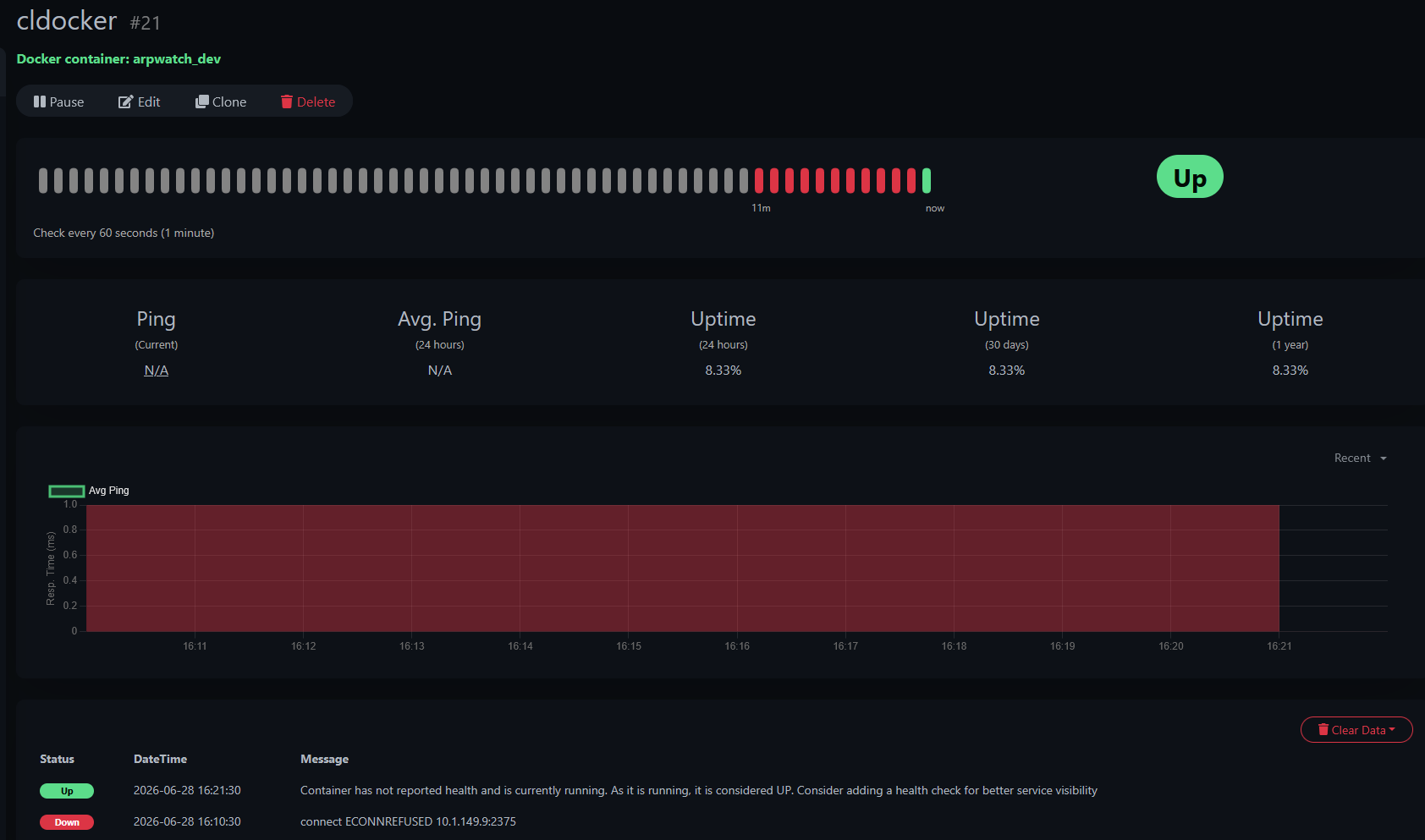
Then, after I have covered the Docker host from a low level network ping connectivity check, I will also add a monitor to one of the important containers on that host or multiple important containers. Uptime Kuma allows you to monitor using a Docker socket connection. Then you can monitor specific containers.
Proxmox Virtual Environment
My Proxmox cluster is obviously one of the most important parts of my home lab. It forms the basis of my infrastructure and the platform where I run everything else in the environment. So, I monitor each node individually using HTTPS checks on the management interface. This will tell me whether a node is available or unavailable and if there are networking problems that have cropped up, preventing access.
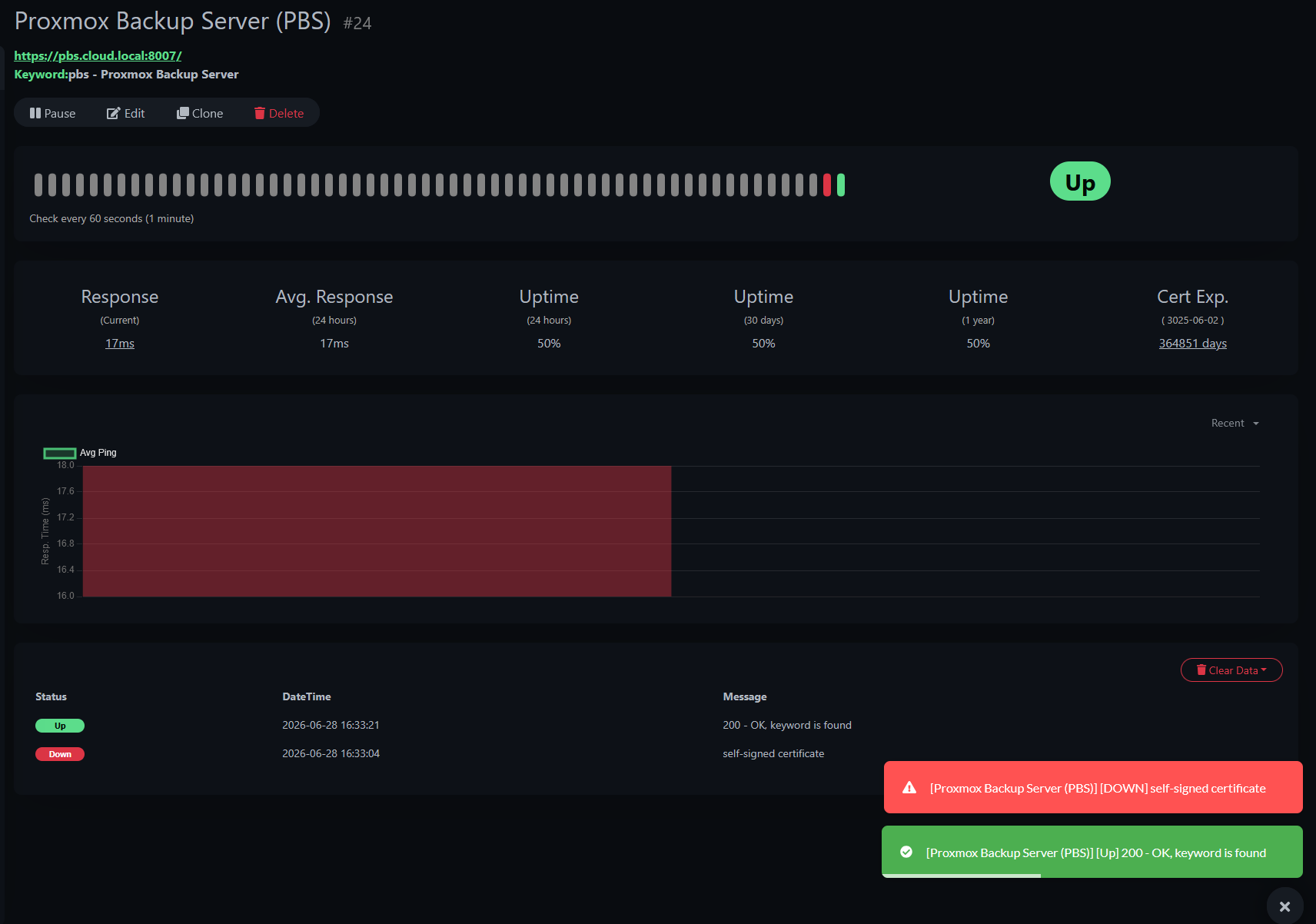
I also monitor my Proxmox Backup Server (PBS) instance separate to this. Backups are one of those services you never think about until they stop working. I would much rather discover an outage on a Tuesday afternoon than during a recovery after hardware failure.
Storage
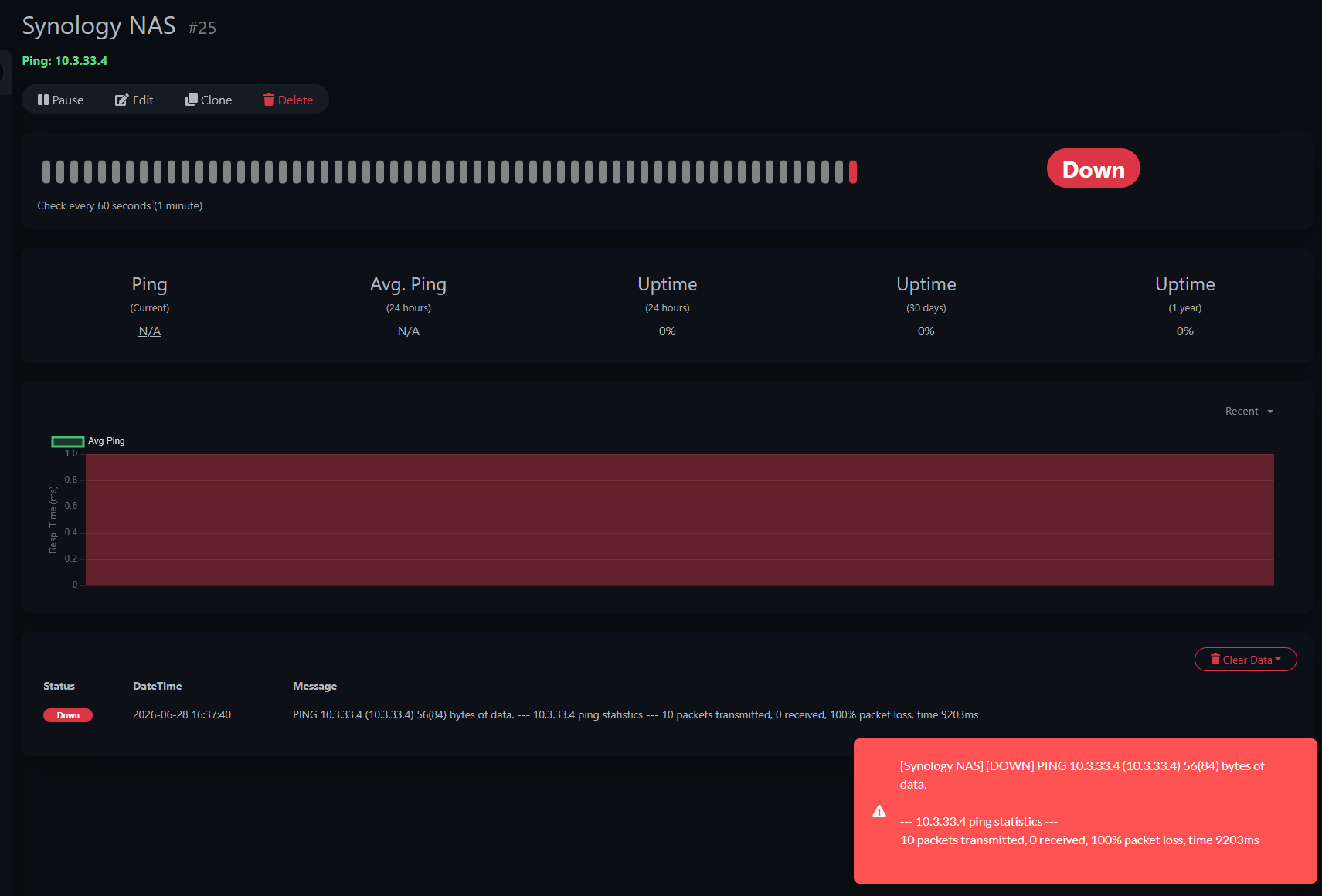
Storage services are another critically important aspect of a home lab. If you have a NAS device that you are running like TrueNAS, Terramaster, uGreen, Synology, UnRAID, etc, you can manage various aspects of your storage with proactive uptime monitoring.
I monitor my NAS devices using HTTPS availability checks and also simple ping monitors for uptime. If the storage suddenly goes offline, VMs, containers, and backup jobs could be affected. So, having this type of visibility in your environment is key.
Kubernetes control plane
If you are running Kubernetes in your environment like I am, one of the important ports and connectivity checks you can make is making sure that the port 6443 is reachable on your control plane nodes. This is a simple but effective check to make sure the API is available on the specific node you are checking.
The Kubernetes API server is effectively the brain of the cluster. If the API becomes unavailable, workloads may continue running for a while, but management operations will quickly start to fail and you will definitely notice things starting to cascade. I also monitor my ingress controller separately because it often becomes the first visible sign of trouble from an end user’s perspective.
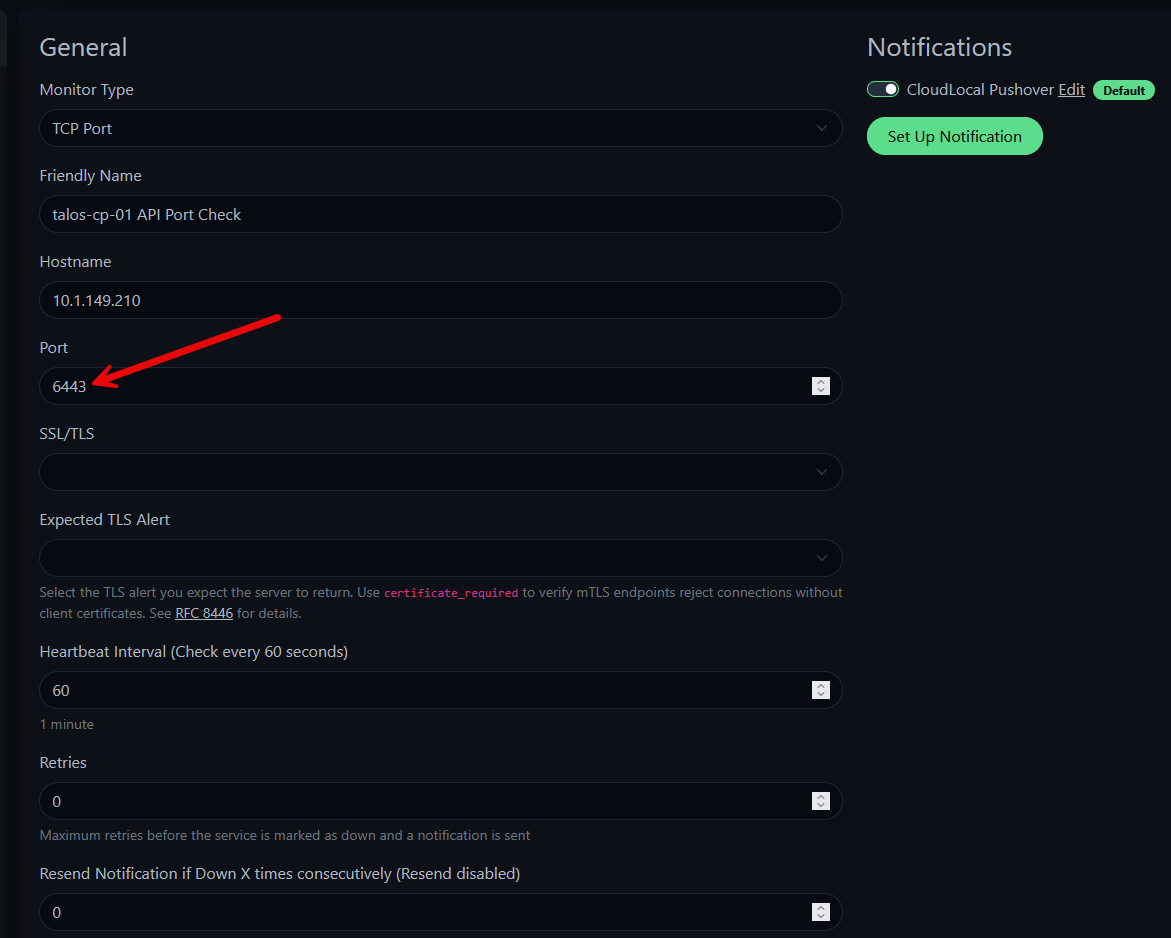
Separating infrastructure monitoring from application monitoring has helped me isolate Kubernetes issues much faster.
Internet connectivity
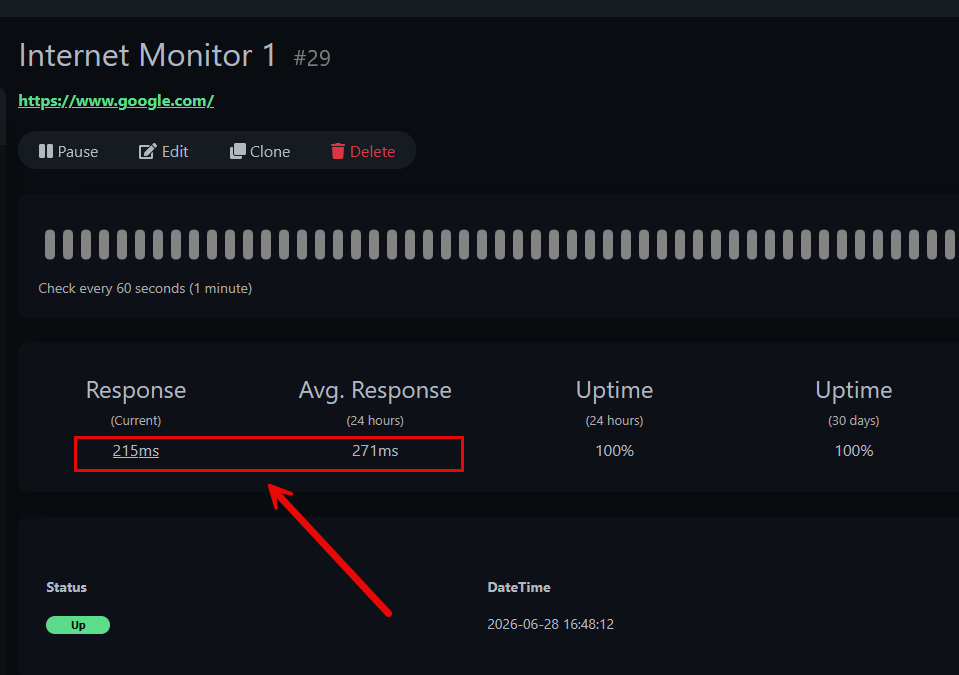
I want to be alerted if I see issues with Internet connectivity. Not every outage may come directly from the home lab. But you want to know if you are seeing ISP issues, or sometimes upstream providers or DNS services may have interruptions. I monitor several external websites that I know should always be available like “www.google.com” as an example.
If you have monitors that start to intermittently start failing, you know something may be going on or you are at least alerted to it. I like these types of monitors as well since they usually will record latency as well. This way, you can trend your latency as well to see if there have been changes in those values over the past few days which is extremely helpful, especially even if you need to call and engage your ISP.
Keep in mind that monitoring your Internet connection is an interesting challenge, since for most of us, when the Internet goes down, external notification services won’t be getting the alerts that we are trying to send out. This is why I also like to bolster my internal montoring with external monitoring like with Netdata. This alerts me when it loses connection to my hosts, helping me to know that there is an issue potentially.
Critical applications
Finally, I monitor the applications I actually use every day. This includes services like GitLab, Traefik, Patchmon, Nebraska Server, Portainer, Termix, and a whole slew of other applications. For these monitors, I like to cover things with login pages, dashboards, or health endpoints/API endpoints.
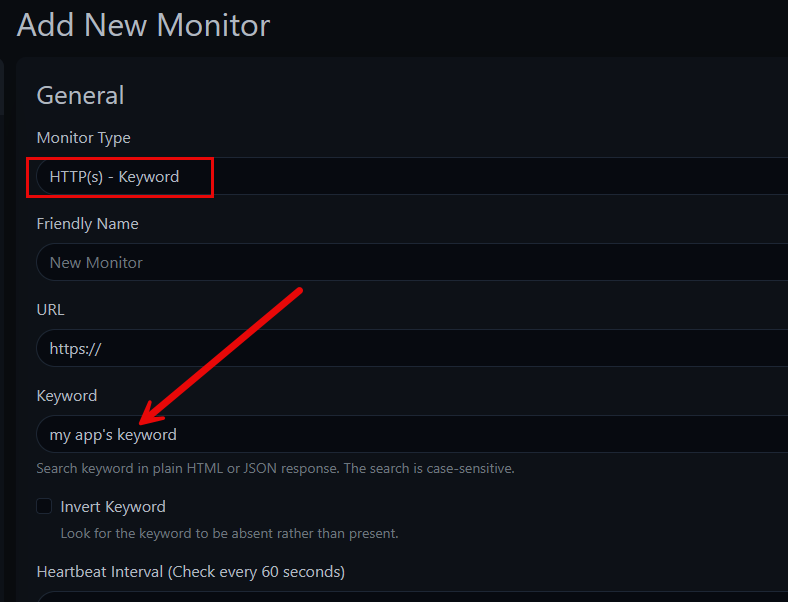
One of the monitors I like to use pretty heavily here is the HTTP(s) – Keyword. This is a monitor that allows you to scrape the page for a keyphrase that you can find by “viewing the source” of the HTML page.
I like doing this as sometimes, the port will be up like HTTPS, port 443, but if you were to navigate there, you might see a 502 gateway error or a 404 error. These still satisfy a simple port check, but if you are checking for a keyword, this check will fail to pull the expected keyphrase and alert you that something is wrong.
Notifications are just as important as monitoring
Don’t forget to think about your notifications. After all monitoring and alerting are only half the solution. Notifications are the proactive piece that sends you the alert to your service of choice to let you know that something isn’t working.
For me, Uptime Kuma is setup so that it integrates with my notifications services I have, like Pushover. It has a direct integration with Pushover as one of the services offered, so I don’t even have to bounce off of mailrise or another internal service to hit Pushover.
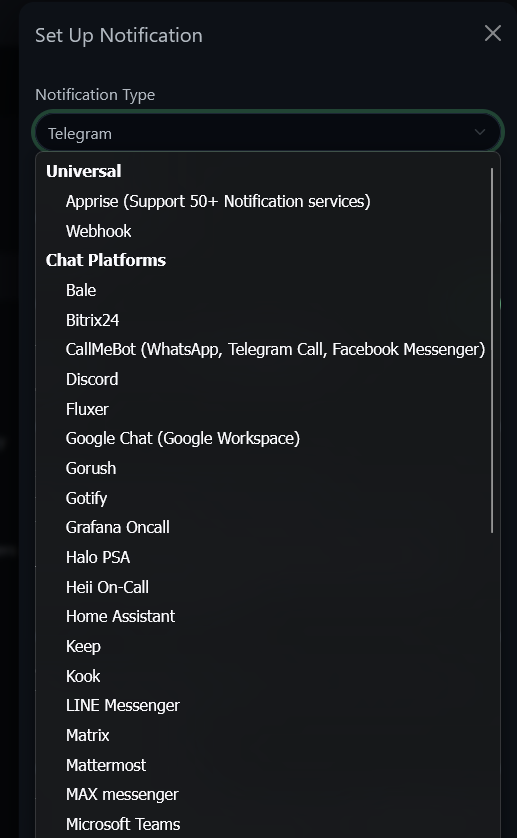
I have Uptime Kuma integrated with notification services so I receive alerts almost immediately when critical services become unavailable. I also appreciate having recovery notifications which Uptime Kuma does by default. Knowing when a service has returned to normal is just as useful as knowing when it failed in the first place.
Wrapping up
Uptime monitoring is one of those home lab projects that pays off every single day. The goal here is not to build the fanciest or biggest dashboard imaginable. The goal is to monitor the critical services and endpoints in your home lab that you would want to know the split second they go down.
Monitor the services that create dependencies for everything else. When one of these critical building blocks fails, you will know about it immediately instead of having to discover it hours later when you are troubleshooting something else that appears completely unrelated. How about you? Which services do you monitor?
More in this topic

Google is updating how articles are shown. Don’t miss our leading home lab and tech content, written by humans, by setting Virtualization Howto as a preferred source.
About The Author

This is s pretty dumb article. “I always monitor just these things: all the things”. Lame!
Jesse,
I like to ask that comments are kept constructive. I don’t think it is recommended anywhere in the article to monitor everything? The post gives specific things to monitor, not everything. You would be surprised at how often the basics are missed.