



DNS is one of my favorite services that I like to manage and play around with in the home lab and it is arguably one of the most critical. When it works, nobody really thinks much about it. when it fails, it feels like the entire environment goes down. VMs can’t find services, containers lose connectivity, Kubernetes workloads stop communicating and many other issues crop up. I wrote a similar article back in 2023 covering the best self-hosted DNS servers available at the time. Since then, several of these platforms have evolved quite a bit. This is not a “ranking” per se, as each DNS server on the list has pros and cons and solves different problems. But if I were building out my home lab today, these are the ones I would seriously take a look at.
Technitium DNS
Technitium has been my DNS server of choice as that “swiss army knife” solution that pretty much will do what I want it to do for name resolution. It has a great feature set and it supports a lot of the modern capabilities that we want, like recursive DNS, authoritative DNS, conditional forwarding, DNSSEC, DHCP integration, etc. It also supports things like DNS-over-HTTPS and DNS-over-TLS.
Before Technitium, I ran Pi-Hole and loved the Pi-Hole web interface. But, the Technitium interface is great as well and is super intuitive. So, you get a very similar polished experience that makes your admin work much easier to do.
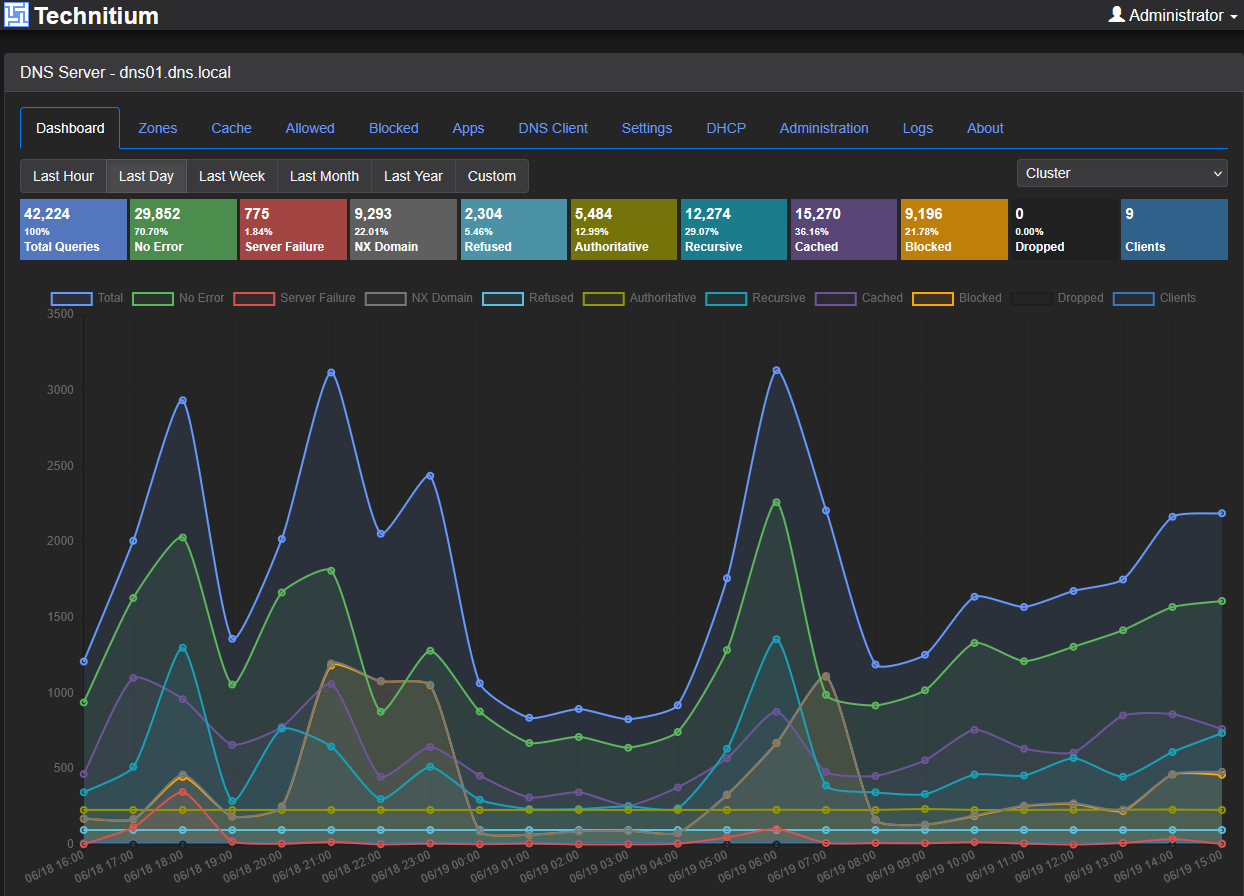
In my testing, it works really well as an internal DNS server for home lab environments, especially when managing custom zones, split-brain DNS configurations, and Active Directory integrations are involved. It is also very easy to deploy in Docker. And, it can do all the blocking of ads and telemetry data that Pi-Hole can do.
One of the biggest developments since I first evaluated Technitium DNS several years ago is its native clustering capability. At the end of 2025, Technitium released the version of the DNS server that can natively cluster with another Technitium instance. I have been sold since then. This essentially replaced my two Pi-Hole instances that I had synchronized with Nebula sync as it was just fewer moving parts.
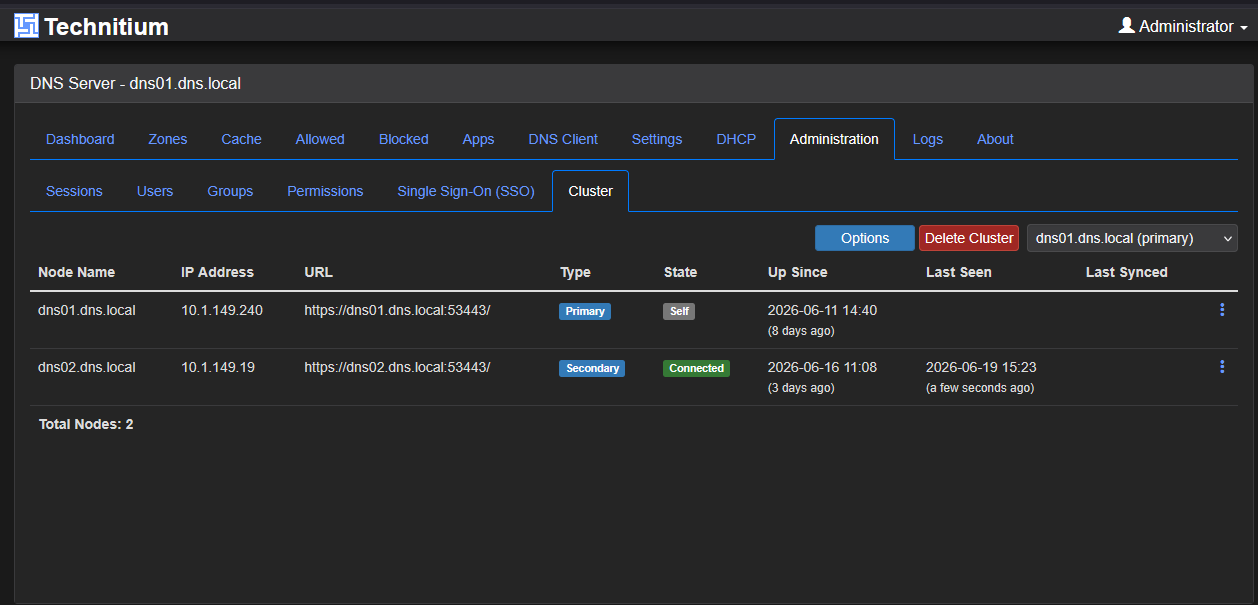
So, if you want to build a resilient DNS infrastructure, Technitium is one of the first DNS servers that I would take a look at in my environment. I think it has some of the best features and ease of management of free and open-source DNS servers out there today.
Unbound
Unbound is one of the coolest DNS servers that you can try out and run in your home lab environment. It takes a very different approach to something like Technitium. It has a laser focus on being exceptionally fast and secure as a recursive resolver.
I have been a huge fan of Unbound over the years because it simply does its job and rarely needs attention in the environment once it is up and running. One of its biggest strengths is the fact that it is super efficient. It uses very little memory and CPU but at the same time is still extremely fast.
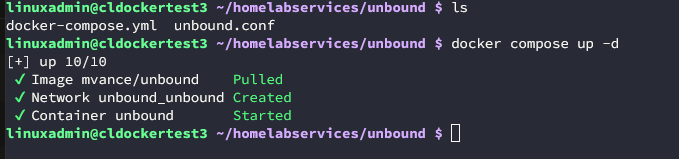
It also supports doing things like DNSSEC validation and it can resolve queries directly against root DNS servers instead of public DNS providers. Those that are privacy conscious, which many self-hosting their own home lab are, will appreciate this capability.
Unbound is also container friendly. Running it in Docker is straightforward and it is very “infrastructure as code friendly” since you can store your Unbound config in Git and deploy your configs like I have been doing for quite some time now.
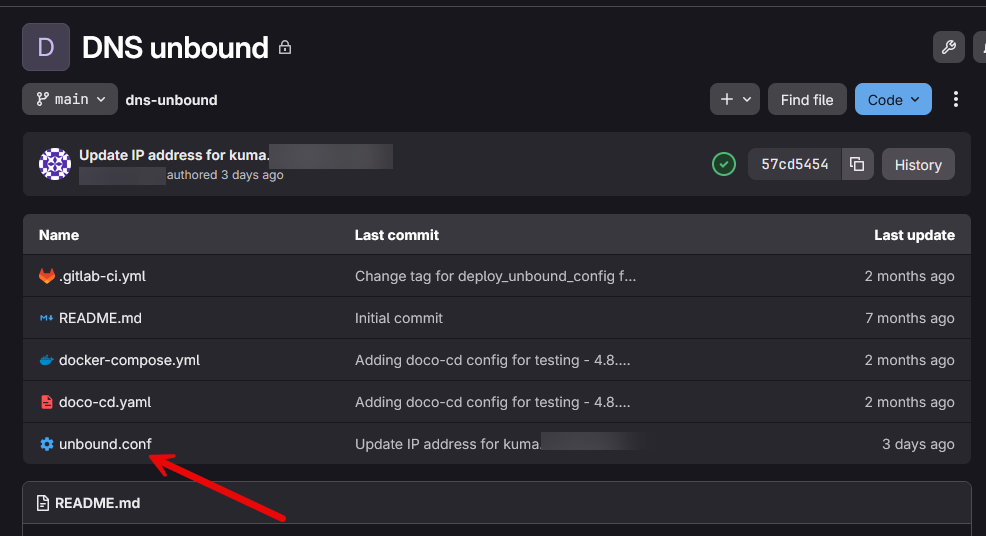
One downside it has is that it doesn’t support native clustering or configuration synchronization. I first thought that meant that building a redundant solution out of it would be complicated. But, instead, I just built upon what I had started with storing my configurations in git. I just added a deployment target and went from there. I keep my Unbound configs for both servers in Git and when the pipeline runs, it pushes a copy of the config to both of my servers.
So, if you have the goal of having a fast, secure, recursive DNS resolution, Unbound remains one of the best options that you can have available.
BIND9
If there is a DNS server that goes without saying in a round up of DNS servers, it is BIND9. BIND has been one of the foundations of the Internet from a DNS perspective for decades now and it continues to serve many enterprise environments around the world.
It definitely has the classic feel of managing a DNS server with Zone files, authoritative DNS services, reverse lookups, secondary servers, and it also has the capability to copy zones between servers for “clustering” type functionality. I think just the educational value of learning BIND is worth it since it is used in such a foundational way all over the Internet.
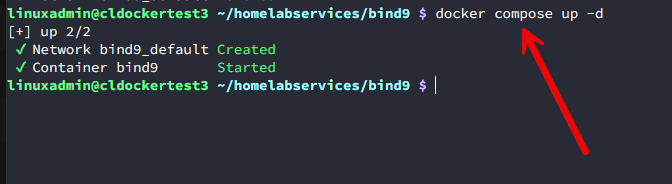
But, at the same time, keep in mind that BIND is not a GUI managed DNS server like Technitium or Pi-Hole. When you manage and change the config, you need to edit files manually, make sure your syntax is good, and look at your name resolution workflows.
BIND supports traditional enterprise replication models that includes primary and secondary DNS servers, zone transfers, hidden masters, and other advanced DNS architectures. For home labbers interested in learning enterprise DNS design, BIND9 is where it is at.
For me it is a toss up between something like Unbound and BIND9 with a few of my name resolution needs. Unbound is lighter weight, but it isn’t as fully featured. So BIND can do anything you want it to do, but if you are looking for something lighter, then I would choose Unbound.
Pi-Hole
When it comes to ad-blocking and network protection, Pi-Hole has become basically a household name in the home lab and self-hosted space. Not only does it block unwanted ads and network telemetry collection, it is also a powerful DNS server in its own right that can also do DHCP, etc.
Pi-Hole is a great solution to try out as your first foray into self-hosting DNS since it is easy to stand up and it is super effective at what it does best, blocking ads, and protecting your network.
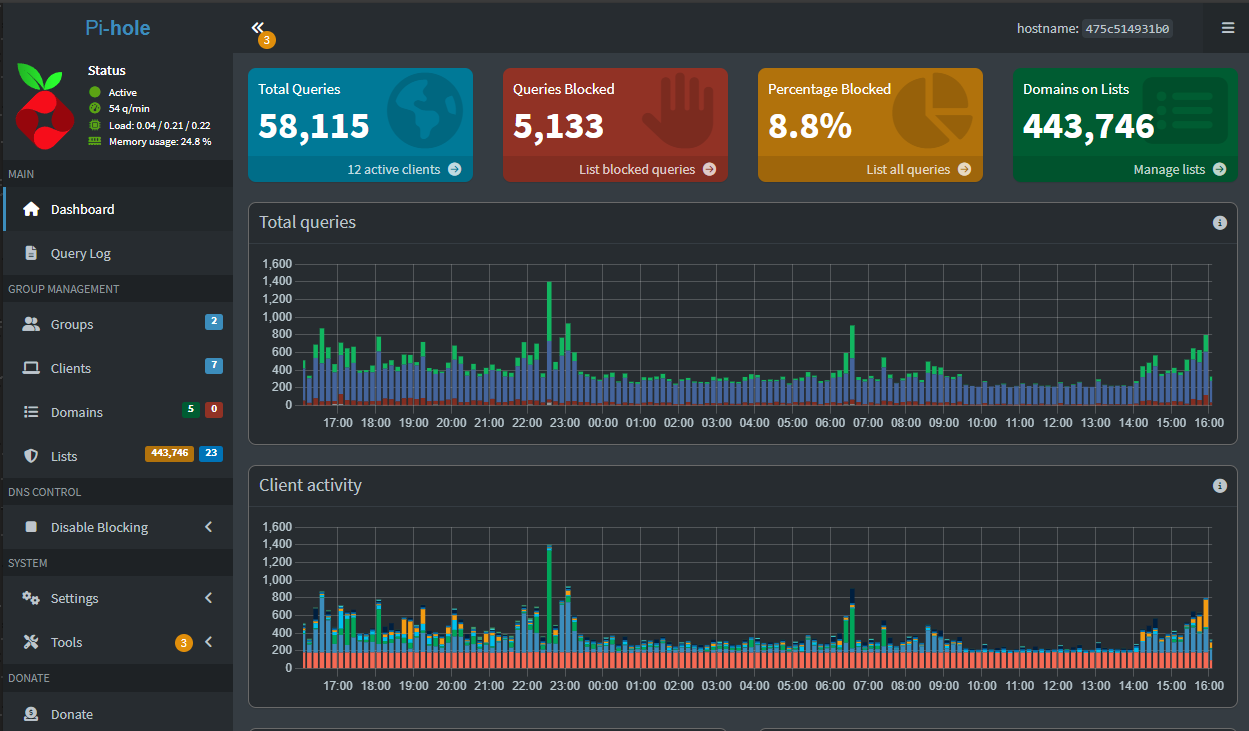
I have deployed Pi-Hole multiple times over the past few years and I constantly appreciate how easy it is to get network-wide filtering in place with just a few clicks. Also, you get really good reporting and visibility across the board.
Another aspect of Pi-Hole is that it works really well along with other DNS servers. A common model when deploying it involves placing Pi-Hole in front of something like Unbound and letting it filter traffic while Unbound provides the recursive DNS resolution for your network. So, in combination, you get the best of both worlds.
If there is an area natively where Pi-Hole is lacking, it is in its ability to do clustering. There are really great projects out there that allow you to do this, like the now deprecated Gravity Sync and the newer Nebula Sync that works with the newest 6.x version of Pi-Hole. But these tools aren’t “native” functionality. Think of it like an external synchronizer that synchronizes the settings for you between two Pi-Hole instances.
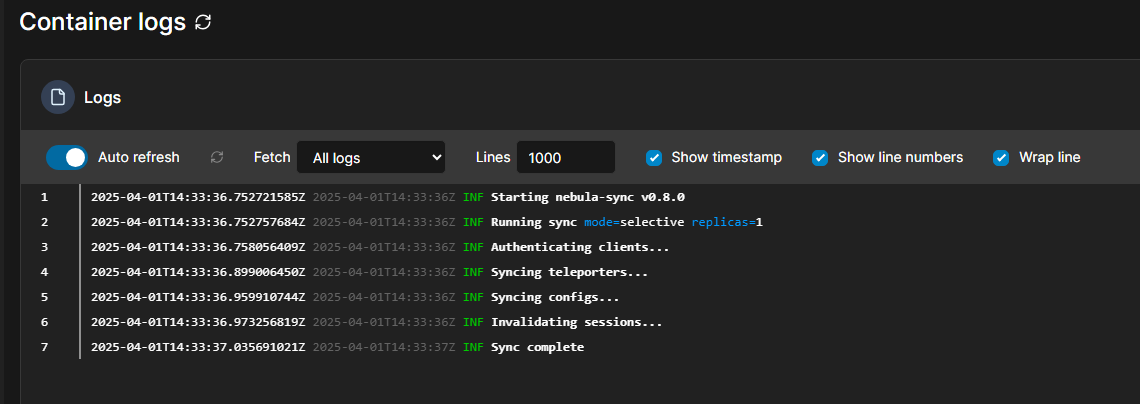
With Nebula Sync you can synchronize things like groups, clients, DNS records, and config data between your instances. So, it isn’t true clustering, but can get you close in the “look and feel” of having clustered Pi-Hole servers. I think if you are a home labber focused on privacy, filtering, and visibility into DNS traffic, Pi-Hole is one of the easiest recommendations I can make.
CoreDNS
If there is a DNS solution that is much different from all the other ones in the list I have shared so far, it is CoreDNS. While the other DNS servers on my list here primarily focus on traditional DNS services, CoreNDS is specifically designed with cloud-native environments and workloads in mind.
If you run a Kubernetes cluster, you are almost certainly already running CoreDNS. CoreDNS is the default DNS service for most Kubernetes distributions and it plays a really critical role in things like service discovery in the cluster. Things like Pods, services, and workloads all depend on CoreDNS to locate and communicate with one another.
A really interesting aspect of CoreDNS is that it has a plugin architecture. So, its functionality can be extended and improved through modular plugin designs. This allows admins to do things like customize the behavior of CoreDNS for certain use cases.
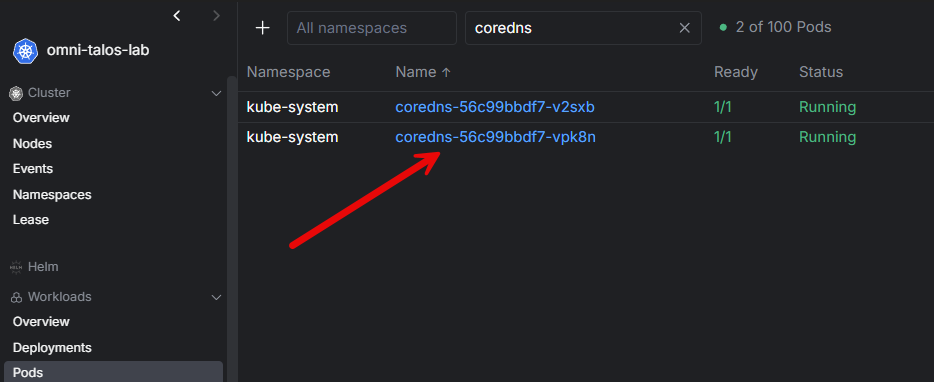
I know in my Kubernetes environment, it is a service that I don’t often think about because it “just works”. Also, high availability with CoreDNS is handled differently than traditional DNS servers like we have already talked about. Instead of you implemented a dedicated clustering feature, CoreDNS relies on Kubernetes itself for its high availability. It will spin up multiple CoreDNS replicas that are deployed sitting behind a K8s services. The ConfigMap manages this for scaling, scheduling, failover, and HA.
It is a very cloud-native approach to DNS. So instead of building clustering directlying into the application, the orchestration of Kubernetes itself provides the resiliency. Outside of Kubernetes, you don’t see CoreDNS really deployed. But, inside K8s it is essential.
I think as more home labbers adopt Kubernetes, GitOps workflows, and cloud-native infrastructure, CoreDNS becomes even more important to understand.
Comparing high availability options
One thing I have learned over the years is that DNS redundancy matters a whole lot, more than most may realize. A single DNS outage can basically take down an entire home lab, even when everything else is healthy. What is interesting about these five DNS platforms is that each approaches resiliency differently.
| DNS Server | Docker Friendly | Kubernetes Friendly | High Availability Approach |
|---|---|---|---|
| Technitium DNS | Yes | Possible | Native clustering |
| Unbound | Yes | Possible | GitOps and replication that is automated |
| BIND9 | Yes | Possible | Zone transfers and traditional DNS replication |
| Pi-hole | Yes | Possible | Nebula Sync and redundant instances |
| CoreDNS | Yes | Yes | Kubernetes scaling and failover |
There is no single right answer. The best approach depends on the environment you are building and the model you prefer for HA, etc.
Wrapping up
After spending more time than I care to admit to in playing around and experimenting with DNS servers in VMs, containers, and Kubernetes, I have come to appreciate that different solutions can be used for different use cases. If I were to set about building a new home lab today from scratch and I wanted a fully featured DNS platform, Technitium DNS would be my goto all around. It has a mass of features, including ad blocking, modern zones, DNSSEC, and now native clustering.
If I wanted dedicated recursive DNS resolution, Unbound is still my favorite in that space. If you want to learn enterprise DNS concepts, BIND9 is unmatched there. Pi-Hole is still the king of ad-blocking I think with a name for itself among self-hosters and the ability to sync configs with third-party projects like Nebula Sync. Then, if you are running Kubernetes CoreDNS is the defacto standard. What about you? What is your favorite DNS server that you can self-host and containerize?
More in this topic




Google is updating how articles are shown. Don’t miss our leading home lab and tech content, written by humans, by setting Virtualization Howto as a preferred source.
About The Author

Pi-Hole is not a DNS server, it’s an ad blocker with very little DNS capabilities (try to make txt records for instance), where others are DNS servers with ad blocking capabilities and that’s a huge difference
Mokaraa,
I agree that Pi-Hole has limitations. This is one of the primary reasons that I migrated off of it. I just kept running into limitation with conditional forwarding, etc. But, I thought i would be remiss not to mention it on the list as many successfully use it for name resolution in the home lab, especially if they don’t have requirements for more advanced configurations.
Brandon
No love for dnsmasq. 🙁
Hey Jesse, thanks for the comment. Dnsmasq is another really good solution. I just think the others mentioned are a bit better to be honest, but it definitely is a great option for home lab as well. Thank you for mentioning it.
Brandon
You forgot about PowerDNS
Steli,
Thank you for mentioning PowerDNS as well. It is another really good one. I just had to choose since wanted to keep the list shorter on the ones mentioned, but definitely think PowerDNS is a great solution that works well.
Brandon
I’m surprised Adguard isn’t mentioned? Been using that for years and it doesn’t disappoint.
Pihole I’ve used but it lacks a lot. Technitium I still have to put in production it’s only running in my test environment atm to hot and I wanna be outside.
Michiel,
I do like Adguard, and had it on my 2023 list, but just felt like the others were a notch better, but fair point that it is a great solution as well 👍
Brandon
I’ve been using a pair of Technitium servers since December, and they’ve mostly worked well. On a couple occasions though, I’ve had one of servers suddenly loose all configuration and have to be reclustered. I’ve not been able to determine the root cause of this issue.
Kurt,
thanks for sharing this. I am curious what type of storage you are using. Is it just using local Docker volumes or a bind mount maybe? This almost sounds like it lost access to storage possibly, but could also have been a bug as well. Thanks again for sharing this with the community.
Brandon
The instance that has lost its config, is a proxmox lcx instance, deployed using a proxmox helper script. The storage is local to the proxmox server, no bind mount in this situation. The other instance, is a traditional docker instance deployed on Truenas, and it’s been rock solid. I’m still sticking with Technitium, as its a full featured dns solution. Just a little quirky in my setup at times