


If you spend much time at all watching Proxmox content, you will hear about a lot of the big features, especially with the new releases in versions like Proxmox VE 9.2. Clustering, Ceph, ZFS, etc. These definitely deserve fanfare as they are great features. However, there are other smaller features in Proxmox that I think deserve attention as they are underutilized if you ask me. These don’t always show up in blog posts or YouTube videos covering Proxmox functionality, but they are the ones that I find myself quietly using over and over and they add a lot of great value to the power of Proxmox in my opinion. Let’s take a look at 9 overlooked features in your Proxmox home lab that I think deserve far more attention than they get.
Tags
Tags are one of those features that after you use them, you immediately see the value they give you visually in the environment. When you first build a home lab with 5 or 6 VMs, tags may not seem necessary. However, when you fast forward a year or more and you have 50 or 60 workloads spread across nodes, they are super useful.
Check out which tools I outgrew in my home lab here: What Worked Great Until My Home Lab Got Bigger (And Why I Moved On).
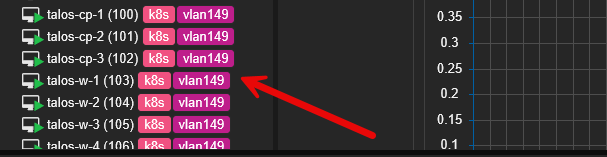
I tag nearly everything in my environment as this gives me a quick “visual” indicator of what resources I am looking at in Proxmox. Some of the tags I commonly use are the following:
- Kubernetes
- Docker
- VLANs (specific VLANs I care about)
- Windows
- Linux
- Veeam
- GPU
- AI
- Infrastructure
- Monitoring
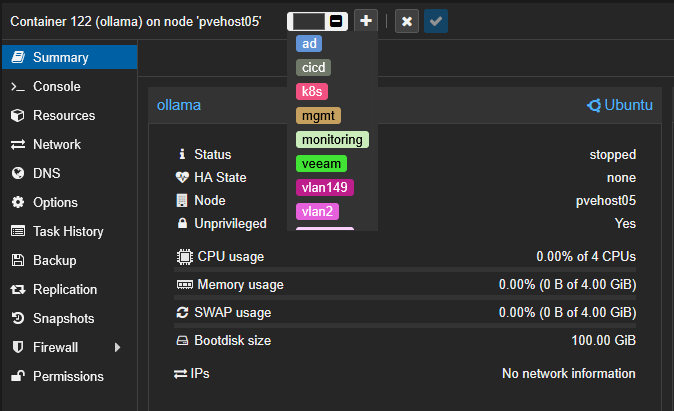
Once you begin tagging consistently, you can then use these tags to filter the Proxmox interface and your resources. It becomes much easier to find what you are looking for. Instead of scrolling through a long list of VMs, I can instantly isolate all Docker nodes, monitoring servers, or only the workloads that belong to a particular project or VLAN.
It sounds simple, but this has become one of those little Proxmox features that saves me time every week.
API tokens
API tokens are another features found in Proxmox that makes automation activities much easier and more seamless. While a lot of people know about the Proxmox API, many still use their full admin creds or root accounts. I used to do the same thing, but now after I understand the Proxmox API tokens much better, I use these for my automation purposes now. For example, you can use API tokens with:
- Terraform
- Ansible
- PowerShell scripts
- Python automation
- Proxmox Datacenter Manager
- Monitoring tools
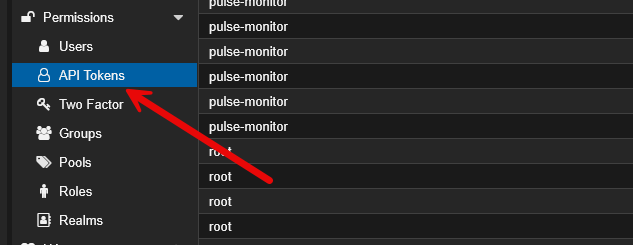
The biggest advantage to API tokens is security. If an automation only needs to clone virtual machines, there is no reason to give it unrestricted administrator credentials for everything else. With the API token, you can scope its permissions down to exactly the permissions it needs to perform the task in a very granular way. These are also much easier to rotate without having to change the account itself.
Once you begin automating Proxmox through the API, you quickly realize just how much of the platform can be managed programmatically.
Cloud-init templates
Cloud-init is a great feature that is not hidden anymore and much more understood now than it used to be. But, I still think many home lab users only scratch the surface with cloud-init. I rarely build Linux VMs anymore without cloud-init functionality and features. Instead of manual builds, My gold templates already contain:
- Current package updates
- QEMU guest agent
- SSH configuration
- Preferred users
- Standard utilities
- Cloud-init configuration
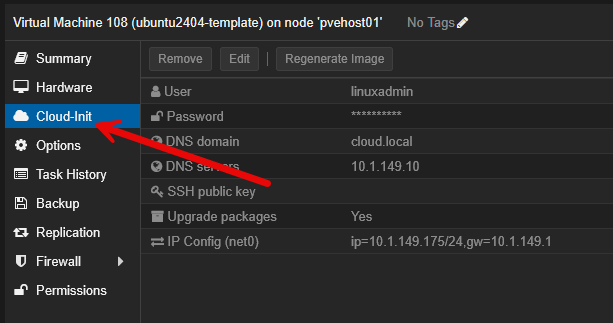
Whenever I need a new Ubuntu, Debian, or Rocky Linux VM, I just have to clone the template that I already have. Within just a few minutes you can have a fully configured virtual machine that already has the desired hostname, networking settings, SSH keys, and other customizations.
This has dramatically reduced the amount of repetitive work required every time I deploy something new.
VM notes
Another feature that I have started taking advantage of is the VM notes feature. This is one of the most underrated features in the Proxmox interface in my opinion. Every virtual machine and LXC container has a Notes section that you can use. .
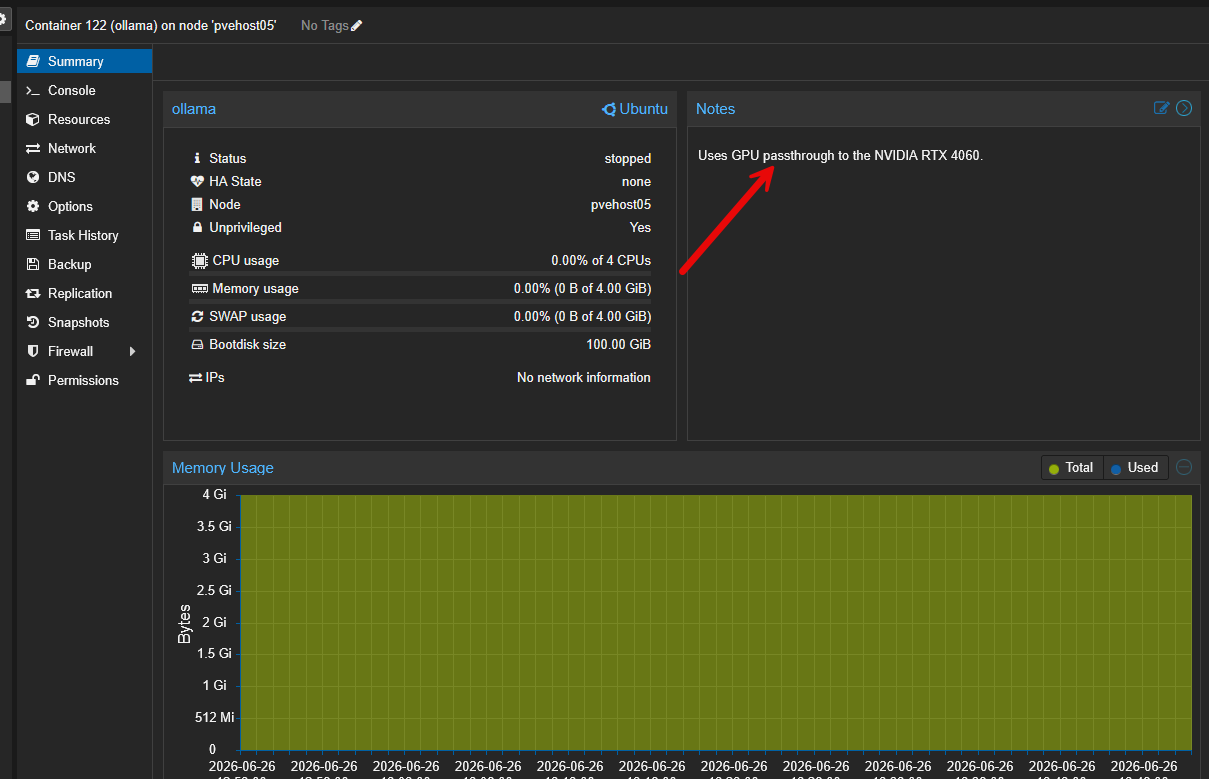
Whenever I deploy a workload in my Proxmox inventory, I document information that I know future me will eventually forget. Even simple things like “why did I build this” or “what project was this a part of”. You would be surprised at how often I have totally forgotten why a specific VM or container is there.
You can also use your notes field to capture things like the following:
- Git repository
- Purpose of the VM
- Application URL
- Reverse proxy hostname
- Important ports
- Related Docker Compose location
- Special startup requirements
Could I store all of this somewhere else? Sure you could. But I have found that having it right there beside the VM inside the Proxmox interface is great. You won’t find a more convenient place to put these kinds of notes to yourself.
As I have written about before, I still have other tools I use to create documentation, but these notes provide instant context whenever I revisit a workload several months later.
Hookscripts
Hookscripts are a feature that not many even know about. But it is one of those features that can be extremely powerful when you know how to use them. A hookscript allows you to configure a custom script to execute during a virtual machine lifecycle. Meaning when an event happens like a VM startup, shutdown, migration, or backup, you can do certain things.
For example, you can trigger:
- Sending notifications
- Updating DNS records
- Calling REST APIs
- Running custom cleanup tasks
- Integrating with external automation systems
For example, you can create a hookscript that looks something like this:
#!/usr/bin/perl

use strict;
use warnings;

my $phase = shift;

if ($phase eq 'pre-start') {
    print "VM is about to start\n";
}

if ($phase eq 'post-start') {
    print "VM has started\n";
}

exit 0;
Then, you attach the hookscript to your virtual machine using the following command:
qm set 100 --hookscript local:snippets/myhook.plI have experimented with hookscripts to tie Proxmox into other pieces of my home lab infrastructure, and it opens up all kinds of interesting possibilities. So instead of manually performing post deployment tasks, Proxmox can trigger those automatically as part of the VM lifecycle operation.
Startup and shutdown ordering
One feature that quietly improves reliability for your self-hosted applications and makes sure that things come back up in the right order is the startup ordering. For most of us, we run enough applications that eventually we have infrastructure dependencies. In other words, certain VMs or containers need to be up and running before other VMs and containers.
As a few examples:
- Storage should come online before application servers
- DNS should start before most containers
- Authentication services should start before applications that depend on them
- Databases should be running before web servers
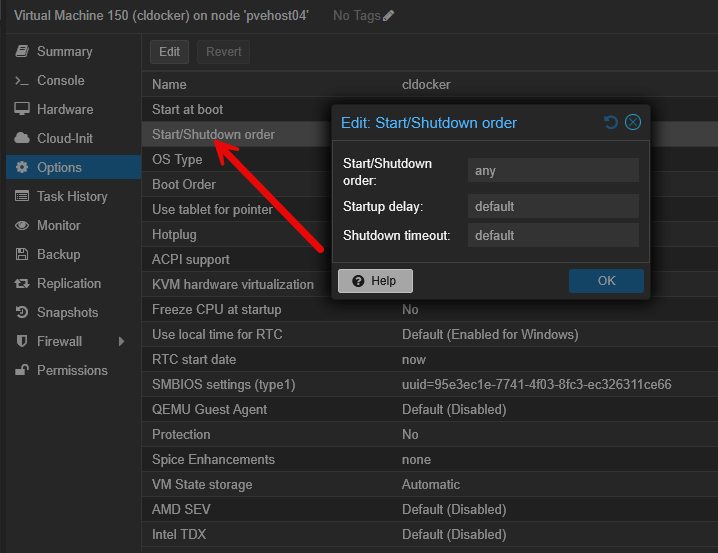
So, in my startup ordering, I might have things configured like this:
| VM | Order | Startup Delay |
|---|---|---|
| Technitium DNS | 1 | 15 sec |
| Authentik | 2 | 20 sec |
| PostgreSQL | 3 | 15 sec |
| Docker host | 4 | 30 sec |
| Application servers | 5 | 0 sec |
Your self-hosted apps will recover much more easily and smoothly when dependencies are already online and available. It is a config setting that you only have to configure and build once, but it will help things to come up properly and in a stable way on every single cluster restart.
SDN (software defined networking)
I’ll admit that when the Proxmox SDN feature was announced, I view it more as just an interesting thing to test out rather than something I was excited to get into my production home lab. However, this has changed for me significantly. I am now using Proxmox SDN in my production home lab environment and it forms the underpinning of my Proxmox networking.
With each new release of Proxmox, they have continued to improve the features and functionality of SDN and today it is super easy to recommend you use it in your environment. What is the use case? What if you don’t want to run overlay networks is it still needed?
Check out my recent post here on Proxmox SDN and how I use it to create the VNets in my home lab: Is Proxmox SDN Worth It for a Home Lab?
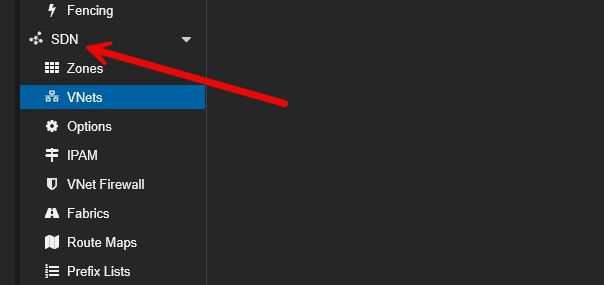
The great thing about SDN is you can use as little or as much of it as makes sense. But, at the very least, what I recommend doing is running Proxmox SDN to have basically the same thing we had with vSphere Distributed Switches. You can just create basic VNets within your Proxmox SDN configuration. These create the VLAN networks you need to connect your virtual machines to your various networks.
The cool part about these are you create them at the Datacenter level and they are immediately available to all your hosts. Again, like vSphere Distributed Switches. If you have never revisited SDN since it was first launched, I think it is worth taking another look because it has become much more polished since then and something that we can actually use for practical use cases.
Replication schedules
Replication is a great feature that allows you to easily get your data outside of your current production environment and have a warm standby virtual machine on another host or in a completely separate location. Many users enable replication and don’t think about it again, it is that easy.
However, i ahve learned that replication schedules are a great feature that deserve more consideration than they tend to get. Not every VM needs the same recovery objectives and frequency. The replication scheduling gives you more flexibility and lets you create a custom plan to be able to protect workloads as they need to be protected.
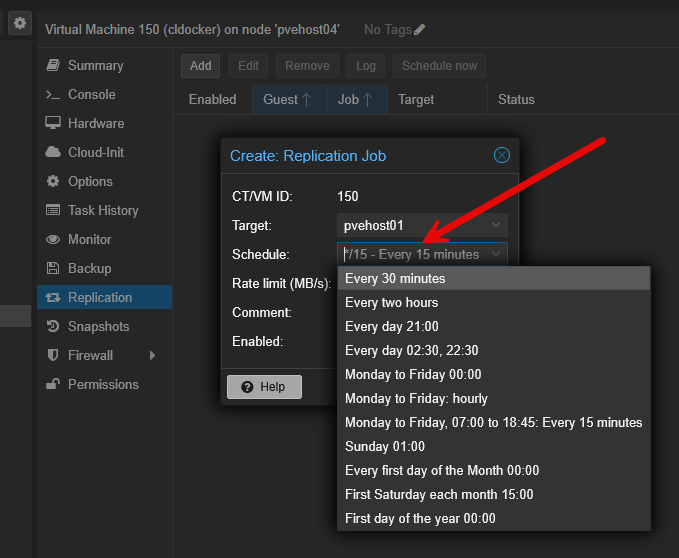
Learn how you can replicat Proxmox virtual machines without ZFS storage here: I Thought ZFS Was Required for Proxmox Replication in My Home Lab but I Was Wrong.
Bulk actions
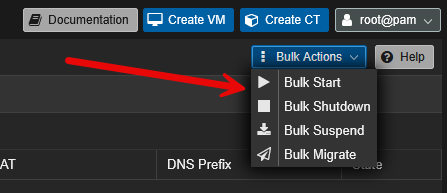
This is one of those features that sounds too simple to really even mention and you most likely are using some part of the bulk actions today. As your environment grows, repetitive admin tasks can take a LOT of time to accomplish. For instance, shutting down multiple virtual machines.
Did you know you can perform bulk actions when you need to do the following?
- Shut down multiple development VMs
- Start multiple machines after a maintenance operation
- Migrate several virtual machines before maintenance
- Back up a collection of workloads
With bulk actions, you only initiate the specific action once, but you are targeting multiple machines. it will definitely save you a few minutes here and there, but think about after several weeks or years, how much time it will save you.
Wrapping up
One of the reasons that I think Proxmox is great in the home lab and that so many people have moved over to using it there and in production is that it scales with you. It has features that are both big and small that make a difference with running your workloads. However, I think many of the features that make it great are some of the smaller features found in the platform. These 9 features we have highlighted here are definitely small in nature but big in the impact they can bring to your operations. How about you? What is your favorite small feature of Proxmox that makes your life easier?
More in this topic


Google is updating how articles are shown. Don’t miss our leading home lab and tech content, written by humans, by setting Virtualization Howto as a preferred source.
About The Author

https://jangajones.github.io/pve-notebuddy/ > great note generator!
Great list!
Thank you John!
Brandon