



Like everything else in a home lab, change is inevitable. There are certain tools that served me well at a certain point or size of my home lab that I no longer use today. Why? Well, simply put, I feel that I outgrew those apps or services, not because they were not good, but they just no longer served my purpose that I needed or they didn’t serve it in the way I needed them to. Here are some of the things that worked great until my home lab got bigger.
Standalone Docker hosts stopped being enough
My home lab went from a single Docker host that I viewed as a “test” docker host, to several docker hosts that I had a mix of “test” and “prod” hosts. These have served me well for years now. Standalone Docker hosts are great to get your feet wet with Docker as they allow you to learn all the basics and concepts to apply to other technologies and orchestration once you introduce that.
When something breaks, troubleshooting is easy. You SSH into the server, check logs, restart containers, and move on with life. Storage is easy to handle. I had everything setup for persistent storage as a bind mount on my docker host. This by extension made backups easy too. I could just make sure I had the host itself backed up and the persistent storage was backed up as part of the backup of the VM.
Once my workloads started to grow and my multiple standalone hosts got to be more challenging to manage. I started thinking about this again. Also, I had the problem of if I wanted to perform maintenance on a specific host, all the applications that host was running, would go down until I brought the host itself back up.
First, I introduced Docker Swarm into the environment. This was a great step in the right direction. With Swarm, I had just a tad more complexity but a lot of benefits to go along with it, like multiple hosts to share running the workloads. Shared persistent storage was part of this as well. I could manage apps as “services” instead of individual containers.
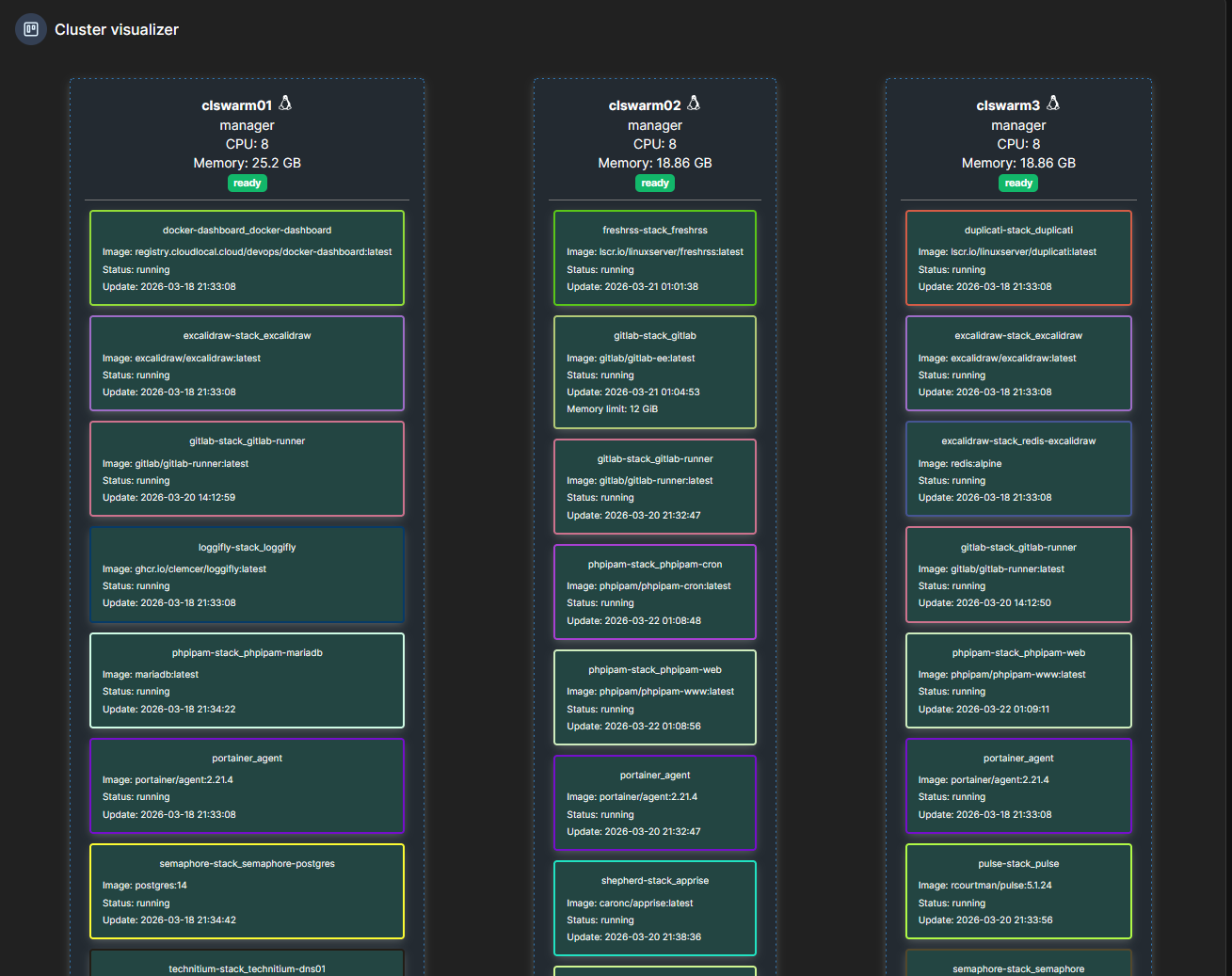
With recent updates to the Docker engine, Swarm has been under scrutiny again for running critical apps. It gets a bit more obscure with each release of Docker in terms of third-party plugin support, especially for storage. Recently, there was the issue with NFS driver for Swarm after a recent Docker engine update.
After this, I figured the writing was on the wall that I needed to get my production containerized workloads into Kubernetes, since it is the path forward. This is what I did.
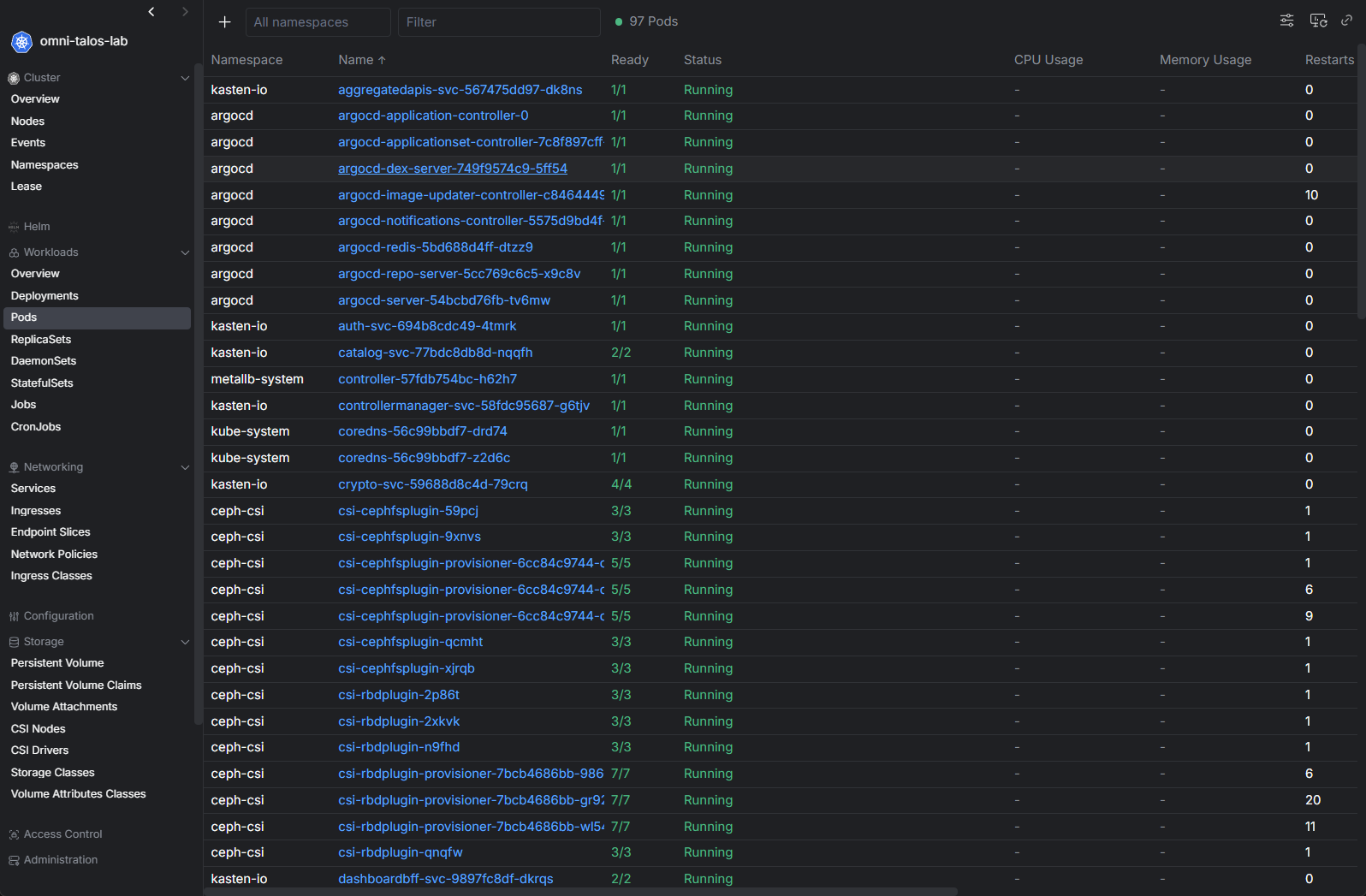
So now, I have a few “test” standalone Docker hosts that I run workloads on that I am testing. Then if i want to keep something long term, I will move it over to my Kubernetes cluster.
Manual installs and administration doesn’t scale well
For years, a lot of my automation looked like this:
- SSH into server
- Run command
- Copy script
- Repeat
And to be fair, this works really well for a long time and may be what you are doing today, and that is ok. When you only have a few systems, manually logging into servers to perform updates or run scripts is perfectly ok. In fact, it often feels faster than building automation.
But for me, the problem came when I wanted to make sure I had consistency. How do I answer questions like:
- Did every host get the same change?
- Did I run the same command everywhere?
- Did I forget one system?
- Can I reproduce what I just did three months from now?
At a certain point, I realized that manual steps to perform operations was causing me some heartburn in making sure I had a consistent approach. So, with that, I had the realization that I needed to move towards pipelines and repeatable automation.
I introduced CI/CD workflows in my home lab to make sure that I could have the same processes ran at the same time and way that they were ran before. So now, I have everything committed to Git, even for my standalone Docker hosts.
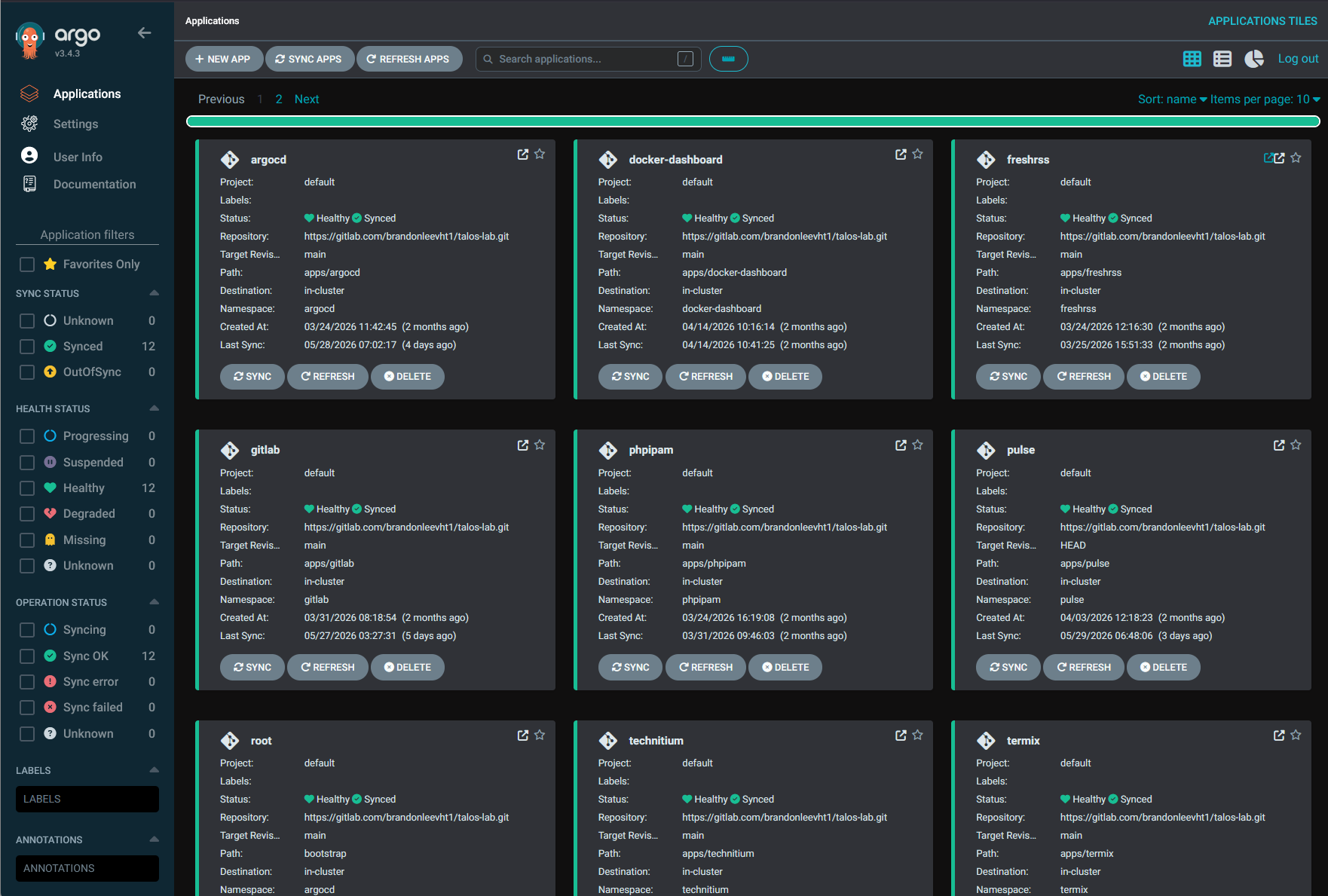
Kubernetes takes this even further with GitOps. I have ArgoCD running in my environment so that I can make sure that what is running in my Kubernetes cluster is exactly what is committed in code.
Simple reverse proxies became harder to manage
One of the challenges that you start to run up against when running many different types of containers in the home lab is how do I get to these apps and services with consistent and friendly names. Most don’t want to have to remember IP addresses or even Docker hostnames and the port numbers that go along with specific containerized apps.
Reverse proxies solve this problem as they allow you to get to the app or service using a friendly name. They also provide SSL termination so you have friendly names for your apps that have proper certificates from LetsEncrypt and others.
You install it, create a hostname, enable SSL, and suddenly your services feel professional. At one point in my home lab, GUI-driven reverse proxies were exactly what I needed because they were easy and removed the challenge of having to understand the underlying things going on underneath. Instead of spending hours wrestling with configuration files, I could expose services quickly and keep moving.
In fact, I highly recommend a reverse proxy like Nginx Proxy Manager to get started. It is super easy to spin up and it does a great job of helping to get you started in the world of friendly domain names and SSL termination. This makes it easy.
See my step-by-step post on setting NPM up here: Setting Up Nginx Proxy Manager on Docker with Easy LetsEncrypt SSL.
But, once I started wanting to get more into infrastructure as code and storing everything in Git, Nginx Proxy Manager and many of the other GUI-heavy solutions, don’t really play well with this type of management and automation.
Check out my write up on this switch where I detail my migration away from Nginx Proxy Manager and over to Traefik for my reverse proxy: I Replaced Nginx Proxy Manager with Traefik in My Home Lab and It Changed Everything.
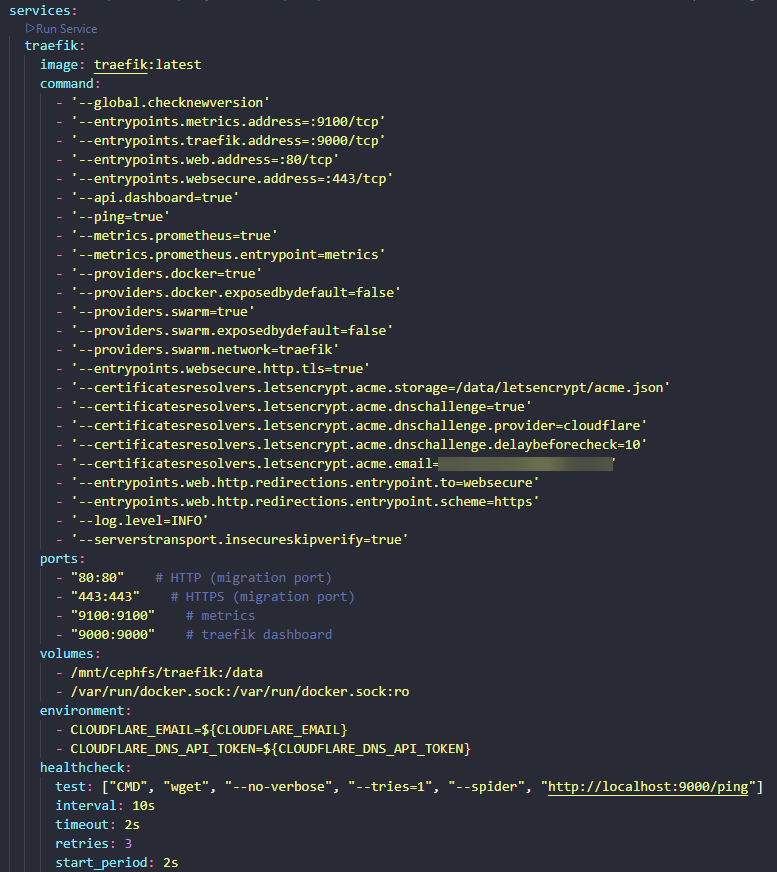
This was when I moved all my SSL termination over to Traefik. With Traefik, you have configuration files that define your port forwards and SSL termination. You can store all of this inside your Git repo, which is nice. Traefik is also what I use inside my Kubernetes cluster.
Basic monitoring stopped answering the right questions
Monitoring in a small environment is pretty straightforward. You start out wanting to answer the following questions:
- Is the server online?
- Is CPU usage high?
- Did disk space run out?
This type of monitoring is great and it will get you most of what you need most of the time. But as my home lab grew and I started getting more and more infrastructure technologies in the middle of my self-hosting journey, then the basic monitoring questions don’ answer all your questions.
You may have situations like the following:
- A VM slows down.
- A service crashes.
- Storage latency spikes.
- Containers restart unexpectedly.
- DNS starts behaving strangely.
When you have these types of scenarios, the basic uptime questions don’t really help you uncover the root cause of the above. I want to know: why did this happen? That question completely changed how I approached monitoring.
Check out Pulse if you are running Proxmox. I think it is arguably the best one out there that gives you visibility into your Proxmox VE Server environment, PBS, and Docker containers.
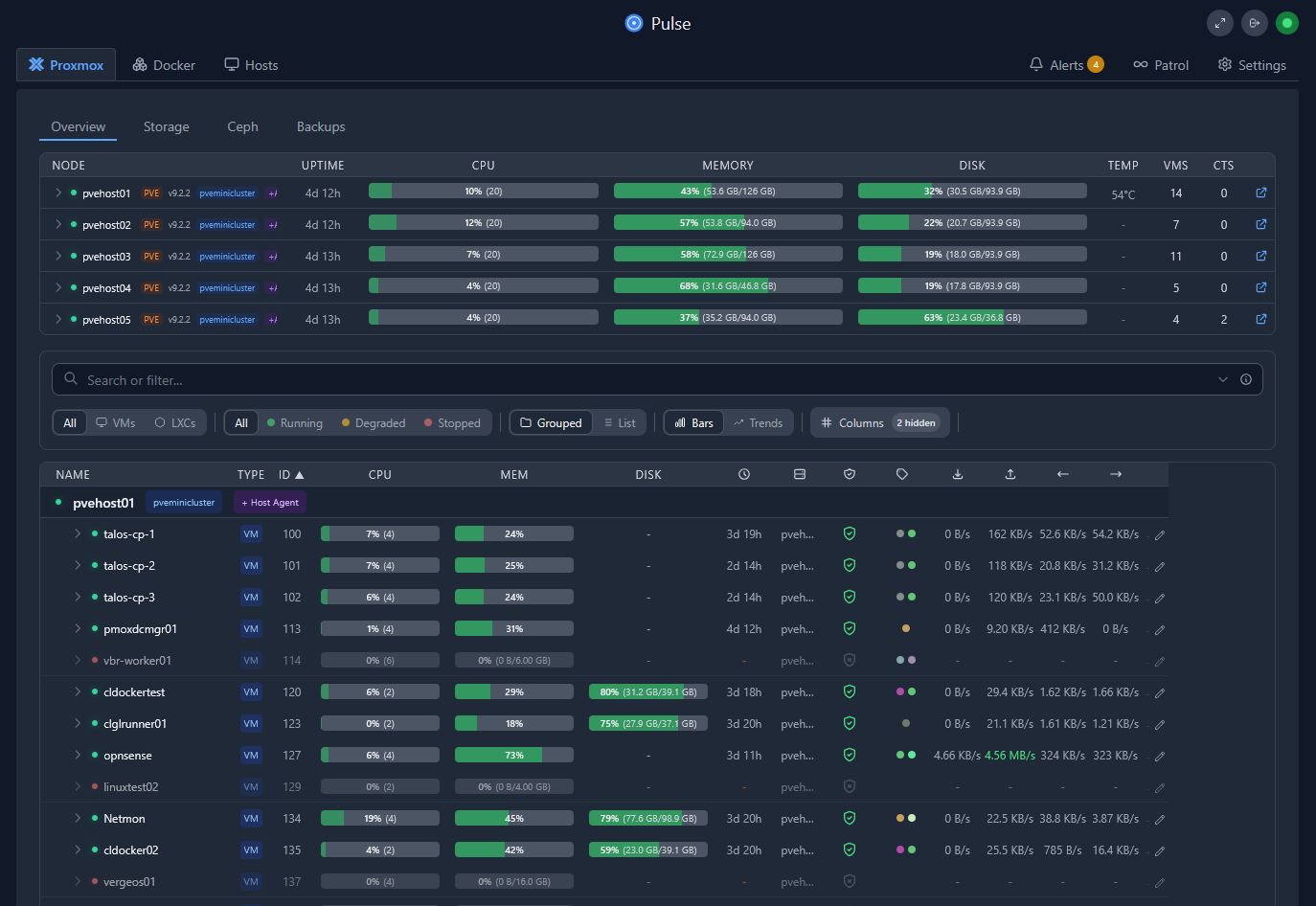
I have found in my home lab, that I can’t really get EVERYTHING from a single solution, so I have multiple solutions that help to round out my view of the environment and see problems before these take down services in the environment.
Instead of simply knowing something failed, I wanted context and understand why. Like me, you probably want to see: When did the issue begin? Was storage involved? Was networking involved? Did memory pressure spike? Were containers restarting? Was latency increasing?
Also, I have introduced a lot more container monitoring in my environment so I can see log messages from inside the containers.
Pets vs cattle
When I started my home labbing journey, I definitely had “pets” in my home lab. You know what I am referring to. Those servers that are cared for and petted from time to time and ones that we don’t want to touch because we are afraid something will break if we do, etc.
For years I created servers this way and ran my apps and services for the home lab on these types of servers. However, once I started shifting more to containerized infra, I saw the beauty of no longer worrying as much on the server host, but rather, think of your servers as immutable, only to run the containers they are defined to run.
This way, I don’t necessarily want to lose docker container hosts, but if I do, they aren’t that incredibly important. I just build up another host (using automation) and redeploy my container code on the host server. Done.
Check out my recent post where I tried out Flatcar Linux which is an immutable OS built specifically for Docker: I Installed Flatcar Linux on Proxmox and It’s Not Like a Normal Linux VM.
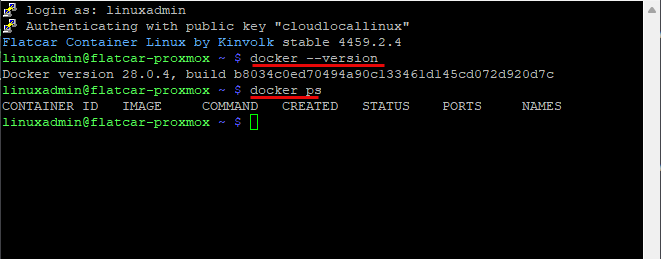
I don’t think there is anything wrong with starting out with a bunch of “pet” servers. I think we all do this to be honest and if you still have a pet server in the lineup, no biggie. Again I think we all do! But by in large, work towards immutable infrastructure in your home lab. This teaches really great skills and it is a worthwhile mindset shift.
VMware no longer suits the purposes I want to achieve in the home lab
I wanted to put a section in here on VMware as if you have read my blog, you will know that I have had a pretty major shift in moving away from VMware and over to Proxmox. I couldn’t be happier since the switch. Things have, well, ran great on Proxmox!
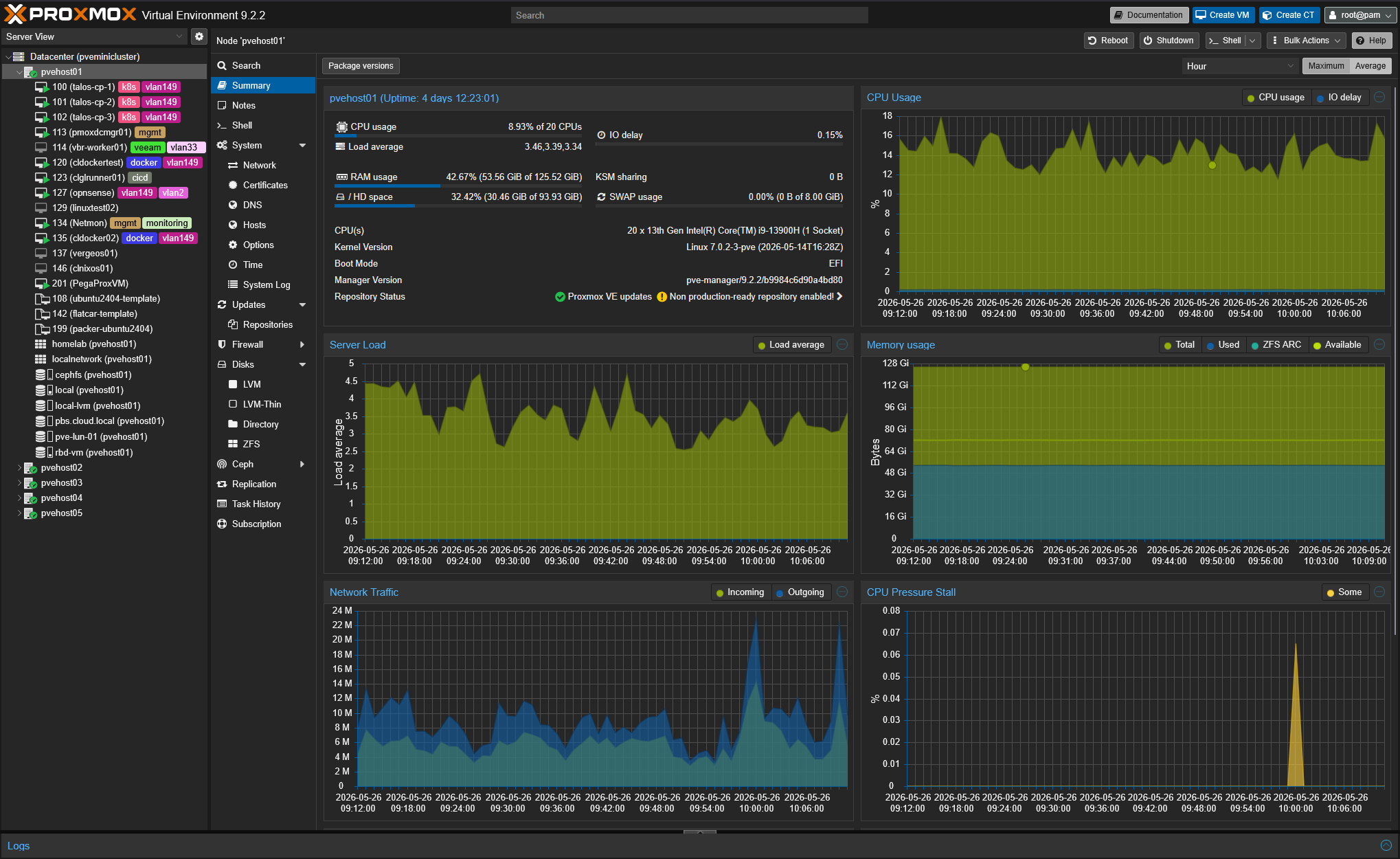
Is VMware the best hypervisor and full ecosystem of products out there when you ONLY look at the technical aspects of what it can do? Arguably yes. But is it the best hypervisor and full ecosystem of products and solutions out there when you factor in the price? Arguably no.
We know this, looking for the best tool for the job doesn’t always mean you buy the shiniest tool. You buy the tool that gets the job done in the way you want it to. I think this is where we have gotten with VMware. Its a great product, but not at the cost increase ratios that businesses are having to fork out. Broadcom has mandated that companies will purchase the full catalog of products (VCF) whether they need those or not. This doesn’t line up well with most organizations.
For instance, if I am a family man and need a 3 bedroom 2 bath home for myself and family, why not instead go for the 6 bedroom, 4 bath $5 million mansion in Malibu instead? Would it be better? Probably. But does it make sense? No. I think this is the kind of logic that VMware under Broadcom is pushing now.
Simple storage
When starting out in the home lab, it is a smart move to just go with local storage for a single host that most start out with. It gives you really good performance and economy of storage (although prices have been greatly inflated this year).
Simple storage layouts are underrated:
- A NAS with shares
- Local SSDs
- Maybe a backup target
Get one or all of these stood up and you are good often for quite some time. But, when you start looking at resilience in your lab, and looking at things like clustering, you realize that “shared storage” matters more.
That was the point where I became more interested in distributed storage and clustered approaches. Now, I want to be careful here because this is one area where I think home labbers often overcomplicate things.
Distributed storage is not a requirement for learning. In fact, many people adopt it far too early when they don’t really have the hardware or networking needed to make it perform acceptably. Below is a look at my Ceph HCI storage running inside my Proxmox VE Server cluster:
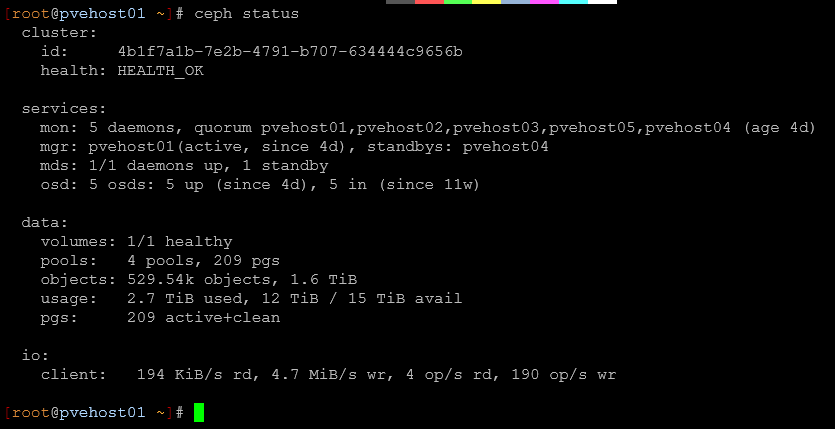
Storage complexity can create troubleshooting headaches very quickly. But for my environment, as clustering and workload placement became more important, simpler storage layouts stopped fitting the goals I had. Again, this was not about better or worse. But, it was about the right tool for the job I was looking for at the time.
Wrapping up
I will say this. Outgrowing something in your home lab doesn’t mean that it failed or that you failed. It means you are learning and progressing. I fully expect to continue to outgrow tools as long as I run a home lab. The good thing is your learning isn’t tied to a specific tool, and I don’t think it should be. Concepts, best practices, and methodologies that work are more important than specific tools. That has probably been one of the biggest lessons my home lab has taught me so far. What about you? What are some tools you have outgrown?
More in this topic




Google is updating how articles are shown. Don’t miss our leading home lab and tech content, written by humans, by setting Virtualization Howto as a preferred source.
About The Author

I wonder what you were using from VMware that it wasn’t sufficient? I still prefer VMware over proxmox. I absolutely hate the volume management in proxmox (maybe it has changed since last time I tried it) VMware always felt more intuitive.
I’m still working out the whole SSL cert thing it’s doing my brain in. I had it working once then certs expired and nothing worked like that ever again. I am using nginxpm. I don’t get why certs need to expire for simple home use… Annoying af.
I am with you on VMware, I’ve deployed and managed VMware since 2002, Broadcom ruined it for me. VMware is an awesome stack, the licensing and the rug pull from VMUG and homelabs turned me away. Would I run VMware if they went back to their old ways (this is never going to happen) yes. Proxmox is perfect for my homelab and my small businesses.