



I have been very transparent about the fact that I still have Docker hosts in my home lab in addition to running Kubernetes. If you haven’t seen my post on that, check that out here. After years of building out my home lab, I have realized there is no perfect platform for everything. When most start out, including myself, almost everything lives inside of a virtual machine. If you need a new service, you spin up a new VM. Once I started learning containers, this exploded in my home lab. Then Kubernetes entered the picture. After spending time with all three I have landed at a place where I now ask, “what is the right platform for the specific app”. Let’s look at Docker vs VM vs Kubernetes
Why I still run traditional virtual machines
Traditional virtual machines are still a staple of my home lab. What do I use them for? Well, despite all the hype around containers and Kubernetes, etc, VMs are still extremely relevant. But for me, mainly around containers (sounds ironic right? Read on). Some workloads simply make more sense inside a virtual machine.
Windows Servers are an easy example. If I am running services like Active Directory, DNS certificate services, Windows-based management tools, or domain infrastructure, these definitely will exist in a VM. VMs are still the de facto way to run your Windows infrastructure services.
Also, VMs provide the best security boundary still yet and they have very predictable behavior. This matters a lot for your infrastructure services. Also, for docker container hosts, I always use virtual machines. I will load up a Linux distro as a container host and then run the containers there.
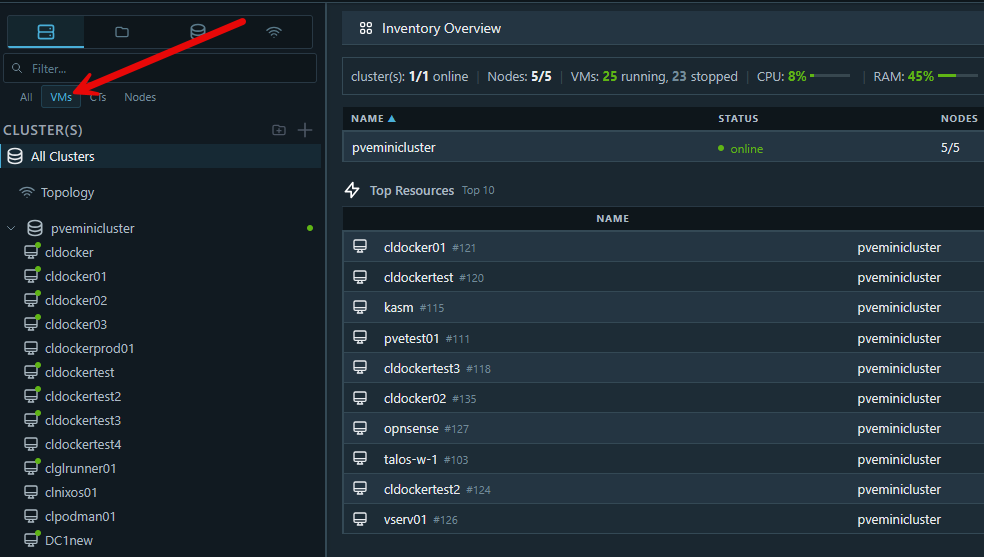
A lot of vendor-based appliances still expect to run inside a VM. Backup software, security appliances, network tools, management platforms, monitoring systems, etc, are most often delivered as virtual machine appliances.
So, VMs are still very relevant in 2026. For me, in my home lab, VMs make up the “platform” underneath my containerized and infrastructure services. I don’t typically run “apps” inside a VM anymore unless, once again, these are software appliances from vendor.
What about LXC containers?
There are definitely cases where LXCs make a lot of sense. For instance, if a solution for whatever reason is better off not being containerized in Docker and needs a full server OS, this is a good option many times to run it in an LXC container. This way you don’t have the overhead of running full virtual machine (saving resources) and you have many of the advantages that LXC containers provide such as being super quick to spin up and being lightweight.
As one example, check out how you can pass through your GPU to an LXC to self-host your own AI services:
Why Docker has become my default for many services
If I had to choose a default deployment method today for most applications in my home lab, it would probably be Docker. Docker is the absolute easiest way to deploy self-hosted applications when looking at Docker vs VM vs Kubernetes. With a Docker image, you have everything you need to run that application and you also have any dependencies required. So you aren’t struggling to load up a VM with all the disk settings and requirements, and also requirements like Nodejs, Python, Java, etc.
So, typically, I use virtual machines to host my containerized infrastructure unless it is a network appliance or some other type of appliance that is provided as a VM appliance. Then when I am testing applications and software, I always test this in Docker when possible.
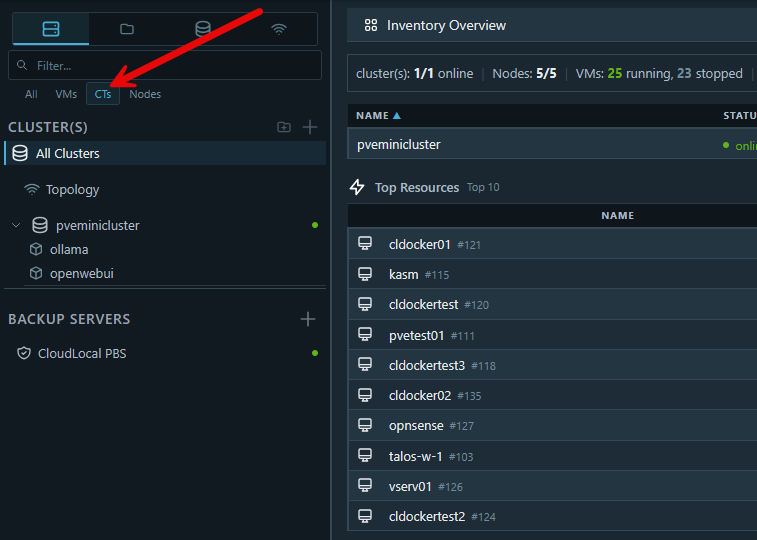
Docker sits in a sweet spot between simplicity and flexibility. One of the biggest reasons I love Docker is speed. I can spin up a new service or app in literally seconds or at most minutes. For many services, spinning up a full VM feels unnecessary. This also helps with efficient resource use in the home lab. After all these days, we can’t just burn through RAM to burn it! What are some of the things that I have running in Docker?
- Reverse proxies
- RSS readers
- dashboards
- monitoring tools
- Git services
- automation tools
- management interfaces
- internal utilities
- lightweight databases
Docker also makes rebuilding and updating painless. It essentially makes your infrastructure immutable since you can just pull a new container image and have the latest version of the app and app stack that you are using. It also documents itself. I store all of my Docker compose inside Git. So if I need to go and see what configuration the container has, I look at my compose code. Then, I can easily back up the persistent data for the containers with my normal container host backups.
Updating is super easy as we have mentioned as well:
docker compose pull
docker compose up -d
Why Kubernetes is amazing but I don’t use it for everything
Kubernetes is one of those technologies that really is amazing. I really like to see how well it runs containers and orchestrates my critical apps in the home lab. Check out how to run Talos Linux inside your Proxmox environment:
But I don’t use it for everything. Why? Well, it is complex to begin with. Kubernetes isn’t as easy to run your app like you can with Docker doing a docker compose up -d. Instead, when looking at Docker vs VM vs Kubernetes, Kubernetes has MANY more moving parts.
Kubernetes is incredible and can do A LOT. With it, you get:
- self-healing
- orchestration
- declarative configuration
- rolling updates
- scaling
- GitOps workflows
- persistent storage integration
- automation
So, my personal workflow for Kubernetes is that I decide based on which apps I want to keep long term in the home lab and those that are most critical to me, go into Kubernetes. Otherwise, if the app is more ephemeral to me and I am just testing out some functionality short term, I will keep the app or service inside of Docker.
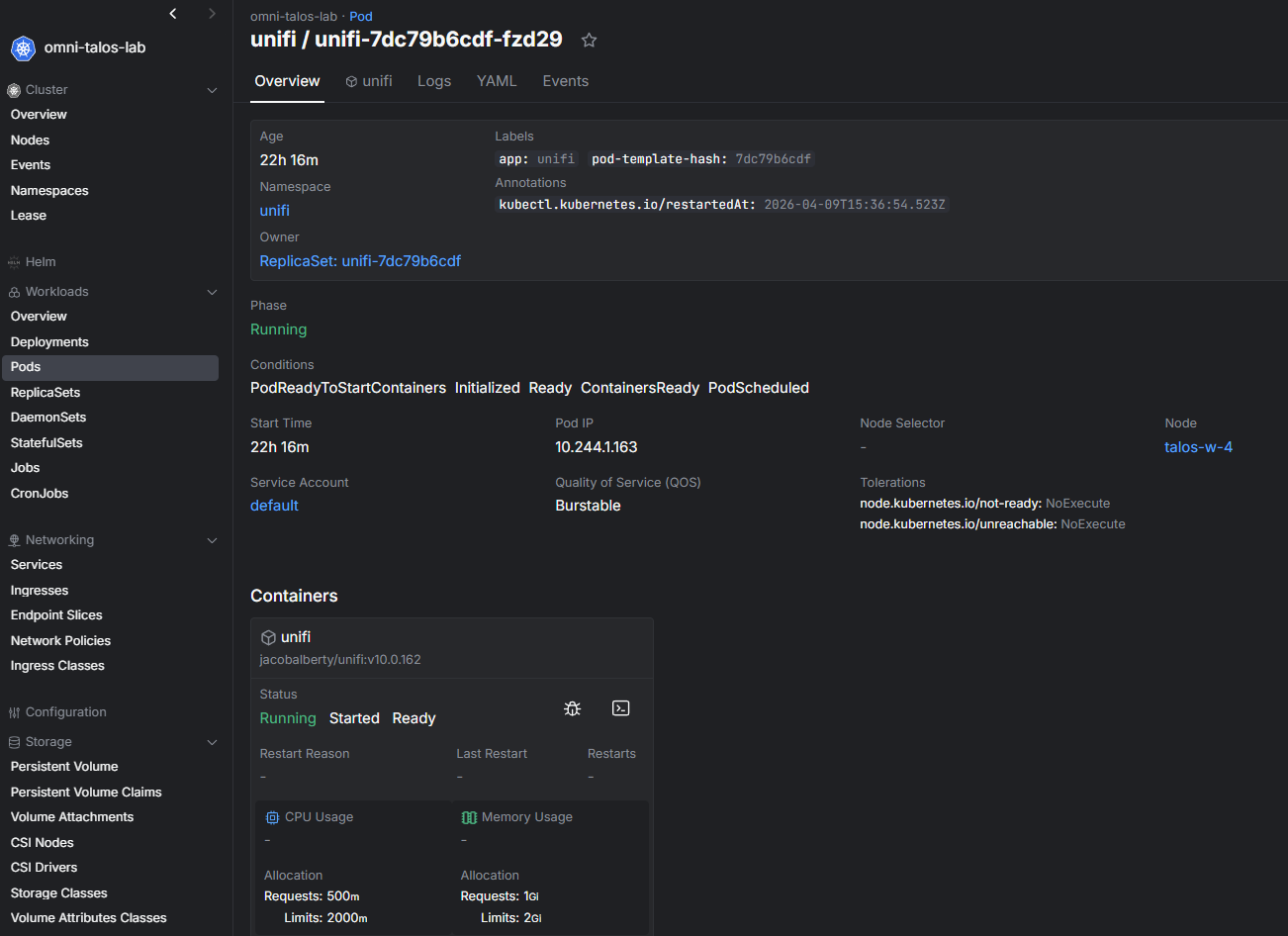
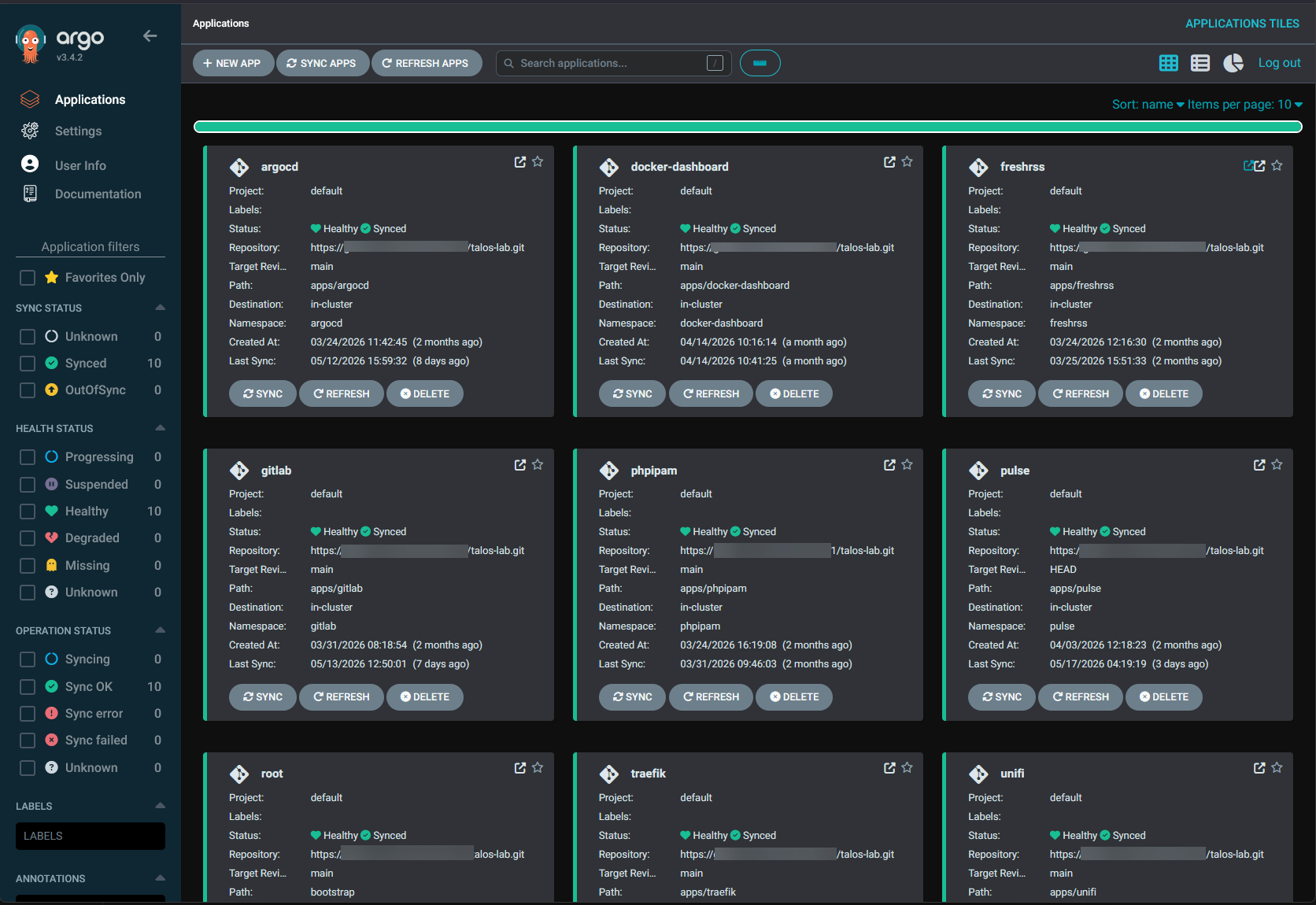
I genuinely enjoy working with it. But I always apply the critical services rule to apps that I decide to place there. Also, when I use Kubernetes for an app, everything is driven from a Git repo. I only place apps in Kubernetes that I have a in my GitLab repo, and ArgoCD makes sure that the app is always aligned with the code that is in the repo. In other words if I don’t have the config in code in the repo, it won’t run.
Check out my ArgoCD post where I show how I am doing GitOps in the home lab:
My decision flow for choosing which platform to use
These days, before deploying a workload, I mentally run through a very small and intentional checklist. This is a simple process that saves me unnecessary complexity in my environment when deciding between Docker vs VM vs Kubernetes.
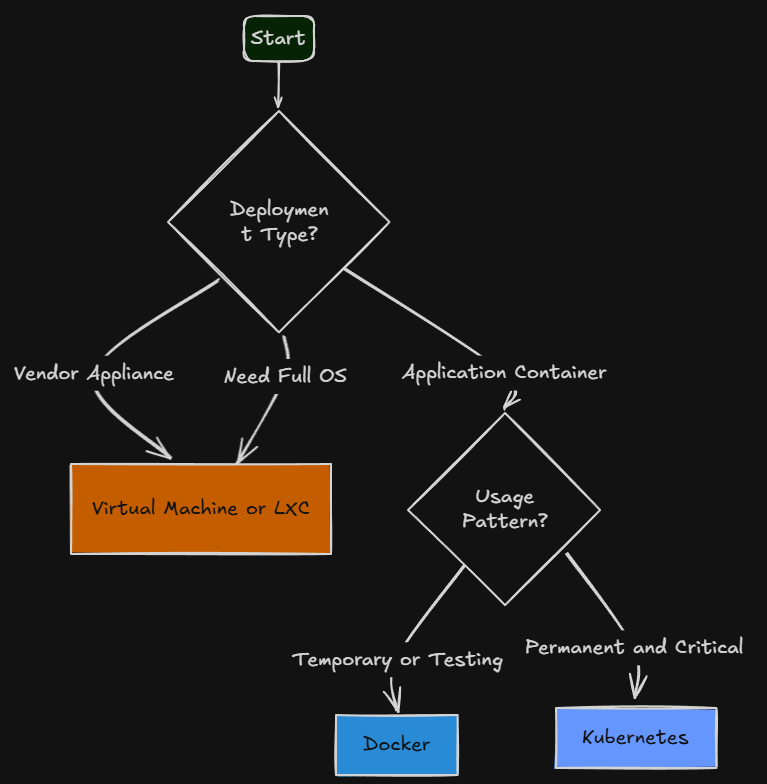
| Question | If yes | Platform | Example workloads |
|---|---|---|---|
| Is it a vendor appliance? | Vendor provides an OVA, ISO, or expects a server OS | Virtual Machine or LXC | Backup software, monitoring appliances, network tools |
| Does it need a full operating system? | Needs Windows, system services, or OS-level control | Virtual Machine | Active Directory, DNS, Linux infrastructure servers |
| Is it an application container? | Lightweight app or service | Docker or Kubernetes | Dashboards, RSS, monitoring, reverse proxies |
| Is it temporary or testing? | Quick deployment or experiment | Docker | Lab apps, testing, proof of concept services |
| Is it permanent or critical? | Long-term service or reliability matters | Kubernetes | APIs, cloud-native apps, GitOps workloads |
| Would orchestration help? | Needs self-healing, scaling, automation | Kubernetes | Modern apps, HA services |
| Am I overengineering this? | Complexity feels unnecessary | Reconsider | Anything that feels too complicated |
So, realistically, this workflow helps to keep you from defaulting to a single platform for everything. Vendor appliances that need a full operating system usually are delivered as VM appliances or there is an installer you can load even in an LXC container in Proxmox. Lightweight apps that I am testing will always first land in Docker. Then, if an app becomes something I want to keep long term, or it becomes critical to my environment? Then it benefits from living inside my Kubernetes cluster and the added complexity is worth the lift and shift to K8s.
Where I regret my choices sometimes
Like everyone with their home labs, I still make mistakes. Sometimes I decide to put an application in Kubernetes that I think is going to be a good decision due to it being an app I want to keep longterm. But then, I realize that it just wasn’t written to play well inside Kubernetes for some reason.
Like most, I am guilty of overcomplicating things like this. In times past, I have tried hard to containerize an app that would have just been better off living in a virtual machine and makes sense to run there. Keep in mind, you don’t have to get it perfect on day one and if you decide to move from a VM to Docker for an app or the reverse of that, that is ok. The important thing is understanding why something belongs where it does or seeing the need to move it into an environment that fits better for its intended use case.
Wrapping up
If I can say one thing that I have learned after comparing and running Docker vs VM vs Kubernetes, it is that you are not in this to “pick a winner” between them. If you do, then you will always be disappointed at some point. The goal is to choose the right tool for the workload and application. VMs are not dead. Use LXCs where they make sense. Docker is not going to replace literally everything, and Kubernetes is not a mandatory solution if you run containers. Each platform solves different issues and challenges. I think this is the point. The biggest improvement with my lab environment came when I stopped chasing one universal solution and started making these intentional decisions based on what I needed. Often, in the home lab, simpler is usually better, but not always. How about you? What are your thoughts on this topic? Where are you running which solution in your lab?
More in this topic




Google is updating how articles are shown. Don’t miss our leading home lab and tech content, written by humans, by setting Virtualization Howto as a preferred source.
About The Author

I would really be interested to see the cases where Kubernetes was better than a Docker container. I have a bunch of containers running with very sophisticated health checks and i have never wished to have a kubernetes until now (at work i run kubernetes)