


For years, there has been a common request from the Proxmox community for an official ARM release that is supported. So, realistically, every time a new Raspberry Pi or Ampere server has been released, the question many wonder is When will Proxmox support ARM? This has always been a question on the minds of most of us. However, that has now changed! Proxmox has just officially announced a new supported ARM64 release. I think this will be one of the biggest architectural changes for Proxmox users in the past several years. This will open some interesting use cases and possibilities I think for low power home labs moving forward. Let’s take a look at this release and announcement and what hardware is supported, including limitations.
Why this release matters
Offical support for ARM64 with Proxmox is a bigger deal than just an “experimental” type release. Proxmox has been able be ran with various community work and custom kernels, patches, and modified installation methods. But official support changes things.
Official support is a much bigger deal than simply getting Proxmox to boot on ARM hardware. This means that developers are building and testing and maintaining things officially for that architecture. Updates will be vetted, documentation, bugs, all receive the same kind of attention that we have been used to with the x86 architecture.
I think this gives us much more confidence moving forward that this will be a viable platform and architecture for home labs as well as in the enterprise.
Does this mean that Proxmox is officially supported on Raspberry Pi 5?
Well, at least not officially. Offical ARM64 support is aimed at systems with the standard UEFI firmware and ACPI like modern x86 servers have. As you can imagine, Proxmox Server Solutions GmbH is smart in that they are limiting their official support to enterprise class ARM platforms. These will include vendors such as Ampere and other enterprise manufacturers.
Most Raspberry Pi systems rely on Device Tree based boot processes rather than the standardized UEFI and ACPI environment expected by enterprise operating systems. This allows Proxmox to have just one supported platform instead of creating a bunch of separate kernels that support all kinds of individual development boards. And from the development side, it definitely makes sense.
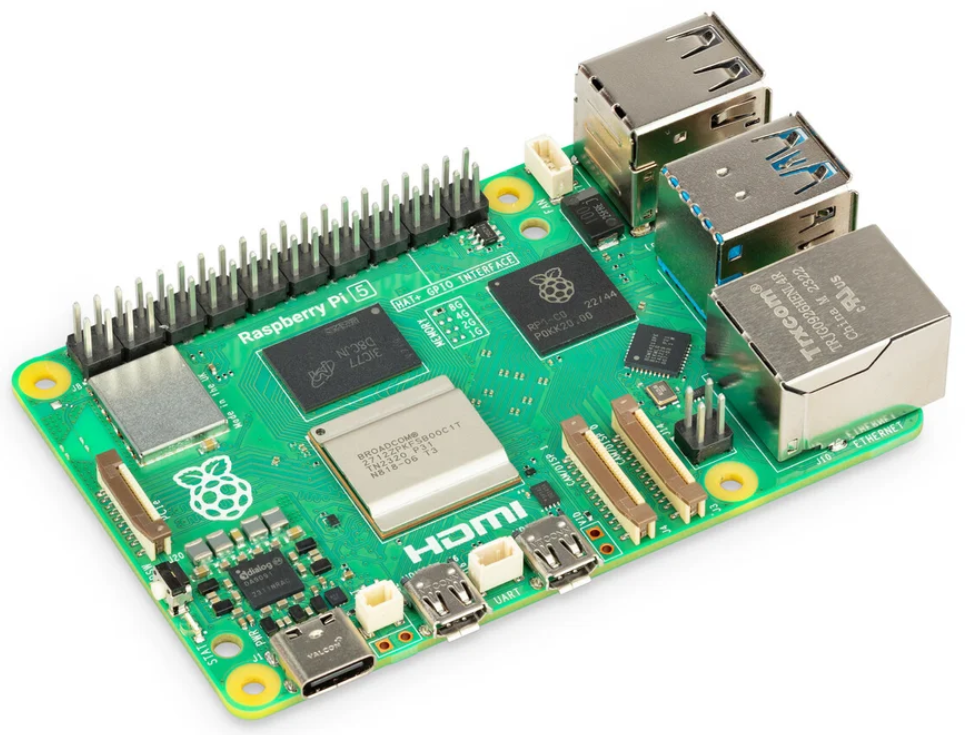
So, does this mean that you can’t install it on something like a Raspberry Pi? No it doesn’t. In fact, I have already seen users posting in the Promxox forum that they have already installed Proxmox on Raspberry Pi 5 devices like the below:

Official platform and architecture notes
These are the official notes from the forum page on the support and architecture differences:
- Fully supported on the NVIDIA Grace Hopper and NVIDIA Vera systems
- Best-effort support on other UEFI-based ARMv9-A or newer hardware (ARMv8-A usually works)
- The host must must be able to boot from UEFI and use ACPI for hardware
- Device-tree-only single-board computers, such as the Raspberry Pi, are not supported, but work (see below)
Architecture-specific differences
- Virtual machines always boot through UEFI, provided by the ARM build of OVMF (AAVMF). SeaBIOS is not available on arm64
- AMD SEV memory encryption and Intel GVT-g mediated vGPUs are x86-only
- There is no operating-system-level CPU microcode package, unlike intel-microcode and amd64-microcode on x86
- Guests only run on nodes matching their architecture and you can only Live Migrate between ARM64 and ARM64 as an example not between x86 and ARM64 or vice versa
NVIDIA Grace Hopper systems
Proxmox has mentioned with this ARM64 release they have performed joint testing and validation on NVIDIA Grace Hopper Superchip server systems. This allowed them to have thorough testing across their platform stack on systems that were already used in production environments.
So definitely a smart move to develop and test on systems that are already used in prod datacenters to help work out any kinks with the porting process.
What features should you expect?
So just understand, this is not a cut down version of Proxmox. It doesn’t mean that you have watered down featured and capabilities. I think Proxmox Server Solutions here has accomplished a pretty amazing feat on the first release. There is full feature parity.
So all the features with KVM, networking, clustering, ZFS, and Ceph are all included exactly as users expect from the x86-64 builds. So with the ARM64 release users will get the same core Proxmox experience that x86 users have had with the platform.
That includes the same features as:
- Virtual machines
- Linux containers
- Storage management
- Software defined networking
- Clustering
- High availability
- Backup integration
- The web management interface
In other words, this is still Proxmox VE at its core. The architecture underneath changes, but the management experience stays the same for everyone. This is an awesome feat they have accomplished here and will mean that we have the same experience management-wise with a Raspberry Pi 5 that we would with a Dell R840.
Proxmox storage gets a special nod of support on ARM64
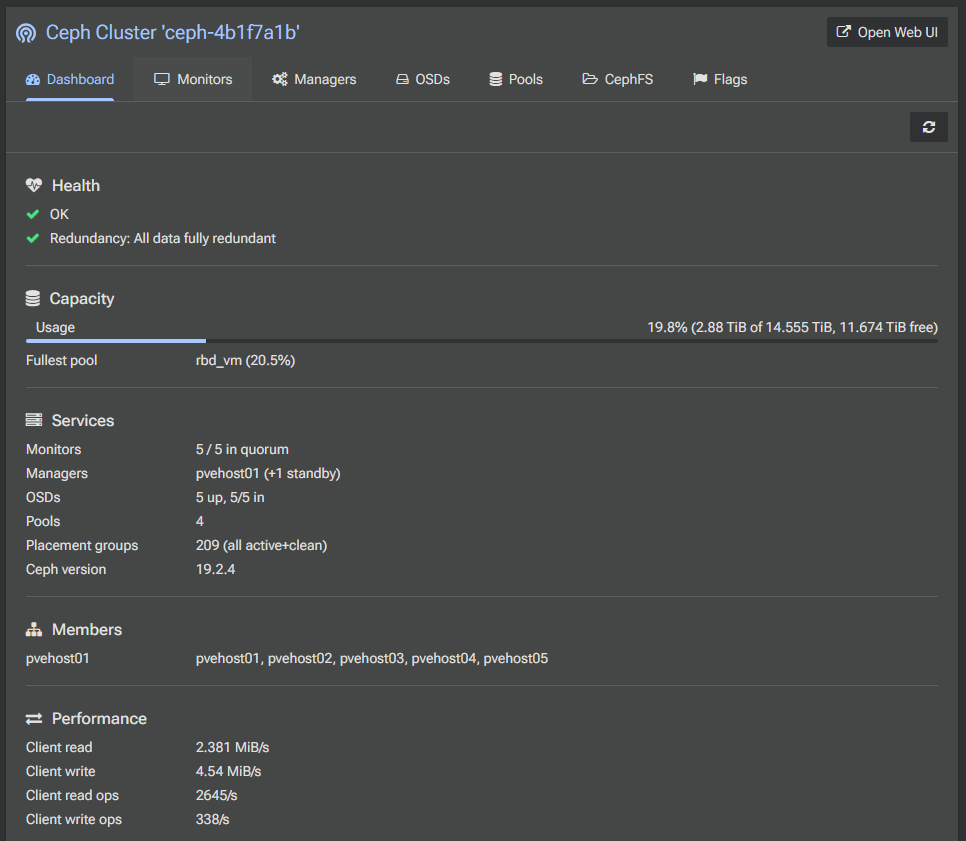
One of the areas of feature parity that is called out in the press release is that there is full feature parity for ZFS and Ceph. ZFS has long been THE local storage solution for Proxmox VE Server. Ceph is the HCI storage solution that is fully baked into the platform as well.
With the ARM64 release, Proxmox has made sure that they fully tested and validated that ZFS and Ceph are fully optimized and functional to deliver the same level of performance and features, which again, I think is a pretty amazing feature for the first ARM64 release.
Why low power home labs become much more interesting
I think this is a development in the home lab community that is VERY welcomed right now. In my opinion, the trend is making things smaller, mini racks, low power mini PCs, and seeing how much you can run on as little power draw as possible.
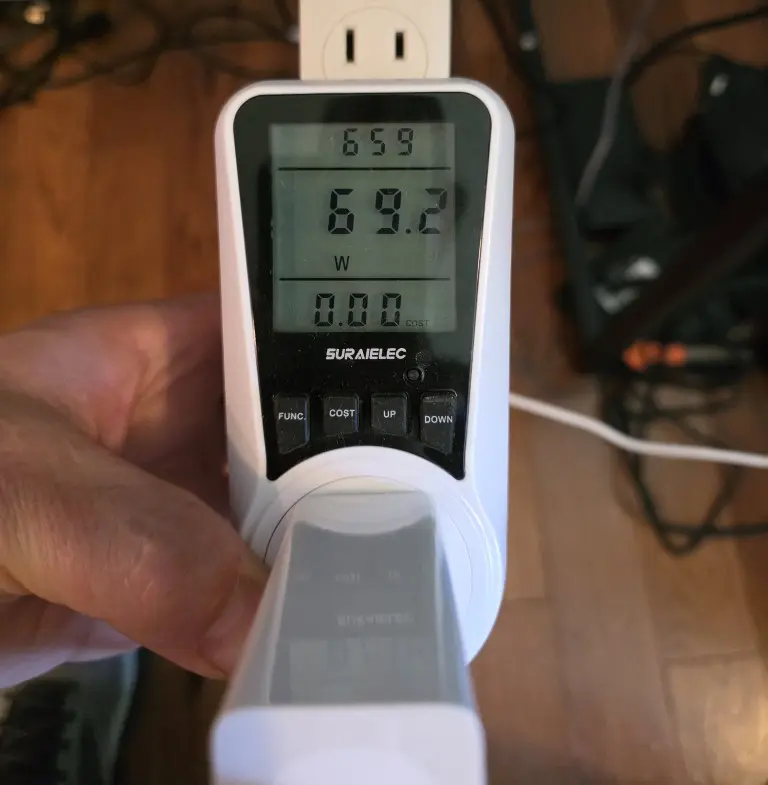
Now, with the ability to install Proxmox VE Server on an ARM64 device, I think this makes things a LOT more interesting on this front since it allows the hypervisor to follow the devices that typically have the most efficient power draw. Imagine having all of the benefits now of Proxmox on a super low power device running the following:
- Kubernetes clusters
- Container hosting
- DNS services
- Home automation
- Monitoring platforms
- Development environments
- Git repositories
- CI/CD runners
- Lightweight virtualization
I think for a lot of always on services that you want to run 24x7x365 this is a perfect combination.
Should you build your next home lab on ARM?
Well, possibly, with the right expectations. Does this magically make everything now work with ARM64? No. Just because Proxmox can run on ARM64 architecture, you still have to take into consideration that for the most compatibility, x86 is still the easiest architecture to recommend.
We have come a long way with Apple’s push using their own hardware that is ARM64 based. But if your primary goal is maximum compatibility with things like Windows, commercial software, legacy VMs and your software tools, x86 is still king here. Nearly everything supports it, and it is well tested against.
However, I would absolutely consider introducing ARM into a home lab over the next few years as we see the architecture get more popular and even better hardware options for low-power home labs. Software will need to follow suit but the writing is on the way with all the recent developments.
And there is nothing to say you can’t run a hybrid of the too with a lot of the always on systems on the ARM64 architecture and then having x86 as your platform for other software that doesn’t support ARM.
Resources to read
Take note of the following resources related to this release of Proxmox:
- The official download page for the ARM64 release: Download Proxmox ARM64
- Forum announcement and comments: Proxmox ARM64 Forum Post
Wrapping up
This is a really great development overall for home labs in general. I am glad to see Poxmox leading the way here like no other vendor in this space making things available for the community in large. Kudos to them for handing us a fully featured, feature parity release that totally supports the existing x86 capabilities, especially in the area of storage. What about you? Are you excited to hear the news?
More in this topic




Google is updating how articles are shown. Don’t miss our leading home lab and tech content, written by humans, by setting Virtualization Howto as a preferred source.
About The Author

This was a great surprise. The possibility of official PVE on ARM wasn’t even on my roadmap right now.
I admit I was thinking purely as a hobbyist; this is clearly an enterprise (NVIDIA)-focused rollout that will only benefit the homelab/self-hosting community as a really nice coincidence.
But, I’m not as excited about it as I would have been even two years ago.
I started poking around at available hardware options, and given the prices of ARM SBCs and actual server/workstation boards/builds, I’m not sure it’s actually worth it to set an ARM PVE node up versus an X86 system if you have to buy new hardware either way.
If you’ve already got an ARM system you can use, that’s a different thing, but even the ARM SBCs I was looking at yesterday in the 8+ GB RAM range are solidly in X86 mini PC territory.
John,
I definitely agree with you. We are in such different territory now with hardware prices. It is crazy to think that Raspberry Pis would be in the realm of a mini PC but that is where we are with RAM prices and everything else. It is definitely cool to be able to run full blown Proxmox on a Pi device now. I am thinking of some use cases where I can benefit from this maybe with extra containers or VMs outside of my production rack.
Brandon