



Every year, I come across dozens of new open source projects that I stumble on or ones may write me about or mention in a comment to try out. Most of these projects are meant for managing a home lab and making this easier. This year has been especially good for open source projects that are genuinely useful. If you enjoy discovering software before everyone else does, I think you will find at least a few projects here worth adding into your own home lab. Check them out.
Sencho
This is one that I discovered recently that I wanted to put on this roundup as I have been impressed with it so far. This has become my new Docker dashboard tool of choice that allows me to see my containers across the home lab, easily update them, and have visibility on things.
When you start to have multiple Docker container hosts, having visibility across all of them with a single pane of glass requires a tool. Sench is that tool that allows you to keep visibility across your Docker container hosts and the containers they are running.
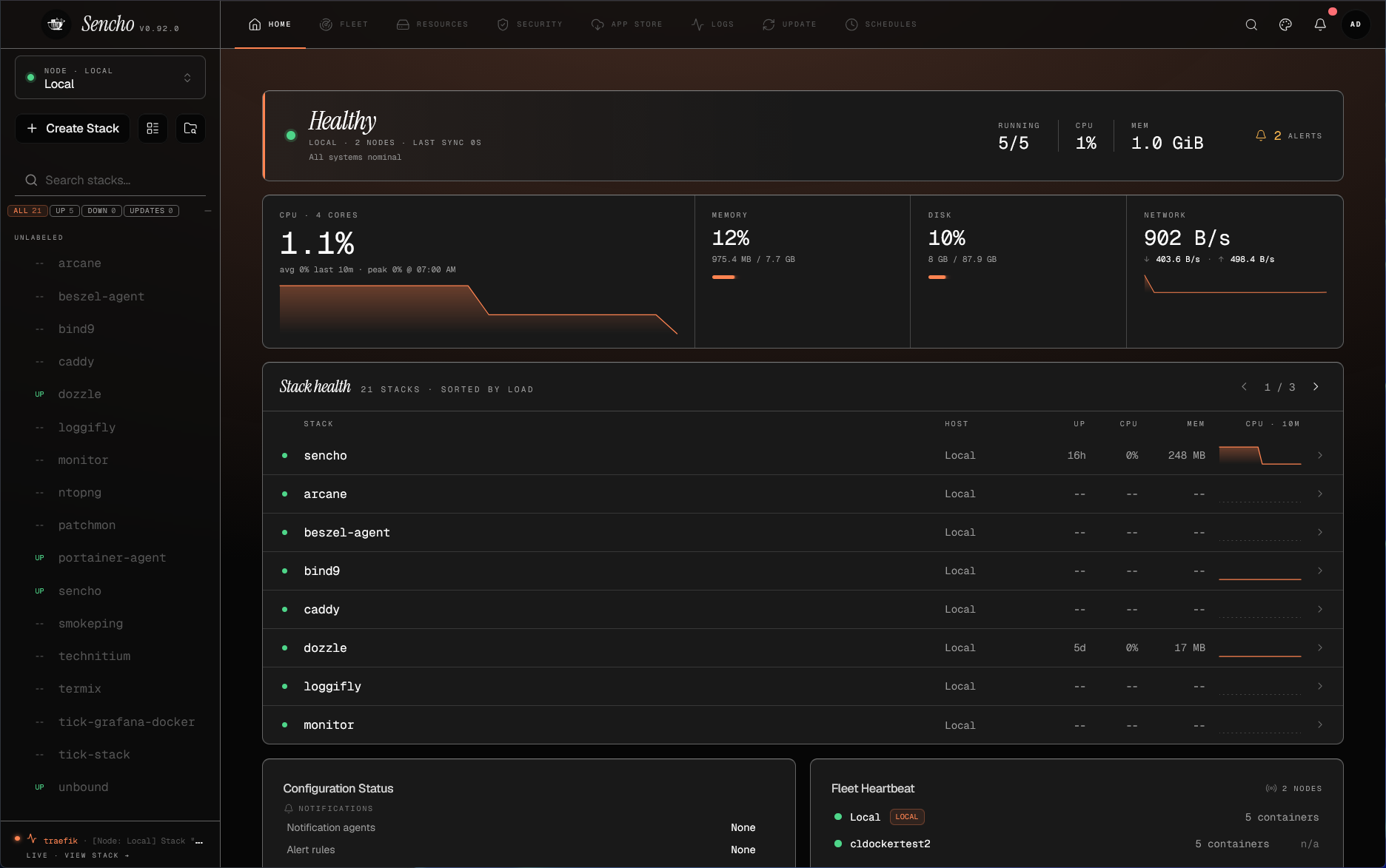
So, it doesn’t replace Docker Compose files, it builds on top of it. It also has some very neat features I think like “snapshotting” your compose stacks before making changes and also really good security scanning features. The project feels lightweight and works well. I have actually been running it in my Talos Linux Kubernetes cluster in the home lab and even though this isn’t the way it was designed to work, I have gotten it to work this way.
Check out my full review of using Sencho in the home lab here: Sencho Might Be the Docker Compose Management Tool Home Labs Have Been Waiting For.
Dockcheck
This one is a great alternative I think to something like Watchtower that we have used previously. Watchtower was long my go to solution for container image updates. Updating your container images isn’t one of those “shiny” tasks that we love to do, but if you want to keep things working well and keep security updates installed, it is definitely a task you don’t want to skip.
Watchtower has since been deprecated as a project, but I have continued to use a fork that has been maintained as of recently. However, after discovering Dockcheck, I am looking at migrating to this as my solution of choice potentially with docker image updates.
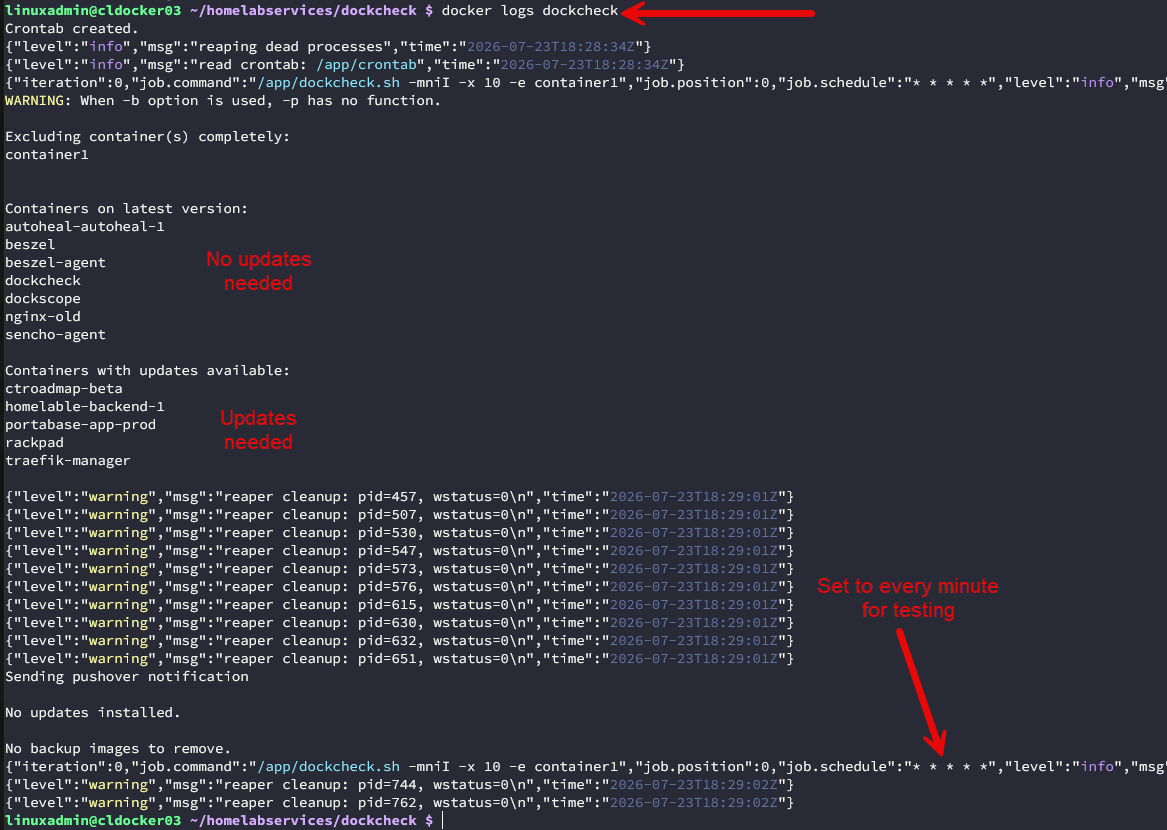
I really like how lightweight it is. It doesn’t have a complicated web interface or DB that goes along with it. It just does the job well of keeping images updates.
Find out how to use Dockcheck here: This Lightweight Docker Tool Solves One of My Biggest Home Lab Annoyances.
Portabase Community
This is another solution that I discovered recently after seeing a Reddit post from Portabase on the new functionality they have added to their community edition to be able to backup container volumes as part of the functionality.
Going along with keeping your container images updated with something like Dockcheck, another extremely important task that you need to make sure you are doing is backing up your persistent volumes.
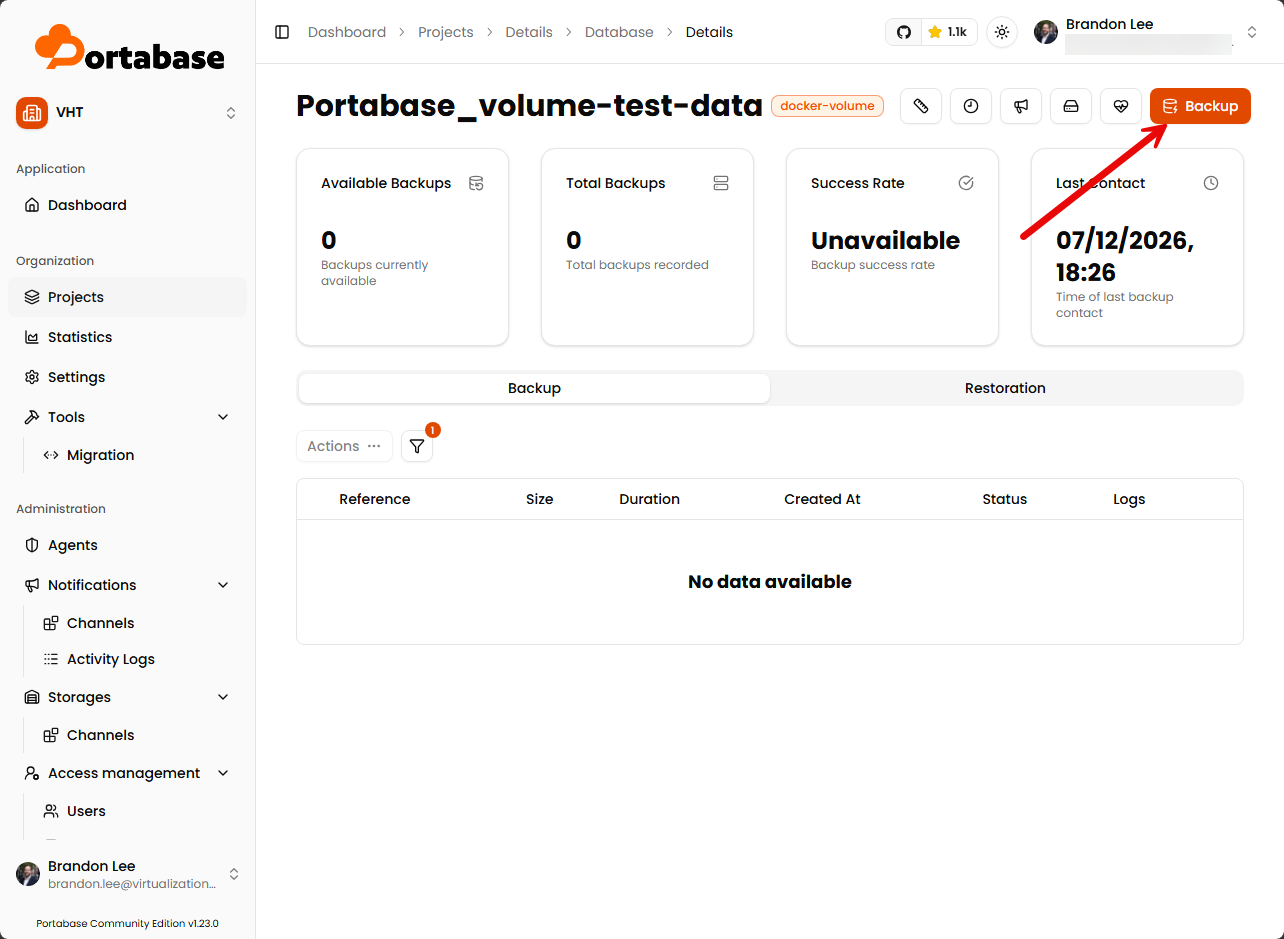
Portabase gives you a fairly clean way to backup your application data and make it a part of the solution where you have the other advantages that Portabase gives you.
Check out my write up on Portabase’s new Docker volume functionality here: This Free Backup Tool Just Added Docker Volume Backups.
RackPad
This is an extremely cool project I stumbled onto recently that gives you a centralized solution for having that global overview of your environment. You get to see things like:
- Which servers are running?
- What services are deployed?
- Which applications belong to which host?
I tested out RackPad recently and I think it gives home labbers a really good operational dashboard for lab resources and it even connects up with your Proxmox VE Server environment. If you have more than just a few servers and other resources, this will give you a tool that helps you have a good overview of your infrastructure.
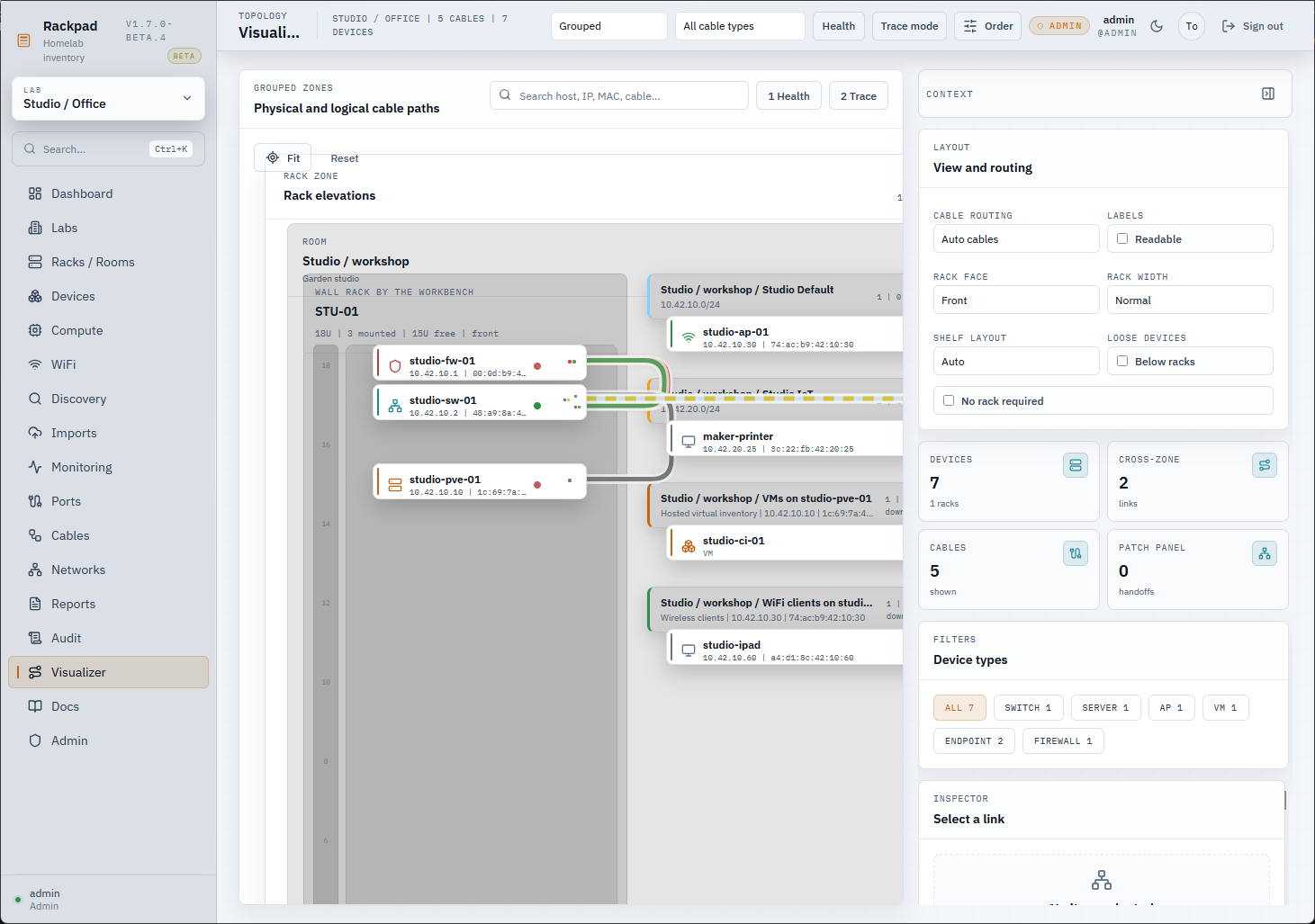
See my full blog post on RackPad here: This New Open Source Tool Completely Changed How I Manage My Home Lab.
Proxmox MCP Server
This is one that has been pretty amazing to me in the home lab. Imagine just in natural language querying your MCP server enabled AI infrastructure to ask about your Proxmox VE Server cluster hosts. That is what the Proxmox MCP server does for you. You can chat with your AI agent in your favorite AI IDE and ask it about your infrastructure.
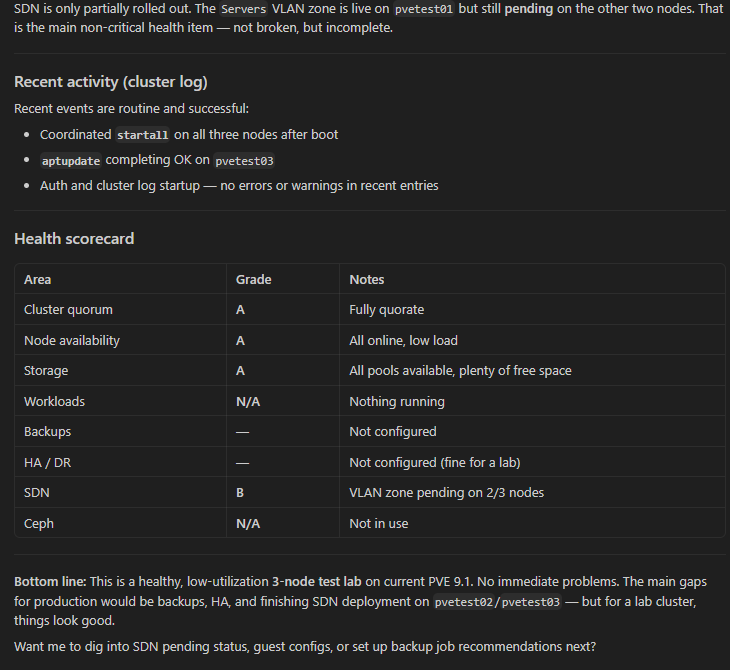
If you don’t know about MCP servers, they provide an abstraction layer and efficiency layer between your agent and your infrastructure or whatever system you are querying. So, instead of AI querying your infrastructure directly via the API, it queries through the MCP server. This is also a bit safer approach as the MCP server can be limited in scope on what it can do. You can also do that with direct API queries, but would say this is easier for auditing and visibility.
Read my how-to guide on setting up the Proxmox MCP server here: I Connected AI to My Proxmox Cluster Using MCP and It Was Better Than I Expected.
Termix
This is one that I have honestly been using every day since I stood it up inside my Kubernetes cluster and that is Termix. I started down the rabbit hole of different SSH terminal solutions with Termius, but then wanted to see if there was something that was open source and was able to be self-hosted.
That led me to find Termix. It is a great solution that runs as a container and it allows you to have access to all your servers via a simple web browser connection. So have connections to all my resources now using a web browser.
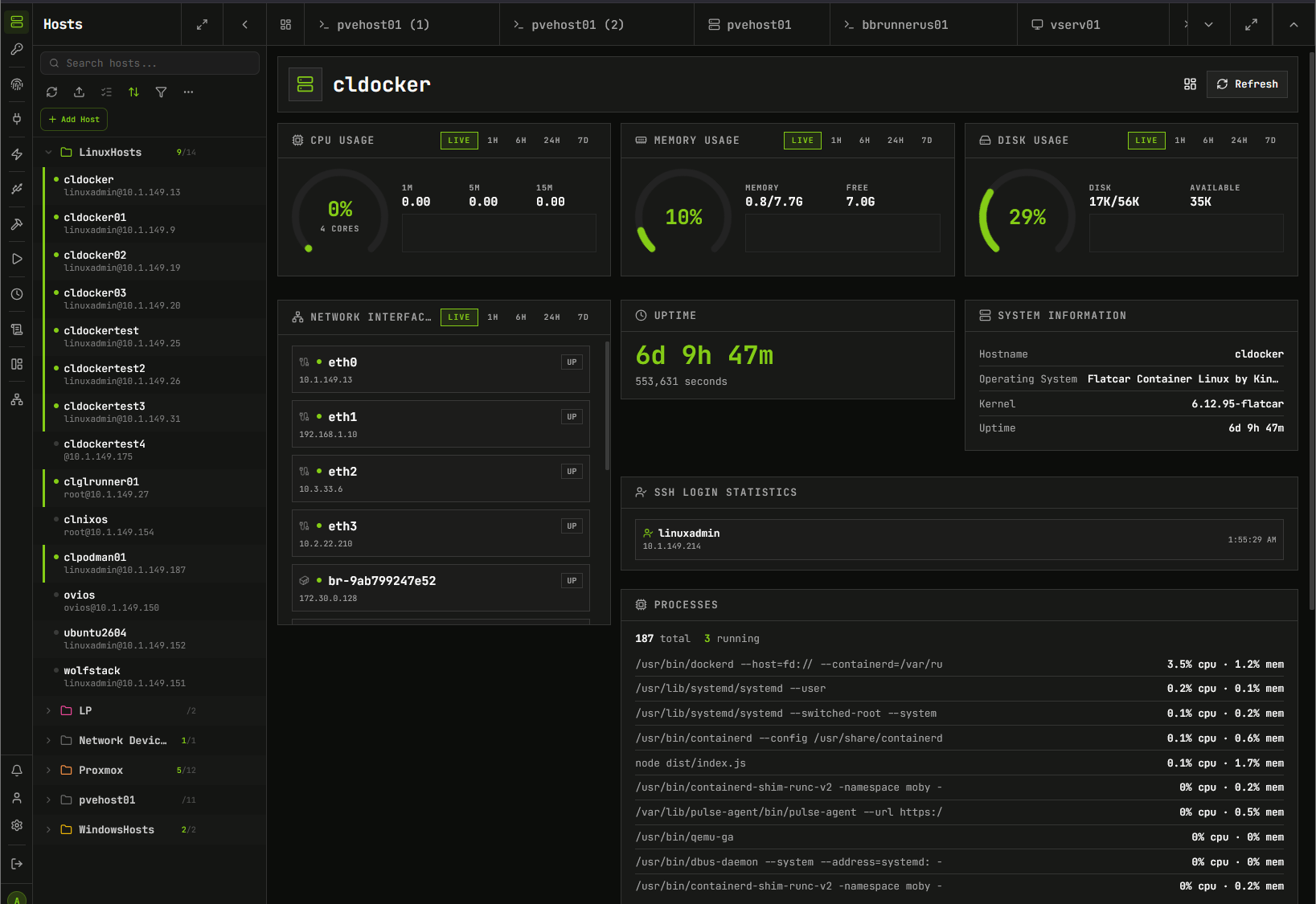
It also has some VERY cool features like integrating with Proxmox and pulling VMs automatically and a resource dashboard view for the machines you add in there as well.
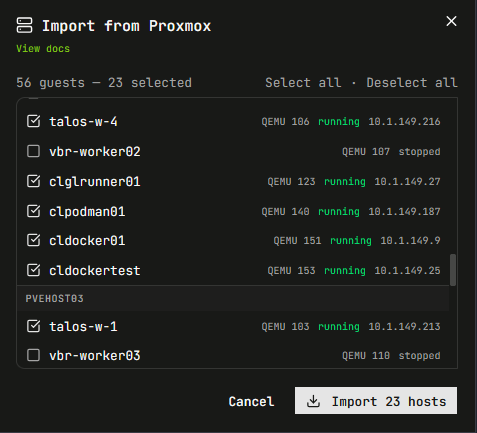
Check out my full write up on Termix here: I Did Not Expect to Like This Self-Hosted Termius Alternative This Much.
Podman Quadlets
Podman has definitely been a technology on my radar for quite some time. However, there is an aspect of it that I wanted to dive into deeper and that was Podman Quadlets. These essentially allow you to start bringing up groups of containers much more like we would with Docker Compose stacks.
Also, Podman is built around the very familiar Linux systemd utility. So most of what you do with quadlets is performed with systemctl commands. Also, since I have started to experiment with Linux distros like Flatcar that are immutable, Quadlets I think make a lot more sense in these environments as well since these types of distros are very systemd friendly.
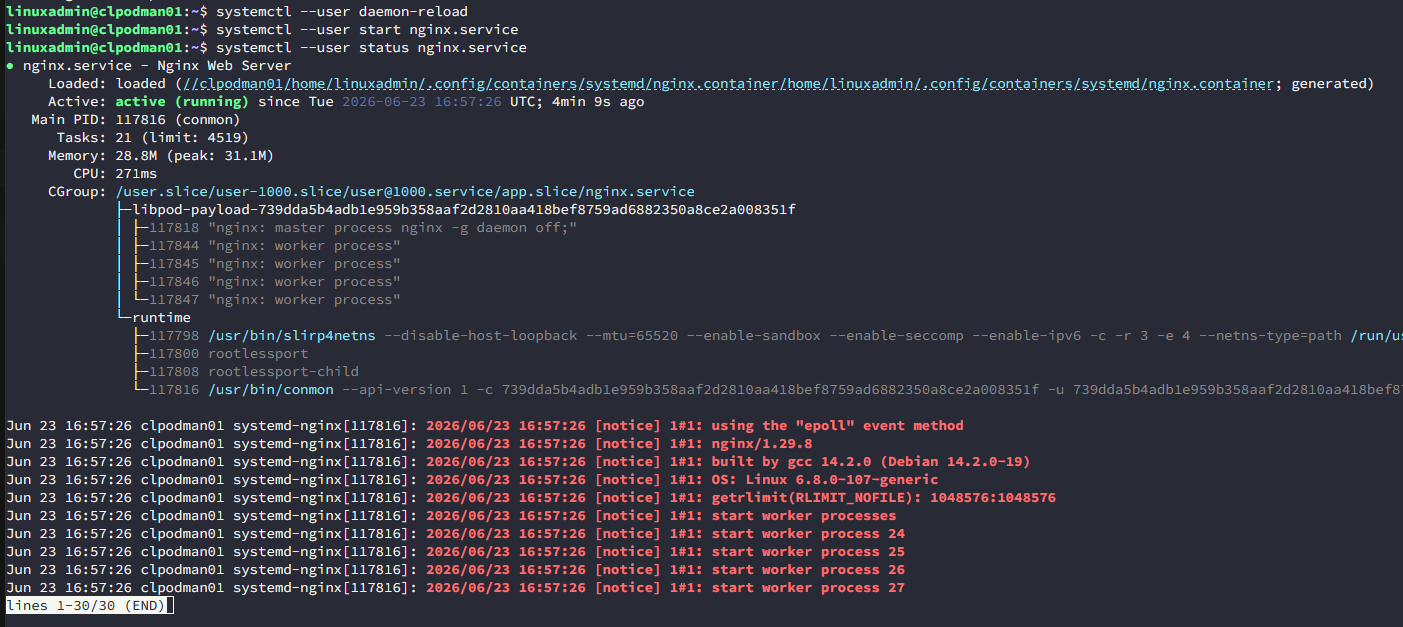
If you have been curious about Podman and Quadlets, check out my post on Quadlets here: Why Quadlets Finally Made Podman Click for Me in the Home Lab.
Sniffnet
If you want to have an easy, and intuitive tool that can show you what is happening on your network without getting into the weeds with Wireshark, Sniffnet is a tool that I stumbled onto that I think gives you a really strong alternative for just quick and easy packet visibility.
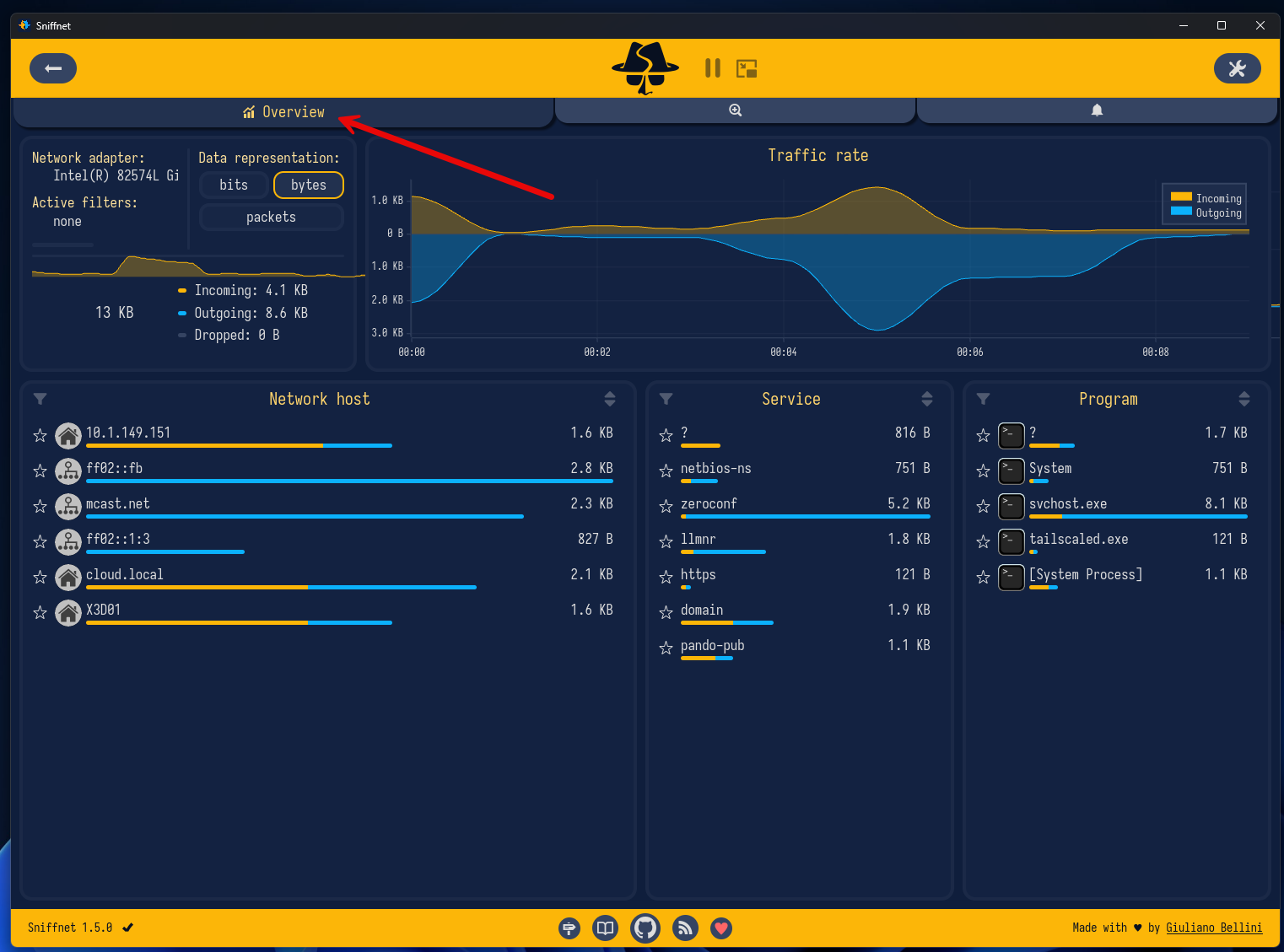
It is an easy Windows install that lets you quickly install the program and get up and running with visibility to your network traffic. It even has really cool features like notifications on certain events.
Beszel
Monitoring your home lab shouldn’t mean you have to spend hours on setting up an enterprise monitoring solution. I found that Beszel is a great tool for most use cases if you want to have visibility on your containers and hosts in your environment.
You can run it using a simple containerized install and it will immediately start giving you visibility on key performance indicators of things running in your environment. And, you can use it as a dashboard of sorts where you have visibility on all your containers across all container hosts.
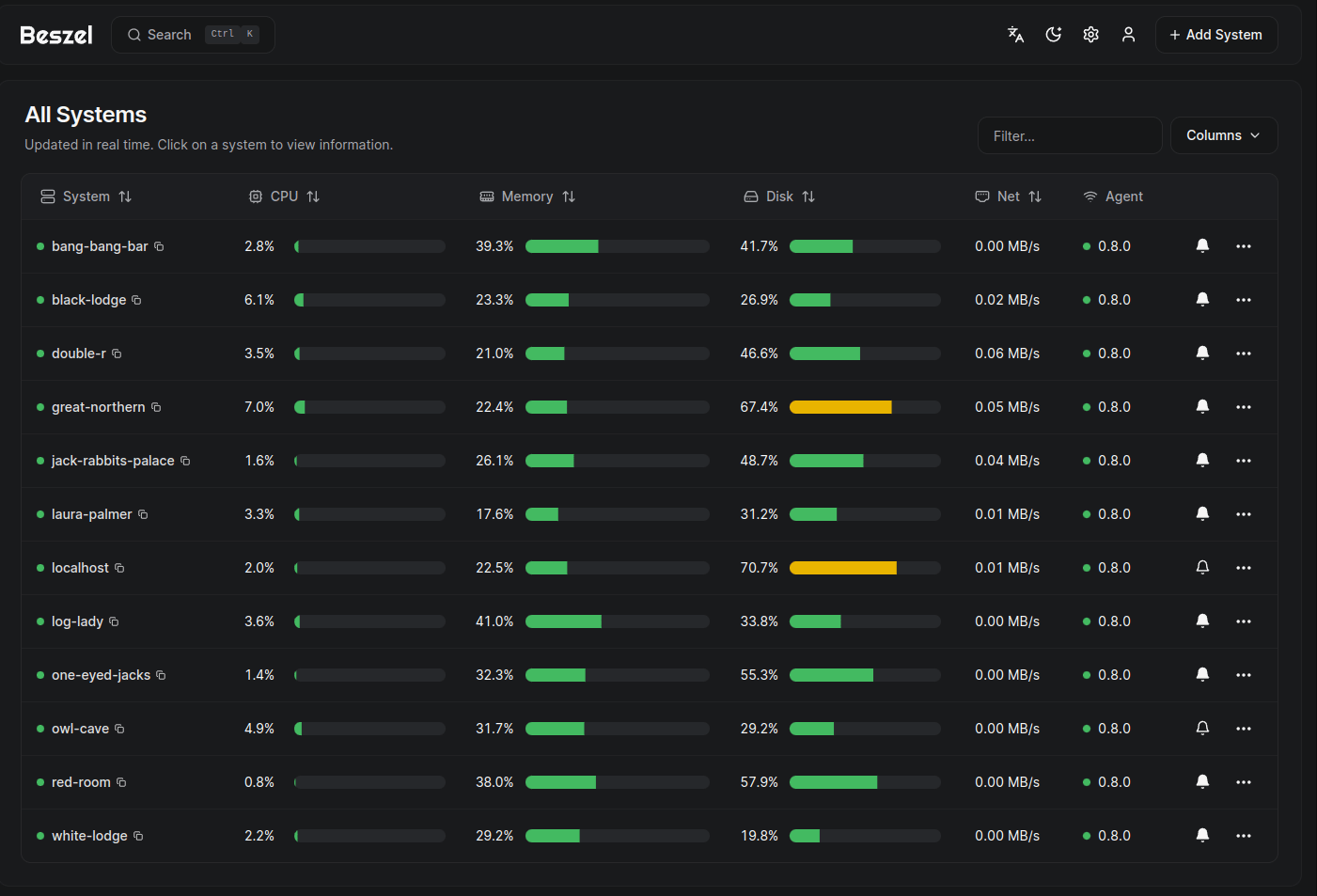
Check out my write up on Beszel here: I Replaced My Monitoring Stack and This Just Works in My Home Lab.
WolfStack
Wolfstack is another solution that I think is super interesting. This is an awesome project that allows you to have a seamless experience for your tech stack. It also integrates with Proxmox and can run on top of Proxmox. I think if you are looking for a very seamless and “in the box” solution that allows you to have visibility and control over all things like VMs, containers, networking, and storage, Wolfstack is one that I recommend checking out.
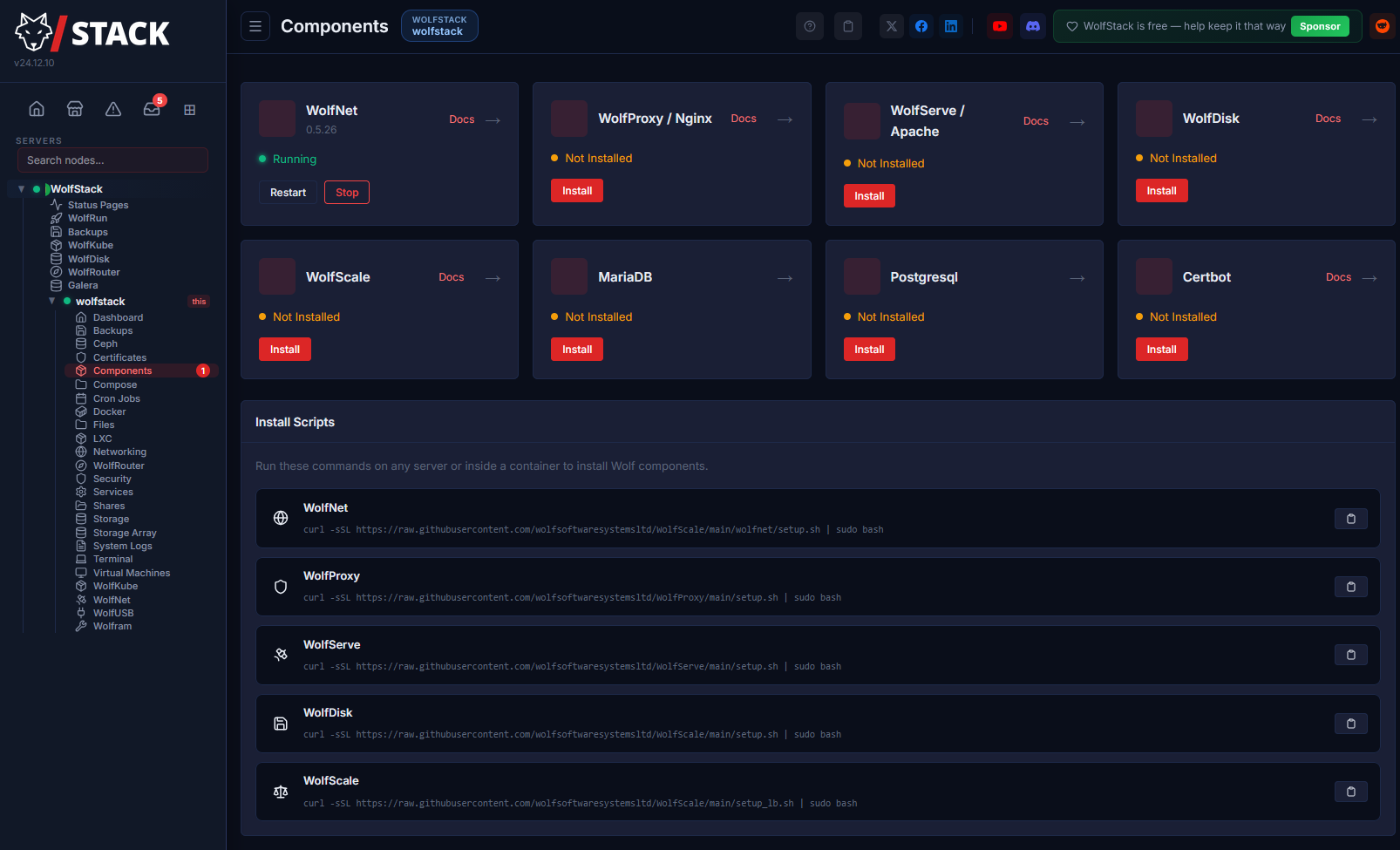
Check out my full write up on Wolfstack here: I Tried WolfStack and It Might Be the Simplest Way to Run a Home Lab.
Why these tools stood out
For me, the solutions we have highlighted here stand out due to an important reason that I have talked about for me in my home lab environment and that is they fill a real need and solve problems that are real. They are not just novelties. These are the kinds of home lab tools and projects that I value the most when trying out new things.
If a tool can solve a problem that I have run up against and I don’t have another solution that works as well or does the job in a way that I would like it to, then I am all for trying it. These tools on the list have brought real value to my lab.
Wrapping up
One of my favorite parts of running a home lab environment is trying out new tools and projects and having a playground to explore what is out there. This year has seen a lot of really great projects come to life and I have had these solve challenges this year in new and interesting ways. What about you? Have you tried any of the projects on the list here? What new projects have you turned up lately? I would love to hear what you have discovered. Let me know in the comments.
More in this topic



Google is updating how articles are shown. Don’t miss our leading home lab and tech content, written by humans, by setting Virtualization Howto as a preferred source.
About The Author

Great post Brandon! I really like Dockcheck and the Proxmox MCP server 👍
Have a look at the active project DockSentry on github for managing containers. Has Podman support and multihost support. Can be remotely controlled by commands via Telegram and Discord bots. https://github.com/amayer1983/docksentry
Paul,
Very nice! I will have a look at this one.
Brandon