


One of the coolest things that you can do is centralize your authentication in the home lab. So, instead of having all kinds of separate usernames and passwords that are scattered everywhere for each service, you can put these behind a centralized platform. Many setup up single sign-on which can make it where you have strong authentication and auth that is consistent across the board. I use Authentik in the home lab and you can read about my setup here: I Added Authentik SSO to My Home Lab with Docker-Compose: Logging In Will Never Be the Same. But when I started thinking about things failing, I realized this also leaves you open to a major problem of if things are down, not being able to login. That is why I started creating and testing what we call “break glass” accounts. Let’s look at what these are and what you need to think about when creating them.
Centralized authentication is great but it is also a dependency
I am a fan of having single sign on in the home lab. It means that you have one account that is used for everything. And, the cool thing is that you can self-host this with something like Authentik, Authelia, Keycloak, Active Directory, LDAP, or another identity provider.
It can solve a lot of problems. It can give you single sign-on, multifactor auth, consistent user management, better auditing, and a LOT less local user accounts to have to manage. The problem here is not centralized authentication itself. The problem is forgetting that authentication is now part of your infrastructure and that is a dependency. So in order to trust that your application can work even without this dependency, we need to take this into account.
Below is a look at setting up a new application in Authentik to configure an identity provider for it:
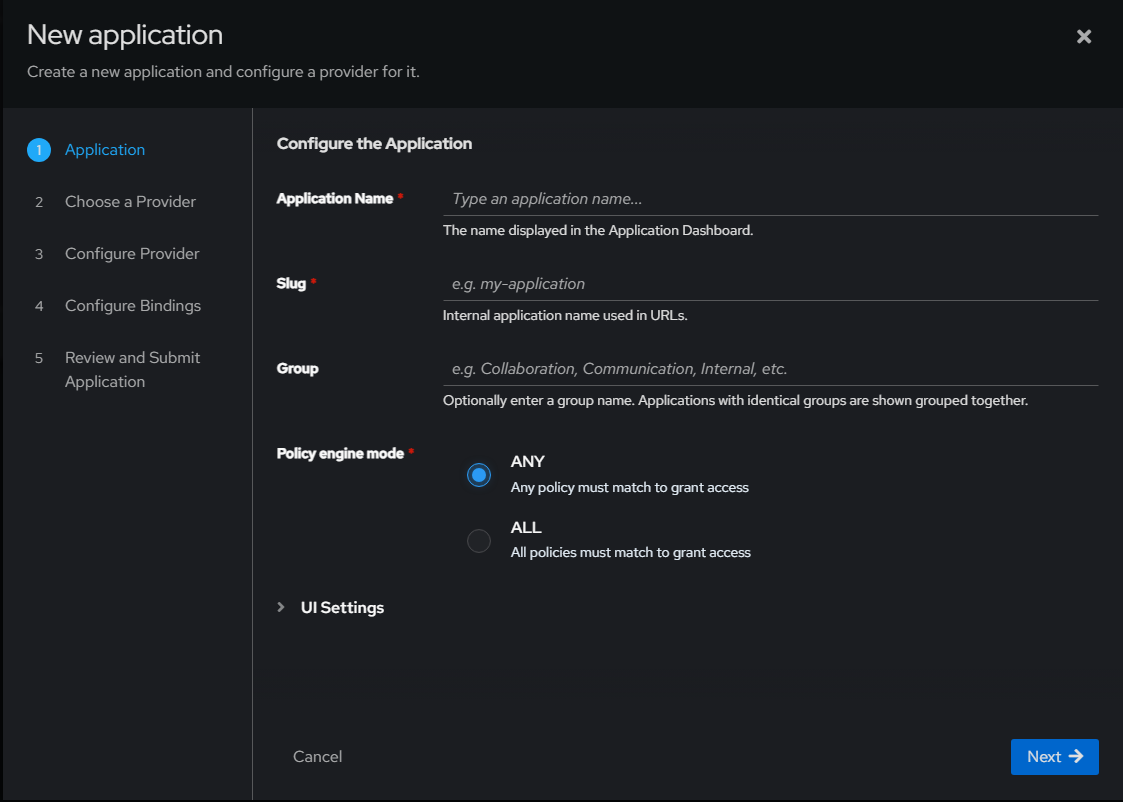
But, if you have an application that is protected by something like Authentik, then you need to realize that Authentik itself depends on certain things to be functional. These usually include the app itself (its database, certificates, networking, etc), a verse proxy, DNS, etc. So, when everything else is healthy, you don’t really think about it because it “just works” and it silently does what it is supposed to do.
But if you have an outage, you will notice it immediately once your authentication breaks. So, think about this. Imagine that your Authentik server runs as a container on one of your Docker hosts. Then something with that host breaks and you need to log into its management platform. But the management platform is also protected by Authentik. Now, you get into the catch 22 situation of needing to restore the authentication service and then that restore process requires authentication before you can reach it.
A break-glass account should bypass normal identity logins
When you look at the purpose of the break glass account, its whole purpose is to give you the means to login “without” your centralized logins. So, in other words, if my normal login requires Authentik, my break glass account should not require it. This goes for any other identity provider, not just Authentik.
Also, the break glass account shouldn’t just be a second administrator account inside the identity platform itself. While there are sometimes use cases where another administrator account might be needed in the case of an accidental lockout on the primary account. The second admin account wouldn’t help you if the identity platform itself is the thing that has failed. The emergency pth needs to sit underneath the nromal authentication path that you typically take.
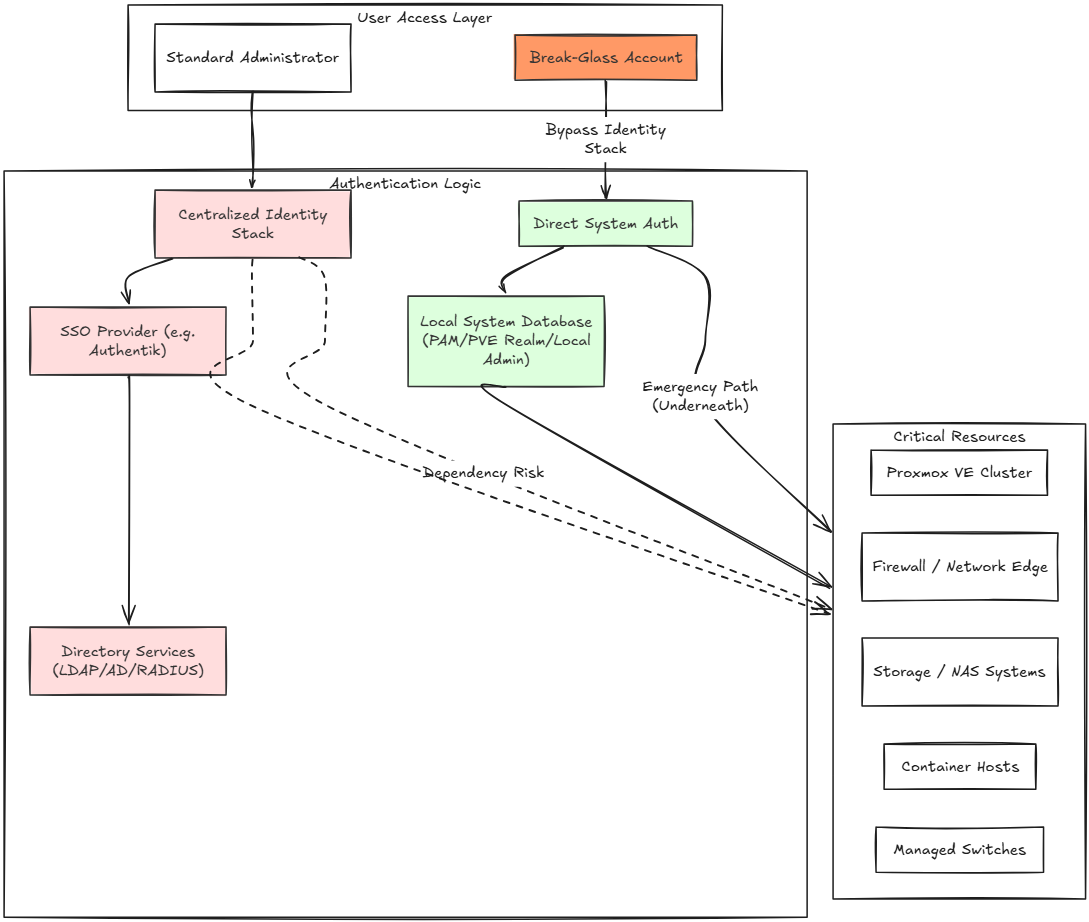
Now for certain things like Proxmox VE Server, this would mean keeping your local PAM of PVE realm admin accounts rather than just depending solely on LDAP or another external provider. For a firewall, it would mean keeping up with your local administrator login even if you have admin accounts that auth through RADIUS or LDAP. On your NAS you will make sure your local account is still able to reach your storage config when directory services are down, etc.
I started with the basic underlying systems in the home lab
Do I think that absolutely EVERY app that you have in the home lab needs a break glass account? No, I don’t think that is the case. If a simple dashboard is offline and I can’t authenticate to it for a while, that is probably just an inconvenience. But if it is infrastructure related, that is a different story.
I like to break these into different “layers” of important infrastructure. These include:
- Networking – routers and switches – If I lose access to this layer, I may not be able to troubleshoot things that can break everything else. These include things like VLANs, routing, VPN connectivity, NAT rules, DNS forwarding, Internet access, etc.
- Virtualization – This is a big one. If you are running your infrastructure on a hypervisor, which most of us are, then you need to be able to get into your hypervisor servers like your Proxmox VE Server nodes.
- Storage – With the storage layer, you need to be able to access at a low level things like the storage for virtual machines, backups, container volumes, identity databases, etc.
- DNS – I separated this one away from just general networking because it is so important. Modern home labs depend heavily on DNS to be able to resolve things that are important, including your identity platform, reverse proxies, certificate validation, APIs, dashboards, SSH hosts, etc
- Backups – This is another extremely important layer that I don’t want to be locked away behind a broken authentication system. Let’s say I need to restore something to get the identity layer back up but the backup solution depends on me being able to authenticate to it using the identity layer that is broken. That would be a nightmare.
This list is not an exhaustive list and each environment may be different. So, be sure to understand the requirements and dependencies in your home lab and know what systems you need to have a break glass account for.
I would use unique credentials and store these separately, why?
Keeping in mind the security ramifications of having one of your credentials leaked or compromised means that if someone were to get access to the single emergency break glass account, they would essentially have access to all of your infrastructure.
It is tempting to create just one break glass account everywhere as this makes the account easier to remember and you are only storing one emergency account. But it is much safer to have a dedicated break glass account for each of your critical systems.
- The firewall gets one emergency account
- Hypervisor gets another
- Storage gets its own
- Backups get a different one too
Again, it does complicate things just a bit, but the point of this account is for it to be protected against just anyone using it and it is only used (hopefully never), but in cases of emergency. Also, it is super important to think about “where” these credentials are stored.
If the break glass password only exists inside the password manager in my home lab that is not available during an outage, I would be “up a creek without a paddle.” So, think very carefully about this credential that it should be accessible outside of the home lab itself. It sound archaic, but for some systems, I lean towards actually physically printing this out and having it locked away.
The really good thing is that a piece of paper doesn’t care if your DNS server is down or your other critical systems are offline.
| Approach | Pros | Risk |
|---|---|---|
| One break-glass account everywhere | Easy to remember and manage | One compromised credential could expose everything |
| Having different break glass accounts per system | Limits the blast radius | More credentials to store and keep track of |
| Store credentials only in the home lab | Simple and easy | Could be inaccessible during an outage |
| Store creds offline | You can get to them in a major failures | Needs good physical security |
Very carefully think about MFA and the impacts
Under normal circumstances, I want ALL of my administrative accounts to have MFA on them. But thinking about this very carefully, a break glass account creates a really interesting question about what to do here. If the only MFA method requires access to a service, device, network connection or identity platform that may not be available during an outage, you have just added a really nasty dependency that may have gotten you into trouble in an emergency.
This doesn’t mean I disable MFA, but it means I think about how the emergency authentication will work if all other systems are down. In this case, hardware security keys can be useful because they don’t depend on things like cell service or another server in the home lab. Recovery codes are another option. Some platforms may also have a very controlled local account that bypasses centralized MFA on the system.
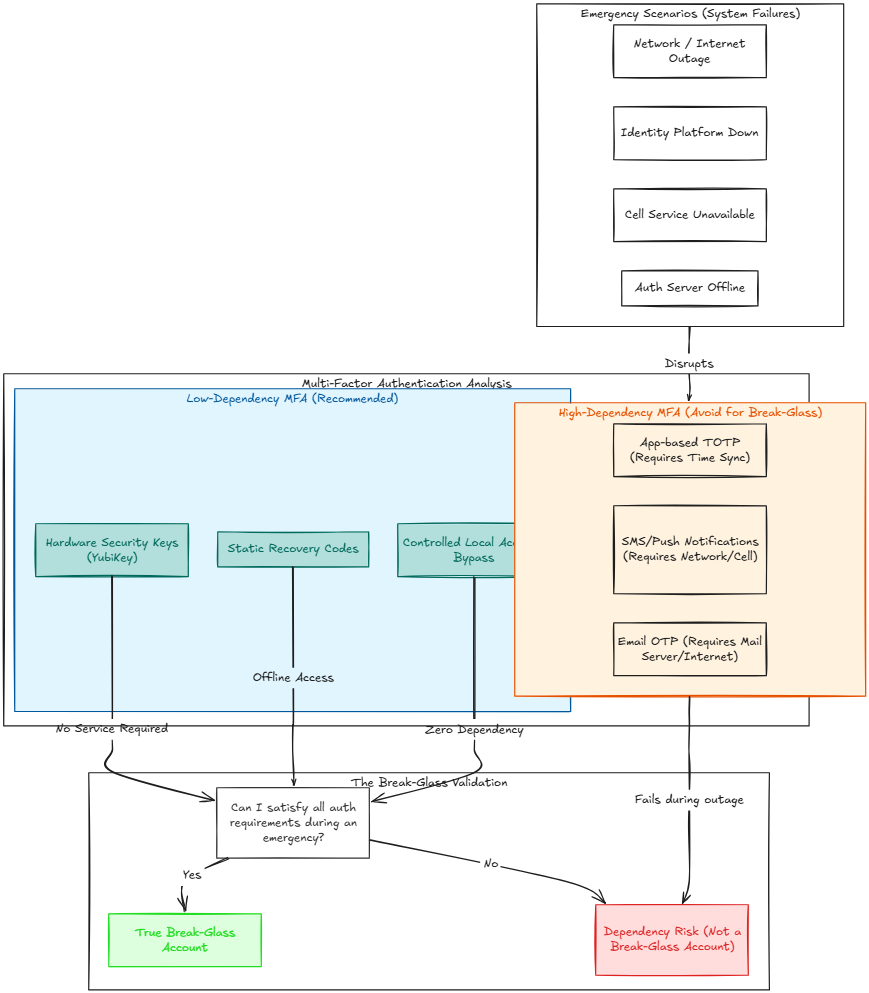
So, if you ask yourself, can I still satisfy every authentication requirement during an emergency, and the answer is no. Then it isn’t really a break glass account.
Admin or not?
There could be a tendency to have a “break glass” account that has watered down permissions. However, when you think about it, a local account with read only privileges as an example is not very useful when you need to restart a service, VM, fix networking, restore a DB, or change a firewall rule.
For critical systems, the emergency account needs to have enough permissions to perform whatever tasks or duties that it needs to perform. So, with that said, this need to generally be an administrator account. This increases the importance of it being secure, but it is a tradeoff. You don’t want to impair its ability to be useful in an emergency.
Creating a break glass account in Authentik
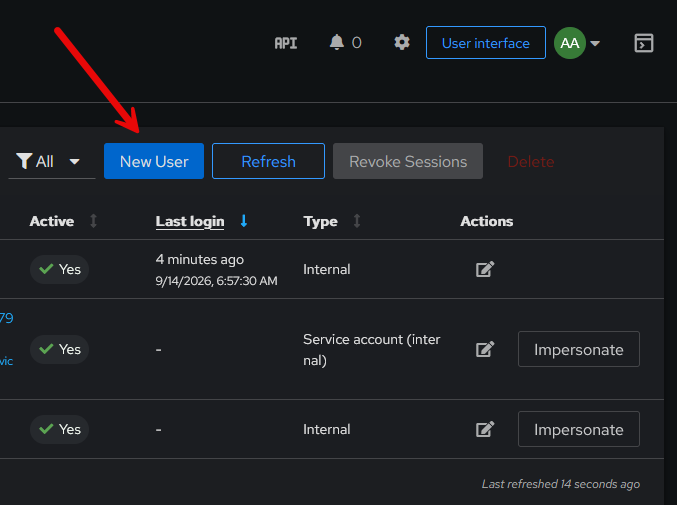
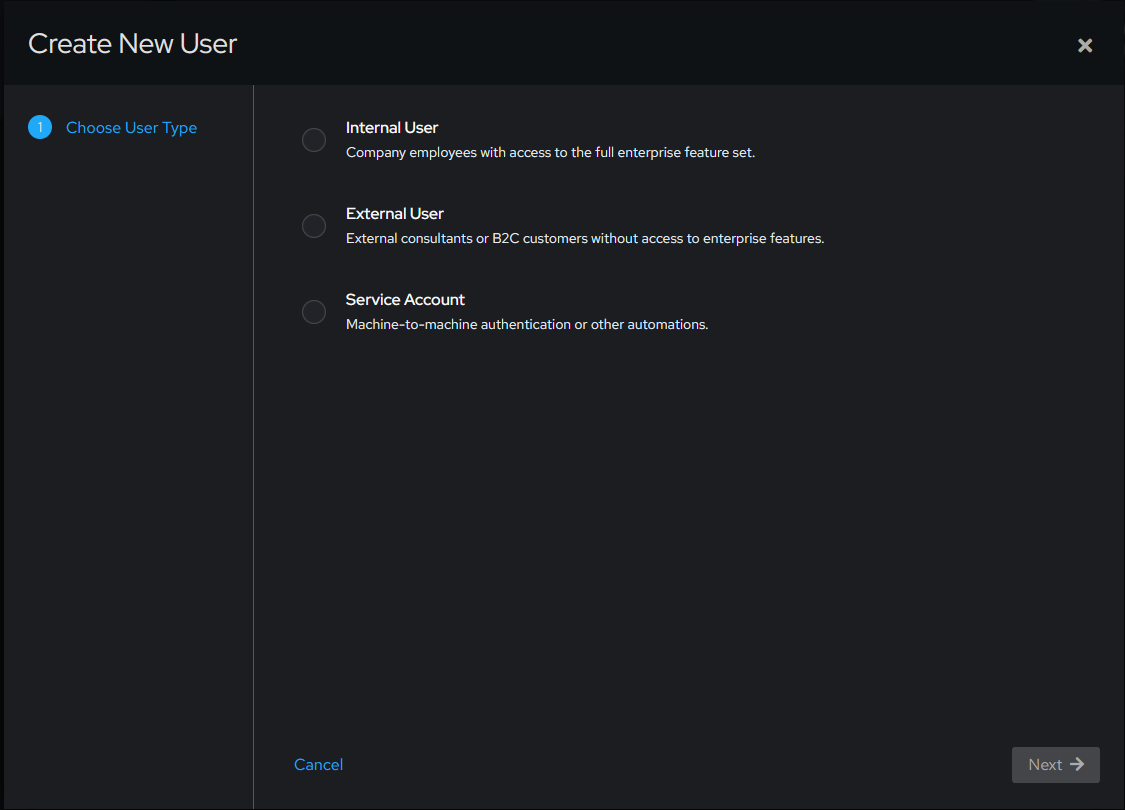
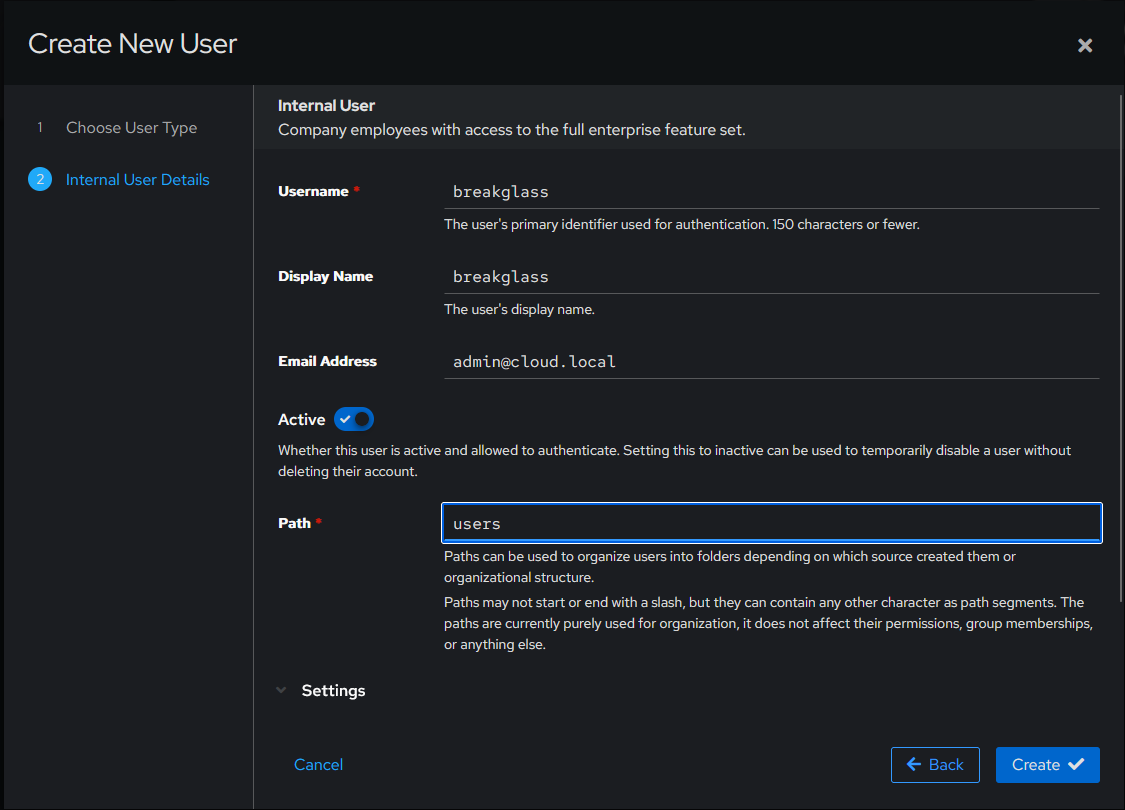
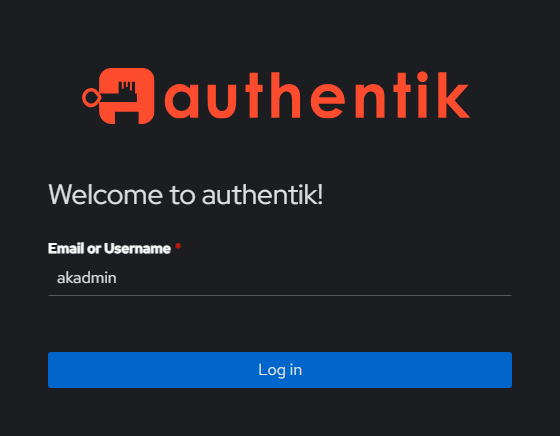
Just as a demonstration of creating this local account for break glass purposes, let’s create a new admin account for this use case in Authentik. Keep in mind a break glass for the auth solution itself isn’t going to help you if the auth solution itself is down. But, it is a good idea to have a secondary admin account for your auth solution that you tuck away somewhere.
Choose Internal User.
Fill in the details here.
Next, navigate to the authentik Admins group and then place a check next to your break glass account and click Confirm.
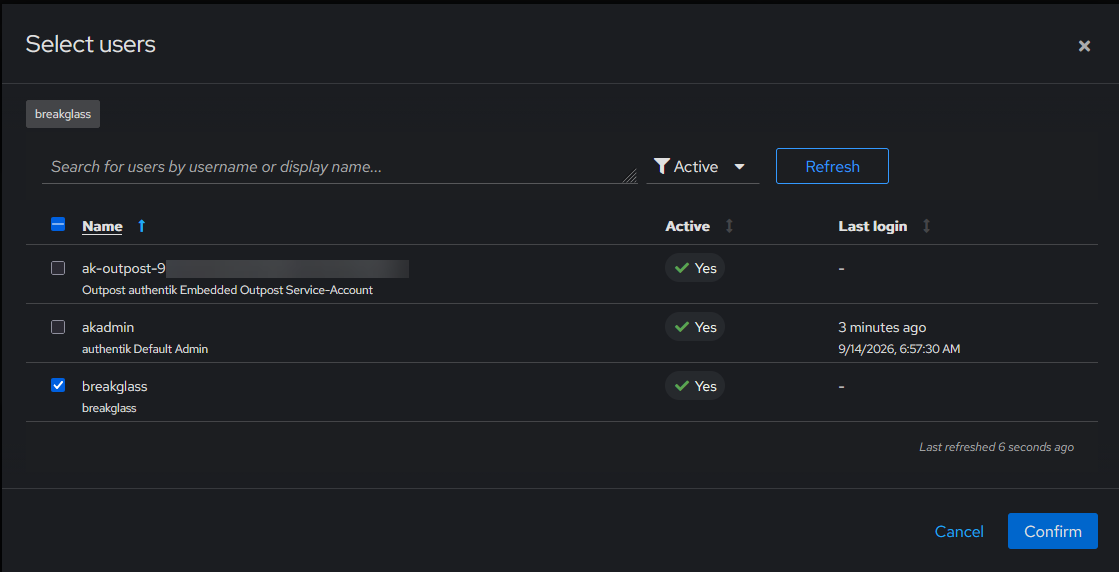
Confirm the assignment.
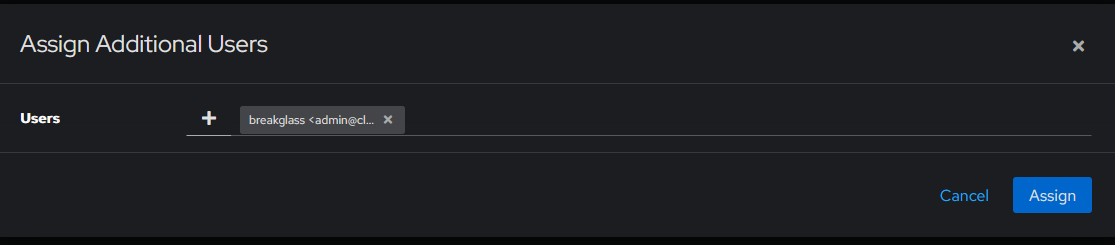
Viewing the permissions of the new user. Also, note the Set password button. Create a super strong password for the account.

Be sure to test your break glass account
This goes without saying and kind of falls into that same category that we apply to backups. A backup that isn’t tested and one that you know can be restored, isn’t really a backup. It is a hope at best. The same is true with this break glass account. Be sure to test it regularly.
Passwords can accidentally get changed. Permissions might be modified inadvertently as part of the activities of automation in the environment. Authentication backends might get change out. Local logins could be disabled.
| What to test | What to verify |
|---|---|
| Login | The account still works |
| Permissions | You can make required admin changes |
| Local authentication | It does not depend on SSO or another external service |
| Recovery access | You can reach the system during an outage |
| Stored credentials | The password or key is still available and current |
So with that said, be sure to test your break glass accounts and make sure you can make configuration changes during an emergency access situation.
Break glass access changes how I think about DR
The more I work with and think about my home lab infrastructure, the more I see so many places to improve the processes and recovery plans. It is humbling to realize, that you can have all the redundancy with your hypervisors, DNS servers, storage, backups, UPS systems, and HA every where else and then get “locked out” of your home lab if the scenario lines up just right!
The break glass accounts that we have just talked about are a simple solution and they force us to think about the architecture underneath the login screen. We have to think about things like:
- What are my service dependencies?
- Which services are critical?
- Which systems need a break glass account?
- Where are the creds stored?
- How can I test my credentials and access?
Do yourself a favor, especially if you are using some type of SSO in the home lab with a self-hosted identity source that you make this a critical part of your disaster recovery strategy.
Wrapping up
Sometimes things work too well in our home labs that we forget just how fragile things can become, especially if we are dealing with a failure. Circular dependencies can absolutely be a nightmare scenario and it can definitely come back to bite you, especially in the realm of authentication and getting access to your systems if you have an outage. Do yourself a favor and take a look at break glass accounts and which of these you might need to have on hand to have confidence you can access your home lab environment in an emergency. How about you? What is your strategy around this? I would love to hear what you all are doing. Please drop a comment below.
More in this topic



Google is updating how articles are shown. Don’t miss our leading home lab and tech content, written by humans, by setting Virtualization Howto as a preferred source.
About The Author
