


When I think about one of the things that I am most proud of in my home lab in 2026 it is the level of automation and “self sufficiency” that it has. There are a lot of things that I have setup these days that just takes care of itself. And, that is the way you want it. You want it to be boring. When I go to bed each night, I have dozens of automated tasks that continue to run throughout the night. By the time I sit down with my morning coffee, many things are completed for me. Let’s look at these 9 things that I automate while I’m sleeping.
Backups run without me thinking about them
This is one of the first types of automation that I have running in my home lab, backups. It may not be the most exciting automation that you can think of, but backups are what saves your bacon when things hit the fan. If you have a data loss event where you have storage that fails or something else that is catastrophic, having backups allows you to recreate your data from a recent restore point in time.
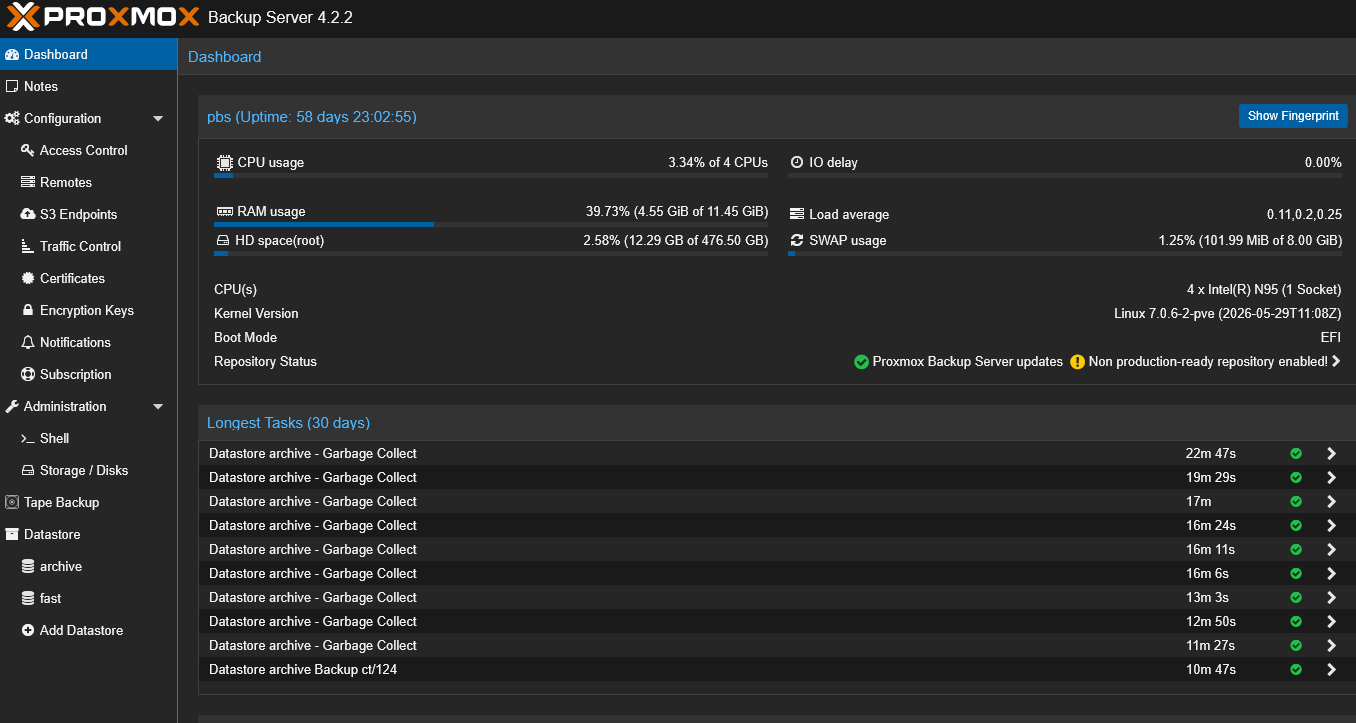
I double protect my Proxmox “production” cluster in the home lab. My first line of defense is Proxmox Backup Server 4.2 that runs on my Beelink ME Pro 2-bay NAS device. I have PBS just loaded on the bare metal of this little NAS. It is power efficient and does the job. Each night I have PBS grab a snapshot of the entire cluster which is incremental and versioned.
Also, I have Veeam Backup & Replication 13.x running that also protects my Proxmox VE Cluster. I like to have at least two different copies of my data in the home lab, outside of the redundancy that my Ceph HCI storage provides to me.
In addition to protecting my Proxmox VE Cluster from a VM and LXC perspective, I also run a few solutions that are specific to backing up my Docker containers, like Duplicati and Portabase. I also have Veeam’s Kasten K10 running to protect my Talos Linux Kubernetes cluster workloads in the home lab
These are all scheduled throughout the night to grab backups of everything. I generally stagger these as well so I don’t have two different backups kicking off at the same time to overwhelm things. This way, I barely notice on my 10 gig network when something is running across.
Docker containers check for updates automatically
If you have been reading my blogs lately you know that some of the tools I have been testing out in the home lab are for keeping my container images updated. One of the solutions that I have discovered recently is Dockcheck. With Dockcheck, I can schedule at a point in time in the day for it to check for new container image updates across the board. When these are found, I can have it do various things to either alert me only or to actually update the container image.
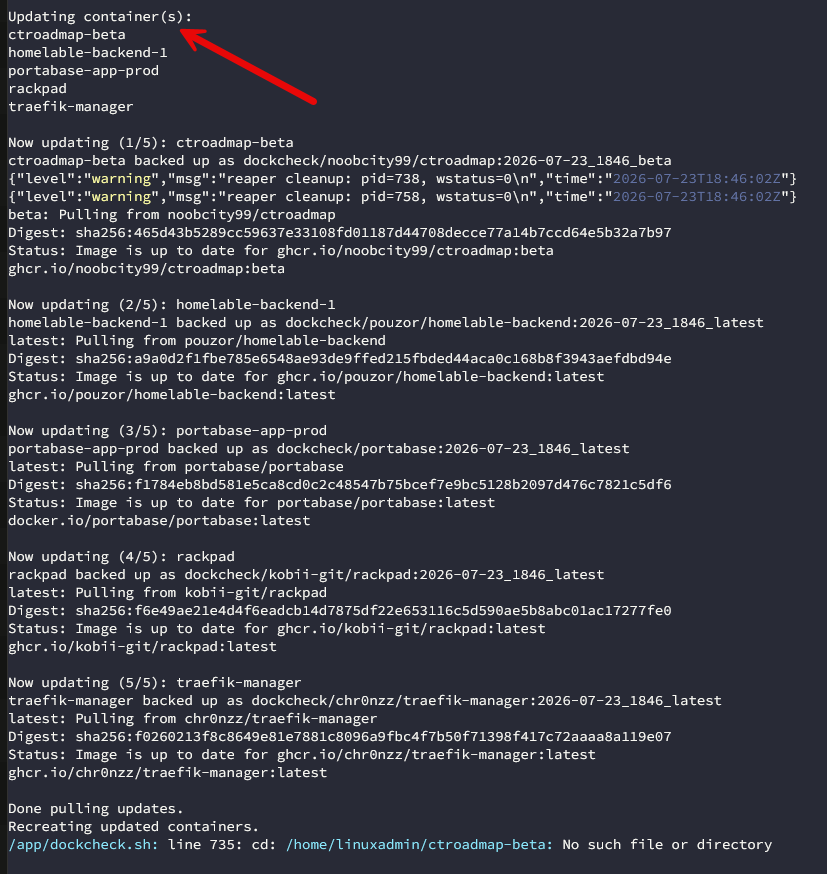
I don’t automatically install every new Docker image the moment it’s released either. What I like about Dockcheck is that you can tell it that you don’t want to roll out the new image until a specified number of days have elapsed. It will also backup your previous container images for you as well and automatically prune these off.
All of this happens overnight and keeps things checked for me and keeps me informed on what is going on. This is where it has become one of my favorite tools.
For less critical services, I usually allow automatic updates. For infrastructure services like Traefik, DNS, databases, or anything that is critical in my lab, I usually like to review the updates before updating. Automation in your lab should go along with the control that you have and not circumvent it.
SSL certificates renew themselves
This one is a no brainer. Do you remember the days when you would have to sneakernet SSL certificates between servers in the data center? I do and I don’t want to go back to that, especially Windows Server with IIS. Now, in my home lab, all of my critical services run behind Traefik with Let’s Encrypt with DNS validation.
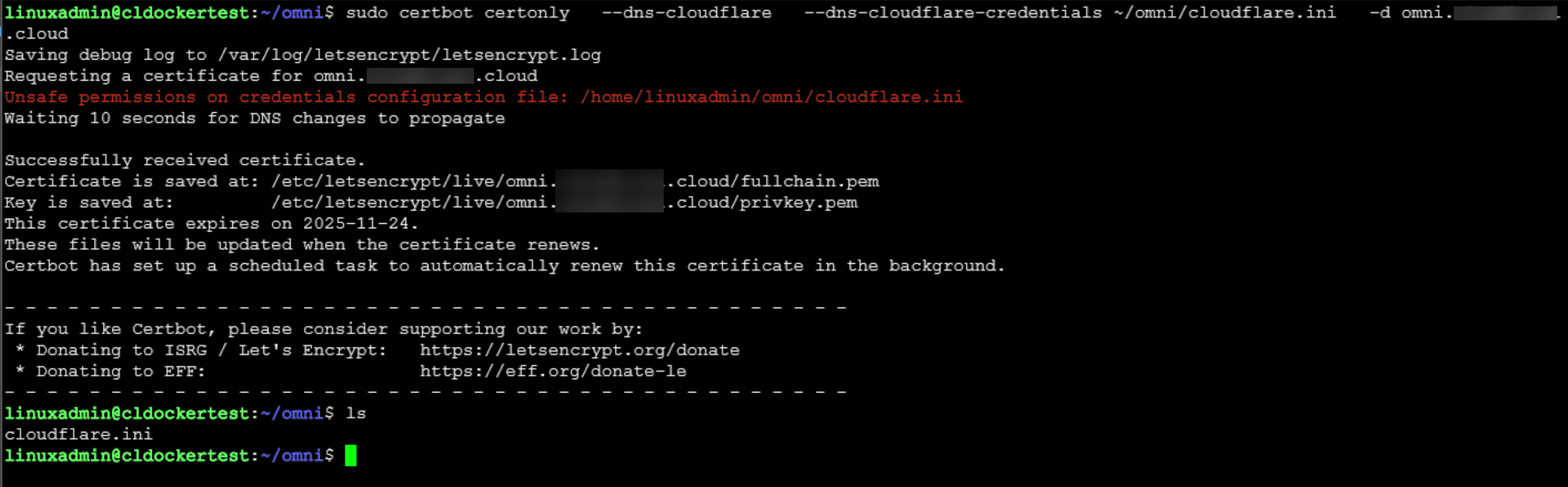
In my home lab environment, Let’s Encrypt renewals are fully automated. I use a combination of things as well, including Certbot with Kubernetes, DNS challenges through Cloudflare, etc. All of these are handled without manual intervention.
This is one of those automations that just makes you sit back and enjoy the day and age we are in with containers and reverse proxies.
Monitoring quietly watches everything
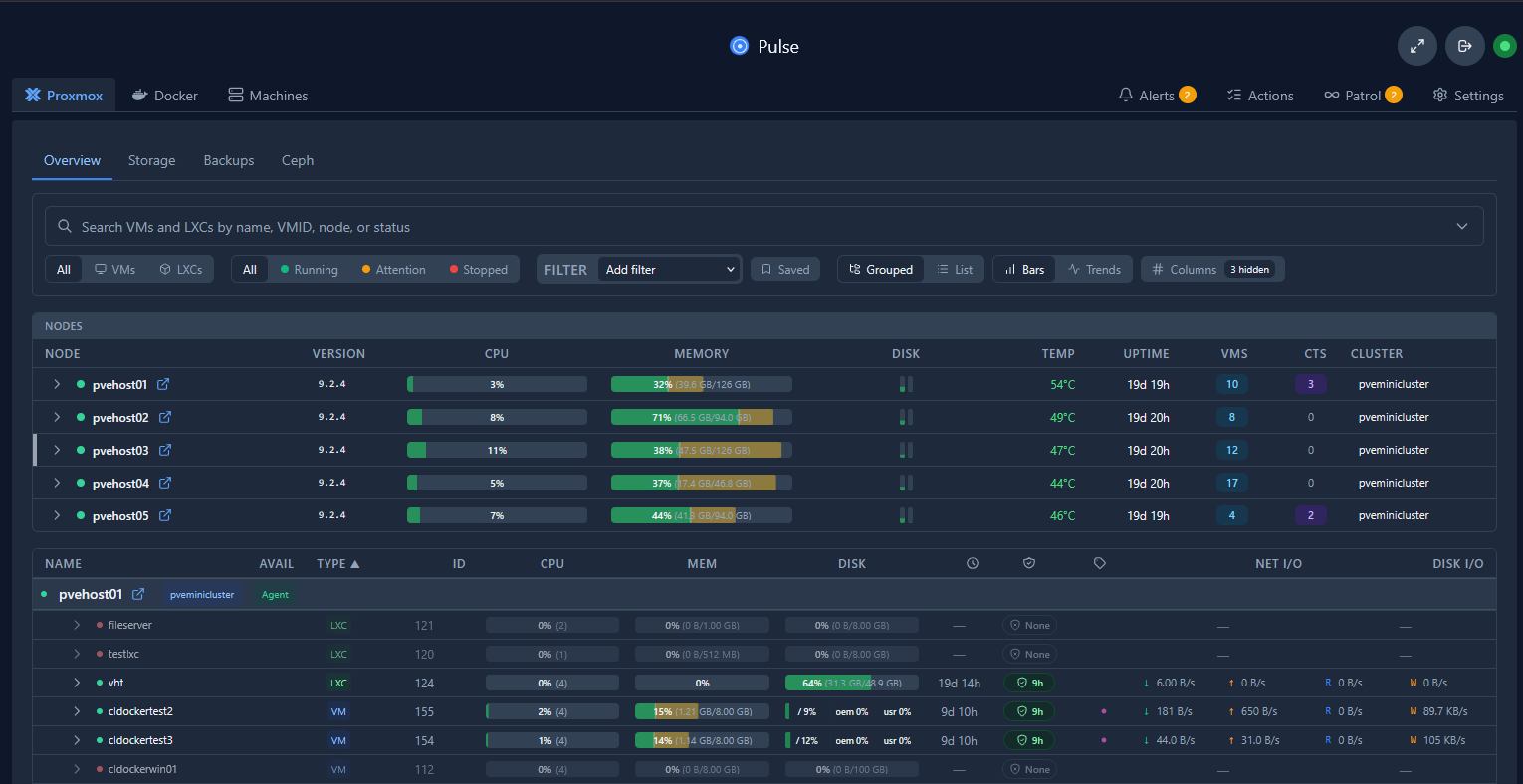
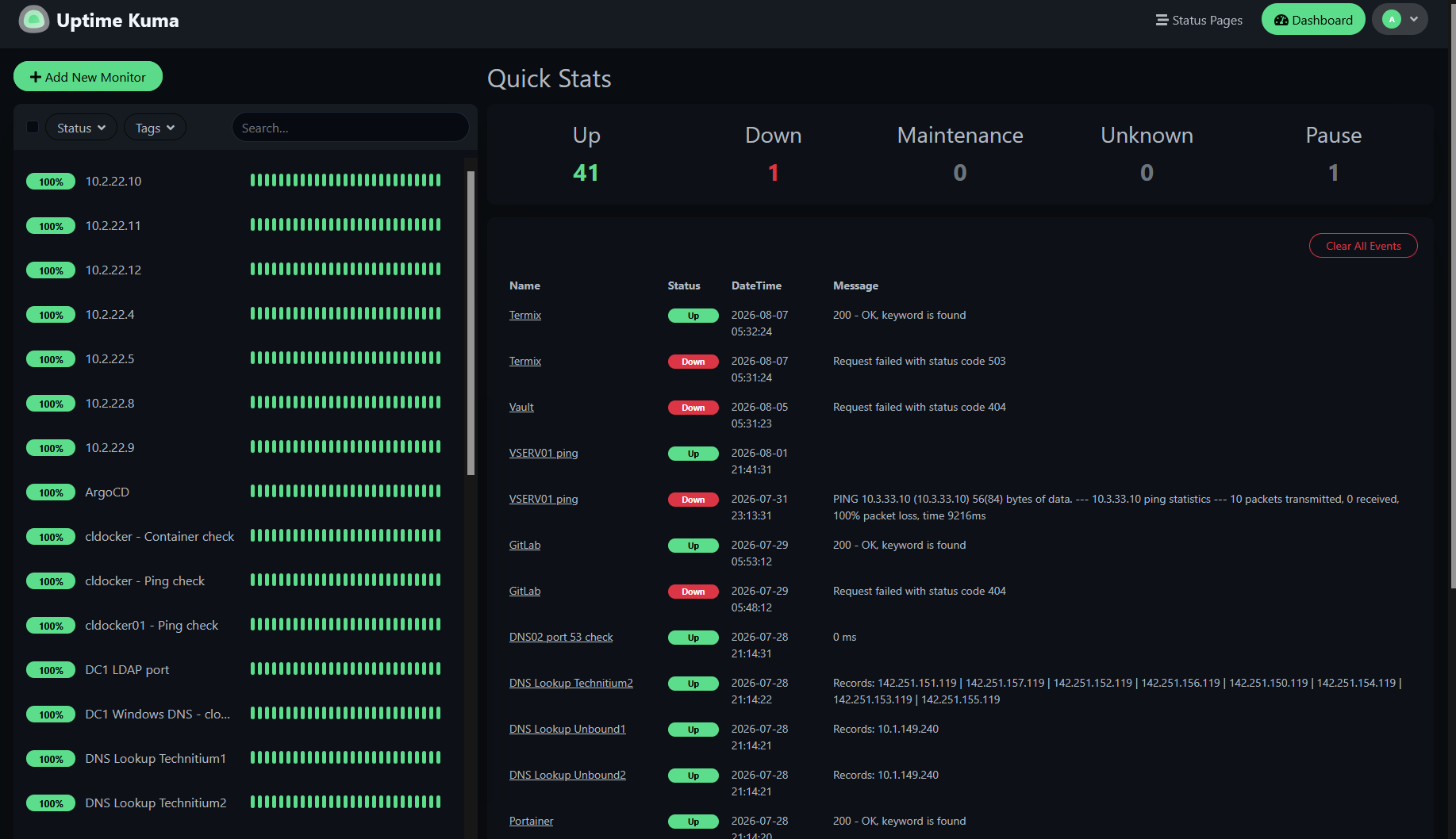
I don’t spend much time watching and starting at monitoring dashboards, but I do have a couple of solutions in my home lab that I wouldn’t do without at this point. Those solutions are Pulse for Proxmox and Docker monitoring, and Uptime Kuma for general uptime monitoring.
Pulse is one of the best solutions that I have found for monitoring your Proxmox VE Server and Docker environments. Pulse even has AI agent capabilities built into the solution that can go out and proactively check health on everything and report back to you or even start trying to proactively triage and fix issues as these are found.
Uptime Kuma is well known in the home lab community and even production environments. It allows me to keep a check on what is going on at the application level. I can scrape web pages, run DNS query checks, or even return records from a SQL database to know if everything is working properly.
Health checks verify services are actually working
With all of my containers running in the home lab that are important or critical to my self-hosted services, I rely on good health checks and restart policies. But there is a tool that has rounded this off for me and that is the docker-autoheal tool that automatically invokes restarts of containers based on various health checks and issues that may appear.
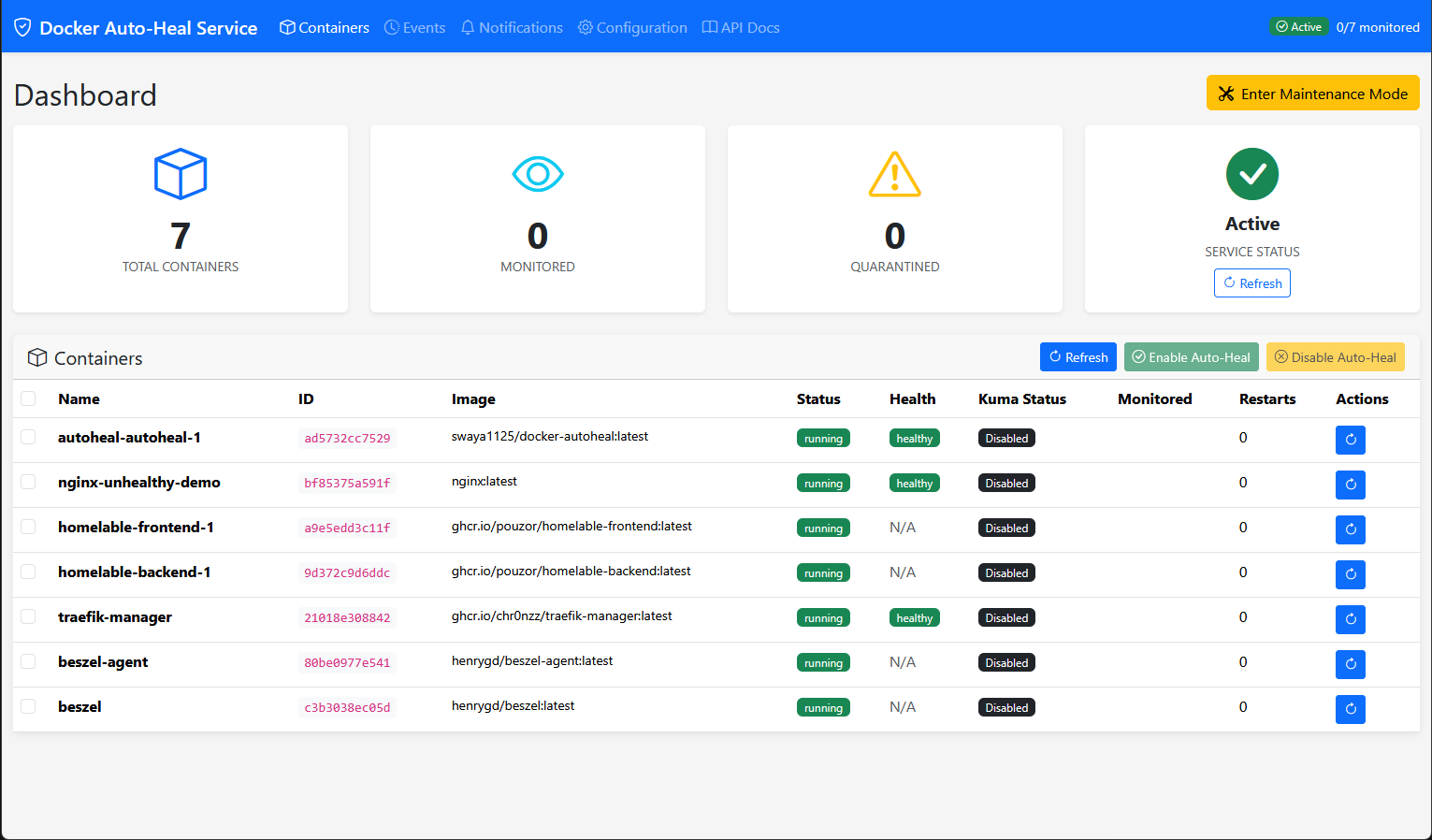
Check out my full write up on this tool here: I Thought Docker Would Restart Unhealthy Containers. I Was Missing One Tool.
Scheduled maintenance keeps things clean
There are lots of maintenance jobs that I run that help to keep things cleaned out. If you run a LOT of containers like I do, old images and stale containers can build up over time if you don’t account for this. I have a CI/CD pipeline that runs each night and goes through and prunes the environment of old images and stale containers, networks, etc.
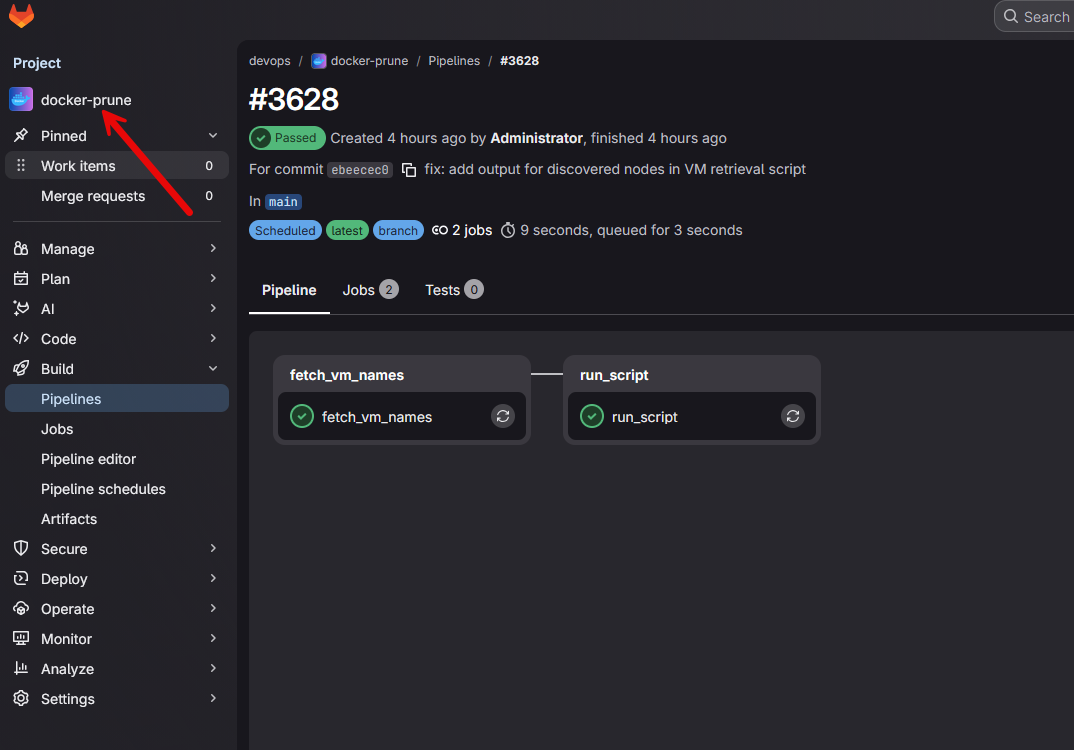
If you don’t already have CI/CD infrastructure running in your home lab, check out another tool that works too: Docker Is Slowly Filling Up Your Home Lab Disk Space (And the Tool I Use to Fix It).
System updates happen on my schedule
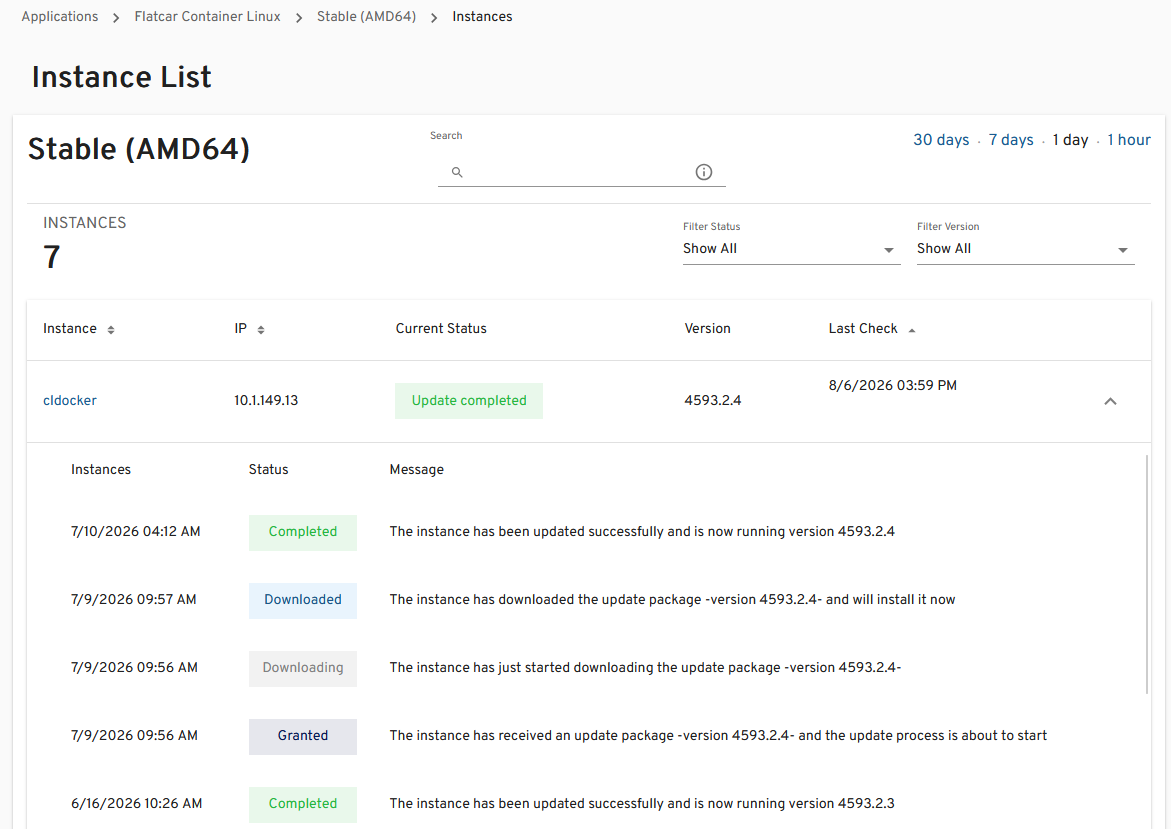
I have moved over to running Flatcar Linux for my container hosts. With Flatcar I also use Nebraska server in conjunction with it. Nebraska server allows me to have a way to have visibility over my fleet and the updates they are running or any issues they may be having there. It has been rock solid so far. I also schedule my updates in the Flatcar Linux distro.
These happen overnight and I see these inside of Nebraska Server.
Notifications tell me when something actually matters
I have good notifications setup that alert me when and if something fails. All of these target my Mailrise server and some of them target Pushover directly if this is supported from the solution. One mistake I have made in times past is too many alerts. This will absolutely give you “alert fatigue” where you won’t catch real alerts because you simply think they are like the last 1000 alerts you received and you stop paying attention.
Now I focus on meaningful notifications.
- Backup failures
- Storage nearing capacity
- Certificate renewal failures
- Critical service outages
- Hardware problems
When you get only notifications for things that deserve attention, it makes sure that you won’t have alert fatigue and when you do get a notification, you will know it is something that actually needs attention.
GitOps for my Kubernetes cluster
I run a Talos Linux Kubernetes cluster and it is driven using ArgoCD as the GitOps platform. If you haven’t had experience with GitOps before, it makes sure that everything in your cluster “looks” exactly like what you have defined in your Git repo.
In addition to that though, I have ArgoCD setup with an update policy that allows it to check for updates to the images used for Pods with an update policy. ArgoCD will rewrite the version of the image in the repo and then align the deployment to match the new version defined. This is all automated and happens at night so I don’t have to manually keep most of my workloads in the Kubernetes cluster updated. They simply update themselves based on ArgoCD.
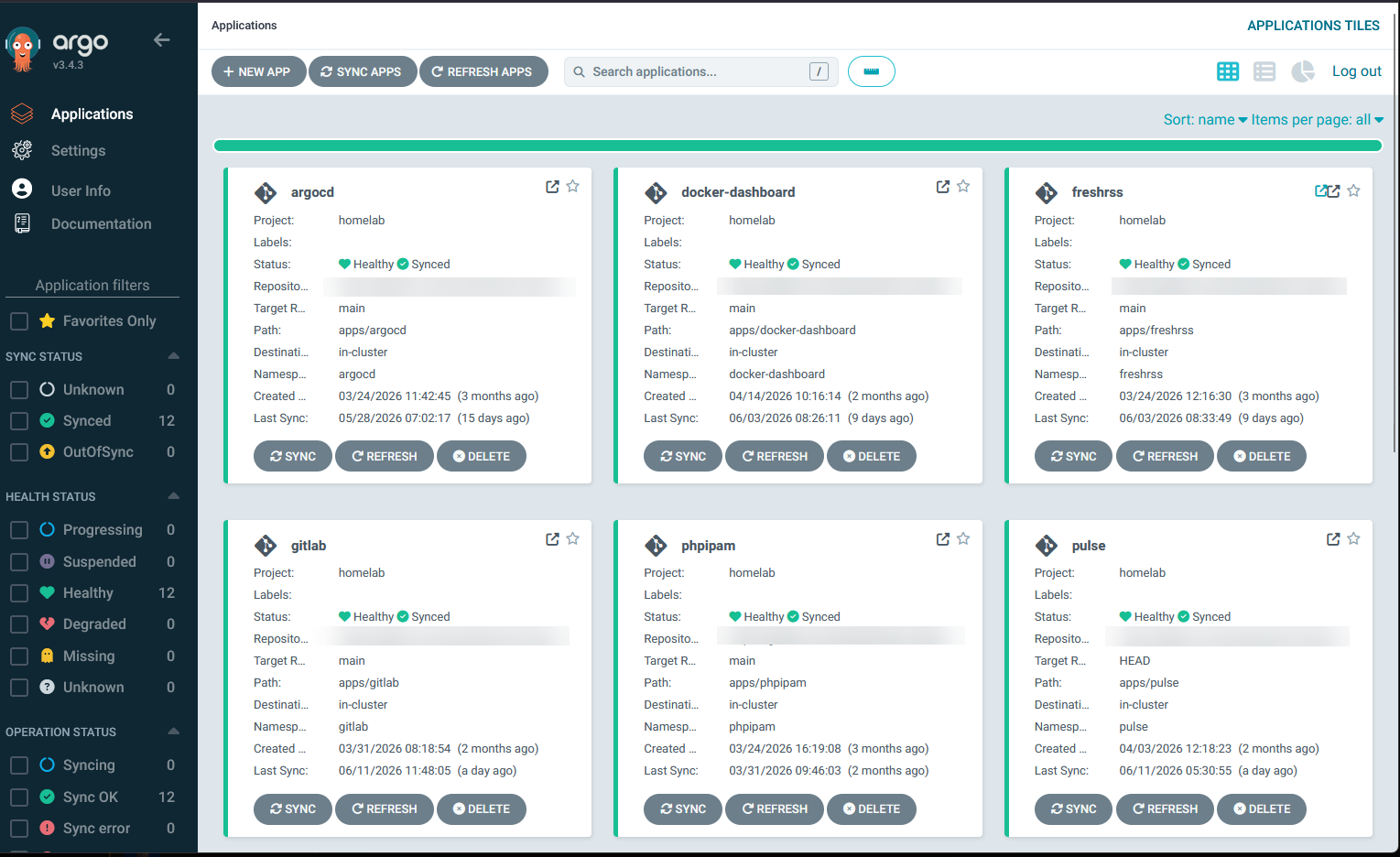
ArgoCD provides many other benefits as well like being able to roll back deployments, visually seeing the overview of your deployments.
Wrapping up
One thing I’ve learned is that automation isn’t about making your home lab look impressive but it makes your home lab its own living and breathing thing that can take care of itself in a way. It makes it more dependable. That is really the goal. When I wake up in the morning, I don’t have to wonder about my lab, whether backups ran, certificates expired, Docker images need attention, or if one of my servers ran out of disk space. What about you? What automation has made your home lab more dependable and task you have running overnight?
More in this topic



Google is updating how articles are shown. Don’t miss our leading home lab and tech content, written by humans, by setting Virtualization Howto as a preferred source.
About The Author

Although still useful, a bit of a misleading title. I’d say only about 3-4 of these things only run overnight. The rest are ‘Always on’ parts of your setup and not specific to ‘whilst you are sleeping’
Darryl,
Thanks for the comment! Point taken. I agree some of these can be scheduled around the clock. Most for me I schedule at night to run but monitoring and SSL for me do run around the clock 👍
I’m very much an amateur so articles like this are always useful and help with my understanding and help me to improve my rather basic setup.
Darryl,
So glad the article was helpful! Don’t worry, I think in ways all of us are still amateurs and that is the reason that I think home labbing is so enjoyable. There is always something to learn!
Brandon