


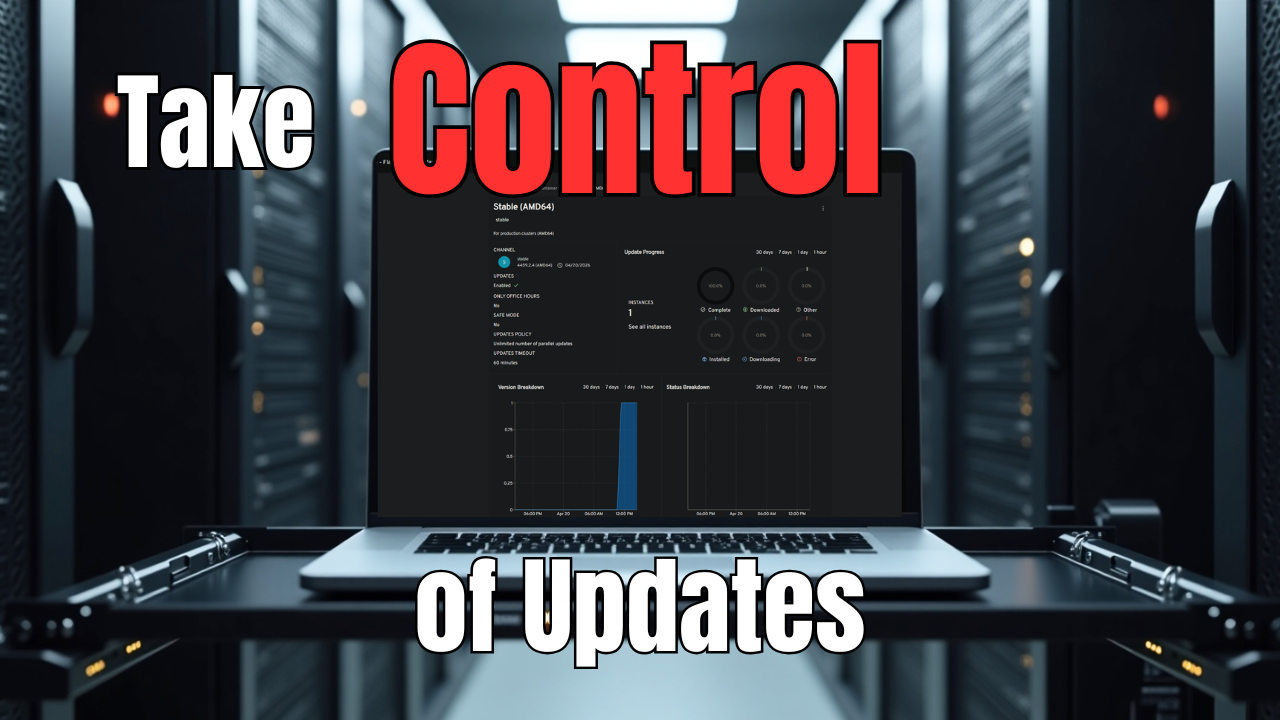
I have been having a blast trying out container-specific operating systems. As of recently I have tried out a couple including Lightwhale and Flatcar. Both have been very good in my testing. I really think Flatcar for me is going to be one that stays long term in the lab since it is production grade and used by many in production environments. It has a lot of groundwork underneath it from Fedora CoreOS. I love the Butane and Ignition configuration and how it is immutable. Updates are automatic and designed to reduce downtime. As it turns out there is a free solution, called Nebraska, to keep your Flatcar Linux updated and manage your fleet of Flatcar deployments.a
Brief Flatcar overview
Flatcar is a minimal, immutable OS built for containers. Updates are automatic and safe by design, and reduces any possible downtime with dual partitions. These function like a network switch where you have active slots for firmware that is active and one that is standby which is awesome.
Read my post on how to get up and running on Flatcar Linux in Proxmox here: I Installed Flatcar Linux on Proxmox and It’s Not Like a Normal Linux VM.
But even with this, you are relying on the public Flatcar update service to control when your nodes update and to what version they move to. The way the Flatcar OS is designed, this is a pretty safe operation, but then you start thinking about real-world scenarios like the following:
- What if an update breaks something in your cluster?
- What if you want to stage updates across nodes?
- What if you want to test updates before rolling them out?
That is where Nebraska comes in.
What is Nebraska?
Nebraska is a free and open source update server that Flatcar uses under the hood. The public Flatcar update service is essentially a hosted Nebraska instance. When you deploy your own Nebraska server, you take control of the entire update workflow in your home lab or production.

One of the biggest misconceptions I had going in was thinking Nebraska would “manage” my nodes. It doesn’t do that. Nebraska is not an agent-based system. It does not discover machines. It does not push updates.
Instead, Nebraska is an Omaha update server. Flatcar nodes use update_engine to check in with an update server and ask it the simple question: “Is there an update available for me?”
Nebraska then uses a few things to answer that question based on:
- the group the node belongs to
- the channel it is on
- the rollout rules configured
So, it is a passive solution meaning that the Flatcar server initiates the update checks not the other way around. So, just know when you deploy the Nebraska server, your nodes won’t automatically appear in the console from some discovery process. Even with Nebraska in place, the update process itself does not change fundamentally.
Flatcar still uses its dual partition system and the flow looks like this:
- Node checks Nebraska for updates
- Nebraska responds with a version if available
- Flatcar downloads the update to the passive partition
- System waits for a reboot
- On reboot, it switches to the updated partition
Nebraska controls step 2 but everything else is handled by Flatcar locally. This is an important note because Nebraska does not reboot your nodes. You still need a reboot strategy for your Flatcar nodes.
Installing Nebraska
The Nebraska server is provided via a Helm chart that you can use to stand up the server in your Kubernetes cluster solution. Below are the configuration files that I created for my environment. Your environment may differ here so be sure to plugin the values you need for your environment. I also do have an ingress created for nebraska where Traefik takes care of my SSL certificates, etc.
I am also running middleware for handling logins to the solution. I tried to get Github auth working, but couldn’t find the right combination of helm values that worked correrctly.
File 1: kustomization.yaml
apiVersion: kustomize.config.k8s.io/v1beta1
kind: Kustomizationnamespace: nebraskaresources:
  - namespace.yaml
  - nebraska-ingressroute.yamlhelmCharts:
  - name: nebraska
    repo: https://flatcar.github.io/nebraska
    releaseName: nebraska
    version: "2.0.0"
    valuesFile: values-nebraska.yaml
File 2: namespace.yaml
apiVersion: v1
kind: Namespace
metadata:
  name: nebraska
  labels:
    pod-security.kubernetes.io/enforce: baseline
    pod-security.kubernetes.io/audit: baseline
    pod-security.kubernetes.io/warn: baseline
File 3: nebraska-ingressroute.yaml
apiVersion: traefik.io/v1alpha1
kind: Middleware
metadata:
  name: nebraska-forwarded-headers
  namespace: nebraska
spec:
  headers:
    customRequestHeaders:
      X-Forwarded-Proto: https
    accessControlAllowOriginList:
      - "*"
---
apiVersion: traefik.io/v1alpha1
kind: Middleware
metadata:
  name: nebraska-basicauth
  namespace: nebraska
spec:
  basicAuth:
    secret: nebraska-basicauth
---
apiVersion: traefik.io/v1alpha1
kind: IngressRoute
metadata:
  name: nebraska
  namespace: nebraska
spec:
  entryPoints:
    - websecure
  routes:
    - kind: Rule
      match: Host(`nebraska.example.com`) && PathPrefix(`/v1/update`)
      services:
        - name: nebraska
          port: 80
      middlewares:
        - name: nebraska-forwarded-headers
    - kind: Rule
      match: Host(`nebraska.example.com`)
      services:
        - name: nebraska
          port: 80
      middlewares:
        - name: nebraska-forwarded-headers
        - name: nebraska-basicauth
  tls:
    certResolver: letsencrypt
File 4: values-nebraska.yaml
image:
  registry: ghcr.io
  repository: flatcar/nebraska
  tag: "3.0.0"
  pullPolicy: IfNotPresentreplicaCount: 1service:
  type: ClusterIP
  port: 80ingress:
  enabled: falsepostgresql:
  enabled: true
  auth:
    database: nebraska
    username: nebraska
    existingSecret: nebraska-postgresql
    secretKeys:
      adminPasswordKey: postgres-password
      userPasswordKey: password
  image:
    tag: 13.8.0-debian-11-r18
  primary:
    persistence:
      enabled: true
      storageClass: your-storage-class
      size: 5Giconfig:
  app:
    title: "Nebraska - Flatcar Update Manager"
    headerStyle: "dark"  syncer:
    enabled: true
    interval: "1h"  hostFlatcarPackages:
    enabled: false
    packagesPath: /mnt/packages
    persistence:
      enabled: false
      storageClass: your-storage-class
      size: 50Gi  auth:
    mode: noop  database:
    host: nebraska-postgresql
    port: 5432
    sslMode: disable
    dbname: nebraska
    username: nebraska
    passwordExistingSecret:
      enabled: true
      name: nebraska-postgresql
      key: passwordenv:
  - name: LOG_LEVEL
    value: "debug"resources:
  requests:
    cpu: 100m
    memory: 128Mi
  limits:
    cpu: 500m
    memory: 512Mi
Deploy it:
kubectl apply -k .Browsing out to the Nebraska dashboard
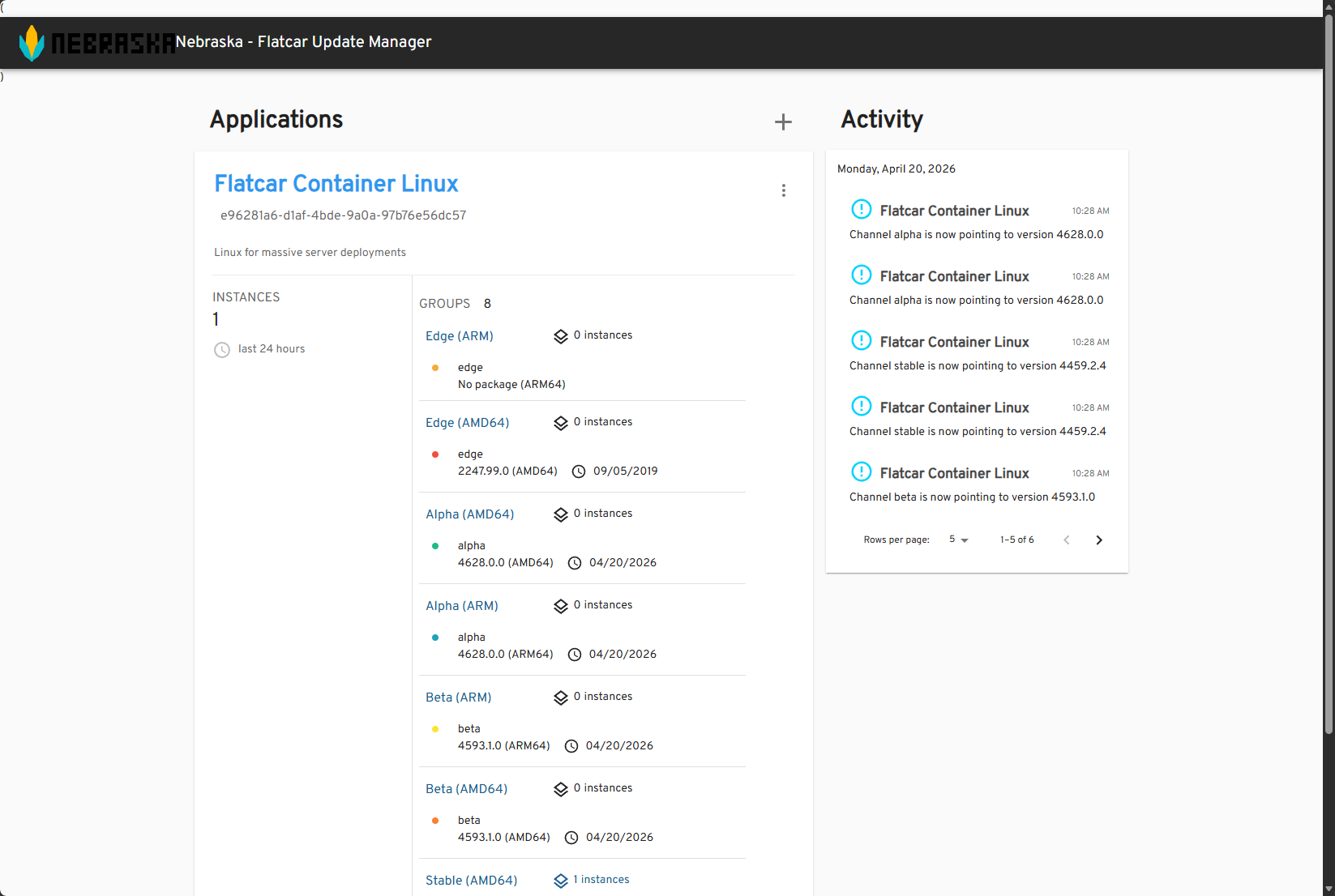
After the pods were running, I was able to browse out to the Nebraska dashboard and get everything pulled up. Out of the box, Nebraska already has default “applications” added with policies attached for the various groups of Flatcar deployments. You will see:
- Edge (ARM & AMD64)
- Alpha (ARM & AMD64)
- Beta (ARM & AMD64)
- Stable (ARM & AMD64)
How do you connect your Flatcar instances to your Nebraska server?
This one was one that I was stumped over for just a bit. I kept looking for a place to “add” servers or “discover” servers and didn’t find it. I even though that maybe I wasn’t in the true admin interface. However, after doing some more looking around, I learned that you “point” your Flatcar instances to your Nebraska server and they “register” themselves with it.
So, the update process is still initiated from the client side (your Flatcar server), but then the policy that is applied comes from the Nebraska server. So to get your Flatcar server pointed to your Nebraska server, you add this as part of your ignition file that tells Flatcar to register itself to the Nebraska server and get update configurations from there.
This is under my storage configuration in my butane file. This is pretty straightforward here but you edit the contents of this update.conf file and point it to the server address of your nebraska server and the machine alias is how it will register itself with Nebraska.
- path: /etc/flatcar/update.conf
      overwrite: true
      mode: 0644
      contents:
        inline: |
          GROUP=stable
          SERVER=https://nebraska.example.cloud/v1/update/
          MACHINE_ALIAS=flatcar-proxmox
Here is the minimal configuration needed:
GROUP=stable
SERVER=https://nebraska.yourdomain.com/v1/update/
MACHINE_ALIAS=flatcar-proxmox
There are three important values here.
- GROUP defines which rollout group the node belongs to and how you control staged updates later
- SERVER tells the node where to check for update and this points to your Nebraska host with the /v1/update/ URL
- MACHINE_ALIAS is optional but gives you a friendly name in the Nebraska UI, which is definitely useful
Once your ignition file runs for the Flatcar server, it will register itself with the Nebraska instance. You can speed up this process by logging into your Flatcar server and running:
sudo update_engine_client -update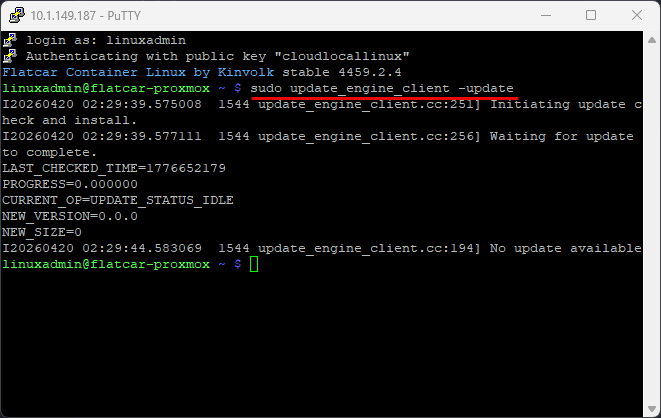
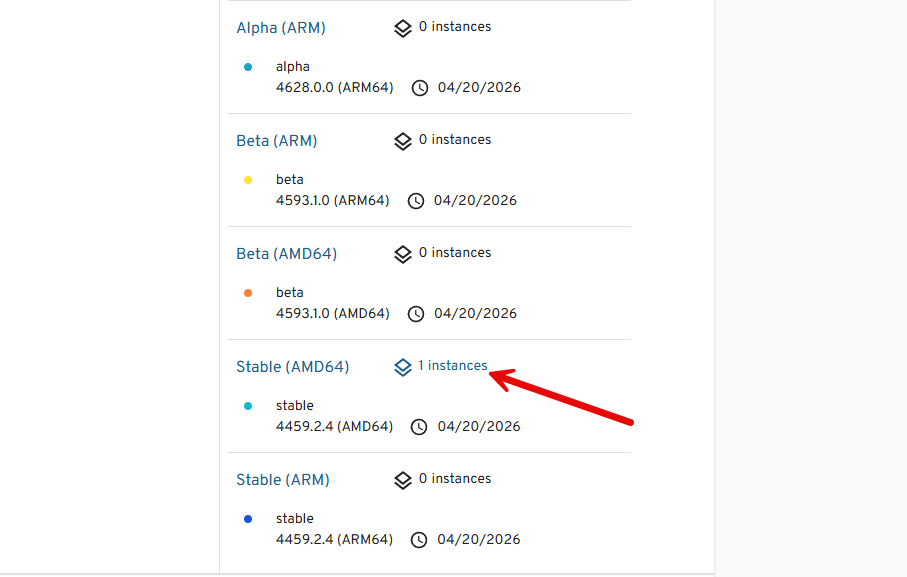
If you view the instance list for the Stable channel, here is what mine looks like:
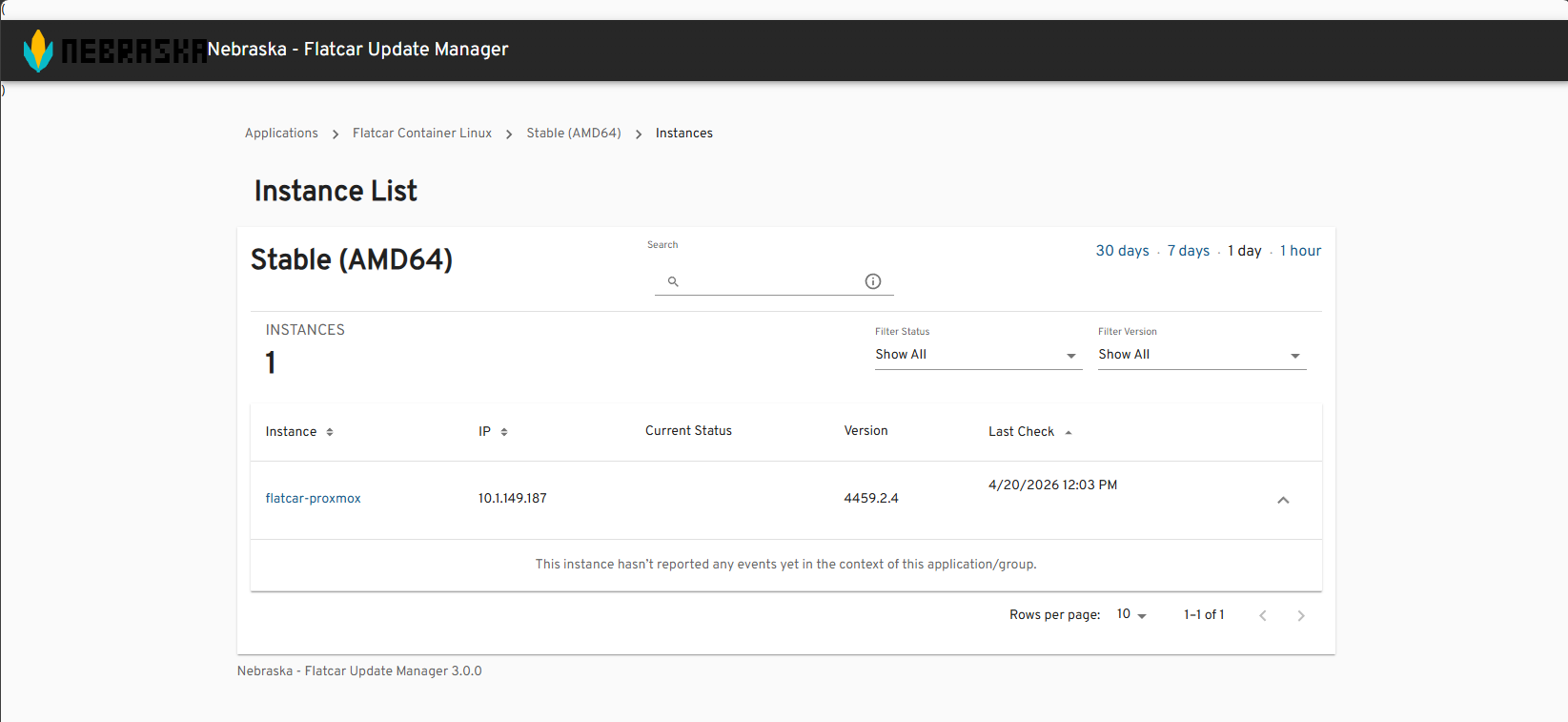
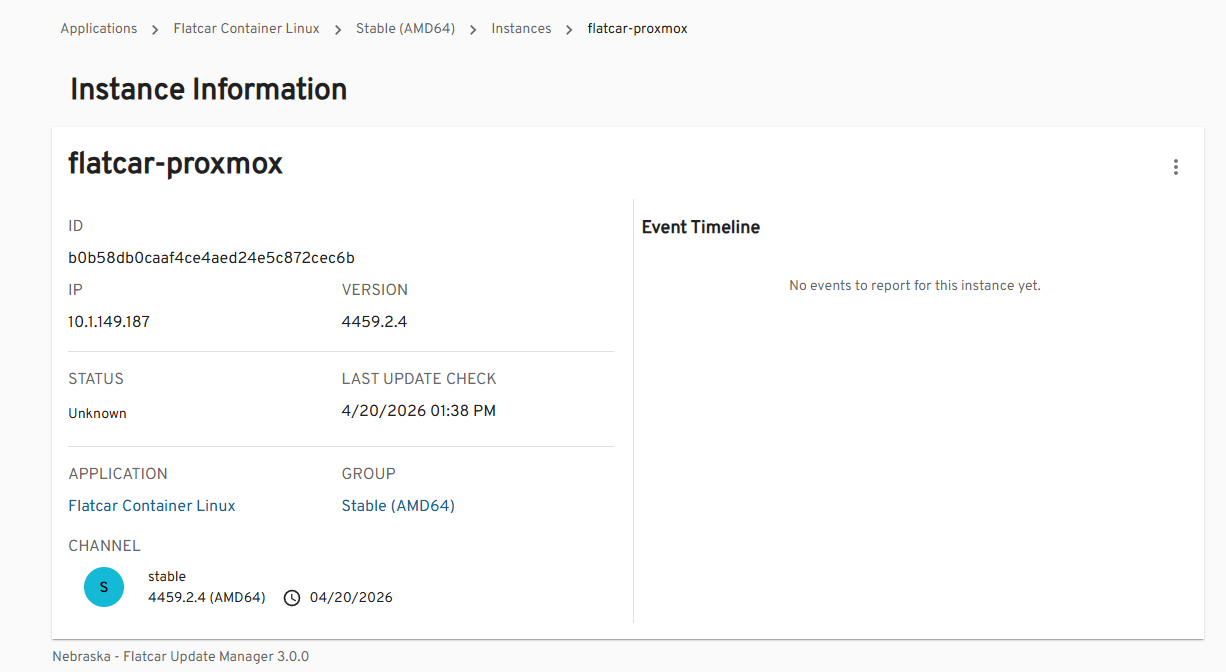
Below, I am viewing the 1 instance that is registered. Below you can see the alias name that we configured in the ignition file and other information like the IP address, status, what group it belongs to, etc.
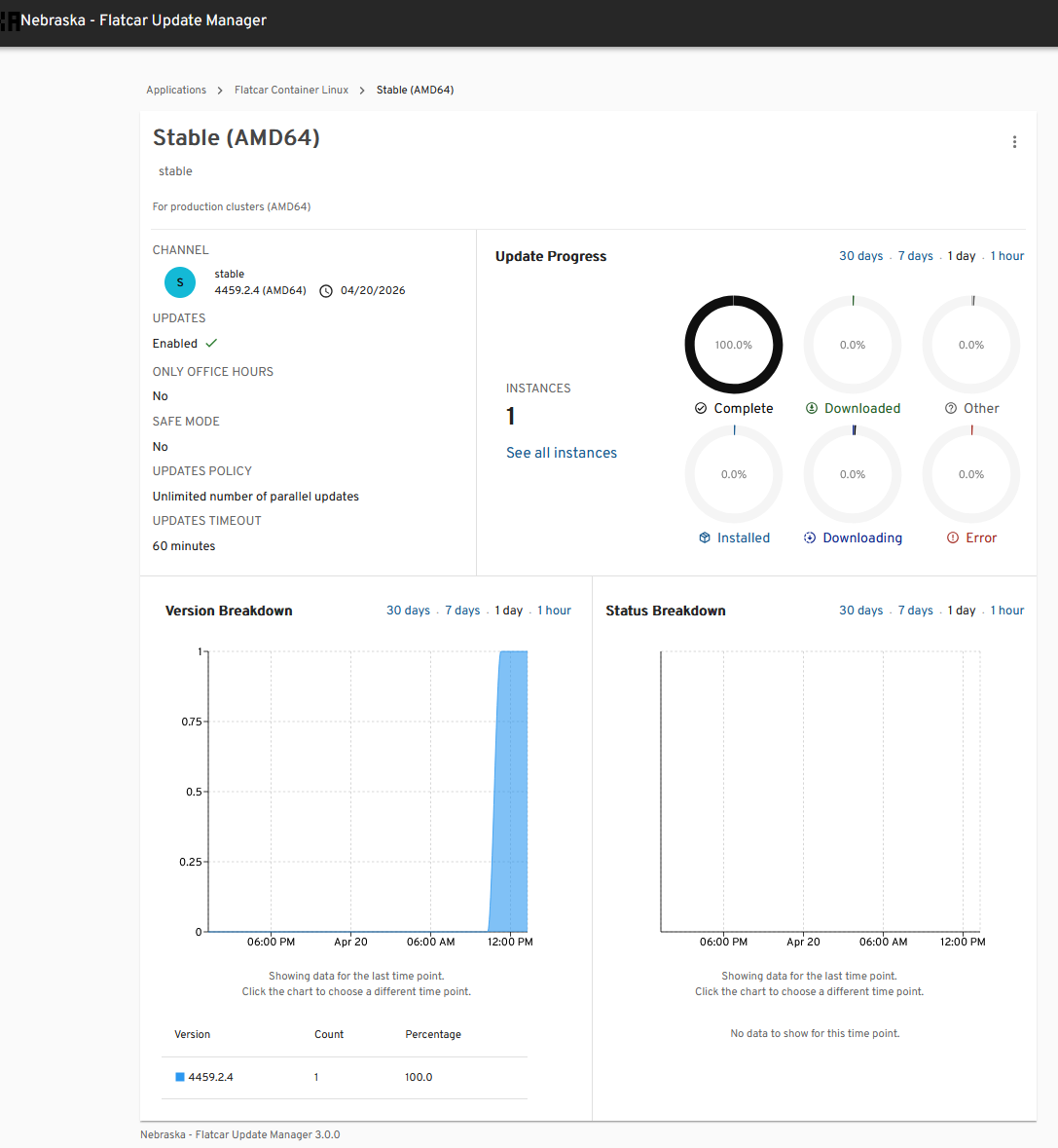
When you look at the release channel group, you get a lot of valuable information, including updates that are complete, installed, downloading, downloaded, other, and those that are in an error state.
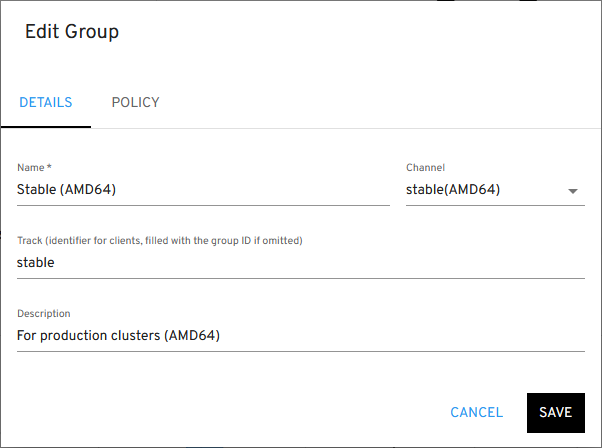
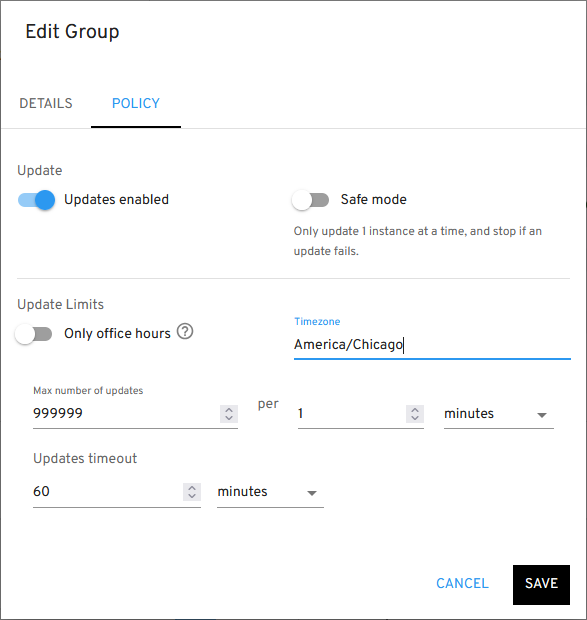
You can also edit the group and see the options here.
Under policy, this is where you enable the updates, turn on safe mode if you want for only one update at a time, setting your timezone, and setting update limits.
An IP address issue with Nebraska and Flatcar
After getting everything connected, I noticed something strange. Nebraska was showing my Flatcar node with an IP address in the Kubernetes pod network range:
10.244.x.x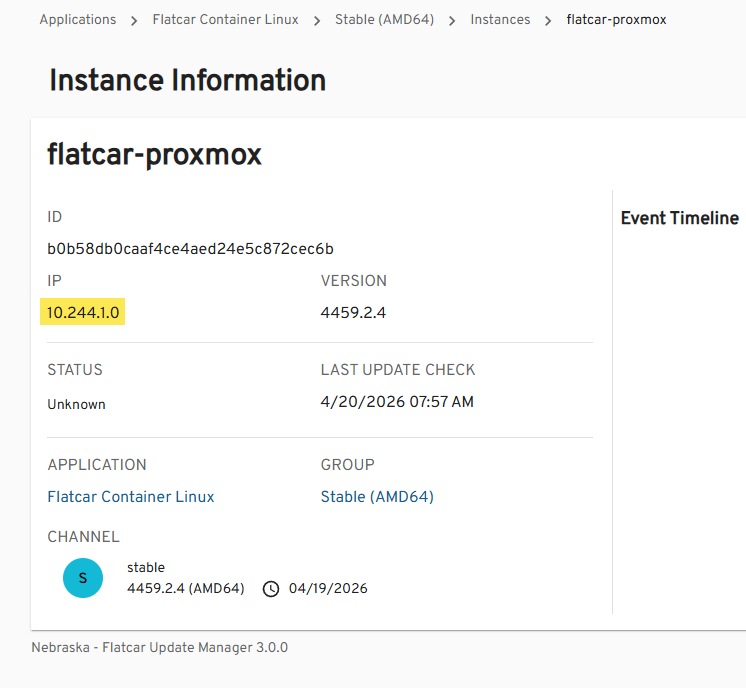
But my actual node IP was:
10.1.149.187This was confusing at first, but it started to make sense when I thought about how the actual traffic flows in Kubernetes. Nebraska records the IP of the connection it sees. If your request passes through:
- an Ingress controller
- kube-proxy
- or a service that rewrites source IP
Then, Nebraska will see the internal cluster IP instead of the real client IP. In my case, traffic was being proxied through Kubernetes with Traefik, so Nebraska saw the pod network.
How to fix the wrong IP showing in Nebraska
There are a few ways to address this, depending on your setup.
If you are using a Service of type LoadBalancer or NodePort, you can preserve the original client IP by the following setting:
externalTrafficPolicy: Local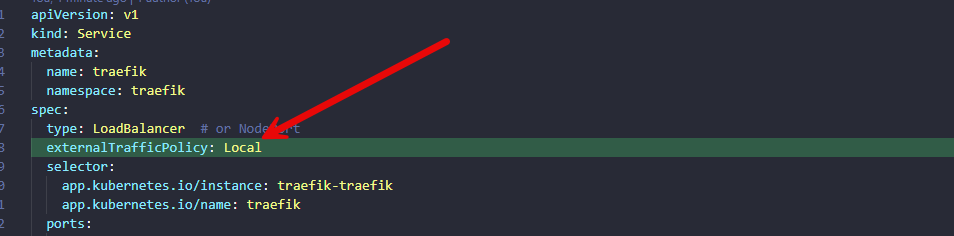
After applying this patch, Nebraska started to see the right IP address of my Flatcar Linux host.
Wrapping up
Nebraska is one of the tools working with Flatcar that really makes a lot of sense that this is a strong contender for adoption as your container host of choice. It is enterprise ready and has tools that show it can be managed in terms of fleets of nodes and not just one off updates. Nebraska is super simple but it gets the job done and gives you control over how the updates take place on your Flatcar nodes. How about you? Are you running Flatcar Linux and if so, are you making use of Nebraska server? Let me know in the comments.
More in this topic




Google is updating how articles are shown. Don’t miss our leading home lab and tech content, written by humans, by setting Virtualization Howto as a preferred source.
About The Author
