


Well, as you all know, I love project based learning. I think it produces some of the best results of any type of learning you can do. When you have a “project” to base your learning on, it does something to solidify the concepts and learning even more. I also like to have a good list of ideas ready for the weekends since this is when we may be able to sneak a couple hours in the lab environment. And really, you can do a lot in an hour even! Take a look at these fresh projects and tools that I think can really take your home lab to the next level this coming weekend, September 18, 2026.
1. Build a home lab changelog with Changerawr
This is one that I haven’t written a dedicated blog post on as of yet. However, I have been looking though for a change log solution for quite some time for my home lab. Something that I can self-host. I have been through all kinds of iterations of different “note taking” apps. I have tried both paid and open source, but just haven’t really found anything that clicked with me as what I wanted.
Almost daily I change things or modify things in the home lab. Much of this is in code for various projects, but there are still some operational things that I don’t have in code. I haven’t necessarily been keeping up with when I update my Proxmox hosts, or which VMs I spin up or get rid of in a manual way.
Doing some quick searching I looked at a few solutions on GitHub. But then stumbled on one that caught my attention called Changerawr. It is a self-hosted changelog management system. It looks to be mainly designed for product updates and software releases. However, I think it can work pretty well as an operational journal for the home lab that you can self-host.
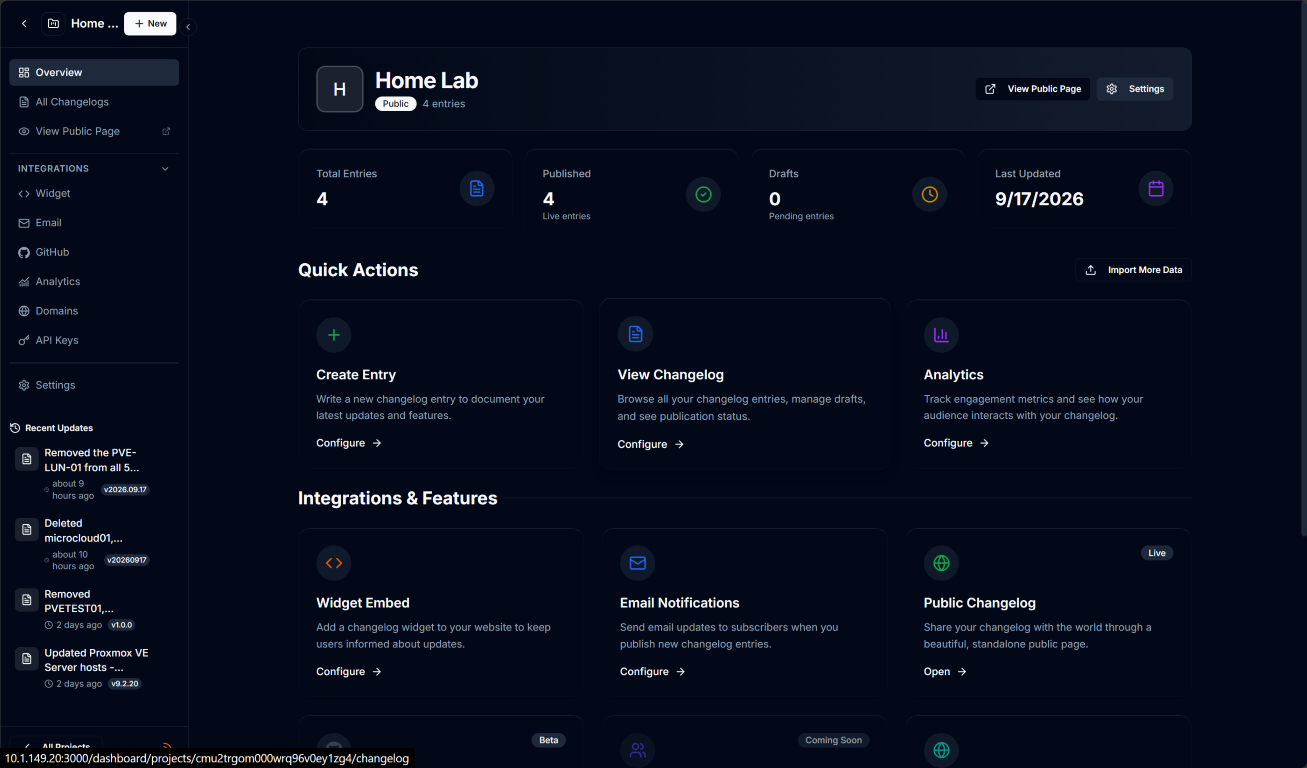
You can create projects with it, which as you can see, I have created “HomeLab” as a project. Now I am recording things there like my updates and other operational activities that might not necessarily get recorded in Git. One of the things that excited me about it was the feature that it can sync your git commits from your Git repo. The downside here that was a bummer for me was that it only works with GitHub, not any other solution. Hopefully that is on the roadmap.
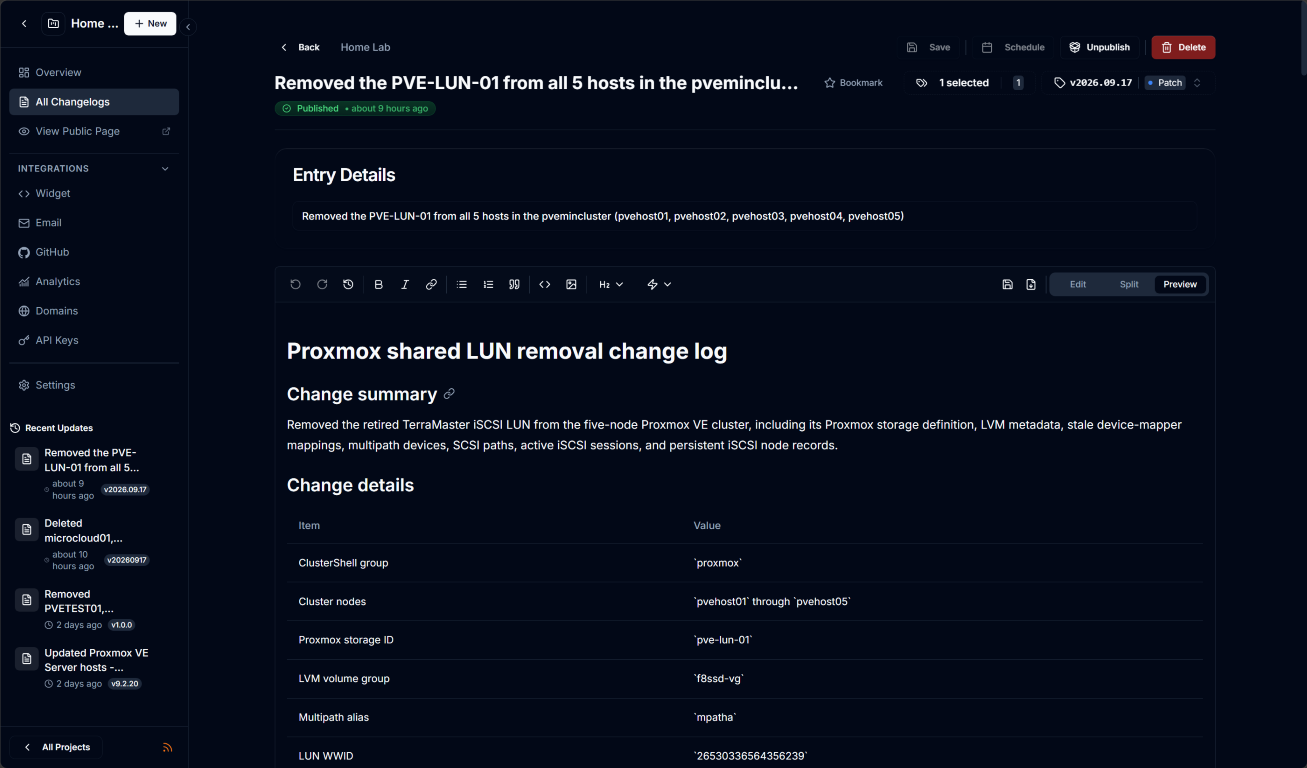
This is definitely a solution though if you are interested in a self-hosted change log solution for your home lab, it has a really polished look, seems to be well organized and has active development.
2. Test the new TrueNAS storage plugin for Proxmox
This one is one of the exciting ones on my list of testing projects that I want to do in the home lab. TrueNAS has officially unveiled their official Proxmox storage plugin. I think this is a major development in a lot of ways since it means that TrueNAS is behind the development of the plugin. They are the ones maintaining it, which is an important aspect.
Also, it means we now have official orchestration between Proxmox and TrueNAS for all storage activities. So instead of having to manually create the storage objects related to provisioning things like iSCSI, the native plugin installed in Proxmox will do this for you. It automatically orchestrates those manual actions that we would normally have to do on the backend. These include things like working with every zvol, extent, target, and LUN mapping.
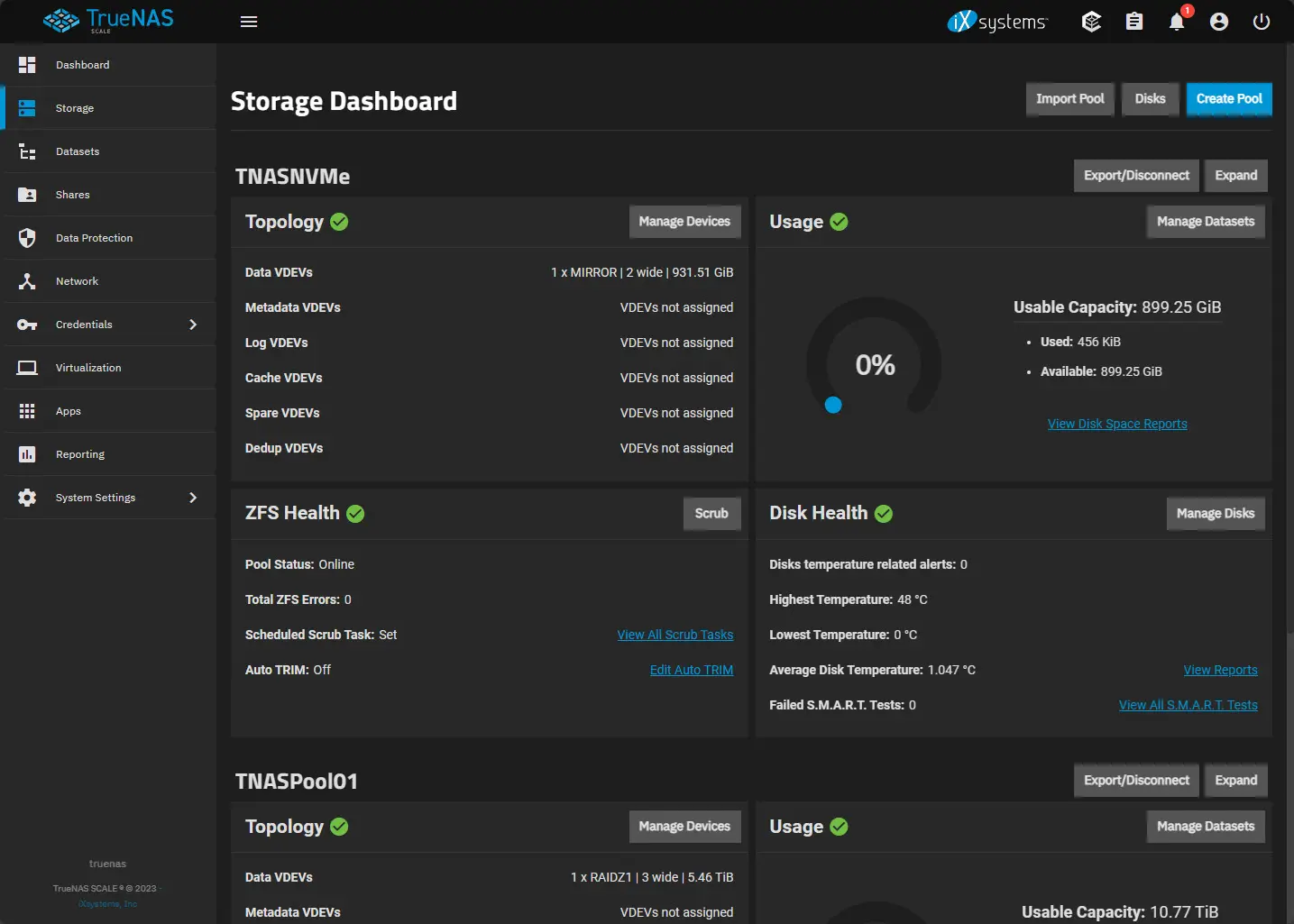
This new plugin does all of that for you. It supports iSCSI and NVMe over TCP. Also, it gives you OpenZFS snapshots, disk resizing, thin provisioning, compression, and other things like multipathing, etc. Be sure to check this one out for sure on the short list of projects you experiment with.
Also, I recently covered this news in more detail here, including how to install it: TrueNAS Just Fixed One of Proxmox’s Biggest Storage Headaches.
3. Hook your Komodo dashboard up with the Komodo MCP Server
If you are running Komodo (I am too), you will love the capabilities this project adds to your Komodo instance. I know we are probably getting a little “dulled” in hearing the term “AI” any more. But I am all for it, where it makes sense and helps to do some of the heavy lifting that we would otherwise have to do manually.
Komodo has become one of my favorites in the home lab, due to the GitOps features that it has and the automation capabilities you can use in your environment. But, I recently found this Komodo MCP server that takes this even to another level.
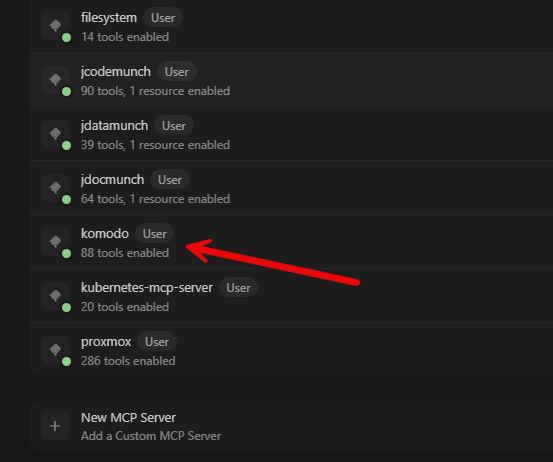
Basically anything that Komodo can manage, you can interact with natural language with the MCP server. You can have it drive Komodo via API calls. But for a weekend project, I would stand up the MCP server and get my feet wet with information gathering first. Then, you can go from there, before you turn it loose with doing things for you. But with the right prompts and guardrails in place, this is a great project to toy around with.
Check out my thoughts on this MCP server, how to set it up, and some of the prompts I am using here: I Gave AI Control of My Docker Home Lab With Komodo MCP.
4. Turn a Proxmox server into a NAS without TrueNAS
This was a really surprising little project that I found on GitHub. It is a project called ANAS for Promox. What is different about this project is how well the developer has integrated the interface and management experience in with the native Proxmox web UI. You don’t have to navigate to a different management interface to manage your storage. You do it all from the native web management.
With ANAS you can natively manage and provision storage with many features that you don’t get from the default Proxmox interface. For instance, setting up ANAS ARAID pool can be accessed easily over iSCSI. Or you can setup a pool and easily setup an SMB share to store files. then, you can have that storage exposed from Proxmox itself.
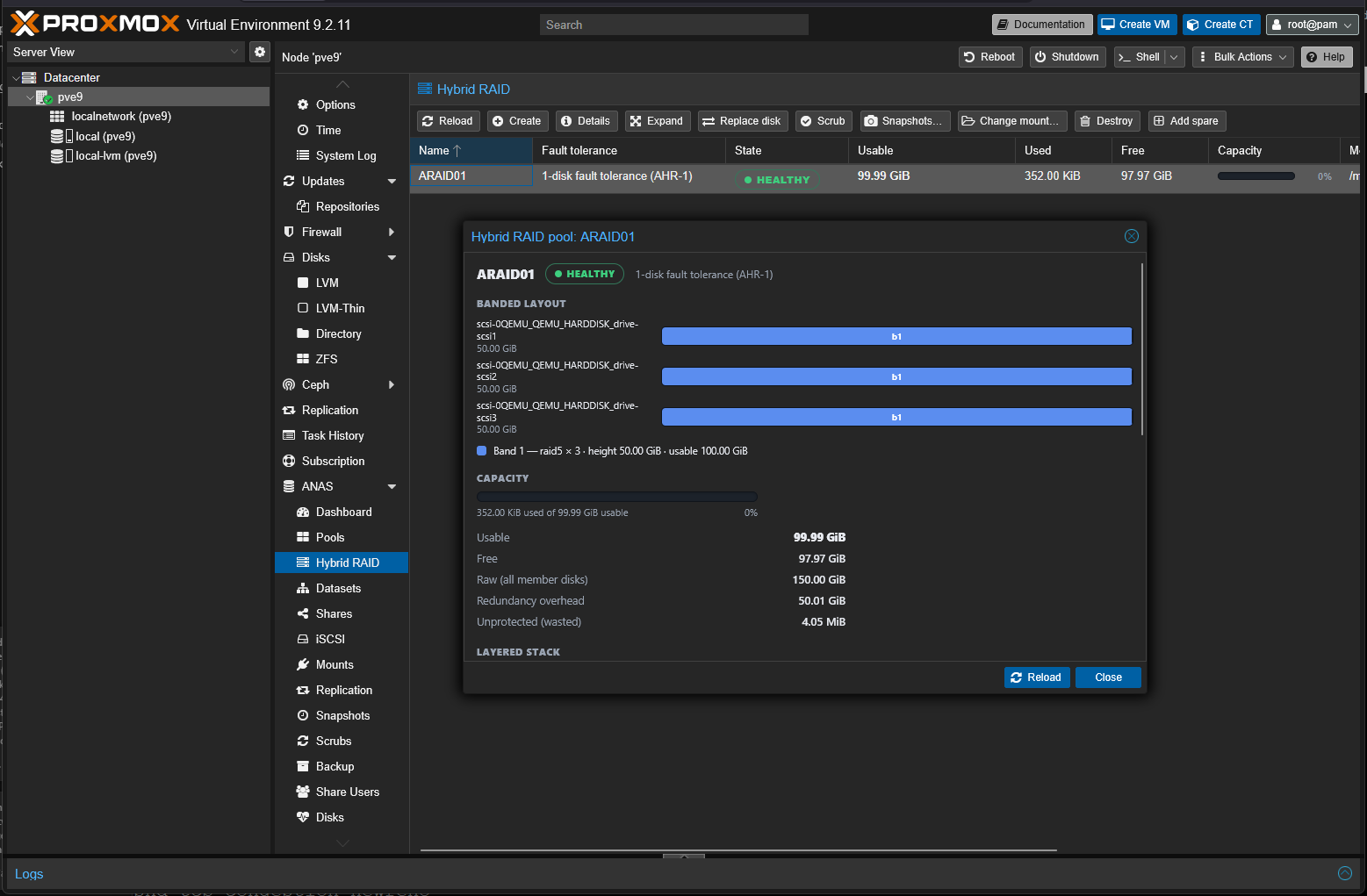
A nice touch with this one is that it allows you to have integration with Proxmox Backup Server (PBS). So you can natively back up things like files stored in some of these newly exposed ways to store data. Pretty cool.
The new TrueNAS plugin is useful when you want a dedicated storage system connected to separate Proxmox compute nodes. Another project takes the opposite approach: provide network storage directly from the Proxmox server.
I covered the complete process to install ANAS and provision storage in the following blog post: I Turned My Proxmox Server Into a NAS Without Installing TrueNAS. If you are looking for a great storage project for this weekend, this is a great one to check out.
5. Try out Proxmox ARM64
If you haven’t tried this out as of yet, Proxmox has released an officially supported ARM64 version of the hypervisor. This isn’t officially supported on Raspberry Pi as it is meant for the more enterprise class of ARM hardware, like Ampere, but it does work with Raspberry Pi devices.
I was able to get it installed on my Raspberry Pi 5 that I had lying around and it works really well. I can see this being a great solution for ones who want to have a low powered Proxmox host. You could use this either in addition to their existing x86 hosts to maybe have a host for lightweight services like DNS. Or this could be a great way to start with a home lab environment.

Check out my full write up where I was able to get full NVMe storage and onboard NIC working: I Got Proxmox VE 9 Working on Raspberry Pi 5 With NVMe Boot and the Onboard NIC.
6. Add break-glass accounts before you need them
This is a project that I recently explored myself. That is adding break glass accounts to your home lab before you need them. This is especially needed if you are running something like Authentik in your home lab. With Authentik, you have that centralized identity service, but you want to think about what happens in your home lab if Authentik goes down. How do you get back into your services? Are there any catch 22 situations where you need Authentik up just to start recovering things, including Authentik?
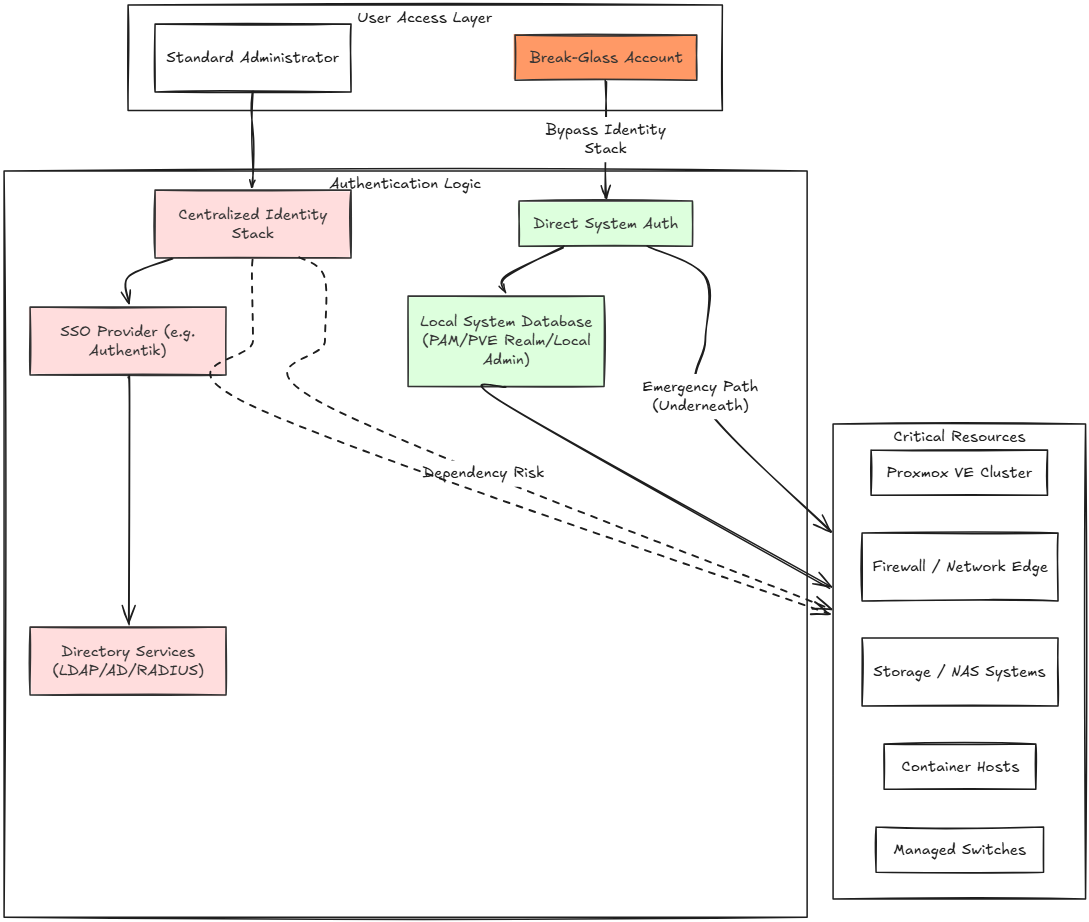
This is why I started looking at creating those break glass accounts that allow you to have “local” access to each solution. So, instead of you having to authenticate to a centralized iDP in the home lab. Also, I took a look at how you secure these accounts and how they are special purpose accounts that are not used for everyday admin work.
Check this one out here: I Added Break-Glass Accounts Before My Home Lab Locked Me Out.
7. Implement negative resource affinity rules in your Proxmox environment to separate VMs
If you have services running in the home lab that are meant to be part of application high availability, this is important. Many of us stand this up with DNS solutions, or other applications. These need to be properly separated between the nodes of your Proxmox VE Cluster.
The reason for this is that just simply running two instances of an application doesn’t mean that you automatically have host level redundancy. You can absolutely inadvertently defeat the purpose of having 2 VMs. You can do this by allowing them to be housed on the same host in your cluster.
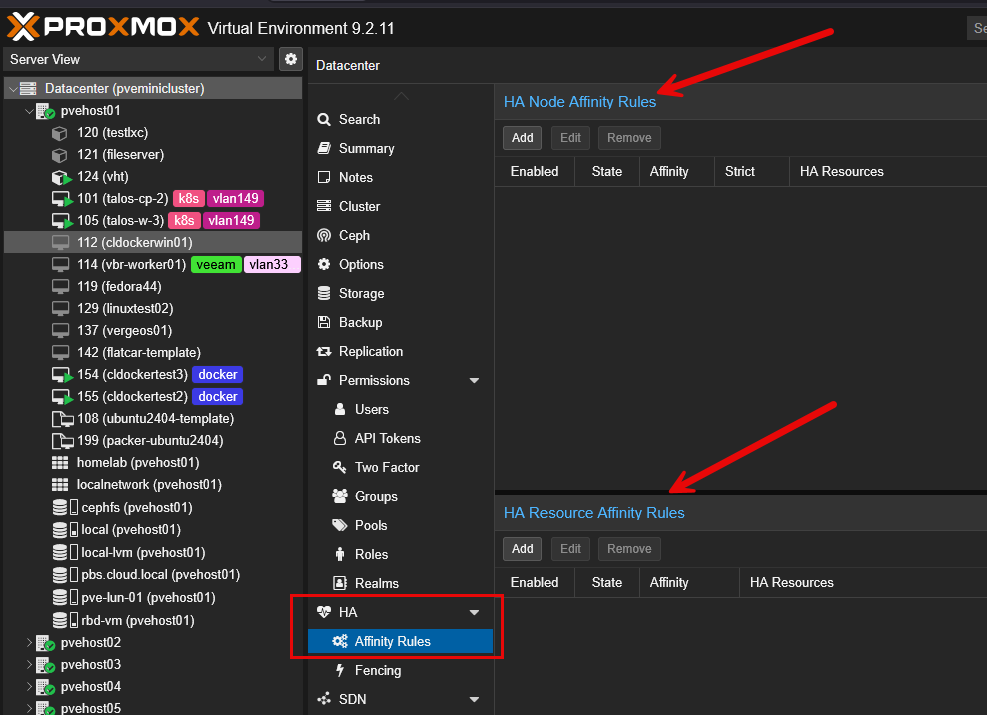
I discovered this problem in my own Proxmox environment. I had redundant services, but I found some of them were running on the same host. They didn’t start out that way, but manually keeping resources like this on different hosts can be difficult. This is where implementing negative resource affinity rules can help with this
Check this one out here and how you can easily implement these negative affinity rules for your environment: I Was Running Redundant VMs on the Same Proxmox Host Without Realizing It.
Wrapping up
If you are up for a learning project this weekend, I really like these 7 projects that we have covered here. They each represent a different aspect of your home lab and can have their own positive impacts when implemented. I really like the idea of spinning up a changelog, testing out the new native TrueNAS plugin for Promox, adding the Komodo MCP Server to your Docker environment, spinning up ANAS for Proxmox, adding break glass accounts, testing out negative resource affinity rules, or something else. One thing is for sure, you will learn a new skill by doing it and you will have something that you can build on moving forward. What about you? What projects do you have in mind this coming weekend?
More in this topic




Google is updating how articles are shown. Don’t miss our leading home lab and tech content, written by humans, by setting Virtualization Howto as a preferred source.
About The Author
