


Proxmox is really good with all types of storage and I have used it as a dedicated NAS appliance many times. I have used dedicated NAS devices. I have also used shared SAN storage and NFS, iSCSI, and also ZFS. Ceph is my current shared storage provider in the home lab where I am using local drives aggregated across 5 Proxmox nodes. One of the most popular home lab and self-hosting configurations is to install Proxmox on the server, then create a TrueNAS VM. You then pass your storage controller through and let TrueNAS handle everything with your file storage. That is why a project I saw posted called ANAS, which is short for “A NAS” got my attention. Let’s see what this project is and why it may change how you provision storage in your self-hosted environment.
The storage management gap in Proxmox
Proxmox VE Server itself has really good storage support. You can attach NFS storage, SMB/CIFS, iSCSI, ZFS, LVM, directory storage, Ceph, CephFS, and even other storage backends. So you can take just about any kind of storage and use it in Proxmox to make it available for VMs, containers, ISO images, backups, things like templates, and other storage needs.
So, the point we are trying to make here is that Proxmox is great at consuming storage, but not so great at managing and creating storage natively in Proxmox. So, underneath Proxmox is Debian and it is of course Linux. So it has strong support for the storage types that we have already mentioned. So, the underlying OS can easily provide storage management using native Linux tools, but this isn’t exposed in a really easy way from the Proxmox web UI.
What is ANAS?
That is exactly the gap that the ANAS project is trying to add to the Proxmox VE Server experience. Is this a fork of Proxmox? No. It installs on top of the stock Proxmox VE Server node installation and adds native ExtJS panels to the existing PVE interface.
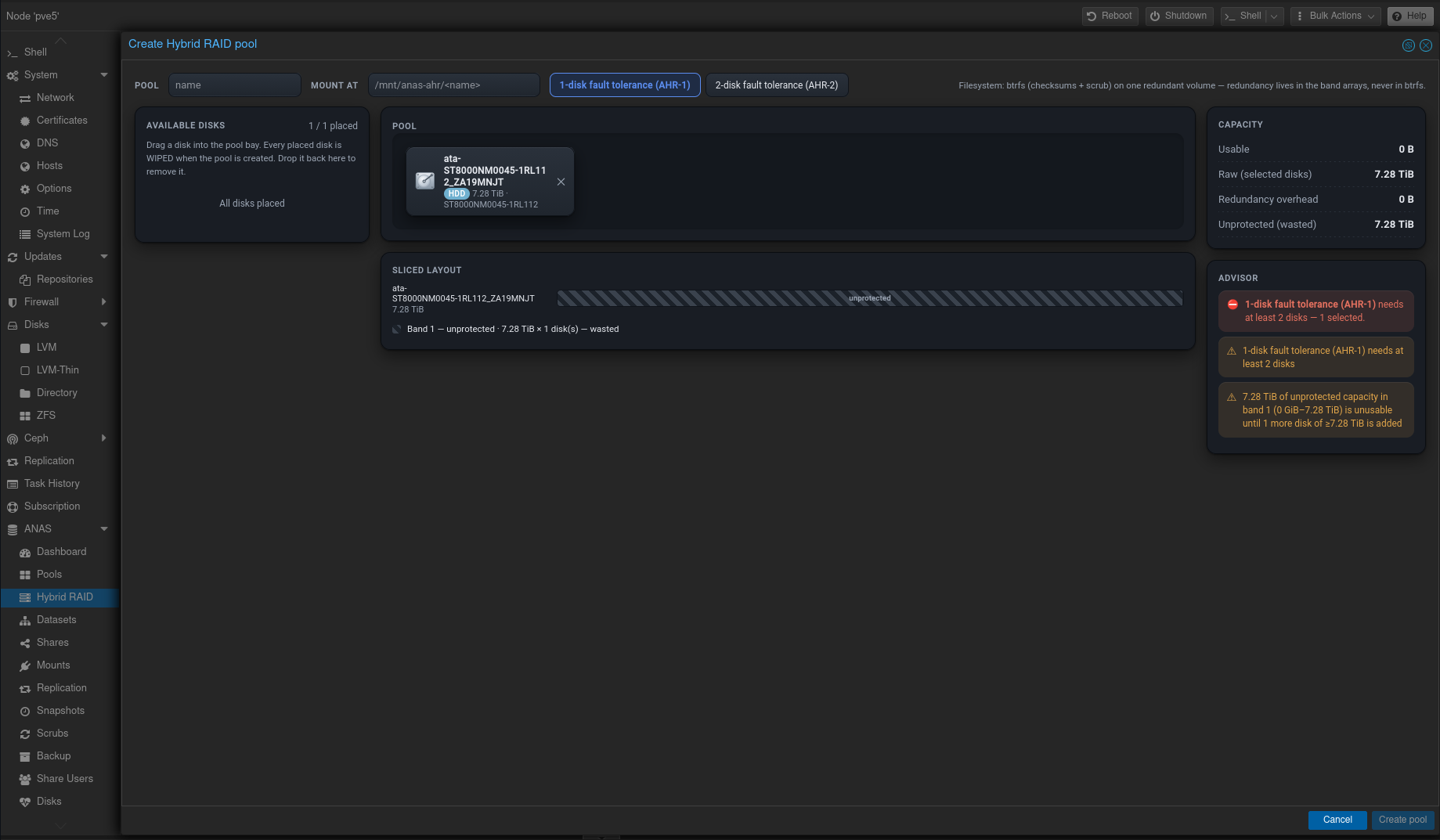
The developer describes the approach here to the way that Ceph functionality is implemented in Proxmox natively. I like this and I am sure you will too since the installation doesn’t have you navigate to some different web interface to manage the “storage” features that it adds. Instead ANAS is exposed to the existing Proxmox web interface on port 8006 using your same login to Proxmox itself.
I like this aspect a lot since we don’t have to worry about another management plane to have to secure and configure.
Now, I saw some poking fun on Reddit at the name of the project, which I will leave this up to you to decide if there might be a better name for adding storage to your server 😁
I think this changes the usual Proxmox plus TrueNAS setup
One of the first architectures many home lab users discover is Proxmox plus TrueNAS. If you read across various forums, blogs, Reddit, and elsewhere, you will find ones talking about many different ways to build this out. But, one common way to do it looks similar to this:
- Proxmox runs on the bare-metal server
- TrueNAS runs as a VM
- An HBA or storage controller is passed directly through to the TrueNAS VM
- TrueNAS owns the disks and storage pools
- It then exports SMB, NFS, or iSCSI storage back to clients on the network
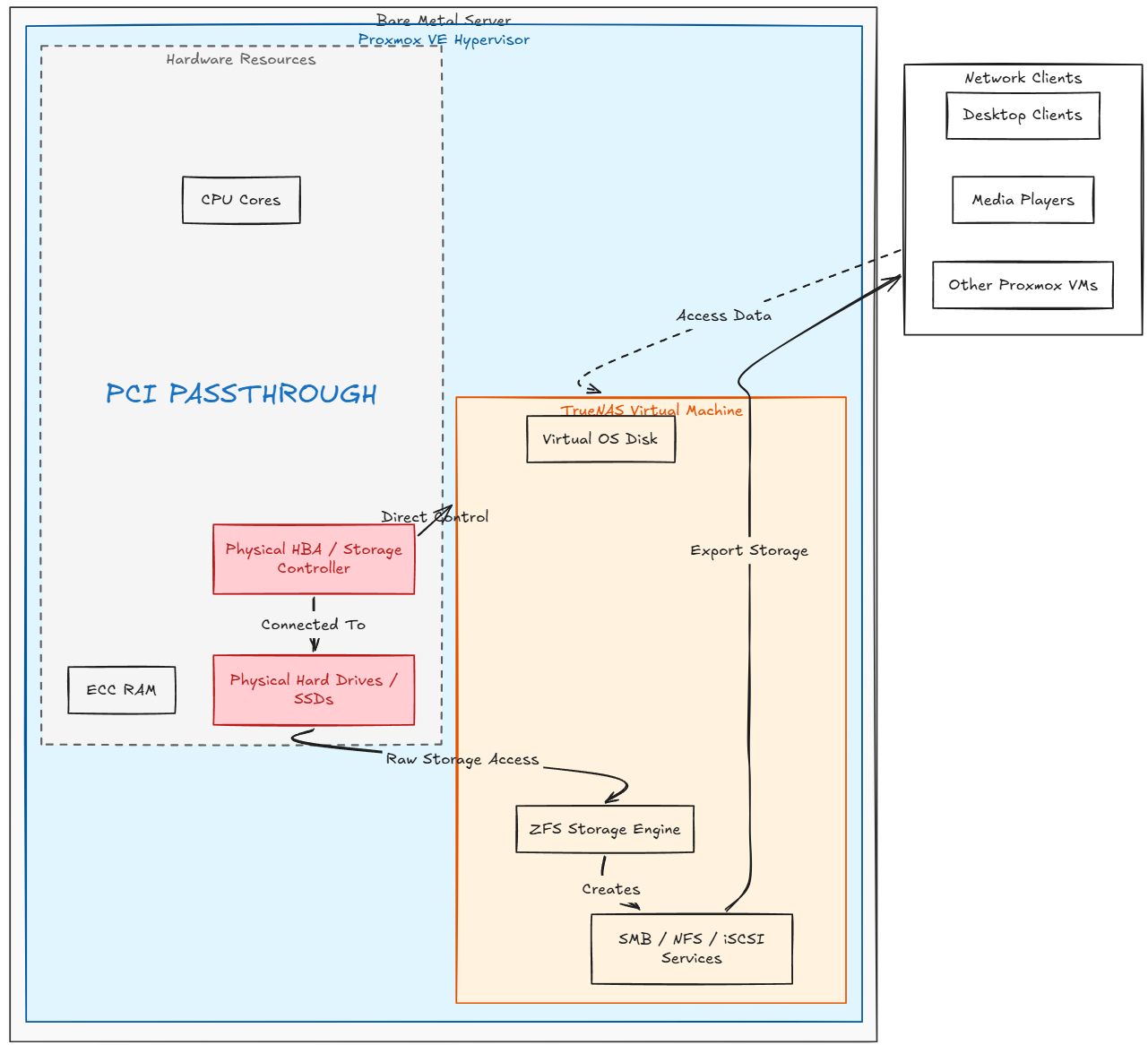
Many have used this architecture above and it can work just fine. This is good especially if you want the TrueNAS management experience and its ecosystem of tools, integrations, etc. But there are tradeoffs to doing it this way. Now, my storage needs a VM and PCI passthrough becomes part of the design of your storage. Also, this can get you into a potential “chicken and egg” scenario where your storage can’t start due to the VM being down and the VM is down due to storage not starting, etc.
So, again, ANAS makes this possibly a simpler solution. What if you could just use the Proxmox node to manage those disks and provide those NAS services directly. This is a much simpler design and keeps you outside of dependency issues.
Installing ANAS in Proxmox
The process to install ANAS in Proxmox is actually pretty straightforward. The first thing you need to do is visit the GitHub repository for the project and download the tarball. I did this on my Proxmox host with the command below. Just replace the release URL for the current tar.gz file:
wget https://github.com/ccebelenski/anas/releases/download/v0.3.1/anas-0.3.1.tar.gz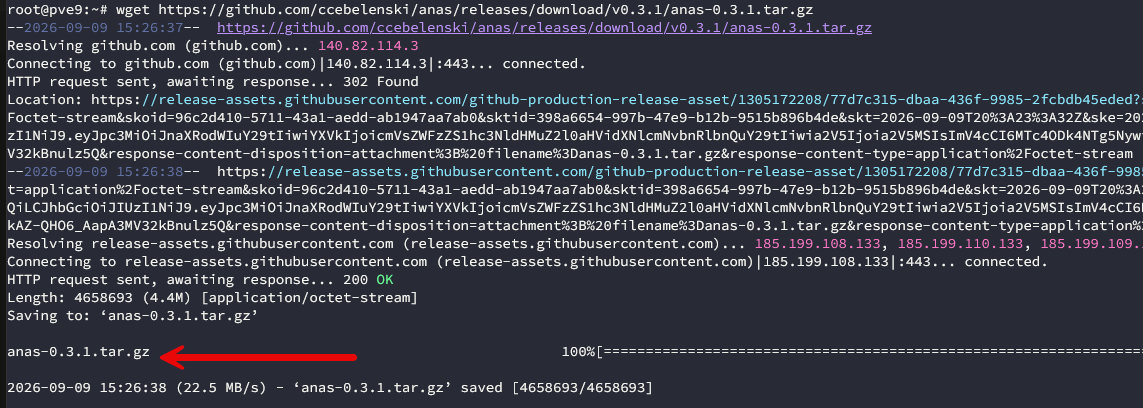
Then, the next step is to untar the release file on your Proxmox host which creates the directory. Then we run the installer.
tar xzf anas-<version>.tar.gz
cd anas-<version>
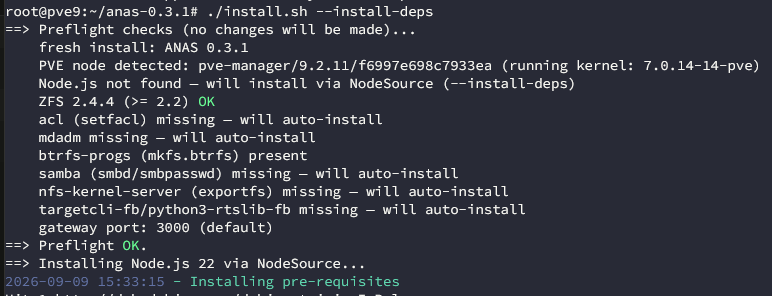
./install.sh --install-deps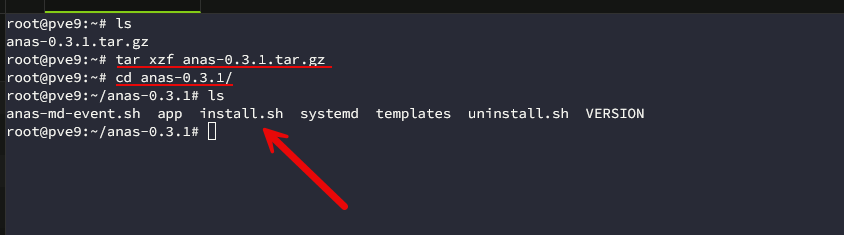
Below, we are running the ./install.sh script with the –install-deps flag. What does this install? Some of the ANAS features depend on packages that Proxmox does not normally install. These include things like Samba, nfs-kernel-server, mdadm, Btrfs tools, ACL utilities, and the Linux LIO iSCSI tooling. ANAS also needs to have Node.js 20 or newer installed and ZFS 2.2 or newer.
Also, according to the documentation, the installer does a preflight check before it changes the node. It installs dependencies, creates backups, installs ANAS, performs health checks, and then it integrates with the Proxmox interface. If part of that process fails, the installer is supposed to roll the changes back.
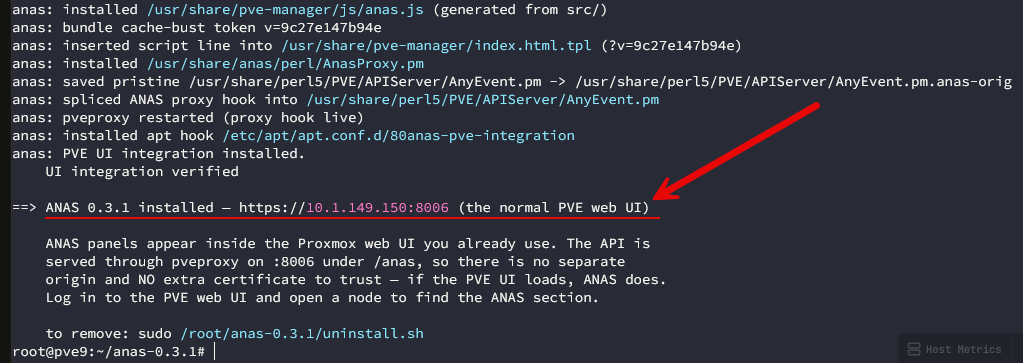
After running the installation, we see the directive that the ANAS package has been successfully installed and directs us to manage just using the normal web UI. Also to note, to uninstall you can run the uninstall.sh script provided in the extracted tarball.
Viewing the ANAS management in Proxmox
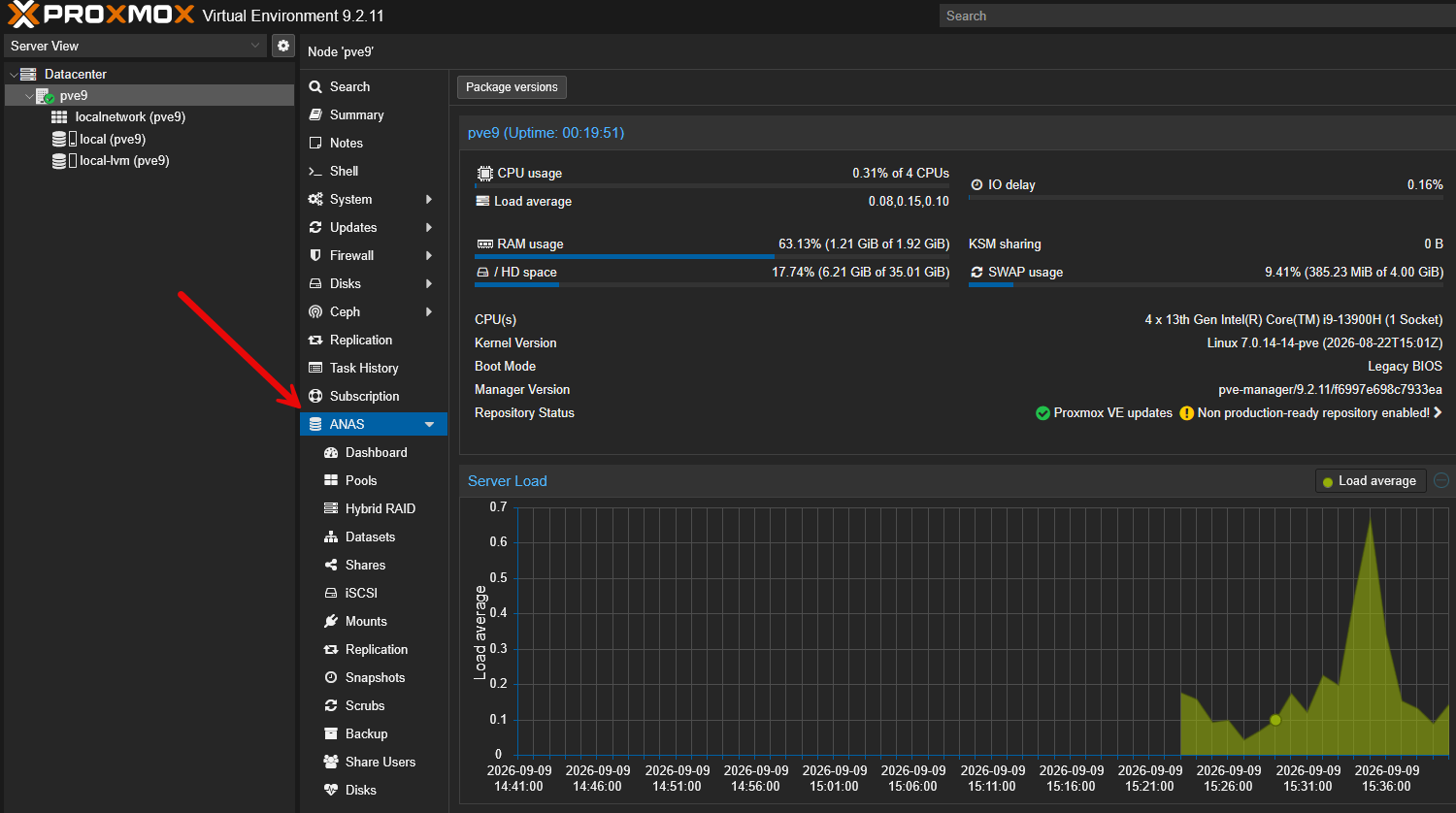
Now when I refreshed the Proxmox web UI, I see the ANAS management menu under the Proxmox node, not Datacenter management. Already, I like the looks of this. It definitely feels like a native part of the Proxmox web interface. If I didn’t know, I would say this is a new feature in a new version of Proxmox due to how well it integrates.
Creating Hybrid RAID using ANAS
Since I am testing this inside a nested Proxmox VE Server in Proxmox, I have added (3) 50 GB QEMU virtual disks to the Proxmox VE Server. Let’s now look at the process to create a hybrid RAID array using ANAS in Proxmox. Navigate to ANAS > Hybrid RAID > Create.
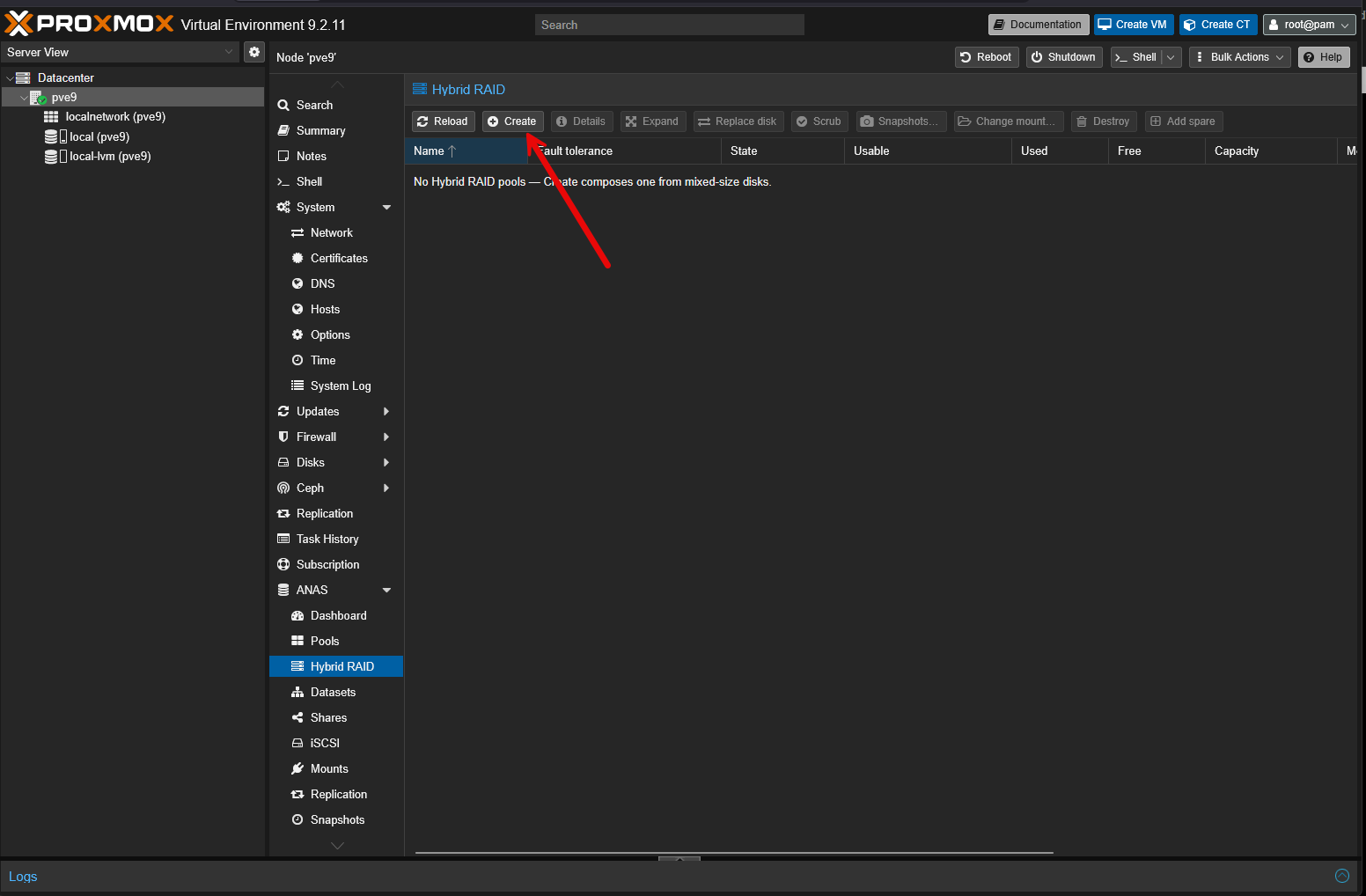
You will see your virtual disks that are available to the system for creating a new RAID array. Here you can see the (3) 50 GB QEMU disks that I had added.
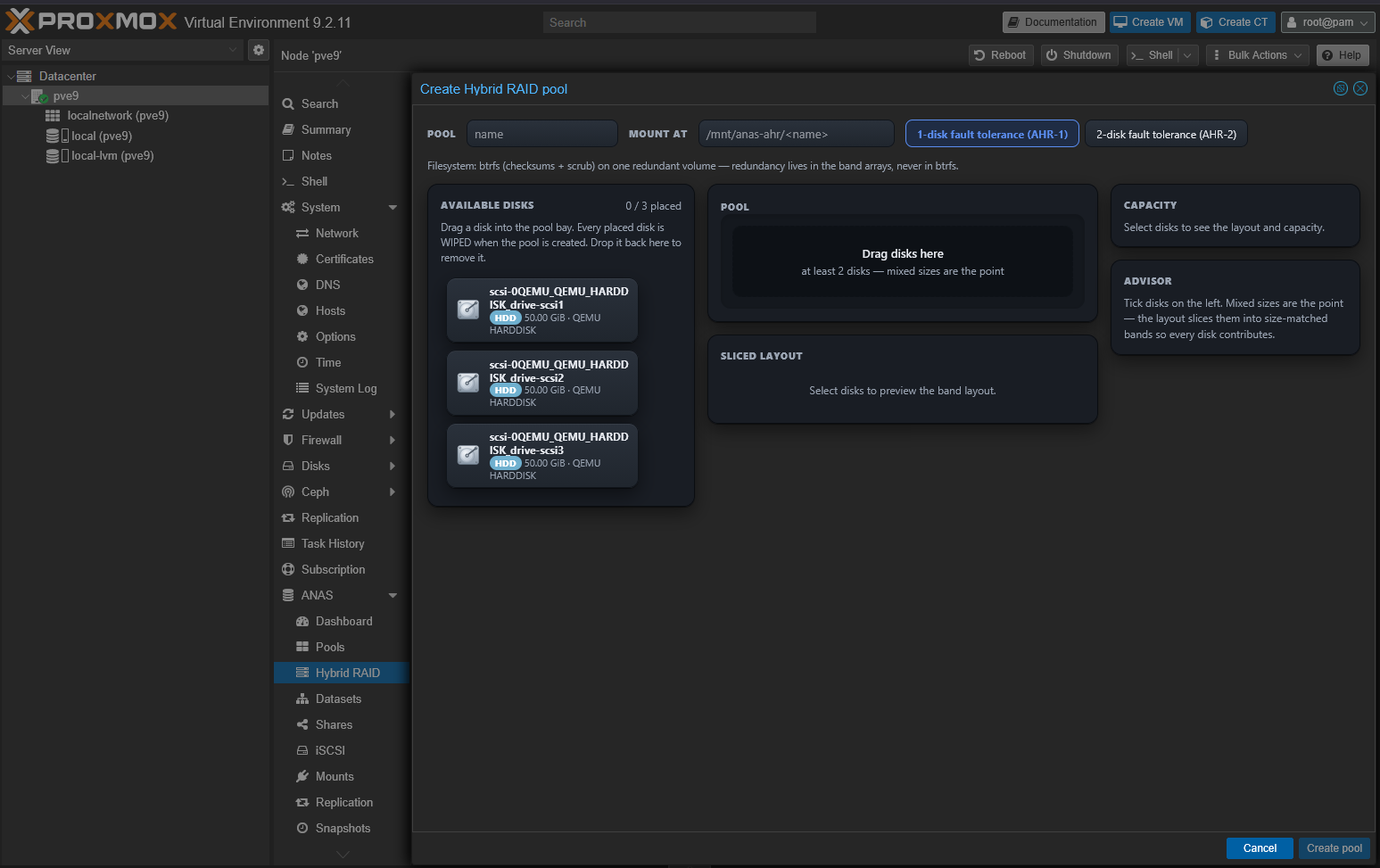
You simply have to “drag and drop” the disks over to the right for the
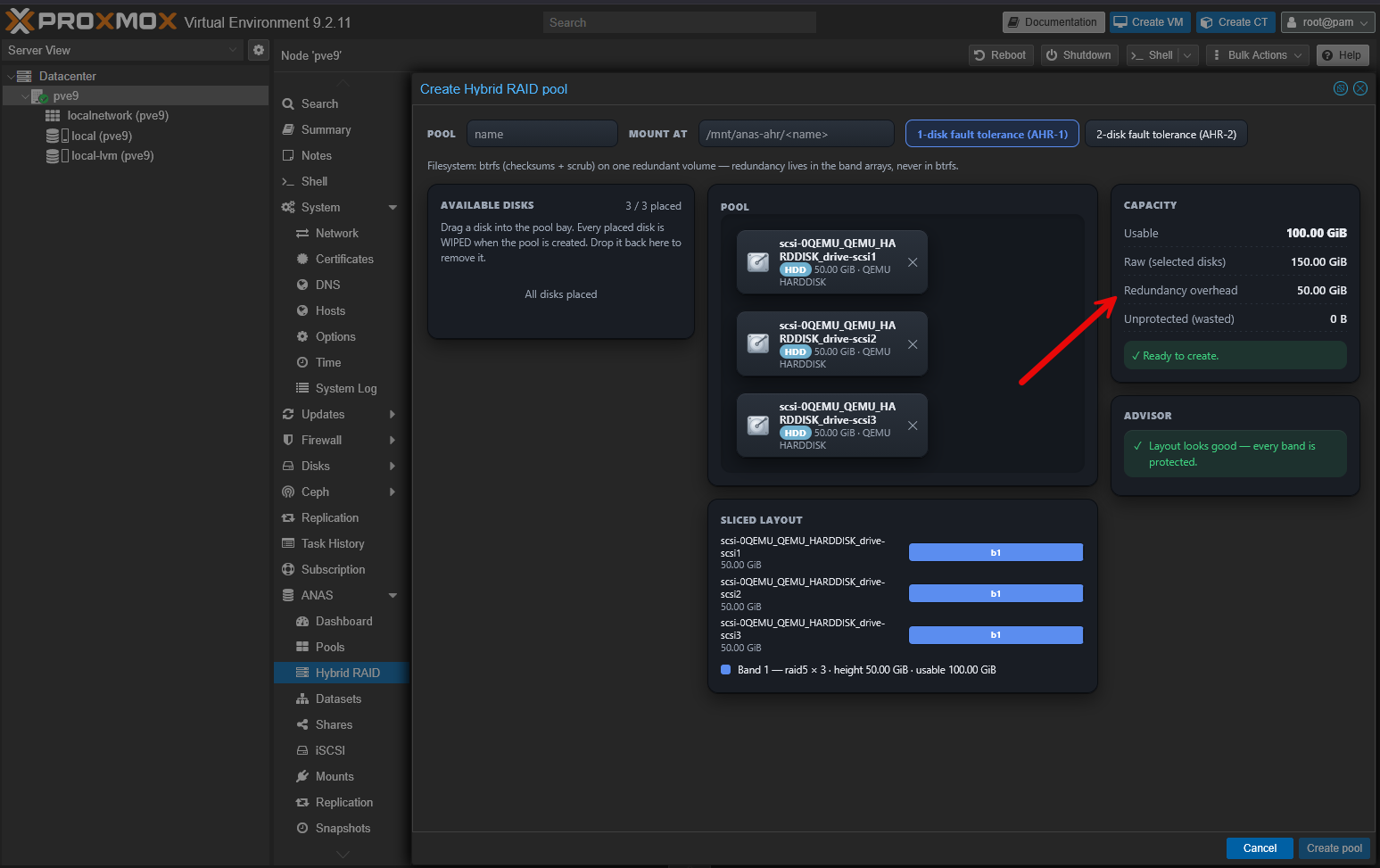
Be sure to name the Pool. I didn’t see this at first and couldn’t figure out why the Create Pool button was greyed out.
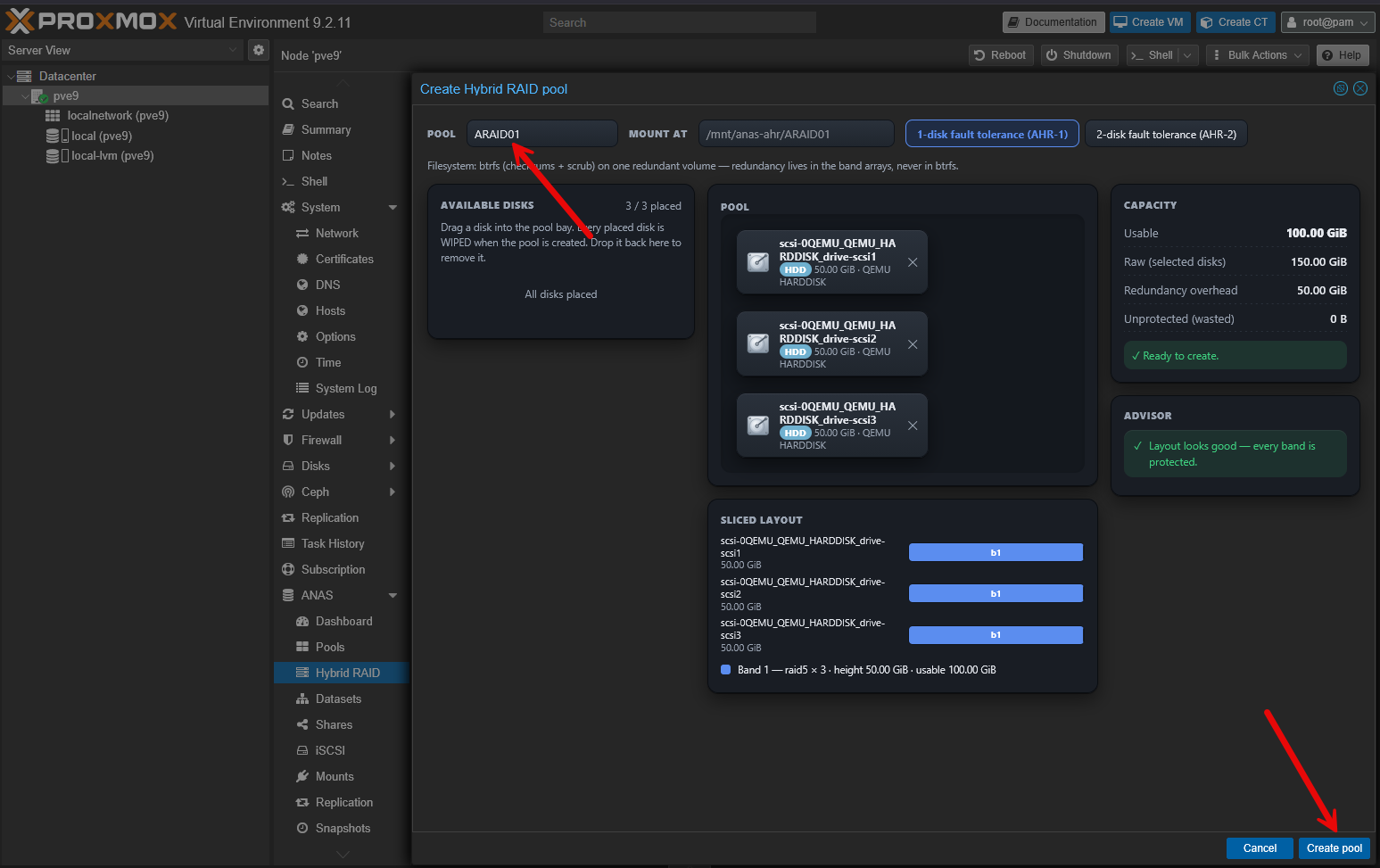
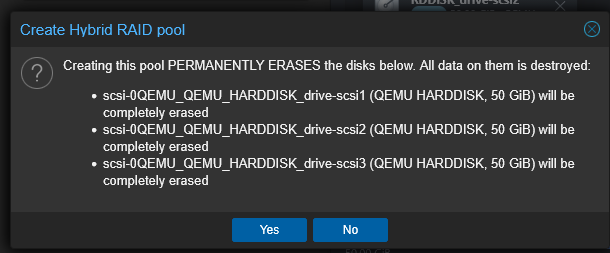
It will ask you to confirm the creation of the pool and destroy the data on the disks.
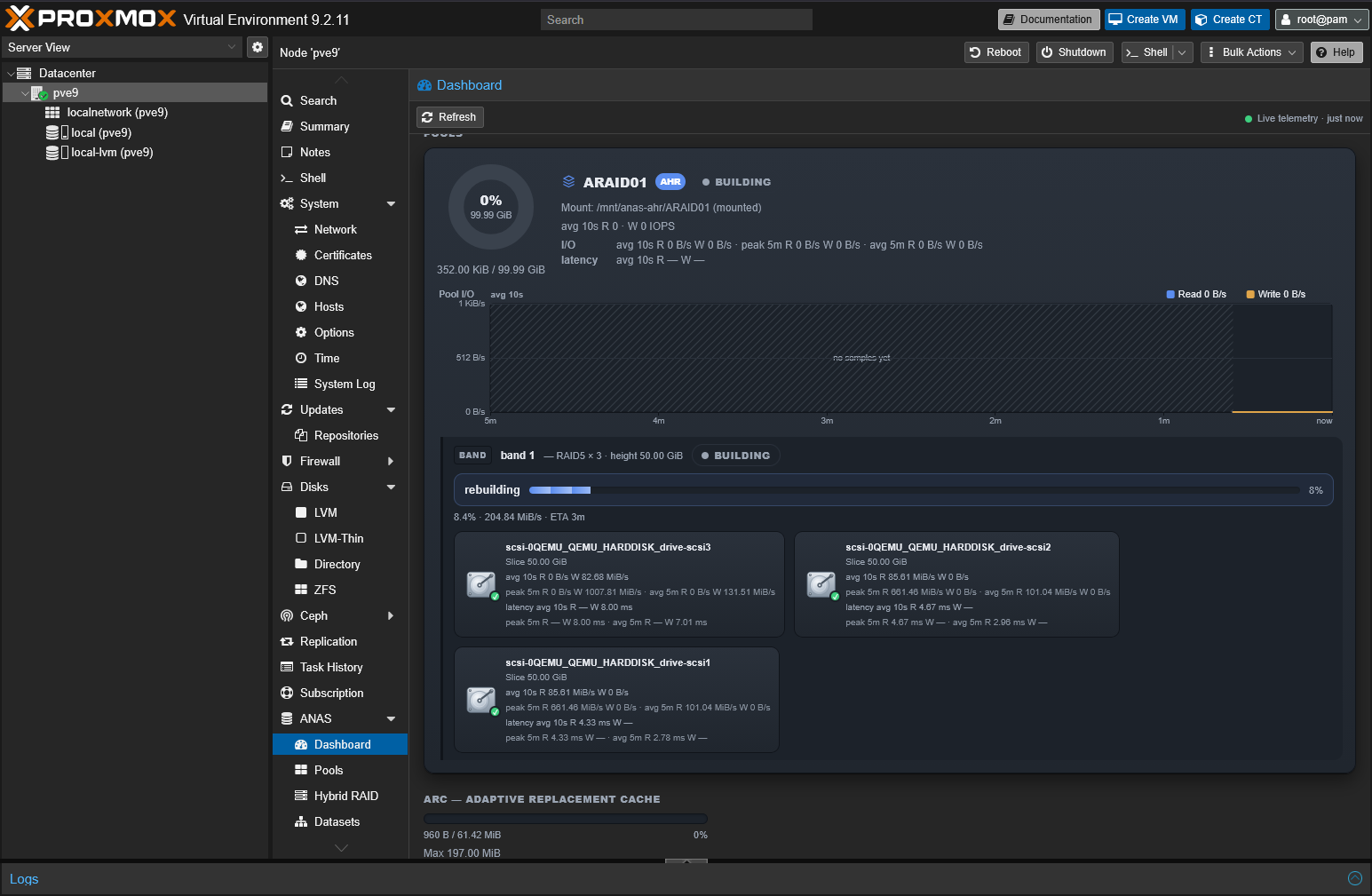
Pool is created and it begins synchronizing.
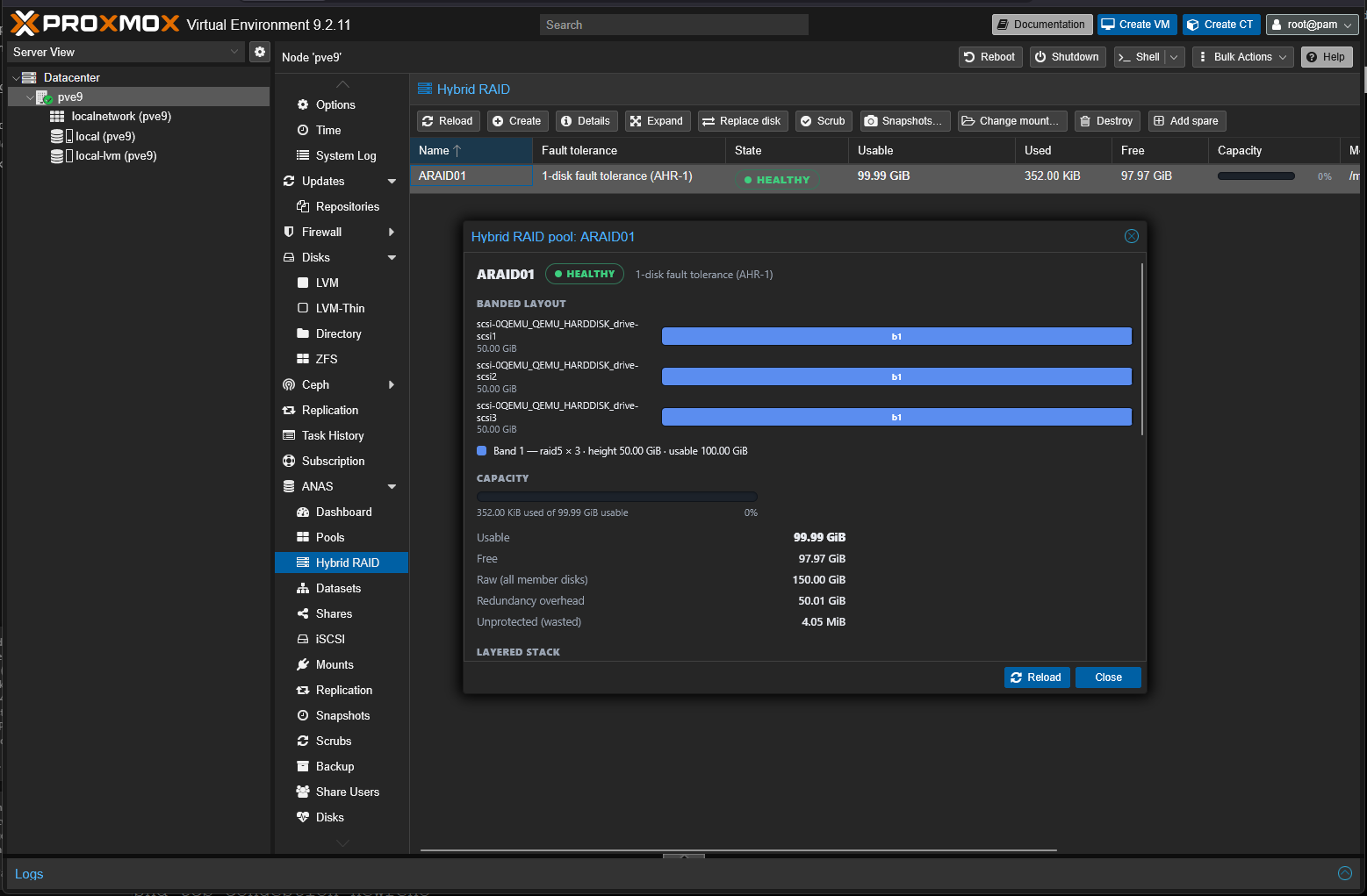
The hybrid array is healthy and the synchronization is complete.
Awesome features for home lab
The more I used this in testing in my home lab, the more excited I got about this project. The capabilities that it gives you as part of the native Proxmox interface are really great I think. Especially for ones that don’t want to mess with the complexity of having to install TrueNAS as a VM and then configure passthrough, etc.
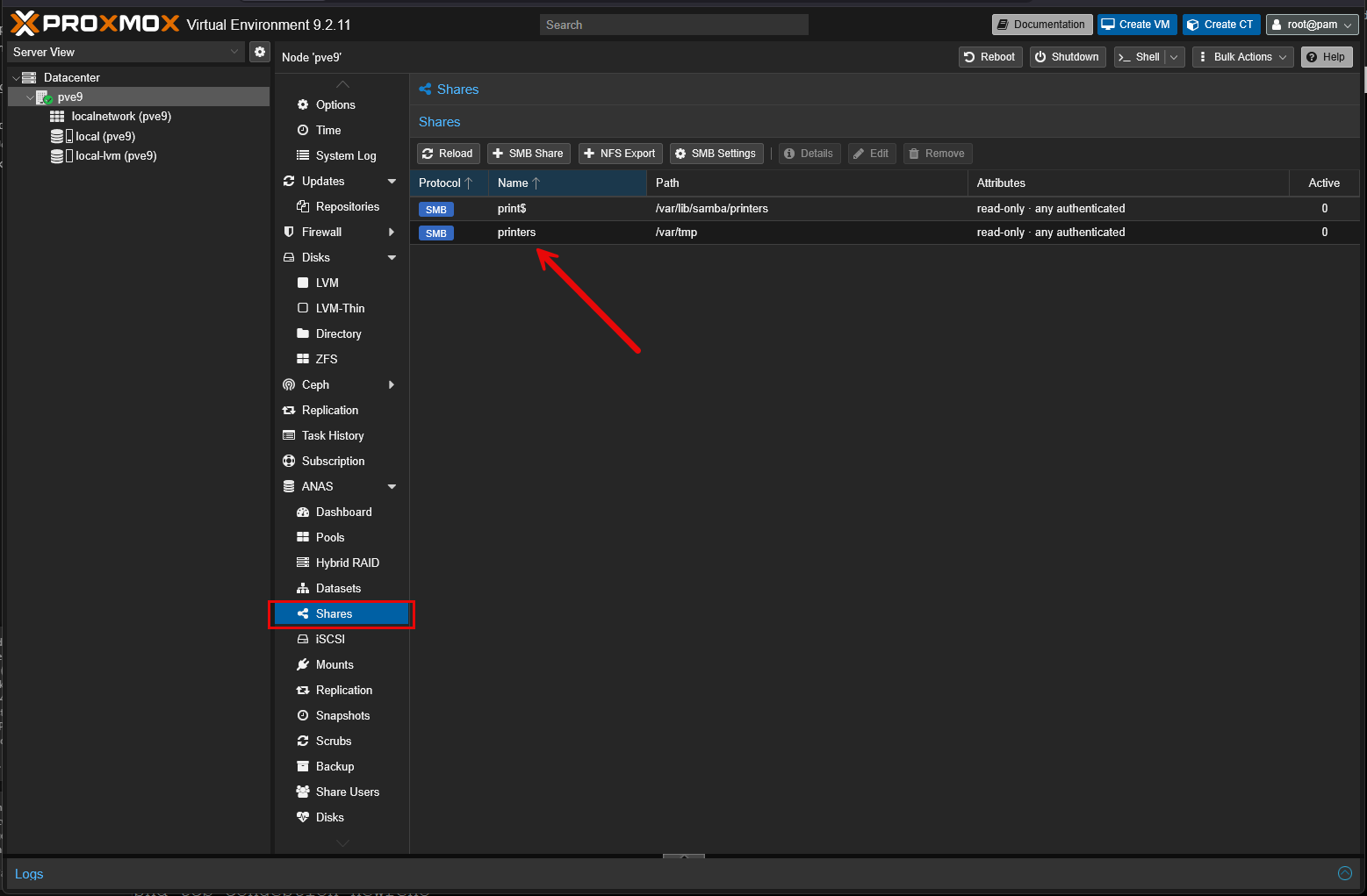
Once you have your RAID array configured, you can do really cool things like create SMB shares on your Proxmox Server for use as a file server perhaps in your environment.
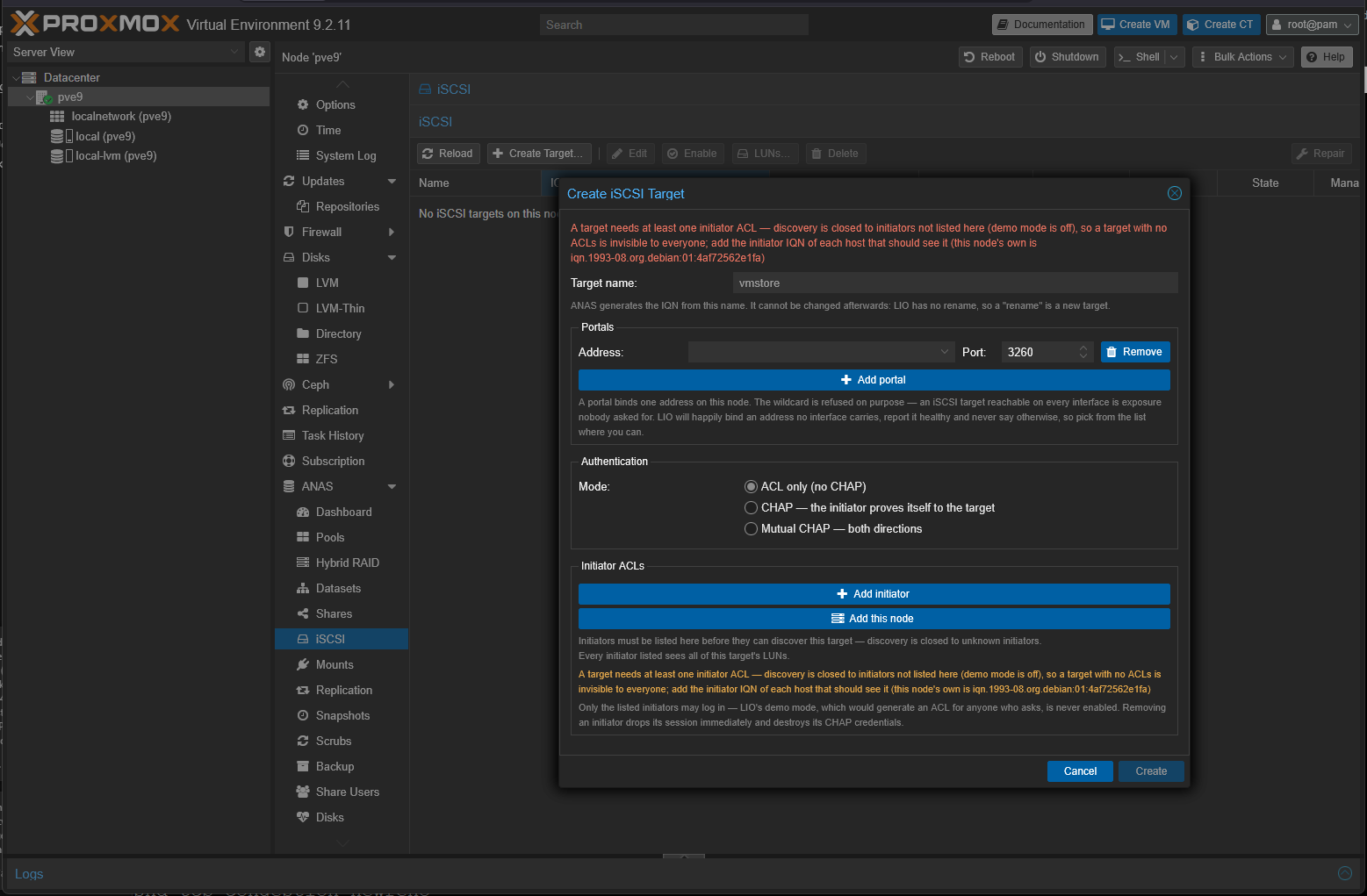
You can also make Proxmox into its own iSCSI target with the ANAS iSCSI target configuration. You can configure a target that fronts your storage that you create in ANAS. Pretty cool!
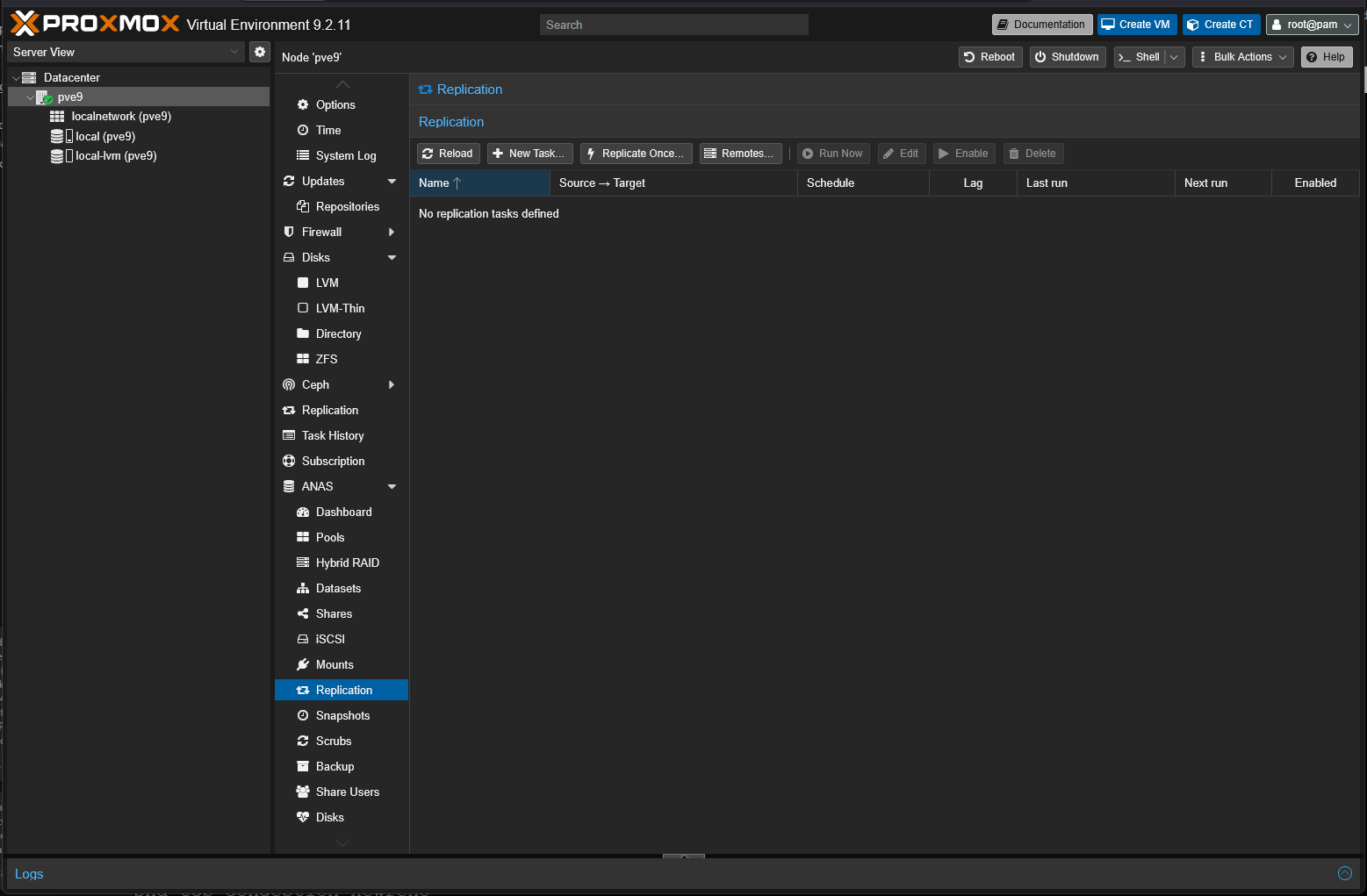
Replication is a great addition here as well. You can setup replication targets and then setup a replication schedule to replicate your data to another appliance, etc.
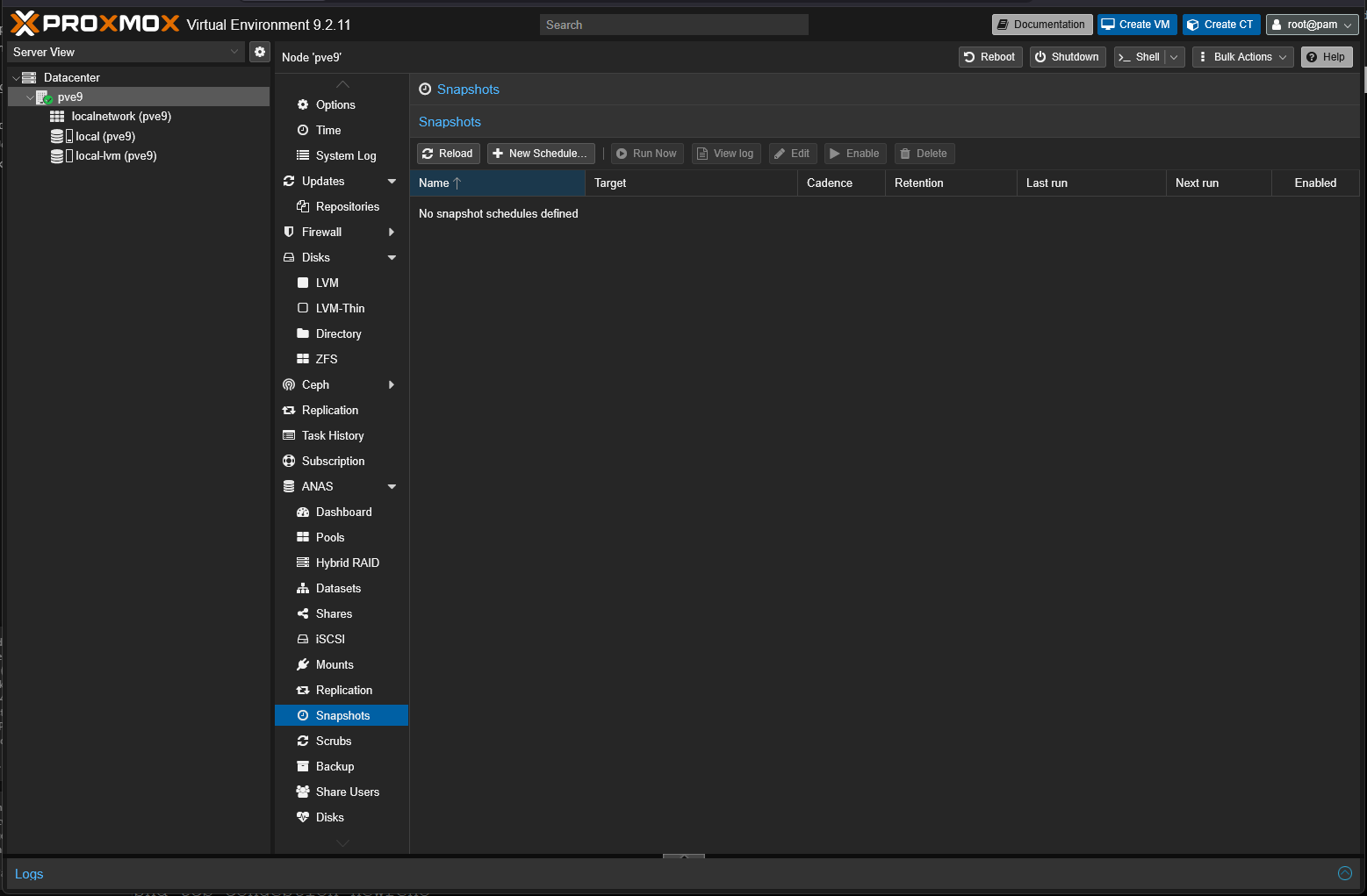
Also, snapshotting is built in as well. You can setup schedules when you want to create a snapshot of your data for rollback purposes.
Hybrid RAID with ANAS
One of the cool things about ANAS as well is the ability to implement hybrid RAID arrays. It has its own hybrid RAID called AHR or ANAS Hybrid RAID. The easiest way I can think about it is it is similar to other vendors like Synology or Terramaster, or others that allow you to use mixed size drives.
I think this is great for home lab as we may start out with a couple of 4TB drives and then we purchase an 8TB drive later on. So, you don’t necessarily have to worry about that mismatch there in sizing between your various drives in the hybrid RAID pool. It intelligently handles that as part of building out the RAID array.
It does this by dividing the disks into size-matched “bands” it calls it. Each band uses Linux md RAID5 or RAID6 for redundancy. Then it uses LVM to concatenate those bands and Btrfs provides the filessystem on top of that. It also provides the checksums and scrub capabilities.
PBS integration with ANAS
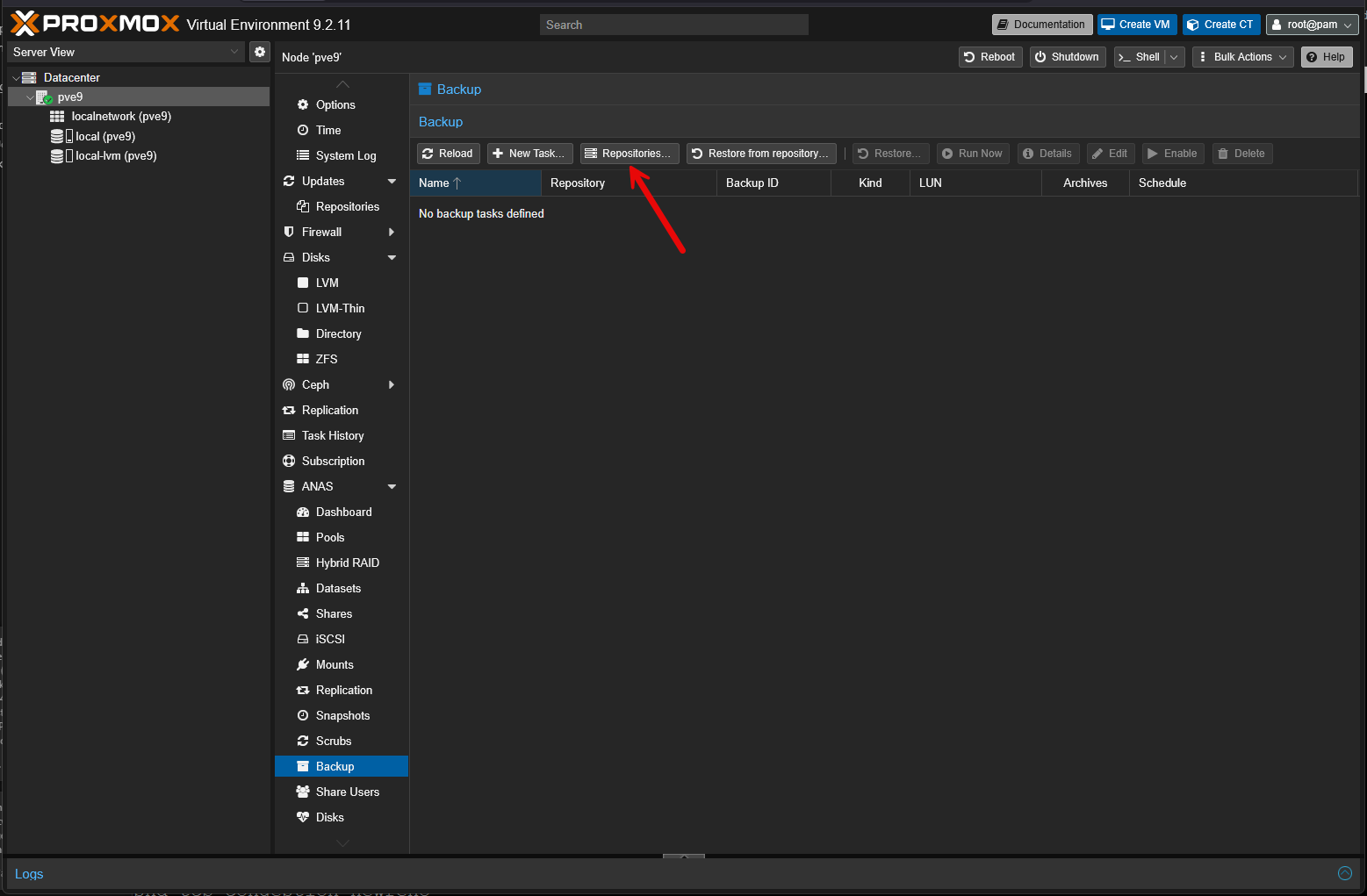
One of the other VERY cool features here is that ANAS integrates in with Proxmox Backup Server. Normally when we think about PBS we are thinking about backing up virtual machines or LXC containers. ANAS allows you to extend that to the NAS data itself. Backup tasks can protect file data like datasets, shares, and other paths. It can also protect block storage like iSCSI LUNs.
This allows you to have backups and take advantage of all the PBS features like deduplication, encryption, retention, and pruning. I think this integration makes ANAS even more powerful since storing your data is only half of the battle. Backing it up is the other half.
Wrapping up
Many of the community projects that I try out, I brace myself to be disappointed either by a lack of features or features that just aren’t implemented very well. ANAS really blew me away in how well it works and just how easy it makes managing storage inside of Proxmox. I think this is a really great add on for Proxmox in your home lab and arguably may be a better way to manage your storage more efficiently than installing TrueNAS inside a virtual machine and having to configure passthrough etc. How about you? Have you heard about or tried out ANAS as of yet?
More in this topic




Google is updating how articles are shown. Don’t miss our leading home lab and tech content, written by humans, by setting Virtualization Howto as a preferred source.
About The Author
