


Premium video
Add iSCSI storage in Proxmox VE Server
In this video, we take a look at adding Synology iSCSI shared storage to Proxmox and see how this can be done.
This video is included with Premium. The full description below is free to read.
About this video
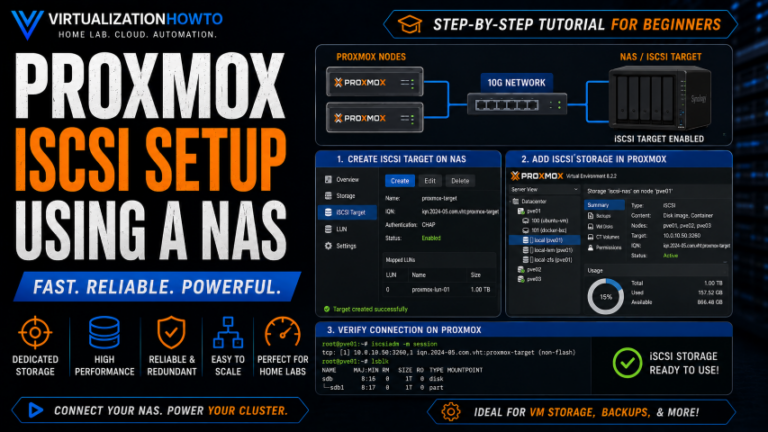
In this training video, I show you how to configure Synology iSCSI storage for Proxmox VE. This allows us to use it as shared storage for virtual machines and containers. We walk through the entire process from creating the iSCSI target and LUN in Synology DSM to connecting Proxmox, building LVM storage on top of the iSCSI connection. We also verify that the new storage is available for VM provisioning.
We begin in Synology SAN Manager. Here is where I create a new iSCSI target and LUN. We also select the storage capacity, and configure thick provisioning. In this process we look at important iSCSI settings, including enabling multiple sessions for environments that may use multiple Proxmox hosts or multipathing, and binding iSCSI traffic to a specific Synology network interface. From there, we move over to the Proxmox host and review the dedicated networking used for iSCSI traffic. I show how to configure a separate network interface on the same Layer 2 network or VLAN as the Synology iSCSI endpoint and verify connectivity from the Proxmox command line. We also use tools such as ping and traceroute to make sure that storage traffic is following the expected network path instead of being routed the wrong way.
Next, we add the Synology iSCSI target at the Proxmox Datacenter level and verify that Proxmox can discover the target IQN. Instead of using the iSCSI LUN directly, we create an LVM volume group on top of the iSCSI storage and configure it for shared use. Once completed, we make sure that the Synology storage shows up as an available destination when creating new Proxmox virtual machines.
Finally, we look at practical Proxmox iSCSI troubleshooting, including networking problems, incorrect traffic paths, existing LVM volume group associations, multipathing considerations, and some of the issues I encountered while configuring iSCSI storage in my own home lab. By the end of the video, you will understand how to configure a Synology NAS as an iSCSI storage target for Proxmox VE. You will feel comfortable knowing how to connect it using dedicated storage networking, create LVM-backed shared storage, and troubleshoot common connectivity and storage configuration issues.
Unlock this video and the full member library with Premium — ad-free browsing included.