


Backups are arguably one of THE most important aspects of running any type of virtualization stack. If you are running a small home lab or production environment, likely you don’t want your data to be lost (understatement). Many that are migrating to Proxmox benefit from the free and built-in solution for backups with Proxmox Backup Server. With the release of Proxmox Backukp Server 4.2 I can say this new release changes how I approach offsite backups in the home lab. There are a few key features with this release that will improve how we can design backup strategies, especially for offiste and hybrid setups.
S3 storage is finally ready for real use
This was one of the features that I was excited about when it was released as a tech preview. However, now with Proxmox Backup Server 4.2, the S3 compatible object storage is now officially supported as a backup datastore. So before it was cool to play around with, but now we can actually build our critical services on top of it.
With S3 compatible storage, this includes platforms like RustFS, Wasabi, Backblaze, or any other S3-compatible provider. It also opens the door to running your own object storage in your home lab and using it as an offsite target. I have a RustFS server running on top of my NAS as an example that I use for various backups.
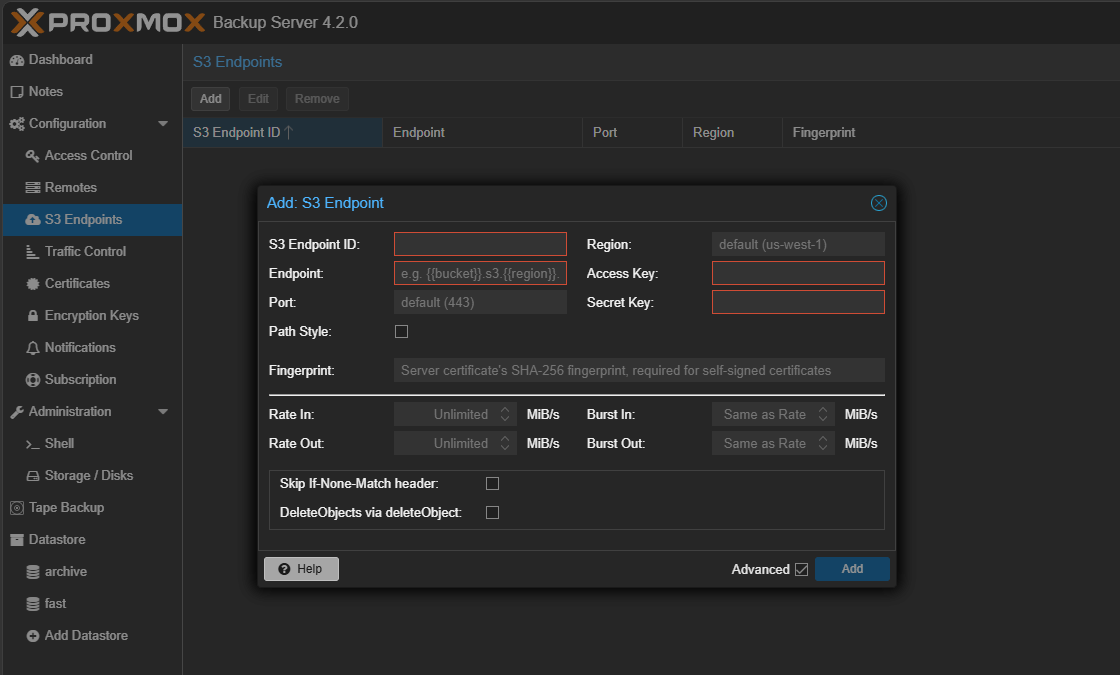
What makes this powerful is that Proxmox Backup Server is not just treating S3 as a dumb storage target. It includes the following features as part of this capability:
- Request tracking
- Traffic statistics
- Notification thresholds for usage
Now, you can actually see how much data you are pushing and pulling. Also, a feature that I think is key here is that you can set alerts if usage goes beyond what you were expecting. That is a big deal if you are using cloud object storage where costs can get out of hand quickly if not monitored.
So, I think from a backup and offsite storage point of view, you can keep fast local backups on your primary storage locally with Proxmox Backup Server. Then, you can push copies to S3 for offsite protection to satisfy the 3-2-1 backup strategy..
Server side encryption for sync jobs changes the game
While we want to have multiple copies of our data for protection purposes, you also have to do your due diligence to make sure those copies of data are protected. One of the big concerns that many have with offsite backup is trust or knowing 100% for sure that no one can read or access data in an unauthorized way.
Proxmox Backup Server 4.2 introduces server-side encryption for push sync jobs. What this does is encrypt snapshots before they are sent to a remote datastore. Then, on the other side, pull sync jobs can decrypt the snapshots as needed.
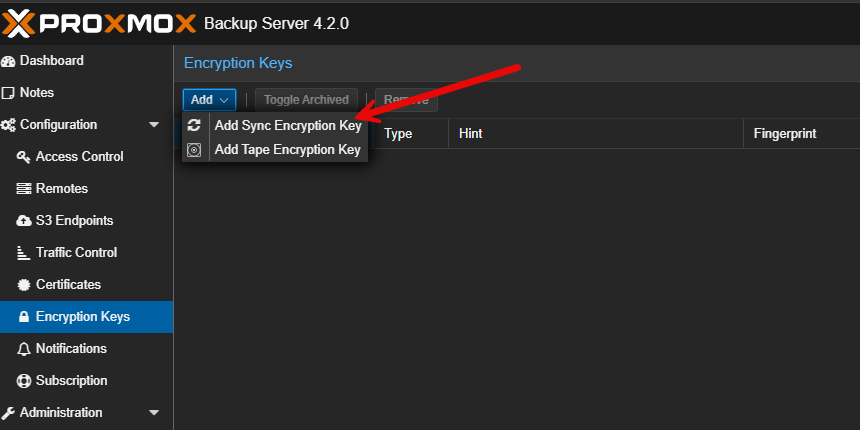
This is a major improvement compared to previous releases. This means that now we can effectively:
- Push backups to less trusted environments
- Store encrypted data in cloud object storage without worry
- Replicate to remote home lab nodes without exposing raw data
In a real-world scenario, you might have a local Proxmox Backup Server in your home lab and a second instance running on a small VPS or remote location. Now you can enable encryption and even if that remote system is compromised, your backup data is still protected.
I think this brings Proxmox Backup Server much closer to what you would expect from enterprise-grade backup solutions.
Parallel sync jobs improve performance
Replicating backups over a WAN link can be a challenge, especially if you have multiple jobs you are trying to sync. High latency and limited throughput can make sync jobs take much longer than one might expect them to.
Proxmox Backup Server 4.2 helps with this as it introduces concurrent group processing for sync jobs. You can now configure sync jobs to process multiple backup groups in parallel using worker threads.
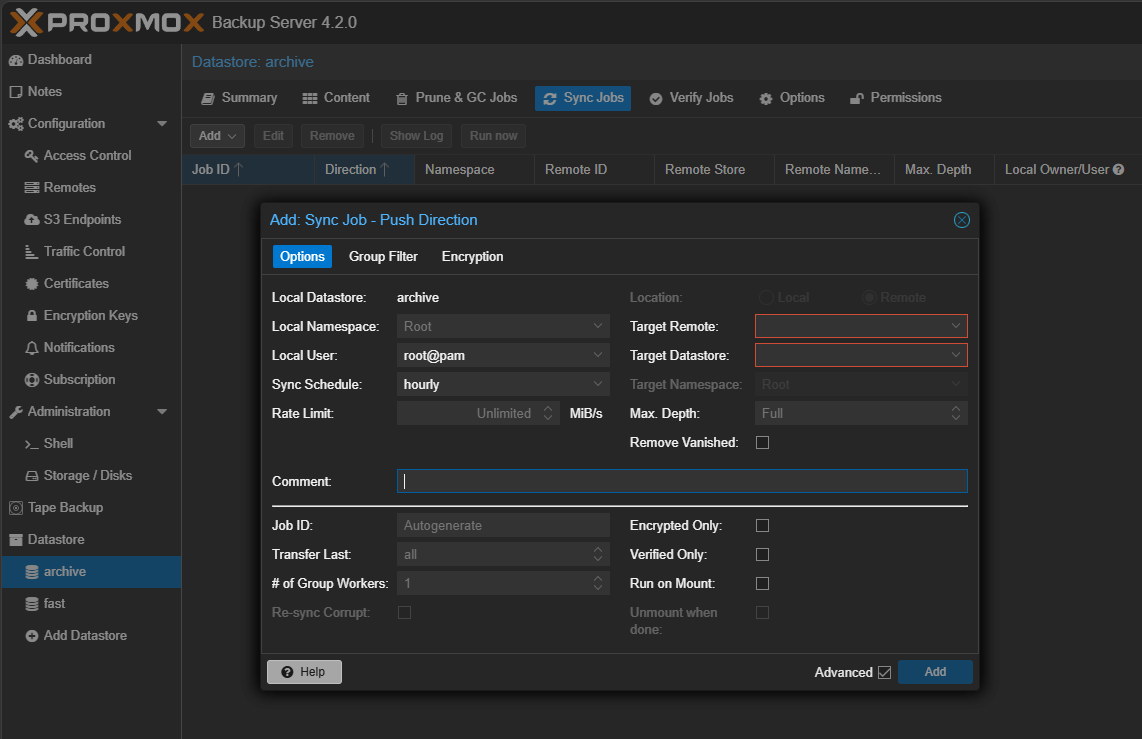
This is a simple concept, but it has a big impact in terms of performance across the board. So, instead of processing backups one group at a time, the system can handle multiple streams at the same time. This helps you to:
- Better use available bandwidth
- Reduce total sync time
- Improve efficiency over high latency links
If you are pushing backups to an offsite location or object storage over the internet, this feature alone can really improve your backup time window. This directly can and will affect RPOs that you can achieve.
Moving backup groups and namespaces
This is one of those features that may not sound exciting at first, but it is one of those quality of life improvements that makes working with PBS much easier and flexible.
Proxmox Backup Server 4.2 allows you to move backup groups and namespaces within the same datastore. This means you can reorganize your backups without having to delete and recreate them. Before, if you wanted to restructure how your backups were organized, it could be a painful process. Now you can:
- Reorganize backups by project or environment
- Clean up datastore layouts
- Adjust naming or grouping strategies over time
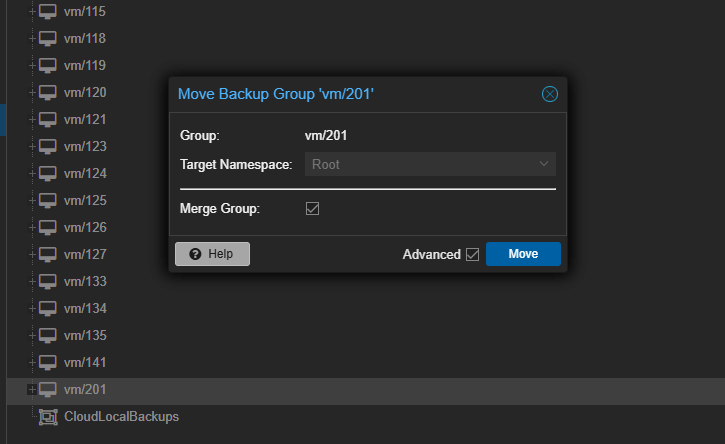
All of this is possible and you don’t have to worry about maintaining data consistency with proper locking and retry mechanisms. For anyone whose backup structure gets messy over time, or if you were like me and didn’t get the right thought to how things were organized in the beginning, this is a great new feature.
Better visibility for object storage costs
This features goes along with the S3 support. But it is one of the improvements that I think deserves its own featured call out. Now with S3 storage with Proxmox Backup Server, it tracks things like the following:
- Request counts
- Traffic volume
- Usage thresholds
When you use S3-compatible storage, especially in cloud environments, costs are tied to both storage and API usage. You can set thresholds and get notified when usage exceeds certain levels. This will give you a level of control and visibility that was not previously available.
In a home lab, this helps prevent surprises. In a production environment, it helps with cost management and capacity planning tasks.
Better reverse proxy and network support
One of the other improvements in this release has to do with better support using reverse proxies in front of your Proxmox Backup Server installations. Now with Proxmox Backup Server 4.2 you can:
- Preserve real client IP addresses when running behind a reverse proxy
- Route remote connections through a configured HTTP proxy
This will make it easier to integrate Proxmox Backup Server into modern home lab environments and production scenarios where tools like Traefik or Nginx Proxy Manager are used. If you are exposing your backup server through a reverse proxy or need to control outbound traffic through a proxy, these changes will make your setup cleaner and more reliable.
Other improvements and quality of life upgrades
So, not to be minimized with all the other headline features, there are several new improvements that will help with overall stability and performance of your Proxmox Backup Server 4.2 installation.
The system is now based on Debian 13 and includes the newer Linux 7.0 kernel by default. This brings better hardware support and long-term stability to the backup platform. There are also improvements in the following areas:
- Logging for sync jobs
- Error handling to prevent crashes from corrupted data
- Configuration caching for better performance with many datastores
- Security fixes and hardening
These are not majorly flashy features, but they are still important to the overall strength of the platform. They help to make sure that the platform remains stable and secure as you scale up with your backup needs across your environment, wherever this may be.
Upgrading to Proxmox Backup Server 4.2
A quick look at the upgrade process for Proxmox Backup Server. To get version 4.2, you can simply navigate to Administration > Updates. Here you will need to hit the Refresh button to reach out and pull the latest updates that are available.
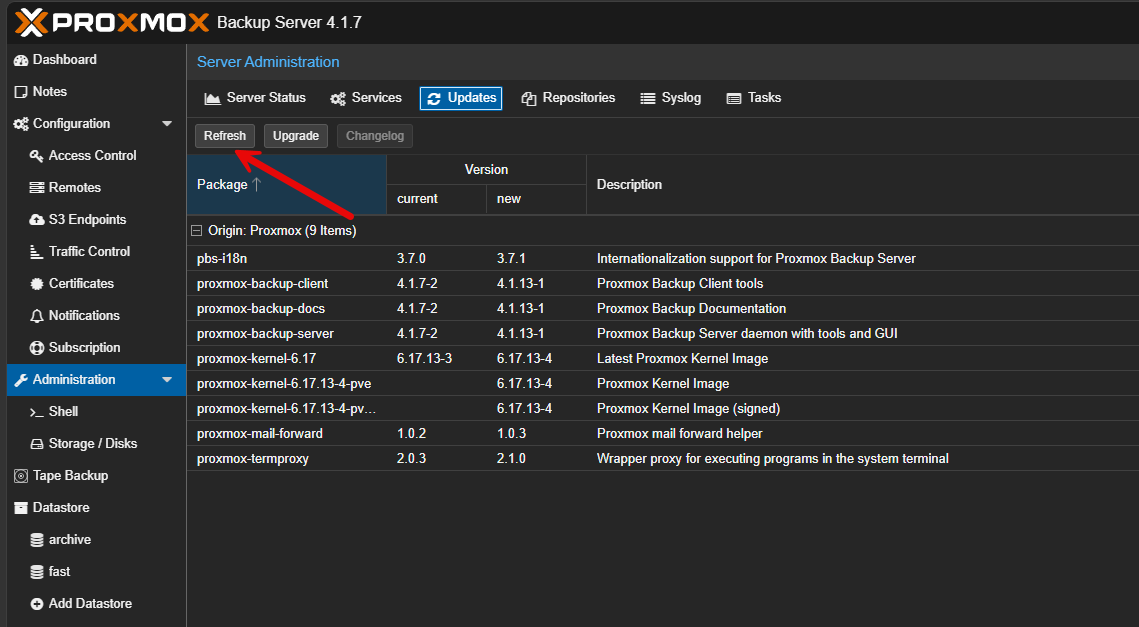
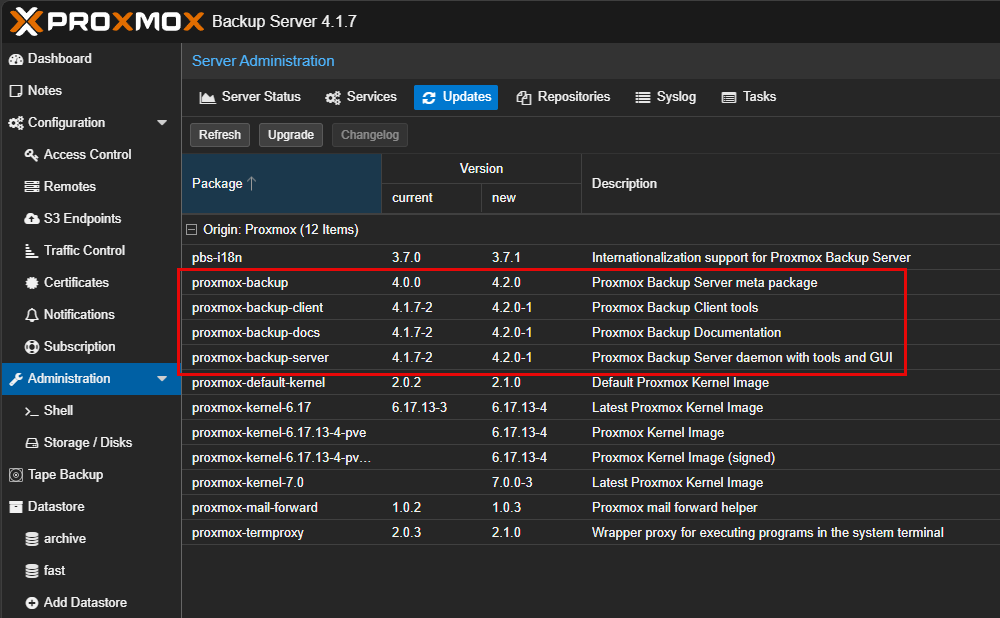
After refreshing, we see Proxmox Backup Server 4.2 bits are available. Click the Upgrade button.
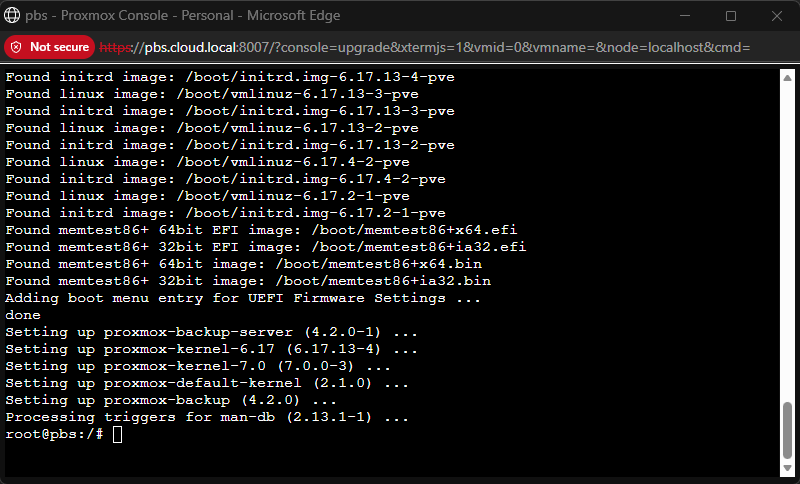
This will launch the window you see here. Enter “Y” and ENTER to confirm the upgrade operation.
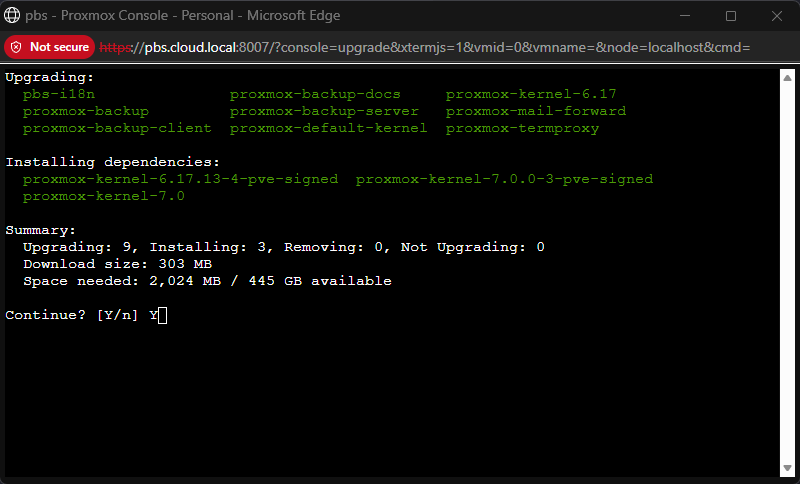
After running the updates, it will just return to the prompt below.
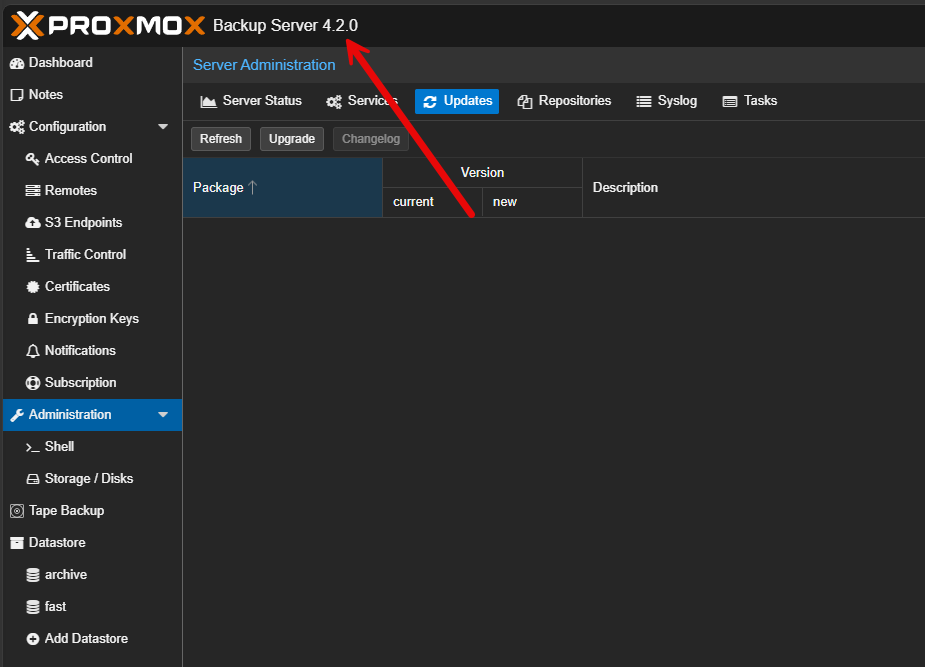
If you refresh the GUI, you should see the version change to 4.2.0.
Wrapping up
I think Proxmox Backup Server 4.2 is a great new release that delivers on a lot of high quality feature improvements. It focuses on improving your backup workflows and especially with the area of “offsite” backups, the 4.2 release strengthens this area of your backups using PBS to a new level. More and more, even in the home lab, we are using S3 compatible storage across the board, especially for backups. The new S3 features will help PBS shine for use with modern storage technologies for archiving data. How about you? Are you currently using Proxmox Backup Server in your home lab? Or production? Are you looking to upgrade your PBS server as soon as possible?
More in this topic




Google is updating how articles are shown. Don’t miss our leading home lab and tech content, written by humans, by setting Virtualization Howto as a preferred source.
About The Author

Hi, but if I had untrusted PBS (prior to version 4.2) offsite, trusted PBS onsite and encrypted backups that are pulled by untrusted PBS from trusted PBS, what would be the difference in this approach? Still untrusted PBS could not read it because they are encrypted, no?
Martin,
Thank you for the comment and great question. You’re absolutely right in your understanding.
If you already had encrypted backups on the trusted PBS and an untrusted PBS pulling them, then yes, the untrusted side still wouldn’t be able to read the data. That model was already secure from a data confidentiality standpoint. The key difference in 4.2 is where and how the encryption is applied during sync. With the new server side encryption for push jobs, the source PBS can encrypt snapshots before they are sent out.
Brandon