


If you’ve followed my home lab journey over the past several years, you’ve probably noticed something interesting. My current production environment actually looks much less impressive than it used to. Just around 3 years or so ago, my home lab occupied a full 19-inch rack. It was filled with enterprise servers, storage, networking equipment. It looked like the kind of home lab every enthusiast dreams about building. Today, most of my production workloads run from a compact TechMojo mini rack built around 5 Minisforum MS-01 systems running Proxmox VE. The rack occupies only a fraction of the space my old setup required. It draws much less power, produces very little noise, and is dramatically easier to maintain. Ironically, today I feel like it also runs more useful services than my old environment ever did. What changed?
Mindset shift
As I’ve gained more experience building, breaking, rebuilding, and maintaining home labs, I’ve realized that complexity is not really the goal that any of us are after. It might sound flashy or complicated for a Reddit post, but it doesn’t really translate well to real world enjoyment of a lab.
Instead, over the past 2-3 years especially, I’ve learned to optimize for reliability, repeatability, and also efficiency. This in turn gives me more time to spend learning new technologies instead of constantly maintaining infrastructure for the sake of maintaining infrastructure.
Looking back, I don’t miss having the biggest rack or the most hardware. What I appreciate today is having a home lab that simply works and provides a great playground and environment for learning new things.
My old home lab looked impressive
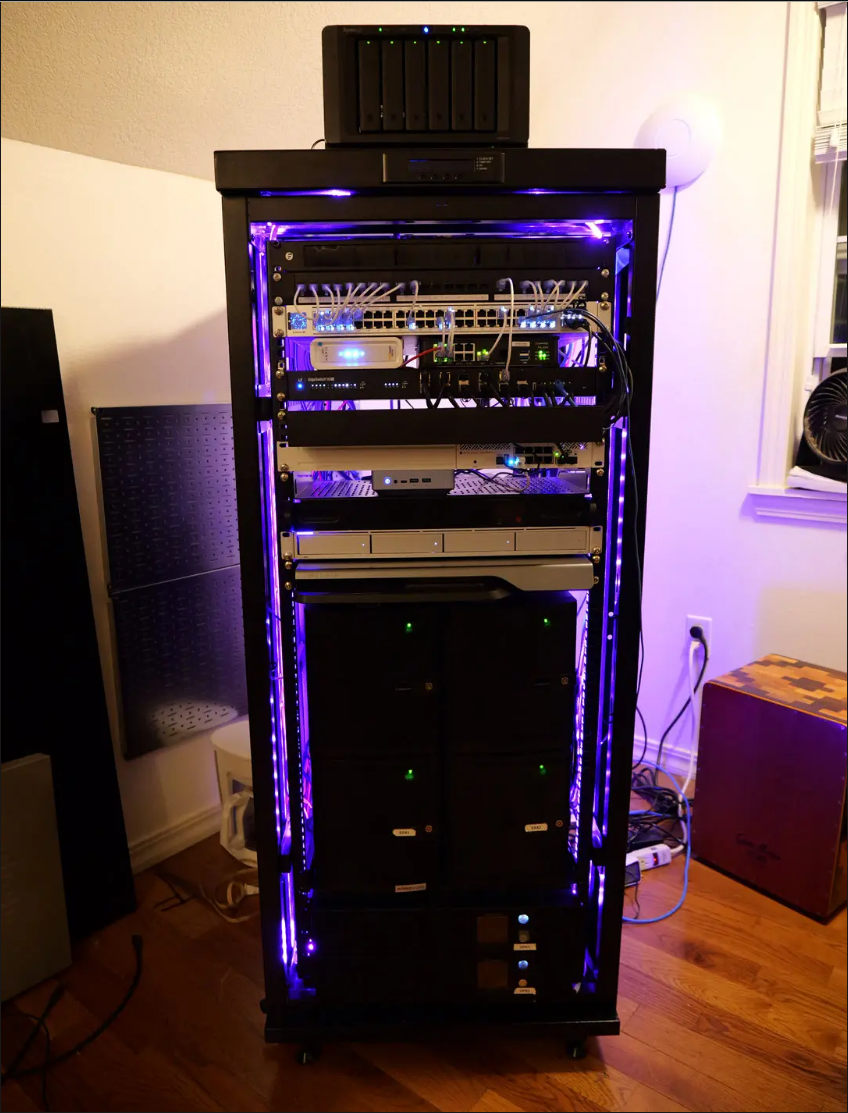
I still have great memories of my larger rack. Here is a look at my 19-inch 27U rack at the height of my full-sized labbing when running numerous VMs and lots of hardware. This is when I had the “home lab friendly” Xeon-D Supermicros running with VMware:
Running enterprise hardware at home taught me an incredible amount about virtualization, storage, networking, power management, firmware, redundancy, and troubleshooting. I wouldn’t trade those experiences because they laid the foundation for everything I know today.
But those systems also demanded a lot, not just in terms of power consumption and heat, but there is also the time consideration with them as well:
- Firmware updates
- Drive failures
- Memory upgrades
- Network adapters
- Power supplies
- Cable management
None of those tasks are difficult individually, but all together, it required a lot in terms of maintenance tasks and operations. Back then I accepted that as simply being part of running a serious home lab. Today I realize much of that work wasn’t actually helping me learn anything new. It was simply keeping the infrastructure operational.
Don’t get me wrong, I said this earlier, where I started and phases I went through have taught me the knowledge I have today. All of the hardware and operations teaches basic to advanced skills that are great. But, some of this I think with home labs, is going to go by the wayside maybe forever, with prices of hardware and other things. So keeping your lab smaller and focusing on skills and disciplines outside of hardware is going to be time better spent.
Mini pcs have changed what is possible
One of the biggest turning points in modern home labbing has come about with modern mini PCs becoming genuinely capable virtualization hosts. Before they were showing potential. Now, they are an absolutely no brainer.
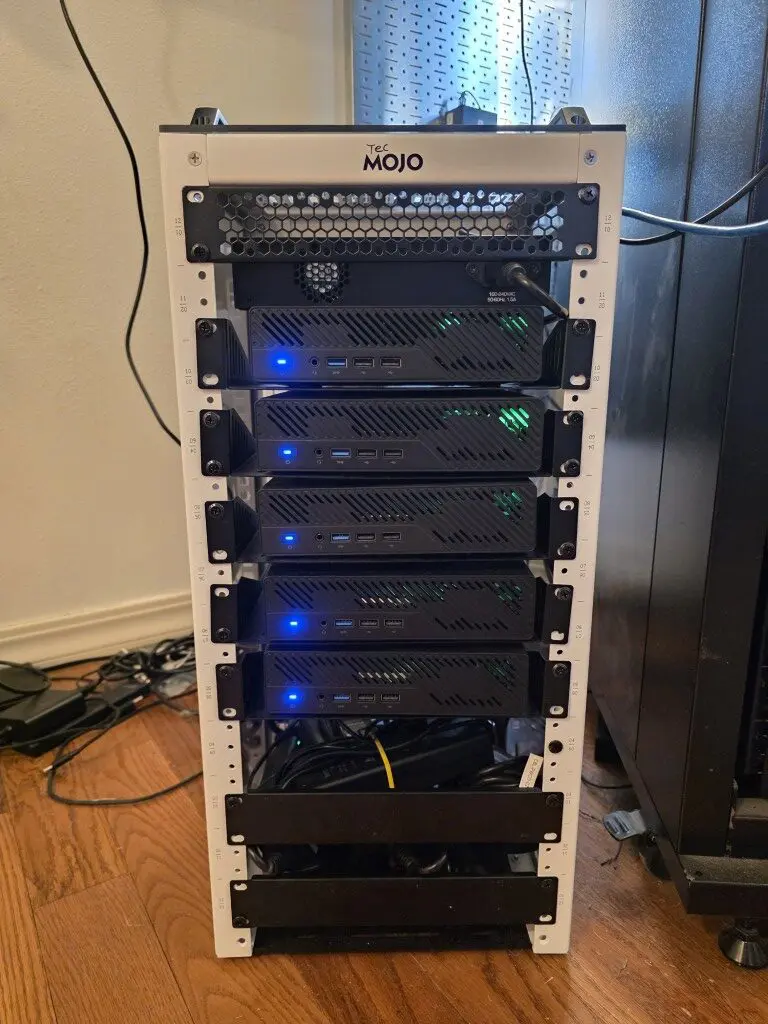
My current production Proxmox cluster lives in a TechMojo 10-inch mini rack built around (5) Minisforum MS-01 systems with Intel Core i9-13900H processors. Combined with large amounts of DDR5 memory (luckily I got most of it before “RAMAggeddon“), fast NVMe storage, and integrated 10 GbE networking. These little systems are beasts and deliver an incredible amount of home lab potential in a small footprint.
If someone had shown me this hardware several years ago, I probably would have assumed it wasn’t real. However, today powerful mini PCs are the reality. The AI explosion though has definitely put a damper on the hardware even at that, since memory and NVMe is terribly expensive now.
The nice thing about it is that these little systems consume only a fraction of the power of a true server and they are quiet enough (much quieter than enterprise servers). Footprint wise, they fit almost anywhere.
Today I don’t automatically associate bigger equipment with a better lab.
I stopped creating virtual machines for everything
Another major shift has been how I deploy services. Several years ago, my default answer to almost every new project was to build another virtual machine. If I needed a monitoring solution, I would just spin up a new VM. If a new DNS server was needed, it was also a VM configuration. Reverse proxies, logging, application servers, all of these were VMs.
But, due to that, every service became its own operating system that needed updates, monitoring, backups, security patches, and troubleshooting. No fun! Don’t get me wrong. There are still plenty of workloads that belong in virtual machines.
Windows servers, Active Directory, SQL Server, appliance virtual machines, GPU workloads, and many development environments continue to make perfect sense as VMs. Even though you definitely can run GPU-enabled AI workloads in containers.
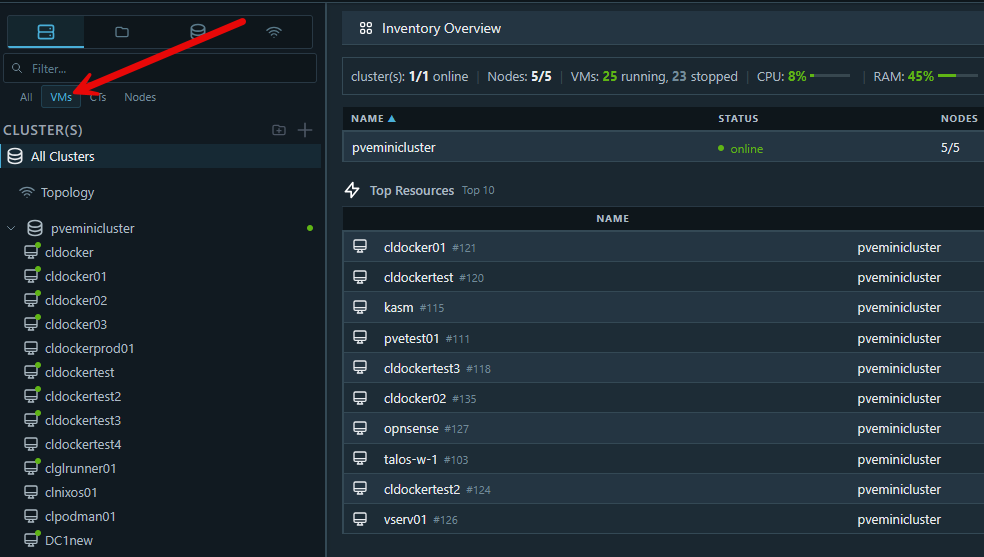
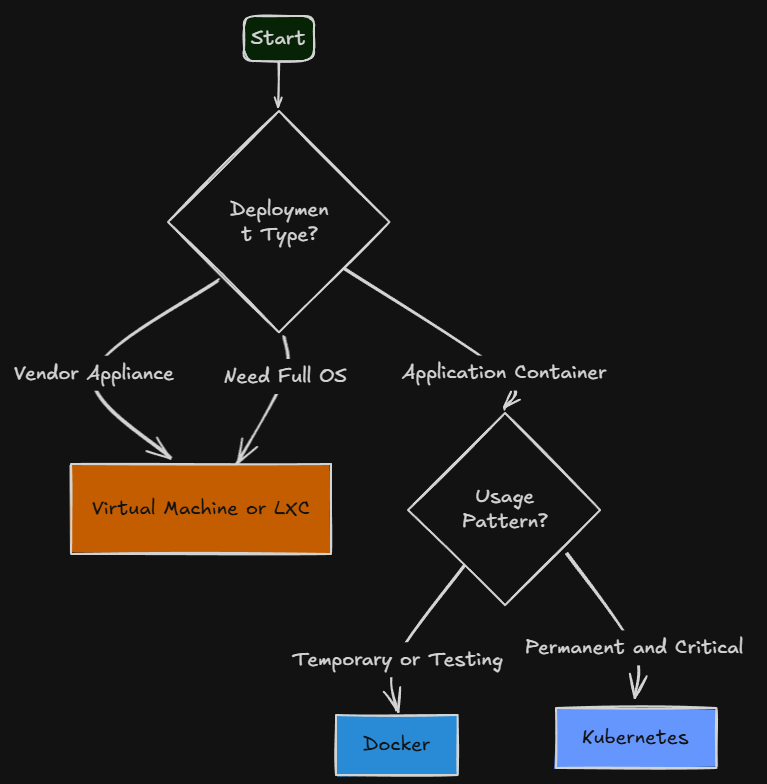
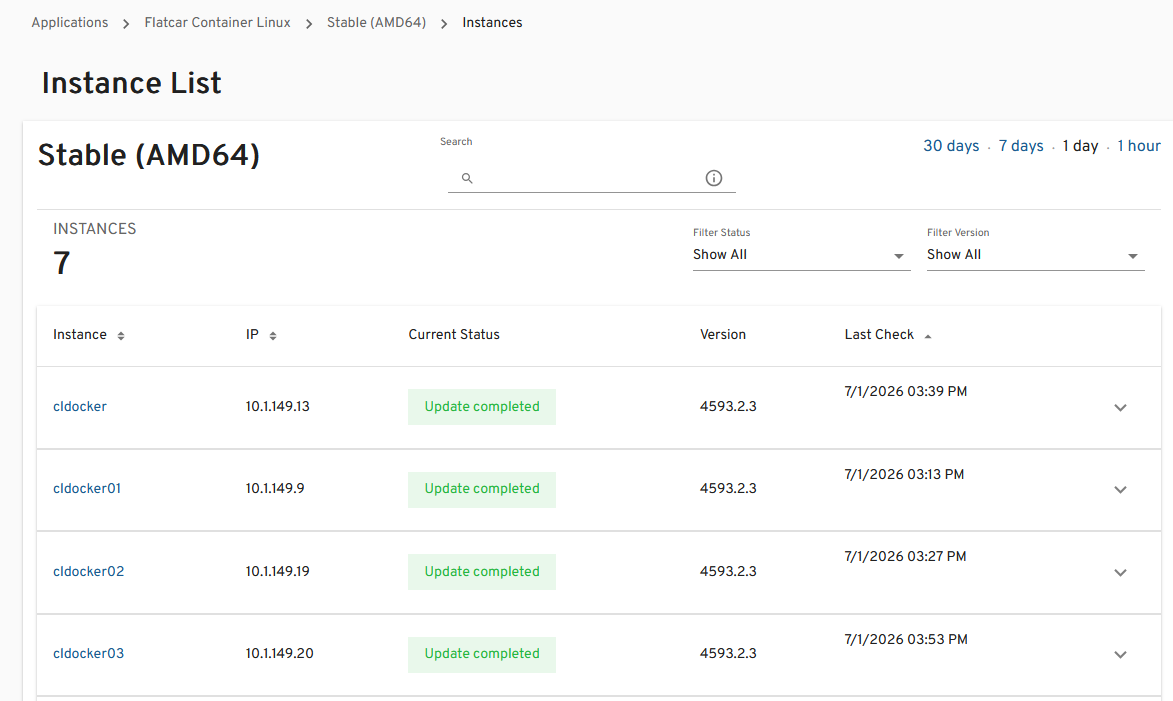
But utility services are a different story. Today, many of those applications run in Docker containers on dedicated container hosts. Others fit perfectly inside Proxmox Linux Containers (LXCs). More recently, I’ve been moving many of my Docker hosts to Flatcar Linux because I appreciate its immutable design and simplified maintenance model.
Services that I want to keep around long term and know that I will depend on, these go into my Talos Linux Kubernetes cluster. All of this saves a ton of time and resources. Check out this workflow diagram I put together to help visualize my workflow from my full post on VM vs Docker vs Kubernetes:
Maintenance can eat away at time
There is a lot of good skills that can be learned from maintenance operations. But, there is a happy medium with this. After running a fairly complex home lab for years, one of the most expensive parts of any server isn’t the hardware, it is your time maintaining it.
These operations tasks include system updates, security patches, backups, monitoring, certificates, documentation, config management, and troubleshooting things as problems come along.
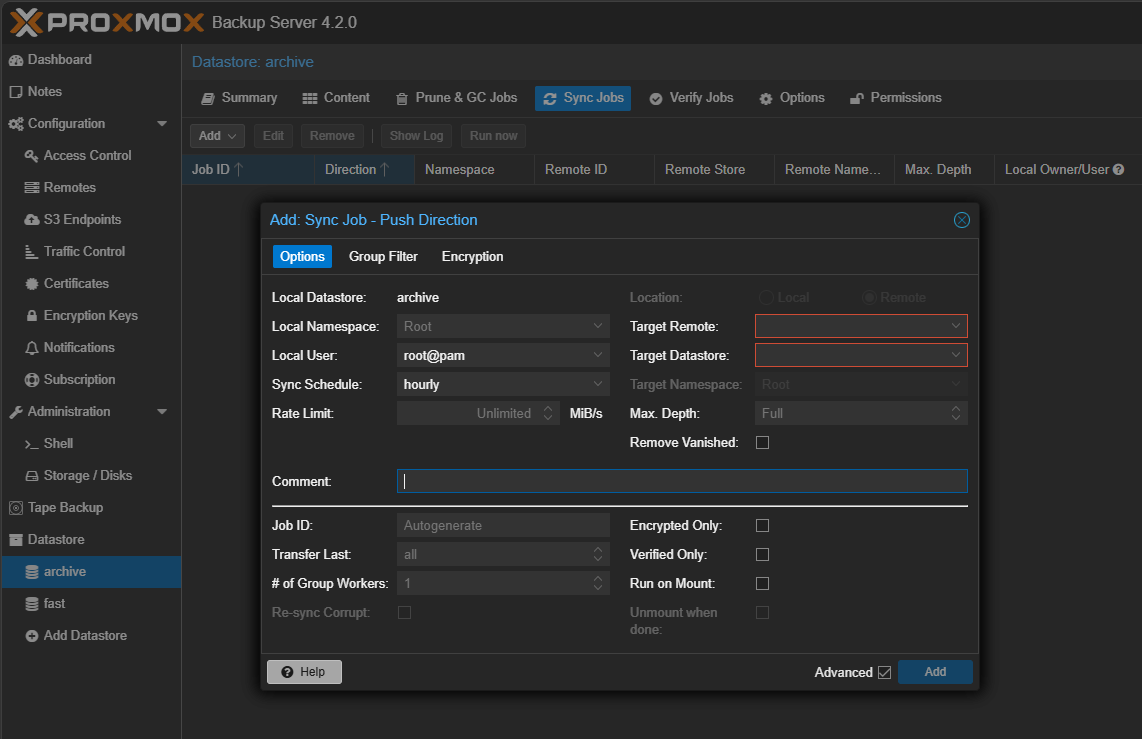
Eventually you reach a point where the maintenance begins competing with the learning. So, you have to find a happy medium with this. That is what caused me to rethink my approach. Today, when I want to evaluate something new, I ask questions like: is this simple to spin up in a container where I don’t have another system to manage?
And there will be times when you are adding infrastructure just to test things, but keep the extra weight in mind as things have a tendency to stick around if we don’t remember to clean up from old projects and things we are testing.
Standardize on your tech stack
One of the things that I didn’t really think as much about a few years back was standardization on my tech stack. However, you will find that as your environment grows, it will cost you time and energy maintaining different technologies for the same types of tasks.
For instance, I had various Linux distros spread across my home lab at one point. So you have to manage Ubuntu differently to some extent than you manage NixOS servers, or Arch. So all of those little things can add up to be extra time and energy spent trying to account for different paths needed for different technologies.
One of the best things I have done recently is standardize on a specific Linux distro in Flatcar Linux. This is just one example of using the same Linux flavor means that I have the same processes, management, update processes, etc across the board.
Be selective in the technologies you run
There is definitely something fun about being able to run anything and everything. But as you get more serious about doing things the enterprise way and learning enterprise processes and procedures being selective in the technologies you run for your “production” environment definitely helps your home lab become much simpler in form and function.
People sometimes assume that because I write about home lab technology every day, I install every new project that appears on GitHub. The reality is very different. I test a tremendous amount of applications and technologies for articles and videos.
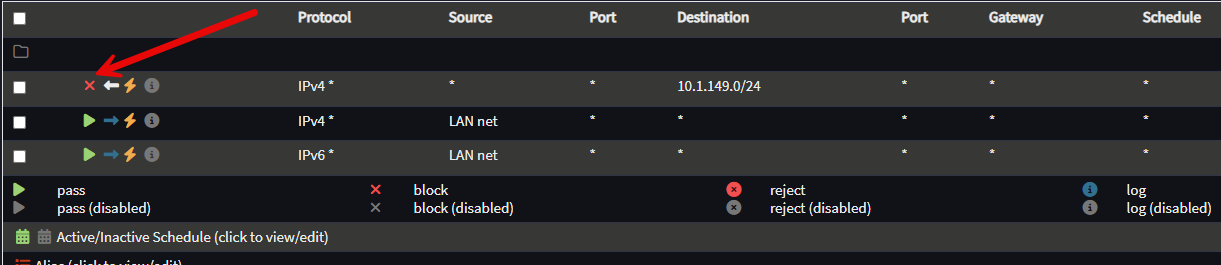
Very few actually become permanent parts of my production environment. I do keep a separation between what I consider to be production and what I consider to be my “lab” portion for playing around. This actually solves problems for me. It is a testing ground to determine if apps or services earn a permanent spot in my production environment. Check out my home lab networking for beginners post to see some good strategies to separate out traffic for “production” and “lab” type networks.
That’s exactly why technologies like Flatcar Linux, Sencho, Beszel, Pulse, and docker-autoheal eventually became part of my production lab. They weren’t interesting simply because they were new. They addressed real operational problems I encountered while managing my own environment.
On the other hand, there are plenty of popular projects that I test, learn from, and then remove because they don’t improve my day-to-day operations. That wasn’t always my mindset. Today I’m much more comfortable letting technologies prove themselves before committing to them.
My home lab now supports my work
This is probably the biggest shift for me that has definitely changed my experience with this. Years ago, my home lab was just a learning playground only. I spent weekends rebuilding clusters, migrating VMs, and reorganizing storage, trying out new OS’s and hypervisors, etc.
There was definitely value in all the experimentation that I was able to do there. Eventually though, priorities for me shifted. Today my home lab exists to support everything else I do. This lets me evaluate new tech, test products, write tutorials that you see on the blog here and create YouTube videos along those same lines.
So, I need my infrastructure to be more reliable and work as expected when I need it to. I spend more time doing those things and less time repairing the environment now that I have simplified and everything is more intentional.
That’s exactly what I want from a production home lab.
My home lab blueprints
I wrote a post not too long ago on a “modern home lab blueprint” for what I think from experience is a great blueprint of technologies for a modern home lab. Meaning, what would I spin up today, which tech stacks? You can also download the “blueprint” as a downloadable PDF at the bottom of the post here: I Created a Modern Home Lab Blueprint. Here’s What Made the Cut.
Wrapping up
My home lab has definitely shifted over the years. Many might say that simplifying a home lab means that you have to give something up. But my experience has proven to be the opposite. Today I have more services than I did before, monitoring is better, automation is more mature, my backups are better, networking is stronger, and recovery is easier. All of that has been made possible by a commitment to simplicity and focus.
If I were starting over today, I’d probably build a very similar environment to what I’m running now. I’d begin with efficient hardware, standardize everything I could, use containers most places, reserve virtual machines for workloads that truly benefit from them, automate early, and focus on reliability from the beginning. The funny thing is that if someone walked into my office today, they might not be as immediately impressed as they would have been when I had a full rack of enterprise hardware humming away in the corner. How about you? How has your journey changed over the past couple of years?
More in this topic


Google is updating how articles are shown. Don’t miss our leading home lab and tech content, written by humans, by setting Virtualization Howto as a preferred source.
About The Author

I’ve read many of your posts, Brandon, and learned from your mistakes so I don’t have to repeat them. I don’t have 5 mini PCs: I have 2, plus a PI for DNS and Qdevice, home assistant green and my main desktop iMac.
I have been removing services that prove difficult to maintain, almost on a three strikes you’re out policy. Pulse agents got finicky, so I removed pulse. Portainer agents have become a nuisance, so I implemented a bullet proof 60 line bash replacement (https://github.com/ChrisE2018/ptop). I’ve been ruthlessly deleting needy containers and unreliable bits of my own code and configurations.
I use Tuduti and Trilium to keep a clear list of tasks, documentation of architecture and daily journal entries. I’ve made good use of Gemini AI both for coding details and task management.
I strongly prioritize maintainability and security over new features
Christopher,
Right on. I am in the same boat. Anything that isn’t worth it to run long term, I don’t keep around at all. I used to be a “hoarder” of services so to speak. But with hardware prices through the roof and free RAM and other resources at a premium, I love keeping the estate clean. It makes things simpler overall and easier to maintain.
Brandon
Here some fact… 99% of
” Home labs” are not necessary… 10% are just people learning how to do stuff… And that learning experience is valid.. The other 89% is people who wish and want to have a need for even one server but really don’t have a need… Very few do… And that’s ok.. That’s what the 1% is for… The ones who actually need… And that’s ok.. But the piddlers… The ones who tell their boyfriends that they are too busy to bufu cuz they are home labbing… Those are sad cases… Over the years even I have pruned down my home server farm… Yes I still run 19″ racks with real hardware.. You won’t find a single raspi anywhere but in a drawer… My energy bill is outrageous and you’ll never hear me complain… Because my “home” network is also a slew of commercial nodes that create income… So it may not be a true piddlers home lab… But I’ve hosted it at home for 27 years now.. Im down to two racks.. One is half full of personal stuff… I make do on two 8 gigabit fiber links… As I can im offloading clients to other providers at other data centers… Im out.. Long career of what’s become boring.. Now i just wanna play with my hobbies… Lots of kinky sex with women less than half my age.. Radio Controlled and full scale airplanes… Amateur auto racing.. Vintage electronics repair… Musical instrument and tube amplifier building and repair… And i may run for political office… May.. Im not sure yet… But networking is on the way out… Once I shed my last Client… My personal network will fit in a half rack… And that’s fine.. Good luck with your micro pcs and pinching pennies off your light bill.. All to run containers and tiny servers you just don’t need.. Little non redundant, devices that you couldn’t ever trust to serve an environment you can charge for… Which makes them toys… So what you do is play network guy… Have fun.. And for the 10% that take the knowledge and move on to getting paid… You’re doing it right.
Dale,
Interesting insights here. But I do know plenty that are getting paid handsomely running off microPCs 😂
Brandon