



I am always looking for new and better solutions and ways of doing things in the home lab, and also solutions that can help others start their journey of self-hosted successfully. I have been a long-time user of GitLab for home lab code repos and CI/CD pipelines and have also worked with Gitea a bit as well. However, I decided to try out Forgejo for self-hosted git repos and it surprised me in a few ways. Let’s take a look at this really cool self-hosted code repo and what it can do for you in the home lab.
Why Forgejo?
In case you didn’t realize this (I didn’t for a long while), Forgejo is actually a fork of Gitea and has since developed into its own project. So, understanding its history helps to see the massive similarities with it and Gitea. The interface and many of the concepts are going to be familiar when you use it.

I think this is one of the reasons to try Forgejo. It is super easy and intuitive to work with. Also, if you haven’t used Gitea and are coming from native GitHub, these solutions I think really do a good job of mimicking the GitHub look and feel. However, with its history being said here, it has also continued developing into its “own” platform.
Currently, Forgejo docs say that it covers pull requests, issue tracking, Actions, runners, webhooks, package registries, repo mirrors, protected branches, releases, OAuth2, OIDC, etc for features. So with that broad set of features, this is where my excitement level started to change for home lab purposes. I think if you are keen to take your home lab to the next level, like with using MCP servers, AI, and other tools, CI/CD should be right there as part of your evolution.
Forgejo installation
If you have been through the installation of GitLab, it is quite involved. However, they have simplified things with the “Omnibus” installation. But, nonetheless, lots of moving parts and pieces with GitLab. And, it is a hog on resources. This is one of the things I thought was refreshing about Gitea and Forgejo follows suit with that. With just a simple bit of Docker Compose, you can have Forgejo up and running pretty quickly:
services:
  forgejo:
    image: codeberg.org/forgejo/forgejo:16.0.3
    container_name: forgejo
    restart: unless-stopped
    environment:
      - USER_UID=1000
      - USER_GID=1000
    volumes:
      - ./forgejo:/data
    ports:
      - "3000:3000"
      - "2222:22"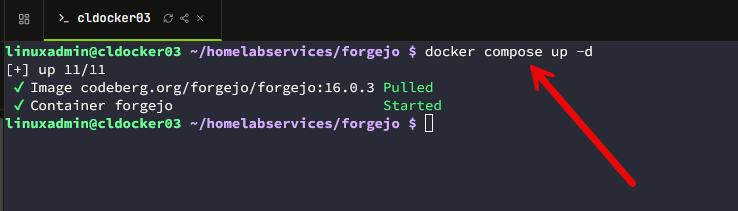
Just so you know on the version, I didn’t find there is a “latest” release, so you will need to pin your versions and do your checks for new versions there. But, this is the best practice any way in “production” environments.
Once you bring up the container, you can browse to port 3000 on your container host where you brought up Forgejo and finish out the initial configuration wizard. here you choose the database type, the path, the instance title, repository root, domain, etc.
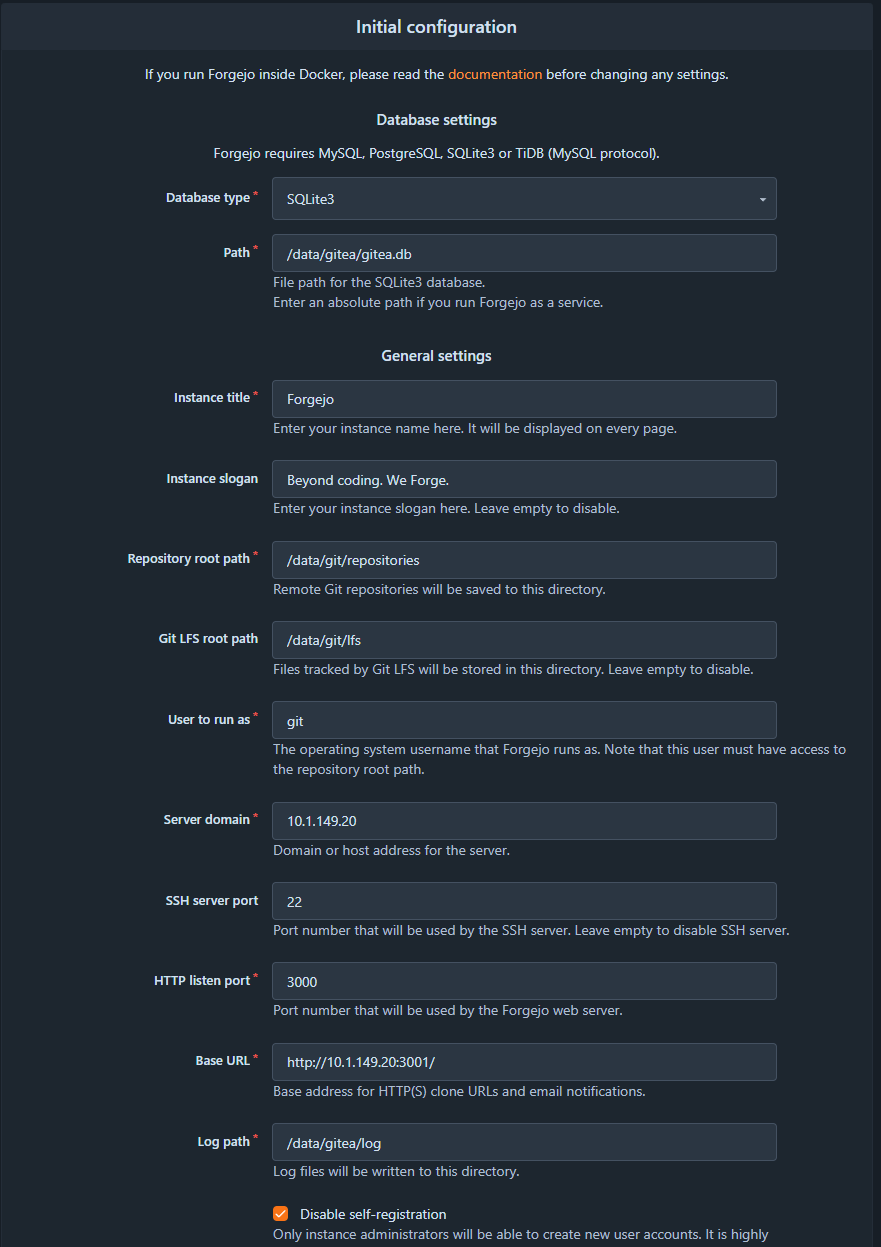
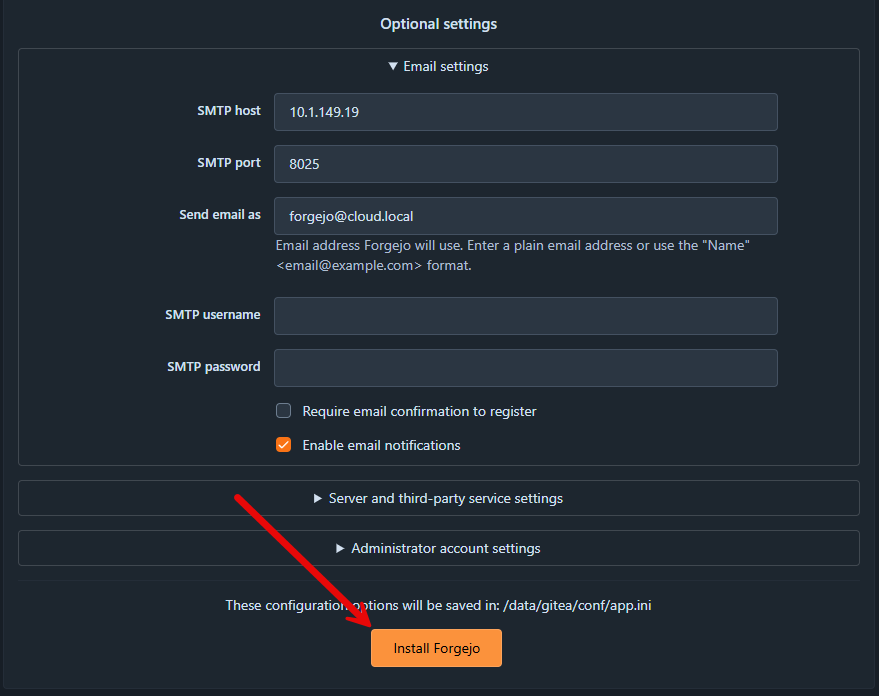
At the bottom of the wizard, you will find email configuration settings as well. You can fill these in if you want (optional).
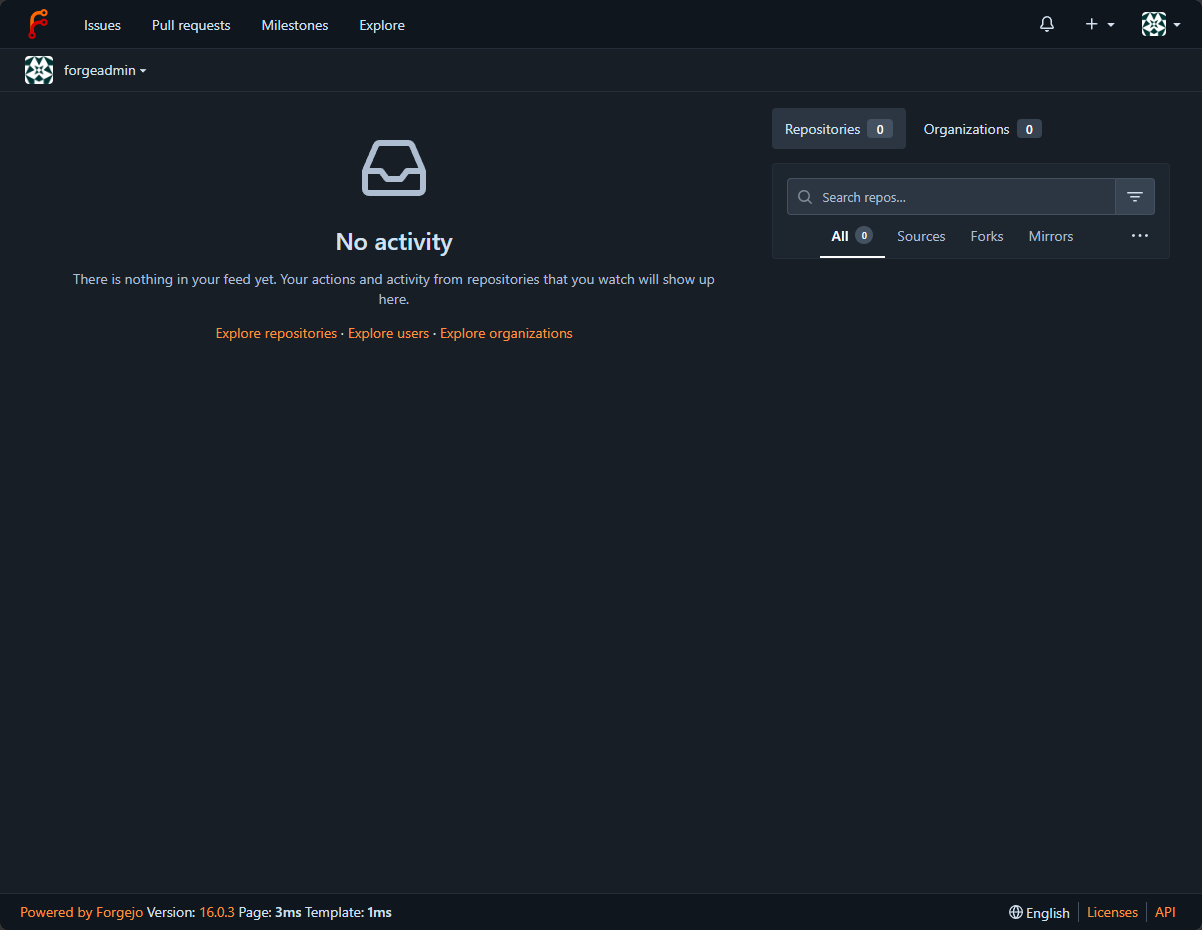
Here we see the default interface that is pretty bare out of an install, but that is how we like it to be, fresh and ready for configuration.
Migration capabilities
One of the great things about Forgejo, like Gites is that it has migration capabilities built into the solution. You can choose your current Git provider for migration. It has a healthy list of providers built in there that you can choose as your migration source.
Here you can see:
- Git
- GitHub
- GitLab
- Forgejo
- Gitea
- Gogs
- OneDev
- GitBucket
- Codebase
- Pagure
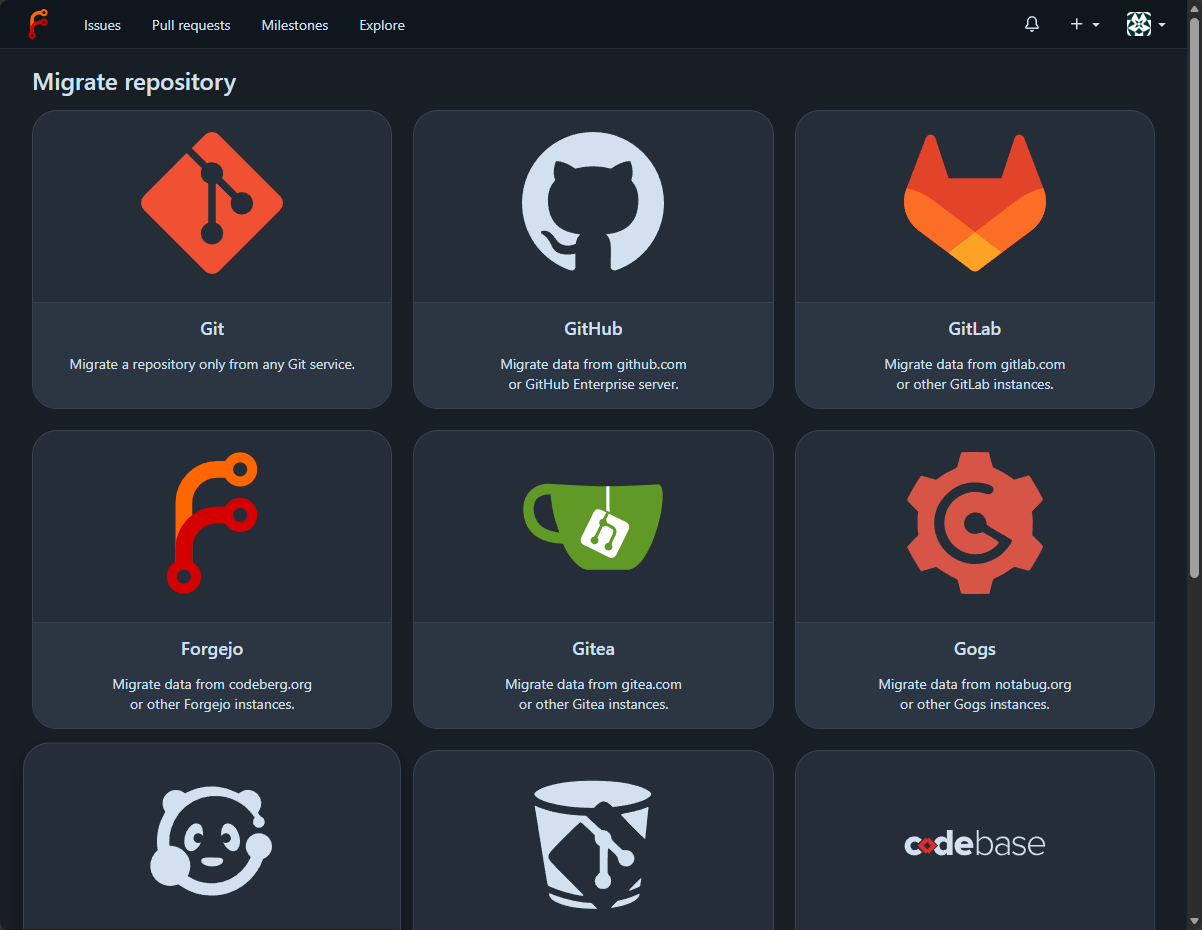
So, there is a healthy number of built-in integrations here for the migration workflow to get your code repo over to your self-hosted Forgejo. I ran into a quick little issue looking at migrating a repository from GitLab over to Forgejo. You have to allow the domain you are coming from if it resolves to a private IP address.
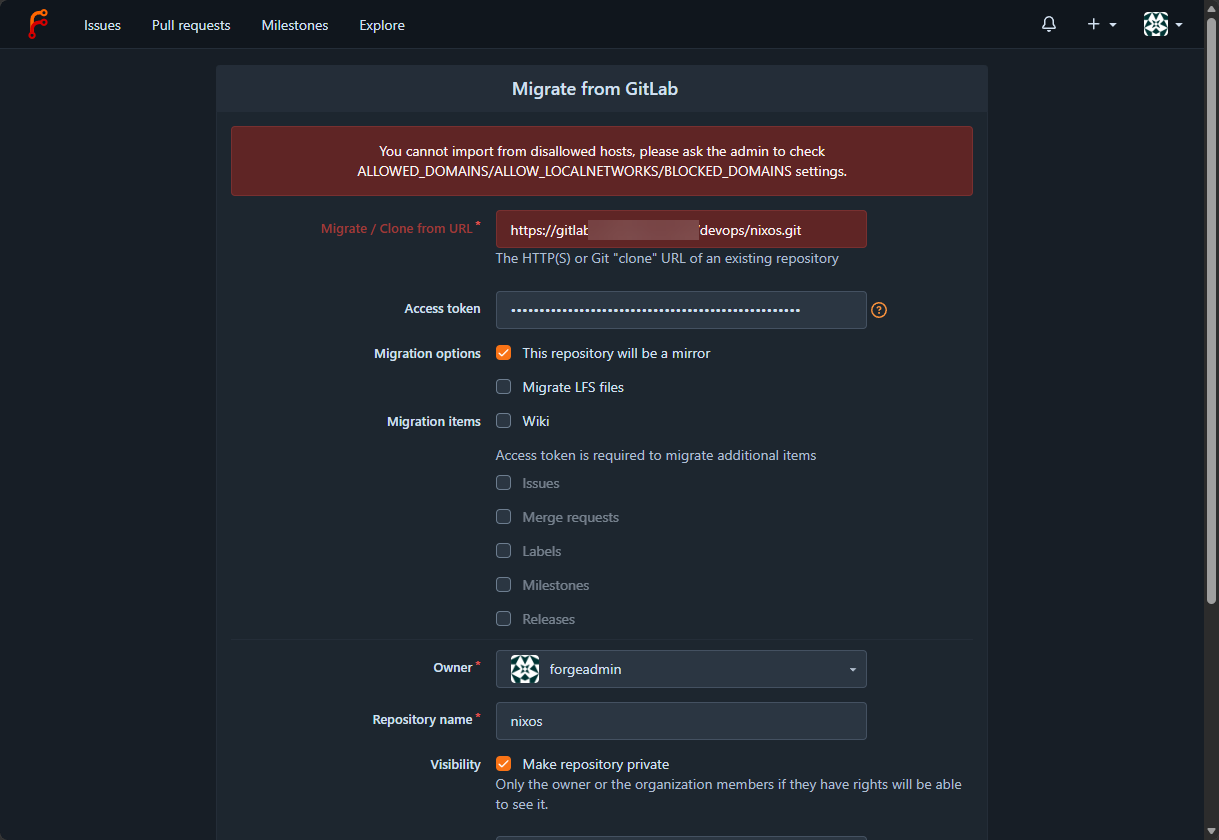
To get around this, you can add the following configuration in your app.ini file that is located in the location /forgejo/gitea/conf on your Docker host. Just add this section if it doesn’t exist already:
[migrations]
ALLOWED_DOMAINS = host.example.com
Forgejo CI/CD
One of the reasons that I have been using GitLab for quite some time is that the CI/CD pipeline piece for some of these other self-hosted solutions always felt “bolted on.” However, with Forgejo, that doesn’t really feel like it is the case here. It has full blown actions and the ability to host your own runners to actually do the work on-premises in your home lab, which is nice.
In case you haven’t used CI/CD before outside of just hosting your code in a git repository, it turns your code repo into an operational tool. So, when you make a change like the following:
git add .
git commit -m "Update Traefik configuration"
git push
That push up to your Forgejo server can trigger a workflow. The workflow might do things like validate the Docker Compose YAML syntax, check formatting, run security scans, build a container image, or it might trigger something else.
If you want as well you could have Forgejo trigger a deployment. This also applies to things like infrastructure as code for the home lab. I can store things like Ansible playbooks, Terraform, OpenTofu configs and then I could have Forgejo Actions run something like:
tofu fmt -check
tofu validate
tofu plan
You can do this before configurations are even applied. Kubernetes is the same way. You can validate manifests or Helm charts before these are pushed to the cluster. This makes Git more powerful in my opinion since it starts becoming a control plane of sorts for my infrastructure.
For Kubernetes, I could validate manifests or Helm charts before pushing them into the cluster.
That is the point where Git stops being somewhere I save files and starts becoming the control plane for how changes enter my infrastructure. For Forgejo, the workflow folder is where the CI/CD actions are defined and where you place your YAML file for CI/CD:
.forgejo/workflows/For example, you might call it “deploy.yaml”, but it doesn’t matter what this file is named as long as it contains valid workflow configuration:
.forgejo/workflows/deploy.yamlA simple workflow might look something like:
name: Test configuration

on:
  push:

jobs:
  test:
    runs-on: docker
    steps:
      - uses: actions/checkout@v4

      - name: Validate files
        run: |
          echo "Testing configuration"
          ls -la
Also, you can have multiple build files in the workflow folder and have each one do something different. One file might run on every push:
name: Build

on:
  push:

jobs:
  build:
    runs-on: docker
    steps:
      - run: echo "Building..."
Then, you might have another file that might only run if you push to production:
name: Deploy production

on:
  push:
    tags:
      - "v*"

jobs:
  deploy:
    runs-on: production
    steps:
      - run: echo "Deploying production..."
Runners
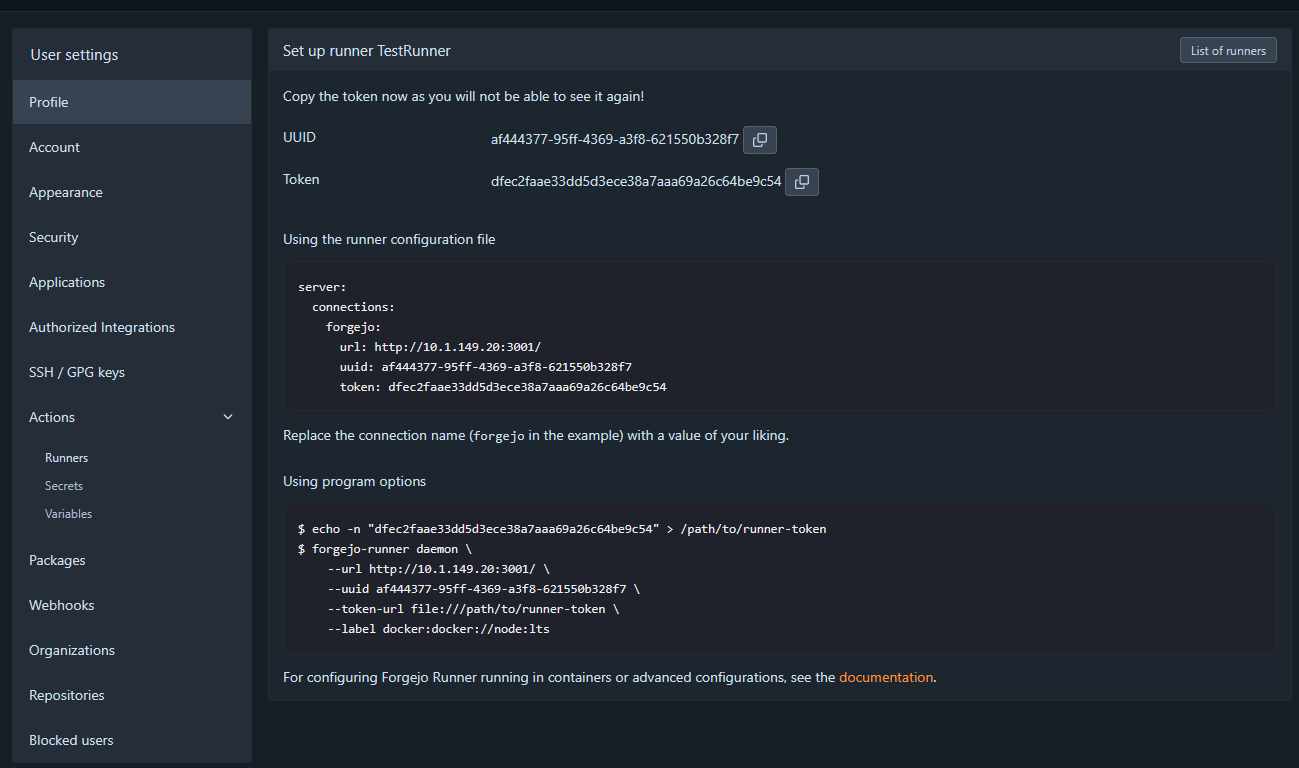
The process to create a new runner is not much different than other solutions. You navigate to the Administration > Actions > Runners. Name the runner, give it a description and then click the Create button.
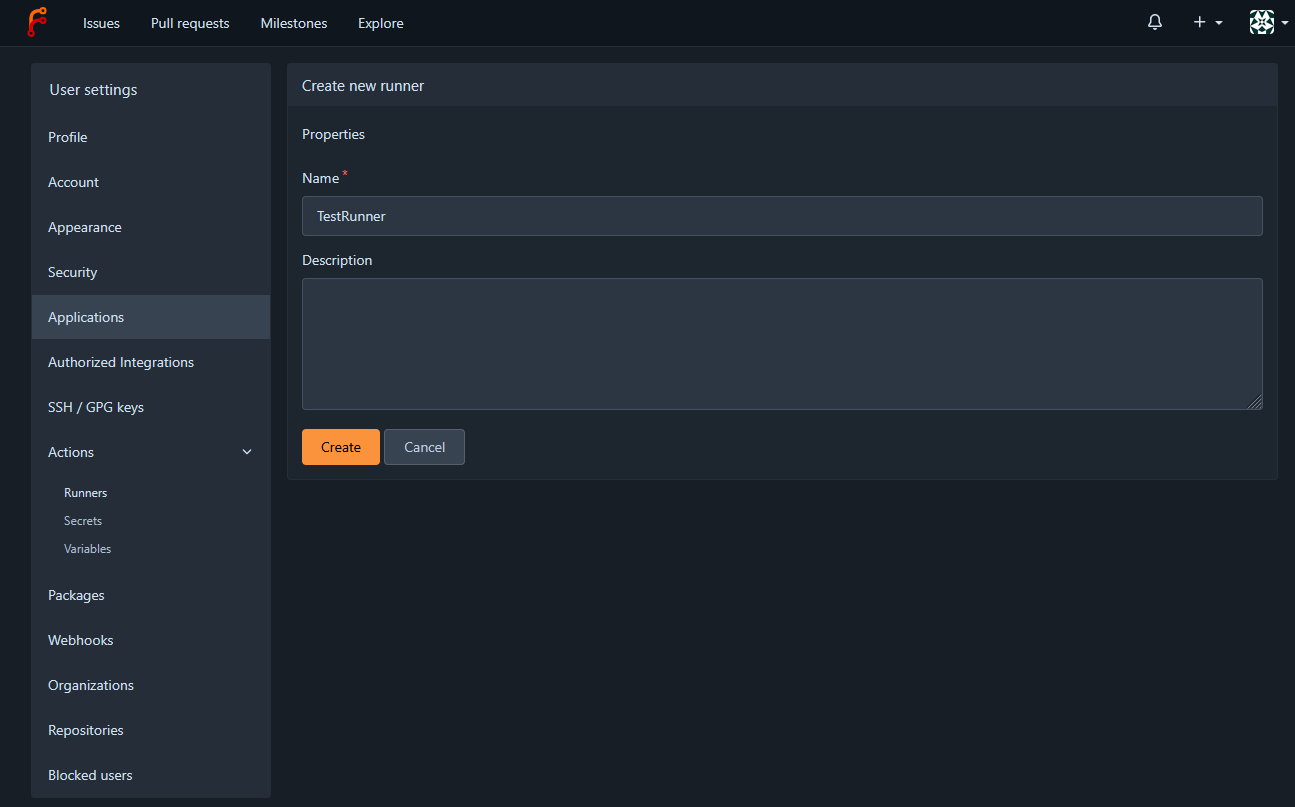
Then, it will give you the following information, including your token and how to use the runner in your configuration file for a project.
Forgejo vs Gitea
Since Forgejo comes from Gitea, what are the similarites and differences between the two projects? Note the following things:
| Area | Forgejo | Gitea |
|---|---|---|
| Governance | Community-driven, under non-profit Codeberg e.V. | Project has commercial/company behind them |
| Development | Focused on community control and Free Software | Open-source core with paid offerings |
| Codebase | Hard fork, independently evolving | Gitea codebase |
| Git hosting | Yes | Yes |
| Actions / CI/CD | Yes | Yes |
| Runners | Yes | Yes |
| OCI/container registry | Yes | Yes |
| Package registry | Yes | Yes |
| Resource footprint | Small | Small |
| Main difference? | Governance, openness, project direction | Mature lightweight Git platform and ecosystem |
Put this behind a real domain name and home lab proxy
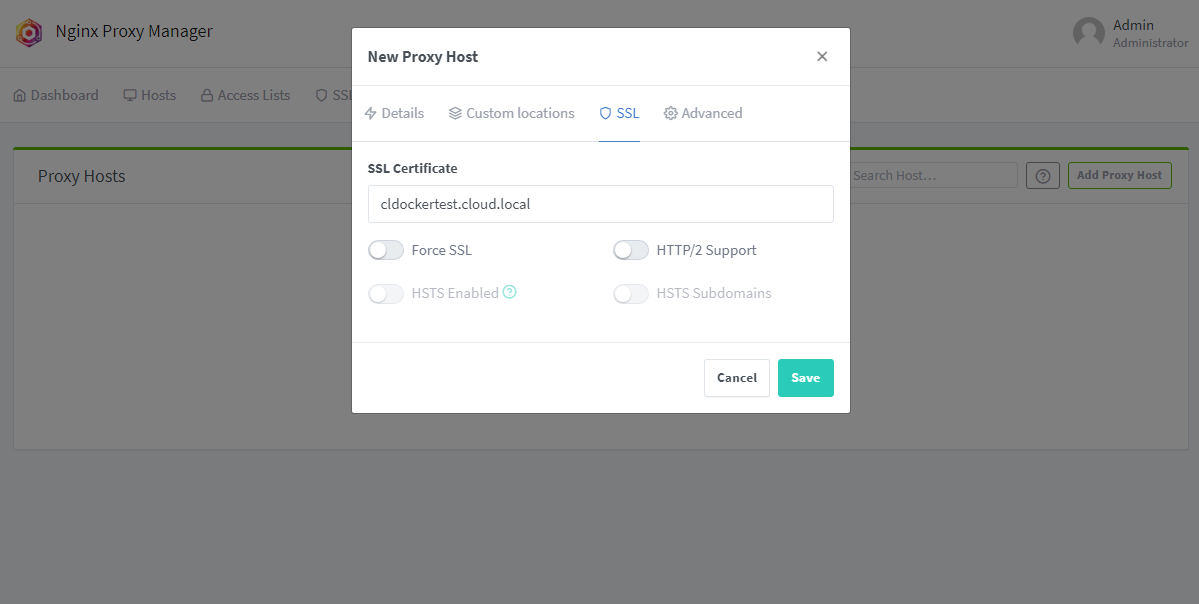
One of the quality of life improvements that you will want to make is to put this behind a reverse proxy in the home lab and that way you can access it using a trusted certificate. With a Git solution, I have found this to be pretty important as a lot of times other solutions that integrate with your Git repository don’t deal well with a self-signed certificate that isn’t trusted. So, do yourself a favor and get this configuration in place and put behind your Traefik or Nginx Proxy Manager instance.
Wrapping up
After seeing just how far some of these lightweight Git repository solutions have come, I could definitely see myself pivoting over to using something like this. I am still a GitLab fan and love some of the features there that I have. But, as these solutions keep getting better and more feature rich and they are super performant, I could see that there wouldn’t really be anything holding me back from switching away from GitLab if I wanted to. One of the big reasons that I stayed over on GitLab a couple of years back was that there wasn’t a native container registry in Gitea at the time and the Actions functionality was a little bit new and rough around the edges. That has since matured quite a bit and Forgejo has carried that maturity over to its hard fork. How about you? Are you using Forgejo in your environment? What are your thoughts and how do you use it?
More in this topic




Google is updating how articles are shown. Don’t miss our leading home lab and tech content, written by humans, by setting Virtualization Howto as a preferred source.
About The Author
