


Not long ago, i was troubleshooting an issue in the home lab related to an app that was straightforward. One of my services had suddenly stopped and become unavailable. The container was running. The host looked to be healthy. CPU wasn’t an issue and neither was memory. Storage was good. So, at first glance, everything looked to be good. But at the end of the day, the issue was DNS. These kinds of experiences teach us that the things that break in a home lab are often not the things that are actually broken. But, underneath the apps and services we use, there is a layer of supporting services that quietly make everything work. We don’t think about them until they fail.
Why the most important systems are often the least visible (change my mind)
I have noticed something very interesting in my home lab over the years. The larger the environment becomes, the more dependent it becomes on systems that almost nobody pays attention to. When you have a handful of VMs, you can get away with a lot. When you have multiple hypervisors, container hosts, Kubernetes clusters, reverse proxies and automation, etc, the dependencies become much deeper and more important.
It seems like every service depends on something else. Then, that dependency depends on something also. Eventually, when you follow that chain, you reach a foundational service that almost everything else relies on, like DNS. The problem is these foundational services are often the ones that are the most invisible when everything is working.
For instance, I don’t just log into my DNS server every day to admire how well it is resolving names. You don’t even think about it. Also, nobody gets excited about NTP synchronization either or celebrates a new certificate renewal. You get the point. These systems quietly do their jobs in the background until they don’t and something happens.
DNS is arguably the most important
If I had to identify the single most important service in my home lab today, it would probably be DNS (not Kubernetes, Proxmox, storage, docker, etc).
This is because everything depends on it. Containers that I have running need it, VMs need it, certificate validation needs it. Reverse proxies also require it, git repos, monitoring, etc. The more services you add to your lab environment, the more critical it becomes.
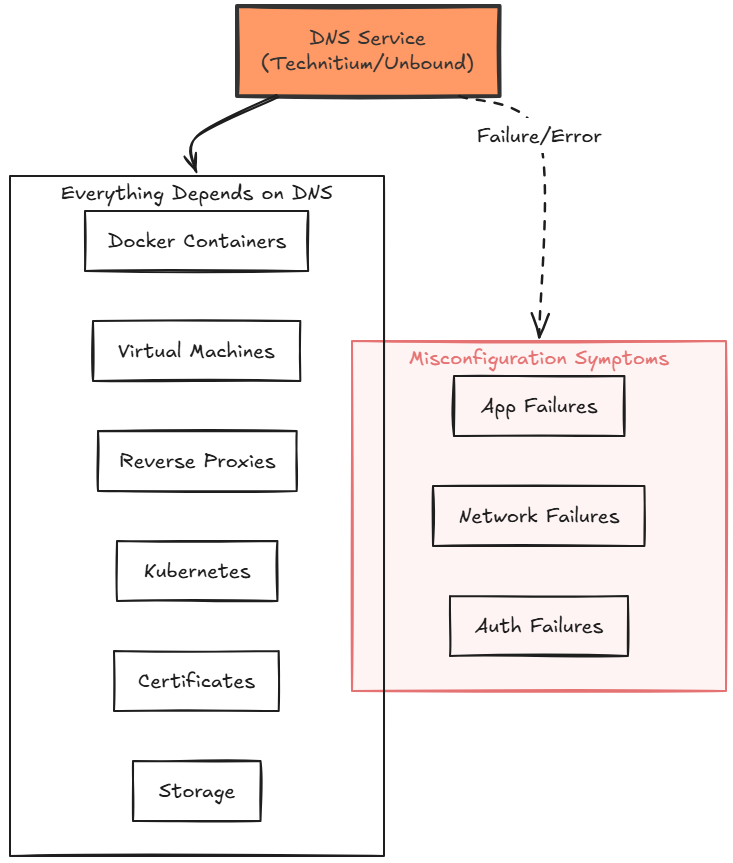
Simple DNS misconfigurations can create symptoms that look like application failures, networking failures, authentication failures, and even storage problems. You may see this when in fact, the application isn’t broken. It simply cannot find what it needs.
This is one reason I have become increasingly focused on improving DNS reliability in my own environment. My recent work with Technitium DNS and Unbound wasn’t a goal of building a fancy DNS stack. I really wanted to solve the problem of DNS being the dependency and having issues with it being down for maintenance, a real failure, or something else.
How I improve DNS resiliency
Over the years, I have become much more intentional about DNS than I used to be. I have written a lot about this lately. But now, instead of relying on a single DNS server, I now run multiple DNS instances so I can take one down for maintenance without this affecting everything else in the environment.
Check out my recent post on setting up two Unbound instances driven from Git: I Thought I Needed an Unbound Cluster. The Solution Was Much Simpler.
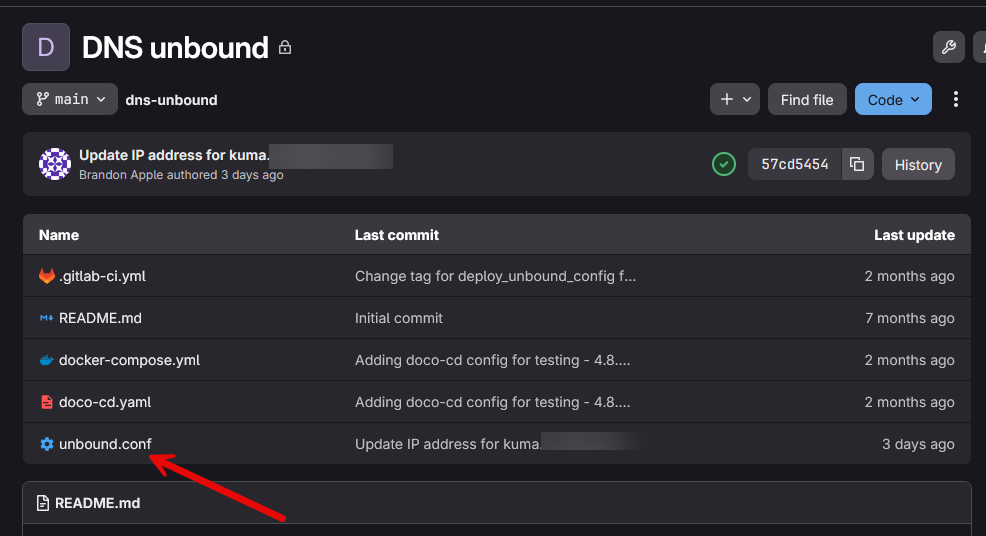
I also test failover when I run maintenance operations to see how graceful systems stay resilient when one of the DNS servers goes offline.
Time services are critical
Another dependency that we almost NEVER think about is “time”. That sounds strange as to how that would be important. But if you have ever experienced a clock synchronization problem, you know how frustrating this can be.
When most of us think about the most critical services in the home lab or even production environments, the first one to come to mind normally isn’t “time” as a service. But, tons of technologies depend on accurate clocks to function correctly. Authentication systems are one that rely on precise timestamps. Security tokens, certificates, directory services, clustered environments, and many others rely on the time being correct.
A server that is just a few minutes off can create a lot of confusing behavior. Domain controllers and Windows Servers and clients can start behaving in very weird ways when the clock is just a few minutes ahead or behind.
How I protect against time sync issues
Every server in my environment is configured to use more than one NTP source, and I keep a check on synchronization status instead of assuming it is working. For environments where time accuracy is extremely important, I think it is worth considering a dedicated local NTP source. Some home labbers even deploy GPS-backed time servers to get rid of dependence on Internet time sources.
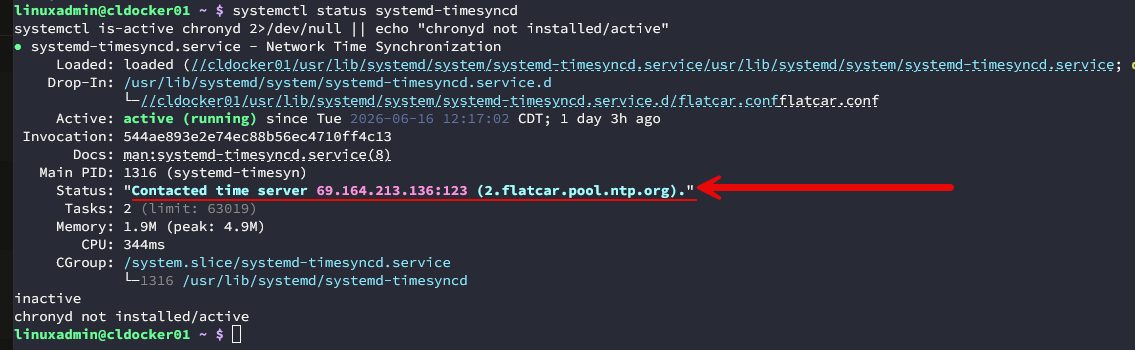
The biggest lesson here is simple. If you have never checked your NTP configuration, now is probably a good time to do that.
Automation tools become dependencies
One of the biggest lessons I’ve learned over the last few years is that automation doesn’t eliminate dependencies. A lot of times, it just simply moves those dependencies to different places. As an example, let’s look at certificate management.
Years ago, certificate management was painful, especially with Windows servers, etc. Today, with tools like Traefik, certificate automation is almost effortless and is just part of your infrastructure as code. Certs renew automatically. Services are always secure, and things are easy.
But, if certificates fail to renew due to other cascading issues like DNS or maybe an API failure or connectivity issues, the certificate can become the failure, even though the root cause lives somewhere else.
How I monitor automation dependencies
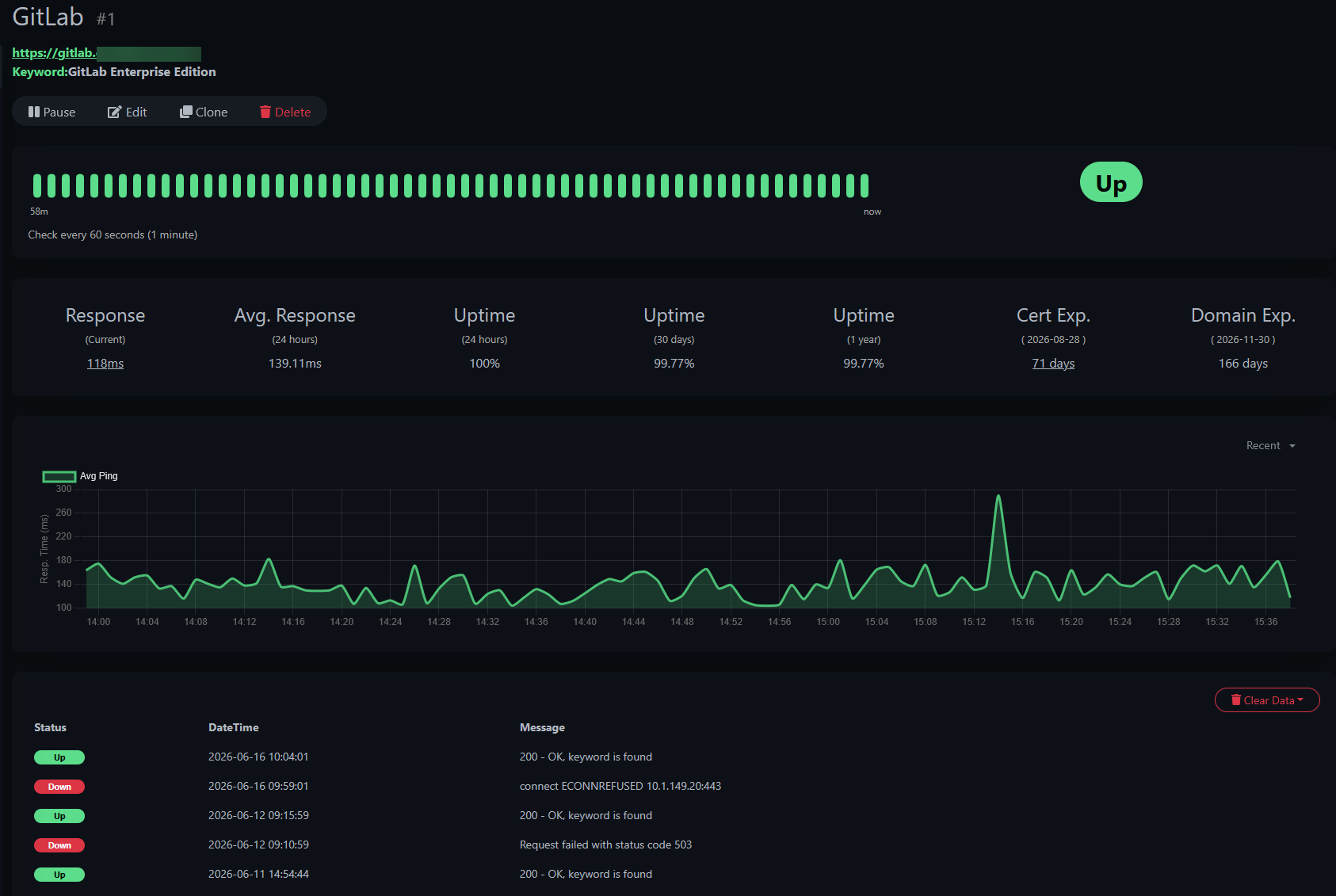
Automation is incredible and I personally use it everywhere that I can in my home lab environment. But it should never be an excuse to stop monitoring critical systems. I use my Uptime Kuma instance to tell me if my GitLab instances goes offline unexpectedly at any time. This gives me key visibility that something is going on with the instance that needs attention.
Authentication infrastructure
If you are running infrastructure that is serving as a core component of your authentication in the home lab, it is quietly critical. May that is Active Directory if you have a Windows Server domain running. Maybe it is LDAP, Authentik, or some other identity provider. The benefits you get are pretty awesome, including single sign-on, centralized access control, user management, better security, and the list goes on.
But, the problem is that when your other services or apps rely on being able to authenticate, this becomes a core part of the environment. At that point, you are no longer just hosting “another application” and you have something that is part of the overall infrastructure that is super important.
How I make authentication more resilient
Whenever possible, I try not to get into a situation where a single authentication outage locks me out of my own environment. This means that I run multiple instances, like having more than one Active Directory Domain controller in the environment.
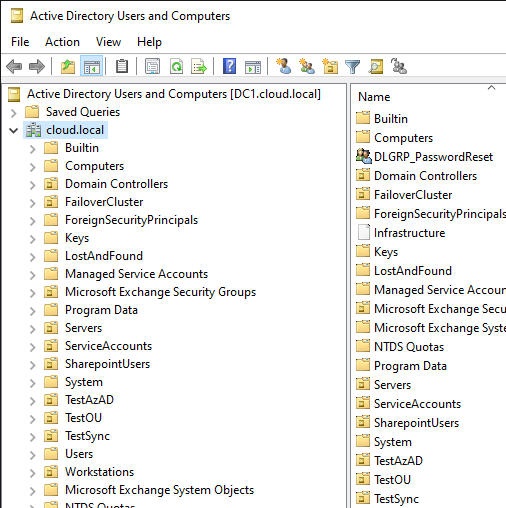
I also make sure my authentication infrastructure is included in regular backups and I test recovering them. It is easy to focus on protecting application data while forgetting that access to those applications depends on authentication services functioning correctly.
Git has quietly become operational infrastructure
I just posted an article about how Git has become a centralized theme in my home lab environment: These Git Repositories Changed How I Manage My Home Lab. It is awesome to be able to store your infrastructure as code in a git repo and have that available as living documentation in the environment. With this as well, you also introduce a core dependency with your git repos being at the center of that.
For me, my docker compose stacks live in Git, Kubernetes manifests, ArgoCD confgs, Flatcar configs, documentation, etc. All of it is in git. So making sure you have the bases covered here with this core dependency is crucial.
How I protect my Git infrastructure
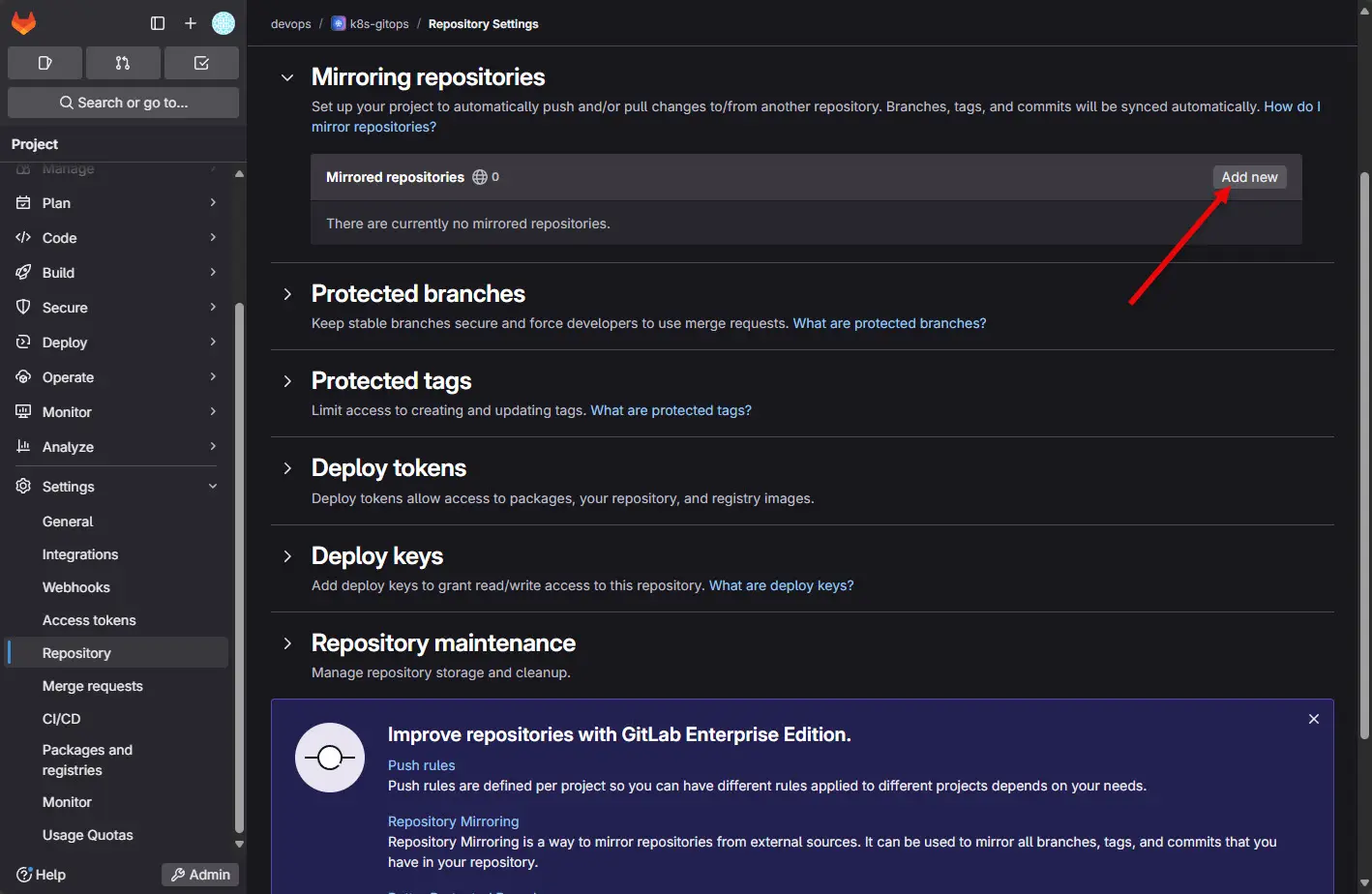
What I do is “mirror” my on-premises repos up to a cloud instance of Gitlab. With Gitlab and the free license, you can push your repos to the cloud for free, just not pull. So I have my repos configured so that they all push to my git repos in the cloud as a mirror location.
Check out my detailed post on how to configure this here: How to Mirror Your On-Premises GitLab Repo to GitLab Cloud for Resiliency.
This way, if I ever had something catastrophic in the home lab happen. I would have backups of my infrastructure there.
The dependencies we don’t control
We also have to account for infrastructure that we don’t control. What do I mean by that? Well if we depend on certain cloud services or providers of certain things, we are at the mercy of those cloud services or providers for the services they give. If there is an outage in the cloud or the cloud-hosted solution we are using is affected by a cloud outage, then we have to understand that dependency.
If suddenly everything inside your home lab looks broken even though the issue doesn’t exist inside your local network, it could be outside of that where the problem originates. So, understanding those relationships to other services and dependencies can help explain strange failures when they happen.
Wrapping up
Understanding that your lab has silent and invisible dependencies that can present as very strange or unexplained outages is an important realization as you continue to learn and grow with your learning in the home lab. As your lab becomes more sophisticated, there is almost always a growing list of technologies and dependencies that we rely on for things to work. Core critical services like DNS, time services, authentication, and automation dependencies can easily break your lab or production environment when things go wrong or those services go down. How about you? What is your most important home lab dependency that you have been bitten by when it went down?
More in this topic

Google is updating how articles are shown. Don’t miss our leading home lab and tech content, written by humans, by setting Virtualization Howto as a preferred source.
About The Author
