



As of recently, I have been looking at some low hanging fruit as it relates to improving the resiliency of DNS services in my home lab as it relates to my conditional forwarder running on a single Unbound DNS instance. I use the Unbound instance as a conditional forwarder for an external domain that provides split horizon DNS services to my home lab network. But, having only a single instance, when I take down the docker container host it is currently running on, it takes down name resolution for that part of my DNS infrastructure. The setup works perfectly fine. But since I already have a GitOps approach to this part of my infrastructure, I wanted to see what I could do to shore this up with my existing GitLab CI/CD and it turned out to be fairly simple in practice.
Understanding the weak spot
In my environment, I have a lot of different DNS services going on since I use Windows Server DNS as the root DNS server for a local zone called “cloud.local” for my home lab (I know, probably not best practice to use a .local, but haven’t had any issues doing this so far over the years). From Windows, I then conditionally forward queries for an external domain “example.com”. Part of the queries get answered locally. But if the resource doesn’t exist locally, I forward it on to my Cloudflare DNS zone.
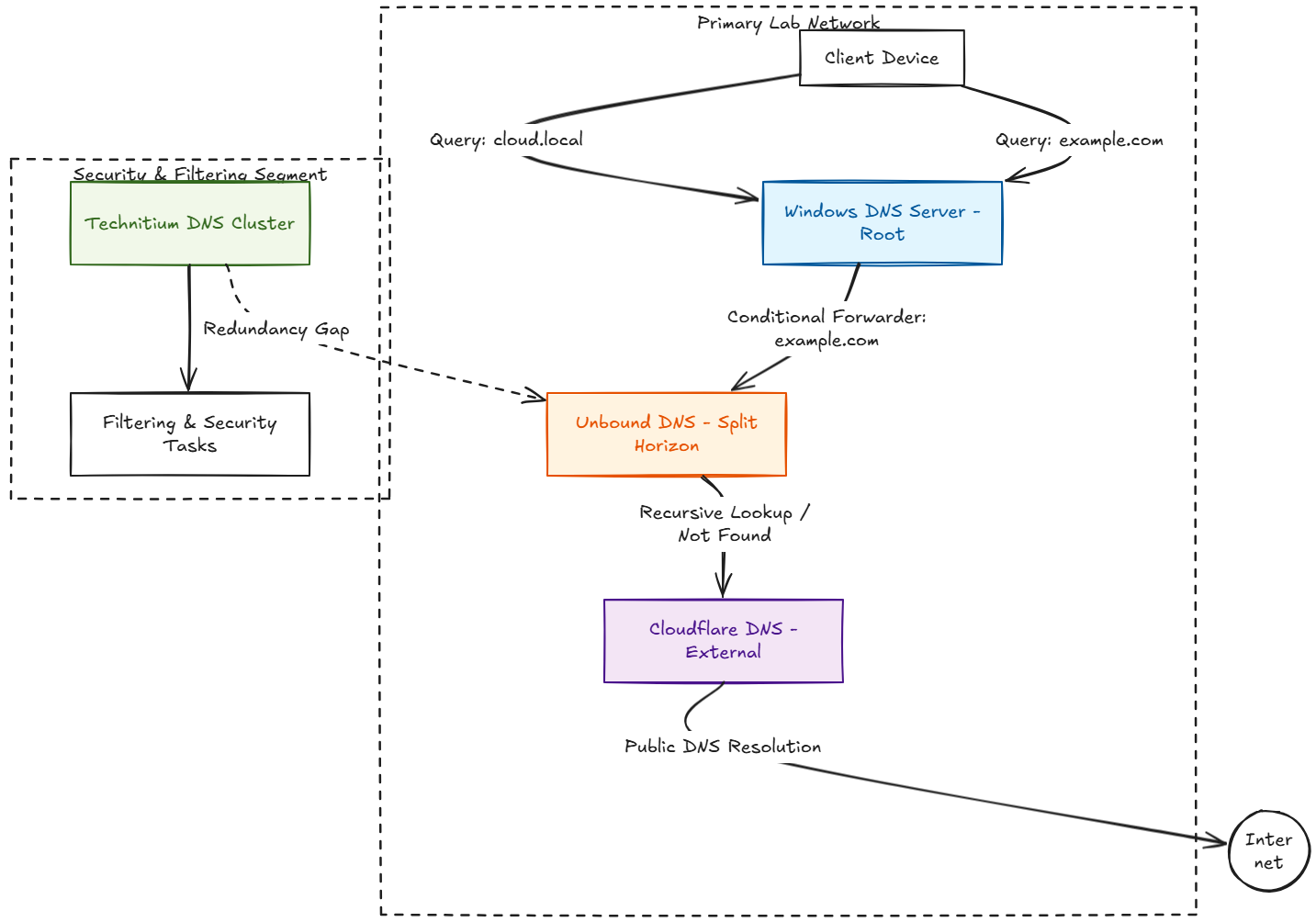
I then have a cluster of Technitium servers that service the other part of my network for filtering, and various security related tasks. So I was covered from clustering side of things on the second network segment, but the split horizon zone which is import for Let’s Encrypt certs, etc didn’t have any redundancy.
My current GitOps approach
Currently, I sit in a position of having things where I could easily bolster the environment. I have my Unbound DNS config stored in my local GitLab server. When I push a change via a git commit to the GitLab repo, it kicks off a pipeline that does the following:
- It kicks off a check of the Unbound syntax
- If the syntax check succeeds, it pushes the config file to
- The primary Unbound server
- It restarts the container with the new config
Read about my config in the original post here: I Now Manage My DNS Server from Git (and It Changed Everything).
This way, I know exactly what is in the DNS configuration at any point in time just from looking at the Git commit. I can also roll back a commit if needed and there is always an audit trail of what changes were made and why via the git commit messages.
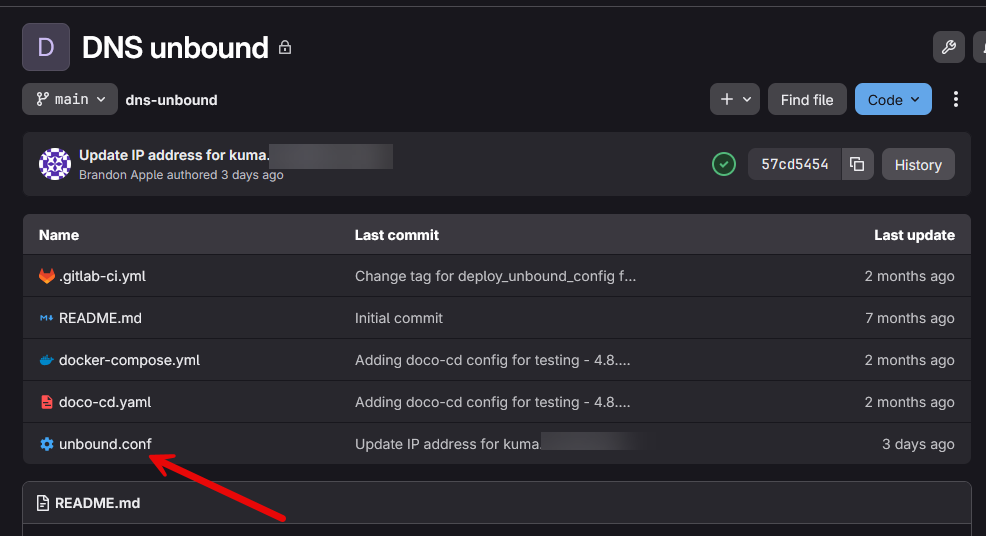
The GitOps flow for Unbound DNS server
The interesting part of this project is that I had already solved most of the hard problems already since I had the above in place. For some time now, I have managed my Unbound configuration through GitLab. The commit triggers a GitLab CI/CD pipeline that validates and deploys the configuration automatically.
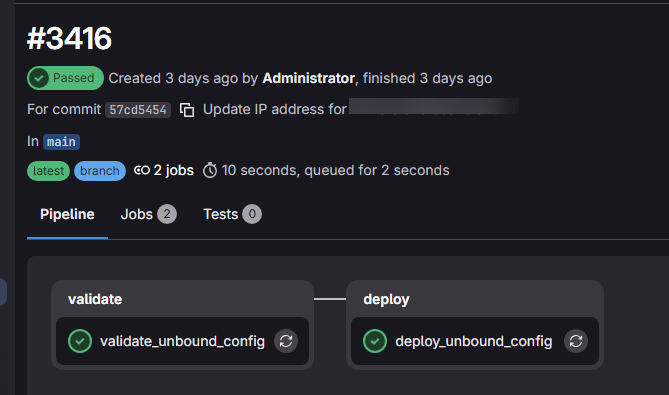
The first stage validates the configuration using:
unbound-checkconf unbound.confThis makes sure I don’t have any syntax errors. If I accidentally introduce an error into the configuration, the deployment never happens as the pipeline will fail with the syntax check. This simple validation step eliminates one of the most common causes of DNS outages, which is misconfiguration.
After validation succeeds, the deployment stage pushes the updated configuration to the Docker host and restarts the Unbound container. My GitLab .gitlab-ci.yml file looks like the following:
stages:
  - validate
  - deploy

validate_unbound_config:
  stage: validate
  image: mvance/unbound:latest
  script:
    # Validate the unbound.conf syntax
    - unbound-checkconf unbound.conf
  only:
    - main
  tags:
    - docker

deploy_unbound_config:
  stage: deploy
  image: ubuntu
  before_script:
    - eval "$(ssh-agent -s)"
    - echo "${SSH_PRIVATE_KEY}" | tr -d '\r' > /tmp/ssh_key
    - chmod 600 /tmp/ssh_key
    - ssh-add /tmp/ssh_key
    - rm /tmp/ssh_key
    - mkdir -p ~/.ssh
    - chmod 700 ~/.ssh
    - echo "StrictHostKeyChecking no" > ~/.ssh/config
    - chmod 644 ~/.ssh/config
  script:
    # Stop the unbound container
    - ssh linuxadmin@${DOCKER_HOST} "cd /home/linuxadmin/homelabservices/unbound && docker compose down"

    # Overwrite unbound.conf with the version from repo
    - cat unbound.conf | ssh linuxadmin@${DOCKER_HOST} "sudo tee /home/linuxadmin/homelabservices/unbound/unbound.conf > /dev/null"

    # Start the unbound container with new config
    - ssh linuxadmin@${DOCKER_HOST} "cd /home/linuxadmin/homelabservices/unbound && docker compose up -d"
  only:
    - main
  tags:
    - shell
Adding a second Unbound server was easy
Once I stepped back and looked at the architecture, the solution became obvious – add another Unbound server to the CI/CD pipeline target. Since there isn’t a way to replicate two Unbound servers that I have been able to find, this would be two standalone servers running as containers that would be kept “in sync” with the git commits to the repository.
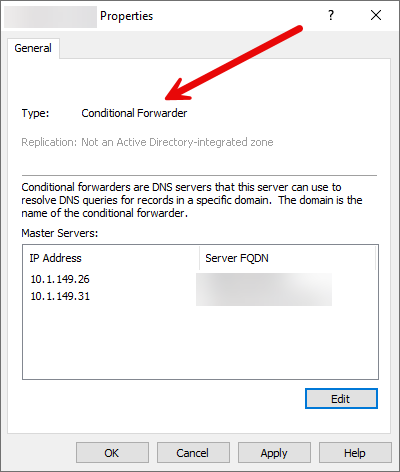
With Git, I already have a source of truth for the environment. So it is just a matter of deploying two servers instead of one. Then in my Windows Server DNS conditional forwarding zone, I place both IP addresses in there for the conditional forwarder zone.
Below, I have the properties of the conditional forwarder displaying. The 10.1.149.31 address is the new server running on the 2nd Docker host. Now, I have my pipeline pushing the config to it as well.
For the Docker Compose I just used the exact same Docker compose that I had for the first server, which is the following:
services:
  unbound:
    image: mvance/unbound
    container_name: unbound
    ports:
      - "10.1.149.26:53:53/udp"
      - "10.1.149.26:53:53/tcp"
    volumes:
      - /home/linuxadmin/homelabservices/unbound:/opt/unbound/etc/unbound
    networks:
      - unbound
    restart: always

networks:
  unbound:
    driver: bridge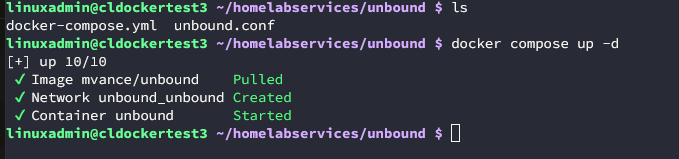
For the GitLab pipeline, I just introduced a “for loop” in the script section, so added the below in. So all I had to do was define the DOCKER_HOST_2 variable in my Gitlab pipeline variables.
script:
    - |
      for HOST in "${DOCKER_HOST}" "${DOCKER_HOST_2}"; do
        echo "Deploying to ${HOST}"
        ssh linuxadmin@${HOST} "cd /home/linuxadmin/homelabservices/unbound && docker compose down"
        cat unbound.conf | ssh linuxadmin@${HOST} "sudo tee /home/linuxadmin/homelabservices/unbound/unbound.conf > /dev/null"
        ssh linuxadmin@${HOST} "cd /home/linuxadmin/homelabservices/unbound && docker compose up -d"
      done
How I plan to implement failover
So, really I don’t have anything fancy going on with the two containers. They are totally standalone but running the same config so that any DNS query will return the same records no matter which server is hit from the client side.
I could put something like Keepalived in front of the two addresses, but for now I am just going to keep it simple and see how things go. Windows Server DNS will probably still prefer the top address in the list, but this will still give me the two addresses that are used for referrals. So, not as graceful as Keepalived, but still decent. This is one of those projects that I really like to tackle as often it doesn’t require anything major to shore up the environment where you have better resiliency.
Lessons learned so far with self-hosting DNS zones
DNS is absolutely critical, so it is definitely a service that I like to shore up compared to other services we might run. I feel I have a fairly balanced view when it comes to the actual need of HA in the home lab for most things, but DNS is one that deserves that extra attention and setup.
I am really “in love” with my current setup though as Windows Server DNS conditionally forwarding to Unbound has been fantastic. Then Technitium with the recent clustering addition has been phenomenal as well. If I were to ever replace the Windows Server DNS host in the future, I would likely go with Technitium there. But for now, keeping this around for my Microsoft infrastructure.
If you can also operate your DNS infrastructure with code, this is also highliy recommended. In my case, with Unbound, replication isn’t built in, so having this done with a CI/CD pipeline to keep the configurations in sync is great and it gives you that GitOps feel to your infrastructure.
Wrapping up
I originally started looking at this project because I thought there might be a way to build an Unbound cluster. But, at least that this time, there isn’t a way to cluster them (please let me know if my thinking is incorrect on this). After thinking through what I already had in place with GitLab in how I was handling my DNS configuration, it was a simple addition to add the configuration into the existing pipeline that I had in place and just have this be a new destination Unbound host that received the configuration. How about you? What are you doing for DNS resiliency in your home lab? Are you using a GitOps approach to managing your infrastructure?
More in this topic




Google is updating how articles are shown. Don’t miss our leading home lab and tech content, written by humans, by setting Virtualization Howto as a preferred source.
About The Author

The primary “cluster” advantage would be a shared cache. With two independent servers, they get requests independently and fill their caches in parallel. Unbound does support using an external Redis/Valkey cache layer. Seems overkill, but if you already have an HA Redis instance, it might be something you could apply it to.
Mike,
Great insights here. Definitely noted on the cache aspect. For me this wasn’t really done for performance reasons but simply to have resiliency between my two instances so if I needed to take one down for extended period of time, at least my name resolution for my external domain resources that I house internally would still be available. I would like to possibly play around with Redis with Unbound though as this is an aspect of Unbound I haven’t tinkered with.
Thanks again Mike,
Brandon
I went down that rabbit hole trying to get technitium clustered, It was pretty miserable, constant zone syncing issues blah blah blah. I went the route of dnsmasq, and did DHCP and DNS. DNS is pretty simple because all of the zone records are committed to the git repo and I just run two DNS servers, no clustering required. There’s no benefit to me to have any kind of shared cache since all records that matter are static. For failover for DHCP, I just sent the backup instance to have a 30sec delay for those rare times when the primary is offline just to keep things going.
Jesse,
Clustering can definitely be a bear sometimes when things don’t go right. I had my own issues with Technitium clustering, but for me, most of my issues were self-inflicted. I wrote about some of my issues here: https://www.virtualizationhowto.com/2026/05/i-thought-my-technitium-dns-cluster-was-fixed-these-settings-were-the-real-problem/. I think the real benefit with Technitium clustering for me is all the other little settings that I want to make sure that are synchronized like IP whitelists and block lists and other little settings that the clustering copies and keeps in sync between them. It is in my opinion a better solution than my pi-hole setup with Nebula sync or seems to be more stable for me. Thanks for sharing your experiences with Technitium!
Brandon
Just use Bind like real ppl use. Unbound pff that’s for noobs.
lol,
LOL,
Brandon
The beginning of the article reminded me of tech school, where a teacher said, ” you act like your motto is ‘there must be a more difficult way. ‘”
LOL