


When I started thinking about the projects that I have covered in the past several months, I stopped to think about the actual projects I have introduced in my home lab that have “stuck” and ones that I am still using and benefiting from. A lot of times, home lab projects do not last. That isn’t necessarily a bad thing. It is always about experimentation and learning. If a tool is not something you want to keep around, there is value in that. However, some projects earn a permanent place in my environment if they provide value and help solve problems that I am trying to solve there. Let’s look at some of my home lab projects that have actually stuck around and why they earned a permanent place there.
Technitium DNS has become a foundation
This has been one of the projects that has been a great project for my home lab. While I really like Pi-Hole, the “clustering” of Pi-Hole instances with Gravity sync and then Nebula Sync for me seemed a bit kludgy at best and seemed to be more moving parts and pieces than I wanted.
I have always like the Technitium project since I tried it out as it had some really powerful DNS features that I didn’t see in Pi-Hole around certain zone types and other functionality. Also, at the end of last year, they introduced native “clustering” in Technitium.
Check out my post on Technitium clustering here: Stop Using Pi-Hole Sync Tools and Use Technitium DNS Clustering Instead.
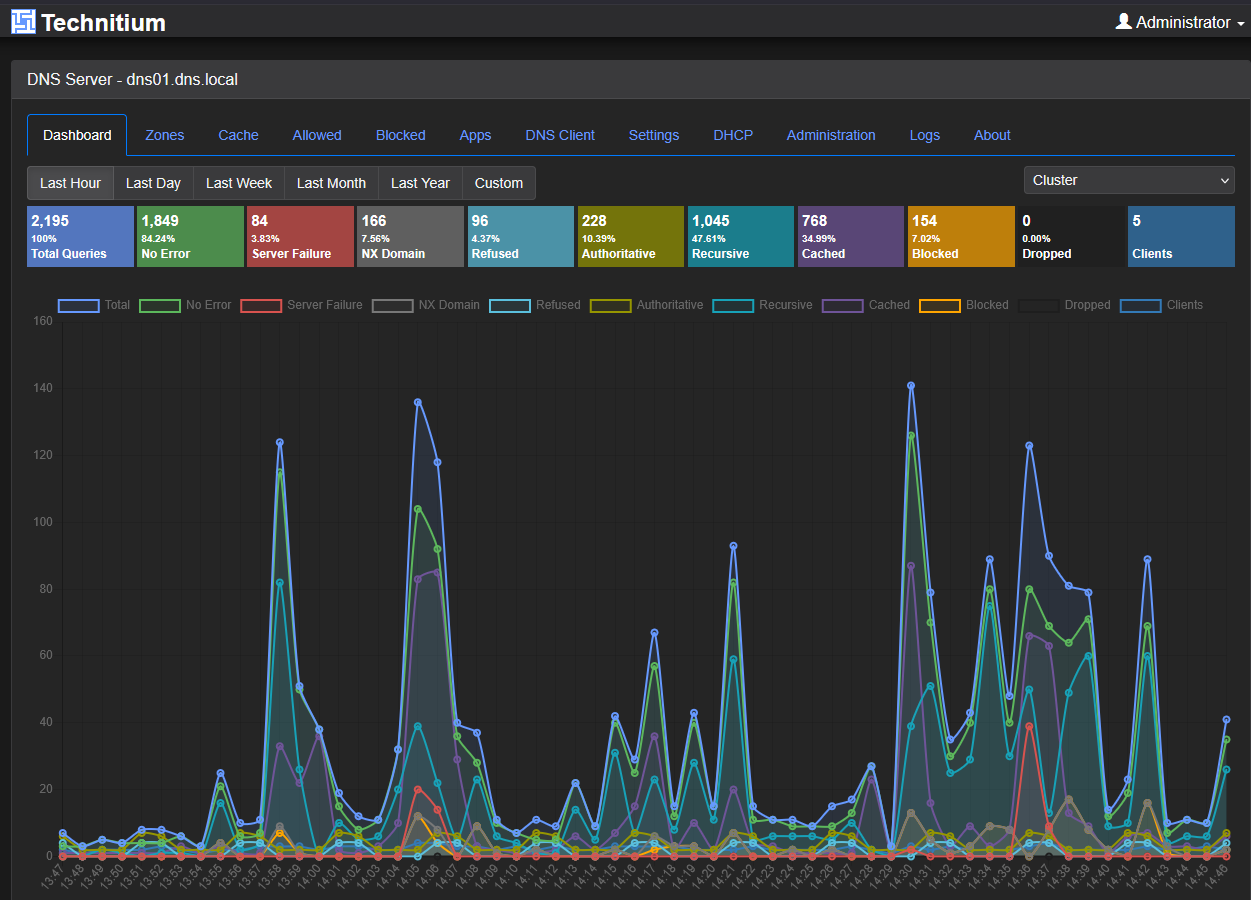
This meant that native clustering capabilities exist in Technitium that we don’t have in Pi-Hole. After trying the clustering feature out, it turned out to be really great for keeping DNS and other things like block lists and other configurations synced between two Pi-Hole instances.
Today, Technitium handles internal name resolution in a specific segment of my home network that I have filtering and ad blocking running on. Like many home lab projects, it was not perfect from day one. I encountered challenges with zone transfers, clustering configuration, certificates, and service discovery. I shot myself in the foot when I initially created my cluster zone as well which I detailed in this post. However, once those issues were solved, the platform proved itself remarkably capable.
The biggest reason it stuck around is simple. It solved a real problem and became more reliable over time. That is, a lot of times, the difference between a temporary project and permanent infrastructure.
Kubernetes finally replaced Docker Swarm for me
For years I ran Docker Swarm. I genuinely really liked it. It is a solution I have written extensively about and created videos on as I think it is a great middle ground between a standalone Docker host and something as complex as Kubernetes.
However, with some recent breaking changes after Docker engine updates with Swarm and also storage plugin issues (NFS) that were quite well known in the community after some of the recent Docker updates. I decided to bite the bullet and go full on Kubernetes for my “production” home lab services. This is something I have wanted to do this for a while, but this just gave me the push that I needed on that front.
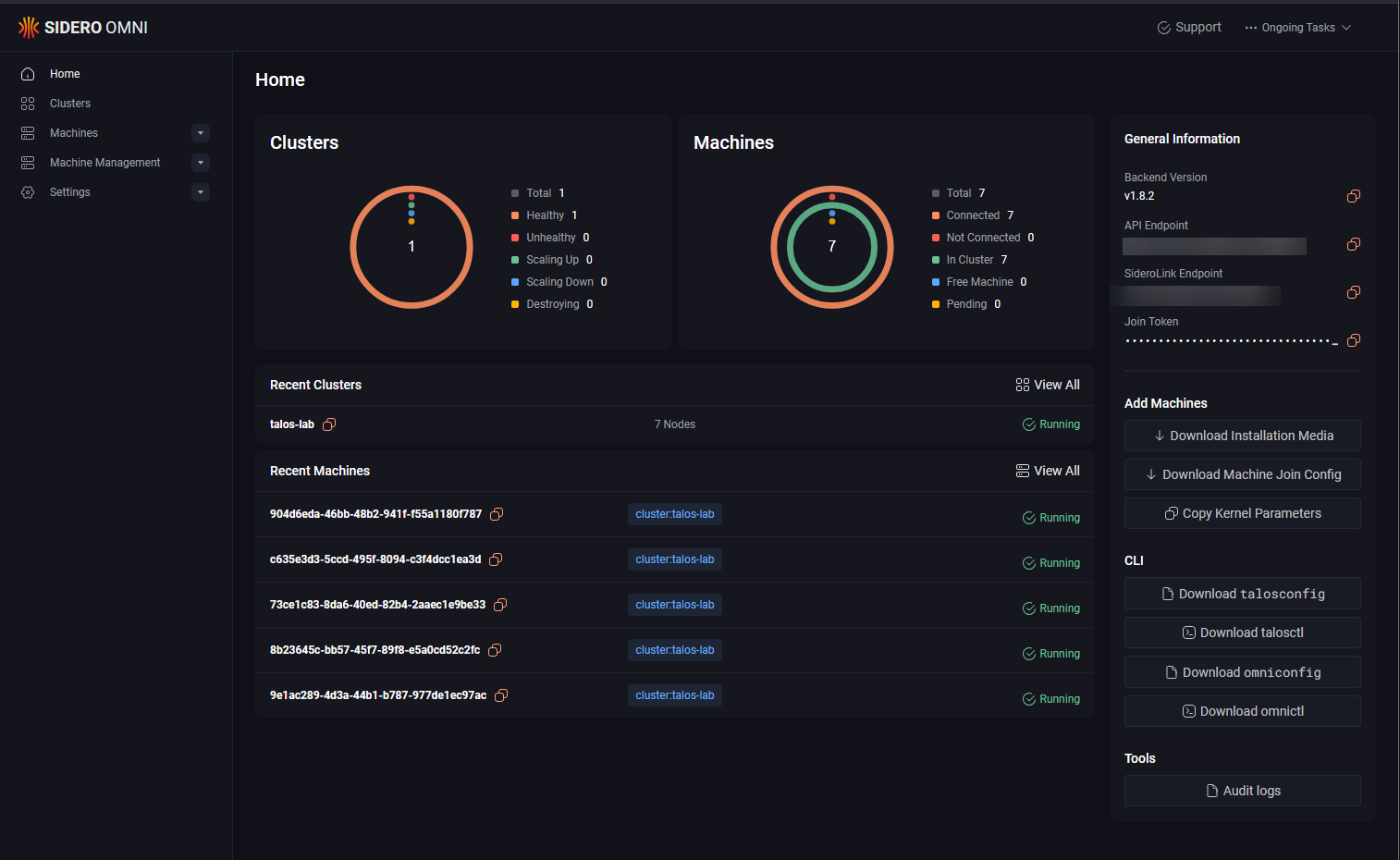
For the Kubernetes distro, I chose Talos Linux for my Kubernetes platform and couldn’t be happier. Currently, I am running a (7) node cluster with 3 control plane nodes and 4 workers on top of my (5) Proxmox hosts. I am using Ceph RBD storage for my persistent volumes. So, Talos Linux Kubernetes mounts PVCs using Ceph provisioner from the Ceph storage running in Proxmox.
Docker Swarm was simple, lightweight, and easy to understand. For many home lab use cases, it remains a perfectly valid solution I think. But, I think we are at the point where Swarm is just not getting the love from projects and other initiatives that it used to.
I migrated services one by one using a combination of helper pods to copy data from my CephFS storage over to the Ceph RBD storage that I had provisioned in Kubernetes. Honestly, I will say that my environment has been much more stable and also easier to manage (I know right, Kubernetes easier to manage?). But, Talos Linux managed by Omni makes housekeeping and lifecycle operations much more streamlined. Now updates are a push button affair in Omni.
So, this one has stuck around for me and is my solution for hosting my resources moving forward for the long term.
ArgoCD has allowed me to fully pivot to GitOps
I have been moving the direction of GitOps for quite some time. It has been baby steps for me in the home lab though. First, I started a few years back, getting up to par with containerized services and infrastructure.
You have to get here first so that you understand your applications running in containers. This by extension allows you to start thinking more in terms of infrastructure as code. Once you get to this point, Kubernetes will seem like second nature once you start thinking in terms of pulling from Git to deploy your apps.
Tools like ArgoCD allow you to then take that to the final step of synchronizing your Git changes to your Kubernetes cluster in real-time. In other words, ArgoCD “watches” the repo you have defined and then synchronizes the changes that are made to the repo to the Kubernetes cluster.
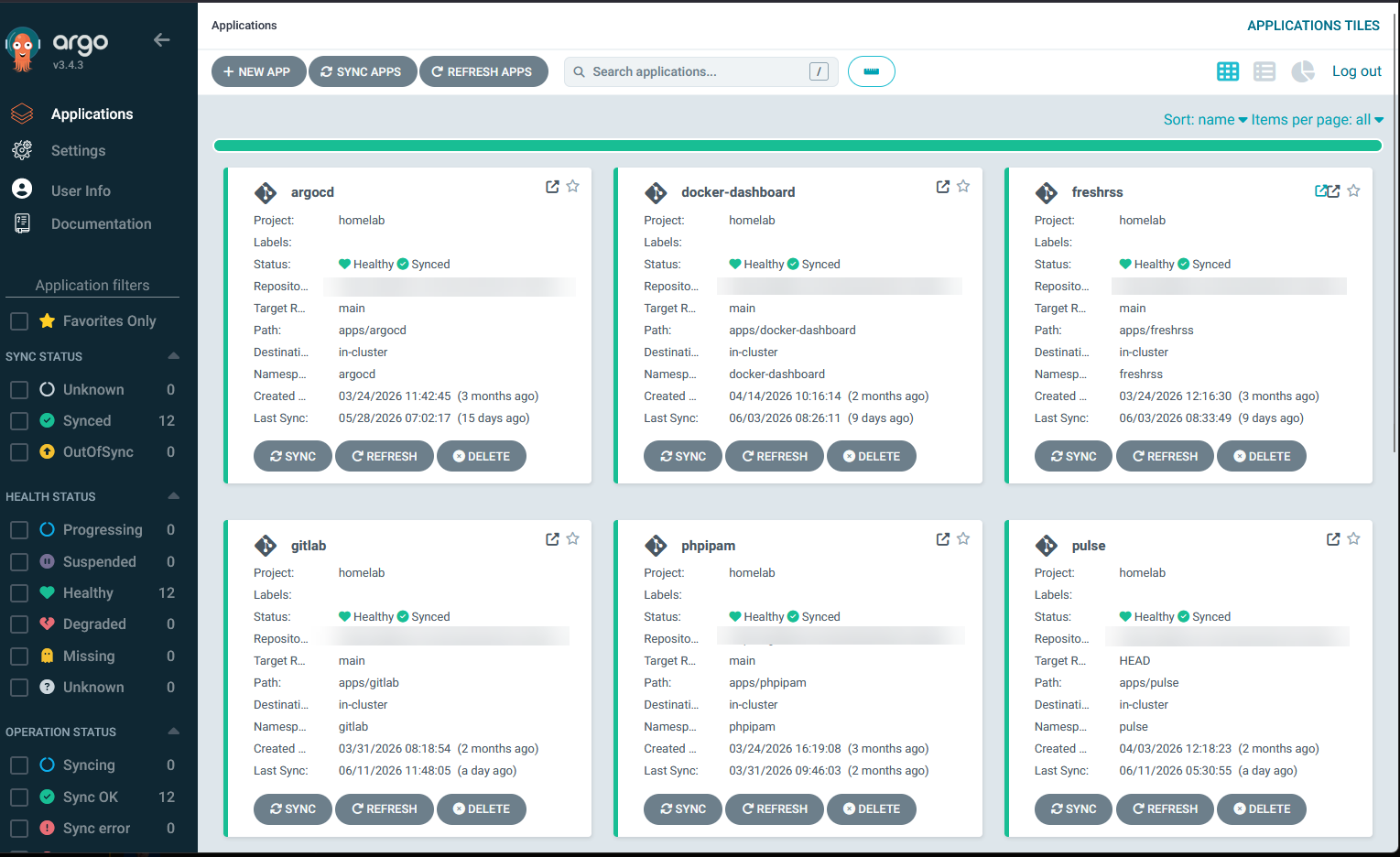
Instead of manually applying YAML files or making configuration changes directly in the cluster, everything lives in source control. If I need to rebuild a cluster worst case, the desired state already exists. And, if I make a mistake, I can roll back. Finally, if I need to audit changes, the history is available.
ArgoCD has become one of those tools that quietly works in the background while providing value to my operations workflow.
Flatcar Linux simplified my container hosts
One of the recurring themes throughout my home lab journey has been reducing maintenance overhead and of course getting more to an infrastructure as code stance in the home lab.
I enjoy building and learning. I do not enjoy spending weekends performing repetitive operating system maintenance. That is one of the reasons I started moving container hosts to Flatcar Linux.
Flatcar takes a very different approach compared to traditional Linux distributions. It is designed specifically for container workloads and focuses heavily on immutability, consistency, and automated updates.
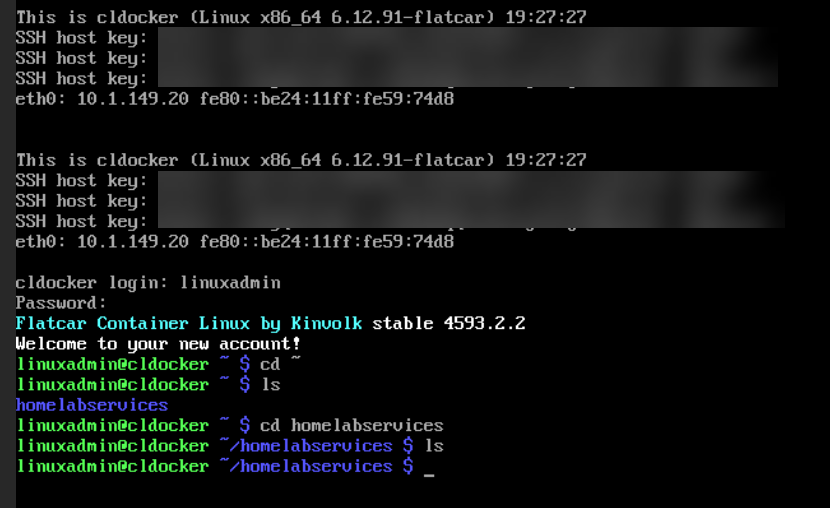
What I found almost immediately was how much administrative effort disappeared from simply operations type work with flat car. There are fewer packages to manage. There is less operating system drift. Updates are a lot more predictable.
The environment becomes easier to standardize when I moved everything to Flatcar Linux. Flatcar is not necessarily the right solution for every workload, but for dedicated container hosts it has proven to be an excellent fit in my lab environment. The less time I spend maintaining infrastructure, the more time I can spend building useful projects.
My mini-rack Proxmox cluster has proven itself
If you have been following my blog for the past few years, you probably know how much different my lab looked a few years ago. Like many home lab enthusiasts, I have accumulated larger servers, various hardware, and other types of infrastructure. This year, in 2026, I decided to go a different direction.
Instead of continuing to pack gear into my full size 19 inch rack, I decided to dive off into a mini rack. Since I was looking at downsizing due to heat and power considerations, a mini rack seemed to be the way to go. So as you know I have written about many aspects of the mini rack this year, but I am very happy with the way it has turned out.
Now I have a 10-inch, 12U mini rack that houses:
- 5 Proxmox VE Server nodes running Proxmox 9.2
- (5) Minisforum MS-01s with 485 GB RAM, 30 TB of storage and 100 CPUs
- Ceph HCI storage which serves virtual machines, LXC containers, and persistent storage for Kubernetes
- 10 gig networking for Ceph and other cluster operations
- Enterprise write-intensive hard drives for Ceph wear and tear
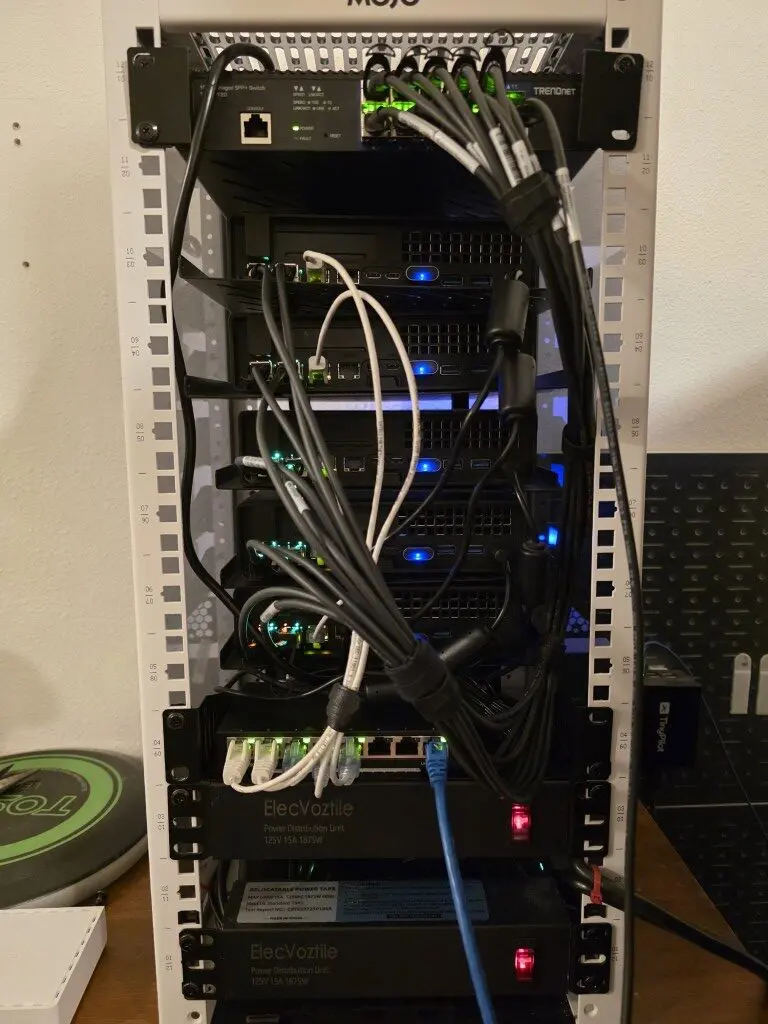
Even though this is the smallest lab footprint, it is arguably my most powerful and capable home lab to date, even considering all the renditions I have been through over the years.
Ceph became the storage layer for everything
I mentioned this above, but I decided to go all in on Ceph HCI storage. Ceph is really an awesome storage solution that is super resilient and provides blistering performance if you have the right networking and drives in place.
I had run Ceph inside of virtual machines that had backed my Docker Swarm cluster, but I decided to do bare-metal Ceph with my Proxmox VE Server nodes so I could have shared storage for the cluster but also take advantage of all the features that Ceph offers.
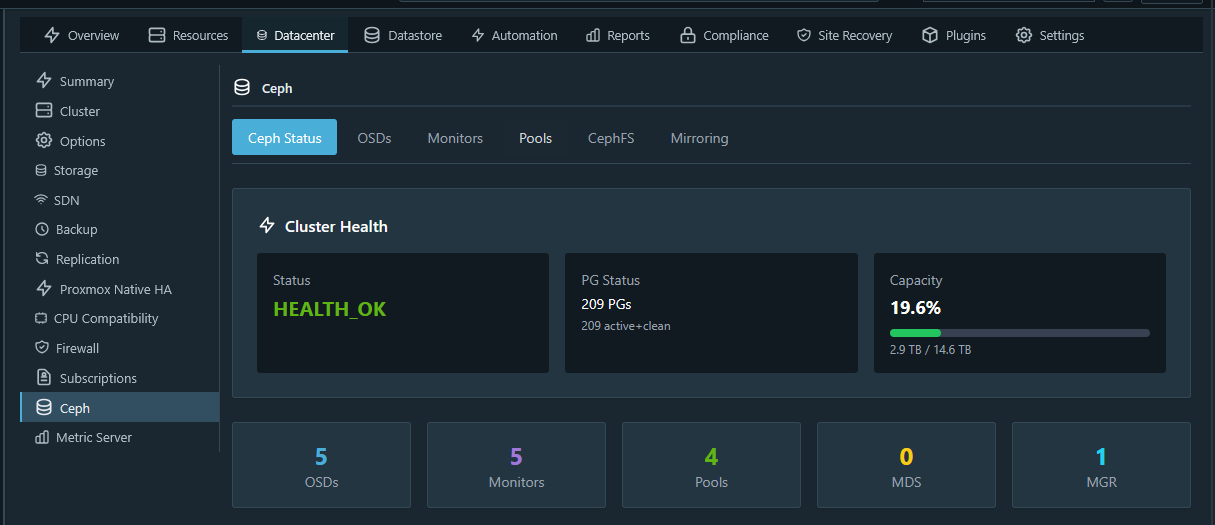
I ran through a lot of really cool experiments that also taught me that enterprise drives absolutely do make a difference when you decide to go into HCI. Consumer-grade NVMe drives are great for normal single datastore VM storage. But the SLC cache fills up in Ceph operations and you will see performance nose dive due to latency issues.
However, with the right setup that I have now, I couldn’t be happier with Ceph. It does everything I need it to do and it is also used as persistent storage for my Talos Linux Kubernetes cluster, which is great. I get to take advantage of it in both aspects.
The key here and I feel like I can’t overemphasize this point. Many are disappointed with Ceph and think it is a dog in the home lab or doesn’t work well. And, to be fair, it doesn’t, IF, you haven’t considered everything. You have to have 10 gig networking at a minimum to be happy with it. And I would strongly recommend true “enterprise” drives that are made for write intensive operations.
Proxmox Backup Server on my Beelink ME Pro
This was another project that I wanted to trial out in the home lab. I hadn’t ran PBS before on NAS hardware. When I got my hands on the Beelink ME Pro, I wanted to see how it would work to run PBS on the NAS natively and then take advantage of the storage that way.
Read my full blog post on that project here: Why Your NAS Is the Perfect Proxmox Backup Server.
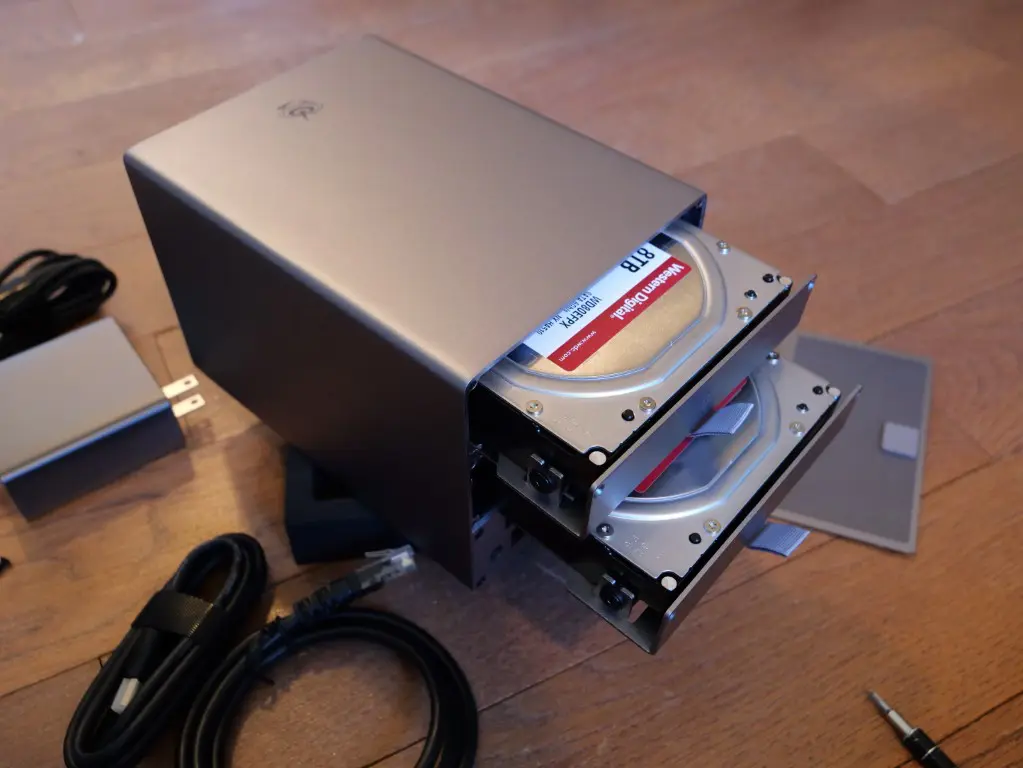
Needless to say, this has been one of my main backup technologies in the home lab since moving to Proxmox VE Server fully. It works great, the Beelink ME Pro is efficient and doesn’t draw much power, and I feel good about my data.
Patchmon solved a real operational problem
Another home lab project that I turned up revolves around a new little solution that I have been closely watching for some time now and that project is called “Patchmon”. Patchmon allows you to have a super intuitive and easy way to keep up with patching across your environment.
You can actively monitor AND Patch (which is new with v2), and you can now also monitor your Windows Servers to keep inventory of needed patches there. This solution has totally changed the game for me with patching in the home lab across my virtual server estate.
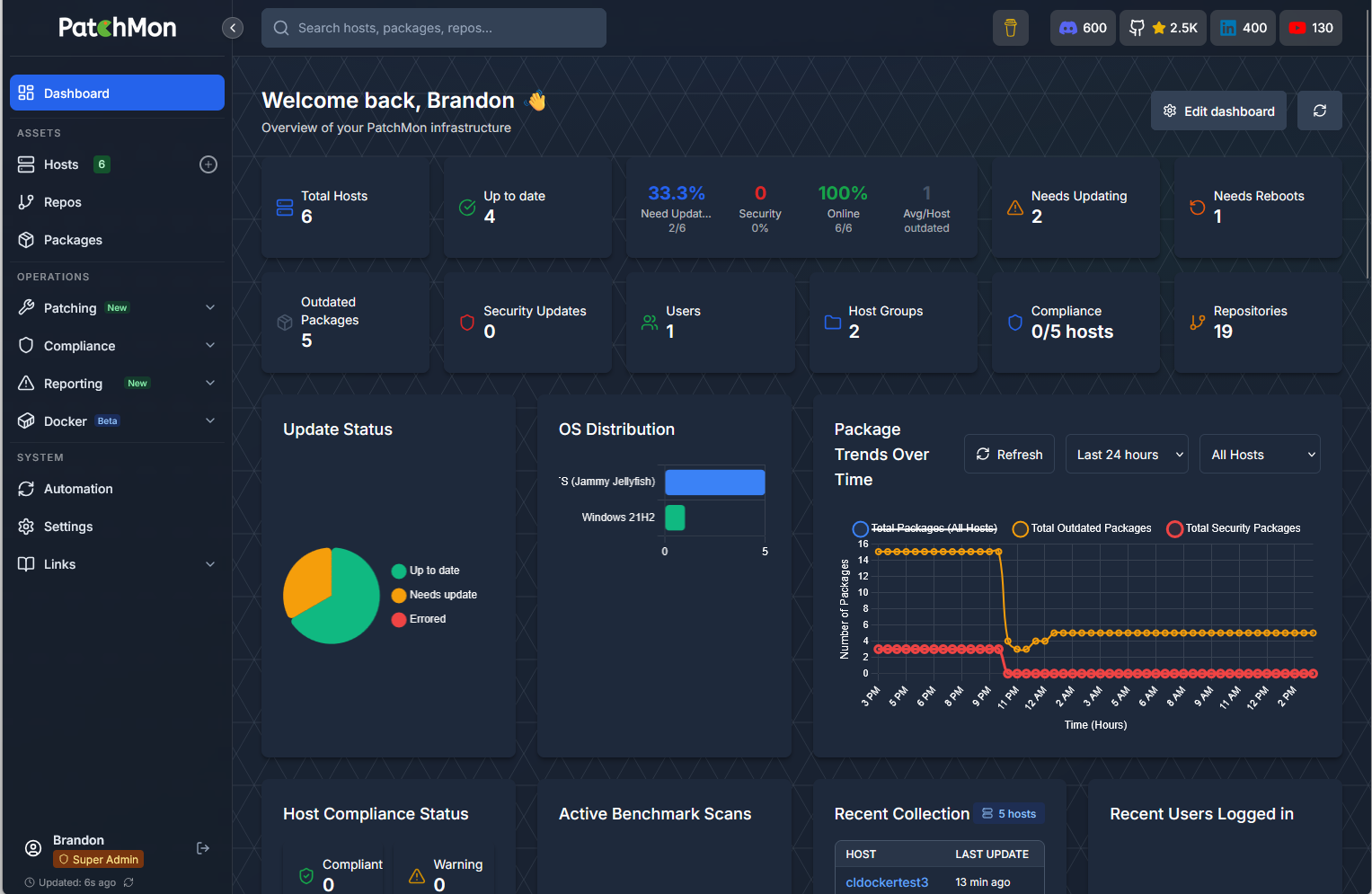
Also, since moving to Flatcar Linux for my Docker hosts, I have taken advantage of the native project for Flatcar Linux called “Nebraska” which is a solution built to keep your Flatcar servers updated. Now I have full visibility across the Flatcar hosts on recent updates, problems, or anything related to updating packages.
Wrapping up
Hopefully, this retrospective of what projects have really been worth it I feel like to keep around permanently will help you if you are on the fence about any of the ones listed. To me the fun part about a home lab is the trial and error aspect where you trial out different solutions, see what works, and see what isn’t that great and what you want to keep around for the long term. I also think the more you test out solutions, you know what to look for and what actually makes a real difference in production environments also. Let me know what projects you have turned up in 2026 so far that have been absolute keepers. You may have one that I want to try out!
More in this topic




Google is updating how articles are shown. Don’t miss our leading home lab and tech content, written by humans, by setting Virtualization Howto as a preferred source.
About The Author

Cool stuff
Nunya,
Thank you!
Brandon
Good to hear about some works that have been actually done! Not just random new sh*tware that some guy decided to write about via gpt.
Really insightful, thanks.
Also i would like to know what exactly your enterprise storages are that is keeping you happy with CEPH
Grasstitude,
Thank you for that. I put a lot of time into these to share what I have learned in the home lab. Glad to see it is cool to others as well. Thankfully, I snagged 5 Micron 7300 MAX 3.2 TB drives before prices just went insane. I have a pretty detailed blog on the drives in particular here: https://www.virtualizationhowto.com/2026/03/consumer-vs-enterprise-ssds-in-the-home-lab-i-benchmarked-both-in-ceph/
Brandon