


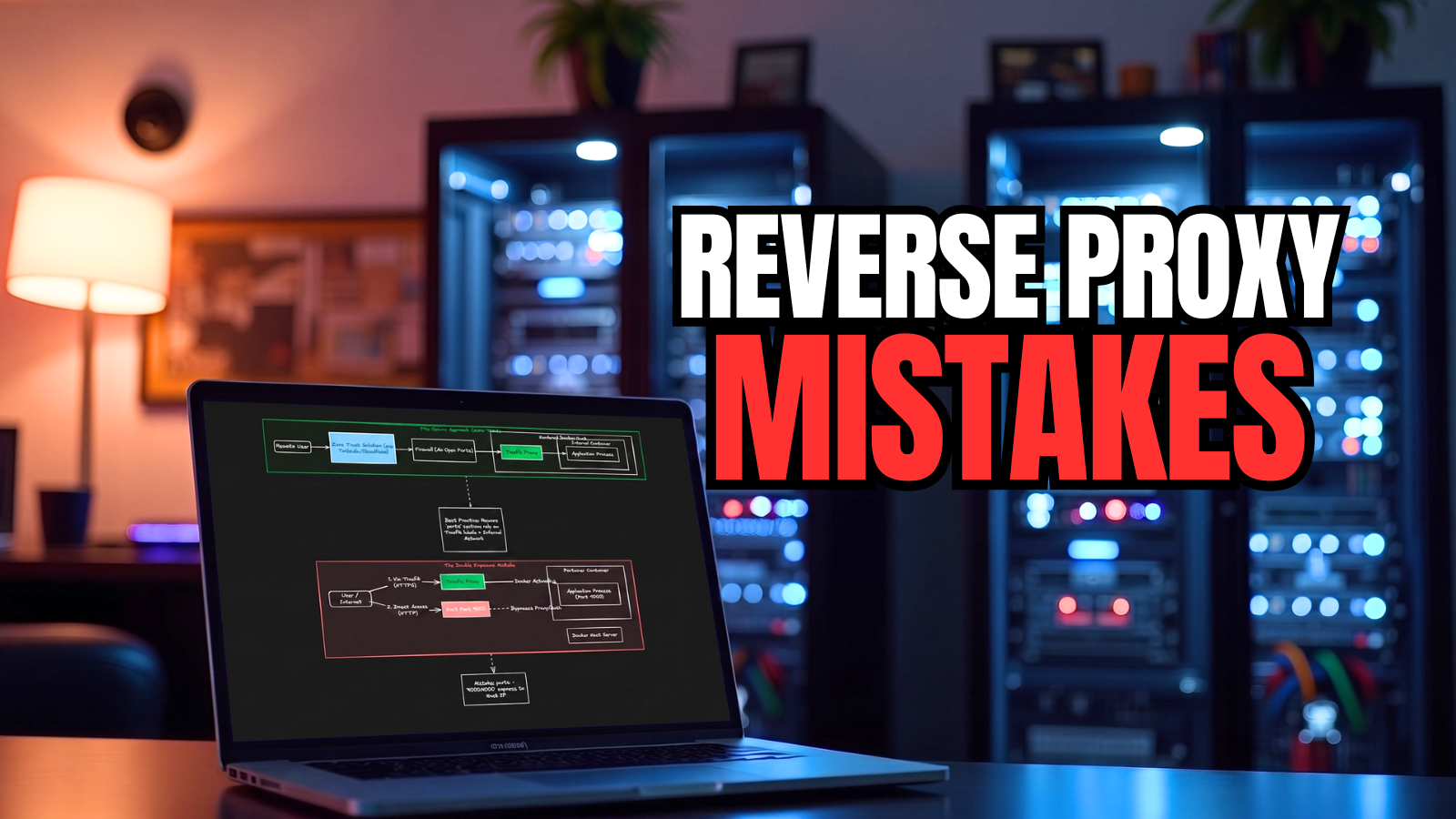
Reverse proxies are one of the most critical pieces of infrastructure once you stand up a home lab and start learning containers and hosting things in those containers. You quickly see the benefit of running a reverse proxy in front of your containers running in the home lab. This allows you to not have to remember the port numbers to get to your apps and services. You can simply use a human-friendly domain URL without a port number and have it have a proper SSL certificate. However, reverse proxies have their pain points. Let’s see the reverse proxy mistakes I still see in the home lab and how you can avoid these.
Treating the reverse proxy like just another container
Something you need to realize when you start putting a reverse proxy in front of your apps and services is that this container/pod now becomes extremely important. If Traefik or Nginx Proxy Manager goes down for instance, your web applications in your lab will go down too. This makes it a more critical application in the environment.
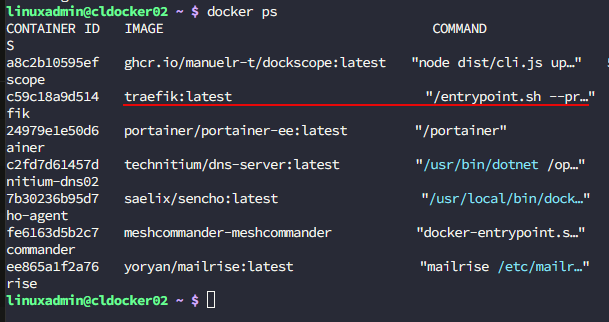
So, you have to shift your mindset from this is just another container to this is one of the most important containers on my host. Because of this, you will want to treat it differently. I highly recommend that you especially keep your reverse proxy Docker compose inside of git. This way any changes you make are version controlled. This way changes are documented with git commits and you have an easy way to “roll back” those changes if you introduce something that is a breaking change.
Putting every container on the same Docker network
This is probably one of the most common mistakes that is made to be honest in the home lab. Using the default Docker network is super easy to do and it “works” from a standpoint of being functional. However, you eventually end up with dozens of unrelated services all able to communicate with one another.
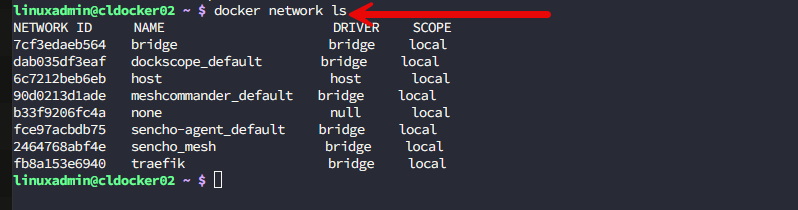
Instead, it is better to use multiple Docker networks with a dedicated external network for Traefik. As an example of this, almost every service that needs to be published joins my external traefik network and at the same time, staying connected to its application-specific network that is specific to only that application.
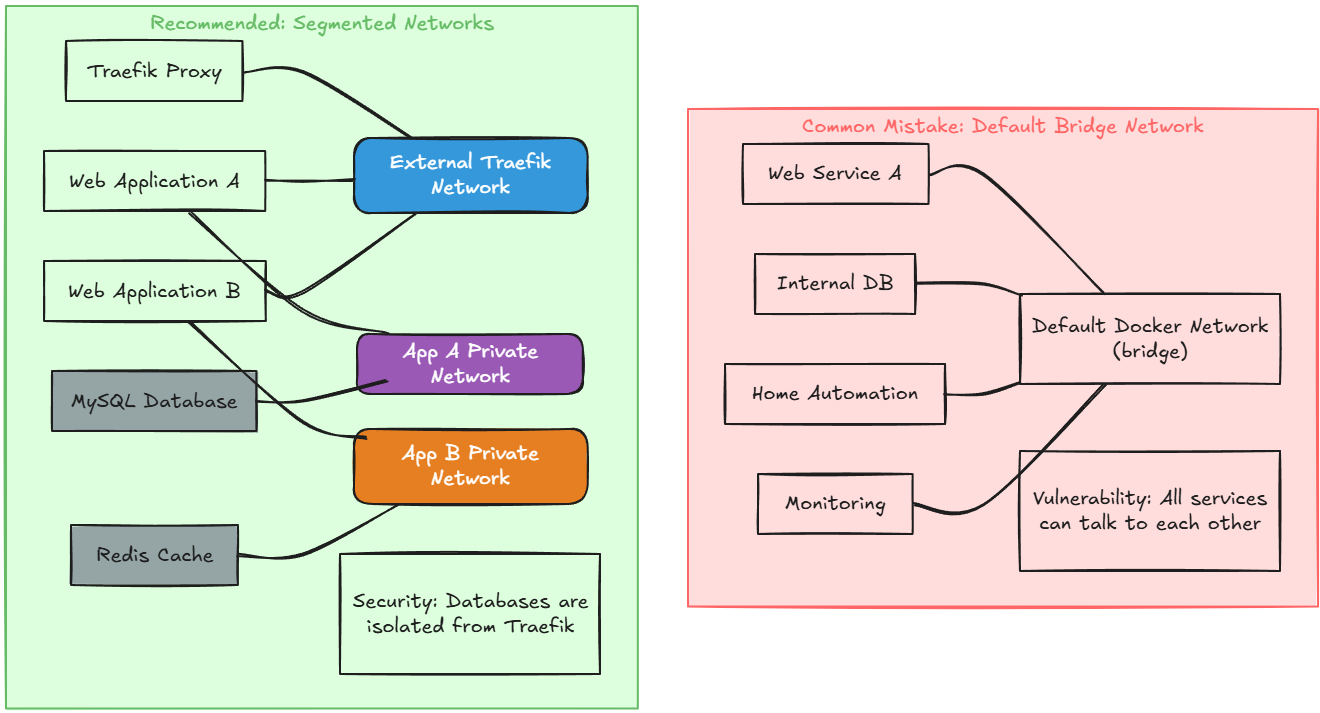
You don’t want to have your internal databases like Redis or MySQL connected to your external Traefik network but instead connected to an application network.
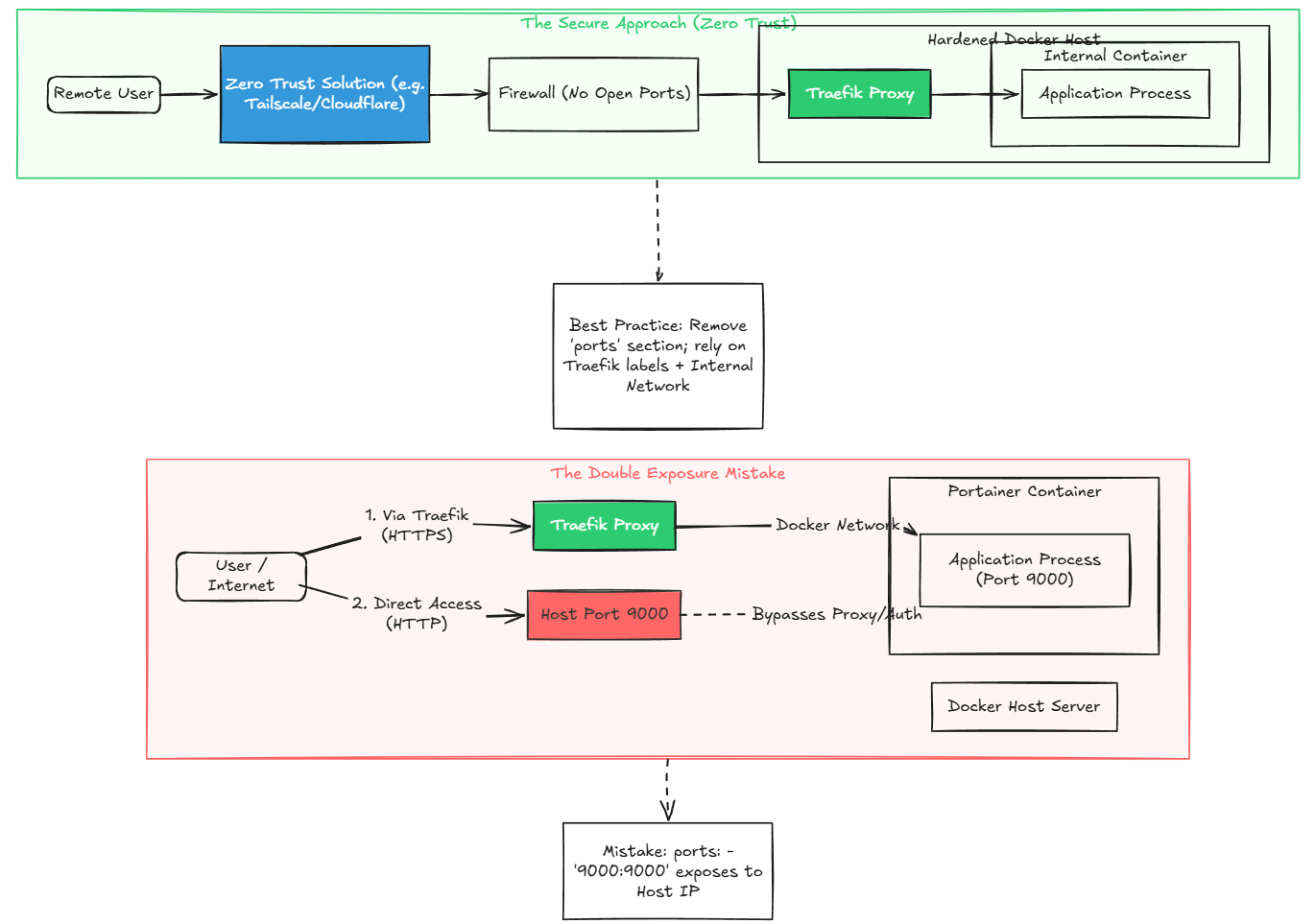
Double exposing a container
This is another mistake I made early on. A container might publish port 8080. Traefik would then be able to route to it. Everything worked as I expected. But, the problem with this was that I was unintentionally making the app available both “through Traefik” and “not through Traefik”.
For example:
- https://app.domain.com
- http://server:8080
Here is an example of the docker compose that double exposes a container:
services:
  portainer:
    image: portainer/portainer-ce:latest
    container_name: portainer
    restart: unless-stopped
    ports:
      - "9000:9000"          # <-- Directly exposed on the host
    volumes:
      - /var/run/docker.sock:/var/run/docker.sock
      - portainer_data:/data
    networks:
      - traefik
    labels:
      - "traefik.enable=true"
      - "traefik.http.routers.portainer.rule=Host(`portainer.example.com`)"
      - "traefik.http.routers.portainer.entrypoints=websecure"
      - "traefik.http.routers.portainer.tls.certresolver=letsencrypt"
      - "traefik.http.services.portainer.loadbalancer.server.port=9000"

networks:
  traefik:
    external: true

volumes:
  portainer_data:
You want to make sure that Traefik is supposed to be the only public entry point. So, there isn’t a way to get to the public side of the container without going through Traefik. This will also simply your firewall rules and helps to make sure you don’t have any accidental exposure to your containers.
Making all containers exposed to the Internet
One thing I’ve become much more intentional about is deciding whether an application actually needs external access to the outside world. The answer that should be most common is No it doesn’t. I have drastically pivoted my approach to “exposing” things. I no long expose things directly to the Internet in the home lab.
I use a zero-trust solution to access my home lab remotely when needed and this alleviates the need to have to poke holes in the firewall to the Internet. Just because you CAN poke things through to the Internet, doesn’t mean that it needs to be from a purely technical standpoint.
Ignoring authentication beyond passwords
Passwords alone aren’t enough anymore. You can do a lot with Traefik in terms of authentication options. Especially for things like admin insterfaces of solutions, I usually put another auth layer in front of the app itself like Authentik or Authelia if you want to self host these. So, if a user is able to reach the login page, they get challenged by the centralized auth you have in place.
If you are running apps that don’t support modern authentication methods, this also helps to add a layer of security in front of the app without having to change or modify the app in any way.
Examples of this include:
- API endpoints
- Dashboards
- Admin interfaces
Using different types of TLS certificate management
It has become much easier now to manage your certificates in your self-hosted home lab environments. Traefik makes automatic Let’s Encrypt certs super easy especially when you combine these with DNS challenges. I like the DNS validation approach because it keeps you from having to open unnecessary HTTP challenge endpoints and this also works for wildcard certificates.
I have moved over to using wildcard certificates as this makes things even simpler. By using wildcard certs instead of managing single certificates for each individual service, you can just issue a single wildcard certificate and this covers all the subdomains for a top level domain that you are using. These also can still be autorenewed with Traefik.
Forgetting that DNS is more important now
When you start working with reverse proxies, DNS becomes even more important in the realm of your home lab. Reverse proxies and the routing to backend containers that they are able to do depend on name resolution being correct.
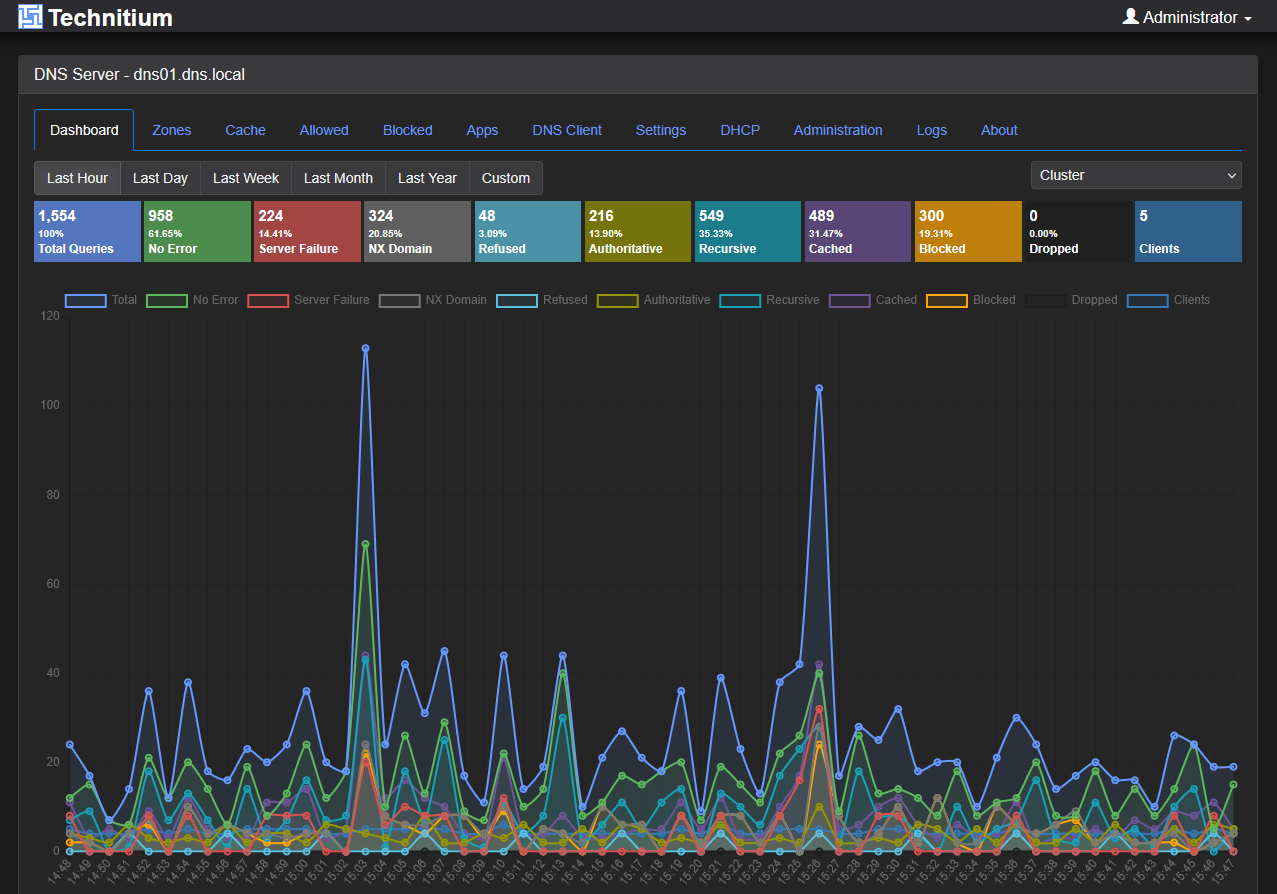
For instance in Traefik, if you are trying to route the host grafana.mylab.com and the request comes in as 10.1.149.20, it won’t know that the request needs to be routed to the backend grafana container. So you need to make sure that you have a resilient DNS configuration in place in your home lab so that your DNS records are highly available.
Check out a recent troubleshooting session I had with DNS and what it led to: I Thought My DNS Was Fine Until I Started Monitoring This.
Never looking at reverse proxy logs
This is a mistake that I definitely made early on. You might assume things are working just fine especially if you can get to most of your services. But, it is a great to keep an eye on your container logs for your reverse proxy and at least include it in your daily health checks.
I look for things like
- Certificate renewal failures
- Middleware mistakes
- Incorrect ports
- Network connectivity problems
- Containers joining the wrong Docker network
- Bad host rules
- Redirect loops
When troubleshooting, I usually start with:
docker logs traefik
Forgetting to preserve client IP information
This is definitely one I have seen and run into. Especially if you expect a certain source IP address coming into your container on the other side of the reverse proxy, you need to make sure that you properly forward the headers. This makes sure every request reaches your backend app instead of appearing to come from your reverse proxy itself.
Instead of seeing the real client IP, your logs may only show the Docker gateway address or the IP of your Traefik container, as an example. This can create problems.
An example of this was my Technitium container that was running on the other side of Traefik. I had the zone transfers scoped down to the other Technitium server for security. But the zone transfers failed initially since the Technitium DNS server only saw the IP address of the Traefik container and not the source IP coming from the outside network from my secondary Technitium container.
The standard headers most applications expect include:
- X-Forwarded-For
- X-Forwarded-Host
- X-Forwarded-Proto
- X-Real-IP
http:
  middlewares:
    myheaders:
      headers:
        customRequestHeaders:
          X-Forwarded-Proto: https
One lesson I learned is that you need to preserve the real client IP as this isn’t always automatic. If your traffic passes through multiple proxies such as Cloudflare, a firewall, or another load balancer before it gets to Traefik, you need to make sure Traefik trusts forwarded headers. Also, your backend applications need to trust Traefik as their reverse proxy. If either side isn’t configured in the right way, every request may appear to come from your Traefik container or Docker gateway instead of the actual client.
Wrapping up
Believe it or not, there are a lot of things to keep a look out for with reverse proxies. For the most part, they are easy to stand up, but there are some gotchas that can come back to bite you later if you do things a certain way without thinking through them. Hopefully, these points will help anyone that might be unsure of things to look out for to cover the bases when standing up their reverse proxy instance. How about you? Are there things that you have found are really important running your reverse proxy of choice?
More in this topic

Discuss this in the Community

Google is updating how articles are shown. Don’t miss our leading home lab and tech content, written by humans, by setting Virtualization Howto as a preferred source.
About The Author
