


I have spent a lot of time experimenting with AI agents in my home lab over the past year. I have connected them to services through MCP servers as you have seen recently. I am using AI and MCP servers for all kinds of things now in the home lab and otherwise. However, in case you didn’t know, there is another resource that can make your AI resources even better. These are called “skills”, AI agent skills to be exact. At first I assumed these were just another saved prompt, but after looking at a few resources, a good skill can be much more useful than that. Let’s check out these skills and how AI skills have made my home lab agents much more useful.
What are AI agent skills?
You may wonder exactly what AI agent skills are in the first place. Well, if you are like me, how many times have you repeatedly typed in a giant set of instructions every time you enter a session to do similar things? This gets old quickly. But this is where AI skills can shine.
You might assume a skill is just a saved prompt. But after looking at a well-written skill, these are actually more than just prompts that have been saved. A well-written skill is usually a folder you download sometimes containing other files and scripts, but these are built around a SKILL.md file as the core of the skill.
What is in a skill.md file? This file tells the AI agents when the skills it needs apply, how to approach a task. Also, it tells the agent which steps to follow and how to output its work. Skills can also introduce scripts or other things like examples, references, templates, etc. Basically anything that would be useful for the task. The benefit to this is that instead of having to teach the agent the same workflow each time, you can install a skill and it already has the repeatable process.
Where I find useful AI agent skills
After doing some research and looking, there are a couple of resources for AI skills that can save you a lot of time building your own skill library. There are two projects that I want to give attention to:
- Awesome GitHub Copilot – this is a community-created collection that is a bit opinionated for GitHub. The skills here contain agents, instructions, prompts, skills, workflows, and other resources. The skills are browsable on the Awesome Copilot website and you can see them on the GitHub repo site
- skills.sh is really I think more of an open discovery and installation approach. It indexes skills from different GitHub repos and makes it easier to find skills. Especially if you are looking for specific things like Docker, Kubernetes, Terraform, Python, etc.
After digging into the many different skills located on both of these sites, there are several that I think make a lot of sense for the home lab. Also, for anyone interested in DevOps, infrastructure, or who use AI to work with self-hosted apps in the home lab.
Docker patterns
This is one that I recommend for home lab users, the Docker Patterns skill. What is this skill? It covers Docker and Docker Compose patterns for local development, also multi-container deployments. It includes best practices with networking, persistent volumes, container security, and how you would take these to prod configurations. The source is also available directly in the Everything Claude Code GitHub repository.
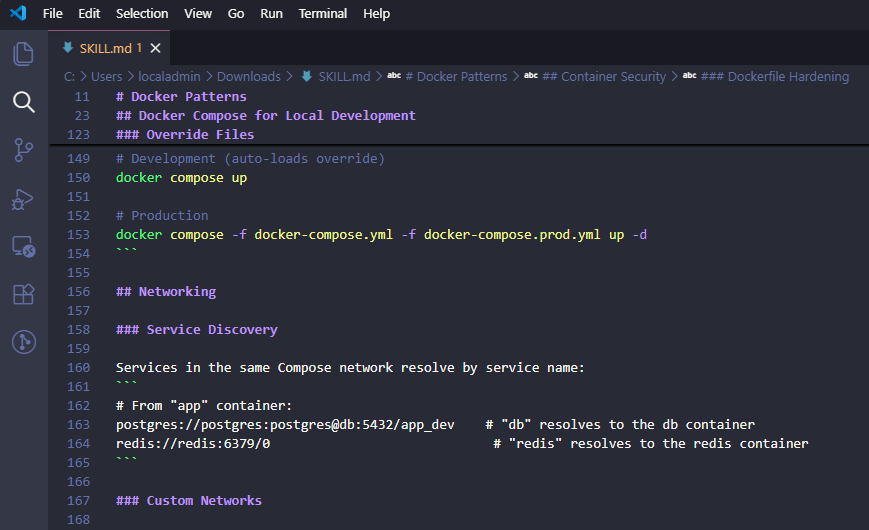
Most AI can give you docker compose code that may look correct. But if you look closely it may not be done the right way with the best decisions in mind, especially for building container images.
It may put every container on the same default network. It may not incorporate health checks or it may default to storing credentials directly in environment variables. All of these are bad practice. You also don’t want it to use unnecessary privileges, or mount more of the host filesystem than the container needs. Definitely good things to keep in mind. So, these are not necessarily syntax error, but good architectural and operational practices and decisions to make.
This skill gives the agent a more opinionated view of how to design and write the Docker compose and architect everything. It makes sure the agent things about things like how services communicate, how your data is handled, which ports need to be open, etc. Also, it helps to see whether the container is running with more privileges than it needs.
Example prompt
Review this Docker Compose stack using the Docker Patterns skill. Find security, networking, storage, health check, and maintainability issues. Give me the risks before suggesting changes.This is a lot better than just asking “is this docker compose good?”
Docker Compose orchestration
The Docker Compose Orchestration skill is a skill that is more focused on multi-container apps. If you are like me, you use a lot of multi-container stacks in the home lab. This skill covers service definitions, network design, volume management, dependency relationships, health checks, environments, and deployment patterns that you might need to architect.
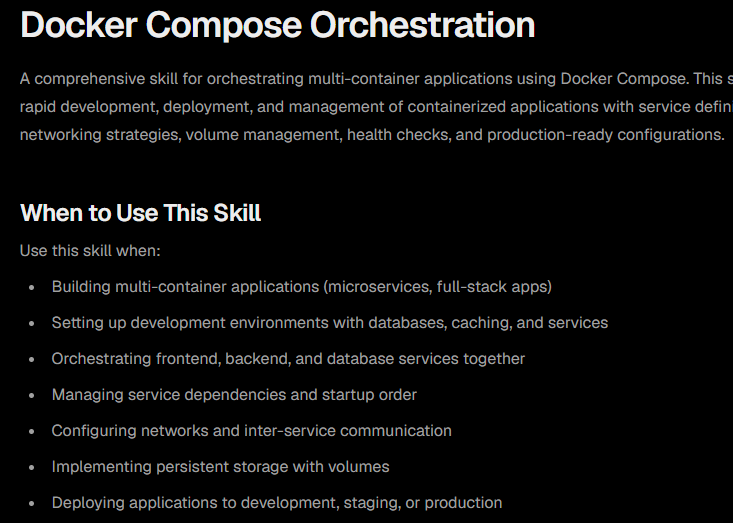
There is some overlap between this skill and Docker Patterns, but honestly in the home lab, I see them serving slightly different purposes. Docker Patterns is a good general review and best-practice skill. Docker Compose Orchestration becomes more important when I am designing a stack containing several connected services.
For example, if I have a self-hosted application with:
- A frontend container
- An application backend
- PostgreSQL
- Redis
- A background worker
- A reverse proxy
- A backup container
A generic AI agent can generate those services very easily. But orchestrating them in the right way takes more thought. Which containers need to share a network? Should the database be reachable from the frontend? How should startup dependencies be handled? Which service should have health checks created and enabled? What should happen when Redis is unavailable?
I would probably suggest using this skill for new stacks and major redesigns of stacks that you may already use. For a small container with one database, it may not be needed. For a six-container app with many different nuances and aspects it can be helpful.
Example prompt
Review this Docker Compose stack using the Docker Compose Orchestration skill. Find any issues with service dependencies, networking, volumes, health checks, startup behavior, and maintainability. Explain the risks before making or suggesting changes.Multi-stage Dockerfiles
The Multi Stage Dockerfile skill from Awesome Copilot is another skill I would recommend. This is an especially good skill for your AI agents if you are building or customizing container images. The skill is also available directly from the Awesome Copilot GitHub repository.
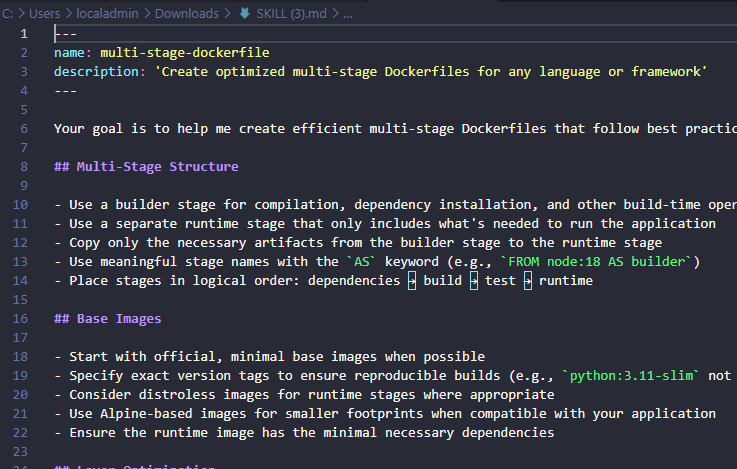
The goal with this one is pretty straightforward. It helps you create optimized multi-stage Dockerfiles that will give you much smaller container images. Multi-stage builds separate the tools you might need to compile or build an app from the files it needs just to run.
So, for instance if you have a node.js app that needs several dependencies and build tools while building the image. You may need some of the dependencies to compile the app. But, you may have other dependencies to actually run the application. So, you don’t need to produce an image with all the tools, including those needed to build the environment.
This applies not just to node.js apps but also things like .NET, Python, etc. This skill can help the agent with the skills so it can think about:
- Build and runtime stages
- Smaller base images
- Layer ordering
- Dependency caching
- Non-root execution
- Getting rid of unnecessary packages
- Copying only required artifacts
- Reducing the attack surface
Again AI can definitely produce Dockerfiles that work, but they may not be optimized for what you would want from a size or security perspective. This is where this AI agent skill is super valuable.
The prompt
Create a production-ready multi-stage Dockerfile for this application using the Multi-stage Dockerfile skill. Make sure to opptimize it for image size, security, build performance, and maintainability, and explain the purpose of each build stage.Acquire codebase knowledge
The Acquire Codebase Knowledge skill may be one of my favorite skills overall. What this skill does is map and document your existing codebase. You can use it to onboard someone in the professional world. But in the home lab I think it is a great skill to inspect a repo and generate structured docs that give you an overview of the tech stack, project structure, architecture, integrations, and other things.
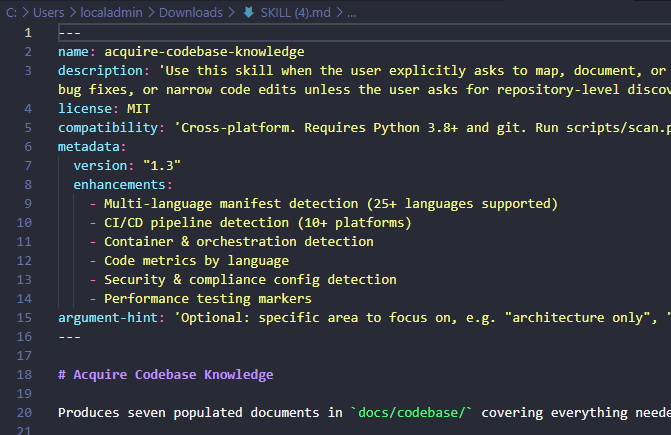
I think there is another benefit for home lab users. I am constantly trying out and reviewing open source projects. If I want to have a complete understanding of what it is and what it does before I deploy it, I can point this skill at it and investigate the project.
You can have it answer questions like:
- Is the frontend separate from the backend?
- Which database does the project use?
- Is authentication local or delegated?
- Which ports and services are involved?
- How are containers built?
- What testing exists?
- Which configuration files matter?
- Are there obvious abandoned or incomplete components?
For me, this doesn’t completely replace a manual code review myself. But, it definitely can get you up to speed very quickly so you know all the right places to look and what to look at.
Example prompt
Get codebase knowledge for this repository like you're an engineer joining the project. Explain the architecture, directory structure, key services, request flow, database interactions, configuration, deployment process, testing strategy, and any technical debt or areas that deserve attention. Give me a model of how everything fits together in a home lab.Technology stack blueprint generator
For a more focused architectural overview, I also like the Technology Stack Blueprint Generator. This is another similar AI skill that analyzes a codebase and it generates the documentation of that codebase around the programming languages that are used. It documents things like:
- Frameworks
- Versions
- Licenses
- Implementation patterns
- Conventions
- Architecture
This is one that I think makes sense for a more consolidated look at a self-hosted project. You could ask the agent to generate a blueprint before deciding if the self-hosted project fits your environment. It can identify the apps that it uses and the technologies underneath. This gives me a starting point for a lot of projects.
Example prompt
Analyze this GitHub repository using the Technology Stack Blueprint Generator skill. Create a technical blueprint that explains the project's architecture, technology stack, deployment model, external dependencies, and key components. Then give me a summary of how the app works and identify anything I should know before deploying it in my home lab.Security review
The Security Review skill is a really good AI agent skill to make use of especially for auditing your home lab for security best practices for your code repos. This particular skill examines the code in your repos for exposed secrets, injection vulnerabilities, unsafe command execution, and other risks.
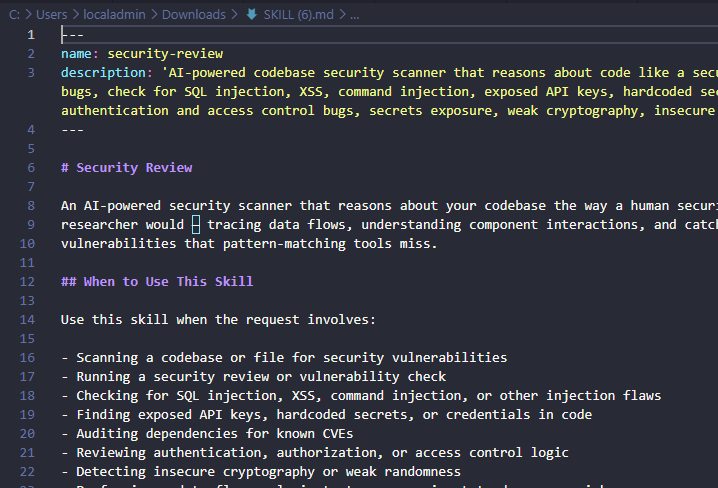
So, think of this skill as a second set of eyes on your projects. Running an AI security review does not prove an application is safe. AI can still miss vulnerabilities or misunderstand the risk of certain components. But, like everything, the more eyes on it you can get and the more layers of security, the better.
What are some examples of things it is written to find? It can help with:
- Hard-coded API tokens
- Shell commands built from untrusted input
- Overly permissive file permissions
- Credentials written to logs
- Unsafe default configuration
- Secrets committed to a repository
- Containers running as root unnecessarily
- Input passed directly into SQL or shell operations
I always turn this skill loose on my repository before I publish code publicly or even in my private home lab repo. Code I write for myself may later be copied by other readers. A quick security review can catch things I may have missed with my human eyes in my code review.
Example prompt
Review this repository for security risks. Prioritize any security findings that could expose credentials, allow remote code execution, create command injection, or grant unsanctioned infrastructure access. Separate confirmed findings from speculative concerns.Kubernetes specialist
One of my favorite community skills for Kubernetes is the Kubernetes Specialist skill. With Kubernetes, writing the YAML is the easy part (yeah right). But, the even harder part is making sure those manifests actually follow best practices for security, reliability, and keeping things running smoothly.
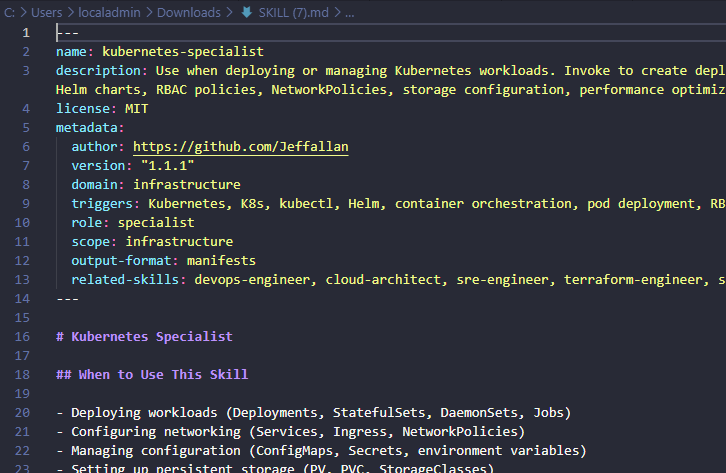
What I really like is that it tells the AI agent to look beyond just thinking about syntax. A manifest if you think about it can absolutely be valid YAML syntax but lead to operational problems later on because of the way things were created. One thing I like with this skill is that it includes references the AI agent can use for best practice recommendations for storage, gitops, services, troubleshooting, etc.
I like using this skill for the home lab also when i am evaluating open source Kubernetes projects. I can use it as another layer to help review the app before I add this to my cluster.
Example prompt
Review these Kubernetes manifests using the Kubernetes Specialist skill. Identify issues with any configuration related to security, networking, storage, health probes, resource requests and limits, and deployment strategy. Explain the risks before proposing changes to be made.
Dependabot
The Dependabot skill is another one for anyone making use of Dependabot in their home lab. This skill helps configure and manage dependabot.yml, updates, packages, security updates, update schedules, monorepos, and dependency strategies.
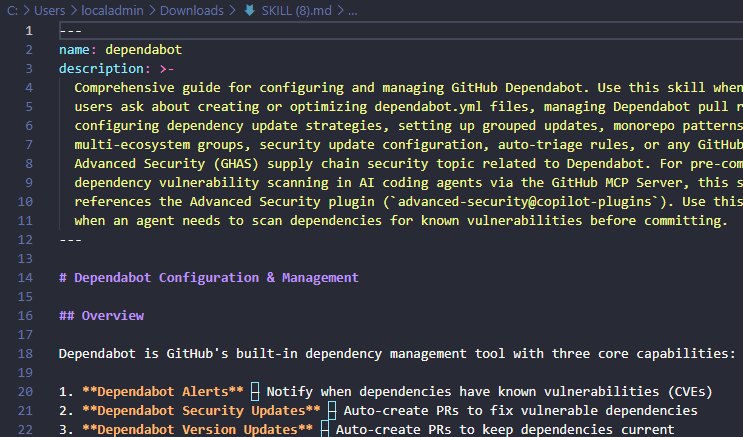
Without a good config, Dependabot can generate a flood of pull requests. But, with the skill helping to do things in the best way possible, it can group dependencies, and choose schedules for things to update, versions to bump, etc.
I would use it to generate an initial config for dependabot and then ask the agent to explain the expected update behavior. I want to know how many pull requests could be opened, which directories are covered, etc.
Example prompt
Review this self-hosted application's GitHub repository using the Dependabot skill. Identify outdated dependencies, security vulnerabilities, and recommended update schedules. Suggest a safe strategy for automating dependency updates and minimizing the risk of breaking future deployments.Wrapping up
There are so many great things we can do these days with AI and AI-assisted infrastructure management. With things like MCP servers and AI skills we can take our AI agents to the next level, giving them the skills needed to think like seasoned experts and doing things that align with best practices. How about you? Are you currently using AI agent skills in your home lab? Let me know what skills you have found helpful in the comments.
More in this topic



Google is updating how articles are shown. Don’t miss our leading home lab and tech content, written by humans, by setting Virtualization Howto as a preferred source.
About The Author

Brandon this is good stuff. I have been playing around with AI in the home lab a lot lately and didn’t really know about “skills” yet. Thanks for this post.
Awesome thank you Leonard! Definitely it is a game changer to start incorporating these in your AI tool set, it one-ups the capabilities of your agents so that they take best practices and other important things into consideration.