


AI continues to advance at blazing speeds. One of the biggest developments over the past year has been the introduction of Model Context Protocol, or MCP. MCP servers provide a uniform and standardized way for AI clients to interact with external tools. These can be things like applications, APIs, and data sources. Each MCP server allows you to connect to and manage a specific platform, like Proxmox or Kubernetes. Then it gives AI the tools it needs to get the information and perform actions related to that environment. We are now seeing MCP servers getting released for all kinds of platforms. These are the MCP servers I’ve enjoyed using the most throughout 2026. Each of these MCP servers I think solves real challenges working with this particular solutions.
Proxmox MCP Server
Proxmox MCP Server is one that I tried very recently in the home lab and it is still one of my favorites today. I think most in the home lab are running Proxmox MCP server. With this MCP server, you will have access to over 200+ tools that are specifically written to interact with Proxmox. So it allows you with simple prompts to be able to query your Proxmox VE Server environment and actually “do things”.
This is my current favorite as it can do so much and I think it could be the most beneficial to home labbers since most are running Proxmox. I recently wrote about connecting AI to my Proxmox environment using the Proxmox MCP Server, and it honestly exceeded my expectations how well it works and what it can do.
So, as I covered in the recent post, instead of navigating through the web interface, I can ask natural language questions like the following:
- Can you show me all running virtual machines
- Which node has the most available memory?
- Can you list stopped LXC containers?
- Can you display snapshots for VM 120?
- Can you create another Ubuntu VM from my standard template in inventory?
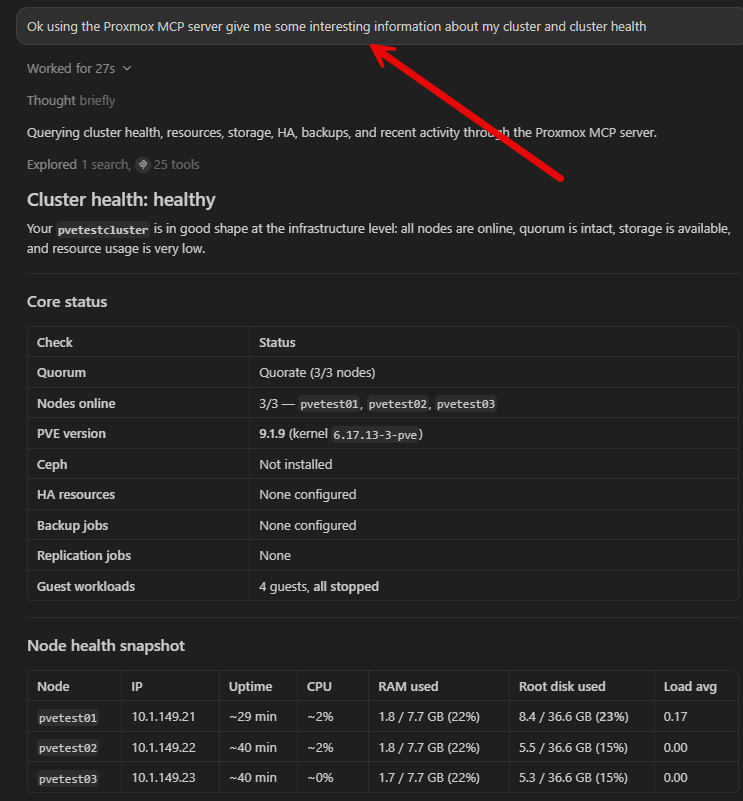
Under the hood, it’s still using the official Proxmox API so it is speaking low-level API commands, but you speak natural language to it. That is what is so cool about this. This type of conversational workflow feels natural once you start using it and interacting with the tools.
Also in your favorite AI-enabled code editor, the response with your prompts is a lot of times faster than navigating through multiple menus in the web UI, because it is pulling live information. And, when a task needs information to be aggregated across various parts of the system, AI can do this much faster than a human can do. What I like as well is that it can spot anomalies better and faster than I can as well. Things that I might miss, it will spot.
Installing
With PowerShell in Windows, you can install it using uvx. To install uvx, run the following:
powershell -ExecutionPolicy ByPass -c "irm https://astral.sh/uv/install.ps1 | iex"Once uv is installed, you can install using:
uvx proxmox-mcp-serverGitHub MCP
Another extremely helpful MCP server if you are working with code repositories stored in GitHub is the GitHub MCP server. This one has saved me a ton of time as well. Between my various projects professionally and personally, I use GitHub a lot. If you spend quite a bit of your time inside code repos like I do, the GitHub MCP server is powerful.
Before working with the GitHub MCP server, if you were looking for something, it honestly meant looking through folders, earching files, or reading docs until I found what I was looking for. Now I can just ask the GitHub MCP server to do the following types of tasks:
- Summarize recent commits
- Compare branches
- Locate Docker Compose examples
- Explain workflow files
- Search repositories for configuration values
- Find where a specific function is defined
These kinds of prompts are valuable when you are evaluating new open source projects. So, now, instead of me having to explore a repo for twenty minutes before I decide whether or not its worth deploying, I can ask questions about how it is organized and how the configuration works. Also, if you want to know the important components of the config and where things are located, you can get that information too.
This way, I spend more time evaluating the tech in the repo instead of trying to understand someone else’s folder structure or other things that are time consuming.
Installing
Installing the GitHub MCP server is straightforward. The first thing you need to do is actually get the GitHub MCP Server running. You can run it in your Docker Desktop environment or point your config to another server on your network in the home lab:
docker pull ghcr.io/github/github-mcp-server:latestBelow, you can see the new GitHub MCP Server container running in Docker Desktop.
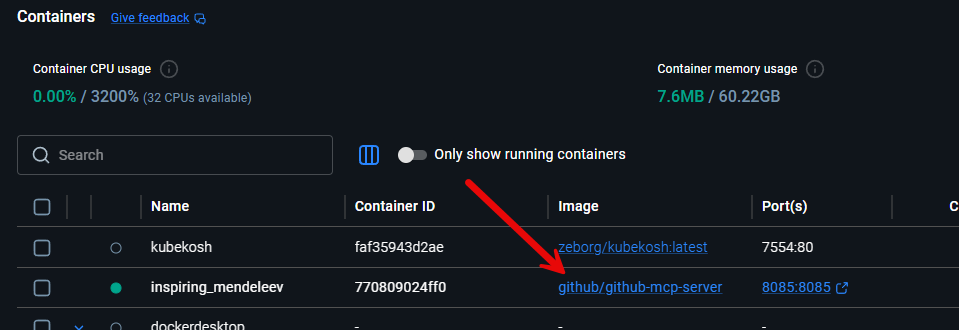
Next, you just add the following to your MCP config in something like Cursor, save the config, and check your MCP server status.
 "github": {
      "command": "docker",
      "args": [
        "run",
        "-i",
        "--rm",
        "-p",
        "127.0.0.1:8085:8085",
        "-e",
        "GITHUB_OAUTH_CALLBACK_PORT",
        "ghcr.io/github/github-mcp-server"
      ],
      "env": {
        "GITHUB_OAUTH_CALLBACK_PORT": "8085"
      }
    }
  }
}
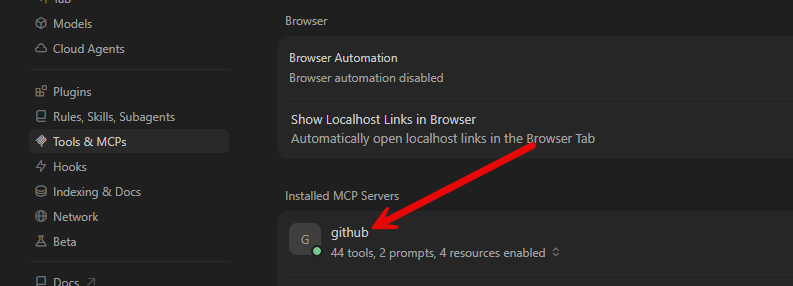
in Cursor, you can just check your MCP servers and you should see GitHub MCP server loaded in Cursor.
Filesystem MCP
Another really handy MCP server for the home lab environment that I highly recommend running is the Filesystem MCP Server. I think this is one that doesn’t really get the attention that it deserves overall. This is an MCP server that helps you to use AI to understand a directory full of files much better.
Filesystem MCP server gives you that ability. I can point this to Docker Compose projects or really any other folder set that I want to understand better and much easier than trying to map things out manually.
One of my favorite uses for this MCP server is troubleshooting. Generally speaking, your configuration for apps, Docker, Kubernetes, may be spread across different files and folders in a project. Filesystem MCP server lets AI review everything together and identify inconsistencies in your config much quicker than you can do just trying to accomplish that task manually.
I like this also for revisiting projects that maybe I coded months ago but I can’t really remember how everything is organized and structured. The Filesystem MCP server can explain the project in just seconds instead of me reminding myself of where things are at, taking 15 – 20 minutes to do that.
One of the things I like about the configuration is that I can only expose the directories that I want it to be able to work with and for AI to access. I strongly recommend following the principle of least privilege here. Even with those restrictions, Filesystem MCP server has become one of the MCP servers I rely on the most.
Installing
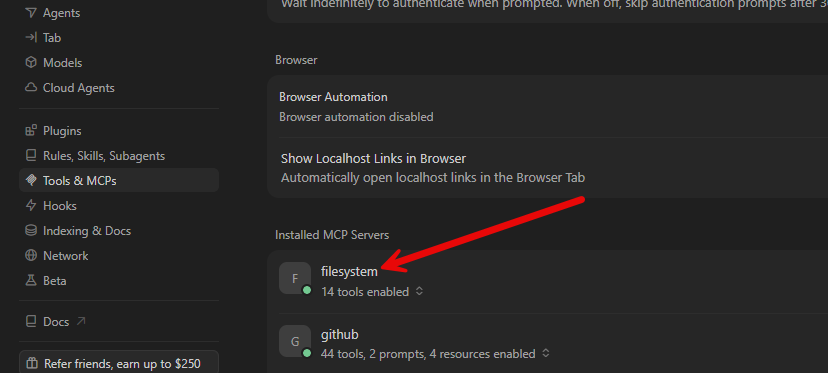
You can install the Filesystem MCP server by adding the following to your MCP config file:
"filesystem": {
  "command": "cmd",
  "args": [
    "/c",
    "npx",
    "-y",
    "@modelcontextprotocol/server-filesystem",
    "C:\\Users\\localadmin\\OneDrive\\Documents\\git"
  ]
}
The lines above showing the directory: “c:\\users\\localadmin\\OneDrive\\Documents\\git” is the directory you are giving the MCP server the ability to access.
Kubernetes MCP
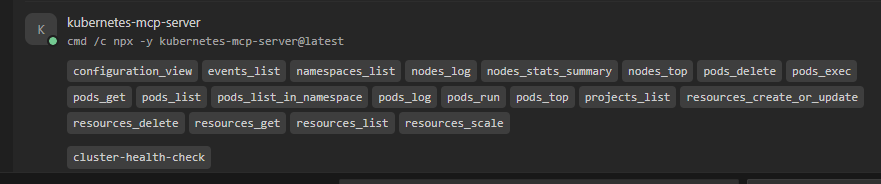
Kubernetes MCP Server may honestly be one of the most helpful MCP servers on the list when it comes to the absolute “lift” that it gives you in your abilities and knowledge of Kubernetes. We all know that Kubernetes is a bear to manage manually and the knowledge level that you need to have to troubleshoot a Kubernetes environment can be intimidating.
You have to remember exactly which command to run and how to filter the output to find what you’re looking for or configure what you need. During troubleshooting, that usually means running multiple commands before you have the full picture.
Kubernetes MCP shortens that process. Instead of typing a series of commands, I can ask questions like:
- Why is this pod restarting?
- Show deployments that aren’t fully available
- List recent events in this namespace
- Which pods are consuming the most CPU?
- Find services exposing NodePorts
- Show workloads with failed health checks
Even if you know all the commands to run to find the information, it is just faster and easier to run these natural language queries against the Kubernetes environment with the Kubernetes MCP server enabled. I still like to verify the information using standard Kubernetes tools when going off of recommended changes in my production home lab environment.
if you have not been afraid to get started with Kubernetes in your home lab, I think the Kubernetes MCP server can really help beginners get up to speed with Kubernetes and not feel so overwhelmed with the complexity.
Installing
You can add this to your MCP.json for the Kubernetes MCP server:
"kubernetes-mcp-server": {
      "command": "cmd",
      "args": [
        "/c",
        "npx",
        "-y",
        "kubernetes-mcp-server@latest"
      ]
    }
Context7 MCP
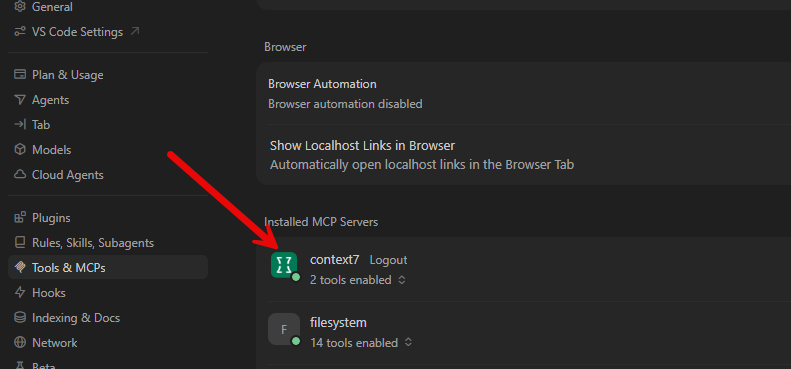
Context7 is one of those MCP servers that is super cool when it comes to writing really good, up-to-date code. A lot of times LLMs rely on code examples that are outdated or generic. The Context7 MCP server pulls up to date documentation and code examples straight from the source.
So, what this does is makes it where you don’t have to rely totally on training data. Instead, you get the most up to date information for Docker, Kubernetes, Terraform providers, Python libraries, and any other technologies that move very quickly.
This has become one of those MCP servers I simply leave enabled because it improves the quality of almost all of my technical decisions and coding.
Install
To install it, you can just add this to your MCP.json file:
"context7": {
      "url": "https://mcp.context7.com/mcp",
      "headers": {
        "CONTEXT7_API_KEY": "YOUR_API_KEY"
      }
    }
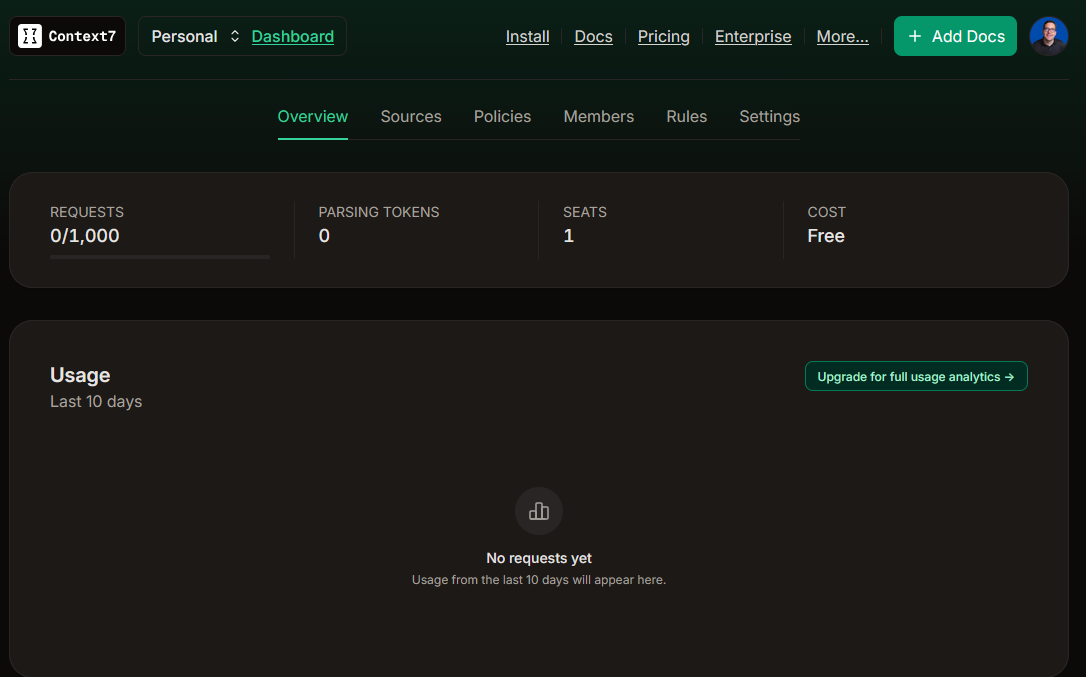
You can get a free API key with a 1000 requests a month for a home lab:
jcodemunch, jdatamuch, and jdocmunch MCP Servers
There are three other MCP Servers that I use daily in my DevOps environment for building infrastructure as code and making sure that I am running as efficiently as possible with my cloud AI API tokens. The main one of these that is part of my workflow is jcodemunch.
The jcodemunch MCP server indexes your entire codebase and then uses that index to understand the relationships between source files, configurations, documentation, and directory structure. This MCP server goes hand in hand with jdatamunch, and jdocmunch, but these are less important for my uses but I still use them.
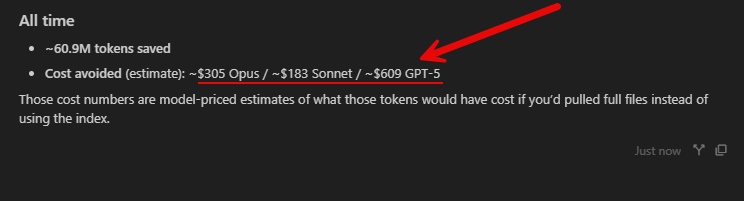
One of the huge advantages of these MCP servers is that they save you a tremendous amount on cloud AI token costs. One of the most expensive operations that your local AI agents do is searching through and grepping through your code. This is because they don’t really have a local way to “understand” the structure of your code or where things are located. However, when you use jcodemunch and steer your AI agents to instead use it for code searches and such, it saves you a ton of costs on cloud credits.
You can have the jcodemunch show you how much it has saved you on your token costs, which is pretty eyeopening:
Installing
You can add this to Cursor to install with uvx:
"mcpServers": {
    "jcodemunch": {
      "args": ["serve"],
      "command": "C:\\Users\\localadmin\\AppData\\Local\\Programs\\Python\\Python311\\Scripts\\jcodemunch-mcp.exe"
    },
    "jdocmunch": {
      "command": "uvx",
      "args": ["jdocmunch-mcp"]
    },
    "jdatamunch": {
      "command": "uvx",
      "args": ["jdatamunch-mcp"]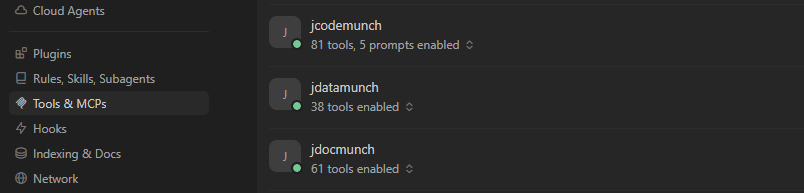
Wrapping up
MCP servers are one of the more exciting developments in the realm of AI home labs and infrastructure management. The MCP servers that I have listed here are some of the best MCPs that I have tried out that can solve real challenges and problems in the home lab and production environments. I think these technologies that the MCP servers work with are some of the common ones that most of us will be working with due to the technologies that we are running. How about you? Are your favorite MCP servers on this list? Let me know what servers I have missed in my list here.
More in this topic



Google is updating how articles are shown. Don’t miss our leading home lab and tech content, written by humans, by setting Virtualization Howto as a preferred source.
About The Author

I’ve been working on a project called Skeleton key mcp. https://github.com/sjdodge123/skeleton-key-mcp . Skeleton key is and open source tool server that is password vault backed solution to connect your entire home lab through a single mcp server. Check it out and contribute! Eventually this could be a turn key solution to home lab operations management.
Jake,
This is super cool! I will have to check this out. Thank you for sharing this with the community.
Brandon
Super interesting article.
Have been working on an all in one solution shipping all MCP dependencies, local AI runtimes and a Ui together to allow hassle free testing of MCP servers.
https://ypipe.com
Tim,
Definitely cool. I will have to check this out. Thank you for sharing this!
Brandon
In case you use Claude code you won’t need any MCP if your goal is available by rest API. MCP has restricted functionality but direct access by API will provide you full access.
Yevgen,
This is a great point. A lot of the tools now are smart enough to know which APIs are available and provide direct access. This does give you the fullest feature set and MCP servers are not going to be a replacement for that, but I do think they will be seen as the standardized layer on top of APIs. One advantage I think that I see with MCP servers is you can expose only the tools you want to an AI client to use instead of every API endpoint. But there are definitely different ways to solve this problem. I think both approaches have their merits, but I do like the reusable abstraction layer that MCP servers provide.
What sort of graphics card do I need in my Home lab to host an LLM that can do these things?
Joshua,
The bigger and faster the card, the better the experience usually with LLMs that are self-hosted. However, you can get very decent results even with modest cards. I have a RTX 4060 passed through to an LXC that I used for quite a few things and it is actually decent. The amount of GPU memory is usually the biggest factor, not necessarily the speed of the card.
Brandon