



I have been looking for self-hosted tools for learning outside of actual lab environments that I have built in my home lab for Kubernetes. Hands on labs with Kubernetes are almost absolutely required I think to get a true handle on the technology. I have been running a “production” Kubernetes cluster and all my main apps in Kubernetes with Talos Linux since the beginning of 2026. However, I wanted to see if there were any self-hosted tools that would help to master all of the foundational workflows and provide scenario based learning. I want to introduce you to an open-source tool that I stumbled on called KubeKosh. It is a very cool tool that gives you scenario based learning that is self-hostable inside a Docker environment.
Why hands on learning is best for Kubernetes
I am a huge advocate of hands on learning in the home lab. I think “book learning” is needed to some degree, but actually getting in and getting “your hands dirty” is the absolute best way to cement the concepts in your mind, especially with something like Kubernetes.
I think THE best is standing up your own Kubernetes cluster “the hard way” inside your lab. But also use other tools like what I am about to show you to help solidify the concepts and basics.
What is KubeKosh? Real K3s underneath.
I discovered a tool called KubeKosh that is extremely powerful in this realm of learning Kubernetes. Using the tool, you can with one command stand up a self-hosted Kubernetes learning environment that is just about as good as what you would find on some online learning platforms that give you question and answer based learning along with “scenario based” modules where you actually have to complete things given to you.
Also, the cool thing about KubeKosh is that it runs a real K3s Kubernetes cluster inside a single Docker container and combines this with a browser based terminal that gives you a “playground” of sorts. So, no cloud credits are needed or local Kubernetes cluster required to build. Just a single Docker command.
What’s Inside
What does it contain in terms of content? Below is a look at the curriculum that it includes as well as the focus of the learning exercises and the exam mode and timings for those:
| Curriculum | Focus | Exam Mode |
|---|---|---|
| Kubernetes Basics | Core concepts | 60 min |
| Kubernetes Administrator | CKA | 120 min |
| Kubernetes Developer | CKAD | 120 min |
| Kubernetes Security | CKS | 120 min |
Installing KubeKosh
I found that just running KubeKosh on my local Windows Machine with Docker Desktop was a good experience and worked just fine. To get up and running, you run the following command from your Docker host:
docker run -itd --name kubekosh --privileged -p 7554:80 zeborg/kubekosh:latestThe environment spins up a real K3s Kubernetes cluster inside the container, and once it is ready, you can start working through scenarios. The project notes that privileged mode is required because K3s needs kernel namespaces and cgroup access.
If you want to persist your progress which I think many will want to do, you can do that with the following bind mount addition:
docker run -itd --name kubekosh --privileged -p 7554:80 \
  -v <your_custom_directory>:/data zeborg/kubekosh:latest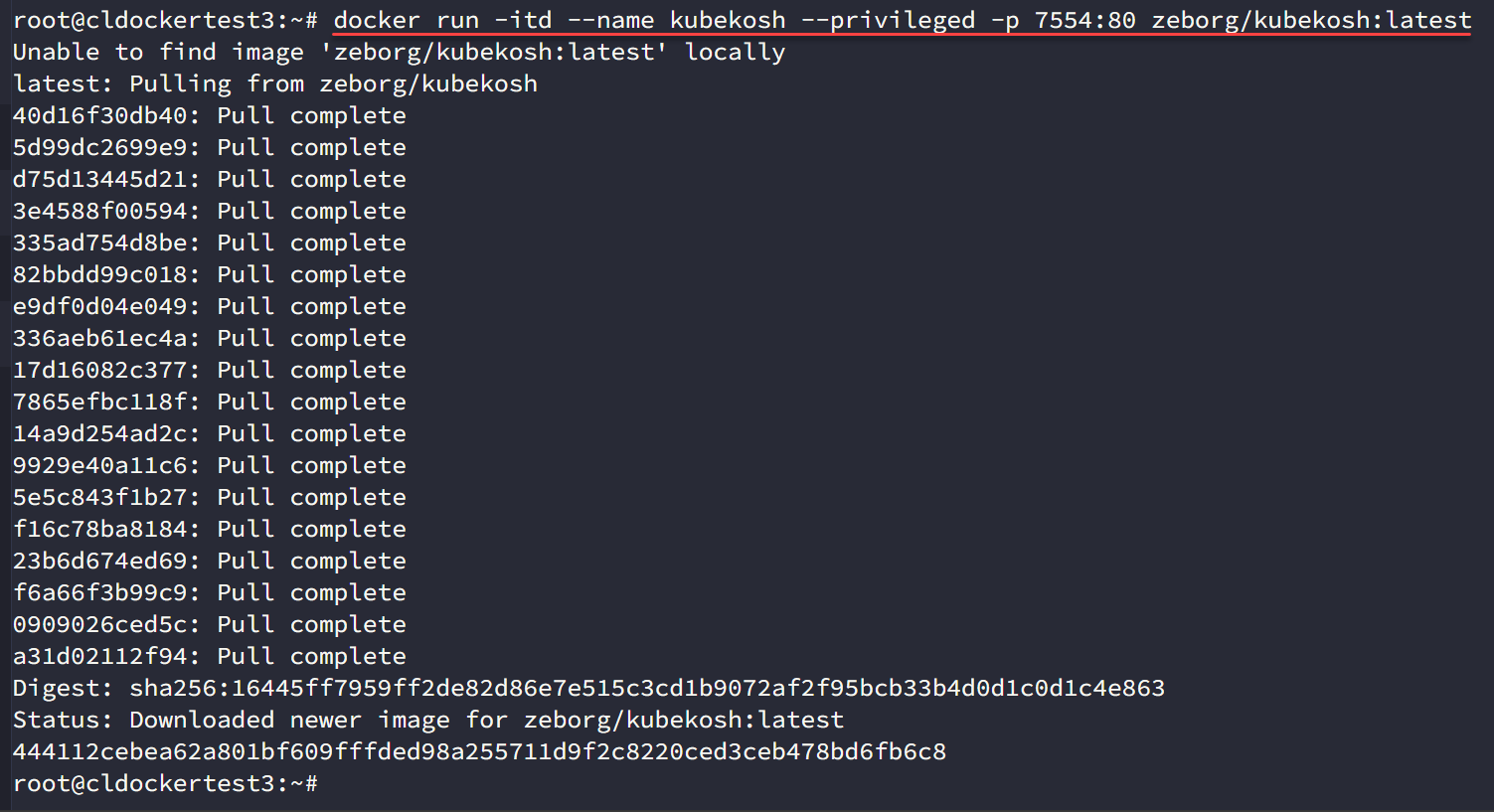
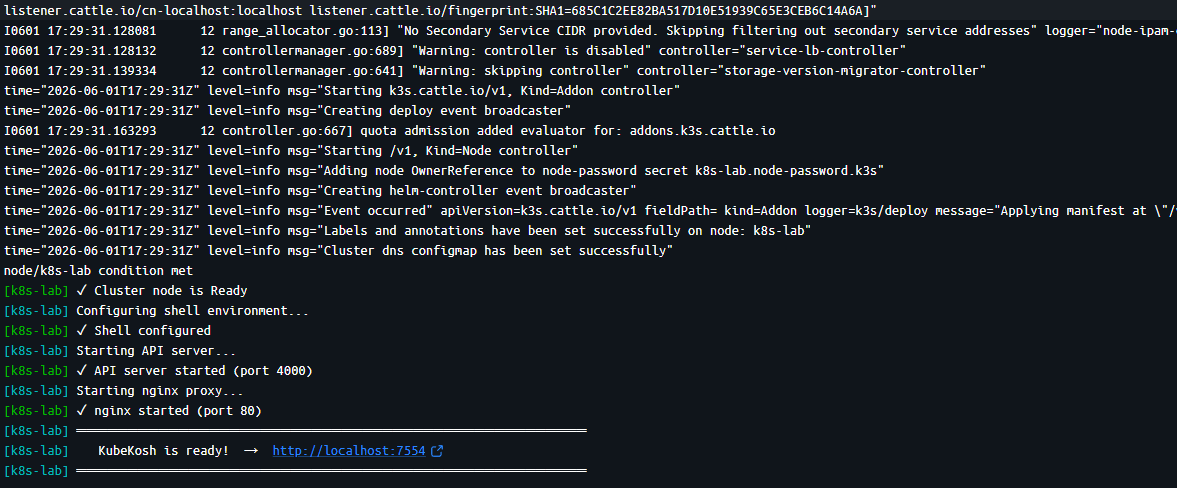
Here is my installation in Docker Desktop. As you can see below, it will finish out and give you the high sign that it is ready at your https://localhost:7554 address. So, all you have to do is browse out to this address on your local machine or Docker host.
Working with KubeKosh
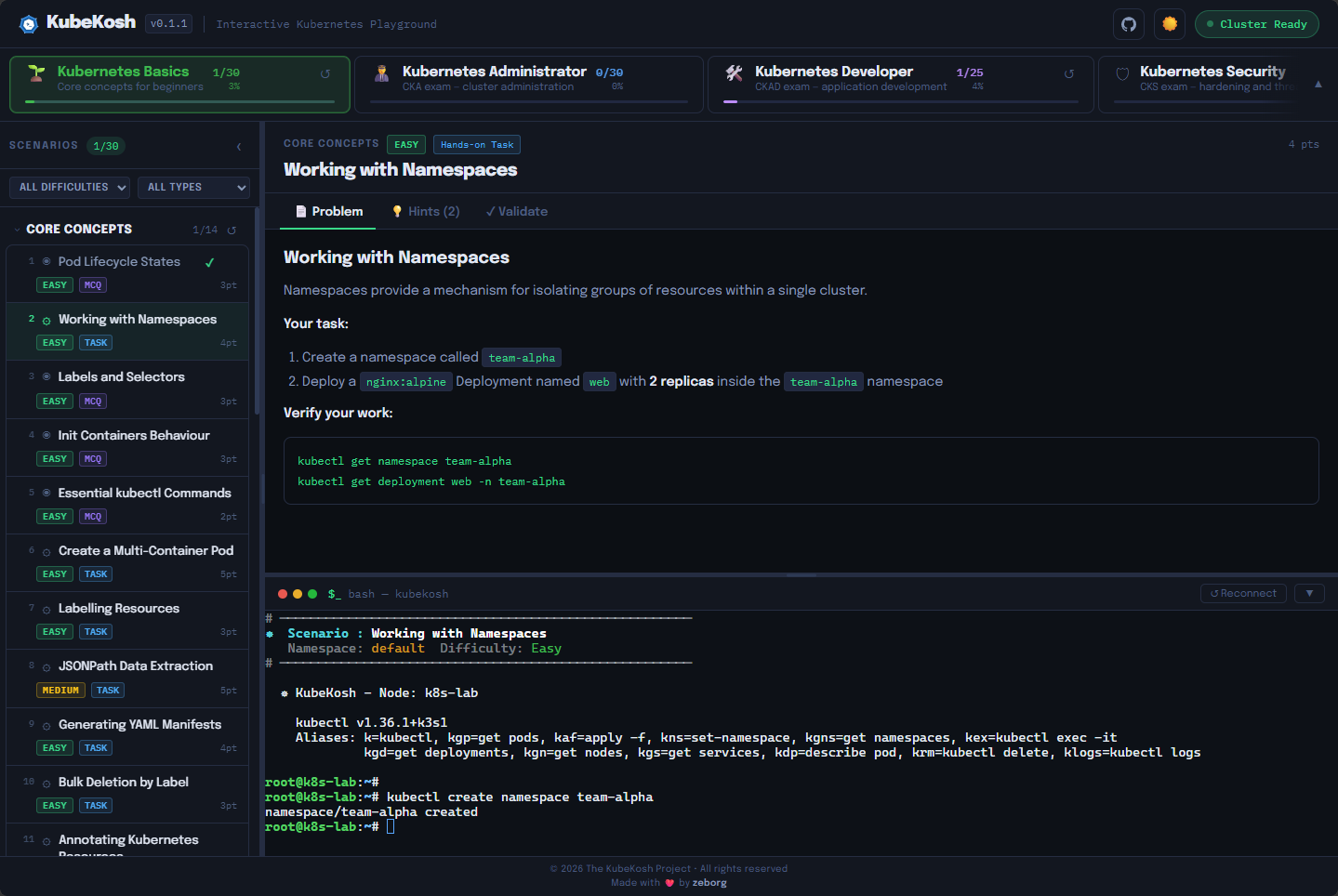
So, I found that working with KubeKosh was easy once I got the container solutino up and running. Once you browse out, you will see the dashboard below. At the top you will see Kubernetes Basics, then Kubernetes Administrator, Kubernetes Developer, and finally Kubernetes Security. Each of these are learning tracks of curriculum if you will. On the left-hand side you see the actual questions and scenarios you are supposed to work through.
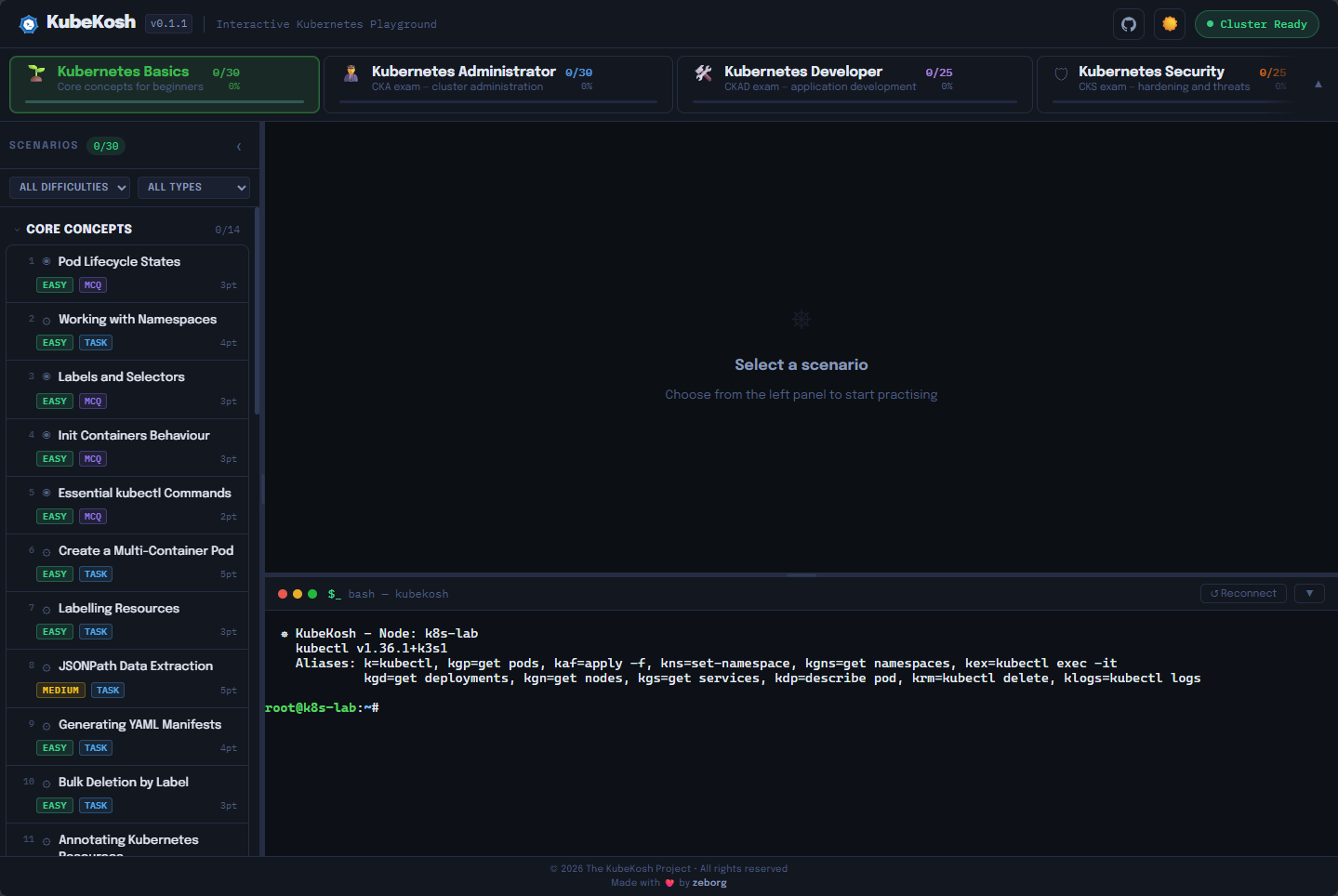
Below, is the first question under Kubernetes Basics. This is what I think is super cool about the solution. It is not just a bank of questions that are multiple choice or select all that apply. It actually has you work through scenarios and check your work. Here we are asked to create a namespace and then a deployment.
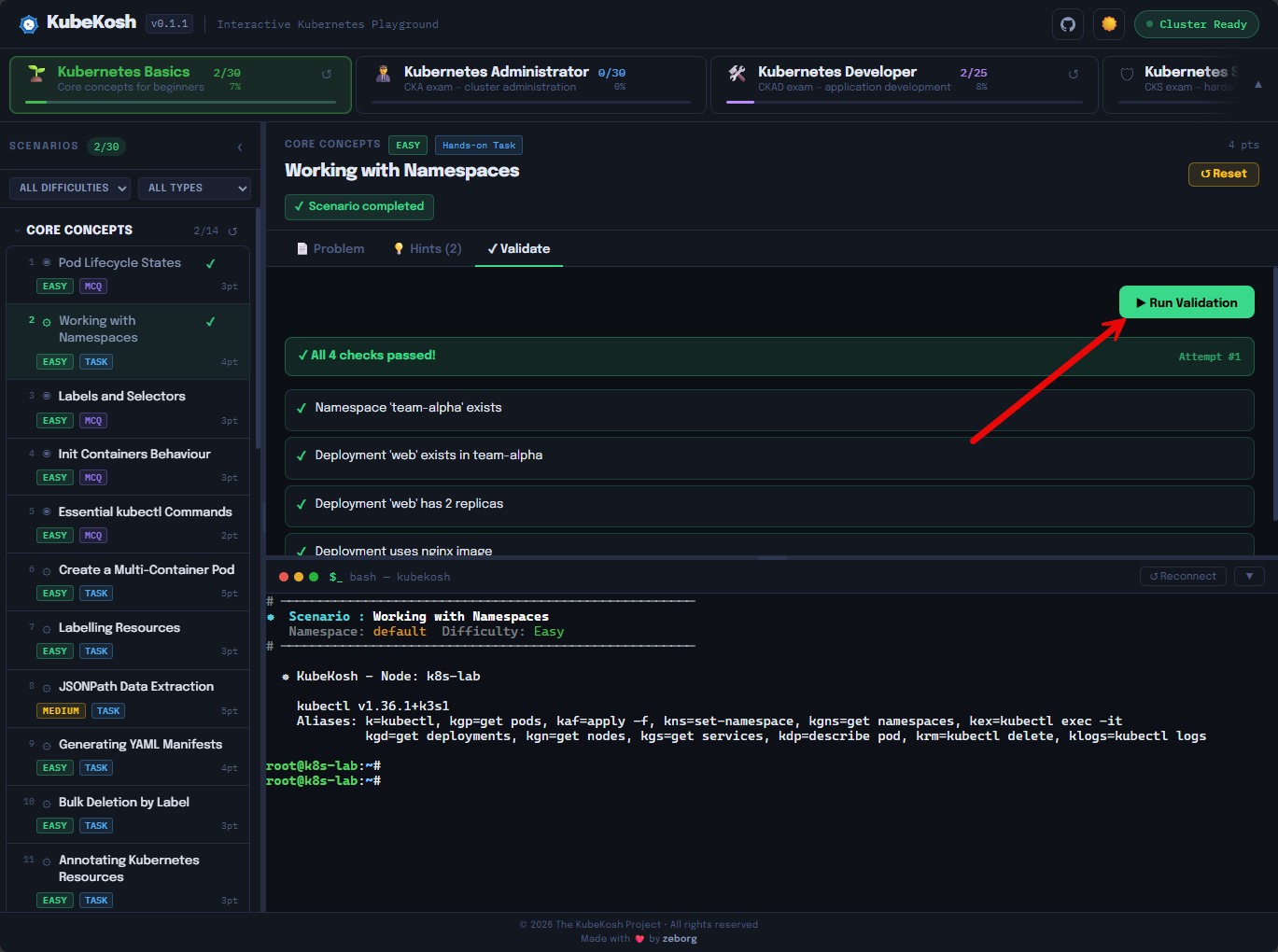
There is a Run Validation button that allows you to validate your results for your work.
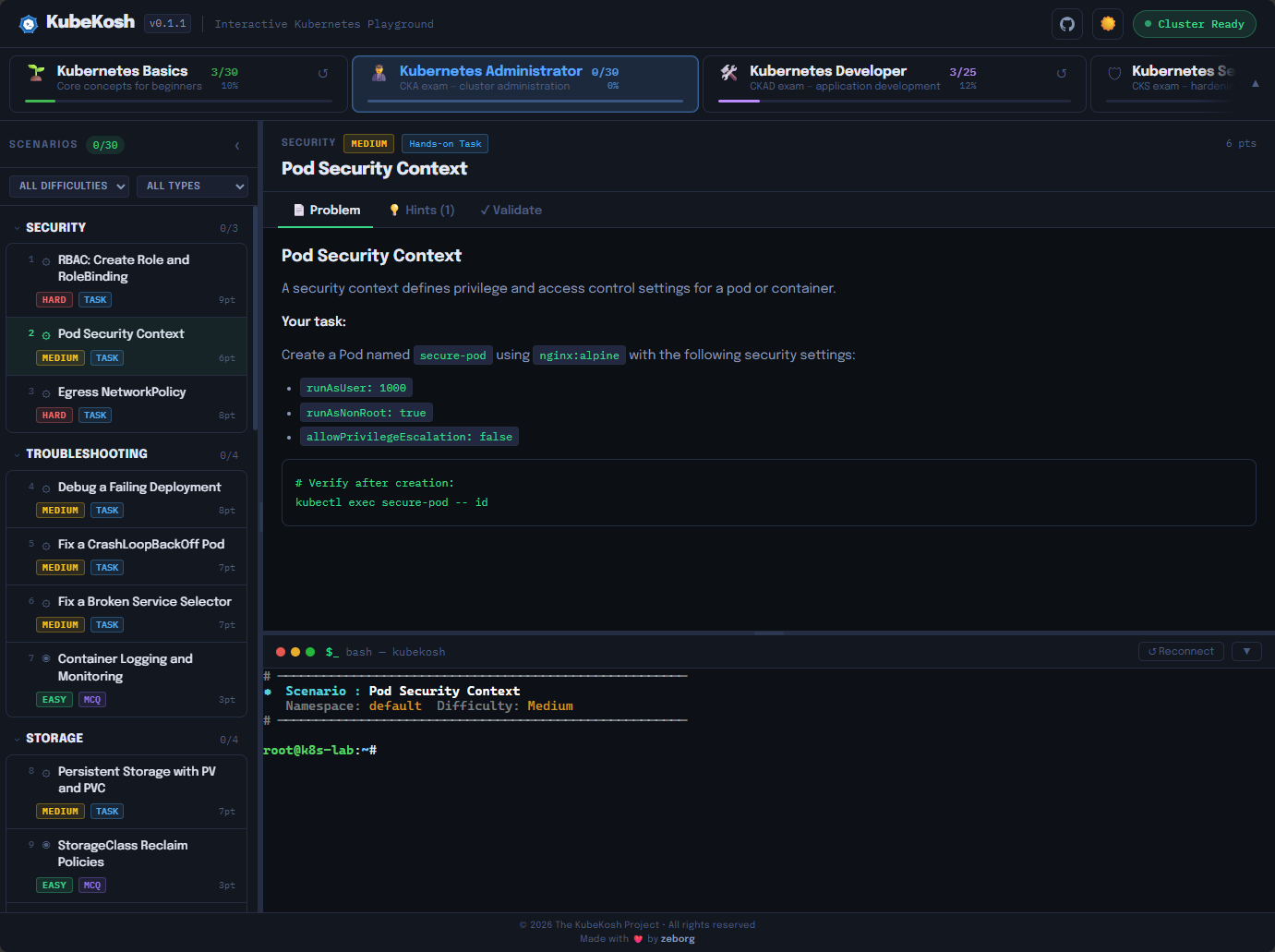
Here we are asked to create a pod with a certain set of security settings.
Why I think this is especially good for home labbers
I think many of us have had Kubernetes clusters in the home lab off and on for quite some time. However, learning the fundamentals is challenging with Kubernetes unless you have a good guide to help guide you through it.
This is where I think KubeKosh has an interesting angle here. KubeKosh helps us to learn Kubernetes the right way without monkeying with our existing Kubernetes environment or simply spinning one up to learn on. This keeps us from learning bad habits or learning things in the wrong order.
The learning and steps feel intentional and in the right direction without having to “find our way” through the learning experience. I could also see this being valuable if you are coming from:
- Docker and Docker Compose
- VMware or Proxmox virtualization
- Linux system administration
- Infrastructure automation
- CI/CD pipelines
In all of those tech stacks, Kubernetes feels like a natural next step. But it can definitely feel overwhelming. This is where the guided environment of KubeKosh feels like just what is needed.
What finally clicked for me using KubeKosh
I feel like for me, I already have a good base of knowledge with Kubernetes and have been running it in the home lab for my production services for all of 2026 on top of the learning I have done with it over the past 5 years or so, having side clusters and environments for testing and learning.
See my 2026 project, running a Proxmox Ceph cluster with Talos Linux Kubernetes: Inside My Mini Rack Proxmox and Kubernetes Home Lab for 2026

However, my learning and concepts felt a bit fragmented. Understanding the basics across the board was something I knew that needed polish in my skill set. Once I started running through the repeated scenarios in KubeKosh, I could feel the muscle memory building and understanding the patterns that develop in Kubernetes management. You start to see what the various pieces and parts of Kubernetes are trying to accomplish and that I think is the breakthrough that takes you to the next level of running Kubernetes.
What I would do after learning with KubeKosh
Like any tool, I don’t think KubeKosh is the end all be all of learning Kubernetes. But, I do think this could definitely be the launchpad that you may be looking for in the home lab. Spend time with KubeKosh to learn the basics until these feel less intimidating.
Then move your learning to a lightweight home lab cluster like a K3S cluster to start self-hosting your real home lab apps that you use everyday. But you could also use MicroK8s cluster, kubeadm, or a single-node test cluster running inside Proxmox VMs or LXC container.
See some of my K3s content here: VirtualizationHowto K3s tutorials.
Wrapping up
I don’t think KubeKosh will magically make you a Kubernetes expert overnight. Kubernetes is one of those things that requires discipline and is learned over time, like most any other technical skill that you want to learn well. But, I think KubeKosh helps you to have a really great self-hosted tool that keeps you from having to sign up on a cloud learning platform to learn the basics and it does a great job getting you through the fundamentals, not only with questions but also with the scenario-based learning that is included with it. If Kubernetes has felt confusing or frustrating in your home lab journey, this might be one of the easiest ways to finally make it click. What about you, have you heard about KubeKosh before? Using it already?
More in this topic



Google is updating how articles are shown. Don’t miss our leading home lab and tech content, written by humans, by setting Virtualization Howto as a preferred source.
About The Author

any image with labs for learning Docker
Yoslan,
I haven’t personally seen anything like this for Docker, but I think Kubernetes is a different animal than Docker for the most part as you probably know as well. One of the best ways I think ones learn docker is just standing up a Docker host and starting to play around with running services in Docker in a home lab. If you have VMs running certain apps, migrating those apps and your data to docker is a tremendous learning experience. This is exactly how I got my start into containerized services. But, I will definitely keep my eyes open for any similar solution for docker in a learning lab environment like Kubekosh to share with the community.
Brandon
Can’t get it to work. 🙁
[kubekosh] Error: failed to run Kubelet: failed to create kubelet: open /dev/kmsg: operation not permitted
That’s on LXC and RasPI.
Robert,
I am wondering if the LXC is the issue. Are you running it in privileged mode out of curiosity?
Brandon
Yes it’s privileged. And the error is the same on my RasPI where it’s installed directly. Googled about this error and tried various things to no avail so far.
Got it.
Within LXC:
ln -s /dev/console /dev/kmsg
(https://github.com/kubernetes-sigs/kind/issues/662)
And then:
docker run -itd –name kubekosh –privileged -p 7554:80 -v koshdata:/data -v /dev/kmsg:/dev/kmsg zeborg/kubekosh:latest –cap-add sys_admin –cap-add net_admin –cap-add sys_ptrace –cap-add sys_resource –cap-add syslog –cap-add SYS_RAWIO