


There are all kinds of backup solutions out there that do some really amazing things. However, when it comes to Docker, the options start to shrink down. So, when I see new tools that I haven’t tried on that front, I like to give them a spin, especially for home lab purposes. I stumbled onto Offen Docker Volume Backup which is a free and open-source solution that works actually very efficiently with only a few lines of Docker Compose. Let’s take a look at this solution and see how it can be used to make sure your critical data stored in Docker volumes can be protected.
Why Docker backups (or lack of) can get you in trouble
There is an aspect of Docker that can get everyone in trouble, especially those that are beginning their journey into containerization in the home lab. Misconceptions can often creep in when it comes to Docker containers and how they work. Many hear Docker container image and automatically think, ok the image contains everything, the application, my data, and everything else.
But this isn’t the case. The container image is the application side of things, but it doesn’t contain your data. For data that will be persistent and needs to stay regardless of whether or not the container image is stopped, deleted, etc, you need a persistent volume.
This is akin to a bad analogy of a hypervisor host that may be the “brains” of the operation like the container image, but it has to connect to shared storage, maybe in the form of a SAN. So, think of the container image like the app or brains that has to connect to the persistent storage.
So, if you export or have a copy of the container image, you don’t really have your data. Big difference!

This is where most traditional backup approaches start to feel ineffective or awkward. Full VM backups work like in your Proxmox environment, but they can be inefficient in how they get the data. Storage snapshots work well but may not be portable. Manual exports can be cumbersome and high risk of data loss.
Also, there are times when even VM backups don’t really work. Case in point, I learned this the hard way with CephFS. The actual data isn’t exposed to the VM backup solution like Veeam since the data storage is software-defined. So, when the backup solution takes a snapshot, it can’t grab the software-defined storage “housed” data. So be aware of that.
What is Offen Docker volume backup tool?
The Offen Docker volume backup tool is a free and open-source tool that allows you to backup Docker volumes locally or to any S3, WebDAV, Azure Blob Storage, Dropbox, Google Drive or even SSH compatible storage location that you want to use. You can also backup to multiple locations at once. For instance, you can backup to local storage AND also ship a copy of your backup to S3 compatible storage.
Another really cool thing about this solution is it isn’t a “solution” you log into and setup backups. Instead, you use the docker image for the solution as a lightweight sidecar container in your Docker compose. This sidecar container is what performs the backups.
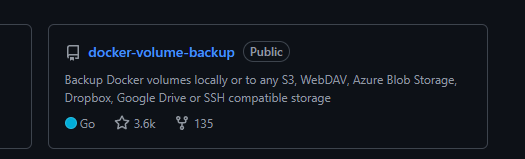
So, with it, you can handle recurring or one-off backups of your Docker volumes or bind mounts in persistent storage. Note the following capabilities. It has:
- Scheduled automated backups
- Volume backup support
- Retention management
- Compression
- Encryption
- Cloud storage targets
- Pre and post backup hooks
- Notifications
- Docker Compose integration
- Restore capabilities
Deploying Offen Docker volume backup
One thing I immediately appreciated was the deployment model.
services:
  app:
    image: your-app-image
    volumes:
      - app-data:/data
    labels:
      # Stop container during backup
      - docker-volume-backup.stop-during-backup=true

  backup:
    image: offen/docker-volume-backup:latest
    restart: always
    env_file: ./backup.env
    volumes:
      # Source data to back up
      - app-data:/backup/app-data:ro

      # Docker API access for stopping/restarting containers
      - /var/run/docker.sock:/var/run/docker.sock:ro

      # Local backup storage
      - ./backups:/archive

volumes:
  app-data:
Here is an example of the backup.env file you can use for an S3-compatible backup solution for your Docker containers. Docker Compose automatically loads every variable from backup.env and injects them into the container.
BACKUP_CRON_EXPRESSION="@daily"
BACKUP_FILENAME="docker-backup-%Y-%m-%dT%H-%M-%S.{{ .Extension }}"
BACKUP_RETENTION_DAYS="30"
BACKUP_COMPRESSION="gz"
AWS_S3_BUCKET_NAME="docker-backups"
AWS_ENDPOINT="s3.amazonaws.com"
AWS_ACCESS_KEY_ID="YOUR_ACCESS_KEY"
AWS_SECRET_ACCESS_KEY="YOUR_SECRET_KEY"
NOTIFICATION_LEVEL="error"
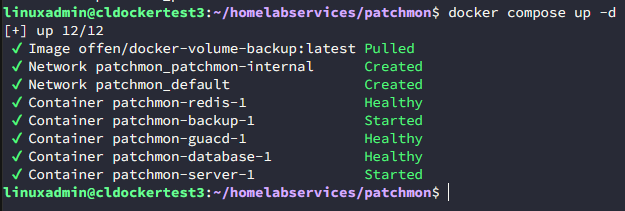
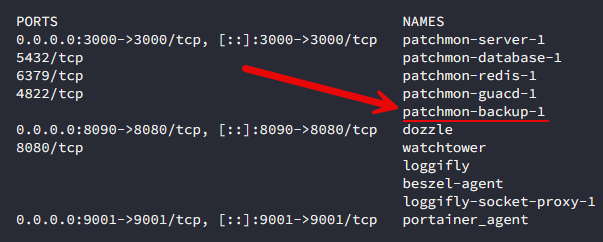
Once you have your docker-compose.yml file in place and the backup.env created, then bring up the solution. Below, I added the docker-compose for the offen backup solution to my patchmon instance. So now, when I ran the docker-compose up -d command, it also brings up the backup container. It will name it the same name as your service in docker-compose with a backup on the end.
Below, you can see the backup container created as part of the stack:
What I recommend for self-hosted S3 storage
In case you are wondering if you have to have AWS S3 cloud storage to use a solution like this to have this functionality, you actually don’t. I did a whole blog post just on this topic not long ago. There is a solution called RustFS that provides an extremely powerful and effective way to self-host S3 compatible storage and is in my honest opinion the best solution out there since MinIO has changed their licensing stance.
Read my full blog post on RustFS here: I Built My Own S3 Storage in My Home Lab (And It Actually Works).
Testing your backups after you have it in place
Now, you can use the docker command line to create ad-hoc backups, but if you are using docker-compose, you can exec into the backup container that is created as part of your solution. For instance, for me, I ran the command:
docker exec -it patchmon-backup-1 shThen, you just run the backup command:
backupYou can see below, the backup was copied both locally, and it was copied to my self-hosted S3 location on RustFS.

I navigated out to my RustFS instance and sure enough, I could see the files created in the bucket:
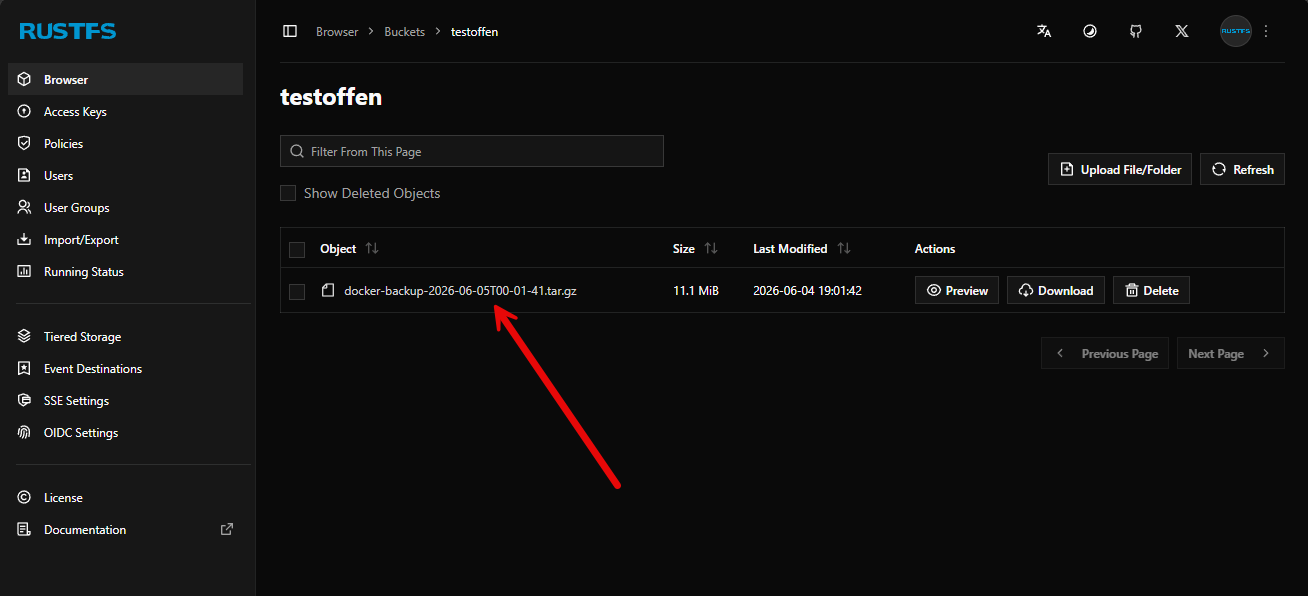
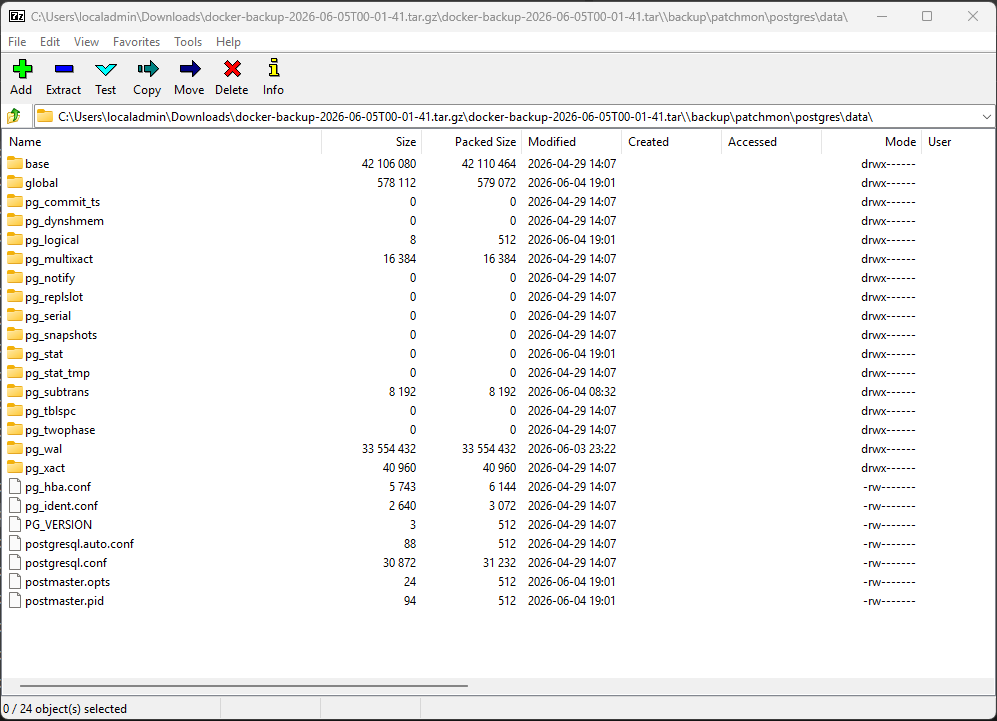
I wanted to double check the contents of the file, even though it said that it was created and I can see a file size on the zip archive in RustFS. After pulling it down and unzipping, I could see my PostgreSQL data. Pretty cool!
What makes this super cool for home lab is IaC
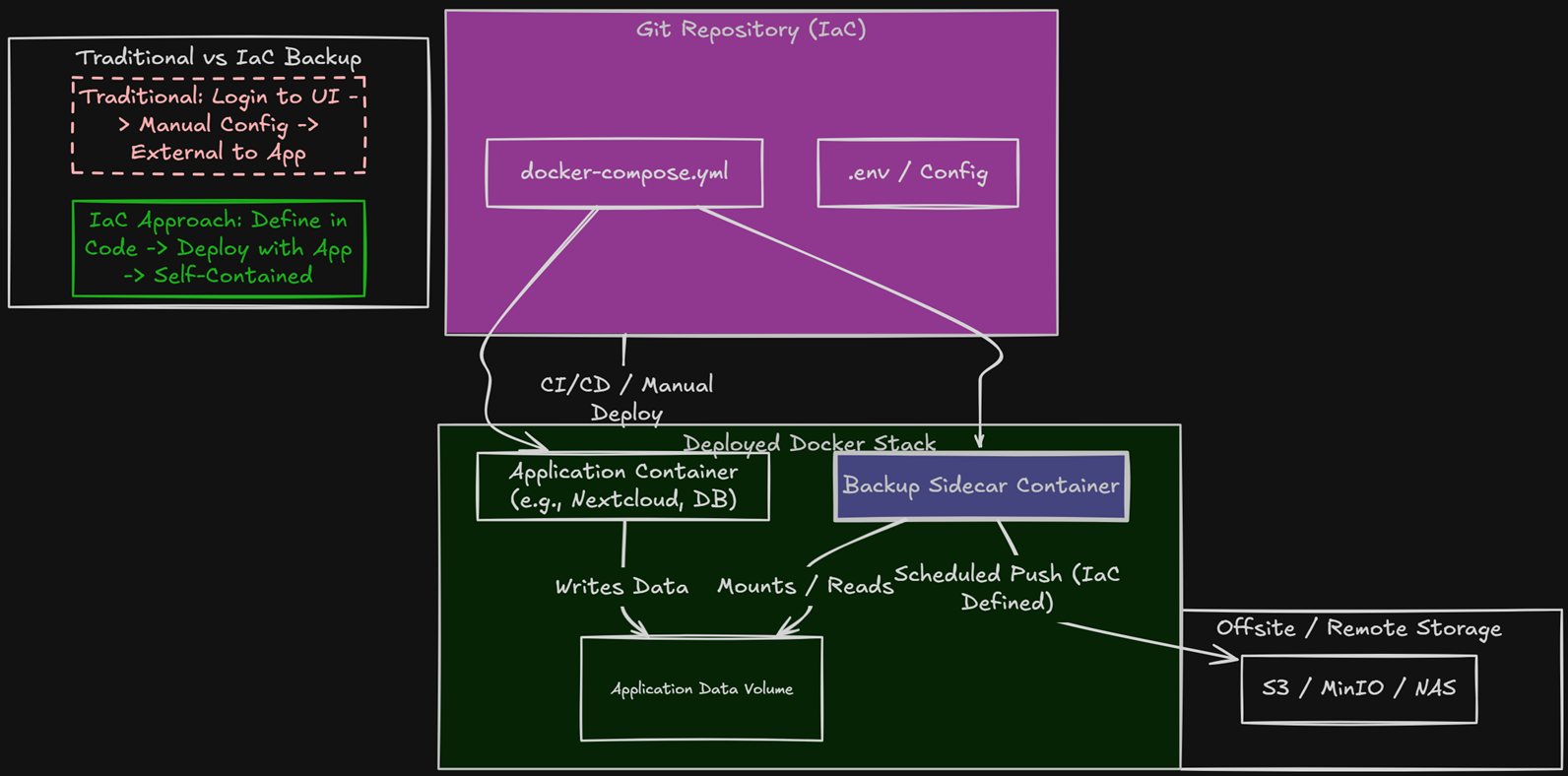
With this backup solution, I think one of the most interesting things for me is the fact that with the way it works, you can make backups a part of your infrastructure as code. So, think about it this way, you can now introduce the backup container as a part of each of your stacks that you commit to your Git repo. Then, your backups are already defined when you redeploy or update your docker stack.
This I think takes things to a new level of intesting capabilities in the home lab since I think a lot of us are trying to get to a more IaC approach to defining our infrastructure. So, like with other solutions, you have to login to the interface and define the backups there. I think this flips it back on its head to where I want to have the backups defined as an actual part of the application.
Wrapping up
I really like the Offen Docker volume backup tool. In my testing, it did what it said it would do for Docker volumes. After I defined the backup parameters in the backup.env file for my S3 compatible storage in the home lab, the backup container did all the rest of the heavy lifting. I really love how you can define the backups are part of your docker stack code and just bake that in as you commit things to git. As your Docker environments grow, having proper backups of your data becomes increasingly important. Make sure you understand the implications of running your applications in Docker with persistent bind mounts or Docker volumes. These are not automatically protected as part of a container image. VM backups of your Docker hosts are important. But they don’t usually provide you with the granularity that you would get from something like this that stores your files in a way that makes them very easy to restore all or specific files. What solution are you using today for your Docker volumes and bind mount persistent data? I would love to know what you have found that works well.
More in this topic




Google is updating how articles are shown. Don’t miss our leading home lab and tech content, written by humans, by setting Virtualization Howto as a preferred source.
About The Author

Great article brandon. I have been looking for something like this.
Actually, I would recommend you to use https://github.com/Minituff/nautical-backup instead. It takes the same approach and it is more colpere in my opinion. It also works with docker labels.
How does this handle open files like in sqlite3 db files?