


One of the things that sometimes gets overlooked with home labbing is that good defaults matter more than we might give them credit for. When I started building out lab environments, every new project felt like a blank slate. You have to decide the OS, the storage, IP address scheme, naming conventions, monitoring, etc. But, starting from scratch with ALL decisions can create decision fatigue and inconsistency. These days, I have a set of home lab defaults for me that I don’t skip. This helps me to build my lab environments in such a way that if something fails it isn’t a crisis. Let me show you what default are important to me.
Start with a good baseline
One of the biggest changes i have made is not to treat each new VM, container host, or service as a custom build anymore. I want something that is predictable. How do you do that?
Well, for me that means having a good base image, template, or deployment pattern, before I install any applications. So, to get to the nuts and bolts. In Proxmox, that may be a VM template with cloud-init config. For a Docker host, this for me is a Flatcar Linux configuration using my home lab ignition from Git. For small utility servers, this may be a scripted base installed that has SSH keys, time zone config, basic packages, and updates already baked in.
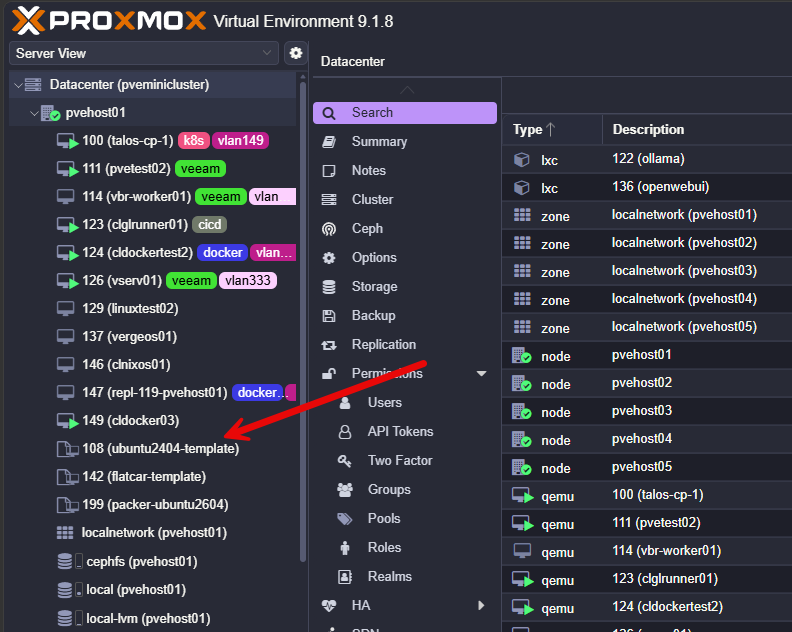
So, the value here is not speed, it is about consistency. We all know this that when a server or utility host is a “snowflake” it gets harder and harder to troubleshoot because each one could be totally different.
Then you have things like this:
- Hosts with different accounts
- Missing packages between hosts
- Timezones not configured consistently
- SSH keys missing on some hosts
- Different services or installed differently between hosts
All of these little things add up to amount to many different problems and more work in your home lab. My default now is simple: before I deploy the interesting part of the project, I make sure the boring foundation is predictable.
Use consistent naming conventions everywhere
Naming is one of those things that you might assume only matters in enterprise environments. But how you name things also matters more than you think in your home lab, especially when you are the sole engineer working on everything.
When you think about it, in your home lab, you are the architect, network admin, virtualization admin, storage admin, help desk, security team, and you are also the one that puts documentation together. When you name things consistently, this helps to save on time and brain cycles.
I have seen all kinds of labs shown off where people use very cool names of star systems, Star Trek planets, Star Wars characters and so on. This is cool and I love those names. But, for me, it isn’t helpful when you need to know what something is or what it does.
I like simple names that tell me what something is without needing to look it up. For example:
pve01
pve02
pve03
docker01
docker02
dns01
dns02
monitor01
backup01
I also us Proxmox tagging to help with visual cues on everything so I can easily see what something is and doubly know, based on the tag.
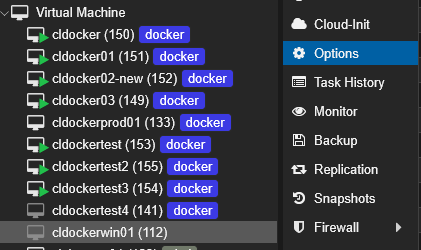
The same idea applies to apps and services. If I am looking at Docker Compose folders, Git repositories, VLAN names, and DNS records. As an example of what I am talking about. If I have a Docker Compose stack running Uptime Kuma, I do not want the folder to be named something random like monitoring-test-final2. This isn’t helpful.
In my honest opinion, a good naming convention is not about how clever we can be. It is about making things easier to deal with and manage every time you touch the environment.
I build around DNS instead of IP addresses
Something else that I am a huge believer in is building around name resolution instead of around IP addresses. Usually in small home lab environments, beginners tend to spin things up around IP addresses and memorize which services are running on which ports for specific IPs.
There is nothing wrong with this and in some ways it helps you to get your feet wet with networking before you move into some of the other concepts. But as a tip, IP based thinking in a home lab gets messy pretty fast and it doesn’t really scale very well as your lab grows in the number of services you are hosting.
I highly recommend as soon as you can, get serious about DNS and running your own internal DNS server. This allows you to start accessing your services by DNS name instead of IP addresses. So instead of accessing:
https://10.1.149.25:8993
https://10.1.149.30:3000
https://10.1.149.31:8006
You can access these using much more intuitive real names:
https://dns01.lab.local
https://monitor01.lab.local
https://pve01.lab.local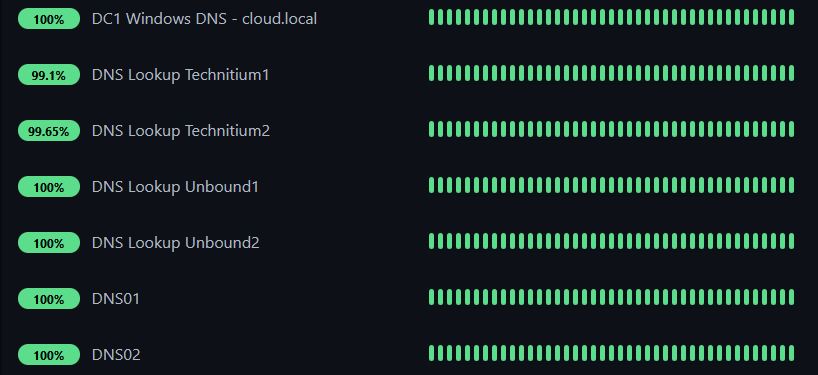
This also helps you later on if you need to move a service. If you change the host a service lives on, you then only have to change the DNS record. Otherwise if you are hard coded to an IP address, you may have to update all of your shortcuts, scripts, dashboards, reverse proxy rules, and also mentally make that shift to a different IP.
So, one of the lab defaults I never skip is having solid name resolution and a good DNS server setup with multiple DNS servers that can service things if one goes down.
Critical infrastructure gets static IP addresses
In my home lab, critical infrastructure gets static IP addresses. I am perfectly fine with DHCP for clients, test systems, and disposable VMs that I might have spun up for various reasons. But, for my infrastructure, I want to have stable IP addresses that don’t change.
This also negates the dependency loop that you get into for disaster recovery. You may have a reserved address for critical servers in your home lab. But, what happens when you lose your DHCP server among other resources in a disaster? Then you have a dependency on your DHCP server being there and up and running. Plus, with replicas, you have to make sure you have the same MAC addresses before the reservations will work.
So I static my critical stuff like the following and note it in IPAM:
Proxmox nodes
DNS servers
storage systems
reverse proxies
monitoring systems
backup servers
firewalls
management interfaces
important Docker hosts
My default is that anything other systems depend on gets a predictable address.
Organize everything with good folder structure
One of the habits that has helped me the most is keeping services organized by project. So, I have disciplined myself in my Docker Compose and by extension, my git repo to have a predictable folder structure that looks something like this:
/home/linuxadmin/homelabservices/
  technitium/
  uptime-kuma/
  netdata/
  traefik/
  homepage/
  unbound/
Each service has its own folder. Each folder has its own Compose file. Related config lives with the service when it makes sense. Backups are easier. Git is easier. Migration of services to different hosts is easier.
What I try to avoid is a Docker host where files are scattered everywhere:
/opt/random-app
/home/user/docker
/root/test
/tmp/compose-old
/docker/new
If I have a VERY shortlived project for a day or two I may not care as much about the folder structure, but anything that is staying around more than a couple of days, gets this kind of structure in my lab as a home lab default.
Git comes before production
This has absolutely been one of the major shifts that I have made in the way I think about my home lab. If I have a configuration that matters to me or is part of a critical dependency, it absolutely will live in Git. I have my on-premises GitLab server mirrored to a cloud GitLab server.
For me, this includes things like:
- Docker Compose files
- Reverse proxy configuration
- DNS-related config
- Ansible playbooks
- Scripts
- Kubernetes manifests
- Monitoring configuration
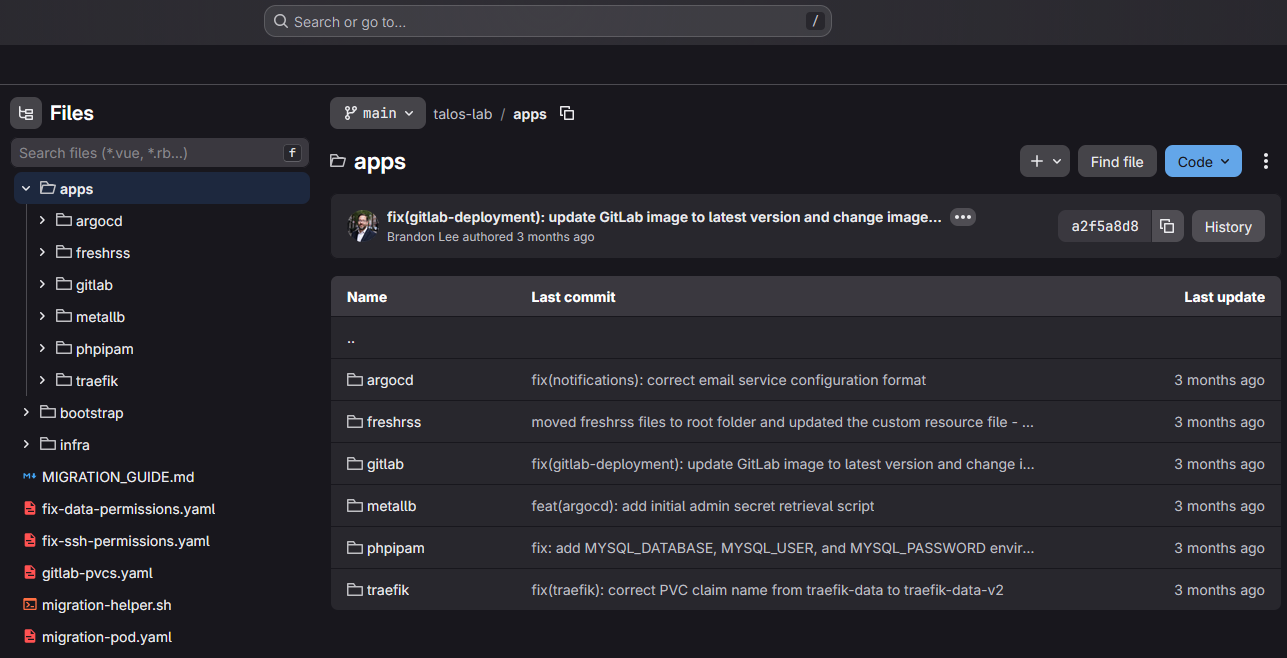
Also, I put anything else here that I wouldn’t want to have to depend on my memory to recreate as we all know how that goes for most of us. Early on, I didn’t put anything in Git, but I learned the hard way, especially after getting into Docker and Docker Compose configs after losing some hand-tweaked Compose files due to silly mistakes on my part that amounted to hours of work.
This doesn’t mean that you need some complicated CI/CD pipeline for EVERY project. But it just means that the source of truth shouldn’t be a random file sitting on a VM somewhere that could be lost. Do yourself a favor and stand up a self-hosted Git server and you will see a massive improvement in how well you can understand and maintain your configurations.
Monitor important stuff immediately
Monitoring used to be an afterthought for me early on. But now, if something is important, it gets monitored by default and I do this early. It doesn’t mean that you need some gigantic and complex enterprise monitoring solution for every host and container.
But, do stand up something simple like Uptime Kuma to monitor uptime on services. If you run Proxmox, stand up Pulse to monitor Proxmox VE hosts, VMs, and also your Docker containers. I also supplement this with Netdata to monitor from outside my lab.
At a minimum, I care about the following:
host availability
disk usage
container health
CPU and memory pressure
DNS availability
backup status
certificate expiration
storage health
temperature on small systems
Disk usage is a big one. So many home lab problems start with a disk filling up quietly in the background. Logs grow. Container volumes expand. Backups pile up. Snapshots get forgotten. Then one day the service stops working and the real issue is that the storage had been screaming for attention for weeks. These kinds of surprises are not fun. Pulse alerting is really good on letting you know if you have hosts or VMs that are having these kinds of issues.
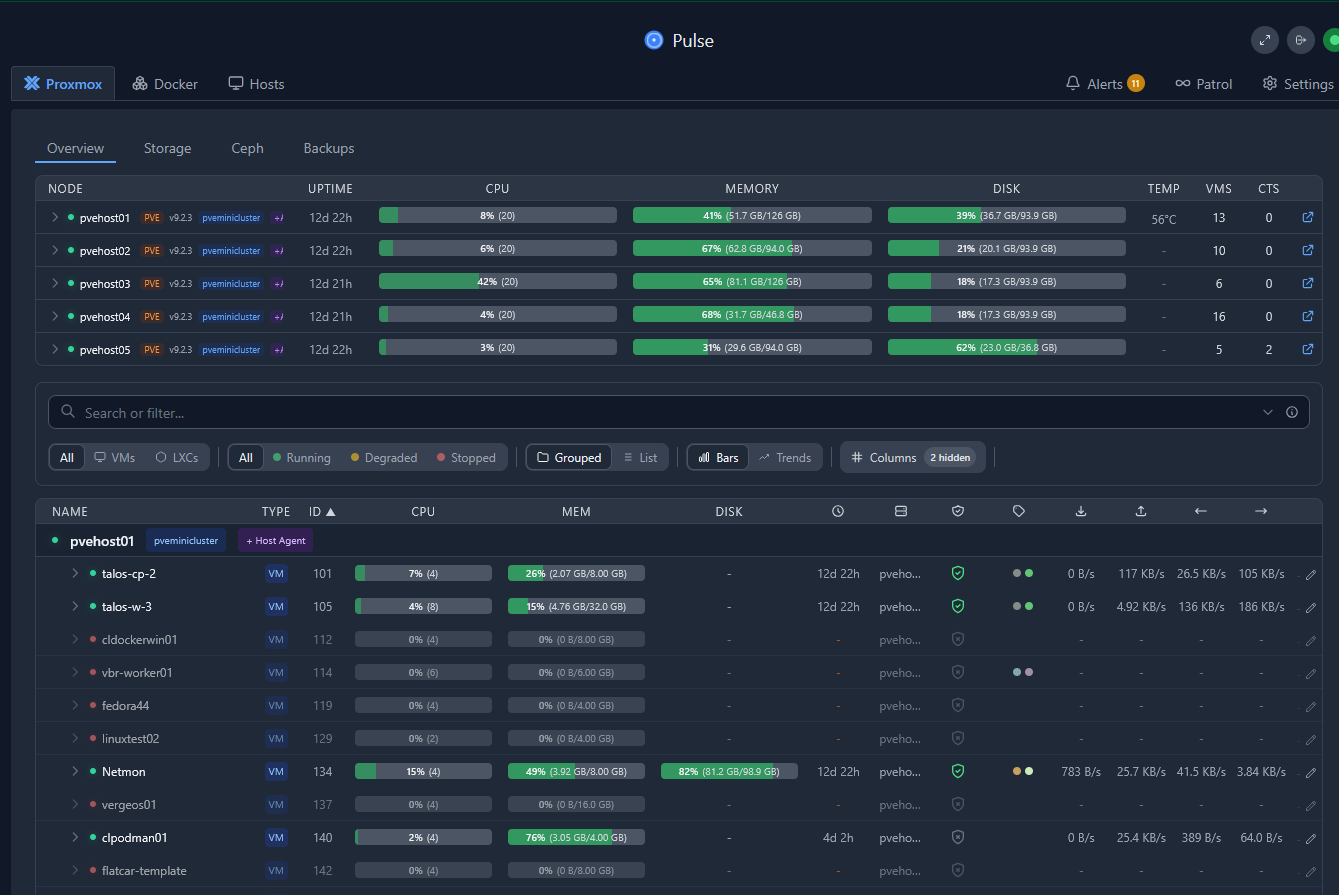
DNS is another one I never ignore. If DNS breaks, many other things look broken even when they are not. Having basic checks against internal DNS servers can save a lot of troubleshooting time.
Don’t skip health checks for your important containers
I wrote an article about this recently that looked at Docker restart policies and health checks. Many are suprised to learn that restart policies and health checks don’t exactly do what you think they should do. Many think, “oh if it goes to an unhealthy state, it will automatically restart the container.” But this isn’t true.
Check out my post here on how these actually work and a little tool you can add to help: I Thought Docker Would Restart Unhealthy Containers. I Was Missing One Tool.
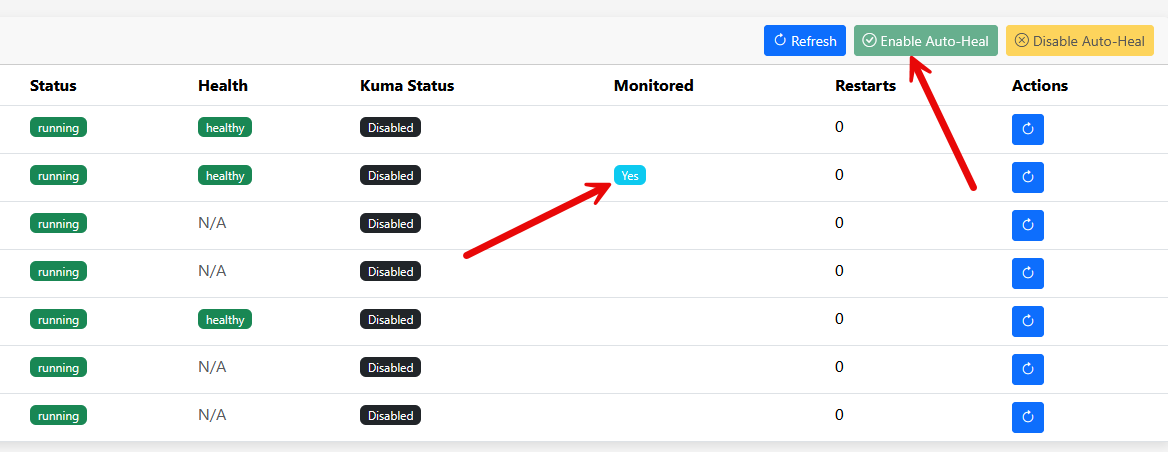
A container can be running and still be broken. The process may exist, but the application may not be responding. And other things can be going on like a web interface that is down or backend service that isn’t responding.
While health checks don’t necessarily guarantee your containers will be restarted by default, it is still something you need as you can trigger other monitoring off of it.
A simple port check might be enough for some services:
healthcheck:
  test: ["CMD-SHELL", "nc -z localhost 8080 || exit 1"]
  interval: 30s
  timeout: 10s
  retries: 3
  start_period: 30s
For other services, I would rather check the application itself:
healthcheck:
  test: ["CMD-SHELL", "curl -fsS http://localhost:8080/health | grep -q healthy || exit 1"]
  interval: 30s
  timeout: 10s
  retries: 3
  start_period: 60s
This is also where something like Uptime Kuma really helps as you can do things like keyword checks which I highly recommend over a simple TCP port check as it lets you know that your application is actually serving out the content that you expect.
Backups are a default that you need to implement early
Trust me. Don’t skip this default. You will regret it as backups are basically something that I think you should have on pretty much everything. The problem is when you start trying to decide what needs backups and what doesn’t, you always miss things that will come back to bite you later. Data that is housed somewhere you didn’t realize.
So, basically, any new VM that I add to the home lab, this goes in my Proxmox Backup Server backups of my cluster. For Docker services, persistent data lives on these same VMs so i am covered there. For configurations, I use Git as my backup of all my configs.
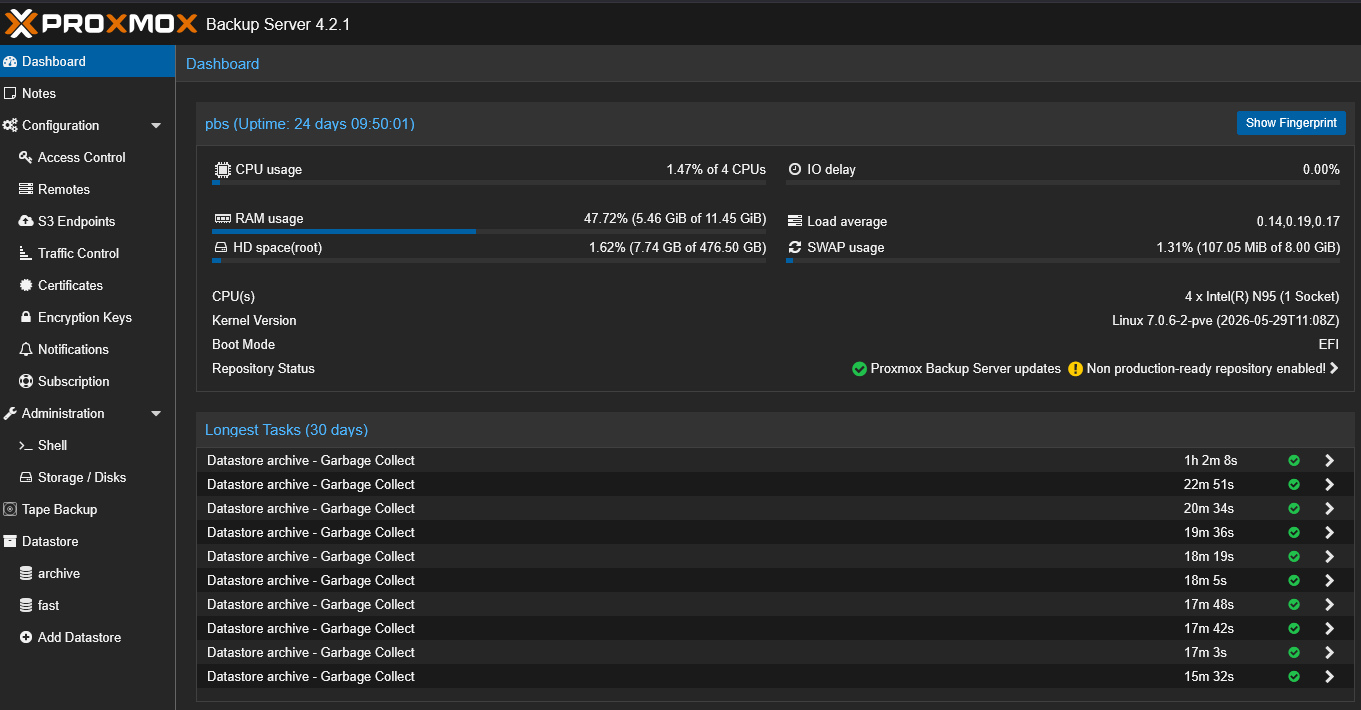
Make sure that even when you have backups, you can recover them. The age old question of “have you tested that you can restore your backup” is so true. Don’t assume it is good or that it will restore without some error or issue. If you don’t go through the process at least once, it is a total unknown.
Wrapping up
The home lab defaults that I never skip are not about having the perfect settings. But, they allow you to create a lab that is easier to understand and maintain. I am more about making my lab work for me now than me working for my lab and being busy with all kinds of operations tasks that keep me busy. Some of that is expected, but if it isn’t a sane amount, it is time to start looking at your defaults and how you are doing things. How about you? What are your defaults when deploying anything? Let me know as I am curious what everyone else is doing here.
More in this topic



Google is updating how articles are shown. Don’t miss our leading home lab and tech content, written by humans, by setting Virtualization Howto as a preferred source.
About The Author

Great recommendations Brandon. I have been working on my own defaults of sorts with NixOS and a few other solutions. Doing a better job with getting things into git too, based on your recommendations 👌