


This has always been one that has bitten me both in the home lab and in production. The moment that you think this is only a lab or this is only a test environment, it is amazing how quickly it goes from a blank server to running dozens of virtual machines. I have learned there are decisions in Proxmox that look almost trivial at first when the environment is new. But just a short time later, that same decision is tied to twenty VMs, multiple nodes, backup jobs, VLANs, etc. Then it is no longer a setting to change, but it is a long project. Now I spend more time thinking about a few important architectural decisions before I start building out the Proxmox environment. These are the 7 decisions that I would rather get right on the frontend than change later.
1. Decide if the host will be part of a cluster later
One of the first questions that I ask is if the new Proxmox Server is going to be part of a cluster. It might sound like it is a subtle difference, but it changes how I approach building the server. A single PVE node is forgiving. I can pick whatever hostname I want, and put it anywhere I want in the network.
Proxmox themselves recommend to install nodes in a cluster with their final hostname and IP configuration before creating a cluster. Changing the hostname and IP after you create a cluster is not supported in the normal way. So first things first, you want to think about the name of the host. I usually avoid names like “proxmox-test” or “pve-new” or anything else that wouldn’t be right for a cluster.
It is much better to start with something predictable right from the start like “pve01”, “pve02”, “pve03”, etc. The same is true of the management IP address. If I think I will have multiple Proxmox nodes in a cluster at some point, I prefer to reserve a block of addresses from the beginning and make them contiguous. In my opinion, keeping things simple and intuitive, just helps you to avoid mistakes later on when IP addressing and naming are confusing.
As you can see below, I used boring names like “pvehost01” and so on.
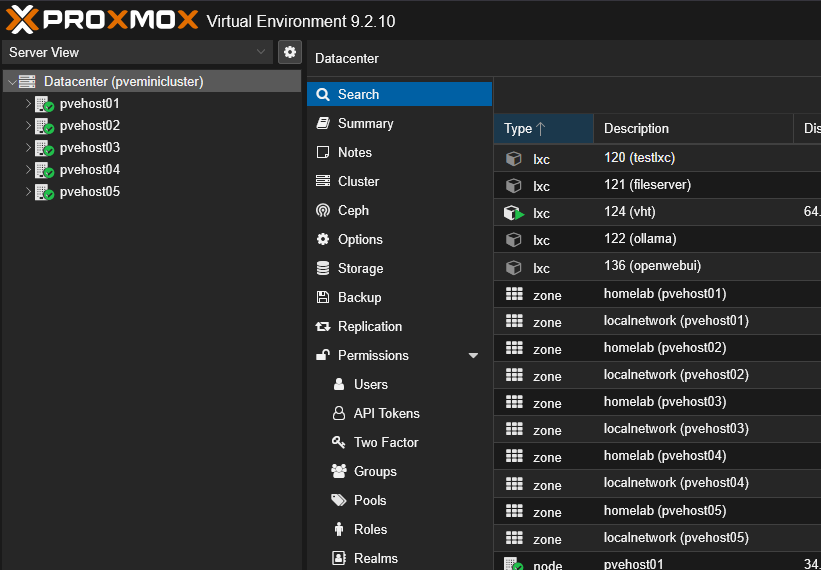
For example:
pve01    10.10.10.11
pve02    10.10.10.12
pve03    10.10.10.13
It is boring but that is the point. I have said many times that I love Star Trek and Star Wars names, but in practice, they aren’t very practical. Also, think about quorum and how you keep a node majority if you have a node go offline. Proxmox supports different configurations for this. For instance, with a two-node cluster, it will behave differently from a three-node cluster. You can use a QDevice as a third node for a smaller two-node environment. So keep these things in mind.
2. Decide what your Proxmox network is going to look like before you have tons of VMs on it
This is a big one. I can’t tell you how often I have caused myself a lot of heartburn just simply trying to correct a bad decision from a networking perspective. Networking is one of those things that is pretty easy to change when the host is empty and it is extremely difficult to change once the host is busy with a lot of workloads.
Out of the box, a basic Proxmox installation starts with the default Linux bridge that is the bridge labeled:
vmbr0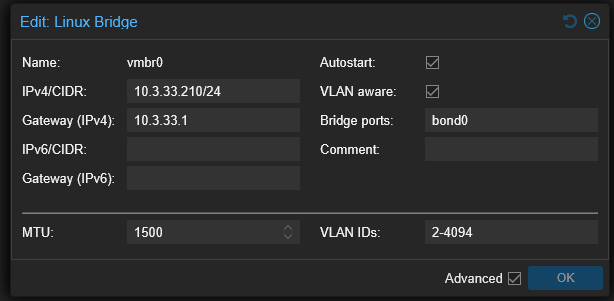
To start out with, the default bridge carries management traffic and VM traffic. To be honest, there is nothing wrong with that setup for a small environment. It is kind of akin to vSwitch0 in the VMware world. The problems start when the lab grows and suddenly you have all the other types of traffic, especially if you bring the node into a Proxmox VE Server cluster:
- management traffic
- VM traffic
- VLAN trunks
- migration traffic
- storage traffic
- Corosync traffic
- Ceph traffic
- firewall interfaces
Now, your originally simple and easy network design is carrying a lot more types of traffic across the wire than when you initially started. So now, I try to think about which traffic types I may eventually end up with or types of traffic that I may want to isolate ahead of time.
For instance, I might use one physical path for management and VM traffic. Then, I probably want to keep storage or cluster traffic separate from this. Proxmox also recommends that you have a low-latency network that is reliable for Corosync and they specifically recommend a dedicated physical NIC for cluster traffic where you can. You can also setup multiple links for Corosync to be redundant.
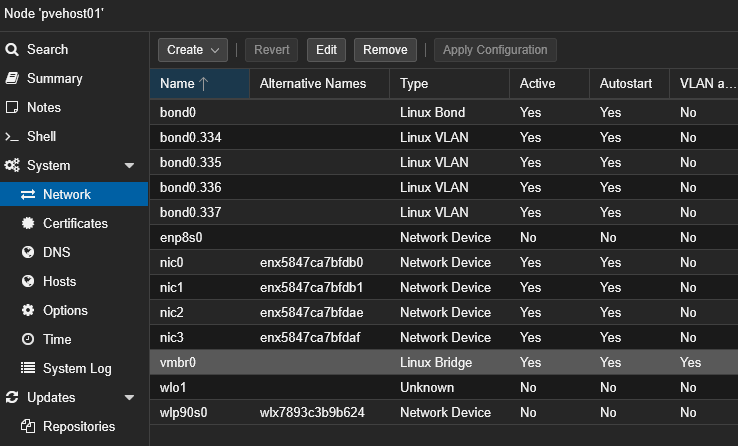
Try to avoid any unnecessary dependencies. If you have management, storage, and migration traffic that all depends on one interface and one bridge and one switch port, this is a lot of “eggs in one basket” for something to go wrong. For this reason, I try to settle on a VLAN design pretty early, before you get a lot of workloads running. Trying to move forty or fifty VMs, update firewall rules, and troubleshooting services while shell gaming things around is a major PITA.
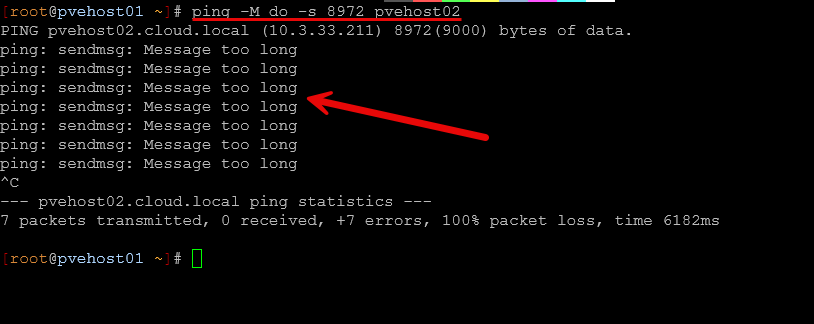
Another important area to call out that you carefully want think through with your network design is the MTU values you use. Likely, you will want jumbo frames for storage. With jumbo frames, you want to deliberately make sure jumbo frames work across the entire path instead of making assumptions. I had a really “fun” adventure in the home lab shooting myself in the foot with jumbo frames early on after I stood up my current Proxmox mini cluster. Check out that article where I detailed my adventures with that one here: Jumbo Frames Broke My Proxmox Cluster and Here’s Why.
3. Decide where your virtual machine storage is really going to live
Man this is a big one too. I spent many hours on my recent Proxmox mini cluster moving things around because I really did rush to get things off of VMware vSphere and onto Proxmox. So it was just a quick lift and shift. I could have definitely saved myself time if I would have thought through the storage aspect before getting all of my workloads over on my Proxmox VE cluster.
With Proxmox, you can have a lot of different types of storage that is configurable. These include the simple LVM-thin storage type, ZFS, NFS, CIFS, iSCSI, Ceph, and Proxmox Backup Server (PBS). With each of these storage types, they each have different capabilities that are exposed to you.
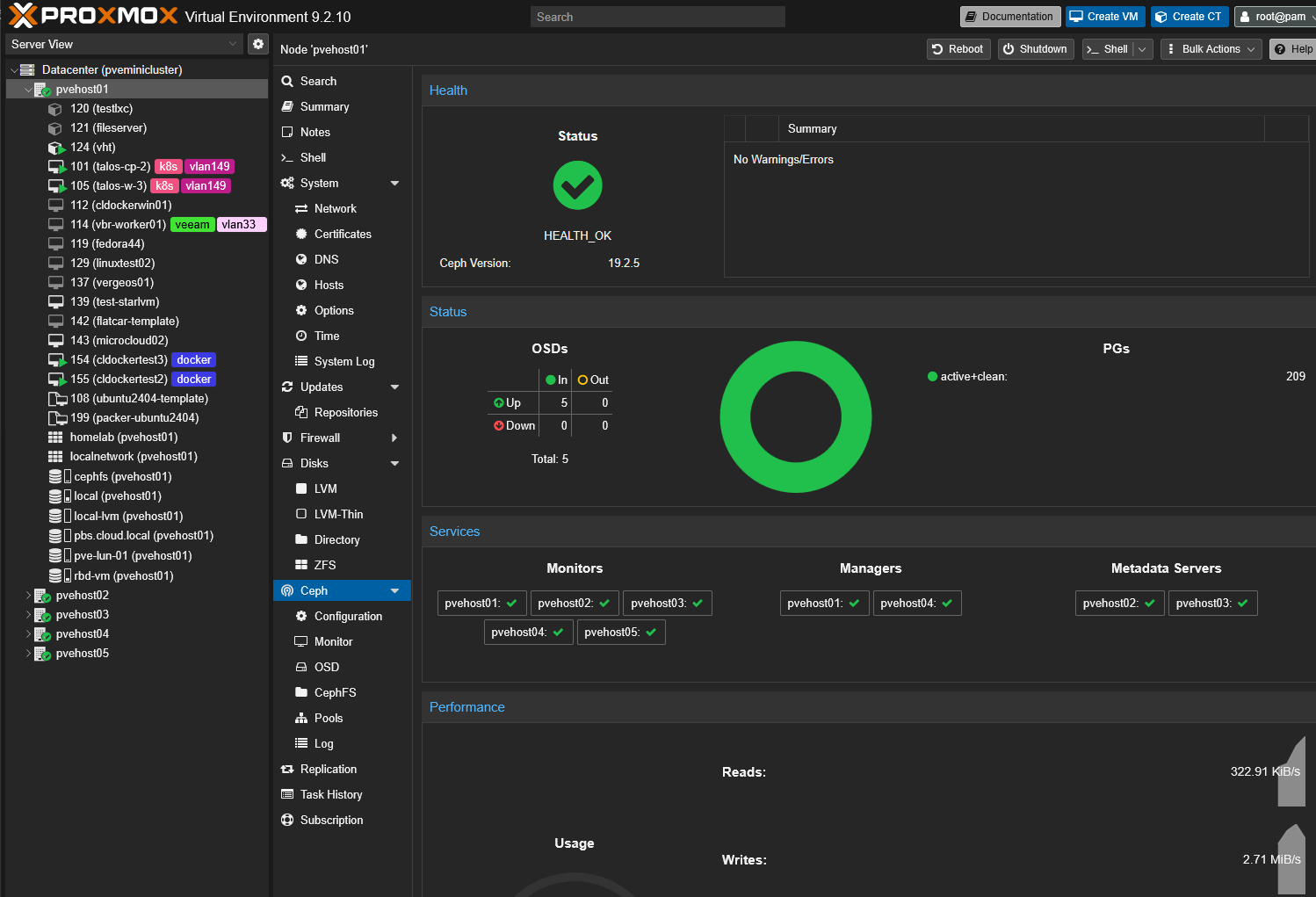
So, do think about what type of storage you want to make use of and utilize the storage that makes sense for your use case. For me, I didn’t really think through my configuration from the start like I should have thought about it. I wound up having to move TBs and TBs of data in my first couple of weeks with my Proxmox VE server cluster with Ceph. My reason was a bit different. I decided to change out my consumer grade drives with true enterprise grade drives.
So, I literally had to take OSDs out one at a time, replace with enterprise NVMe, and then allow Ceph to rebuild the drives one at a time. While the enterprise drives are extremely fast and perform beautifully in Ceph, I wish I would have made that decision before getting my workloads over there.
4. Choose CPU types carefully if you are going to migrate VMs
This is one of those details that can come back to bite you later if not thought about ahead of time. With Proxmox you can set many different CPU types when you configure a new virtual machine. Many like to set the host CPU type. This is one of those little drop-down boxes that a lot of times gets set and then we forget about it until we try to migrate a virtual machine between hosts that have a little bit different generation of CPU or different type of CPU, Intel vs AMD.
This is definitely a tradeoff with this configuration. The more closely a virtual machine CPU is like the host CPU, the more CPU features are exposed to your guest virtual machine. But the problem or catch 22 with that is that if I want to migrate that VM onto a different physical host, the physical processor in that host has to support the CPU features of how the VM is configured currently on the current host.
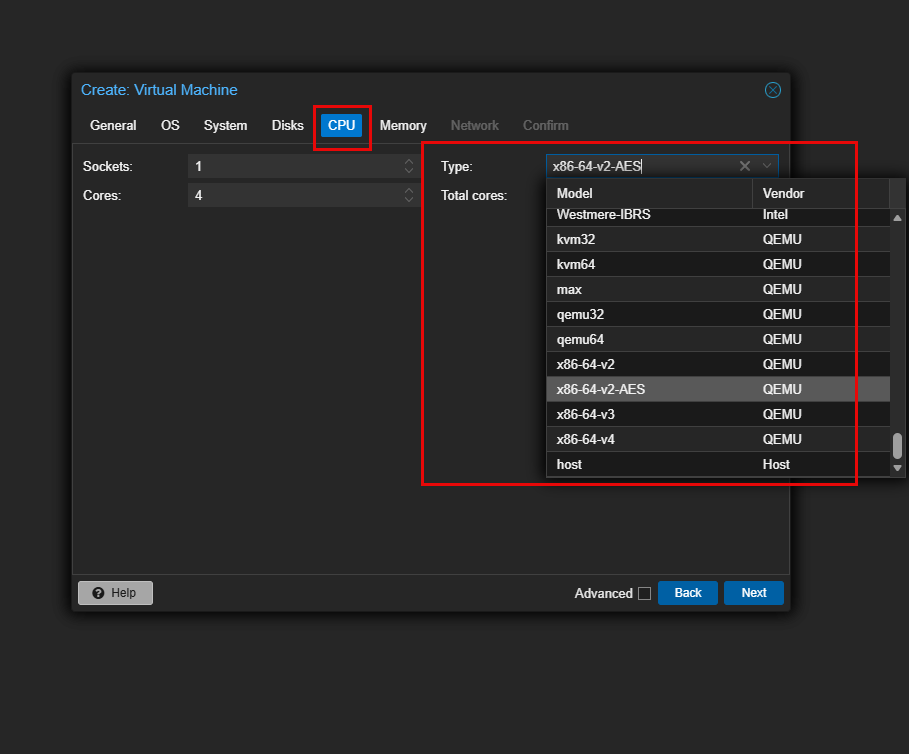
This is one of the reasons I think about whether or not I will be clustering a host in the future. This helps you to think along those lines when you are provisioning your first VMs on a host. But in reality, now with the functionality of Proxmox Datacenter Manager (PDM), you can now migrate virtual machines to a different host without a cluster. So, this CPU type discussion even comes into play with standalone hosts.
So, long story short, think about your future needs or what you might want to do with the VMs on the current host and if these need to be able to move to different hosts in the future.
5. Decide if you want your Proxmox hosts to be interchangeable
This one that definitely takes into account the CPU compatibility that we have already discussed. Do you want an important VM to be able to run on any node? Think about a scenario that is very common in the home lab, where we may have dissimilar hosts.
- Node one has 128 GB of RAM
- Node two has 64 GB
- Node three has 32 GB
Also, on the first node you may have a GPU passed through to an AI VM. Node number two has a 10 gig adapter connected to storage. Node three has neither of these features. Technically you could have a 3-node cluster with your Proxmox environment with these three nodes. But, these nodes aren’t really interchangeable.
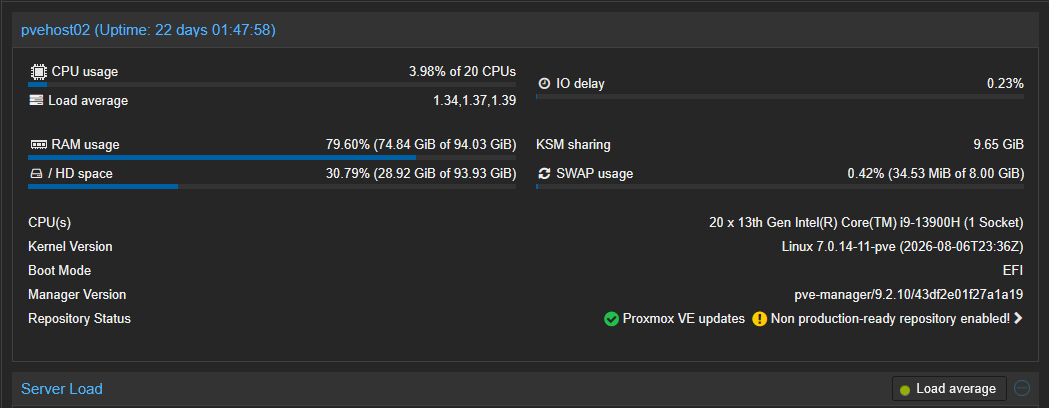
If a VM needs a GPU, it is bound to node 1. If the VM requires storage on or maybe even lives on storage that is connected via that 10 gig adapter on node 2, then that node isn’t interchangeable. Node 3 has neither of the requirements so it can service any of those requests. So do take into account before you cluster various Proxmox VE Server nodes the capabilities of each node in your home lab and build your environment based on these capabilities.
6. Decide what “backup” means before the environment becomes important
One of the biggest mistakes that can be made from the start is either not getting backups going for a new Proxmox VE environment in the home lab, or configuring and engineering it very badly. Backup configurations are super easy to postpone right from the start. We think, backups aren’t needed to get things working. Then, we totally forget about it.
But, think about the fact that even in the first day or two of running on a new Proxmox VE cluster, bad things could happen with your data. Hardware can fail, in setting things up and continuing to configure things, we could do something bad as an admin.
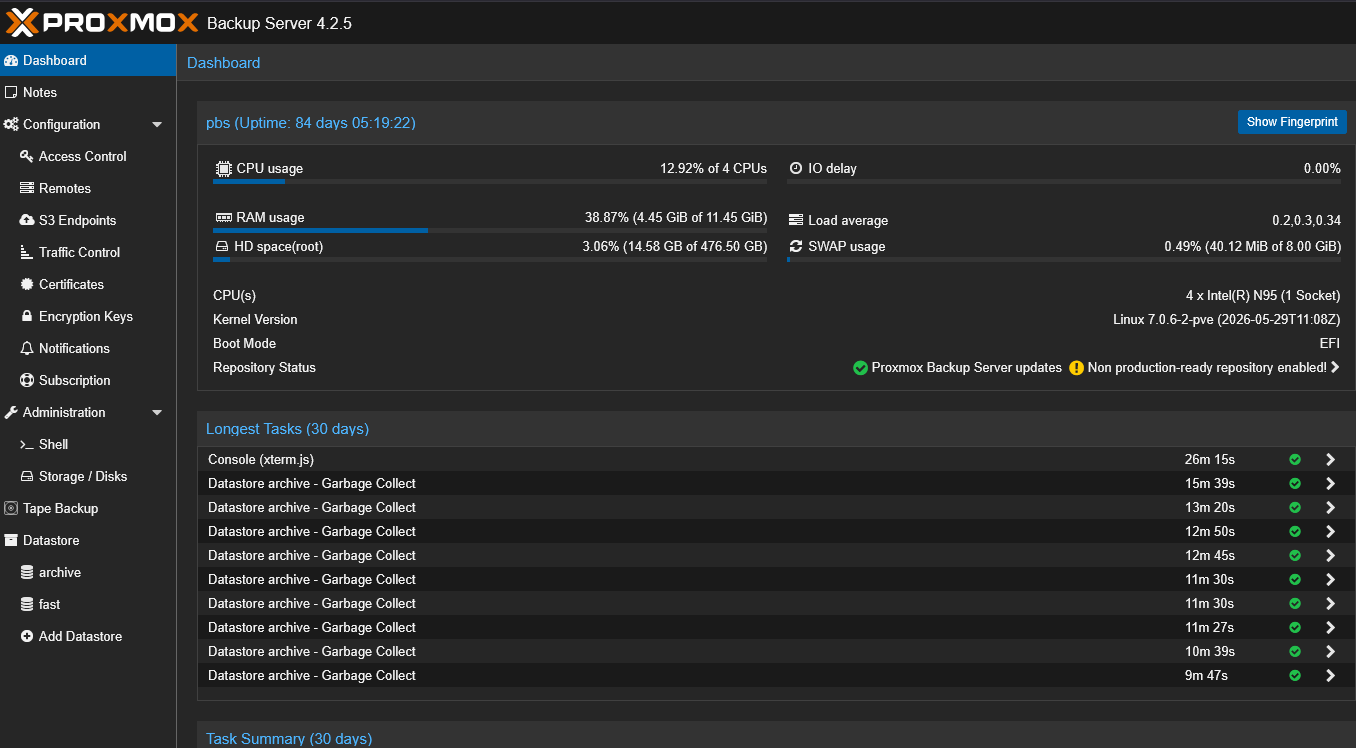
Using Proxmox Backup Server, Proxmox has a built-in way to backup both VMs and containers. And, the good thing about PBS is that it adds incremental backups, deduplication, backup verification, retention, and a good restore workflow.
Don’t forget also about the configuration of your Proxmox VE Server hosts as if you have something happen with a host, especially in a cluster, it is great to be able to have a copy of the configuration. YOu can store this in a self-hosted Git server or else where. I also like to use a tool called PVEViewer that has a built in function to backup the configuration on your Proxmox hosts. You can check out my full blog on that one here: I Tried This New Proxmox Inventory and Auditing Tool and I Was Impressed.
Also, we need to think about “where” the backups live. This is super important. A lot fo times we are tempted to do things like run PBS inside a VM that is on the same cluster. Maybe even local storage. Or we may have a backup that hits another “local” drive to the Proxmox host. While that is a little better, it is still massively dangerous to store your backups “in” the same environment that you are backing up.
7. Decide where the services Proxmox itself depends on are going to run
Thinking about your design here is super important. DNS is a great example of a service that needs to live in a way that you don’t find yourself in a catch 22. If your DNS servers also are hosted in Proxmox, you need to think about what happens if your cluster goes down. You want to have a way to deal with any dependencies here.
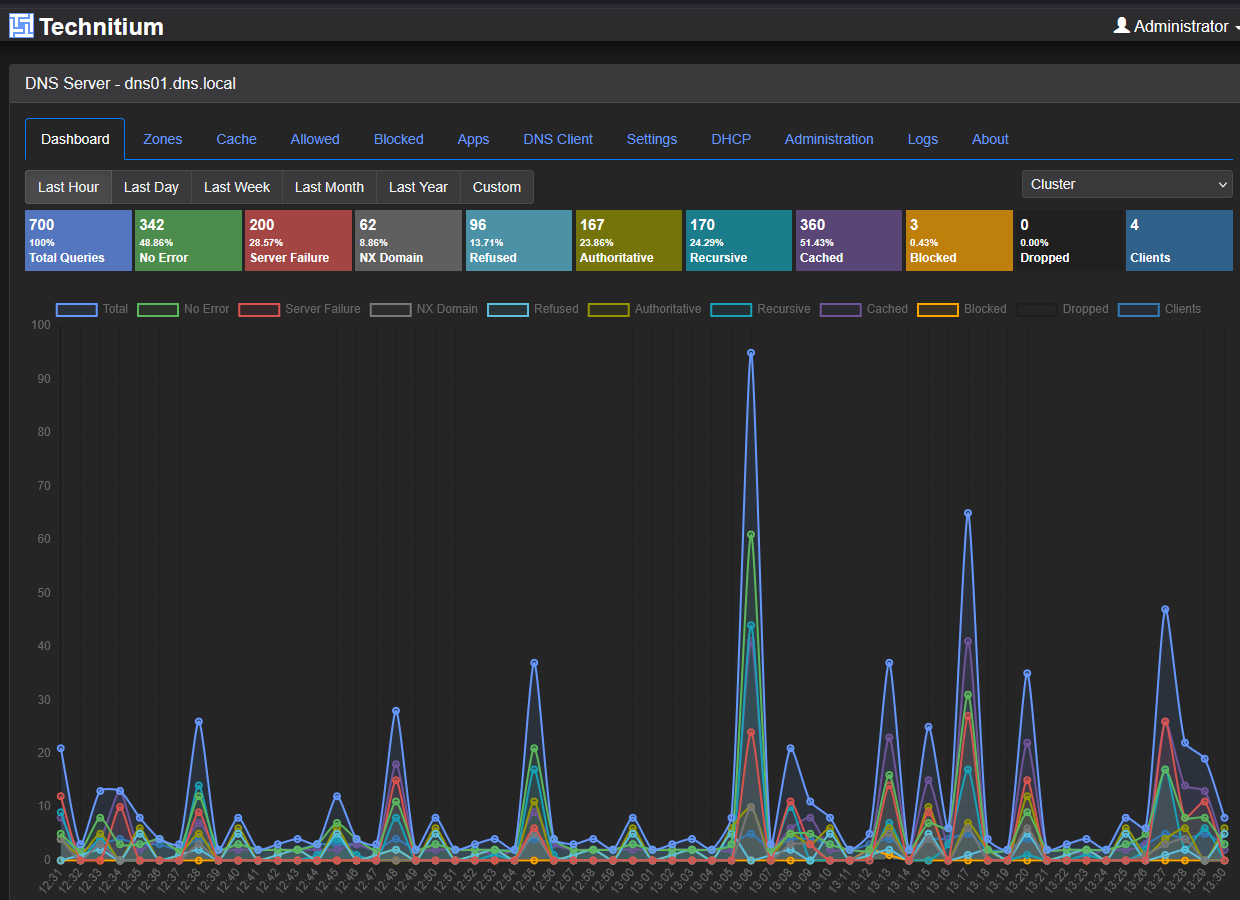
The same is true for the following services:
- DNS
- DHCP
- authentication
- monitoring
- storage management
- firewall management
- password management
- documentation
- backup infrastructure
This goes along with several posts I have written. One recently is talking home lab services and not “really” being self-hosted due to Internet dependencies. Check this one out here: I Thought My Home Lab Was Self-Hosted Until I Pulled the Internet.
Wrapping up
What about you? What are some of the painful change later situations you have found yourself in due to not thinking through the process correctly or thinking long term? I have definitely been there more times than I can count, so hopefully others will tell on themselves too and share with the community! Design is everything and making sure you design for failure scenarios is one of the vital aspects of architecture.
More in this topic




Google is updating how articles are shown. Don’t miss our leading home lab and tech content, written by humans, by setting Virtualization Howto as a preferred source.
About The Author
