


It is amazing to me just how much things have changed just in the last couple of years. Not even more than that. We have seen a major hypervisor basically go down the tubes, we have seen form factors swing wildly to favor non enterprise gear, and we have seen the rise of mini PCs for home labs. So, doing things the “old way” will often get you into doing things in a way that isn’t as rewarding in the home lab and can even be less enjoyable and more money. But outside of hardware, there are also other mindsets that definitely have an “old” and “new” way of doing things that align with keeping with best practices. Let me show you 8 home lab things I stopped doing the hold way and what I do now.
1. Old flat networks are no longer what I do even in home lab
In a lot of home lab networks, myself included, it is just easy to throw a network and tons of devices on the same network segment. Sometimes this is just a single switch that isn’t connected to anything, but even if you connect your switch to the rest of your network, it is easy to just leave everything on the same flat network.
But as home labs inevitably grow like they always do in most cases, you may have hypervisors, storage, Docker, Kubernetes, management, IoT, laptop, phones, lab VMs, and even more types of clients on the same network. This can get to be chaotic very quickly.
Today, I usually create VLAN configurations even for a smaller home lab that look like this:
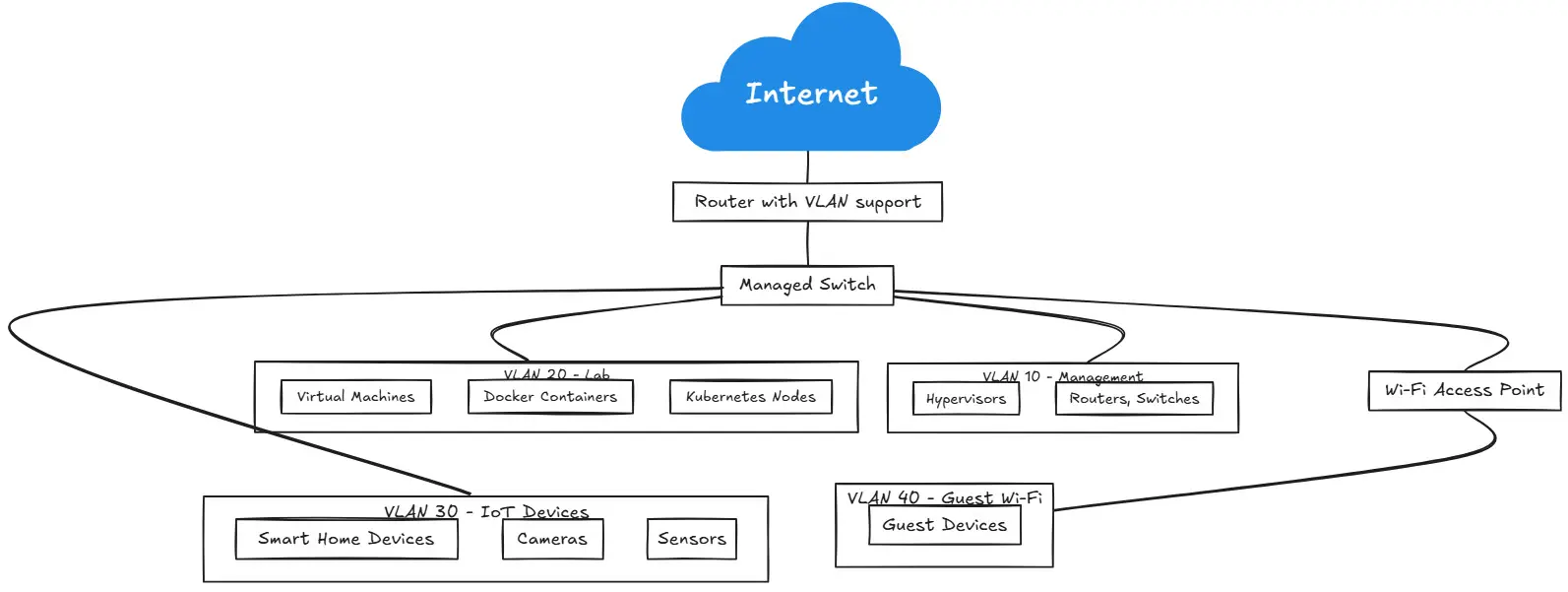
| VLAN | Purpose |
|---|---|
| Management | Hypervisors, switches, firewalls, controllers |
| Servers | Infrastructure and application servers |
| Clients | Normal desktops and laptops |
| IoT | Smart devices and appliances |
| Guest | Untrusted guest devices |
| Storage | NAS, SAN, NFS, iSCSI traffic |
| Lab | Testing and disposable workloads |
Outside of you having more security in your network, segmentation also gives you more control over your network and devices and what they can talk to. If I want to have my IoT devices to reach the Internet but I don’t want those devices to be able to communicate.
2. I stopped exposing services to the Internet with port forwarding
I feel like we are definitely in the era of zero-trust and zero-trust VPN solutions. No longer do we have to expose things to the outside world to be effective and efficient for remote work. the COVID era ushered in so many great new solutions and companies that provide great solutions. And, outside of being more convenient and just working better, these are also more secure approaches.
When I first started home labbing, I exposed certain things to the Internet and then had ways that I would use to allow certain ports to be opened to the outside world. I came from back in the day when it was still acceptable to have services like RDP exposed to the outside world. But if someone said they are going to do that today, I would say you are crazy and just asking to be hacked.
But I think the tools and solutions have evolved to a point now where it actually makes sense to do things differently than we used to. Port forwarding used to be one of the first things we configured when we want to reach something remotely.
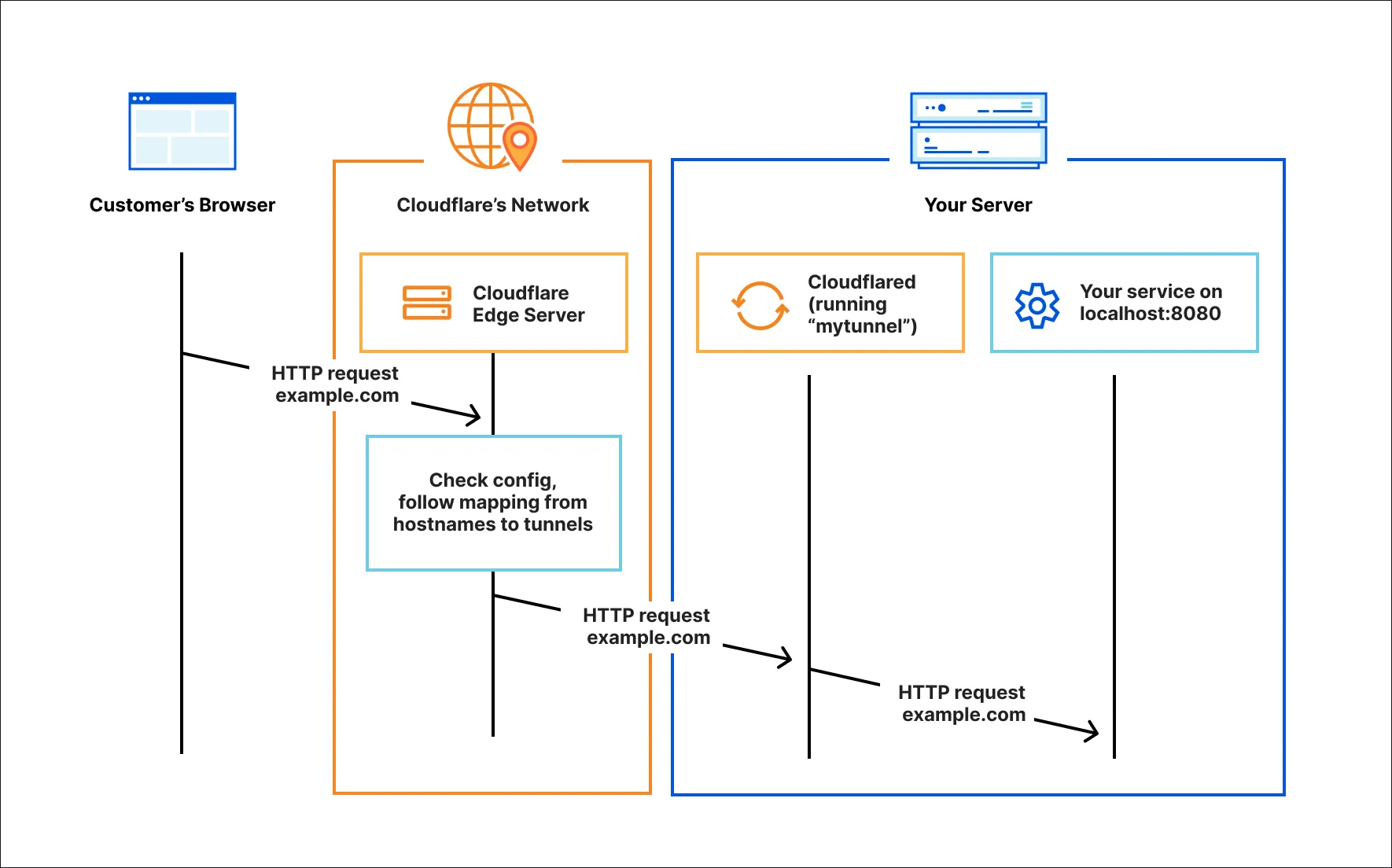
So you would punch a hole in your firewall for something like SSH port 22 and then on the inside interface of your firewall you would forward that traffic to the inside resource or server that you wanted to have answer that particular traffic. Even though your firewall is meant to sanitize and secure this traffic, it still makes you vulnerable to different types of attacks and it was just a royal pain to keep the brute force and other attacks at bay.
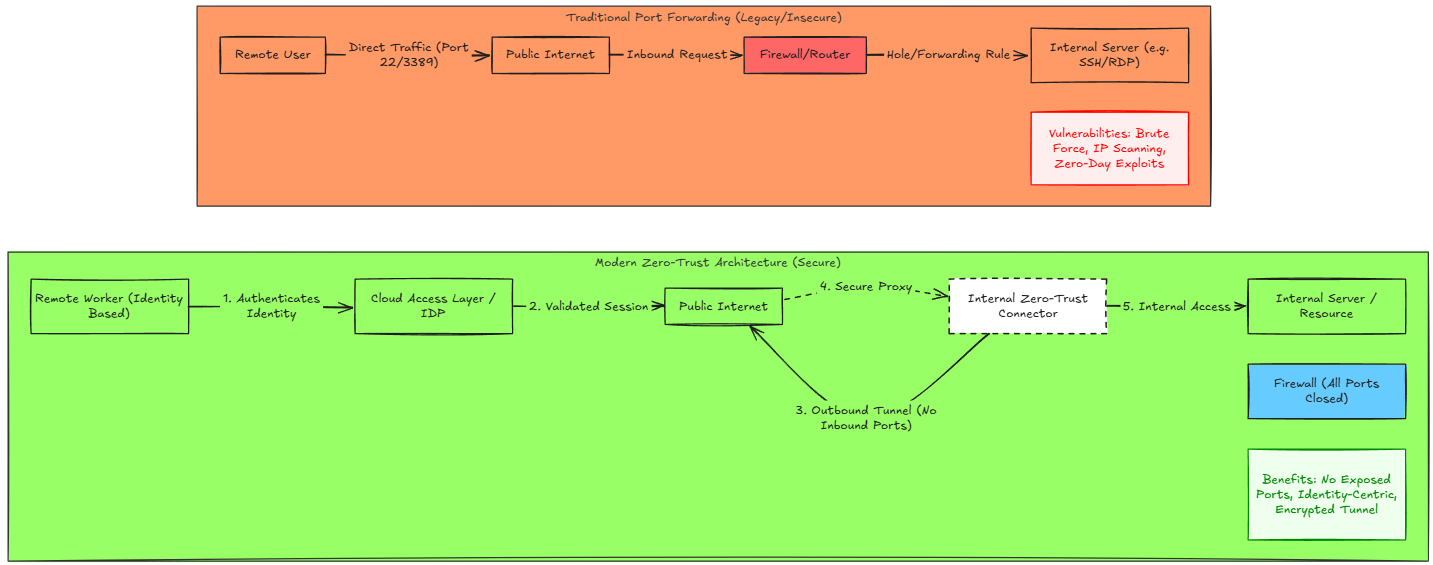
Today, I have a secure access layer between myself and the home lab. Zero trust VPN solutions allow me now to have a “connector” on the inside of my network. Then have a secure access layer in the cloud to authenticate. That is the key piece here that your access is based on your “identity”.
3. I stopped creating a full VM for apps
For me, I have been on a mission to get fully containerized the past 4-5 years in the home lab to be honest and I have tried a LOT of different technologies. I still love virtual machines as a technology. However, they are no longer my first go to resource for self-hosting applications. Now I use containers for most things and only use VMs when necessary or if they are called for with an application.
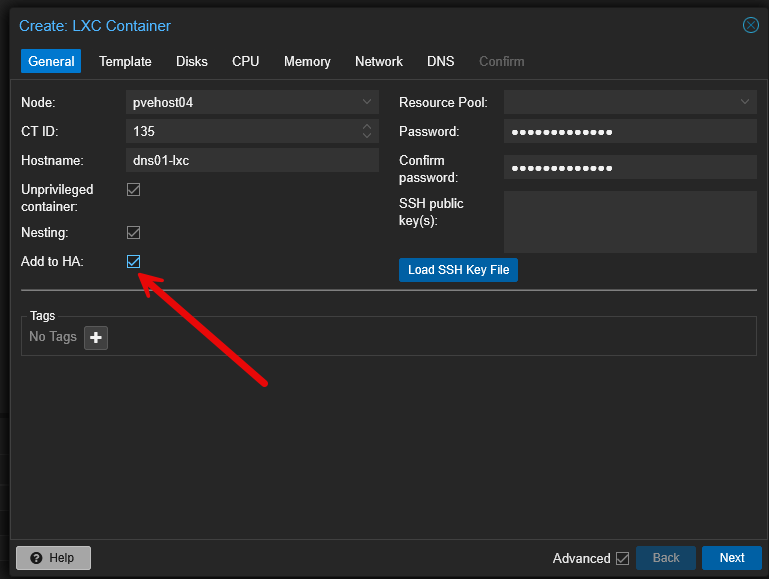
Prior to my containerized years, I would install an Ubuntu VM and then install the application on the VM whether the app is:
- DNS server
- Monitoring platform
- Small web server
- Runner machine
The approach of using a virtual machine is not problematic from a technology standpoint. But it is expensive in terms of RAM, disk space, patching, and the overhead of just managing more infrastructure. Today I try to see which infrastructure type makes the most sense for the type of workload I am going to run.
4. I use Docker Compose for Docker workloads
I am like everyone else when I started out with Docker by just reading documentation and looking at videos and other information and I just ran everything from the Docker run command:
docker run -d \
  --name application \
  -p 8080:80 \
  -v /some/path:/data \
  application:latest
There is nothing wrong with running things from the Docker command line. But, when it comes to managing these types of deployments, it makes it a lot tougher when you have lots of containers and need to manage all of those containers in a meaningful way. Also, Docker run commands don’t really give you much that you can do to save your configuration. Outside of saving the exact commands that you use to run the containers.
This is why now I put EVERYTHING in docker compose if it is just a normal docker container. Then the Docker compose gets put in a git repo and saved there. Any changes I make in production come from Git. I have found a tool that also helps with a gitops type approach with Docker called “doco cd” that allows you to trigger respinning the container when the code changes.
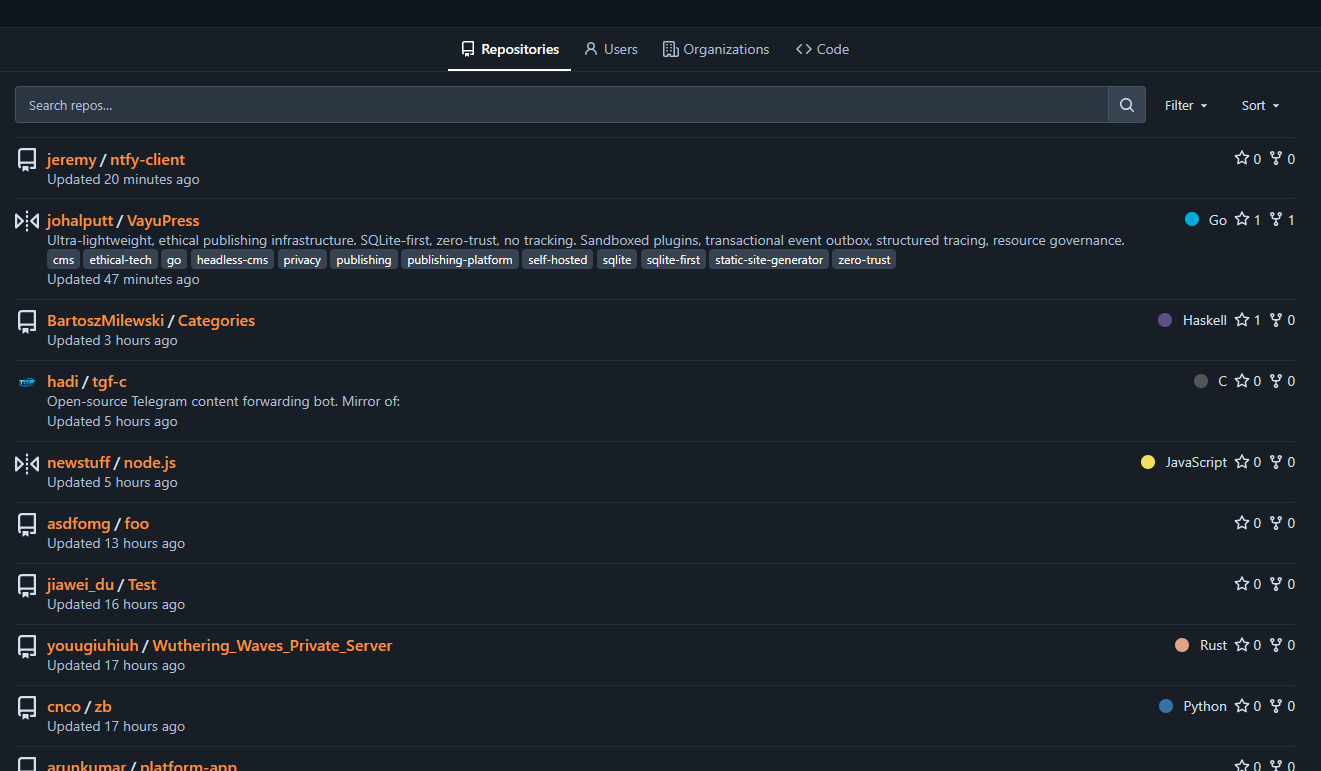
With Docker Compose, you have a file that has the description of your Docker infrastructure, that looks like:
services:
  app:
    image: example/app:latest
    restart: unless-stopped
    ports:
      - "8080:80"
    volumes:
      - ./data:/data
5. I no longer try to remember IP addresses that I assigned
I used to think in a home lab, I will just remember everything that I have configured. Well if you have 5 workloads up and running, that might be possible. But if you have over 100 containers running, Docker hosts, Kubernetes clusters, IP cameras, Wifi access points, smart home gear, there is just no way to remember it all.
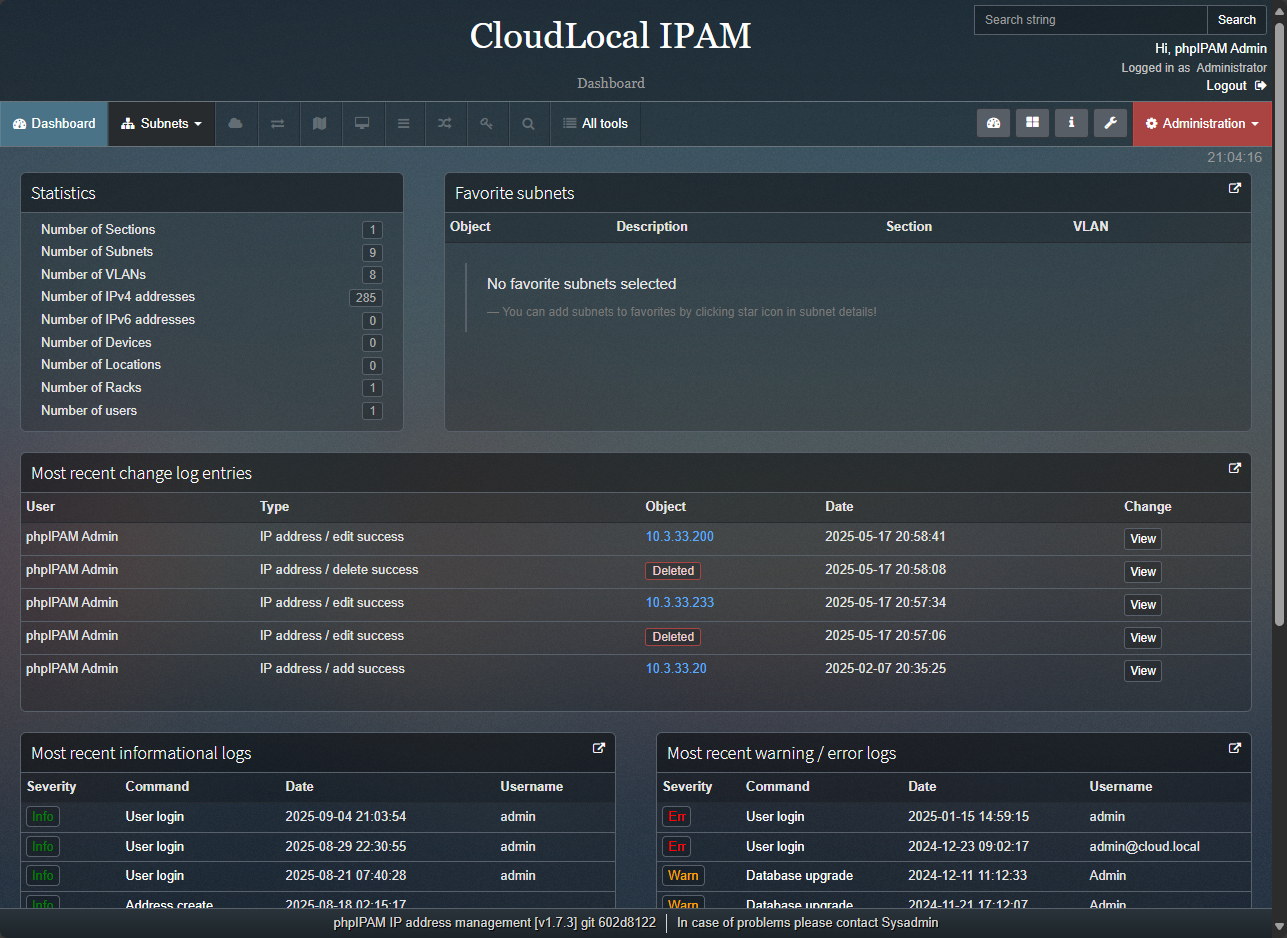
Now, I use an IPAM to record all of my IP addresses I have used along with VLANs configured for those IP subnets. This way I have them recorded and stored in a solution that is searchable and actually runs a scan every few minutes to scan the networks I have configured to detect new hosts and pull names from DNS. Currently, I am using phpIPAM as my IPAM of choice.
6. Successful VM backups are no longer enough for me
In previous years, if you had a good backup of your physical or virtual machine, you felt safe and comfortable with your DR strategy. But now, with all of the new modern infrastructure we have up and running that we use, even in the home lab, a single backup is often not enough.
Now, I like to have multiple backups of my infrastructure. For virtual machines, I use two solutions, Proxmox Backup Server (PBS) and Veeam Backup & Replication. Both of these backup my virtual machines running in the Proxmox environment in my home lab each evening. This way I have not only one backup, but two backups I can pull from in case one is no good.
Also, when it comes to my Kubernetes pod data, I use Veeam Kasten. It is free for up to 5 worker nodes which I am under and it works great. It allows me to capture all of the critical data that I have stored in my Kubernetes environment.
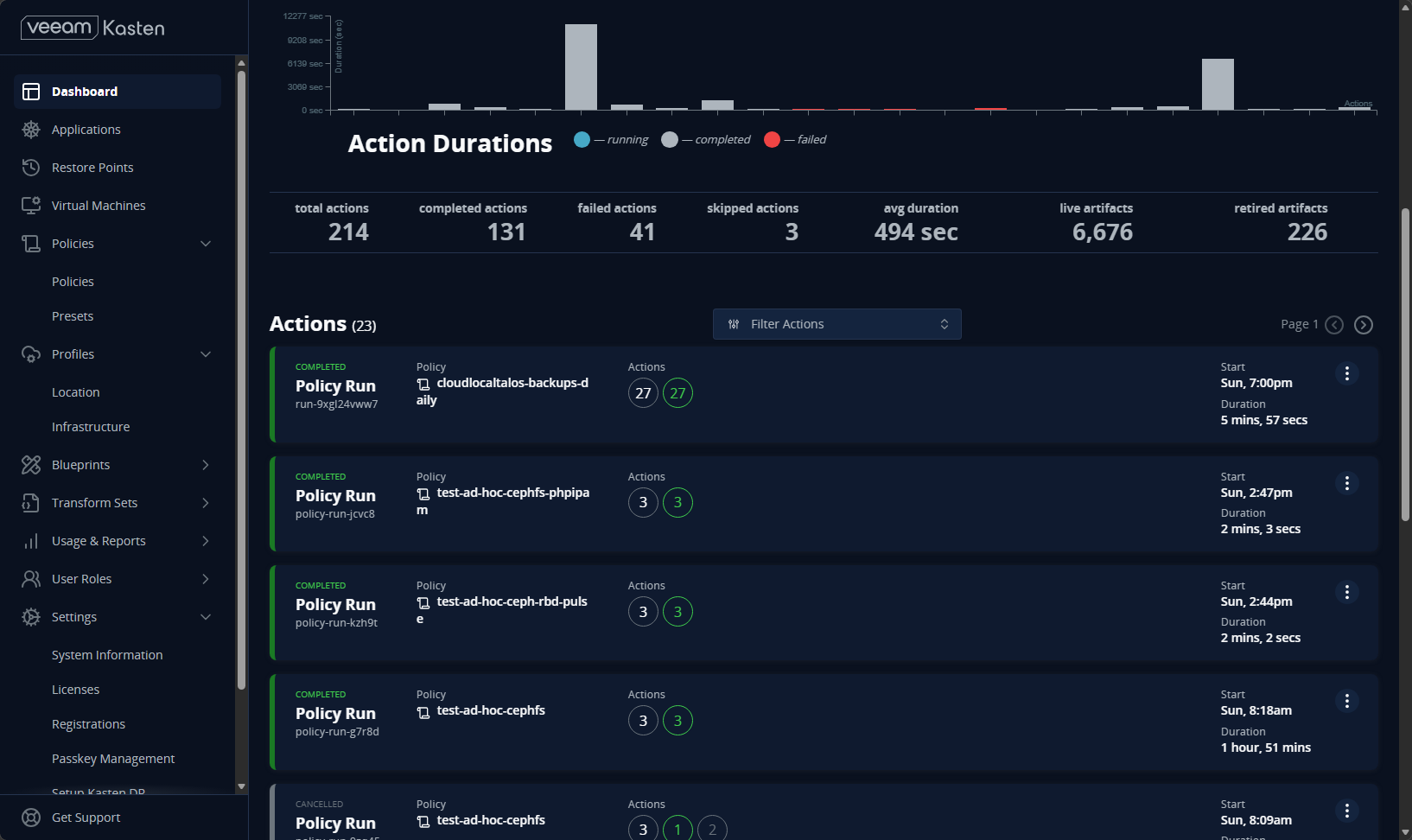
This gives me a good backup of my Kubernetes data since it exists inside of Ceph on my proxmox cluster. So, just backing up your virtual machines in that case, doesn’t actually grab a copy of your data. This is why I have Kasten pull a copy of that data for me and it can restore pods, pod configuration, and my persistent volume data.
At least once a month or more often if possible, I suggest picking one virtual machine, one container, one pod, and restoring these from scratch each time to see what the restore looks like. Pick a different workload each time. This helps to flesh out any issues with your backups that just simply backing up your data doesn’t really shed light on.
7. I stopped buying home lab hardware based only on maximum performance
I cut my IT teeth during the era of having the fastest gaming PC possible and looking at CPU benchmarks, RAM speeds, disk speeds, etc. However, I feel like my priorities have drastically shifted from the fastest hardware on the street to having a good balance of performance for the power draw it consumes. I am all about efficiency these days, due to the cost of electricity and the heat output of your home lab gear. I live in the southeastern United States where summer temps are commonly triple digits. So having the most efficient lab gear helps with cooling costs as well.
Check out my recent review of the Minisforum MS-03 here: Minisforum MS-03 Review: The MS-01 Home Lab Upgrade I’ve Been Waiting For?
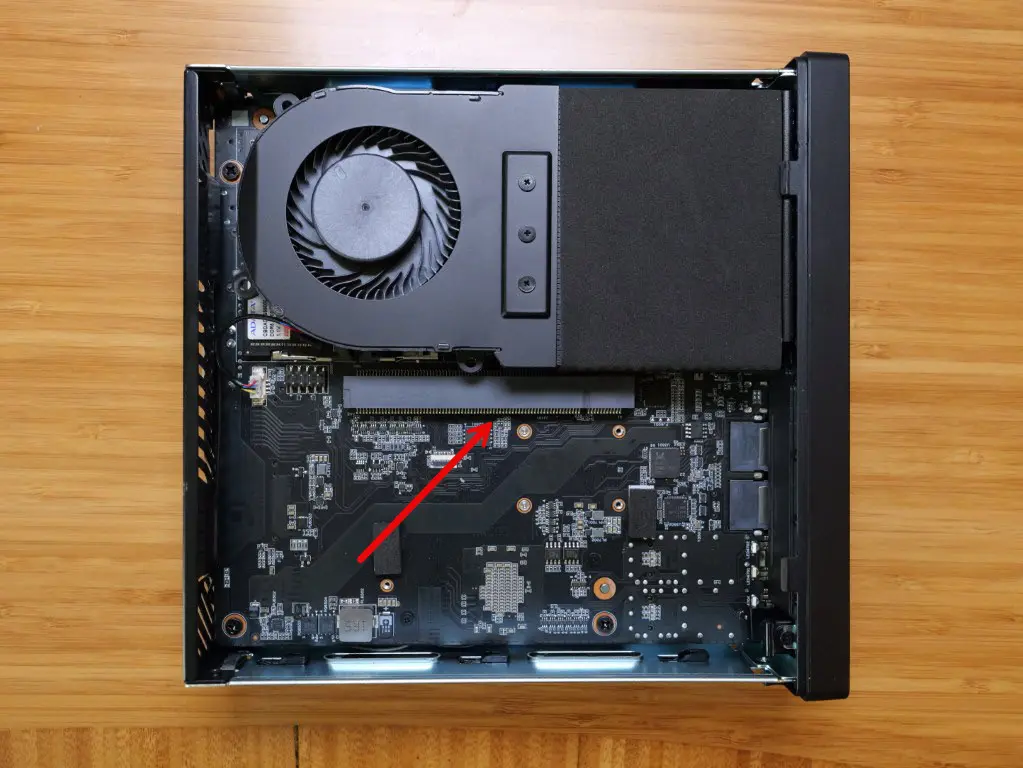
Now, i look at the following hardware features when looking at my lab gear:
- idle power consumption
- cooling
- noise level
- RAM capacity
- NVMe storage
- PCIe expansion
- 2.5 GbE or 10 GbE networking
- GPU support
- virtualization CPU extensions
- physical size
I used to think there wasn’t any other way to run a home lab than using enterprise gear. However, I have fully adopted mini PCs at this point. I have a fleet of Minisforum MS-01s in a Proxmox cluster running Ceph. These have served me very well since early 2024 or so. I don’t look to move away from mini PCs any time soon. They are so capable these days and they are much quieter, smaller, and way more efficient.
8. I stopped doing routine maintenance entirely by hand
One of the big changes from the old way of doing things in the home lab environment is that I try to accomplish as much maintenance as I can using automation. Manually performing routine maintenance operations is not only time consuming, it is not very efficient and is very prone to human error.
Now I have a lot of my home lab automated when it comes to maintenance. My Flatcar Linux hosts automatically update themselves from my Nebraska server. Argo CD handles the updates of my Kubernetes pod images and rewrites the manifests to the latest versions that I have in my update configuration.
Dockcheck keeps my containers updated too:
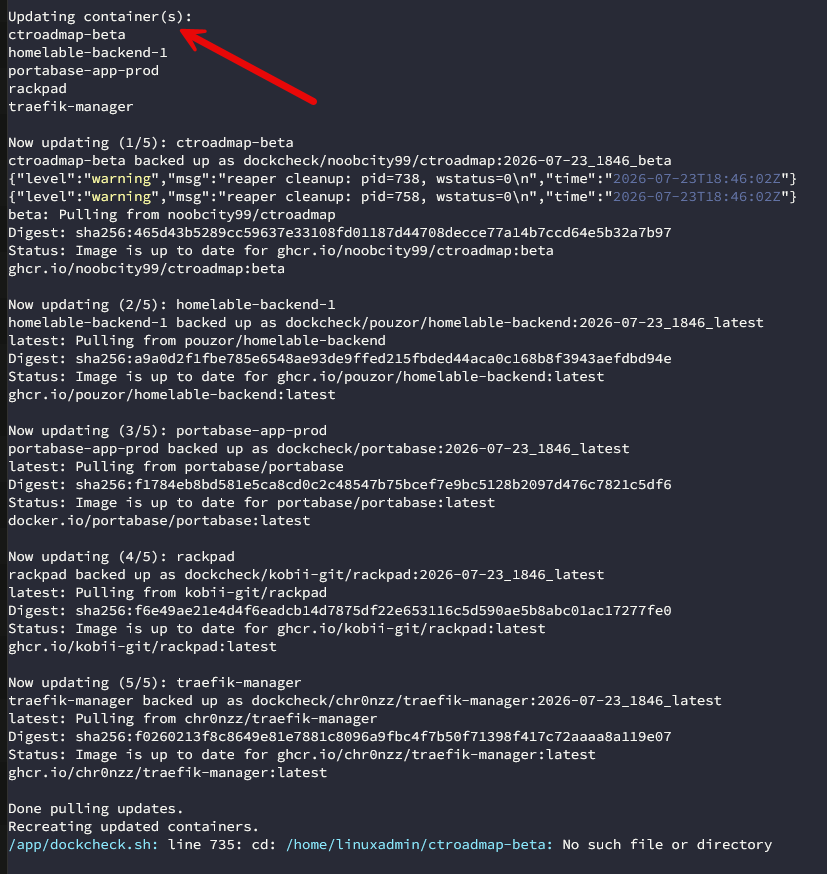
SSL certificates are automatically renewed on my reverse proxies as they are using Let’s Encrypt certificates. My Docker pruning is handled with my CICD pipeline running in Gitlab in the home lab. My VM templates are automatically rebuilt each week using a CICD pipeline as well.
Check out my full post here on the things that are automated while I am sleeping: The 9 Things My Home Lab Automates While I’m Sleeping.
Wrapping up
Hopefully, this gives you an idea of the various things that I stopped doing the “old way” in my home lab or the old way at least from my reference point. Hopefully, you may have started out already doing things a more modern way if you have a bit fewer miles behind you than I do. But whatever the case, we all have room to grow and learn and look for ways to do things better and more efficiently. It is exciting to see where we are today in terms of technology and where our tech stacks are headed in years to come. What about you? What are some old ways of doing things that you have moved on from?
More in this topic

Google is updating how articles are shown. Don’t miss our leading home lab and tech content, written by humans, by setting Virtualization Howto as a preferred source.
About The Author

Same journey, no notes!
Very nice Aaron! Glad to know others are on a similar journey!
Brandon
Something I feel that is seriously missing; security.
I recently did the triple Yubikey setup and the peace of mind that even on my home network, ssh as an admin or root requires one of those three physical keys, is amazing. I’ve truly stopped thinking about since deploying them.
Combined with vaultwarden in a HA self hosted setup, life is easy.
David,
This is a great shout! I love the idea of physical keys in the home lab. I haven’t delved into Yubikeys for lab as of yet, but probably on my radar for later this year and into 2027. They definitely bolster security in orders of magnitude. It doesn’t sound like you have, but any gotchas to note that you have run into?
Brandon
If you haven’t got a dedicated prod environment setup in your home lab, it is possible during tinkering to create a difficult to recover when remote issue if you block root from ssh (which you should.)
And of course, when using something like a Yubikey, one of the first things you do is start locking everything down, including root on ssh. I was starting a clean lab when I adopted mines into setup, was 3rd device in and cursing myself as I locked myself out and had to find my USB to serial adapter to fix it.
So, a decent password service (I use Vaultwarden in a HA setup) to record those root passwords and recovery codes is a must.
Lastly, make sure at least two keys are adopted at the same time. Don’t trust one with “I’ll get/do the other later.”
David,
These are great notes and insights here. I look forward to working through this process myself and appreciate your knowledge here. Thank you for sharing this with myself and the community!
Brandon