


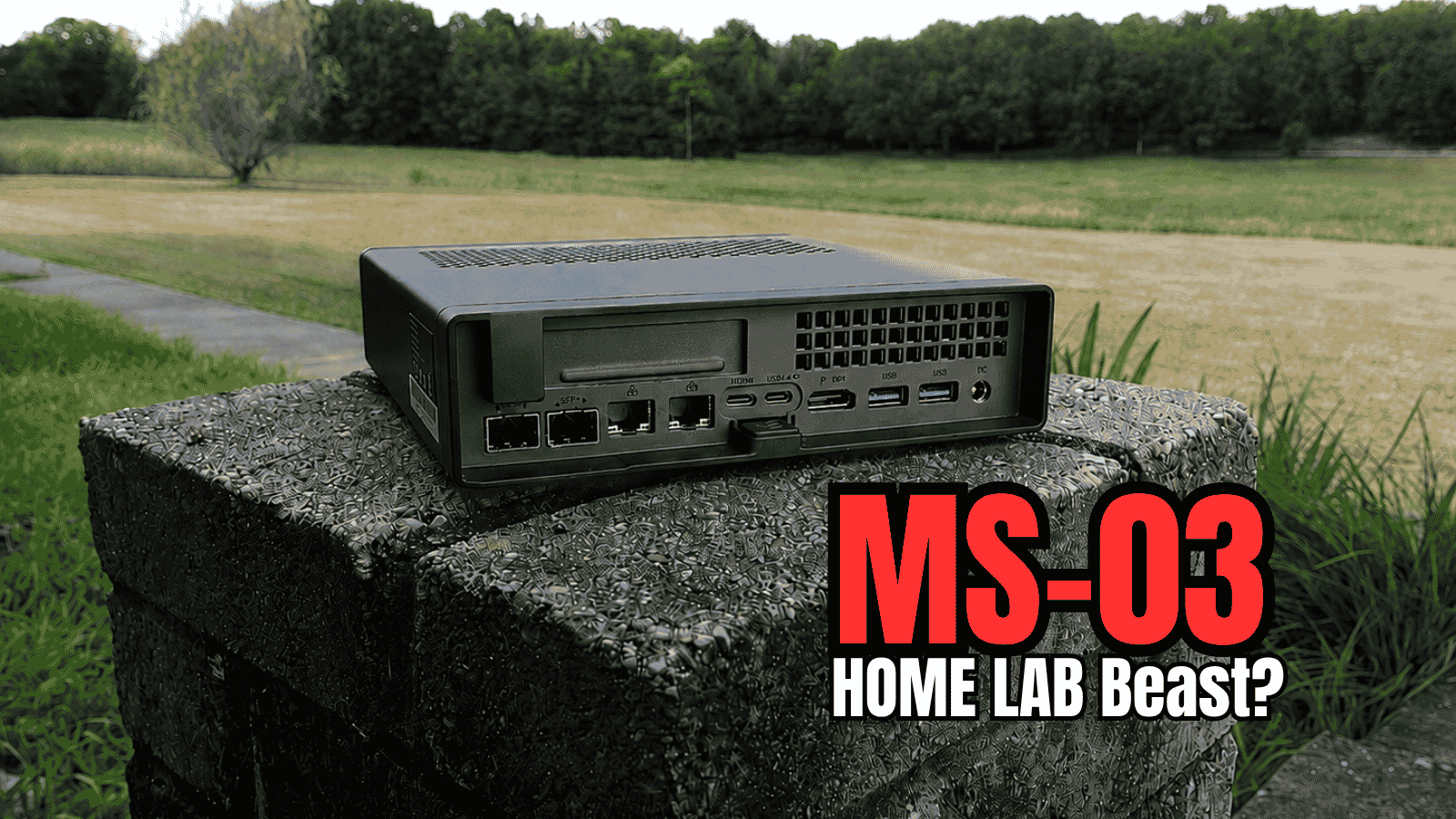
At the beginning of 2024, I got my hands on my first Minisforum MS-01 in my home lab fleet. I knew when I originally saw what Minisforum had actually pulled off in the MS-01 that this would be a game changer for home lab servers and I think I was right on that front. I can’t believe it has been two years since then, but now the MS-03 has been released and feels like the natural successor of the MS-01. Let’s look at a Minisforum MS-03 review to see if the MS-03 is the upgrade we have been waiting for in the home lab.
The MS-03 feels like THE evolution of the MS-01
I think the best way to understand the MS-03 is to look at it as the next evolution of the MS-01. The hardware combination fits with the use case for a workstation, edge server, virtualization host, or serious home lab machine.
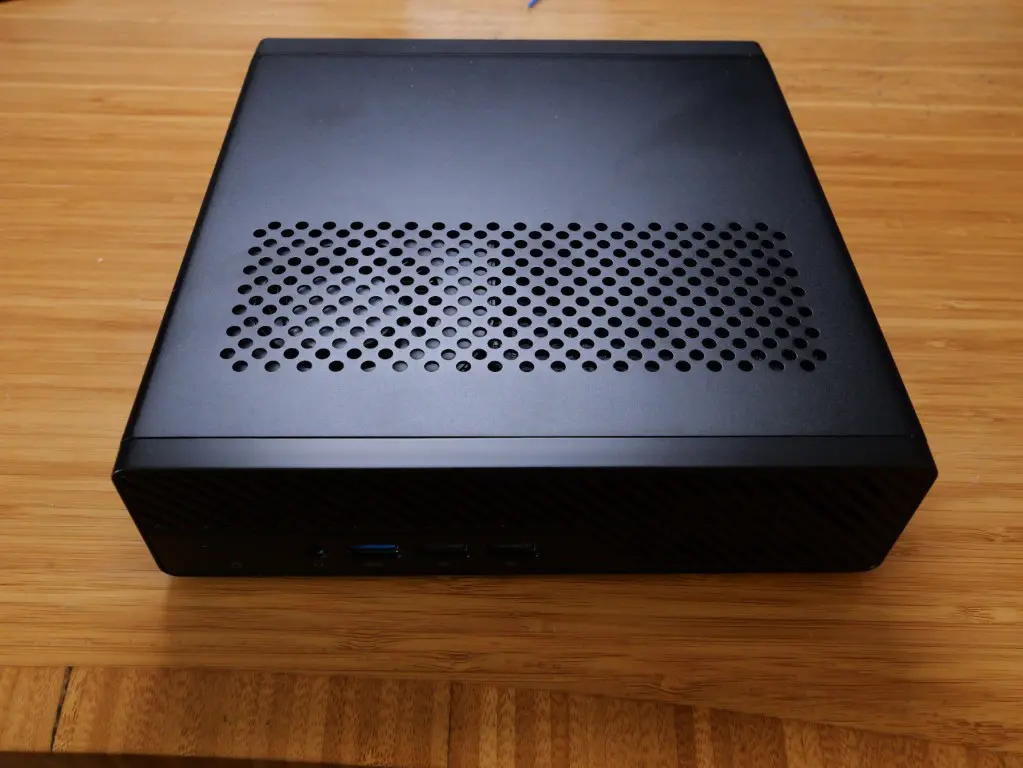
My review unit sent over from Minisforum is built around Intel’s new Core Ultra 9 386H processor. This is part of Intel’s Core Ultra Series 3 family, formerly known by the Panther Lake code name.
The Core Ultra 9 386H has 16 cores and 16 threads that is made up of:
- four performance cores
- eight efficiency cores
- four low-power efficiency cores
It can boost up to 4.9 GHz and has 18 MB of Intel Smart Cache. One change when you compare this with older Intel mobile processors is the thread count. There are 16 physical cores and 16 threads instead of the combination of performance cores with Hyper-Threading.
Intel rates the processor at 25 watts base power. It has a maximum turbo power of 80 watts. Minisforum allows the MS-03 to operate at up to 70 watts PL1 and 80 watts PL2 in its Balance mode. Quiet mode lowers the power even more.
For a home lab, maximum benchmark performance isn’t always my priority with a system that may run 24/7/365. I can stand to lose a little performance for lower temperatures, less fan noise, and less power consumption. The Core Ultra 9 386H also supports up to 128 GB of DDR5 memory in case you are interested in spending an arm and a leg to max it out.
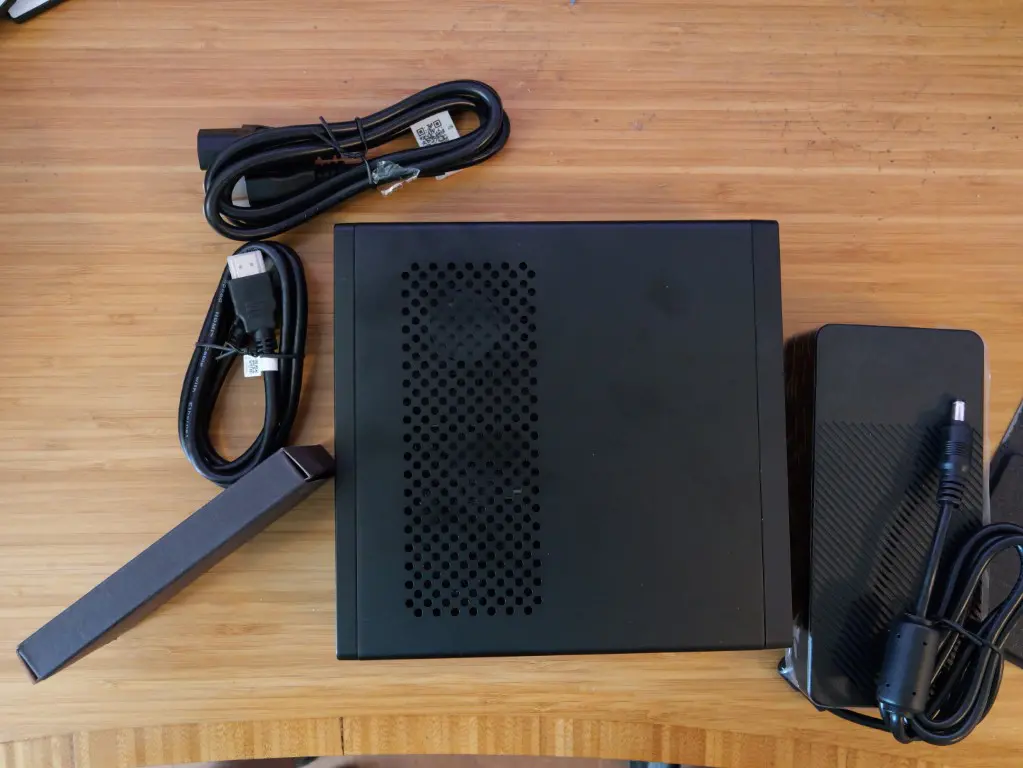
Below is a look at what the MS-03 comes with. You get the MS-03 itself, the power brick, power cable, HDMI cable, and the black box with the M.2 to U.2 adapter.
Minisforum MS-03 specifications
Below are the specs for the Minisforum MS-03 in terms of hardware:
| Component | Minisforum MS-03 |
|---|---|
| Processor | Intel Core Ultra 9 386H |
| CPU architecture | 4 P-cores + 8 E-cores + 4 LP E-cores |
| Cores/threads | 16 cores / 16 threads |
| Maximum turbo | Up to 4.9 GHz |
| Maximum memory | 128 GB DDR5 |
| Memory slots | 2 x DDR5 SO-DIMM |
| Primary storage | PCIe 5.0 x4 M.2 NVMe |
| Secondary storage | PCIe 5.0 x4 M.2 NVMe |
| Third storage slot | PCIe 4.0 x1 M.2 NVMe |
| U.2 support | Yes, using included adapter |
| PCIe expansion | PCIe x16 physical, PCIe 4.0 x4 electrical |
| SFP+ networking | 2 x Intel X710 10GbE |
| Copper networking | 1 x Realtek RTL8127 10GbE |
| Management LAN | 1 x Intel i226-LM 2.5GbE |
| Wireless | Intel BE211 Wi-Fi 7 |
| Bluetooth | Bluetooth 6 |
| USB4 | 2 x 40 Gbps |
| Display | HDMI 2.1 up to 4K 120 Hz |
| NPU | Up to 50 TOPS |
| Power adapter | 240 watts |
| Dimensions | 196 x 189 x 48 mm |
There are a lot of spec numbers here, but to me, like the MS-01, there are three things about the MS-03 that stand out. It has very good features with its networking, storage, and expansion possibilities.
The networking is one of the definite strong suits of the MS-03
I remember when I saw the capabilities of the MS-01 on paper, I almost couldn’t believe that we were getting (2) 10 gig SFP cages and (2) 2.5 GbE base-t ports. This is still one of the favorite parts for me with the Minisforum MS-01 and the MS-03 doesn’t disappoint me here either.
The Minisforum MS-03 has two Intel X710 10GbE SFP+ interfaces, one Realtek RTL8127 10GbE RJ45 interface, and one Intel i226-LM 2.5GbE RJ45 interface. So, we have actually gained a 10 gig interface with the MS-03.
Also, in case you are interested, Proxmox “sees” all 4 of the network adapters without an issue. This is after a fresh installation of Proxmox 9.2 on the Minisforum MS-03:
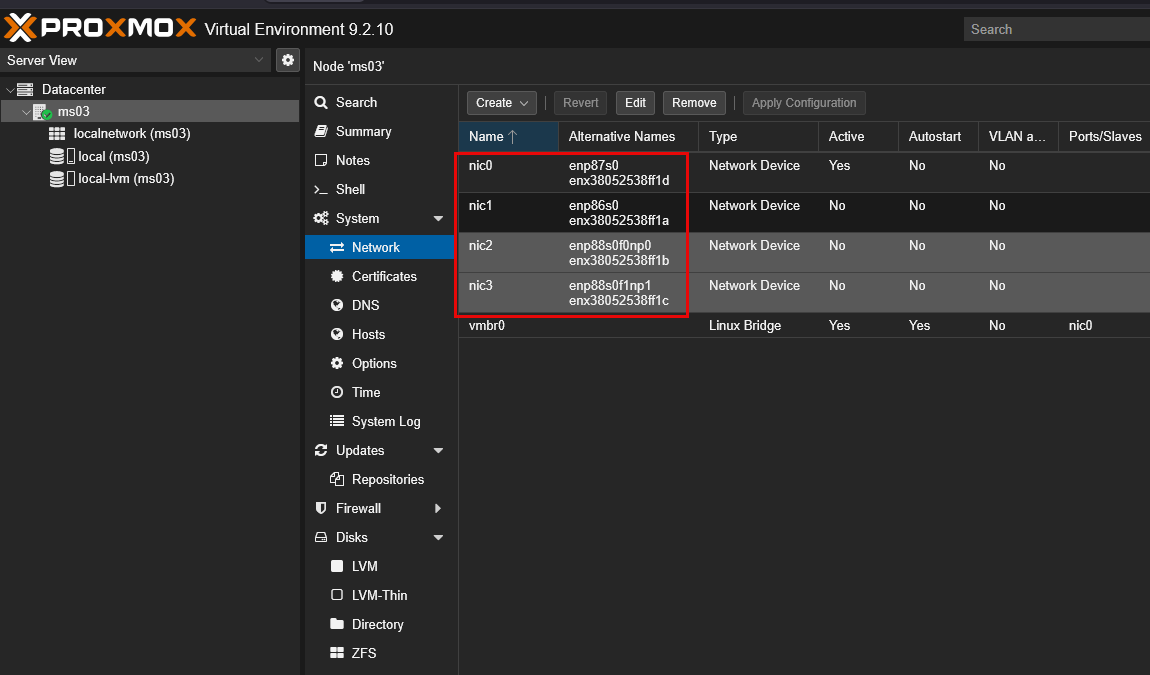
All of these network interfaces open up some pretty cool possibilities with Proxmox. I could dedicate the Intel 2.5GbE interface to Proxmox management, use one X710 SFP+ interface for VM traffic, dedicate the second X710 interface to storage or migration traffic, and still have another 10GbE copper connection. I could use that 10 GbE connection for something like backups, NAS traffic, another bridge, or a completely different network.
You could also bond the two X710 interfaces and run VLANs across the bond which would mirror what I am currently doing with my cluster of Minisforum MS-01s in my cluster there. In case you are wondering, the X710 is the same controller that is used in the MS-01, so in my opinion this is a well tested network adapter for this platform. I have had no issues with the 10 gig SFP networking on my MS-01’s.
The 10GbE RJ45 interface uses Realtek’s RTL8127 controller. I usually prefer Intel networking for virtualization hosts, so this is one area I will be paying close attention to under Linux and Proxmox. Hopefully, we won’t see any “flakiness” on the side of the Realtek controller for the 10 gig base-t interface but this is one that I haven’t had any long running time with.
The storage configuration is powerful as well
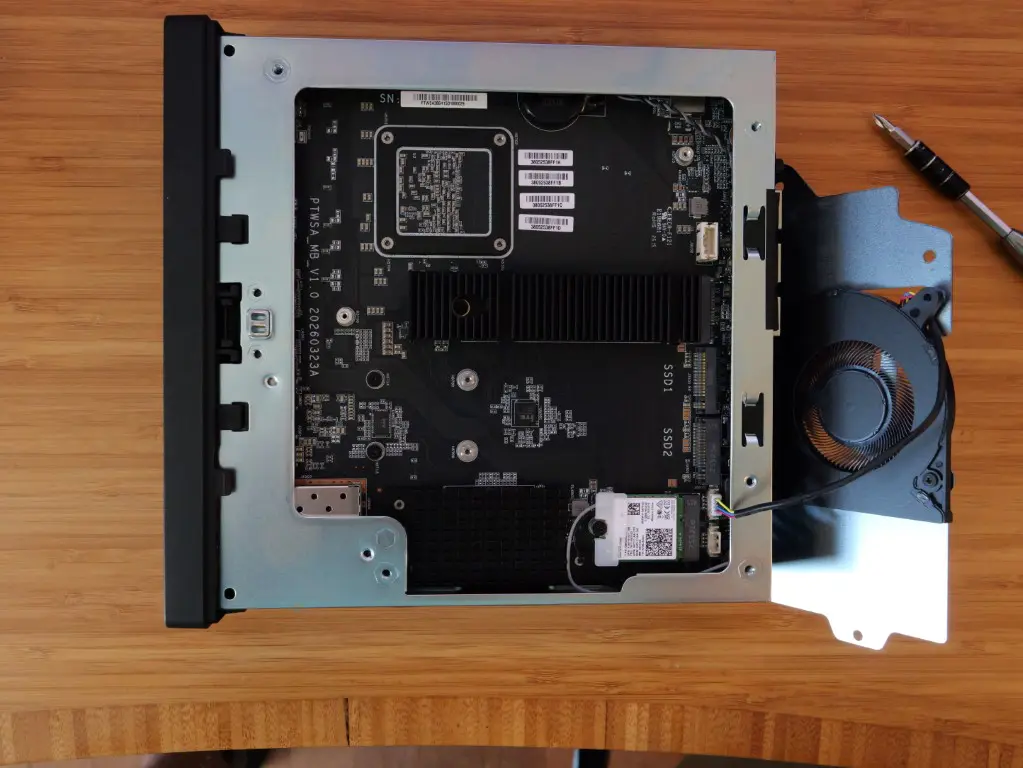
The MS-03 has some really good storage options as well, again very similar to the MS-01. However, they have redesigned the insides just a bit. the MS-03 has three M.2 NVMe slots inside the MS-03. The first two can operate at PCIe 5.0 x4 speeds. The third supports PCIe 4.0, but there is an important detail here that is easy to miss: that third slot operates at only x1 lanes.
That is definitely a detail to keep in mind as if you are planning a three-drive ZFS configuration or want to have identical performance from all three NVMe drives, just know that the third slot doesn’t have the same bandwidth available as the first two.
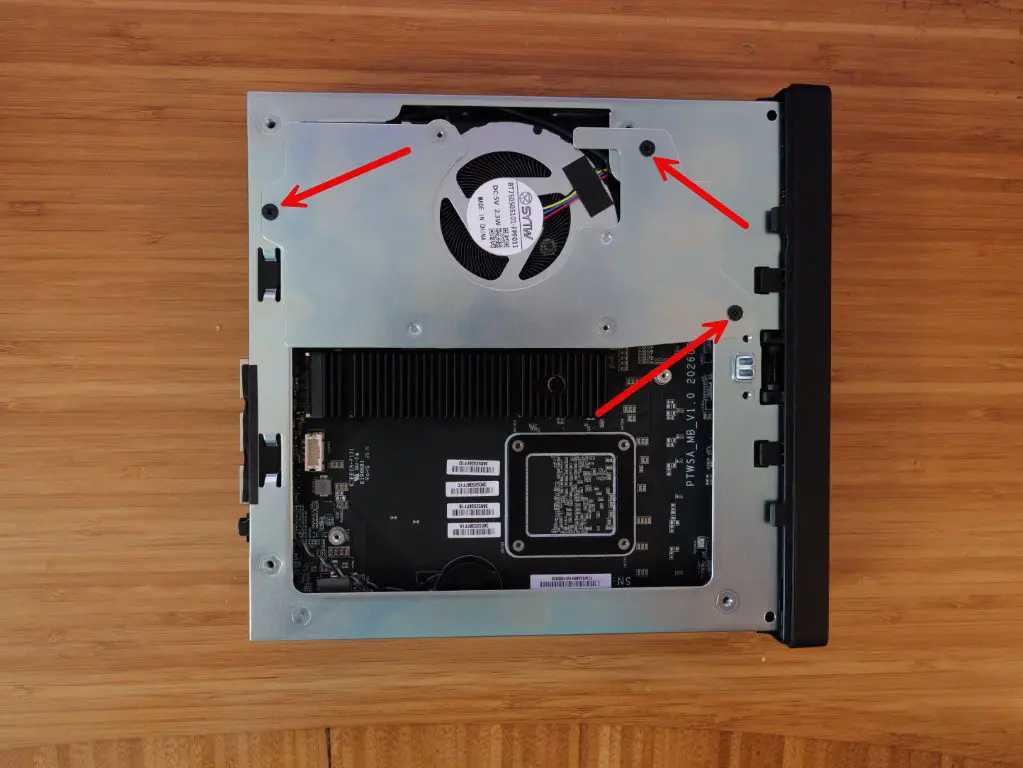
However, I don’t think it means that the slot is useless. I could see using the first two high-speed NVME slots for VM storage and then use the third drive for something like ISOs, container templates, backups, logs, etc. Also, what is interesting, like the MS-01, there is U.2 support in the MS-03. Like the MS-01, you get an M.2 to U.2 adapter as part of the package where you can use a U.2 enterprise NVMe SSD. This opens up using enterprise drives for something like Ceph which is what I am currently doing in the MS-01.
Still has a PCIe expansion slot
One of the things that I think separated the MS-01 from many other mini PCs when it was released was the PCIe expansion slot. I am glad to see that with the Minisforum MS-03 they have kept this idea in place. It supports half-height, single-slot cards that have dimensions up to 170 mm long and 20 mm thick.
The MS-03 has a physical PCIe x16 slot but it is only wired in at PCIe 4.0 x4. So for performance and speed purposes, this isn’t the same thing as having a full PCIe 4.0 x16 slot in a tower workstation. You need to understand the bandwidth and physical limitations before buying an expansion card.
This is one of the areas where the MS-01 actually is ahead of the MS-01. The MS-01 has twice the lanes on the expansion slot:
- MS-01: physical PCIe x16 slot, supports PCIe 4.0 x8
- MS-03: physical PCIe x16 slot, but only PCIe 4.0 x4
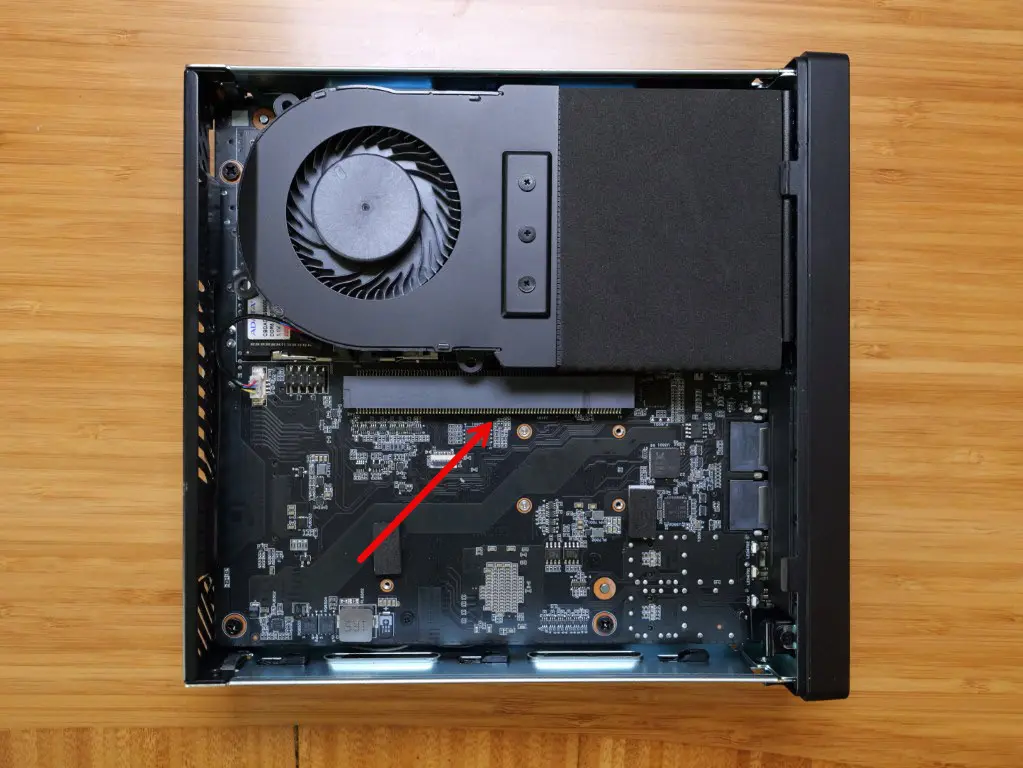
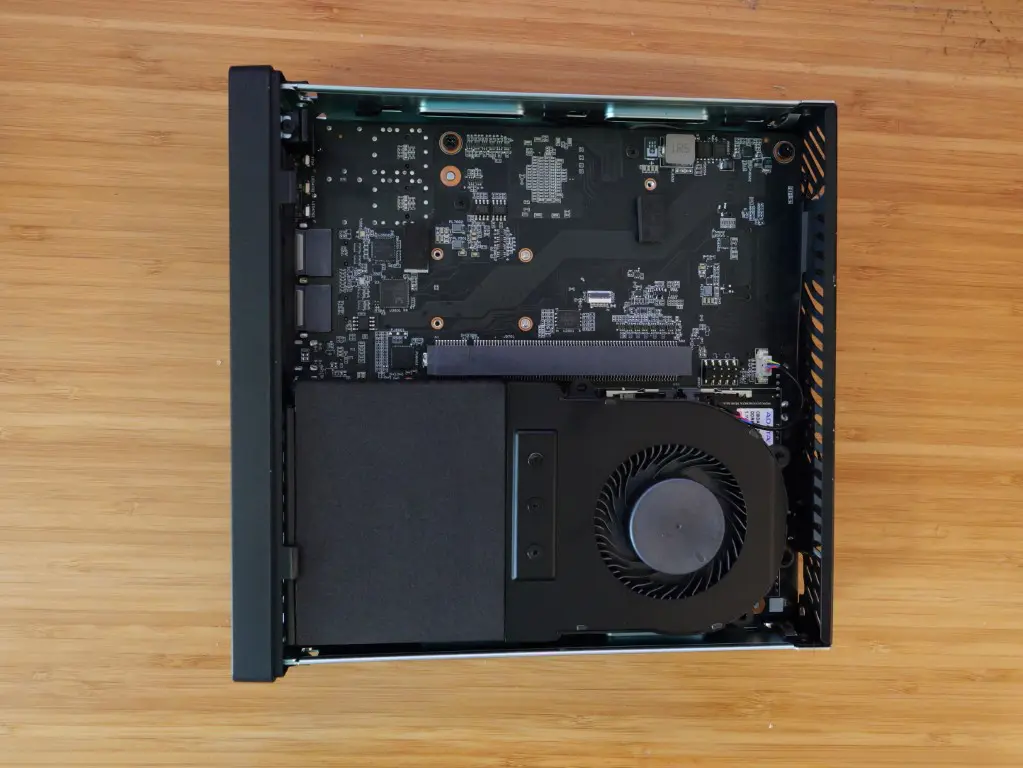
For a home lab, though I think the PCIe 4.0 x4 expansion slot still gives us a lot of options here that we can use the expansion for. The slot might be used for an additional network adapter, HBA, storage controller, some type of accelerator or other low-profile device.
Also, I think the MS-03 already has such strong networking potential that the slot wouldn’t be used for networking, so would leave it open for another use case that might be needed.
Panther Lake CPU
This is where you can really tell the advancement in the area of CPU since the MS-01 was released. The Core Ultra 9 386H processor also has an Intel NPU that can do 50 INT8 TOPS performance. intel also rates the integrated GPU at up to 40 INT8 TOPS. So, if you are interested in running an MS-03 for local AI workloads I think this aspect may make the MS-03 more useful for AI than older mini PCs like the MS-01.
Minisforum is marketing the MS-03 as an Edge AI Mini Workstation so that is at least one of the strong angles the company is using to position the MS-03. Minisforum is at least saying it has the ability to run models as large as 35B locally. I am one of the camp of opinion that NPUs won’t replace dedicated GPUs for local models and from my experience you won’t be able to replace a dedicated AI server with a high-end NVIDIA GPU.
I have experimented quite a bit with Ollama and local models in my home lab though, so this is one area where I think the MS-03 could be fun to explore.
In case you are wondering how the Intel Core Ultra 9 386H processor compares to the MS-01 i9-13900H processor, here is the comparision between them from cpubenchmarks.net:
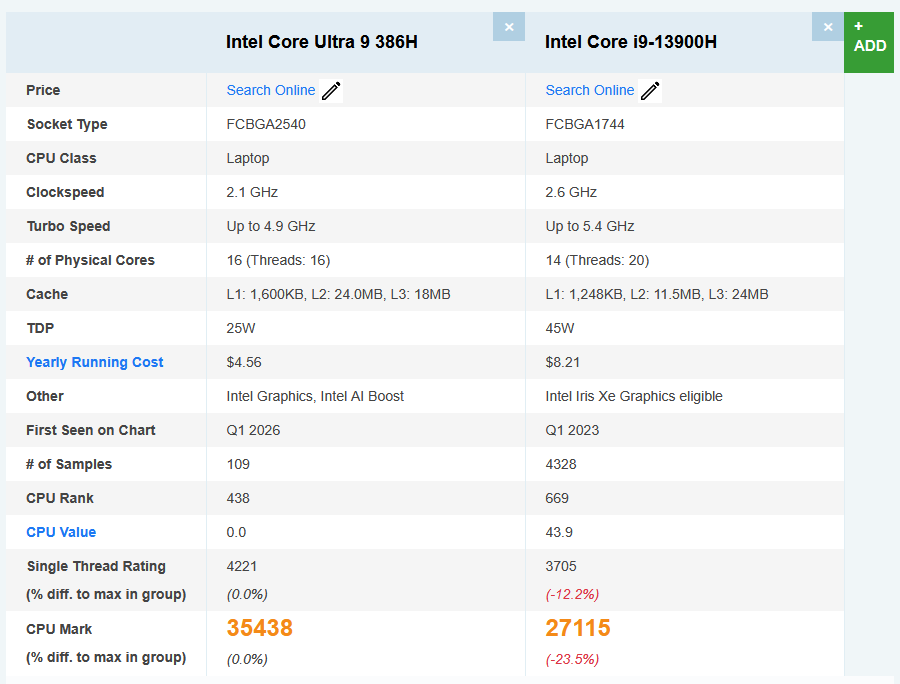
As you can see the newer processor is way more power efficient and it is roughly 24% faster than the older i9-13900H in the MS-01.
Proxmox runs great on the MS-03
I think a lot of us will be running the Minisforum MS-03 as a virtualization host. I can say that in my testing with Proxmox VE Server 9.2, there have been no issues there so far. Proxmox runs great and works as expected. Now keep in mind that I have no long-term experience with the MS-03 like I do with the MS-01. So, I can’t speak from that side of things. But I do like what I have seen with short-term testing.
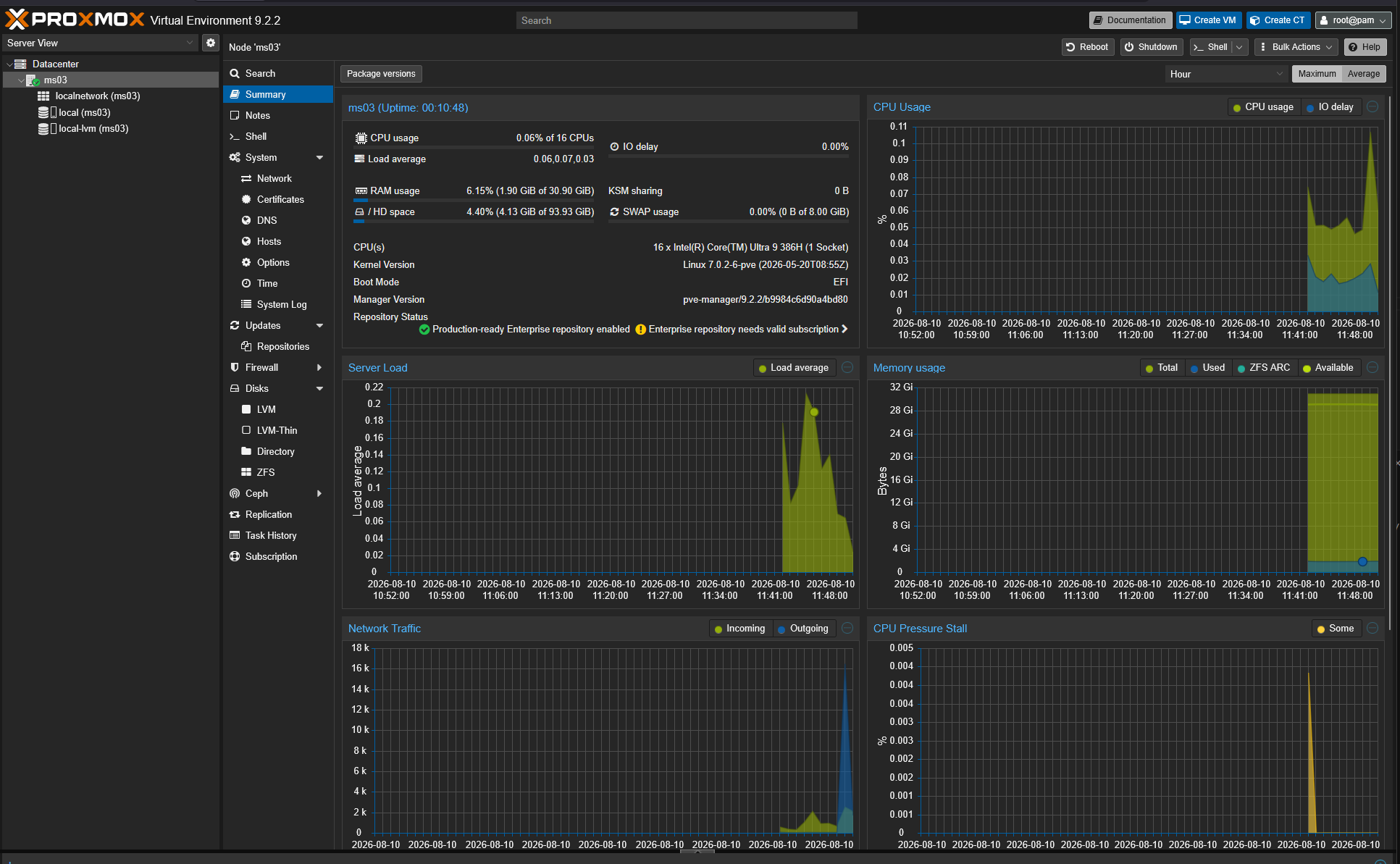
Things feel very snappy and performant with Proxmox, all devices are seen from what I can tell, and it will benefit from the newer CPU architecture and efficiencies.
Intel vPro still a great feature that flies under the radar
I think one of the sleeper features of these Intel CPUs that are found in the MS-01 and now the MS-03 is the Intel vPro functionality. It provides active out of band management. The Intel Core Ultra 9 386H is a vPro processor and Minisforum advertises this feature with the MS-03 like they do with the MS-01.
Why does that matter? Well, this has actually turned out to be a killer feature for me in the home lab with my Proxmox MS-01 cluster. I essentially have out of band management for all 5 of my Proxmox nodes and this allows me to have remote power management capabilities and remote console capabilities, even through the boot process.
So think of this as akin to something like a Dell iDRAC or HPE iLO card. My Supermicros that I used to run also had IPMI functionality that allows out of band management. This was an aspect of going to mini PCs that I didn’t like at first before I started experimenting with vPRO. But now, I have all of these configured and working for my Proxmox nodes and it is awesome.
Power draw
The is an aspect of the Minisforum MS-03 that blew me away, the power draw. I am used to the power draw of my MS-01s that I have the Core performance boost turned off on. But with the MS-01, these can under 100% CPU load draw 120 watts of power and around 45 watts of power under just normal load.
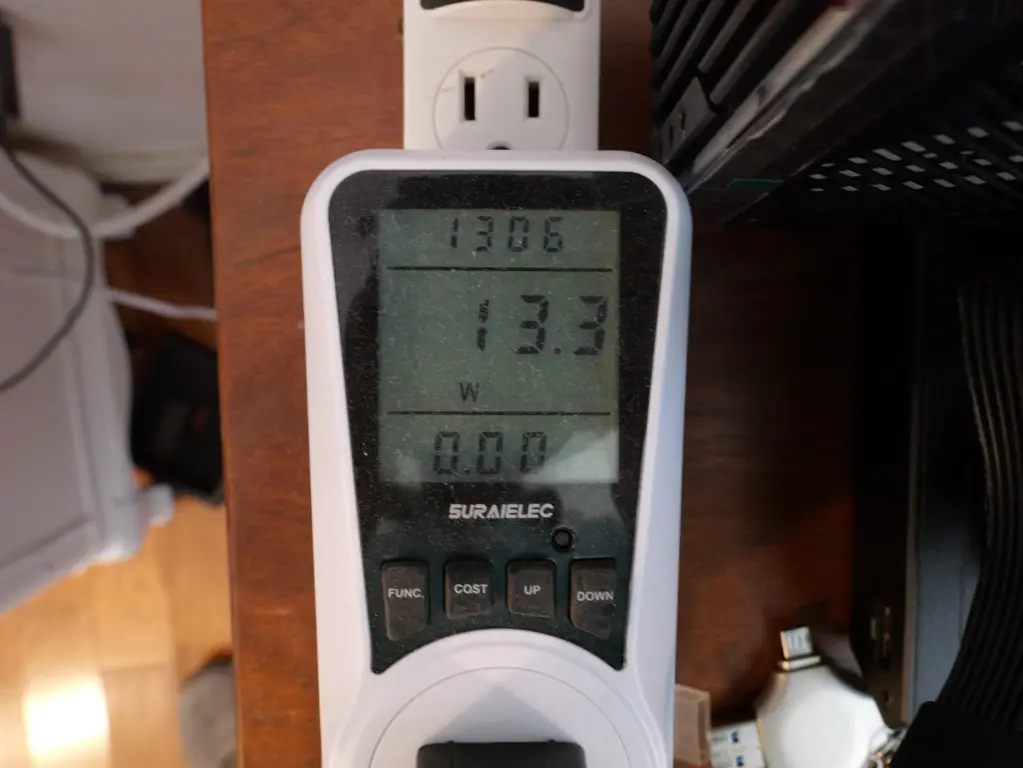
However, in my testing of the MS-03, it provides a phenomenal “upgrade” to the MS-01 in the power efficiency department. With the MS-03, under 100% CPU load, I saw 75.9 watts of power draw, almost half of what I saw with the MS-01.
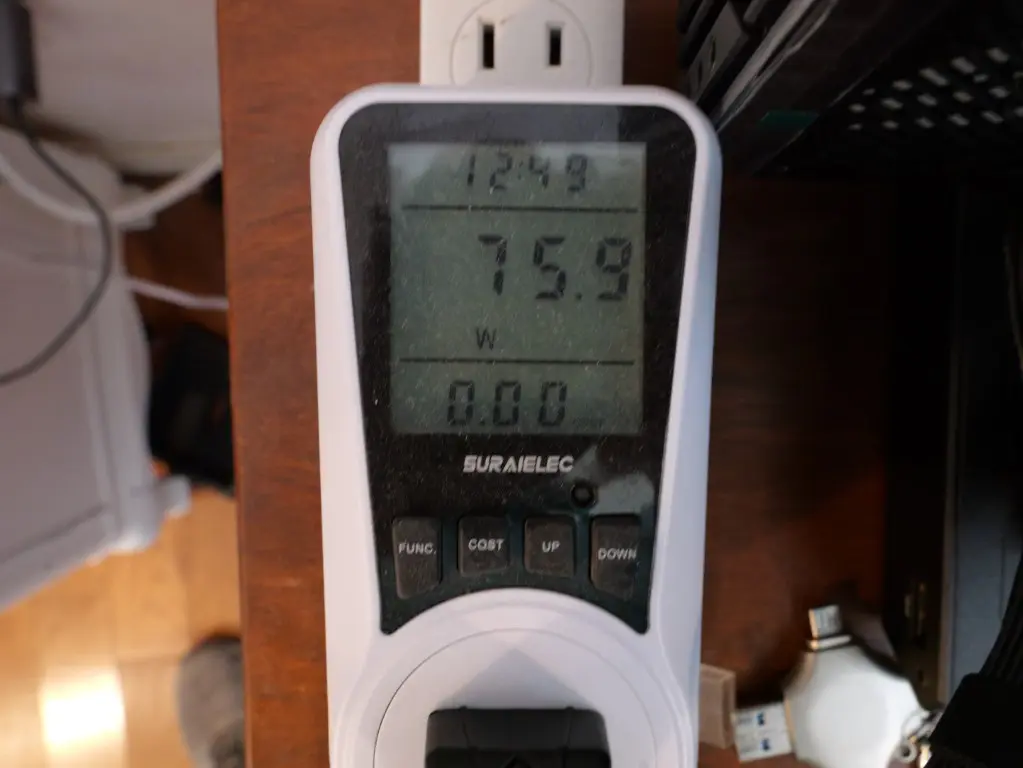
Just at idle, I saw a little over 13.3 watts! Granted this was without any VMs running and the 10 gig SFP wasn’t plugged in, only the 2.5 GbE adapter connection.
Cooling and noise
One thing I will say about the MS-03 is that the fans in it ramp up and down a lot in my testing of the platform. When I ran the 100% CPU power draw test, the fans ramped up quite a bit and were pretty noticeable. At idle though as you would expect I can’t really hear the system.
I would say this is more pronounced than the MS-01 that I currently run as I don’t really hear this ramping up and down with the 01 compared to the 03.
Pricing
The price of the Minisforum MS-03 is set for the barebones unit with the Intel Core Ultra 9 386H at $999.
There are still some things to note
Here are the compromises with the MS-03 to note:
| Area | MS-03 | What to know |
|---|---|---|
| Third NVMe slot | PCIe 4.0 x1 | Slower than the two PCIe 5.0 x4 slots |
| PCIe expansion | PCIe 4.0 x4 | MS-01 has a slot with x8, so expansion bandwidth is cut in half |
| 10GbE RJ45 | Realtek RTL8127 | I prefer Intel drivers and NICs but Proxmox seems to recognize the adapter ok. |
| Maximum memory | 128 GB DDR5 | It can house more than most of us can afford these days 😁 |
| Expansion card | Half-height, single-slot | Limits GPU and add in card options |
| Price | $999 barebone | RAM and NVMe storage will be the main considerations here. |
Wrapping up
The MS-03 is a great little mini PC that I think carries a lot of the right things that the MS-01 did forward. I was really impressed with the power efficiency of this little mini PC, especially for how much faster the CPU is than the MS-01 i9-13900H. It is a 25% or so uplift in performance and the power consumption is half or more. It also has arguably better networking since it has (3) 10 gig ports now and (1) 2.5 GbE port. One of the 10 gig ports is a Realtek base-T port though so we know this draws more power and requires you have an SFP or a base-t switch. Storage is strong with PCI-e 5.0 now but the third slot is only PCI-e 4.0 x1 so will be limiting in bandwidth. It still has the expansion port as well but has gone from x8 down to x4. What about you? Are you planning to pull the trigger on the Minisforum MS-03?
More in this topic
Discuss this in the Community

Google is updating how articles are shown. Don’t miss our leading home lab and tech content, written by humans, by setting Virtualization Howto as a preferred source.
About The Author
