



This past week for me in the home lab has included a LOT of cool things and really good learning experiences. It has covered the gamut from wiping out my Proxmox host to thinking about Docker managers, implementing new storage in Proxmox via evolving plugins, and networking. All good stuff. I have encapsulated these projects into a weekend plan of action for
1. Back up a Proxmox host and inspect what you can recover
This is one of the most important parts of your DR plan outside of backing up the workloads that you are running on your Proxmox VE Server hosts. It is backing up your Proxmox VE Server hosts themselves. After all, how do we recover a down Proxmox host if something happens, and let’s say, the boot drive or mirror is wiped out? You are looking at options there like reloading it from scratch.
This is part of our backup strategies that we really don’t think about and it can leave holes in the grand scheme of things. Reloading a host is only part of the battle. There are all of the settings, configurations, plugins, networking, and other details that need to be thought about.
I recently put this question to a much harder test and what I think is a real world test to be honest. I used ProxMenux to take a backup of one of my Proxmox cluster nodes. Then, I wiped the node. Yes, literally just put an ISO in and rebooted and reloaded the host. Thankfully, the backup helps to recover much of the configuration, but there were actually a few gaps left that were not included at least from what I found.
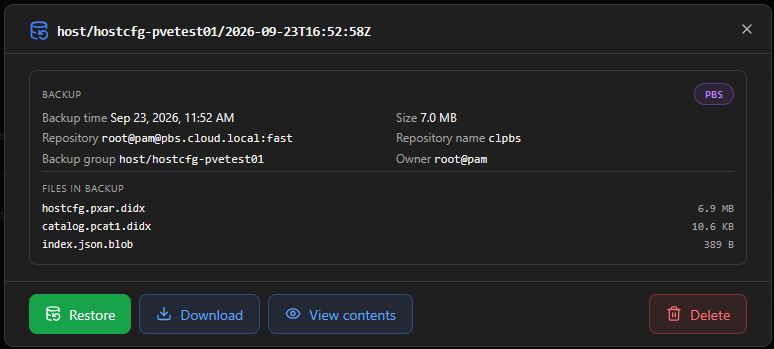
These included missing Corosync configuration since this was initially a Proxmox cluster host. It also didn’t reinstall things like my TrueNAS storage plugin for Proxmox. So I had to get this installed again before the shared storage connection was healthy again.
Be sure to take a look at the full test I went through here and the details of what happened: I Wiped My Proxmox Host to See If This Backup Tool Could Bring It Back.
2. Try a Docker management dashboard beside Portainer
If you have been keeping up with the news lately, you have probably seen or heard the details that Portainer 3.0 is going to be a major shift in the direction of the product. No longer will it have a primary focus on Docker “along” with Kubernetes. Kubernetes will be the major direction moving forward. Docker support, Swarm support, Podman, etc, will still be there, but won’t maintain feature parity with the features that are Kubernetes centric or simply functionality that only Kubernetes can do.
This week I looked at Portainer’s announcement of the direction change and gave my thoughts on what this means for home labs that may currently be using Portainer. For this weekend, I would pick one Docker management alternative that you might want to test out and connect it to a couple of your Docker hosts.
There are several that I really like and that have the attention of the community. Komodo has been the main alternative to Portainer and has been around the longest as an alternative.
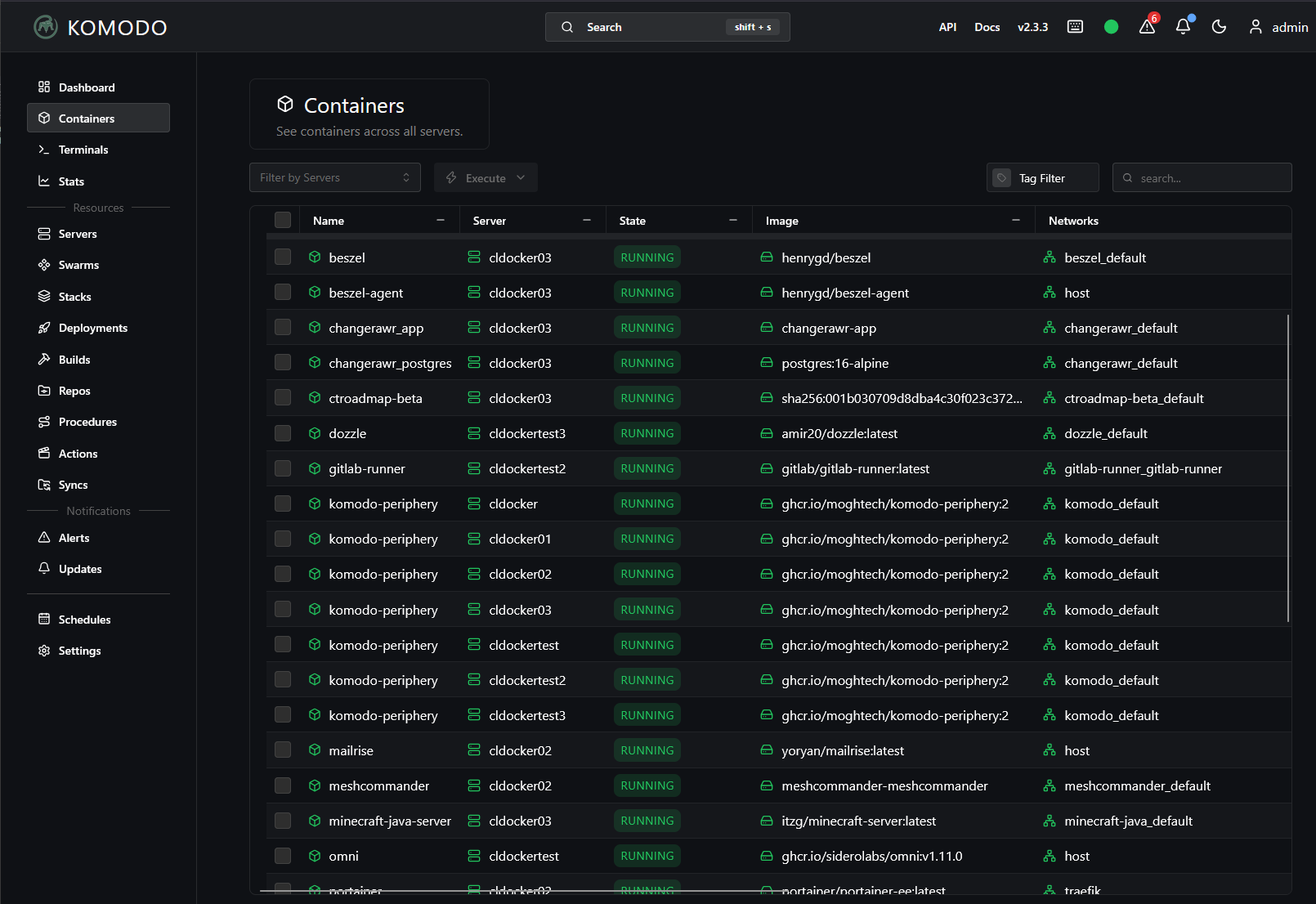
However, there are some pretty exciting alternatives as well that you may want to take a quick look at. Arcane is one that looks great and has a lot of momentum behind it and also Dockhand is another that many are raving about. I have tried all of these out and like all of them. They each seem to have a little bit different directions about them.
So maybe get the agent for an alternative Docker management solution on a test Docker host and start managing it with the new tool and see how you like it. Test out several things here:
- Does it give you the visibility you need? Networks, volumes, IP addresses, admin actions (restart, stop, delete, start, etc)
- Does it allow you to see the Compose configuration
- Does it have a way to automate updates?
- What kinds of stack management does it have available?
- Authentication integration? OIDC, etc?
- GitOps features?
- Visibility across hosts at same time? This is one I like about Komodo
Check out this post where I go into detail on what Portainer 3.0 means for Docker home labs. We look at what the announcement means and the options you have if you want to stay with Portainer. Your weekend project could just be testing a new tool side-by-side with Portainer. That will let you know pretty quickly if you want to explore something else further.
3. Build a small TrueNAS storage test for Proxmox
This is a great one that I think you will love as a project in the home lab. TrueNAS has released their official plugin for Proxmox that orchestrates your backend TrueNAS storage and it is a really great move in the right direction. Overall, I think it is a paradigm shift that we will see from many other storage vendors who are now willing to invest in Proxmox. The recent announcement from Proxmox that they are going 24×7 support is a catalyst for this shift overall among other things like the tremendous momentum that is now behind Proxmox.
I got hands on with the plugin in my lab environment and installed it on a cluster of Proxmox nodes. After getting the base config on the TrueNAS appliance, I installed the plugin and then allowed it to create the storage connections to TrueNAS. The plugin uses the API to configure storage in TrueNAS so it does most of the heavy lifting for you.
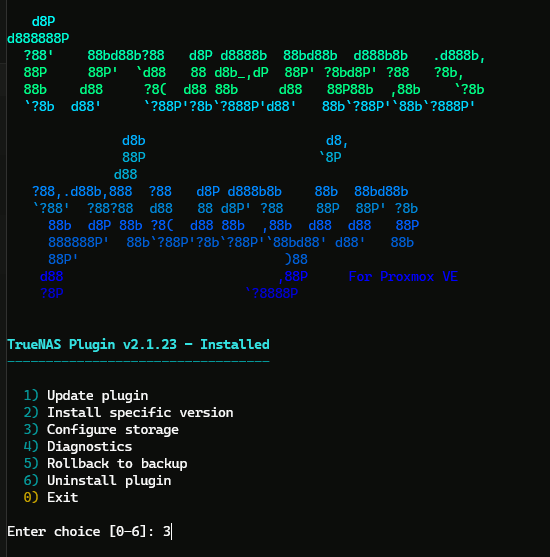
The cool thing is with “nested virtualization“, you don’t have to have dedicated nodes to get hands on with this. You can just create some nested Proxmox VMs if you want to test with a cluster, install the plugin on each node, and then connect them to your TrueNAS server.
Keep in mind that it is still in early release form, so I think for now, it is great to test with, but maybe monitoring the project until it releases in GA form. All in all, it is looking really solid, even at this stage. Check out my complete setup with screenshots on how to get this going in your lab environment: I Installed the New TrueNAS Proxmox Plugin in My Home Lab. Here’s the Setup.
4. Map out a Pangolin 1.23 HA deployment
Have you ever thought about running a clustered reverse proxy and tunnel configuration? This may be something that you may have thought about doing before, but just haven’t found the right solution to execute it as of yet. Interestingly, recent news from Pangolin is very timely.
Pangolin is a solution I have written about before as it allows you to have a self-hosted and open-source SASE and zero-trust networking solution in your environment. Version 1.23 makes clustering a native part of a redesigned Pangolin container that now provides a documented path for a two-node deployment. It includes DNS and certificate handling as part of the architecture. There are definitely additional things to think about as it doesn’t provide a load balancer as part of the solution.
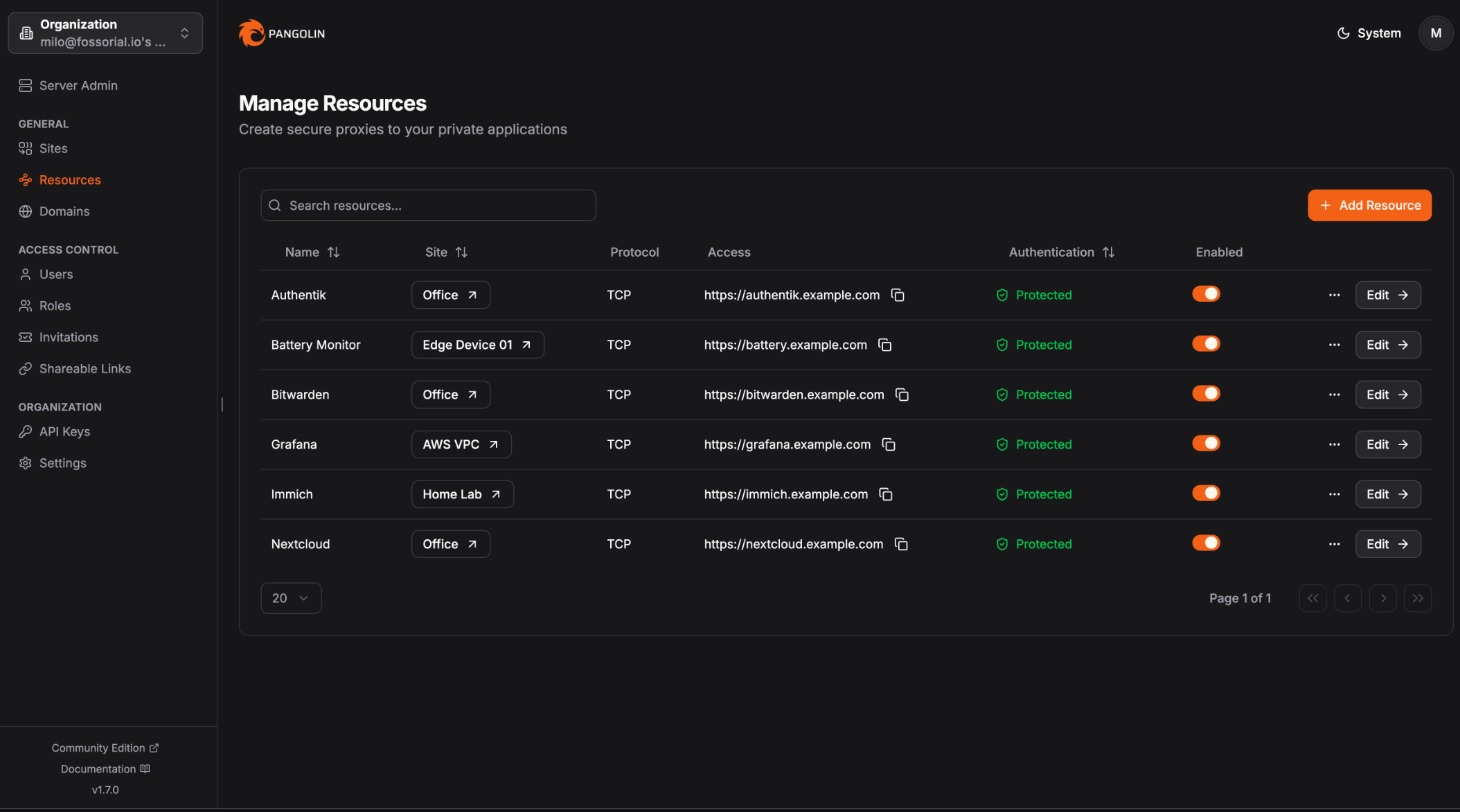
This means that if you truly want redundancy, you will need to think about redundant load balancers as part of your configuration like HA Proxy. But I think for a really great weekend project, you could start by drawing out the path requests to your self-hosted services takes to reach those services. Then, look at where your weak spots are or single points of failure. With this type of exercise you can see if the two-node Pangolin configuration would help with your availability.
Check out all of the details of this new Pangolin release as well as the architecture components and things you need to think about in my pst here: Pangolin 1.23 Just Made High Availability Clustering Self-Service for Home Labs.
5. Check the third vote in your two-node Proxmox cluster
Wait. Third vote in a two-node Proxmox cluster? Yes, it needs it. You may have two very capable mini PCs that are running all of your home lab workloads in a cluster configuration. And, you are trying to save the power draw of a third host. This is great from a power consumption perspective. But, the problem is what happens when one of the two nodes goes offline. If you have been trusting a two-node setup because both hosts show online and “green” in the web admin interface, this would be my pick for some “low hanging fruit” improvements to your lab.
Proxmox uses something called quorum to decide if cluster members are safe to stay running workloads. With two nodes, if you lose just one node, it can leave the survivor without the majority that it needs in the environment to keep things running. This is where an external QDevice gives you a third vote without it requiring you to have another Proxmox host in the mix, especially if you don’t need it for the compute or storage resources it can provide.
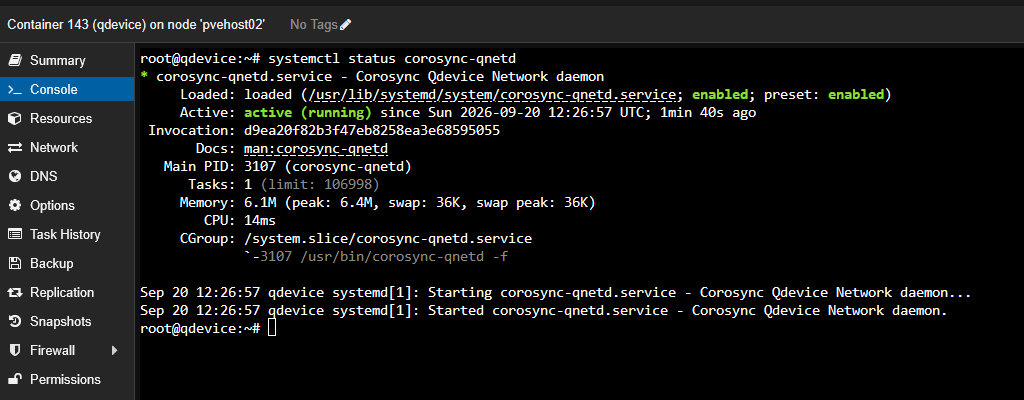
Also, if you already have a two node cluster, bolstering your cluster with this QDevice is super easy and only takes just a few minutes. Also, you can run the QDevice on a very low power device like a Raspberry Pi or anther Linux machine if you already have one running in the environment. The main thing is you want this QDevice to be outside of your Proxmox cluster that it is providing quorum for. That is the super important part.
Check out all of the details about how to setup the QDevice along with failure tests that I would run in my recent post this week here: I Wouldn’t Run a 2-Node Proxmox Cluster Without a Third Vote.
Which project are you going to start with?
I love these kinds of projects as they help you to focus your time and energies to make the best use of your time in the lab. If I had only a single hour of time this coming weekend, I would check quorum on my two-node cluster if I were running one. Make sure you have that third vote! Also, if you are running Portainer, try out a new Docker management tool. There are now MANY great options out there that you can choose from. Pangolin is always an interesting project to try out especially with the new clustering, and the TrueNAS plugin for Proxmox I think is a winner, especially if you are using both Proxmox and TrueNAS in your home lab. Let me know which one of these projects has your attention and that you might try this weekend.
More in this topic




Google is updating how articles are shown. Don’t miss our leading home lab and tech content, written by humans, by setting Virtualization Howto as a preferred source.
About The Author
