



If there has been one name that has been synoymous with “container management”, that name has been Portainer. I have used it for years now and have always thought of it as the de facto standard in managing containers, not only in home labs, but for those getting their feet wet running containers in production. However, if you have been following the news as of recently, Portainer has set about a new destination for the product that may leave many wondering how they will be impacted. Let’s talk about what this new Portainer 3.0 release is going to mean in terms of direction for the product and what your options might be.
What is changing in the Portainer direction?
Recently, Portainer’s Neil Cresswell, founder and CEO, made the announcement that got everyone’s attention regarding the upcoming 3.0 release in the form of a blog post. You can read the announcement here: Portainer 3.0 is coming, and here’s what it means for you.
The announcement stated that Portainer 3.0 will use a “Kubernetes-first architecture”. Then, the Portainer Community Edition (CE) release will stay on the 2.x codebase. Portainer 3.0 will focus primarily on Kubernetes, GitOps features, and policy controls. Also, AI-built applications and agentic operations are also a major driving force with the new release.
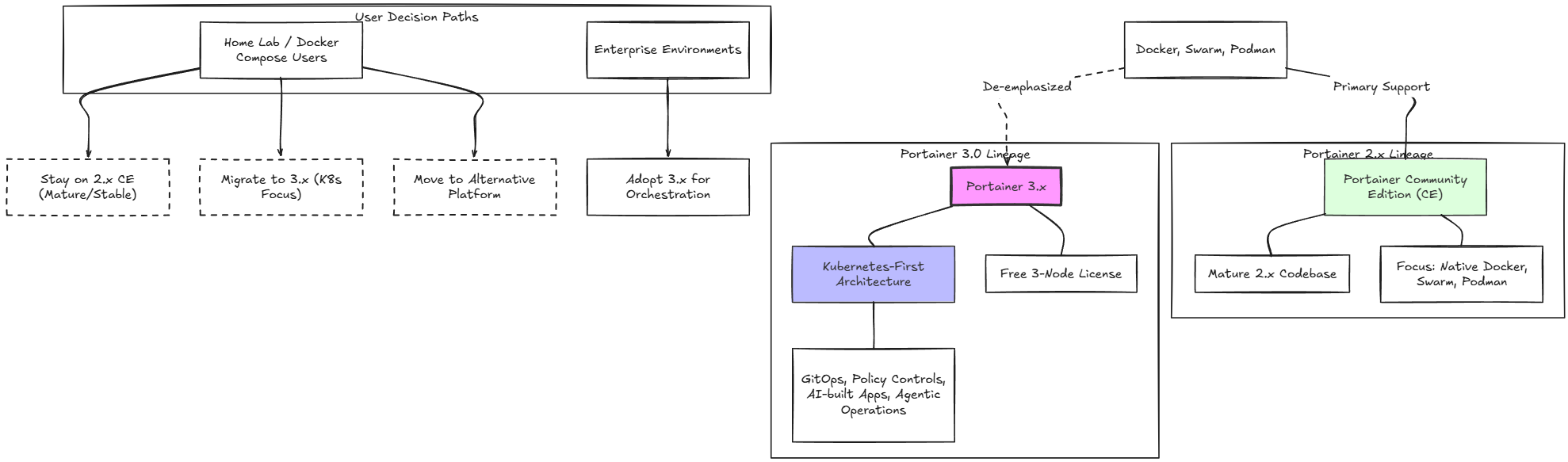
Cresswell described that native Docker, Docker Swarm, and Podman environments are not disappearing, but they are no longer going to be “front and center” with Portainer as new features come along. I think this is a really important difference in direction for Portainer moving forward as we will discuss.
Aside from enterprise environments, for those who mainly use Docker Compose in the home lab and have been running Portainer, it leads to some decision making. Do you stay on the mature 2.x Community Edition of Portainer? This will be the decision some choose to make. Or, will you move to something else?
The interesting bit is that we don’t lose access to a “free” version of Portainer. You can still get the free three-node Portainer 3.x version. So potentially, you can still operate Portainer 3.x for totally free, keeping in mind it is no longer focused on Docker workflows and management, but now on Kubernetes.
Dissecting more of the announcement
The announcement also detailed that Portainer 2.45 LTS will be the final release in the 2.x line of Portainer. It plans to release the new 3.0 release as a short-term release at first. Then, it will be released with the LTS version as we have seen with Portainer thus far as things start to mature with 3.x.
Portainer 3.x will revolve around Kubernetes. Why this change? I can’t fault Portainer for this change honestly. We have seen Kubernetes become THE de facto standard. There is no question on the option for container orchestration that is recognized as the leader of the pack. Kubernetes has been crowned the winner there by a long shot.
But there are other, not so obvious, business reasons why Portainer is doing this and I can’t blame them here either. To keep feature parity and fully test code between Docker, Podman, Swarm, and Kubernetes in a single code base is a major undertaking. So, in terms of business efficiency and development agility, Portainer 3.0 being Kubernetes-first will allow them to concentrate most on where organizations are focused for mission critical container management.
KubeSolo and D2K are at the heart of the new Portainer
If you haven’t heard about KubeSolo, I think this is a pretty cool feat by Portainer to create a single node Kubernetes node that has the fully-featured API but without the clustering mechanisms of Kubernetes built in. They have shaved things down to a less than 200 MB binary.
In the Portainer 3.x announcement, they made mention that the new Portainer 3.x is backended by Kubesolo and will allow them to no doubt have an easier path to a more Kubernetes centric architecture for the tool itself and interacting with other Kubernetes environments.
You can check out the official KubeSolo project on GitHub here to learn more: portainer/kubesolo.
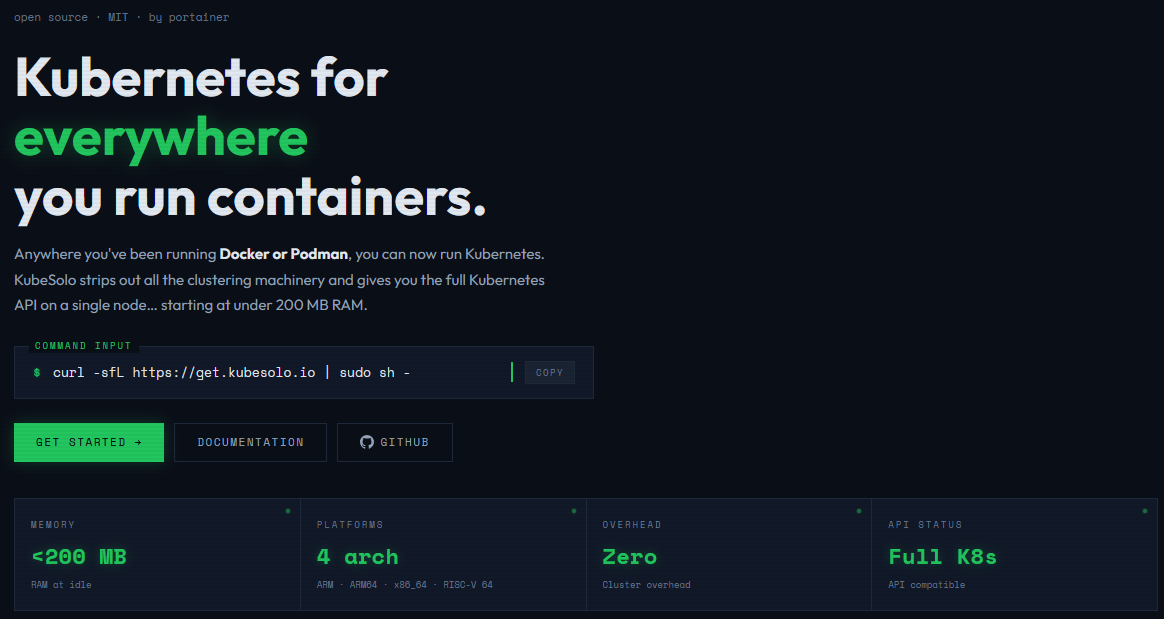
It looks like KubeSolo now has Portainers other solution that is meant to help organizations ease the pain of moving from Docker to Kubernetes, Portainer-D2K. The D2K solution is now embedded inside of KubeSolo and can be enabled with a flag at the time of installing KubeSolo.
curl -sfL https://get.kubesolo.io | sudo sh -s -- --d2k=trueThe D2K solution is a compatibility layer that translates Docker commands and API requests directly into Kubernetes resources. So, if you are using tools today like Docker CLI and Portainer to manage containers, D2K allows you to continue using the same tools and workflows.
With D2K being the endpoint, the Docker CLI doesn’t know it is interacting with Kubernetes on the backend due to the translation layer there. So, Portainer is hoping this is a tool that will help to ease the challenges associated with migrating to Kubernetes and the tooling around that.
New single purpose consoles
One of the other interesting bits with this announcement I think with Portainer 3.x is that Portainer will be going to a set of “single-purpose consoles”, instead of the monolithic single console we have seen all this time. The news consoles are built for all of the different types of infrastructure and each target a specific management purpose.
The new consoles include the following:
- Portainer-Run – Vibe coding has allowed many, even in business roles, to deploy applications. This is their console that allows these roles to be able to take apps they have built and deploy them on top of their organization’s Kubernetes environment
- Portainer-IDP – This is a full develper portal for engineering teams
- Portainer-Command – This is an MCP gateway for AI operations to interact with Portainer itself. It helps you to keep AI agents from making direct changes to Kubernetes. It grants “read only” roles to AI agents. Then all changes are forced through GitOps and with the proper approvals.
- Portainer-Operations – This is the dashboard for Platform engineers. This console is GitOps focused and is built for managing your Kubernetes clusters and daily operations
- Portainer-AIGrid – This is the tool from Portainer for running AI workloas on Kubernetes.
What you should know if you run Docker today
If you are running mainly in Docker today with Portainer, you should know the following with the upcoming version 3 release:
- Docker support is not going away in version 3, it is just taking a secondary priority to Kubernetes
- Portainer Community Edition stays on the 2.x codebase, it does not receive the 3.x architecture
- Native Docker, Docker Swarm, and Podman environments are still in Portainer 3.x.
- New features relying on Kubernetes capabilities will not realistically come to Docker environments
- D2K will allow interacting with Kubernetes environments using traditional Docker tools
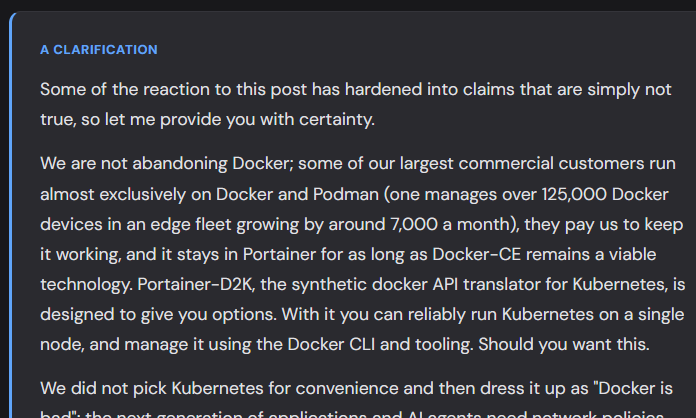
After its original post date, Portainer updated the original announcement with a clarification at the bottom. Many readers read through the original and viewed it basically as an end of support for Docker by Portainer.
However, just reading through the clarification announcement, also written by Cresswell, it seems like Portainer is fairly committed to continuing Docker support with the version 2.x tree. It seems like this branch will continue to receive security and bug fixes, and backports for Docker where it can support a feature that Kubernetes supports. The limitation moving forward is going to be feature parity.
Portainer readily says they have lots of paying customers that are using their tool for Docker management and services so I don’t expect they would abruptly get rid of that revenue simply due to this pivot.
A snippet of the clarification you will find at the bottom of the official post:
Why this matters in home labs
It is safe to say that most with their home lab environments have different goals and priorities when it comes to their container management than in the enterprise. A large organization may need things like multi-cluster policy enforcement, developer portals, and things like admissions controls.
However, in the home lab, these are realistically not things that come into the picture. Most Docker home labs have a much simpler goal in mind. Those who self-host and run containerized infrastructure are looking to run dependable services with a configuration they understand and be able to manage and troubleshoot things quickly when something breaks.
There is also a smaller element of home labbers I would say that run enterprise solutions for learning and honing their skills and this is definitely a worthwhile goal. I think though the big question that Portainer 3.0 puts in front of home lab users is whether or not to start the progression towards Kubernetes. If that is the case, 3.0 will be a great tool for that purpose. If not, then you may want a more focused tool for managing Docker.
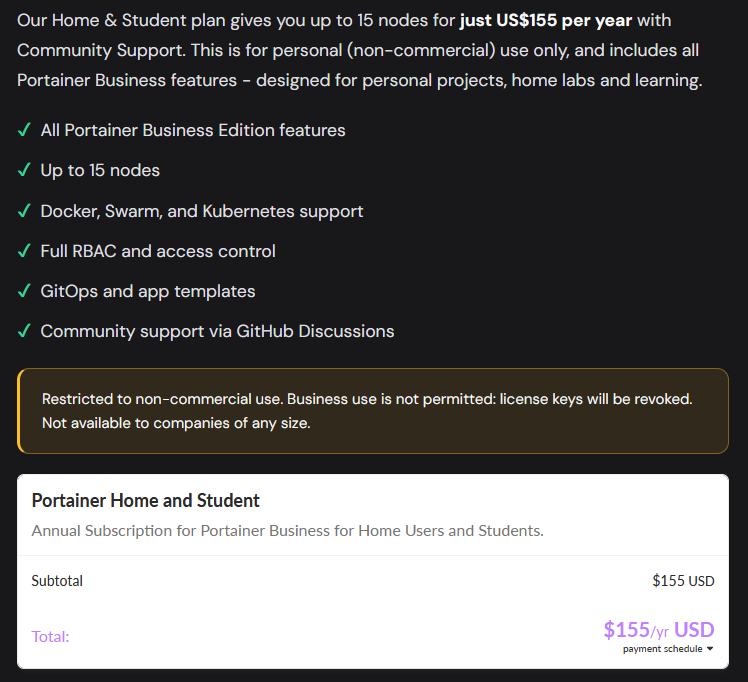
Home lab license for home and students
For a while now, Portainer has had a pay-for offering for home and students. This extends the 3-node license to 15 nodes. The official release didn’t really address any changes in that license, so I am not sure if this will continue to be available. But, all indications are that it probably will.
Community Edition will change at this point
Portainer Community Edition (CE) has definitely been an appealing choice for home lab users that has frankly got many of us out of a VMware vSphere console and into managing and looking at containers. From this point forward, CE will stay on the 2.x codebase. It will continue to get the maintenance releases during the life of the 2.45 LTS line. But, there won’t be a new CE for the 3.x release.
For home users who want to move forward with the 3.x release, you can still participate in the three-node free program. This will give you access to manage a small home lab with 3 nodes. But again, this is different than the CE release.
Portainer 3.x will instead be available to home users through the company’s three-node free program. That gives a small home lab access to the newer platform, but it creates a different relationship than installing an unrestricted Community Edition build.
For someone with one Docker host, the practical difference may be small. Three free nodes can cover many home labs. For someone like me who manages containers across several hosts, the limit becomes much more relevant. I have to decide which systems belong in Portainer, whether I want to pay for more capacity, or whether another platform aligns better with the way my environment is growing.
The free node count is only part of the decision. The larger question is whether I want my management layer encouraging a Kubernetes migration. If I do, Portainer 3.x and D2K could offer a useful transition. If I intend to keep using conventional Docker Compose hosts, a Docker-first manager may provide a simpler long-term fit.
The four options that make sense to me
I see four reasonable options, and none requires a rushed migration.
| Path | Best fit | Main tradeoff |
|---|---|---|
| Stay on Portainer CE 2.45 LTS | Docker users who want a stable management platform and are familiar with Portainer | CE remains on the 2.x feature line |
| Move to Portainer 3.x and keep native Docker | Labs with three or less managed nodes that want the newer interface. Home and student license gives you 15 nodes for $155 a year. | Some new capabilities will remain Kubernetes-specific |
| Test KubeSolo and D2K | Users who want to make a gradual move toward Kubernetes | Adds a translation layer and Kubernetes operational complexity |
| Move to a Docker-first manager | Labs committed to Docker Compose across multiple hosts | Migration to a different tool |
Docker management options that I would recommend
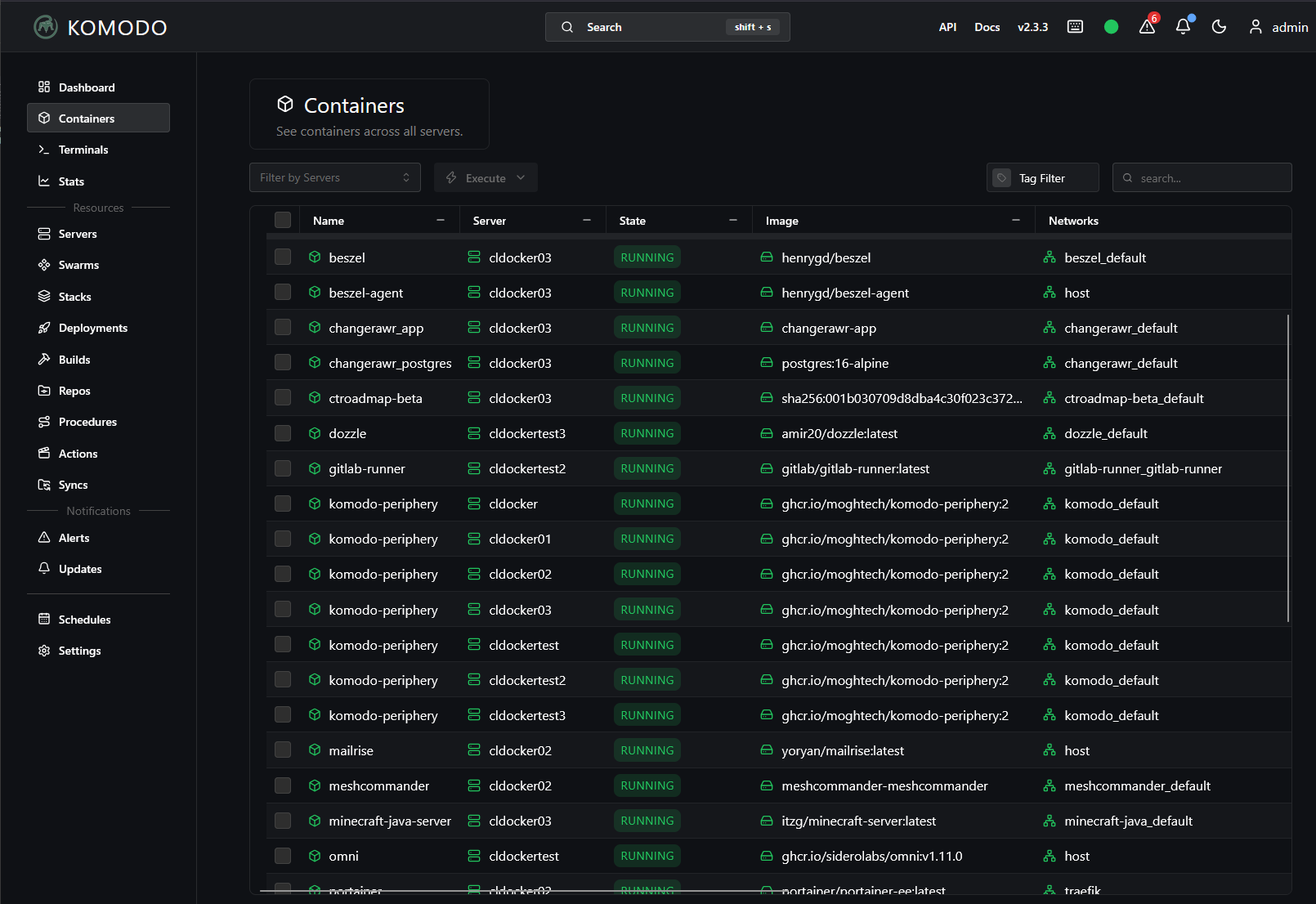
If you decide to move away from Portainer and want to stay with a more Docker-centric management approach, there are two tools I would recommend. These are Komodo and Arcane. I have written about both and you can find my blog posts on those here:
- Portainer Alternative Komodo for Docker Stack Management and Deployment
- I Gave AI Control of My Docker Home Lab With Komodo MCP
- I Stopped Manually Updating My Docker Container Stacks. I Use This Instead
- Why Arcane Might Be the Next Big Docker UI for the Home Lab
Wrapping up
I think this day has been coming for a while. Portainer is the original Docker management tool that started it all. All the other tools on the market have been aiming for it for quite some time. However, I do think this pivot for Portainer is a good move for the company. There are many great Docker-only or Docker-centric tools out there that are free and readily available for home lab use. However, if you are delving into Kubernetes with your learning, it will be great to see what features and capabilities are found in the new Portainer 3.0 release. How about you? Are you using Portainer now and this announcement has you looking for alternatives? Let me know in the comments.
More in this topic




Google is updating how articles are shown. Don’t miss our leading home lab and tech content, written by humans, by setting Virtualization Howto as a preferred source.
About The Author
