


One of the mistakes to avoid when you spin up a new Proxmox VE Server is one that is easy and common. You might install Proxmox VE Server on a new, fast 1 TB or 2 TB NVMe drive. You might see all the unused space and start wondering why you wouldn’t just put everything you need on the extra space. With the Proxmox install it makes it easy to use the same physical disk for the operating system, VM storage, containers, ISO files, backups, etc. On a small home lab server with only one drive, that may be the only option. But, just because we CAN put everything on the boot drive, doesn’t mean we should. Over time, I have been more intentional about my Proxmox boot drive storage and keeping these things separate from the Proxmox operating system. Here are the 7 things I don’t store there.
1. My only copy of a virtual machine
The first thing I avoid is having the only copy of an important virtual machine sitting on the same physical drive that boots Proxmox. This is one that you won’t notice works any differently or is an issue until a drive fails. If your Proxmox host has a single 2 TB NVMe, then you might have everything on one drive.
But you exponentially increase your blast radius with everything on a single drive. So, if you lose your boot drive, you have also lost everything else. This is the definition of a larger failure domain. I would rather be in a position of just needing to replace my boot drive and then just reconnect storage that still has my VMs.
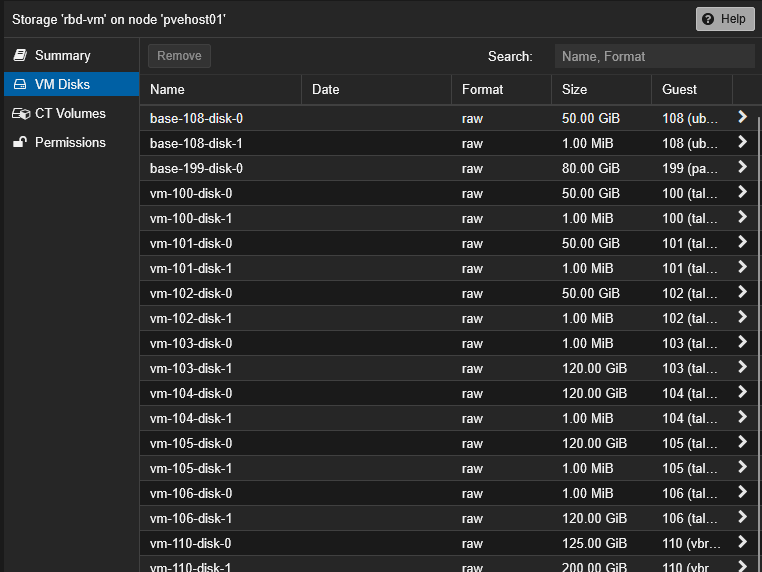
If you don’t have things separate, you would be looking at having to restore everything from backup from your Proxmox Backup Server (PBS) after reinstalling your Proxmox VE Server which obviously will take a LOT more time than just having a healthy VM drive that is still good to reconnect back to your reinstalled Proxmox VE Server install. Keep in mind, that many of the mini PCs that ones might be using in the home lab may only have (1) M.2 slot for an NVMe drive. In this case, you only have the one option. But if given the option, I would rather separate these out from one another.
2. My Proxmox backups
This is one of those “no nos” that you want to avoid for sure. It is never a good idea to have your backups stored permanently on the same drive as the virtual machines they are protecting. Your failure domain is the exact same and this goes against the 3-2-1 backup best practice methodology. This is surprisingly easy to end up in the configuration for backups and your VMs, if you aren’t careful and aware, when using a single NVMe drive that has the boot and other configs setup.
Local backups are convenient and fast, but again, if you lose that drive, you lose both of those data sets which is not good. Of course, the best configuration for your backups is to have a Proxmox Backup Server protecting your virtual machines. Of course, don’t fall into the trap of having PBS running as a VM on the same storage! The principle still applies here. Have a separate PBS server with storage outside of your production storage.
Take a look at how I use my Beelink ME Pro NAS as my Proxmox Backup Server: Why Your NAS Is the Perfect Proxmox Backup Server.
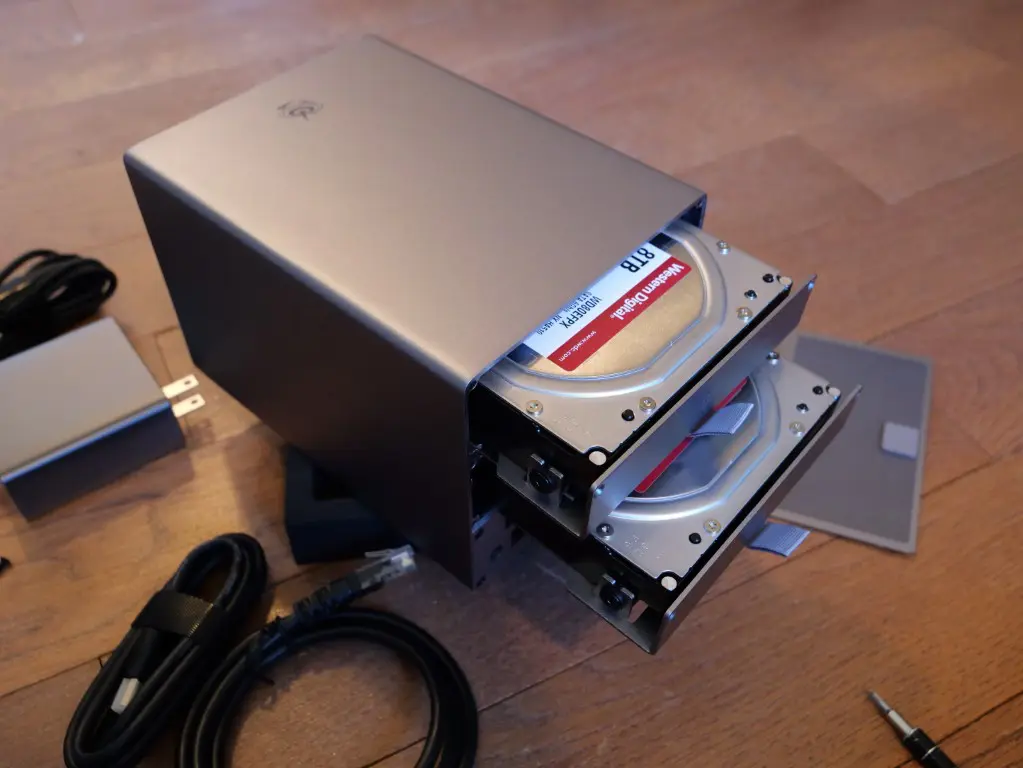
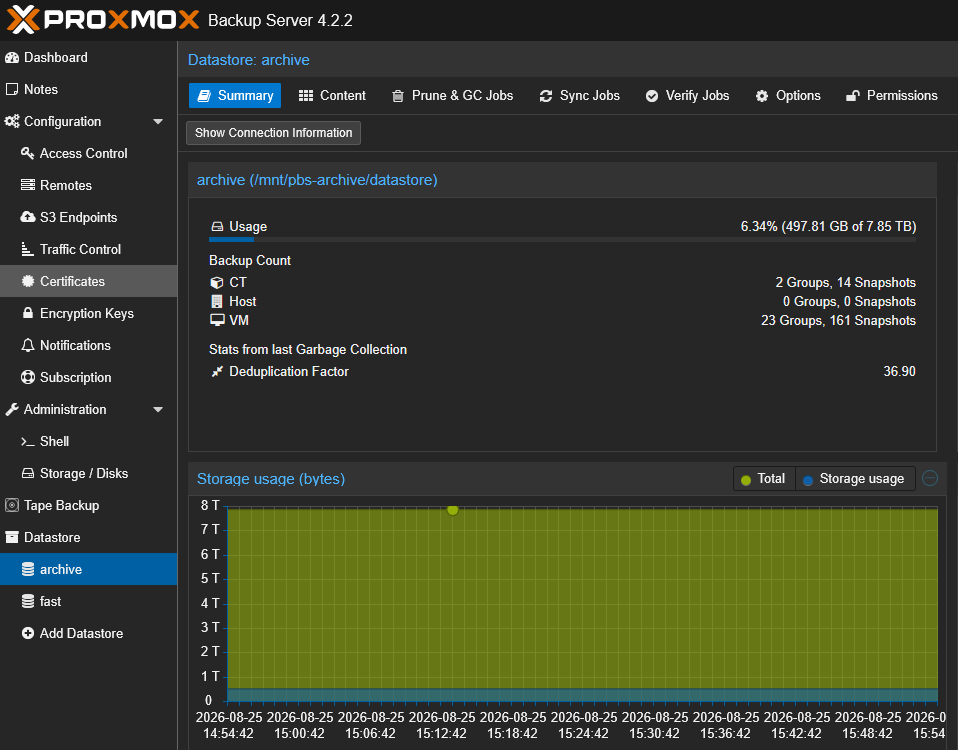
It is easy to add a temporary backup destination and forget about it. So, one tip I recommend is to periodically audit where Proxmox is writing its backups. I also like to have monitoring and alerting on backup storage and also have retention setup.
3. Large ISO libraries
This is another one to think about. ISO files have a way of lingering and growing in sheer number on a Proxmox host. This adds up over time. I don’t like wasting boot drive space on my Proxmox VE Server. Imagine causing yourself pain by inadvertently causing your server to run out of space on the boot drive, just from storing too many ISO files.
A few installation images aren’t a problem. I keep around quite a few myself. But, I don’t keep these on the Proxmox VE Server boot locations. I personally use CephFS storage for my ISO images as this is more convenient anyway. It allows my images to be uploaded once and be available to all of my Proxmox VE Server hosts in the cluster.
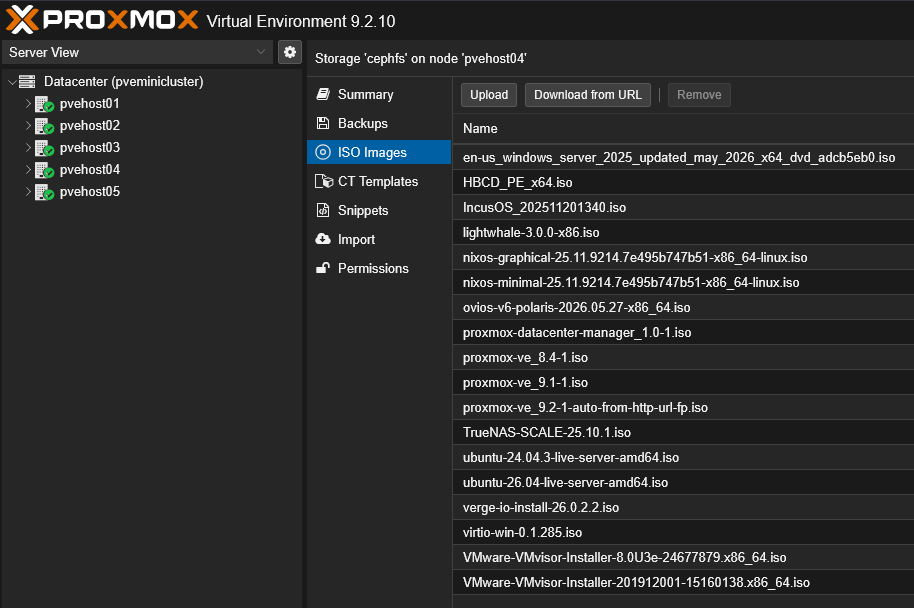
But, just keep this in mind that 5 GB here and 10 GB there spend most of their time doing nothing unless you are actively installing something. So it is actually a lot of data to keep around to just sit there, especially if this is on your Proxmox boot volume. Outside of CephFS, keep in mind you can also use another NVMe drive, or something like NFS storage as an ISO repository.
4. High-write application data
This one is not as obvious as some of the others. Even if I am comfortable running a virtual machine or container from the local storage attached to Proxmox, I try to think if the workloads will generate a LOT of writes. One workload that fits into this category is something like a database. Some monitoring platforms also produce a ton of writes. Logging servers and even some Docker workloads might also fit into this category.
One of the thoughts I have with this is the fact that you are increasing the amount of writes that are happening on the same NVMe disk that you are booting your hypervisor from. I do think modern SSDs are extremely reliable, but I don’t want to unnecessarily hammer my hypervisor’s boot device when I could separate those workloads from the boot device.
Modern SSDs are extremely reliable, and I don’t think home labbers need to panic about every write operation. But I also don’t see much benefit in unnecessarily hammering my hypervisor’s boot device when I have other storage available.
If you are not sure about what writes and other operations are happening on your server, you can use tools like iotop or iostat. You can also use the Proxmox storage graphs, SMART statistics from smartctl tools, and NVMe smart-log commands to get health information.
5. Docker persistent data
I run a lot of containers in my current home lab today in 2026. I have found that respinning your containers if something goes down is the easy part. I have all my code inside a git repo so I can get to the code there. However, the container is just the container image and configuration settings essentially. This doesn’t include your data.
Keeping your Docker persistent data on your Proxmox host boot drive is akin to keeping your VMs there. The persistent data of your Docker containers is the component of the container that you don’t want to lose. You can always respin your container image, but you can’t just respin your data unless you have a backup of it.
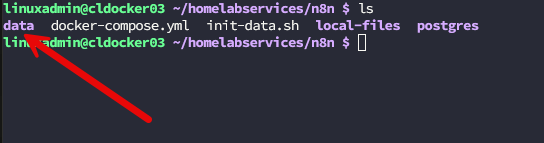
Also, don’t ever cross mount your docker data from a VM to your Proxmox host. You may be grabbing backups of the virtual machines, but of course this won’t be getting copies of your persistent data unless you are backing up your host and the data stored there. You can do this, but definitely an additional layer to consider.
6. Data I cannot easily recreate
This may sound like an obvious section that ones would automatically realize. But storage is storage and we all have a tendency to just stick things in a convenient location at the moment. But, this isn’t always the best strategy from a data protection standpoint.
What types of data do you want to avoid putting on your Proxmox boot drive? I don’t treat my Proxmox VE server as a general file server for one. This might sound silly and obvious. But at the end of the day, Proxmox runs on Linux so it can host shares and other resources like any other Linux file server. Don’t treat it like a file server and definitely don’t put irreplaceable type files there, like family photos, unique project files, documents, configuration archives, or anything else important.
One mindset that I have found that saves me often is treating my servers like “cattle” and not “pets”. Servers need to be treated like they can go at any moment. They shouldn’t be these snowflakes that we have traditionally had in the enterprise. Keep your Proxmox VE Server clean and aligned with its intended purpose as a hypervisor and not anything else.
7. More VM storage than the boot drive is safe to handle
Let’s say that you are using a mini PC that only has one M.2 slot and you want to use the free space you have left on that NVMe drive for your virtual machine storage. It is super important to not think about capacity planning. Just because you have free space today, doesn’t mean that you have free space for tomorrow. VM disks can grow from what they are today and you may create snapshots on the disks attached to the VM. Logs can grow, ISO images will accumulate and you may decide to create a local backup.
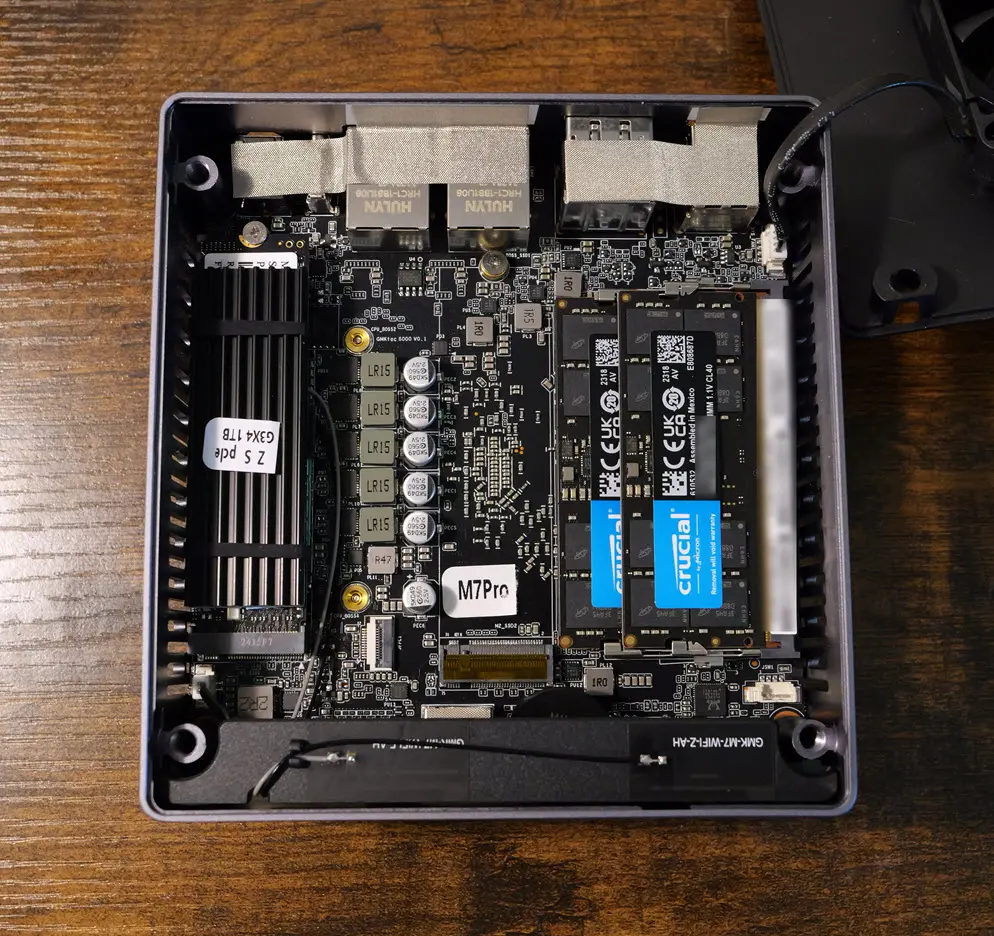
When you are using thin-provisioned disk space, you also have a false sense of security because the virtual disk size isn’t necessarily reflected in the amount of storage that is consumed at the moment. thin storage when it fills up can lead to issues that can cause serious heart burn as well.
Another trick too is to avoid provisioning 100% of an LVM volume group to thin storage. If you leave a few percent of unallocated space, it will give you an emergency reserve that can be extended into the thin pool if it fills up. This gives you a safety net of sorts in case things fill up unexpectedly and take your storage offline.
When I actually do use the Proxmox boot drive for home lab workloads
Here is a table of the types of workloads where I might choose to use the boot drive and when I don’t.
| Scenario | Use boot drive? | Why |
|---|---|---|
| Single NVMe mini PC | Yes | Only option in this case |
| Test VMs and LXCs | Yes | Easy to rebuild if something happens |
| Test Kubernetes or Docker labs | Yes | Low risk if lost |
| Development work | Usually | Fine if you are using git for code and important data is not on the boot disk |
| Critical home lab services | Prefer not to | Large “blast radius” |
| Irreplaceable application data | No | Too risky |
How I prefer to configure my Proxmox storage
Best case, I have more than one drive available. I try to give each storage device a clear job role and I don’t mix these between them. I definitely like to keep things simple. I have the Proxmox boot drive on its own dedicated device (maybe a smaller NVMe drive that I have). Then, I have a dedicated device for VMs and LXCs. If you have a third device, you might use that as extra storage, or maybe a ZFS pool member. Then you can use external storage for ISOs, backups, etc.
| Drive | Role |
|---|---|
| Drive 1 | Proxmox VE boot and OS |
| Drive 2 | VM and LXCs |
| Drive 3 | More VM storage, ZFS mirror member, or high-write workloads |
| NAS/PBS | Backups, ISO library, archives, etc |
Wrapping up
Using Proxmox boot drive storage is an option if you have no other choice like when you are running a mini PC that only has one M.2 slot for an NVMe drive. But generally speaking I don’t like to use the boot drive to store things like virtual machines or LXC containers. This increases the changes that if something goes wrong, you will not only lose your Proxmox VE Server installation, but you will be forced to restore your data from backup. It is better to separate out your data from your boot drive and make sure you have things separated so that troubleshooting and recovery are easier.
More in this topic

Google is updating how articles are shown. Don’t miss our leading home lab and tech content, written by humans, by setting Virtualization Howto as a preferred source.
About The Author

Excellent article! Valuable and useful information!
I’m putting together a binder where I keep printed copies of these articles for offline reference. I keep it on my desk.
I currently run my Proxmox boot drive in RAID1 (ZFS) and host my VMs and containers on a ZFS pool using RAIDZ-2 or RAIDZ-10.
However, I’m considering splitting them into two separate RAID1 (ZFS) pools.
I also like to set aside storage for local backups (also in RAID1), in addition to using PBS on dedicated hardware.
Best regards!
Marcos,
Thanks so much for the comment and so glad the articles are striking a chord with the community. Definitely check out the 2026 e-book revision I just posted on the Premium page. The e-book is free to download. Check it out. I have aggregated a lot of the Proxmox specific posts there. Also, glad to hear from ones using ZFS for boot 👍
Brandon
The “cattle, not pets” framing is the real takeaway — once you internalize that, keeping backups and irreplaceable data off the boot drive stops being a rule to memorize and becomes obvious. The ISO library point hit home for me: 5 GB here and 10 GB there really does add up until the host won’t boot because the root filesystem is full. One thing I’d add from experience: even with everything separated, don’t provision 100% of an LVM volume group to thin storage — thin provisioning’s false sense of security has bitten more home labbers than drive failures have. For anyone studying Proxmox or Linux+ storage objectives, this post is basically a practical tour of why storage separation matters.