


It has been quite a year already in my home lab when it comes to infrastructure and the decisions I have made so far. This year I have made some major infrastructure changes in my home lab and production style environments that have improved how I work day to day. I wanted to put together a list fo the infrastructure decisions that had the biggest positive impact for me this year so far and explain why they mattered to me so that maybe you get a few nuggets for your own home lab.
Moving fully away from VMware
This has been a big one and one that I have talked about a lot. Moving away from VMware fully happened for me at the start of 2026. For years vSphere was the center of my home lab, but no longer. After spending a lot of time with many different platforms, I have fully settled on Proxmox as my go to hypervisor of choice.
It includes everything I need in my home lab that are the core enterprise features I was using with VMware vSphere: live migration, snapshots, clustering, high availability, backups, replication, software-defined networking, and storage integration. These honestly are no longer unique VMware advantages.
This mindset shift and enthusiasm shift has been great with the thriving Proxmox community. I go into a lot more of the details of my journey on lessons learned with this move here: What I Learned After Migrating Fully Away From VMware.
Standardizing on mini PCs for clusters
I have now fully standardized on mini PCs in my home lab cluster. This has been a great move looking back on the advantages now. I have had no issues running Proxmox VE Server on mini PCs and the heat difference has been pretty dramatic.
Also, with the Minisforum MS-01s that I introduced in my lab, I am running the Intel vPro. That was the one missing piece that I struggled with after moving to mini PCs was out of band management. With Intel vPro, I now have full out of band management for all my Proxmox cluster nodes which is great if I am working remote and need to troubleshoot something or even reload a node worst case remotely.
Check out Why Mini PC Clusters Are Taking Over Home Labs.
The advantages that I can name for mini PCs include the following:
- Lower power consumption
- Less heat
- Less noise
- Smaller physical footprint
- 10Gb networking options
- NVMe storage density
- Modern CPU performance
- The efficiency gains alone made this worth it.
I also found that Proxmox supports mini PC hardware much better compared to my recent VMware experiences. That improved support matters a lot when you are constantly testing new mini PC hardware often. The best part is that these systems are now powerful enough that they no longer feel like compromises in my lab and are doing everything I want them to be able to do.
Building around Ceph instead of traditional shared storage
This was one of the cool things that I was able to pivot back to at the first of the year with the Proxmox cluster in the home lab and that is software-defined storage. I had ran VMware vSAN for quite some time. However, with the licensing changes with Broadcom and the writing on the wall with VMUG, I decided to migrate off everything over to traditional storage.
I had an all flash SSD NAS device from Terramaster that served as my traditional iSCSI LUN. But I wanted to get back to software-defined storage. With Proxmox and Ceph, I was able to introduce this back into the home lab and run with logical storage once again with internal storage devices to each host.
Check out: I’m Now Running Ceph and iSCSI in My Proxmox Home Lab. Here’s Why.
I now have enterprise NVMe drives that serve as my Ceph OSDs for the environment which has made a huge difference with Ceph. Ceph is very hard on consumer-grade disks and the write amplification will absolutely saturate the SLC cache on consumer-grade NVMe drives.
I also love the flexibility it provides. I can use RBD for VM disks, CephFS for shared file storage, and integrate persistent storage directly into Kubernetes environments. This ended up simplifying several parts of my infrastructure instead of complicating them. Another major benefit is that it eliminated some of the dependency on dedicated storage appliances for many workloads.
Prioritizing containers over virtual machines
This has been a gradual change for me and a realization of the future of not only running self-hosted resources in the home lab, but also the same trend for enterprise organizations. Virtual machines are still extremely important, but they aren’t the focus.
Instead of running applications inside virtual machines, now I run VMs as my container hosts or Kubernetes nodes. With this, they become more a part of the infrastructure platform instead of an application platform.
When you start running with containers, many things evolve and change for the better:
- Deployments became faster.
- Updates became easier.
- Testing became easier.
- Rollback strategies improved.
- Resource utilization improved dramatically.
- I also became much more intentional about separating infrastructure layers.
You have probably noticed the trend of modern self-hosted apps now being almost exclusively containerized deployments. Many new projects barely even document VM deployments anymore. Building around containers keeps infrastructure aligned with where the industry is actually moving.
Learning Kubernetes instead of avoiding it
Honestly, Kubernetes has been something that in the home lab, I have in the past avoided for running my production workloads. Just because it seemed like a lot of complexity to run what I wanted to run. But as I got more and more into running containers, I started to see the benefits and payoffs from using it as the underlying infrastructure platform.
I resisted Kubernetes longer than I probably should have. This year I finally committed to learning it more deeply, especially using lightweight distributions and Talos Linux-based clusters. That ended up being one of the best decisions I made.
Check out Inside My Mini Rack Proxmox and Kubernetes Home Lab for 2026.
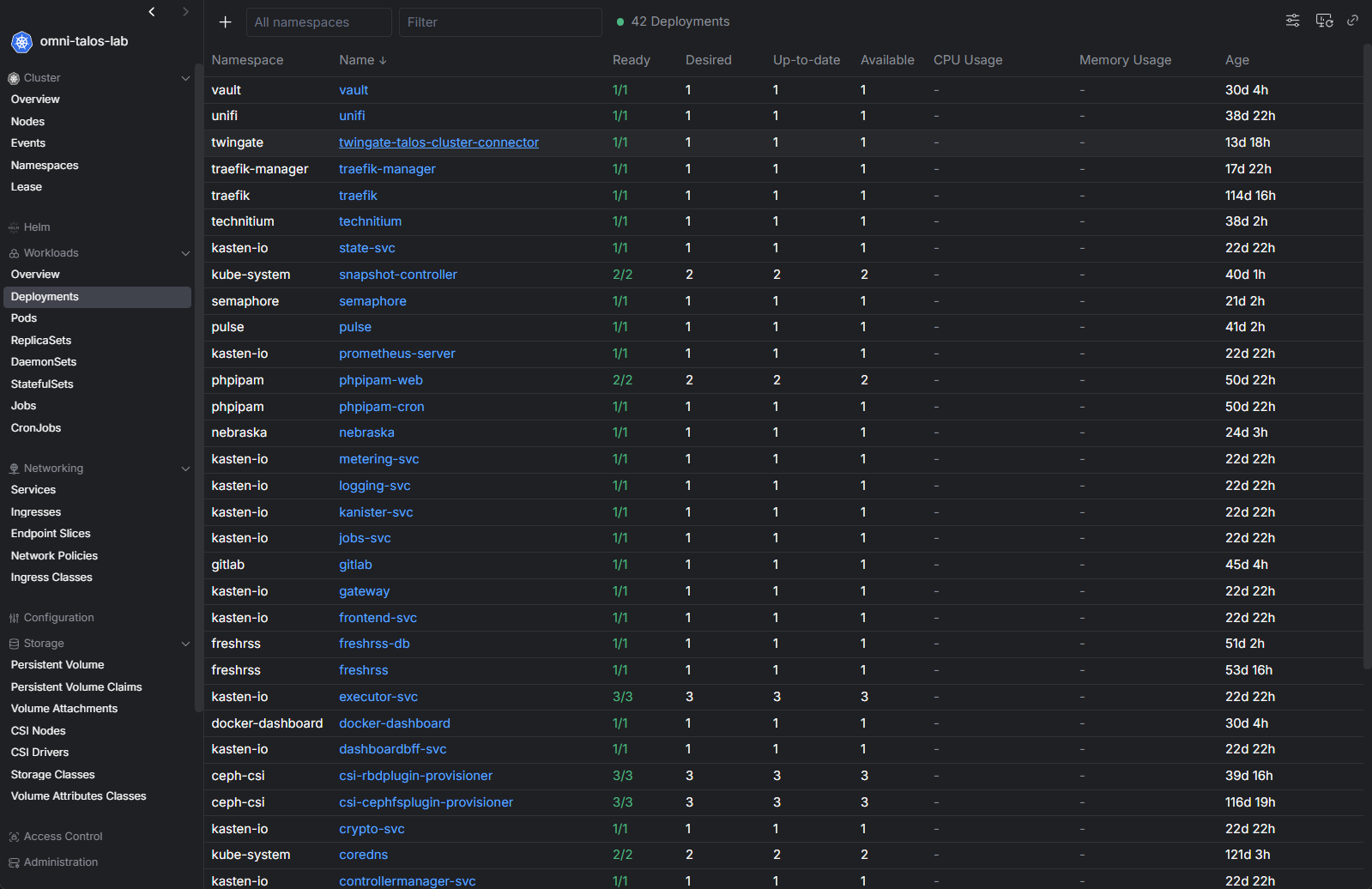
I also found that there are a lot of great tools around Kubernetes and these have improved a LOT over the past 2-3 years. Projects like Talos Linux simplify cluster management as well compared to older approaches. I run the Sidero Omni solution to manage the VMs that serve as my Talos nodes and it is a fantastic solution that is basically just a single push of a button to upgrade all the Talos VMs or Kubernetes.
So, this has definitely been a win for me in my home lab, running Kubernetes with Talos Linux and having the management advantages of using it with Omni.
Doubling down on Infrastructure as Code
This year I became much more disciplined about Infrastructure as Code and a lot of that had to do with the push to introduce Kubernetes in the home lab with Talos linux. I had already experimented with tools like Terraform, but I started using them far more consistently and storing my Kubernetes manifests for GitOps workflows.
Now I can rebuild and deploy very quickly and I can make sure that exactly what I have in my code repo is exactly what is deployed in my production home lab environment. Along with Kubernetes that I mentioned above with Talos and Omni, I have deployed ArgoCD in the environment as well.
Argo takes care of my GitOps approach to the cluster and makes sure the applications align with the repo and that using an update controller, I can keep the apps updated as well. This has made the environment just rock solid. I don’t even think about it anymore which is great!
Getting my Proxmox networking like I want it early
When I first deployed my minicluster, I was relying on 2.5 GbE networking using a variety of mini PCs to serve as my Proxmox nodes. However, as I saw that Proxmox was definitely the way I wanted to go, I invested in a few more MS-01 mini PCs so I could have uniform nodes and have 10 gig networking across all nodes.
Other decisions I made with the possibility of the (2) 10 GbE network connections on the MS-01s is that I implemented LACP in the cluster, and also I have recently started using Proxmox SDN in the home lab to centrally configure my cluster networking across all nodes. This takes a LOT of the heavy lifting out of configuring and managing your Proxmox networking.
Check out how I Bought a 10 Gig Switch to Fix My Proxmox Ceph Cluster and It Changed Everything.
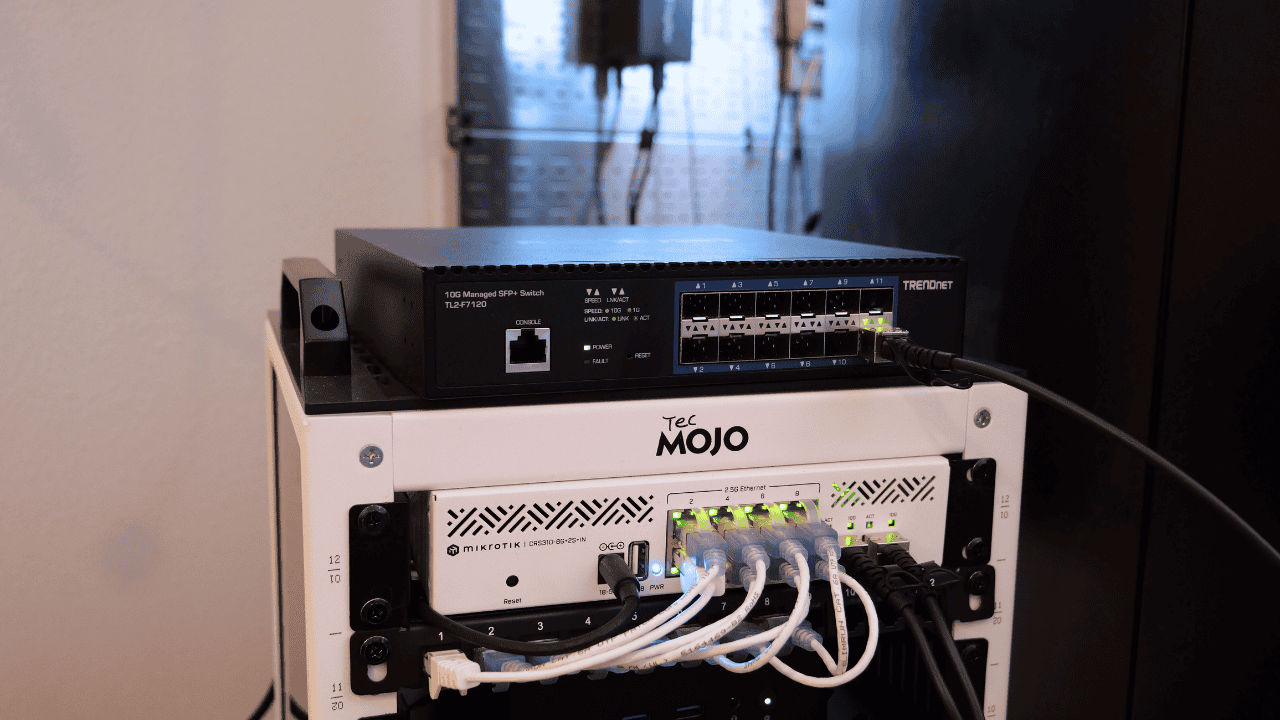
The 10 gig networking has performed beautifully and has allowed me to operate Ceph without any hiccups and the performance has been fantastic along with the Micron 7300 MAX drives I picked up for their write intensive characteristics.
That investment paid off everywhere else.
- Storage performance improved
- Cluster communication improved
- Migration performance improved
- Kubernetes networking became more reliable
- Backup windows improved
Running local AI workloads
This year for me has also been one of running and testing local AI workloads. One of the most interesting shifts this year has been running things like Ollama and OpenCode together and testing other platforms as well.
I also introduced an eGPU setup that I can connect to any of my Proxmox nodes that lets me hook up a GPU to my MS-01s when I want to run AI-enabled or assisted workloads passed through to my VMs or LXCs there.
Check out my post on how I Built a Local AI Coding Agent Home Lab Setup With OpenCode and Ollama.

Wrapping up
Looking back over the year so far, the best infrastructure decisions i have made all share the theme of being smaller, more efficient, more open source, and more fun. All in all, I wouldn’t change any of the decisions I have made so far. I think I am having more fun than ever before now in my current home lab setup as it feels a lot more community focused and more open to different possibilities. What about you? What infrastructure decisions have you made this year that have made a difference? Let me know in the comments.
More in this topic




Google is updating how articles are shown. Don’t miss our leading home lab and tech content, written by humans, by setting Virtualization Howto as a preferred source.
About The Author
