


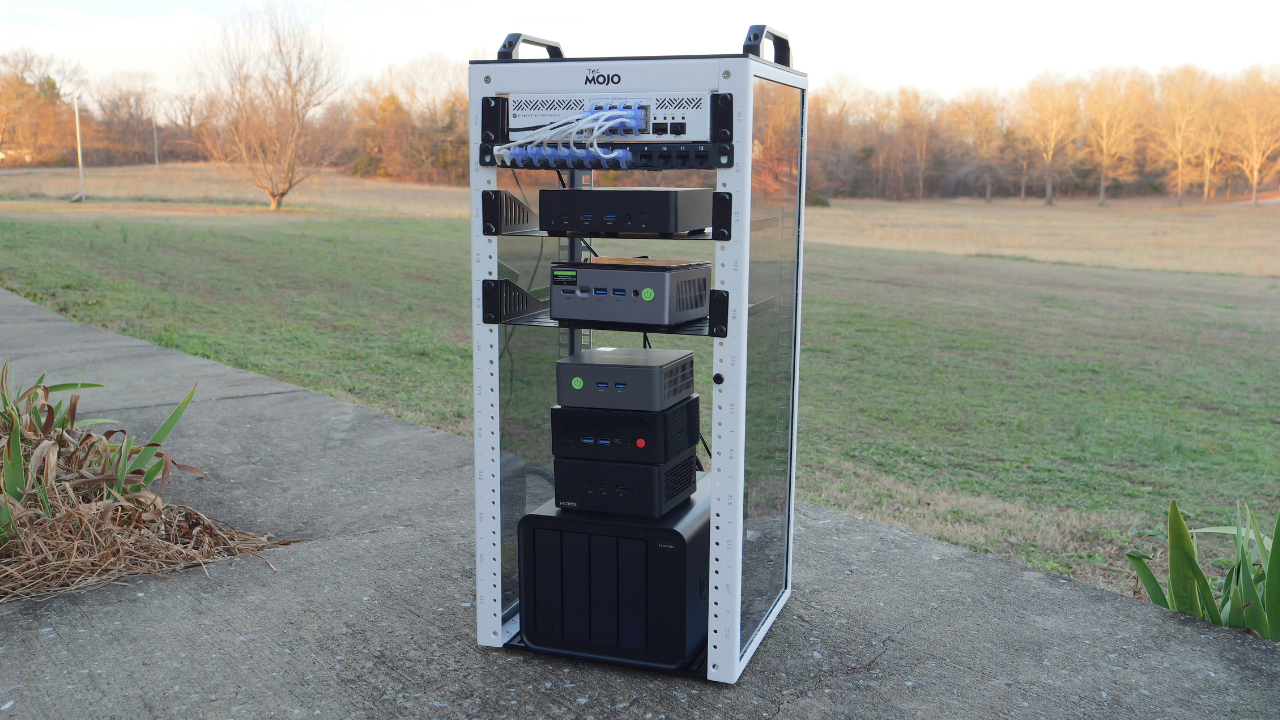
If you have spent any time in home lab communities this past year in 2025, you will have noticed a trend that seems to be sweeping the home lab community, the 10-inch Home Lab rack. Back in the day, 42U full enterprise datacenter racks were so cool and desirable. We all tried to snag one at some point in time in the past when we heard of businesses closing or other events where we might snag them. However, on the heels of the footprint of mini PCs taking over, racks are undergoing a similar trend. Smaller, quieter, and less room is all the rage. The 10 inch home lab rack is having its moment of fame right now and for good reason. Let’s look at the 10 inch rack and whether or not it is worth it. Also, I will show off my new 10 inch rack build that is the new addition to my home lab.
Why the 10 Inch rack is now everywhere
I think we have seen a drastic change across home lab communities everywhere, especially in the past couple of years. I know I thought I would never give up my full enterprise servers. But now, I am happily running on only mini PCs across the board.
The same is true with mini racks. Most builders are looking for small footprint, low power, low noise solutions that allow them to experience everything a home lab has to offer without all the space and other hurdles of a traditional full size rack, enterprise servers, and full on enterprise datacenter networking gear.
This is why I think the 10 inch rack fits into this trend that we are seeing. Instead of using full size 42U server racks or even something like a 27U 19-inch rack, the 10 inch rack size matches the physical reality of today’s home labs. You can still build something that is VERY cool looking and runs great, but at the same time, it is still intentional and not overbuilt. It can also fit naturally into living spaces, home offices, and apartments instead of needing a full basement or dedicated room.
The 10 inch size also allows you to still learn all the basics of networking, virtualization, and self-hosting without having to commit yourself to investing in used enterprise servers, or expensive rackmount gear for a 19-inch server rack. The 10-inch rack lowers the bar to allow you to still have a happy medium of looking cool and the likeness of an enterprise rack without the cost and requirement to get full size rack gear.
How is a 10 Inch rack different from a 19 inch rack?
The most obvious difference is size, but I think the impact of the much smaller racks go beyond the obvious. The 19-inch rack assumes that you are running full-depth servers, heavy switches and that you need airflow that fits in the enterprise datacenter.
When you contrast this, a 10-inch rack assumes that you are running lightweight devices. Also, with 10-inch rack, devices don’t really have “rack ears” to attach to your rack. Instead, you have trays or shelves instead of rails. This makes sense though since these often house mini PCs that don’t have any type of rail mechanism for a rack.
There are a few things with a 10 inch rack that I think become even more important than in a large rack and those are the following:
- Patch panels – You will want to have a patch panel to have a way to cleanly and neatly organize your network connections from your devices. Due to the boom in 10 inch racks, there are 10 inch patch panels available to fit these racks
- Blanks – Things may not be able to be spaced perfectly in a 10 inch rack since some mini PCs and other devices may be taller than 1U of space, so blanks are needed to keep the clean aesthetic with a 10 inch rack
A 10-inch rack is small enough that you will need to plan out your space so that every device and “U” of space has a purpose. That constraint will help make sure you have a cleaner architecture and better planning.
Noise is also hugely different with a 10 inch rack compared to a full size rack. Most 10 inch rack gear is passively cooled or uses very small, quiet fans. Most of the time, depending on what you have in the rack, a 10 inch rack near your desk is possible without it sounding like a jet engine (large rack).
I pulled the trigger on the Tecmojo 10 Inch Rack
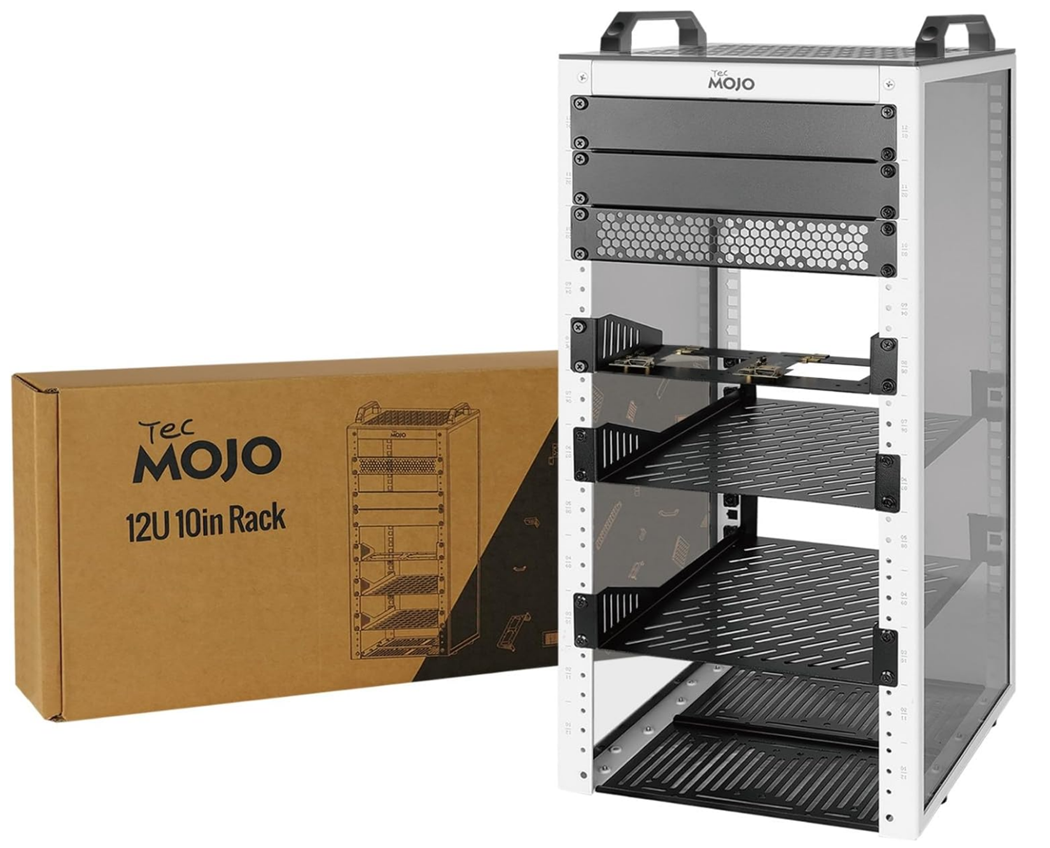
In my search for a 10 inch rack, I found what I was looking for in the 12U Tecmojo 10-inch rack. After getting this thing unboxed, it got me excited about the prospect of getting things put together with it. This size just feels so cool in look and feel and seems to complement a mini PC in its intended purpose more so than a full size server rack.
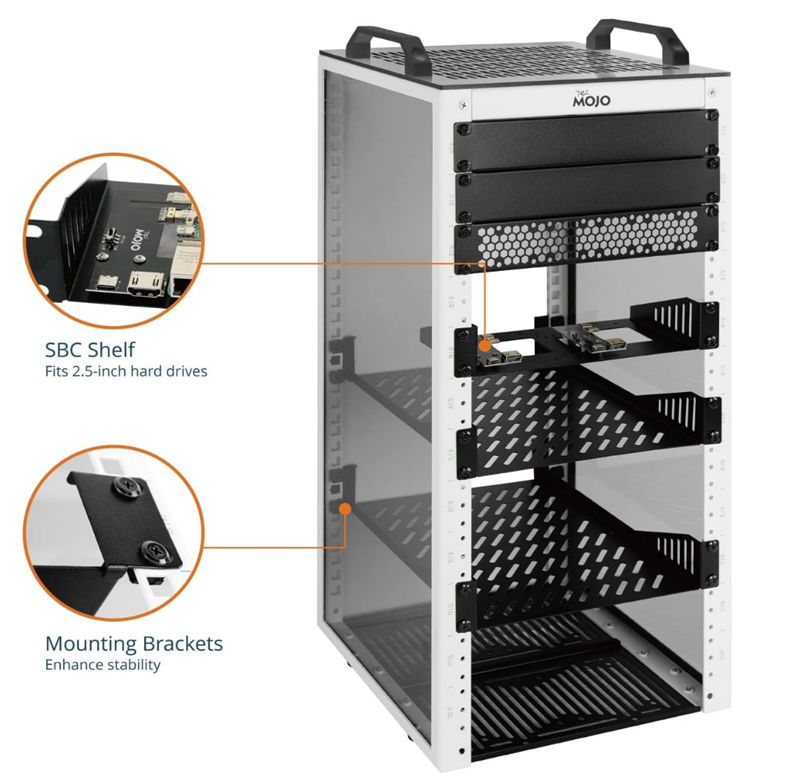
It has the tinted plexiglass side panels, handles, trays, blanks, and SSD tray.
Another view of the SBC shelf and mounting brackets.
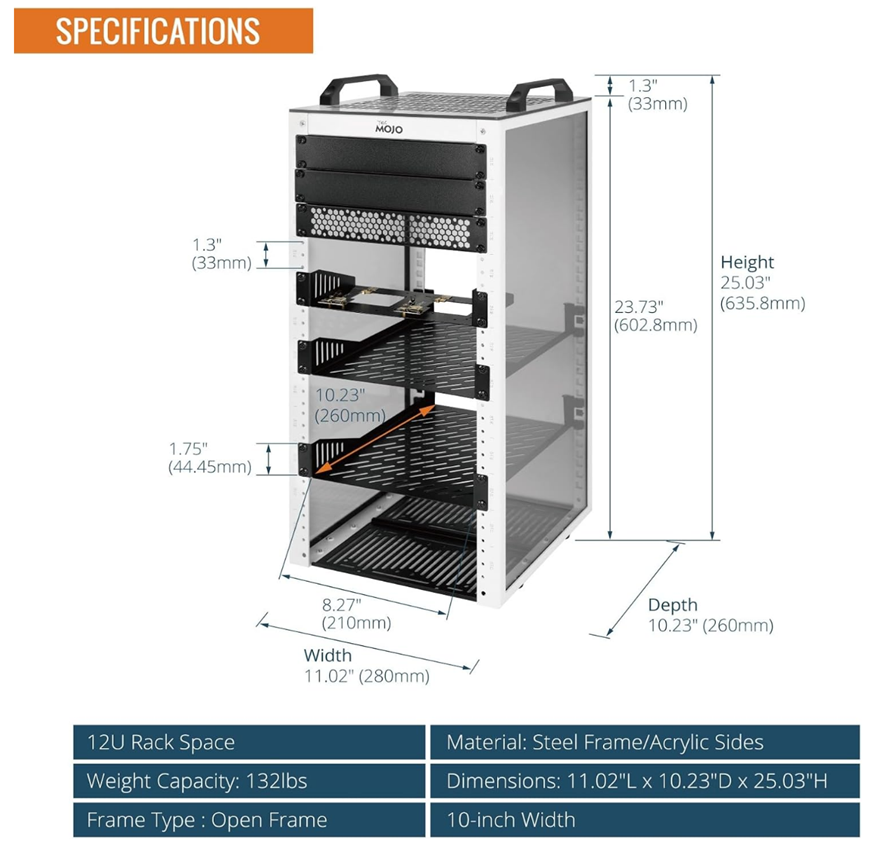
Here are the overall specifications of the Tecmojo 10 inch 12U rack.
The Tecmojo 10 inch rack assembly experience
The Tecmojo 10 inch rack was packaged well and easy to put together. Everything was labeled, including the screws in individual bags with letters that were referenced in the assembly instructions. The metal parts of the rack felt quality and had a powder coating type finish to the paint. It came with 2 rack trays, an SSD/external drive tray and two blank inserts, one that is perforated and the other is solid, and plexiglass sides and top.
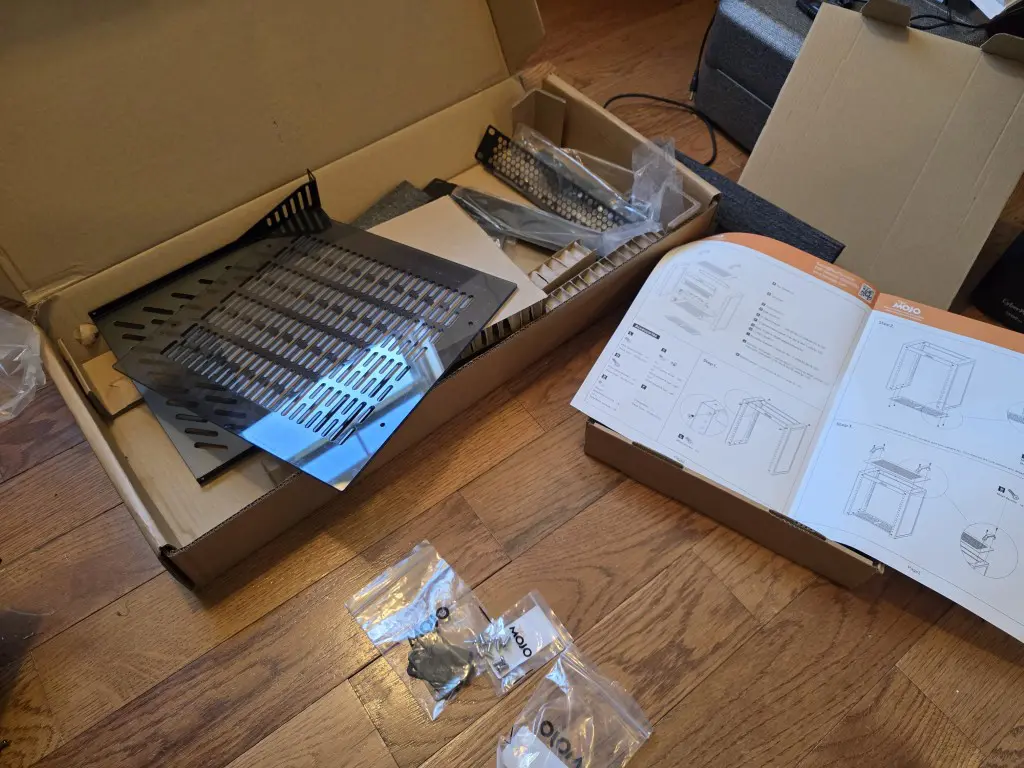
What stood out to me is how solid this rack feels even though it is a 10 inch rack. It does not feel like a toy or novelty rack. Once you stand it on a flat surface, it feels solid and stable. The finish looks clean enough to blend into a home office environment rather than screaming data center, which I think is much of the appeal. It looks almost identical to the equivalent Geeekpi 12U unit but it is a good amount cheaper, which is why I ultimately chose this unit.
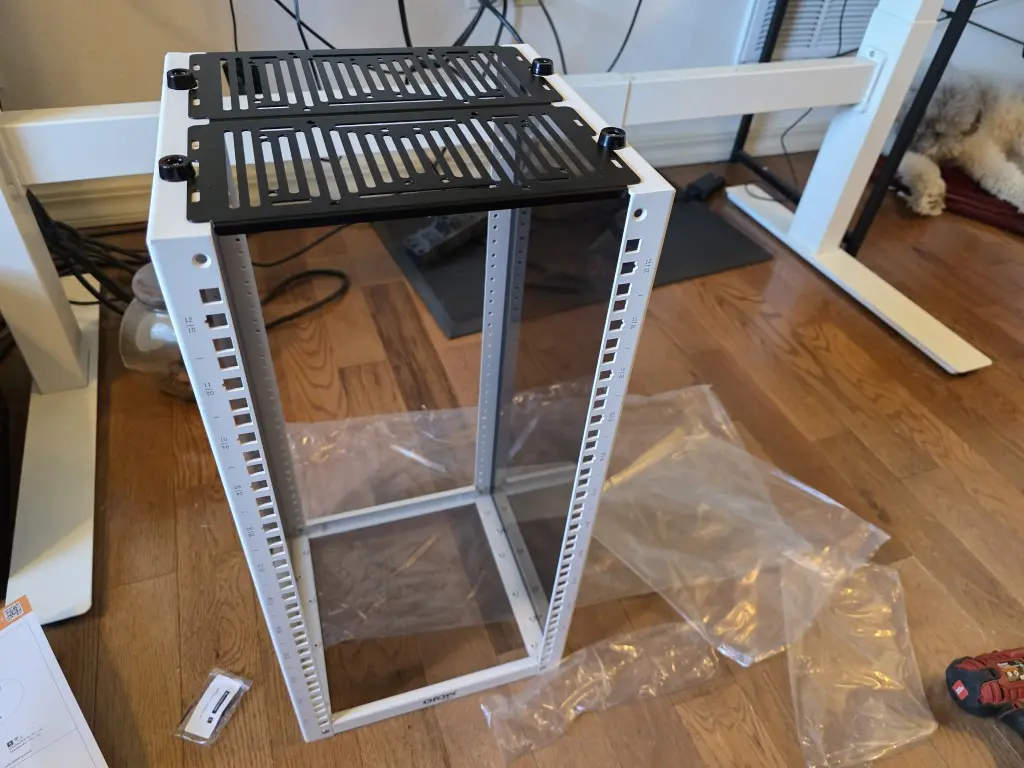
After installing the plexiglass top with handles.
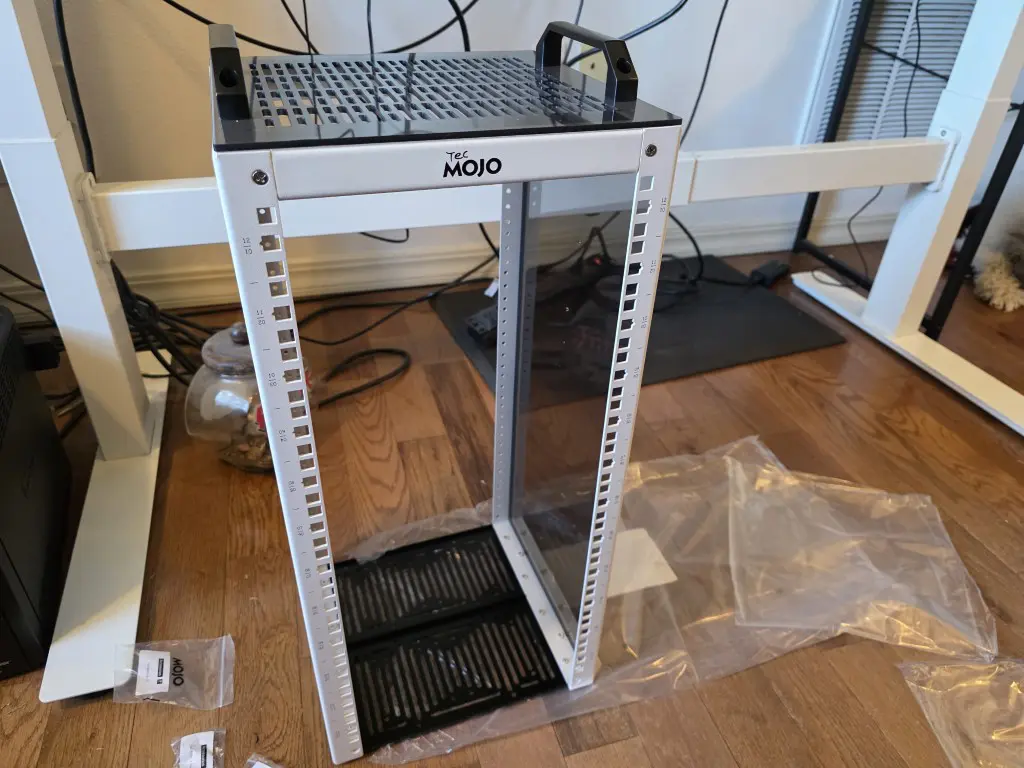
Not fully up and running yet, but this gives you an idea of what it is looking like. I may not have everything spaced like I want it as of yet. I am waiting on a few more trays which you will probably want to order as well with the 12U. The 2 included won’t give you the tray space that you will want to use with a 12U.
What you can realistically mount in a 10 inch rack
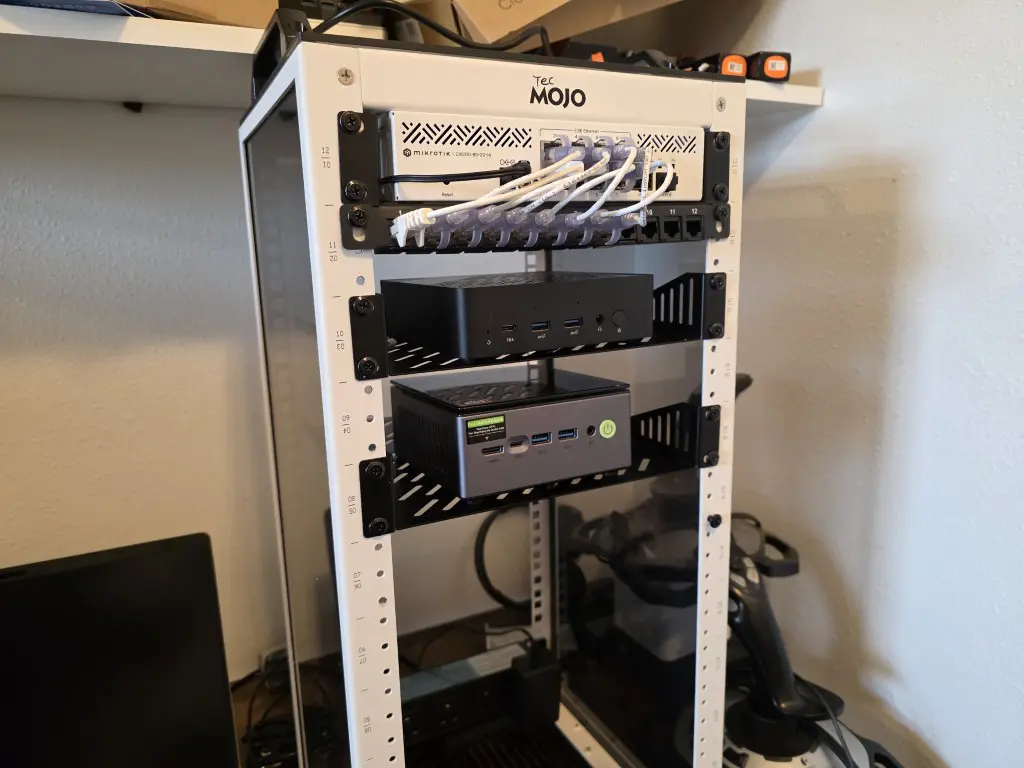
If you are like me, before you get your hands on a 10 inch rack, you probably want to know what actually fits in one. Well, the good news is, it is more than you might expect. There are many things that you can fit inside a 10 inch rack, including many different models of network switches, especially switches that are around 8 ports and maybe a couple of SFP ports. Many PoE switches are designed for small offices and fit perfectly.
One switch that I already had that works perfectly, size wize, with the 10 inch rack is the MikroTik CRS310-8G+2S+IN. This is a great little switch that has (8) 2.5 GbE ports and (2) SFP ports for 10 GbE. You can see my review of this switch here: Mikrotik CRS310-8G+2S+IN Review: 2.5 Gigabit Switch For Home Lab.
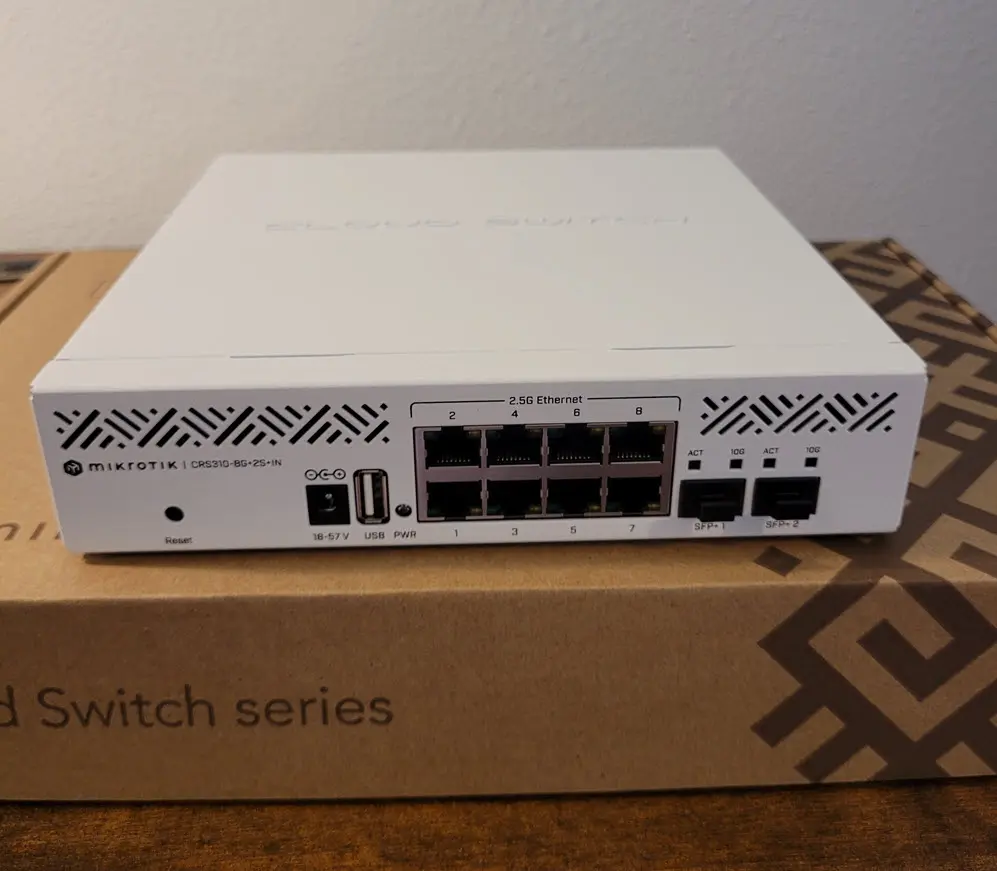
Firewalls and routers from various vendors can also fit the 10 inch width. Just a few examples of firewalls and routers that can work are models from MikroTik, Protectli, or other small ARM-based firewall devices.
You will also find Keystone Patch panels for the 10 inch rack width that have 12 ports of capacity. This helps you to keep your network uplinks to mini PCs and other devices tidy. The one below is from Geeekpi.
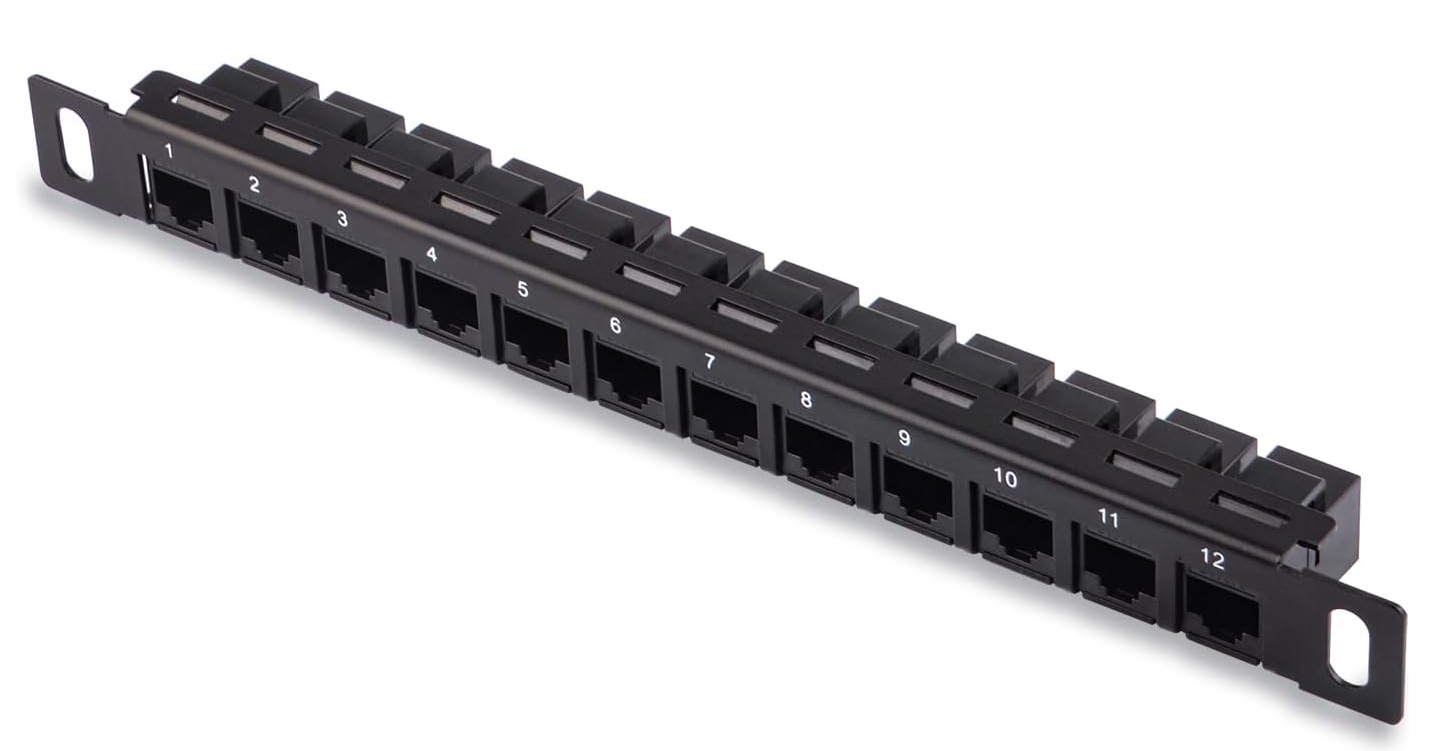
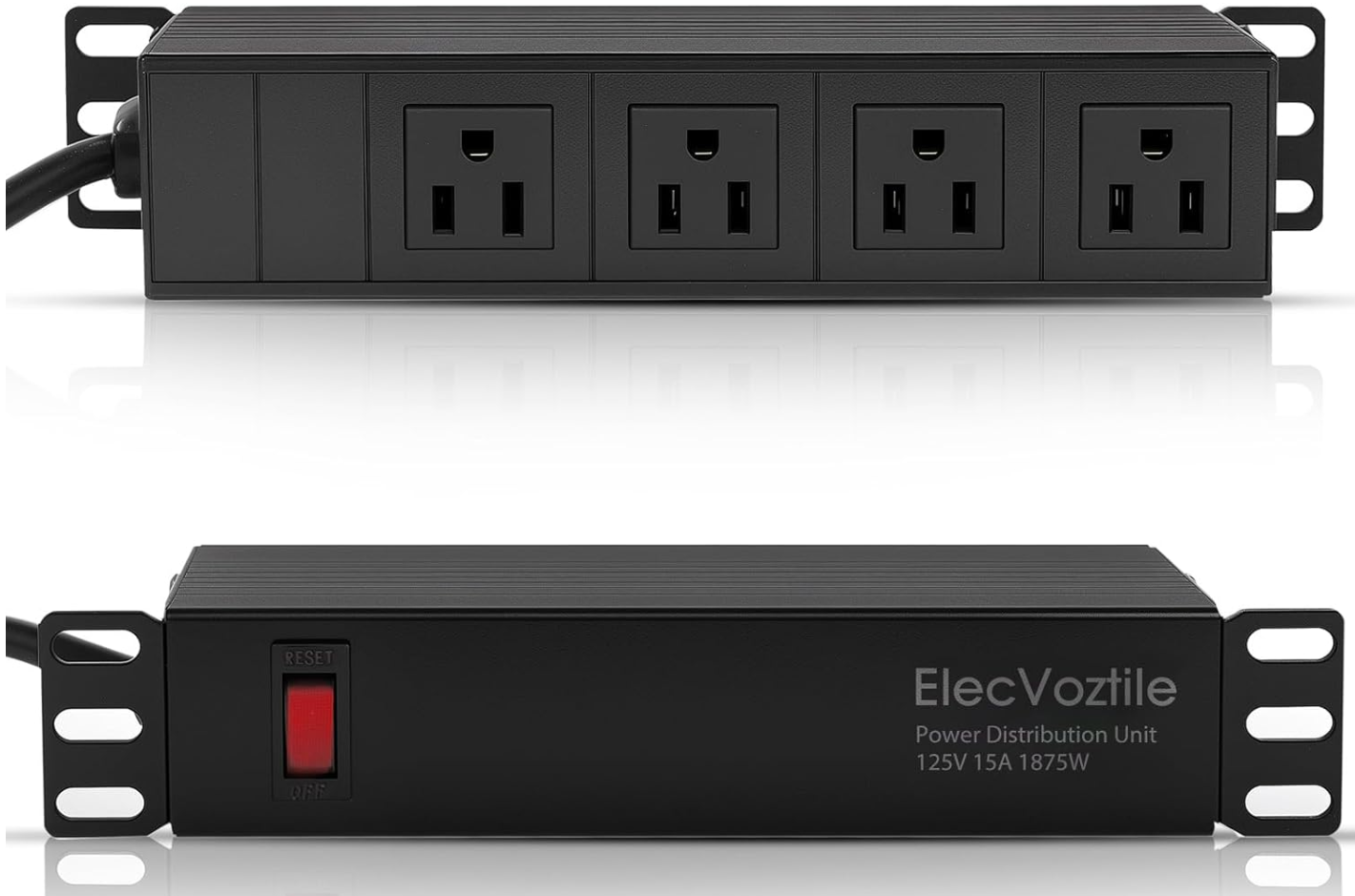
Also, there are 10 inch rack PDUs you can purchase. These seem to be fairly expensive for what they are looking at most models and vendors across Amazon. These will cost you $40-50 a pop, but definitely are worth it in terms of keeping your power organized.
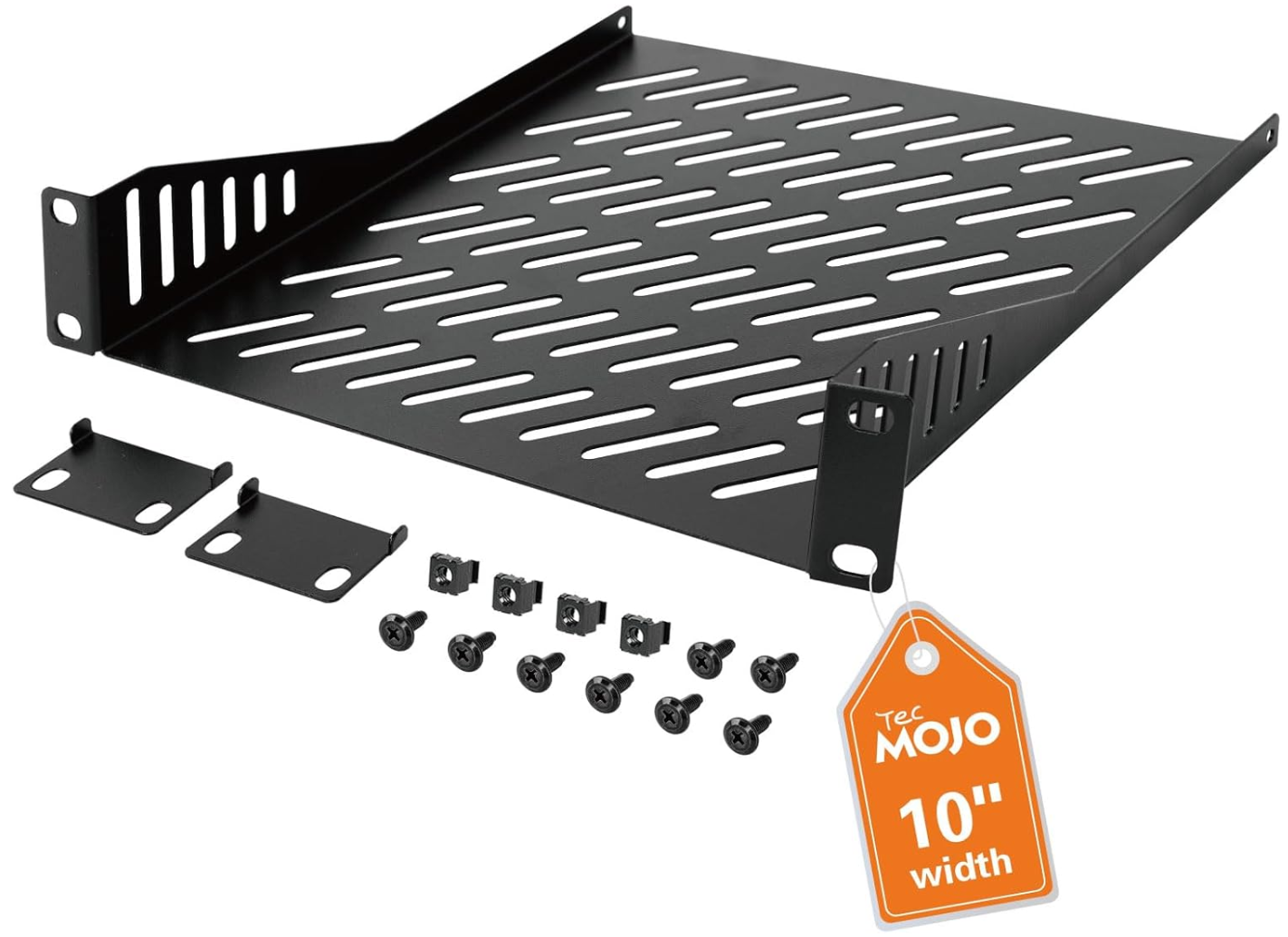
The Tecmojo 10 inch rack and other vendors like Geeekpi will usually give you a couple of shelves depending on which 10 inch rack you purchase. But, most likely you will need more, especially if you spring for the 12U variant like I did. The 2 rack trays will only get you covered for around a third of your U space. I am currently waiting on 4 more trays to house additional hardware in mine.
Limitations of using a 10 inch home lab rack
No form factor is perfect. A 10 inch rack will not support typical sizes of things that are on the market. And you can have a hard time finding things you need. Thankfully, since these have caught on so well, you can find trays, patch panels, blanks, and other accessories for a 10 inch rack and there are also tons of 3d printing templates out there you can use to create your own hardware.
There are a few things to keep in mind with devices that you will have a majorly hard time finding. One of those is a UPS for a 10 inch rack. I have started looking for these and there really isn’t anything out there that is purpose built for a 10 inch rack (correct me here if you have found something). There are low profile UPSs and battery backup power strips and surge protectors that you could stuff in there, but again not anything purpose built.
You can read some ideas on UPS’s on this on the Reddit thread here: Rack mountable UPS for 10″ half rack? : r/homelab.
My build of materials
Below is my build of materials for the 10 inch rack build for home lab:
Why I think the 10 inch rack is here to stay
I think the RAM shortage and other factors will cause home labbers to increasingly shrink down any kind of large builds and running tons of hardware. Also, with the trend of mini PCs being the main driver for home labs in general, these fit a 10 inch rack VERY well.
I also think that modern home labs are going to be container-first running docker hosts, Swarm, and Kubernetes. So, I think the old days of having racks and racks of “big iron” servers are gone for home labs. Mini PCs are here to stay and VERY dense app environments running on containers are going to help us with the RAM shortage.
The 10 inch rack fits into this current use case and hardware availability that we are experiencing globally. With the 10 inch rack, we can accommodate small footprint hardware and service the apps that we want to self-host in the home lab. For many builders, it is the current sweet spot between a messy stack of devices and an overkill server rack.
Wrapping up
Hopefully this overview of my foray into 10 inch home lab “racking” will help ones who may be considering pulling the trigger on a 10 inch rack for the home lab in 2026. Overall, this little rack surprised me at just how awesome the 10 inch home lab rack experience can be. I think it is a great size and footprint for those who want to even dip their toes in the water with running a home lab. Mini PCs fit great in them and there are lots of networking options that work as well in a home lab. Let me know in the comments if you are currently running a 10 inch rack or planning on buying one to build out an environment this year.

Google is updating how articles are shown. Don’t miss our leading home lab and tech content, written by humans, by setting Virtualization Howto as a preferred source.
About The Author




I like it! You can do a lot of customization with device mounting using 3d printing too.
Anthony,
Totally agreed here. I think I have been missing out on the 10-inch rack fun this past year. Looking forward to playing around with this form factor in 2026.
Are those side panels (easily) removable, when build is complete? It’s hard to tell, from the pictures.
I’ve built up a few 19″ racks in my career. Power cabling on one side, data cabling on the other. Those shelves, with cut outs on the vertical support arms, look ideal for cable ties.
Most (but not all) of my gear has wall wart power supplies. Having those in the bottom means lower voltage cabling. Removable side panels make cable installation easier.
Alan,
these are built into the side panels so you can’t remove them unfortunately. Or at least I don’t believe so. I will check this out to make sure conclusively though.
Brandon
As someone who has pulled a lot of Ethernet cable and done a lot of work on corporate server racks, it’s a real pet peeve to see patch panels on a mini rack.
I get that you want the rack aesthetic, even if it doesn’t make much sense. However, adding points of failure for purely cosmetic reasons is the height of stupidity.
Patch panels are supposed to be permanently mounted to a wall, floor or ceiling. The only reason you see them in racks is because those racks are usually bolted to the wall, floor or ceiling. They should rarely be moved, if ever.
Zel,
Thanks for the comment. I am not sure I understand your point here respectfully. The patch panel is screwed into the mini rack so it doesn’t move as far as it is concerned. These are keystone patch panels so the uplinks will uplink from the devices to the patch panel and as you see in the picture from the patch panel to the switch as it would in say a network closet where the patch panel is stationary. So, there isn’t any real movement on the patchpanel, but I may not be following you.
Brandon
The purpose of using permanently mounted patch panels is to provide a stable and consistent path for solid core structured wiring. The types of cabling usually referred to as “plenum” and “riser” cabling, which is used in permanent installations and can be damaged easily by frequent flexing and bending. In a 10″ rack, and especially with the rj45 coupler style patch bay you showed, this would be using pre-terminated commercial patch cables (probably 2-3 foot cables on the back side, in to the equipment, then 6 or 12 inch cables from the front looping into the switch). There is no need to include an unnecessary join of 2 different cables other than to have the aesthetic of a “real” rack. It’s an unneeded failure point, needlessly degrades the quality of a very short connection, and takes space away from your build that could go to either switching or compute.
PeteB,
Thanks for the input there. I guess this is a matter of personal preference here to be honest. I did spring for the 12U rack which is the perfect size for me. The half a U of rack space that I burned for the patch panel for me is worth it since it aligns the aesthetics with what I would like to see in a full size rack, but it is also functional in my opinion too as it helps with cable routing which in this form factor is super important for airflow. I do get the point this is a failure point, but for me the benefits outweigh any negatives on that front.
Brandon
The top photo with the rack outside.. is that huge area your garden?
I tried going this direction a couple of years ago, brought myself a nice 10inch 15u cabinet, and lots of shelves… I then got invited to beta test for a vendor, and found my with a huge amount of 19″ rack kit… and I’ve not found my way back yet!
Kelv1n,
I totally get it and understand. Man, there is always a need to have multiple sizes around it seems. It is hard to find many different things for the 10 inch rack, but I am excited to keep working on mine. I am putting things in it now and will share progress as I go along. Definitely thinking this is going to be a bare metal Talos cluster, but still toying around with ideas. Also yes, the front yard is huge where I am at, but downside is cutting the grass in the summer 😐
Brandon
Brandon
Good, informative article!
I bought one, based on research – it was well regarded. My experience was less positive, but ok, nonetheless. My dissapointment stemmed from mis-matched screws. They wouldn’t thread into the frame properly. I sourced smaller diameter screws with nuts to square up the rack. But, not certain I’d buy again, price/value isn’t there for a rack that needs to be re-engineered on site…
J. Cockrum,
Great insights here. I am seeing so many getting into a mini rack for home lab. I personally think it has been an extremely fun pivot for me. It makes everything very intentional and forces you to think through the design in a way we haven’t had to with a standard 19″ rack. I am wondering how the quality control is on some of these racks. I didn’t have the problem you experienced, but it makes me wonder between different brands and models.
Brandon