


Docker compose is definitely one of the core technologies in my home lab. I use it to deploy “everything” as it just makes life simple and easy. Believe it or not, there are actually “GitOps” type tools that we can take advantage of when using Docker and Docker Compose. We don’t necessarily have to be running full blown Kubernetes environments to benefit from what Docker itself can do along with some good third-party tools. If you have been thinking about making your Docker environment more repeatable and start getting into GitOps, check out these 7 GitOps tools you can use for Docker Compose this weekend.
Komodo
Komodo is definitely a tool that is on most people’s list in a home lab today. It has set itself apart for being a VERY powerful platform and it is totally free. There isn’t a paid tier or anything like that at the time of this writing.
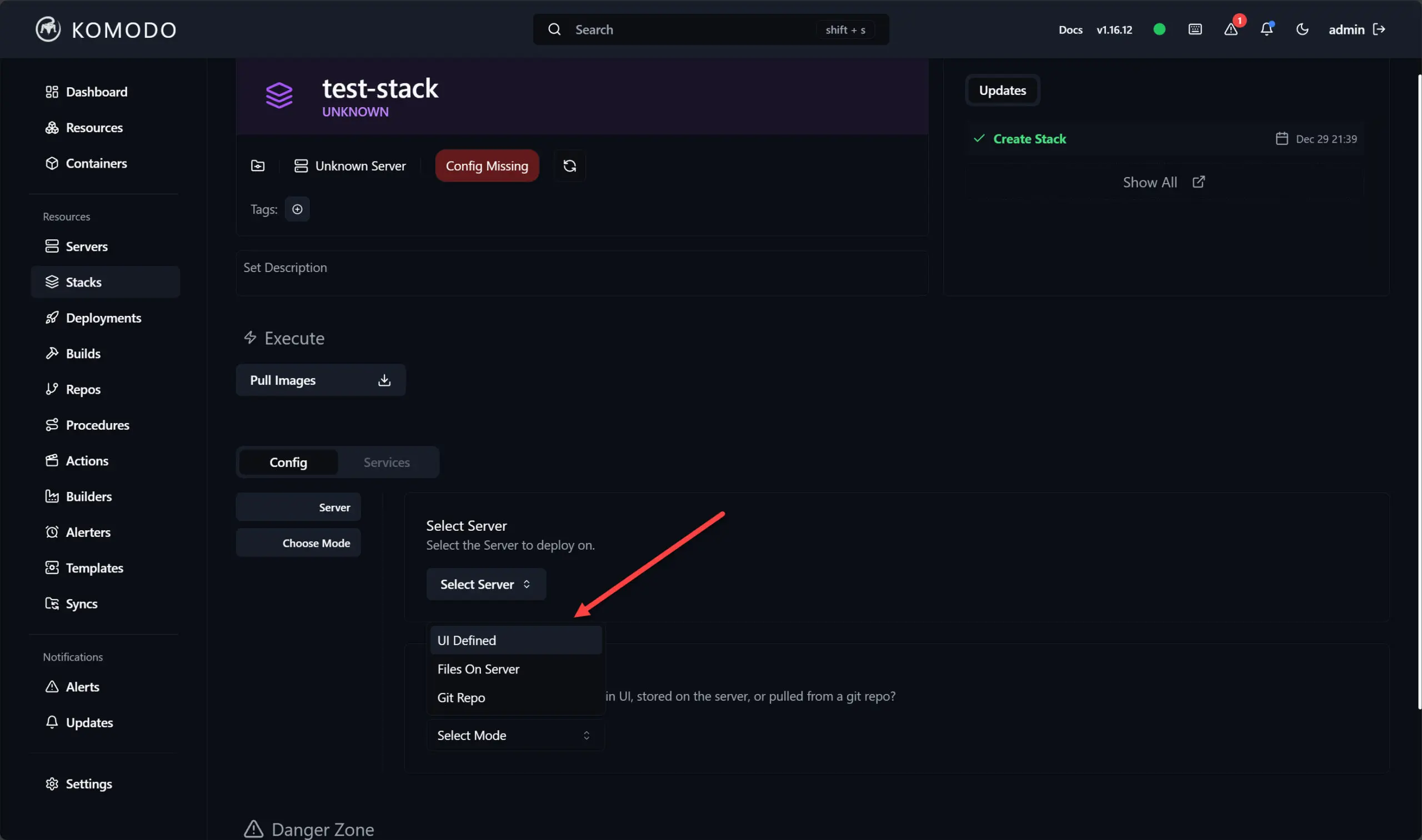
What’s more is there is an impressive amount of features and capabilities with Komodo that you get underneath the hood that can help you develop a GitOps style workflow.
Instead of you having to manually update Compose files on each server, Komodo will connect to your Git repo and your Docker hosts. Then, when you have changes that you push out to your repo, Komodo can automatically deploy those changes across your environment which is definitely powerful.
With Komodo, you have:
- Git-backed deployments
- Multi-server management
- Deployment history
- Health monitoring
- Secrets management
- Rollback capabilities
I like the Komodo interface as well as it is intuitive and fairly easy to understand after you click around in it for just a few minutes. If you are looking for a Docker compose gitops type tool that is fairly lightweight and easy to work with, give Komodo a try this weekend.
Gitea or Forgejo
These are two Git tools that have gained huge momentum in the home lab as of recently. These are Gitea and Forgejo. Both of these are free and open source tools that allow you to self-host your code repos in your home lab. So, when you think about it, GitOps by definition starts with a Git repo of some sort.
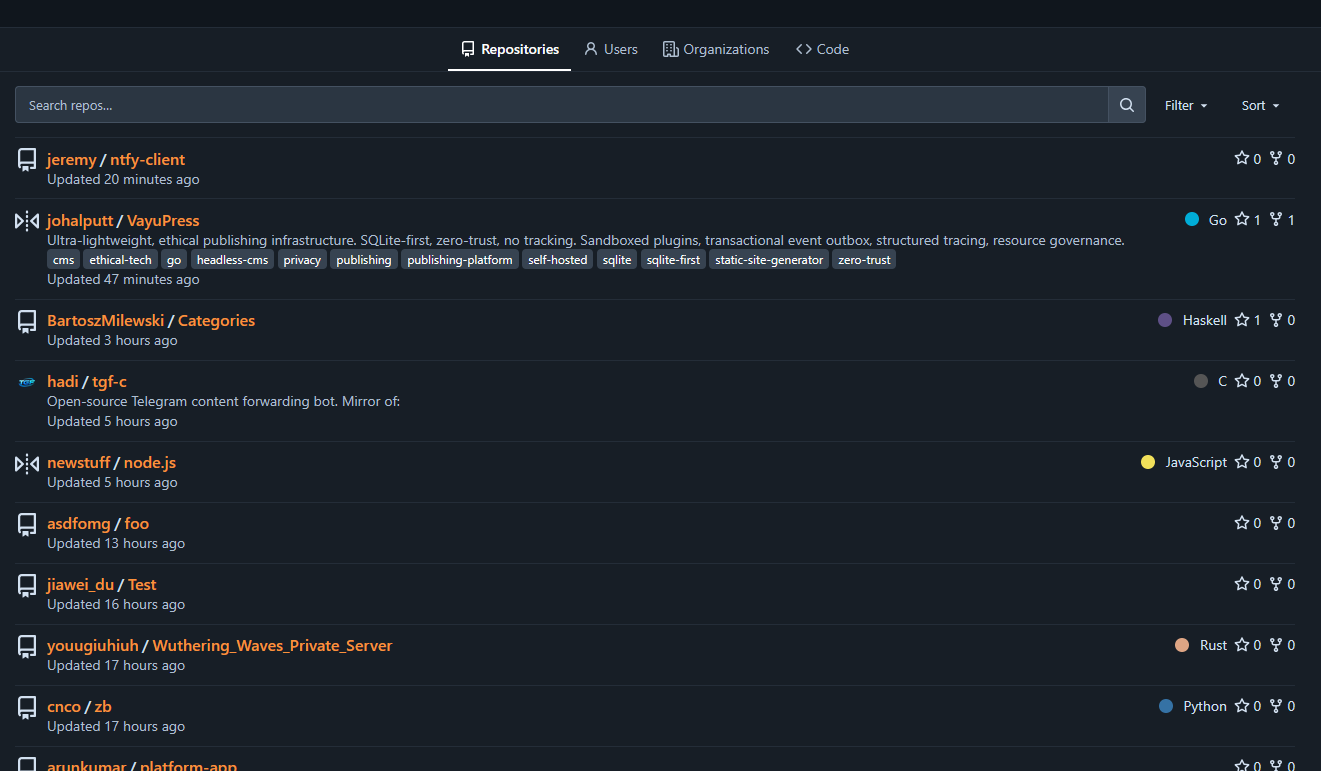
Selfhosting your own Git repo means you have total control over it and no one else has your data, code, etc. Both of these solutions are highly rated for those that have used them as that self-hosted option that gives you complete ownership.
Every Compose project I deploy now starts with a repository containing information like the following:
- compose.yaml
- .env.example
- README documentation
- Configuration files
- Deployment notes
Keeping everything together means I never have to wonder what version is actually running on a particular host. One of the lessons that I have learned in the home lab and production environments over the years is to never edit a compose file directly on your production systems.
Even if the change is just one line, make that change in Git first. Keeping this simple habit creates a complete history of all your infrastructure changes you have made and makes it where troubleshooting is actually really easy if you think a change introduced an issue.
Renovate
Renovate is another awesome solution that many are using in their home lab environments. Keeping your Docker images updated is a job that we have seen many solutions developed for. Renovate automates this process. So, what Renovate does is it periodically checks Docker Hub or GitHub releases. It scans your Compose repos. It then opens a pull request when a new container image is available.

I really like this workflow because it gives you the complete visibility and proper way to update everything before a deployment. Opening a PR and having all of those things documented is definitely the right way to do things in production. So training ourselves to do these types of operations in the home lab is super beneficial.
So, instead of using something like Watchtower (which is great and I love), that replaces images in production, I can instead have Renovate to do the following:
- Review version changes
- Read release notes
- Test updates
- Merge when ready
Since the updates are tracked in Git, every deployment is part of your normal GitOps workflow and not just an isolated manual update. This way, you can better understand if a version change may have caused an issue.
Dockge
Dockge is a tool that I checked out not long ago. It is created by the same creator of Uptime Kuma Louis Lam so it has some really great DNA behind the project. Sometimes we just see Dockge mentioned as just a nicer fancy interface for Docker Compose. But, I do think that it deserves a place in a GitOps workflow as well.
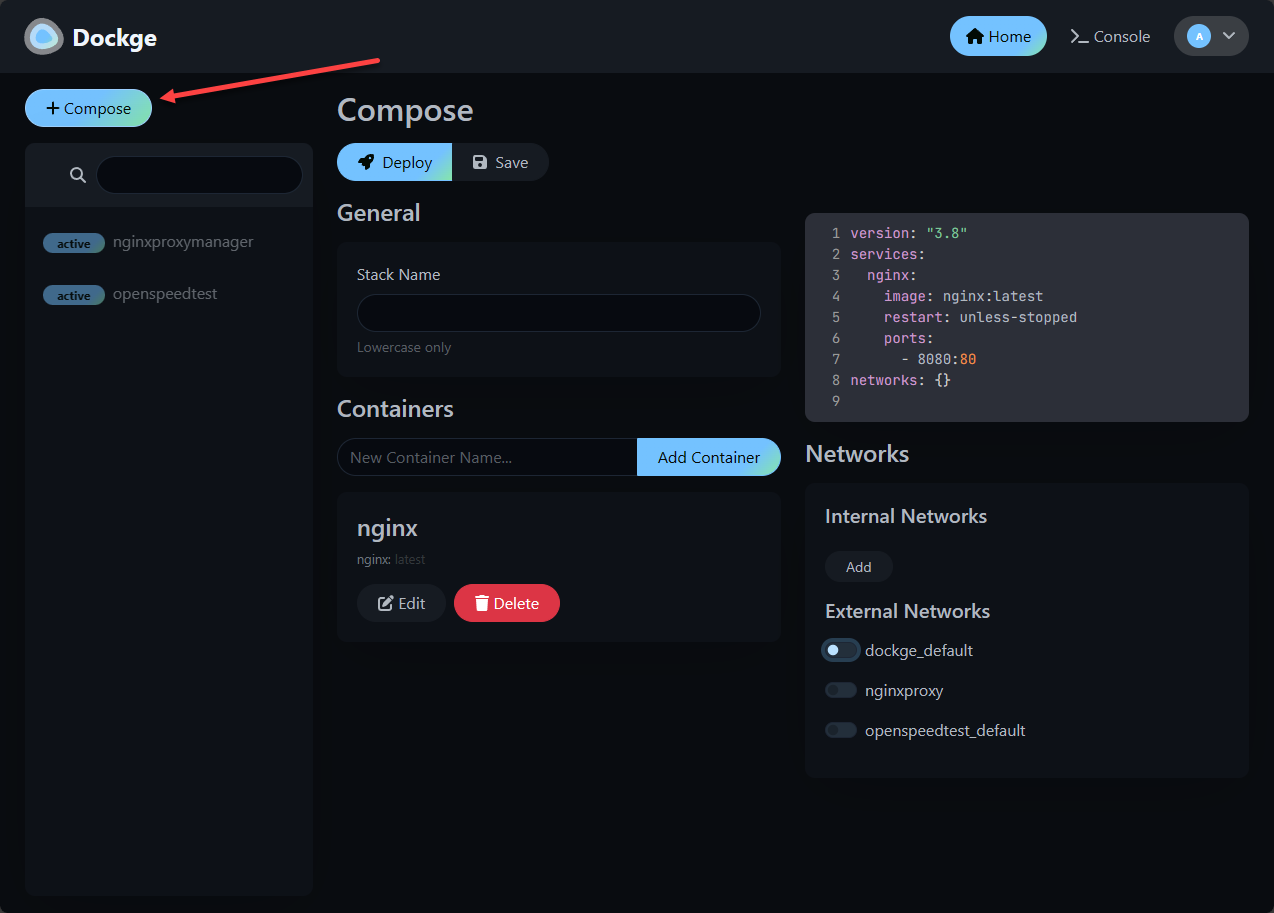
I would not necessarily rely on Dockge alone for full GitOps automation. But when you combine this with Git repositories and proper workflows, it becomes a really good tool for management of your Compose stacks in the home lab. A feature that I really appreciate is that Dockge stores Compose projects as standard files instead of hiding configs inside of some type of database. This makes it much easier to synchronize those files with Git repos.
For smaller environments or if you are just beginning with your GitOps journey, Dockge provides a good happy medium between Compose management and repo driven infrastructure. With the interface you can easily edit your YAML code directly from the interface.
Semaphore UI
Semaphore UI is another tool that I would definitely recommend trying out this weekend for learning GitOps concepts and workflows. I started out using Semaphore UI to manage my Ansible environment as I found it to be much better than the native Ansible AWX open source solution that I had a long while ago. It was WAY easier to stand up and made sense from an interface perspective.
But, what many don’t realize is that Semaphore UI has branched out quite a bit from just an Ansible type tool. It can do PowerShell, Terraform, OpenTofu, and other scripting languages. It also allows you to run things on a schedule and it connects to your Git repo to have access to your code.
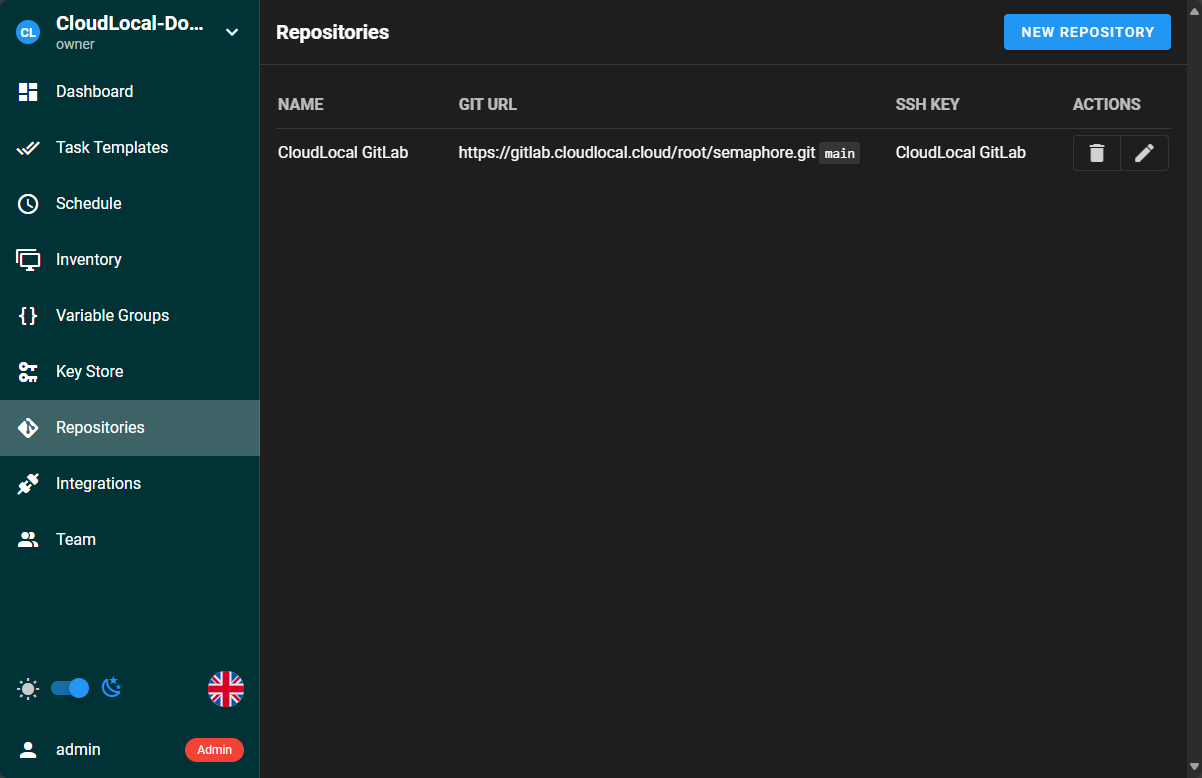
I think it is a really good tool that helps to bridge the gap between infrastructure as code and operations. All of my compose files live in Git, but Ansible handles the deployment processes in a repeatable way across one or many Docker hosts. So you can use Semaphore UI as a complement to your Docker environment.
You might have a workflow for Gitops with Semaphore that looks like this:
- Update a compose.yaml file in your Git repo
- Commit and push the changes
- A GitHub Actions or Forgejo Actions pipeline validates the configuration
- Semaphore UI launches an Ansible playbook
- The playbook pulls the latest repository, runs docker compose pull, and finishes with docker compose up -d
This makes for a very dependable and consistent process each and every time. I don’t have to remember which servers need updating or worry about skipping a step. Another feature I appreciate is that Semaphore UI provides a really good history of executions. If a deployment fails, I can see which task caused the problem. This keeps you from having to piece together terminal history from your servers.
GitHub Actions or Forgejo Actions
Outside of running a Git repo in something like GitHub or Forgejo, you need to have a way to “trigger” actions on your environment. This is where you use something like GitHub Actions or Forgejo Actions. These let you “do something” after each commit.
This is usually what we hear referenced as a “pipeline”. This pipeline or “actions” can do things like validate your YAML syntax, verify compose configs, scan for security issues, check formatting and linting, or even build custom images.
I have really seen the benefits of catching problems early while your code and configs are in the repo and “before” they hit the server. It is much better to have your “actions” reject an invalid Compose file rather than only discover that problem “after” taking down your current containers with its Docker compose.
These types of validations with these actions are a great GitOps project to undertake for the weekend and learn how to start standing up these actions on your code environment.
Doco-CD
One of the newest projects I have been testing is doco-cd. This is one that I have written about recently. You can check out the post on this project here: I Added This to My Docker Compose and It Changed Everything.
This is a project that definitely lets you get very close to having a GitOps style environment with Docker and Docker Compose, much like what we can see with Kubernetes with ArgoCD or Flux. With Docker, after you stand up your stack, nothing is continuously watching your repo and making sure your running containers still match the desired config.
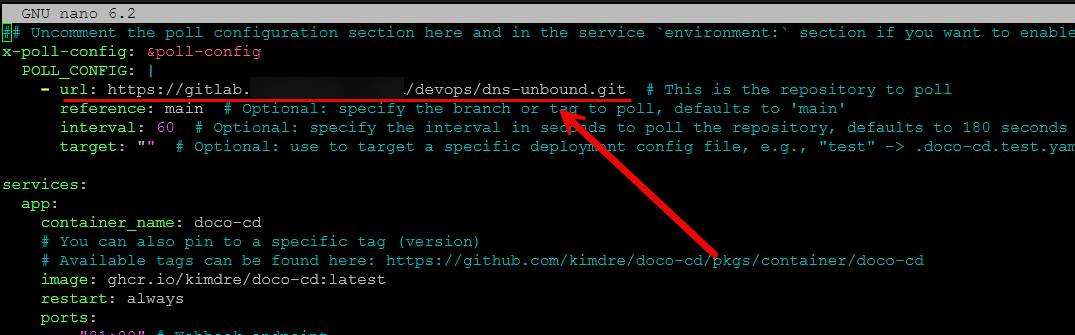
This is exactly what doco-cd does. The doco-cd tool watches your repo for changes and auto deploys updated Compose projects through webhooks or repo polling. You can also manage multiple Compose apps from a single repo as well. So, if you organize your home lab into a directory per app, doco-cd can auto discover those projects and deploy them without needing to have a separate deployment definition for each of your stacks.
The great thing about it as well is that it isn’t something that makes you totally refactor your Docker Compose code. It continues to use the same compose files that you already know and use.
How I would put your weekend GitOps projects together
If I were putting these together into a workflow that makes sense for my weekend projects, here is how I would connect everything from an overview standpoint.
| Step | Action | Tool(s) |
|---|---|---|
| 1 | Store Compose projects in Git | Gitea, Forgejo, GitHub |
| 2 | Make changes locally | VS Code, Cursor |
| 3 | Commit and push changes | Git |
| 4 | Validate the configuration | GitHub Actions, Forgejo Actions |
| 5 | Deploy automatically | Komodo, doco-cd, Semaphore UI |
| 6 | Update container images | Renovate |
| 7 | Roll back if needed | Git, Komodo, doco-cd |
Wrapping up
Docker Compose is one of the easiest and simplest ways of standing up applications in the home lab environment and production environments. Learning it is one of the best moves I made in helping me to move forward with more complex topics like Kubernetes. Many discount even being able to do GitOps with Docker and Docker Compose. However, with the right tools you can put together a really powerful workflow that can definitely teach you a lot about declarative operations. How about you? What Docker Compose tools are you using in your home lab for a GitOps style approach?
More in this topic



Google is updating how articles are shown. Don’t miss our leading home lab and tech content, written by humans, by setting Virtualization Howto as a preferred source.
About The Author
