


If you have spent time looking at blogs and videos on home lab blogs, forums, and Reddit communities, you will eventually notice there is a particular service/app that is always mentioned as being run in a home lab. And that is a home lab dashboard. I have created content on home lab dashboards and used them myself. There is definitely nothing wrong with running one or using them as part of your workflow. Many people genuinely love building and maintaining these types of dashboards and there are some impressive dashboard projects out there like Homepage, Homarr, Dashy, Heimdall, Organizr, and many others. However, the larger my home lab became in terms of services, the less interested I was in maintaining a dashboard. After years of running a home lab, I came to the realization that I just didn’t need one. Read on to see the reasons of my contrarian view on this subject.
Which dashboards have I run?
You may wonder, Brandon have you tried, “X” dashboard? Well, the honest truth is, I haven’t tried every dashboard that is out there. So there may be one that is better than sliced bread. But I have had a few in the home lab in the past. I just never found one that made me think that I have a compelling reason to have one as a longterm home lab fixture.
Check out my write ups on the following:
- Why Deq Might Be the Best Home Lab Dashboard in 2025
- Raspberry Pi Wayland Kiosk for Home Lab Dashboard
- Homarr: Sleek Home Lab Dashboard for Server Monitoring
- Homepage Docker – Customized Home Lab Dashboard for Applications
- Home lab dashboard with Dashy
The appeal of home lab dashboards
I completely understand why dashboards became popular. I think when most start building a home lab, everything feels fragmented. You may have a Proxmox VE server running on one system. Then you have a handful of Docker containers on a another and a NAS running outside of that. You also have a monitoring solution and other self-hosted apps.
Below is a picture of a Homarr demo environment:
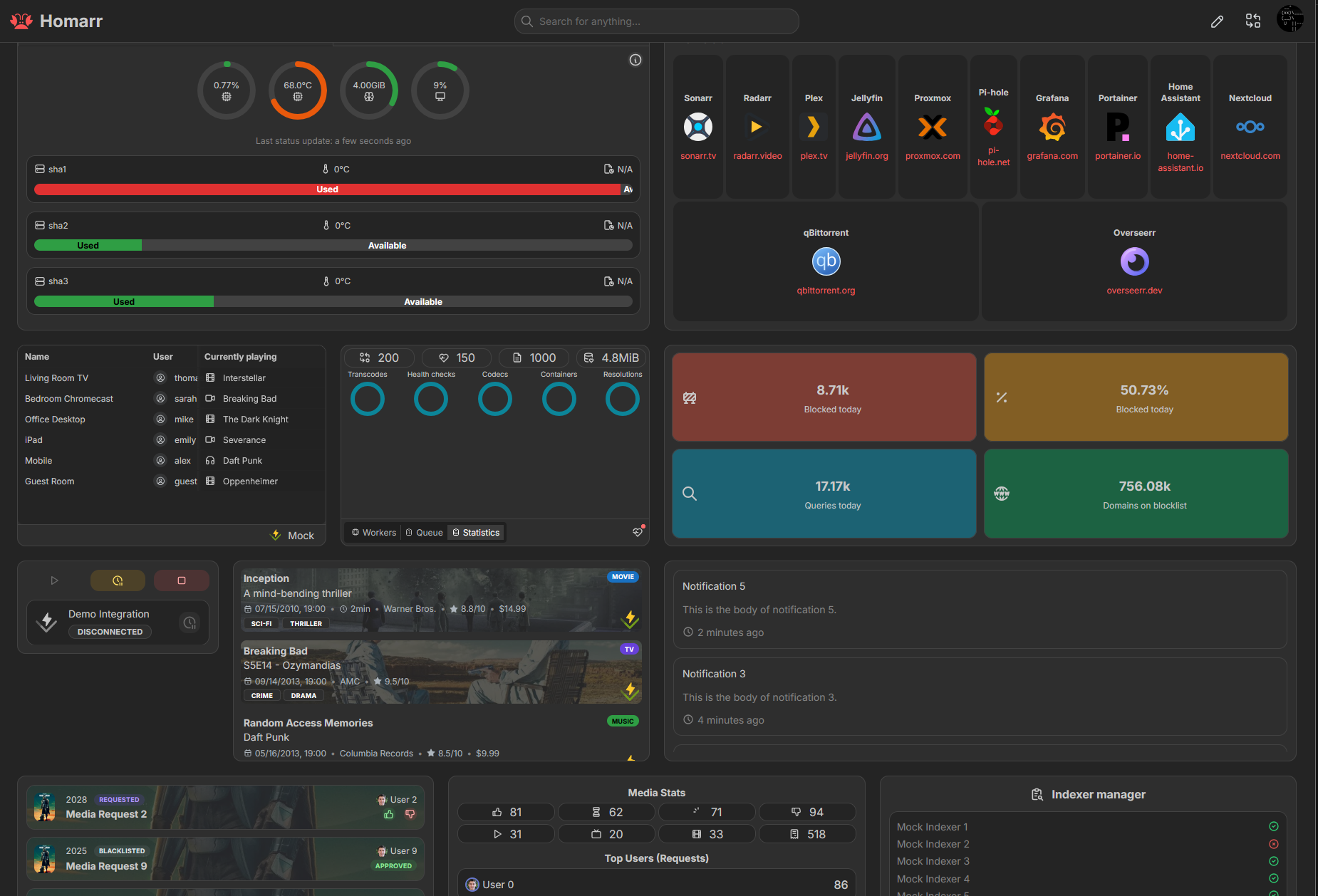
A dashboard creates a sense of organization in your lab. So, instead of having to remember URLs, ports, bookmarks, everything is there in a single interface. Also, I think there is a certain satisfaction that comes from seeing your entire lab represented in this visual way. It feels professional. It feels organized and it can feel like a miniature version of an enterprise data center. There is absolutely nothing wrong with that.
For me though, after really wanting to “like” and always use home lab dashboards, creating content around them, and using them at different periods of time, I eventually realized that what looked useful on screenshots was often very different from how I actually interacted with my infrastructure every day.
My services are tools, not destinations
One of the biggest reasons I never fully adopted dashboards is because I naturally think about services differently I think that some may. I don’t really have applications as destinations typically that I frequently browse to in the home lab. Most of what I run are tools.
If I need to work on a virtual machine, I launch my Proxmox web UI or PegaProx. Or, if I need to troubleshoot with monitoring tools, I open up Pulse. If I need to manage Kubernetes resources, I open up my AptaKube install or something like Lens. Or, if I adjust DNS, I open up Technitium DNS cluster node 1 (which is in a cluster with my 2nd node). If I need to manage containers, I will open Portainer or Komodo. I don’t view applications as destinations so much any more that I need to browse through.
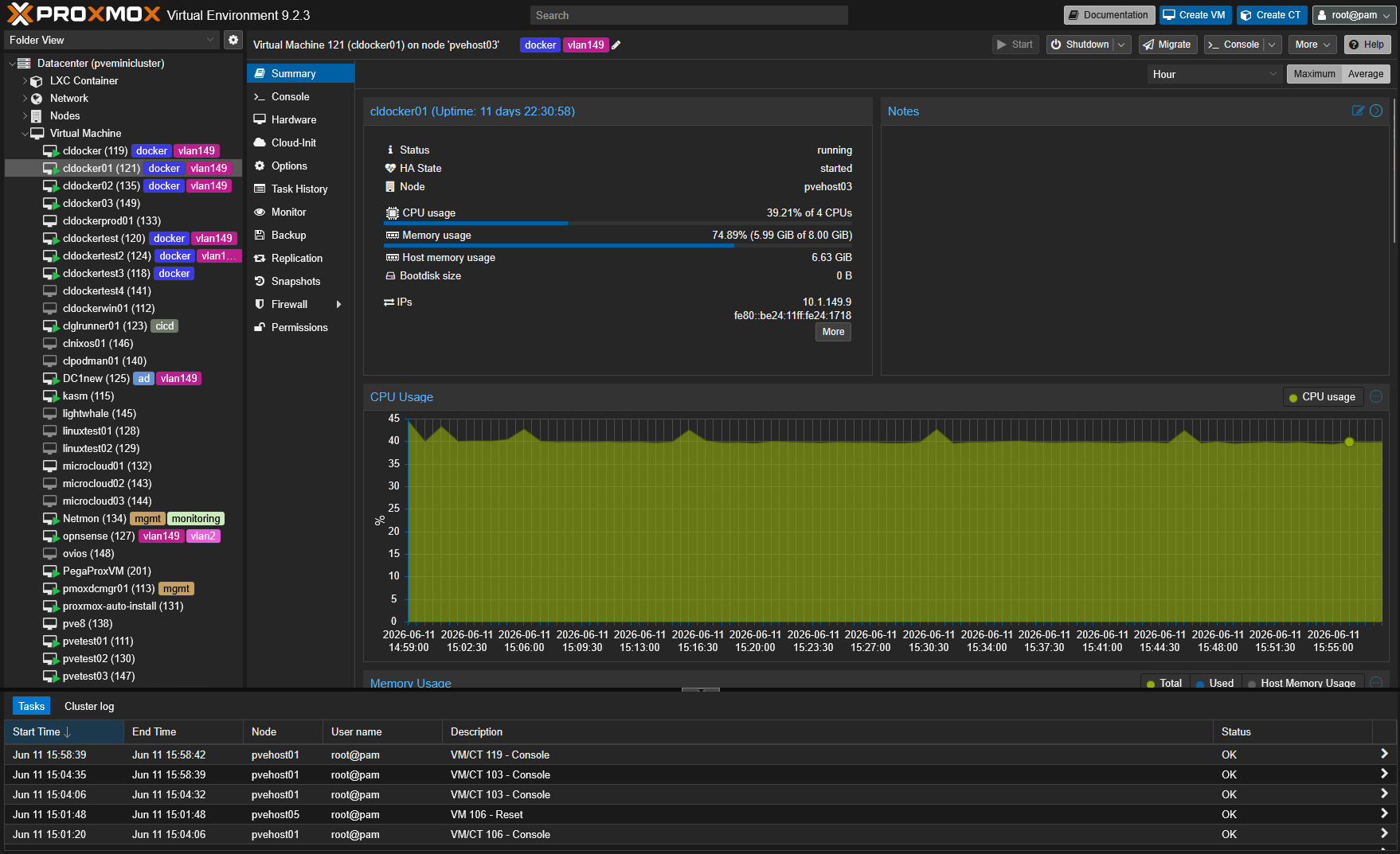
Over time, I realized I was already familiar with the services I used regularly. I knew where they were and I knew how to access them. I knew what each tool was responsible for. The dashboard was simply another layer sitting in front of systems I was already comfortable using.
Proper names and SSL certs on services help negate need for dashboards
One of the other reasons that dashboards become popular is that if you are running the “unfriendly” destinations for many of your services, like 10.1.149.27:8443 to reach a specific containerized service, it is difficult to remember those types of destinations as they are not that intuitive.
But if you are using something like Traefik or Nginx Proxy Manager to automate the process of having proper names and SSL certificates, these become MUCH easier to remember. This is part of the reason that I stopped relying on dashboards as I could easily remember where I wanted to go.
Dashboards become another service to maintain
This is another big one for me. I never found a solution that worked well enough to justify the maintenance effort they require. Most don’t automatically discover endpoint URLs (service discovery) or gracefully handle all service icons. So all of these little details are something that you have to do manually.
Also, for me the dashboard starts out simple and you get everything in there like you want it. But then old services die, new services are spun up to replace the old ones, and like home lab documentation, the home lab dashboard falls behind.
My home lab monitoring is more important than dashboards
In my opinion, time is better spent working on your monitoring solution, instead of a dashboard, or at least that is what I have found works better in my environment. When I focus on monitoring and alerting, the environment “tells me” relevant information when I need to hear it. Things are proactive that way.
I know that some of the newer dashboards have some light monitoring built in. But to me, that is just it. A dashboard isn’t great at monitoring, it is just a secondary thing it can do but it isn’t its strength.
In my home lab, I place far more value on:
- Monitoring
- Alerting
- Notifications
- Backup verification
- Capacity checks
- Health checks
Below, I have an instance of Uptime Kuma running that monitors the uptime of self-hosted management services.
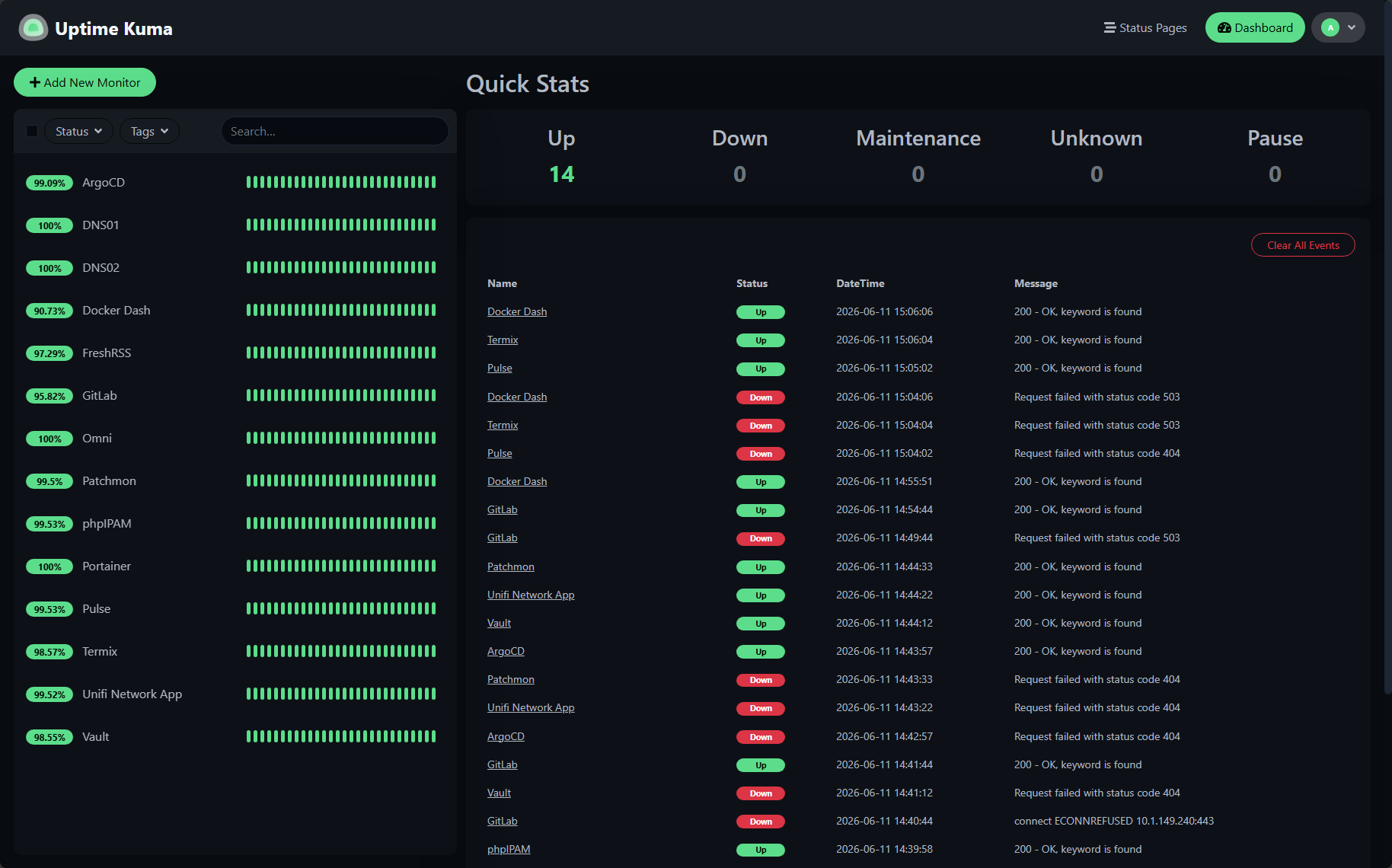
If I had to choose between a dashboard and a well-configured monitoring platform, I would choose monitoring every single time.
Most dashboards answer questions I am not asking
This was probably the realization that finally convinced me dashboards were not particularly useful for my workflow in the home lab. Most home lab dashboards display information like the following:
- Current CPU utilization
- Memory utilization
- Container counts
- Network statistics
- Disk usage
- Weather information
- Uptime metrics
The question I eventually asked myself was simple. What am I actually going to do with this information? If my CPU is at 12 percent utilization, does that change anything? Or, if my memory usage increased by 4 percent, am I taking action? If a container has been running for 57 days instead of 58 days, does it matter? Most of the time, the answer was no.
I realized many dashboard widgets were displaying information that looked interesting but rarely influenced decisions or changed how I managed things. Usually, I rely more on the alerting I have setup in my monitoring solutions like Pulse, Netdata, and PRTG.
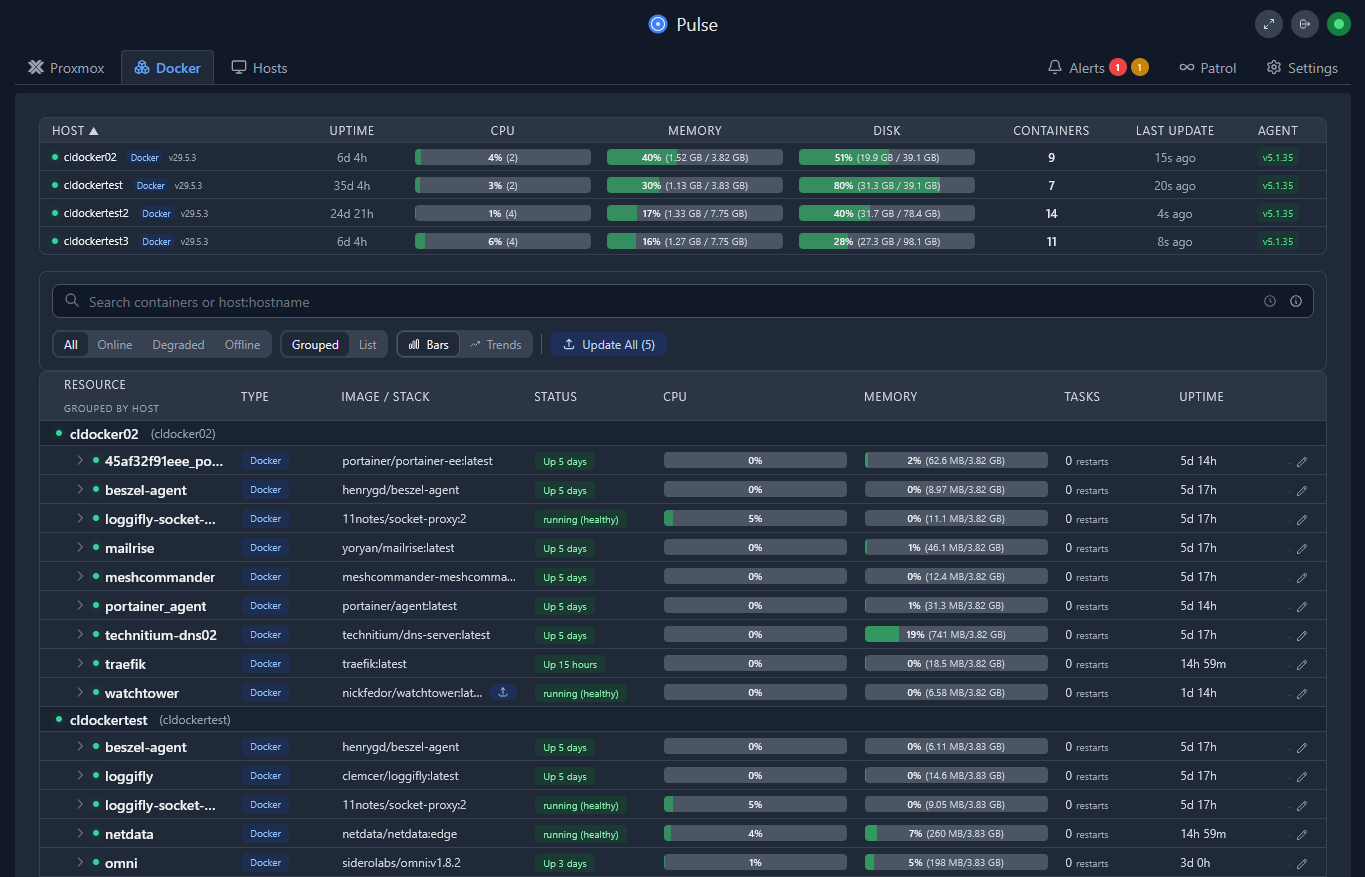
I prefer seeing detailed information when I actually need it instead of having just general, non-detailed, metrics displayed all the time.
Browser bookmarks have always worked well for me
This may be the least exciting part of the article, but it is also the truth that I want to share with readers. For years, my primary navigation method has been browser bookmarks. I have a simple folder that is my “home lab” folder in my browser. I have relevant links that are listed there that I can click when needing to jump over to manage something in particular.
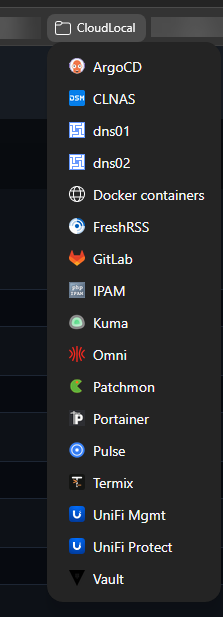
Frankly, this approach continues to serve me well, even in 2026. Bookmarks require almost no maintenance, they are simple, fast, and universally supported. I don’t have to worry about locking into a particular dashboard and getting links out if I ever want/need to.
Are there situations where a dashboard makes sense?
I do think that although I personally do not benefit from using dashboards, I think there are scenarios where a dashboard makes sense and provides value. What are those times?
If you are self-hosting resources for family members who may benefit from a central portal that provides access to services. Also, in the business realm, dashboards help to provide multiple users a consistent entry point into an app or service. New home lab users may appreciate having all services in one place while they are still learning. I can absolutely see benefits from these use cases in the home lab.
Another cool place I think for a dashboard is a dedicated “monitoring” dashboard, like the grafana dashboard below that I can display on a Raspberry Pi powered terminal. Read my full blog on that here: Raspberry Pi Wayland Kiosk for Home Lab Dashboard.
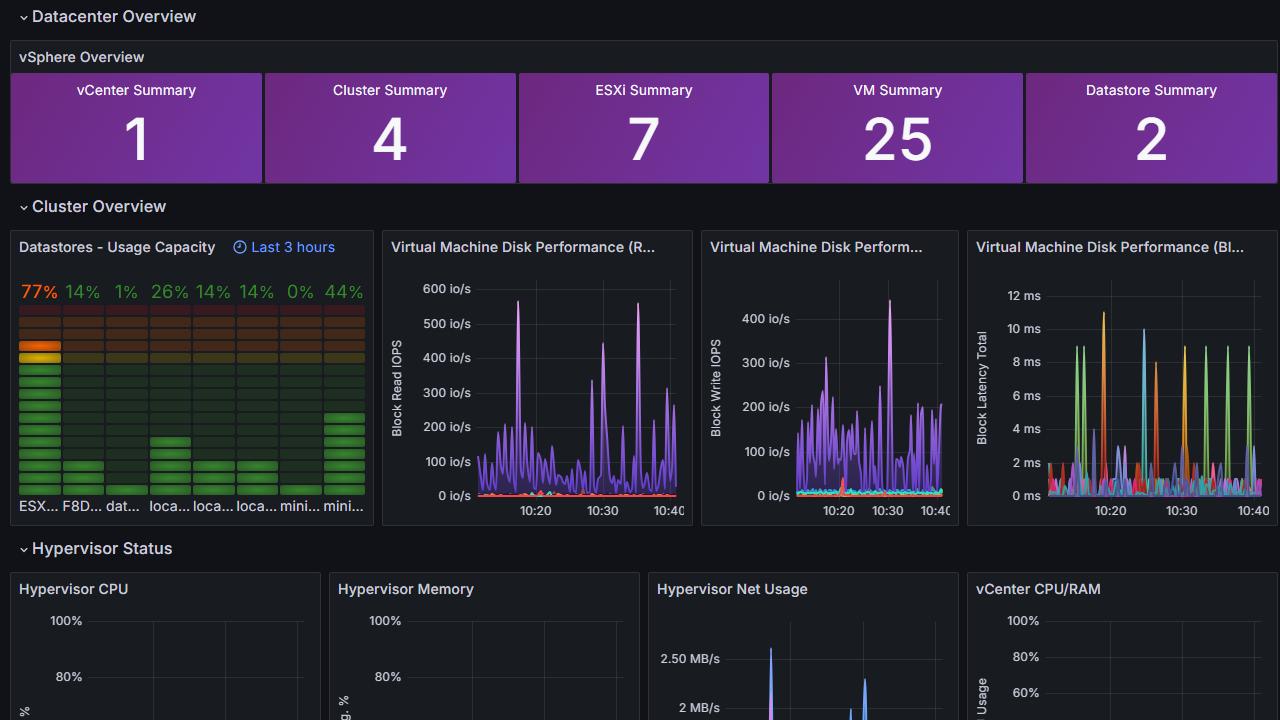
My perspective is simply that once I became familiar with my own self-hosted infrastructure, I no longer needed a dashboard to help me find or access things. The muscle memory grew too strong there and it just simply wasn’t needed. At that point, a home lab dashboard stopped solving a real problem that I actually had.
These are the things that I focus on instead
As my home lab evolved, grew, shrank, grew again, and morphed into all different kinds of directions, I have found myself investing more time in areas that I personally feel delivers more value for me. What are those areas of concentration, study, and implementation in my lab?
| Area of focus | Why I invest time here | Real-world benefit |
|---|---|---|
| Automation | Reduce repetitive tasks and manual work | Saves time and reduces mistakes |
| Monitoring | Detect problems before they become outages | Faster troubleshooting and greater reliability |
| Backups | Protect against hardware failures, mistakes, and corruption | Recover data and services when things go wrong |
| Disaster recovery | Ensure critical systems can be restored quickly | Less downtime during major failures |
| Documentation | Capture configurations, decisions, and procedures | Easier maintenance and future troubleshooting |
| Reducing complexity | Eliminate unnecessary layers and moving parts | More stable, easier-to-manage infrastructure |
Wrapping up
I know this post may be an unpopular opinion among the majority of home lab enthusiasts who have spent a lot of time on their dashboards. And again, I want to be clear. There is nothing wrong with a home lab dashboard. But, I think, for each home labber, you have to decide if it is a needed part of your workflow and something you want to spend time on. The answer may be “yes” in your environment and that is ok. However, I do want to paint the other side of the thought that if you have ever secretly thought, “I don’t really see the appeal of a home lab dashboard”, that is ok too. How about you? Do you currently run a home lab dashboard? What is your take? Are they necessary for you?
More in this topic


Google is updating how articles are shown. Don’t miss our leading home lab and tech content, written by humans, by setting Virtualization Howto as a preferred source.
About The Author

Let me know what your view on home lab dashboards is currently in your lab environments.
I use Organizr, its just as much for my various services as it is for other people in my house. I have Immich, Petio, Plex, a calendar which shows when shows/movies will be released and it allows them to easily find them. I just put a bookmark in their browser. Organizer has the ability to create various dashboards so I have a guest dashboard for those types of things, and then my admin dashboard with a lot more things. I do not really add much for monitoring to the dashboard, but I do have some links to those items under my admin dashboard.
Dave,
Very good notes here in your comment. I honestly haven’t thought about splitting out in guest dashboard and admin type dashboard so that is more of a new thought. Thanks for sharing!
Brandon
Completely agree. Pulse and Kuma are everything you need. I spent hours setting up Homepage which wasn’t that interesting at the end of the day.
Nick,
I am glad to see others feel the same way. I have setup many different ones and just never really got into them. But as always, I learn from you guys and love to hear what the community is doing.
Brandon
Touche’! Dashboards are severely overrated. I rent a small vps just to be my beszel hub for monitoring. All I see that is needed. Has a basic alert system to monitor uptime, cpu, memory, etc but gives a clear view of all my running servers and a centralized notification system for them. Healthcheck.io monitors the hub for uptime. Anything else that I want to reach I have configured on domains or sub-domains.
I mean it’s cool to have a dashboard but it’s just for flash 90% of the time if you ask me
How about you just have a little fun in life?
Arkitekt, haha I thought I was? 🙂
Brandon
Easy to say you don’t like dashboards when you haven’t tried demencia89/HomeDashboard
i understand what your saying,
but you focus on a home lab scenario, in company with multiple people working in diffrent apps its important to have a intranet or dashboard, so colleagues know what to see, at same time, when it stops working nobody knows the physical location (ip, server) so its 50/50
Andre,
I definitely think dashboards and portals are more relevant in an SMB or Enterprise setting where as you mention here you need everyone to see various resources and apps so definitely agree with what you are saying here.
Brandon
I agree. I have a home lab since I first started in the IT trade more than 25+ yrs ago. Not once I said…”i really want a information page of everything”. I am more interesting building the infrastructure. I recently tried the whole dashboard hype, after an hour I said this takes more time to setup which i will get information I might never need. Netdata and SNMP is all I need. Getting notification of downed service. Everything else is just noise.
For me a big reason I use a dashboard is because I do so much stuff on my phone. Sure I could type the url in, but I much prefer having the ability to see all of my homelab apps and being able to just click on what I want.
Jordan,
That is definitely an aspect to consider for a dashboard. These do make mobile interactions much easier. With my mobile I still use bookmarks more than anything to jump around to various services just so I don’t have to type URLs. But definitely can see dashboards having more benefit in a mobile interface than desktop.
Brandon
Brandon,
I do agree, even more that these dashboards with all this bloated info (like your Homarr example) gets more disturbing then providing actual useful info.
However I use Dashy as a more centralized bookmark dashboard, simple reason is that i have multiple clients I work from (business laptop, Private Laptop, Apple Macbook). Then the dashy portal is a shared bookmark portal.
I love your articles, many thanks for that!