


When you are taking advantage of a Proxmox cluster with Live Migration, there is a chance that you have seen instances of when you are trying to migrate a VM and it doesn’t move to another node in your cluster. Everything appears to be good on the surface. Shared storage is working as expected and presented to all hosts. Networking is in place, no issues there. The cluster is healthy but the migration fails. Sometimes it comes down to one setting that is easy to overlook – the QEMU CPU type. Once you understand how this setting works, you can adjust it as needed. With this migrations will go much more smoothly without issues. Let’s walk through this so you can avoid the same issues I have ran into.
Why does the QEMU CPU type actually matter?
Of all the things that can cause a migration to fail, the last thing that you generally think about is the CPU type. When you configure a VM in Proxmox, the CPU type setting is what controls how the vCPU is presented to your guest OS. It directly defines which CPU features and instruction sets are exposed.
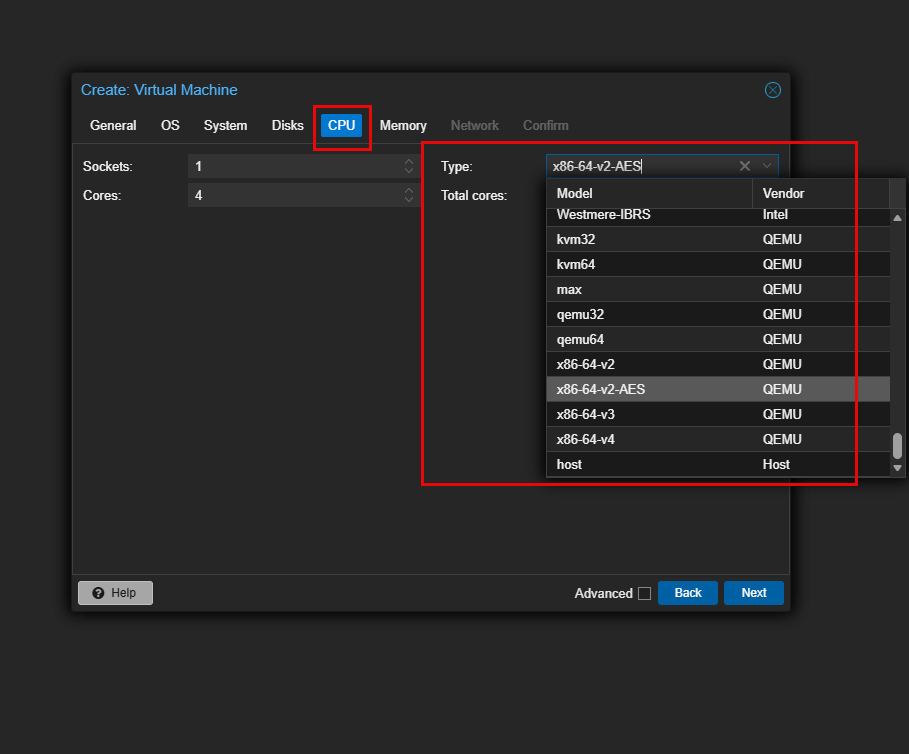
This is a setting that affects the performance of your VM. But it also directly impacts the compatibility between your nodes of your Proxmox cluster. Migrating your VM from one node to another depends on the Proxmox nodes having compatible CPU features. If these feature sets are not available on the target node, the migration will fail for the VM.
So, with that, setting your CPU type is critical and it will determine how portable it is across nodes or if it is locked to a single node. Proxmox provides a ton of flexibility here. So much so that one of the awesome things you can do is actually live migrate VMs from AMD to Intel and vice versa if you have the right CPU type configured. More on that later.
“Host” CPU type can cause problems
Usually when we are new to Proxmox and looking to get the best performance out of our VMs and other resources, we look and overthink settings as we see them in the configuration of a VM or LXC. Some time ago, there was a mindset to just set everything to the “host” CPU type for your VMs as this will allow the VM to have the best performance possible. This is true in most cases. However, not always.
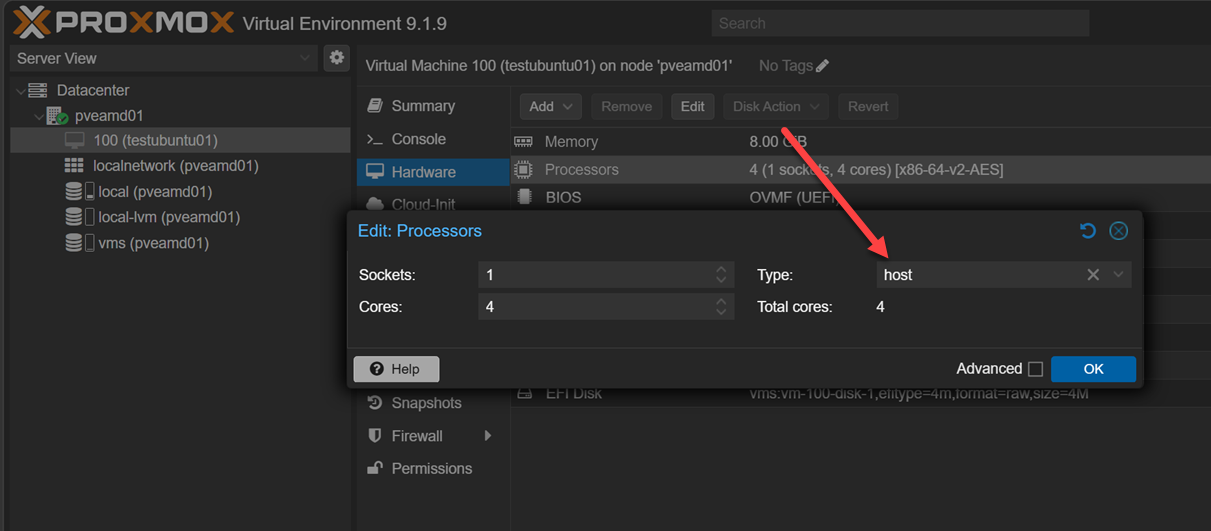
Especially on Windows machines due to Spectre and Meltdown remediations this actually caused performance to tank in certain cases. But maybe the most important consideration is that it can cramp your ability to be able to move virtual machines around to different types of hardware.
With multiple nodes, if there is any difference between the host CPU types and you are trying to take a virtual machine running with one type of CPU instructions and live migrate it over to a host that has a different set of CPU instructions, that will result in issues and the VM won’t migrate.
Below is a virtual machine that I had set to “host” CPU type and tried to migrate it from an AMD host over to an Intel host. Remember earlier, we said we could do this? Well, we can “if” the CPU is NOT set to “host”.
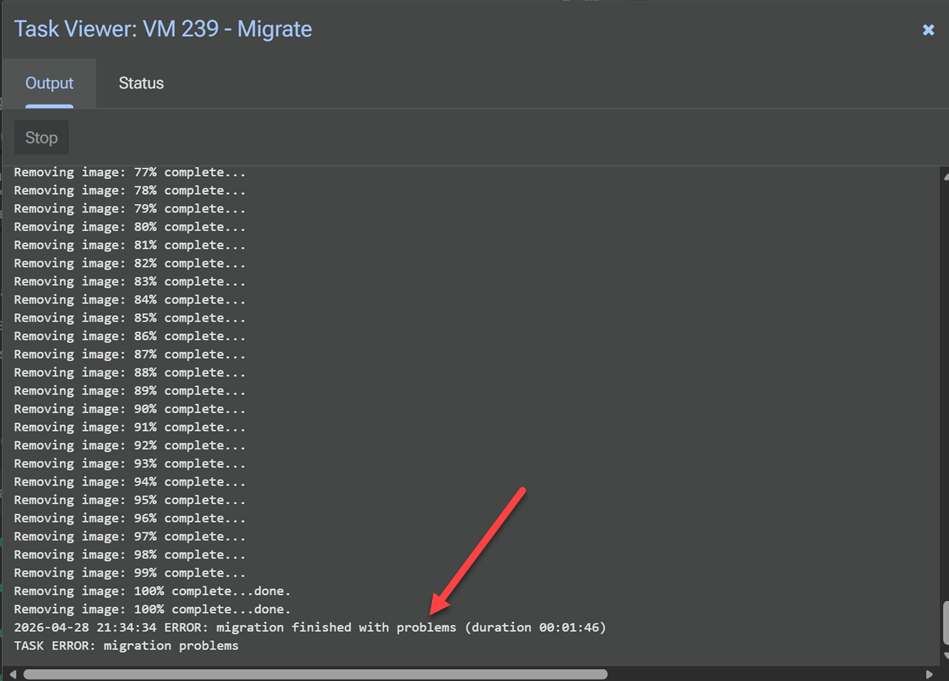
Note the following situations where this comes into play and can cause issues when you have the CPU type set to “host”:
- Two Intel CPUs from different generations may not support the same instruction sets
- One node may support newer virtualization extensions that another does not
- Microcode differences can expose or hide certain CPU features
- You can’t go from an Intel node to an AMD node and vice versa
Interestingly I found that Proxmox Datacenter Manager won’t necessarily block the migration between clusters and even different CPU types, but you would still run into errors. Using Datacenter Manager, I live migrated a VM from an AMD host to Intel with “host” CPU type and it worked to get the VM over, but the VM immediately crashed as soon as it landed and cutover to the Intel host. It also showed an “internal error” in the Proxmox GUI. I couldn’t “stop” it from the GUI, reset, etc. I had to issue a qm stop <vmid> from the command link to get it to power off.

This is why you might see behavior where migrating a “host” CPU type:
- A VM migrates fine between some nodes but not others
- Migration works one day and fails after a hardware change
- Certain VMs fail while others succeed with no obvious pattern
The key takeaway is that host CPU type is not wrong, but it needs to be used intentionally. When would you choose to use the host CPU type? There is a really great use case for using the host CPU type and that is nested virtualization.
When you want to spin up a Proxmox server inside of a Proxmox VM, you can use the host CPU type to make sure you have the virtualization instructions passed through to the VM which aren’t included with the x86-64-v2-v4 QEMU CPU types.
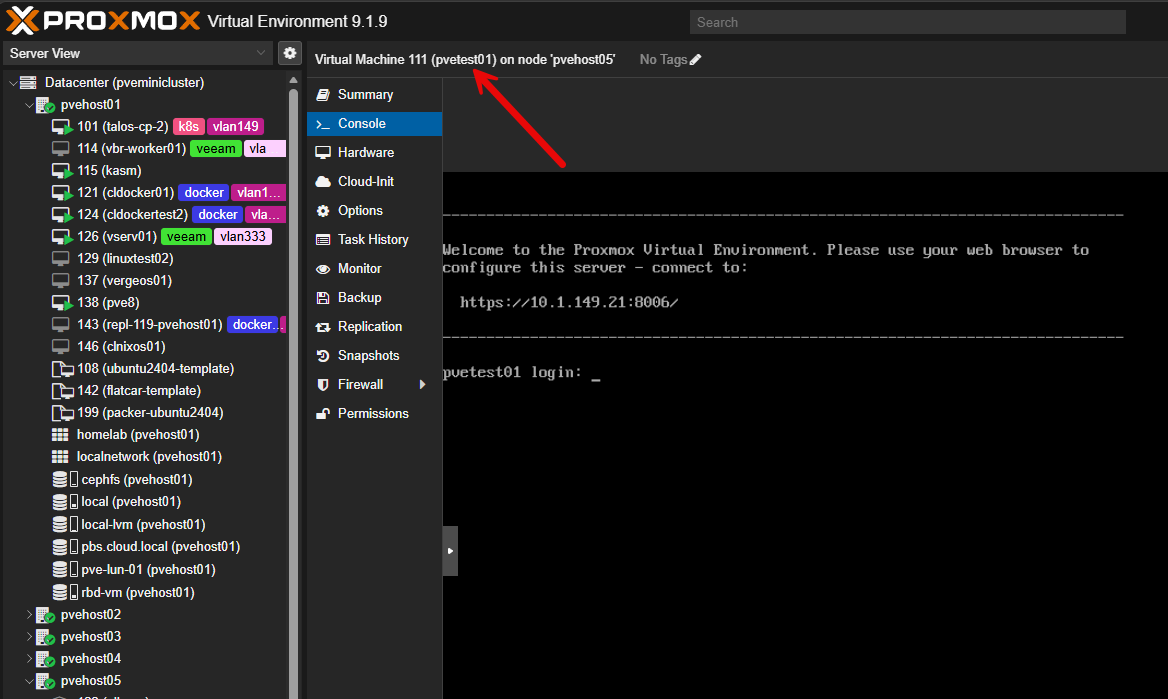
Other times when you might choose host CPU type is if you are running:
- A single Proxmox node
- A cluster with identical hardware
- Workloads that need maximum CPU performance
Are “named” CPU types the same as using host CPU type?
No, they are not the same, and this is where a lot of confusion comes from. The host CPU type passes through the exact live features of the physical CPU to the VM. That means the VM can use every instruction and capability available on that specific processor. This gives you maximum performance, but it also ties the VM closely to that hardware.
Named CPU types work differently. They define a fixed set of CPU features based on a known baseline, such as x86-64-v2 or Skylake-Server. Instead of exposing everything the host CPU can do, they limit the VM to a consistent and portable feature set.
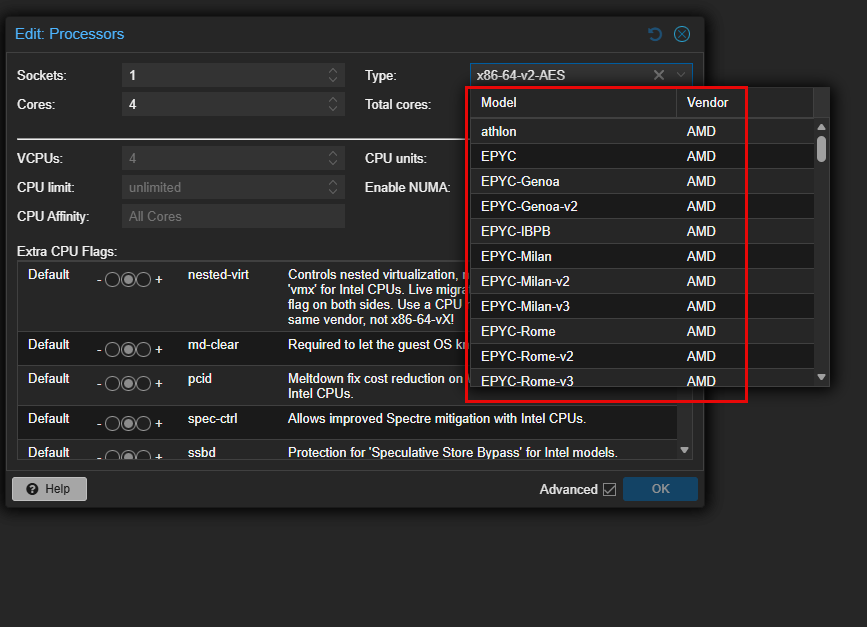
In practical terms you can think of it like this:
- host is dynamic and hardware-specific
- Named CPU types are fixed and standardized
That can make the difference in what makes named CPU types more reliable for live migration. They make sure every node in the cluster presents the same CPU capabilities to the VM. This is true even if your Proxmox node hardware is slightly different, which is often the case in a home lab.
So while a named CPU type might make you think you are using your physical CPU, it is not the same as using host. It is a controlled subset of features that is designed for compatibility.
QEMU x86-64-v2 vs v3 vs v4 in Proxmox
For the best balance of performance and compatibility, you will notice that when you create a new VM, it defaults to the x86-64-v2, v3, and v4 named processors. I would recommend for most in the home lab to stick with this family of named processors to give you the best balance of compatibility and performance. Note the differences and recommendations between these CPUs below.
| CPU Type | What it includes (simplified) | Performance impact | Compatibility | When to use it |
|---|---|---|---|---|
| x86-64-v2 | Baseline modern CPU features (SSE4.2, POPCNT, CMPXCHG16B) | Good baseline performance | Very high compatibility | Best for mixed or older clusters where you need reliable migration across all nodes |
| x86-64-v3 | Adds newer vector instructions (AVX, AVX2, FMA, BMI1/2) | Noticeable performance boost for many workloads | Moderate compatibility (requires newer CPUs) | Best choice for most modern home lab clusters with relatively recent CPUs |
| x86-64-v4 | Adds advanced vector extensions (AVX-512 and related features) | Highest potential performance for specific workloads | Lower compatibility (only newer high-end CPUs support it) | Use only if all nodes support AVX-512 and you have workloads that benefit from it |
What about the CPU types KVM64 and QEMU64?
You may have noticed the CPU types that are listed as KVM64 and QEMU64. What are these and what are they designed to do? Note the following table for comparison.
| CPU Type | What it is | Performance | Compatibility | When it was designed |
|---|---|---|---|---|
| kvm64 | Generic CPU optimized for KVM virtualization | Better | Very high | Modern virtualization environments |
| qemu64 | Very basic generic CPU for full emulation fallback | Worse | Extremely high | Older / legacy use cases |
But, how do these compare to the x86-64-v2, v3, and v4 procs we mentioned in the section above? The x86-64-v2, v3, and v4 CPU types are modern, standardized baselines that include progressively newer CPU features, while kvm64 and qemu64 are very minimal, legacy-compatible models.
Comparison of the recommended CPU types in Proxmox
At this point, we have looked at what I would consider to be the recommended CPU types that most will want to choose for virtual machines running in their home labs. Now let’s compare everything side by side and the strengths and tradeoffs of using each one:
| CPU Type | Feature Level | Performance Potential | Migration Compatibility | Typical Use Case |
|---|---|---|---|---|
| qemu64 | Very low (legacy baseline) | Lowest | Maximum (almost anything) | Legacy systems, edge cases, rarely used today |
| kvm64 | Low (generic virtualization baseline) | Low to moderate | Very high | Safe fallback, troubleshooting, basic compatibility |
| x86-64-v2 | Moderate (modern baseline) | Good | High | Mixed hardware clusters, safe default |
| x86-64-v3 | High (modern features like AVX2) | Very good | Moderate to high | Most modern home lab clusters, best balance |
| x86-64-v4 | Very high (AVX-512 and newer features) | Highest for specific workloads | Lower | Specialized workloads, identical modern CPUs only |
| host | Full physical CPU | Maximum | Lowest | Single node, identical clusters, performance-critical VMs |
Wrapping up
The QEMU CPU types Proxmox config is important when you are creating and configuring a virtual machine is extremely important to think through carefully. There are a lot of nuances in terms of compatibility and performance to consider when you are making a choice between them. All of these choices will affect your ability to migrate VMs between hosts in one way or another. So, you need to carefully think about your hardware and which configuration for your CPU that makes the most sense. Let me know in the comments if you have run into issues with certain CPU types and what you base your choices on.
More in this topic




Google is updating how articles are shown. Don’t miss our leading home lab and tech content, written by humans, by setting Virtualization Howto as a preferred source.
About The Author
