


Anyone running Proxmox in their home lab right now or wanting to go with it in production is no doubt monitoring the Proxmox Datacenter Manager solution from Proxmox. This is the missing piece to the puzzle when it comes to multi-cluster management and operations. Each release has made us more excited for what is to come. Now we have news that Proxmox Datacenter Manager 1.1 has been released. After digging into the release notes I think this is shaping up to be a “must upgrade” release if you are running Proxmox Datacenter Manager. It has great new features and capabilities that most will be able to benefit from in their home lab or prod environments. Let’s take a look at the new features in detail and how I think they rate when it comes to the “best” new feature.
Why Proxmox Datacenter Manager is on the radar for most
Before we really talk about what changed with the Proxmox Datacenter Manager 1.1 release, let’s step back and see why Proxmox Datacenter Manager is front and center when it comes to Proxmox management.
For years, I have worked with VMware vSphere. One of the strengths of the VMware solution I think has always been the centralized management of the platform. You can manage multiple hosts, clusters, permissions, inventory, and other tasks from the same interface.
Proxmox VE Server has been good at the cluster-level for management. But, once you get more than one cluster, you lose that cohesive view of your entire estate. You have to bounce between different browser tabs and check separate dashboards, etc.
This is where Proxmox Datacenter Manager comes in. It is set to be the “official” solution that acts like “vCenter for Proxmox” in the official ecosystem. Now, there are definitely other great tools out there, that in my opinion are way ahead of PDM in terms of features at this point. But, they aren’t “official” and I think this is going to come into play with ones thinking about this for enterprise environments.
Automated installations may be the biggest feature in this release
One of the major new features of this release is the automated installations feature of PDM. It allows admins to create installation answer files inside Proxmox Datacenter Manager. Using a wizard, you can define things like:
- Network settings
- Disks
- Locales
- System configurations
So, instead of you having to walk through installation prompts on each deployment, the answer files are served via HTTPS to target systems. Also, this is made very easy from the admin side and is straightforward to setup.
First, you prepare the automated installation profile in Proxmox Datacenter Manager, configure your settings that you want to have applied, and then you will get a generated command that you can use with certain ISOs. These include ISOs like Proxmox VE Server 9.2.
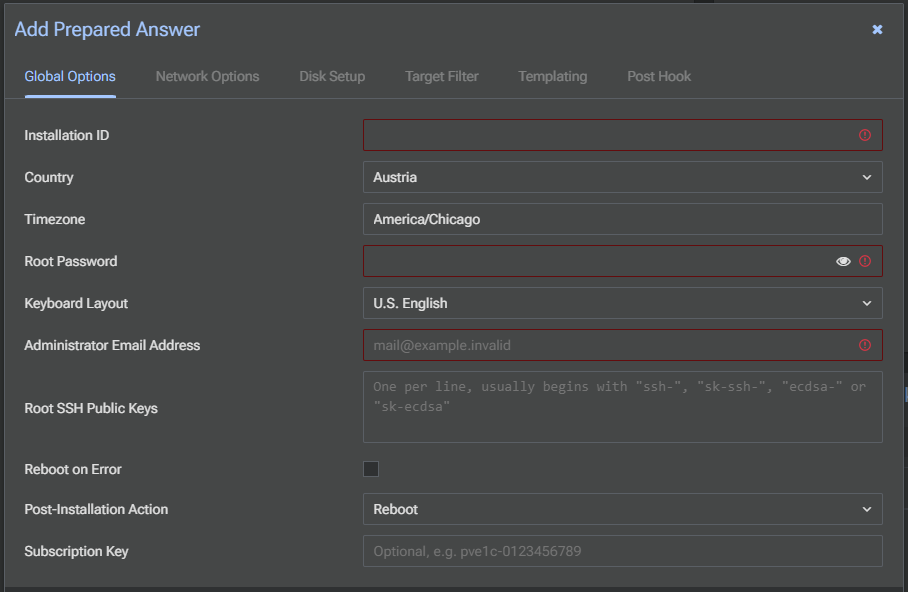
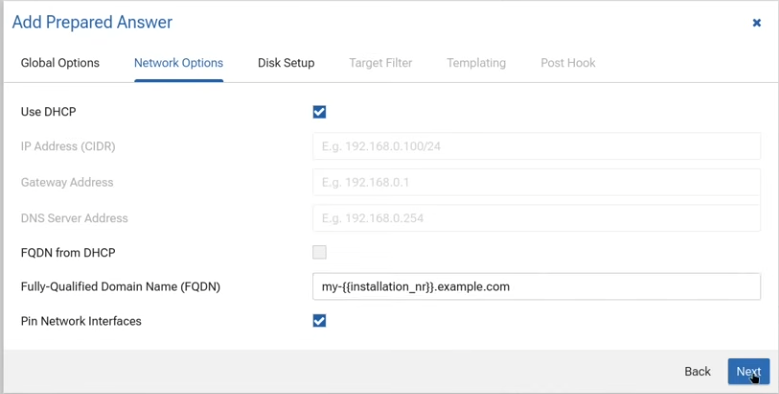
Once your target system boots, it will get its config from PDM and it will then install it according to the predefined settings you configured in the answer file. This will be great for those that want to build automated lab environments or even production environments as you can have all the configuration in your answer files that are repeatable and consistent.
There is also a security token that protects the installation workflows as well. With the token, config is delivered securely so deployments are locked down and delivered where and only where they are supposed to be.
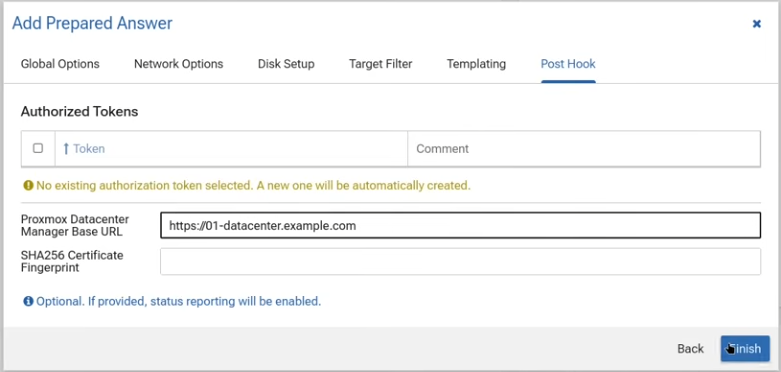
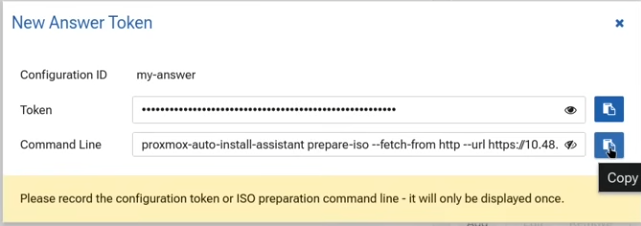
This feature I think is the star of the new Proxmox Datacenter 1.1 release and a feature that will be welcomed across the board.
Centralized subscription management makes sense
Subscription management is probably not the feature most home labbers will get excited about, but I think it still matters and especially for those that want to buy support in the enterprise realm. Having an easy way to manage multiple subscriptions is definitely a very good quality of life improvement that will help businesses more easily adopt Proxmox for running their workloads and having their nodes fully supported.
PDM 1.1 now allows centralized subscription key management through a single interface.
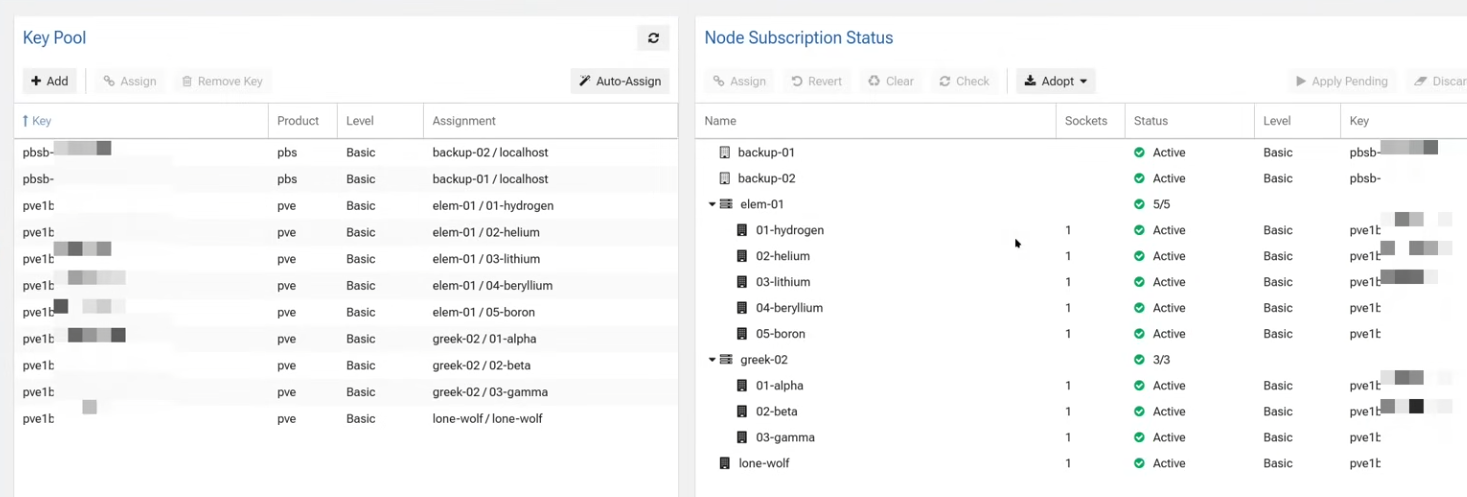
Even more interesting, Proxmox Datacenter Manager can automatically propose subscription assignment across managed remotes. So, instead of you having to manually track which systems have keys applied or jumping node to node to verify subscriptions, PDM is the centralized place for handling your subscriptions.
New Ceph configuration and health visibility
One of the great new features that is added with thsi release is Ceph monitoring and visibility. I think this is a great improvement for home labs as well as production environments. A lot of us I think are running Ceph as HCI storage in the home lab for our critical resources like infrastructure DNS, apps, services, etc.
With Ceph you want to know:
- Is cluster health normal?
- Are OSDs healthy?
- What pools are filling?
- Are monitors healthy?
- Are managers functioning correctly?
- Is performance degrading?
PDM 1.1 improves this by allowing administrators to monitor Ceph clusters across connected Proxmox remotes.
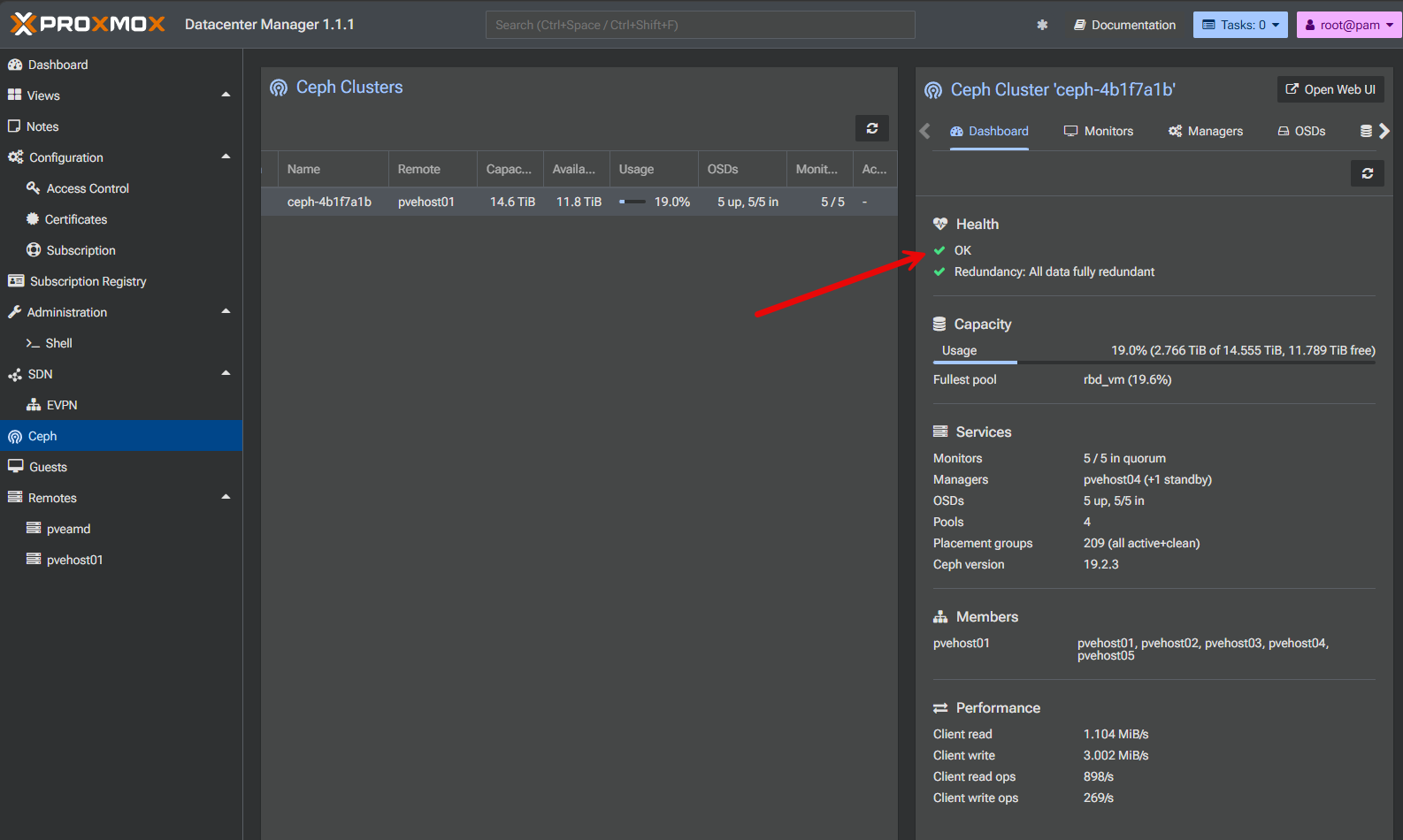
This includes visibility into:
- Cluster health
- Capacity
- Performance
- Monitors
- Managers
- OSDs
- Pools
Especially, I think if you are running several Proxmox environments or a distributed home lab, being able to quickly see the state of your Ceph storage without logging into separate interfaces is a great new feature.
I suspect this feature will become increasingly important as more organizations adopt Proxmox in serious production environments along with running Ceph HCI storage.
Local metrics for PDM health checks
Now PDM has its own set of local metrics collection that allows you to see the resource utilization and health of the PDM instance itself. Proxmox Datacenter Manager exposes this and makes it visible directly in the administration panel.
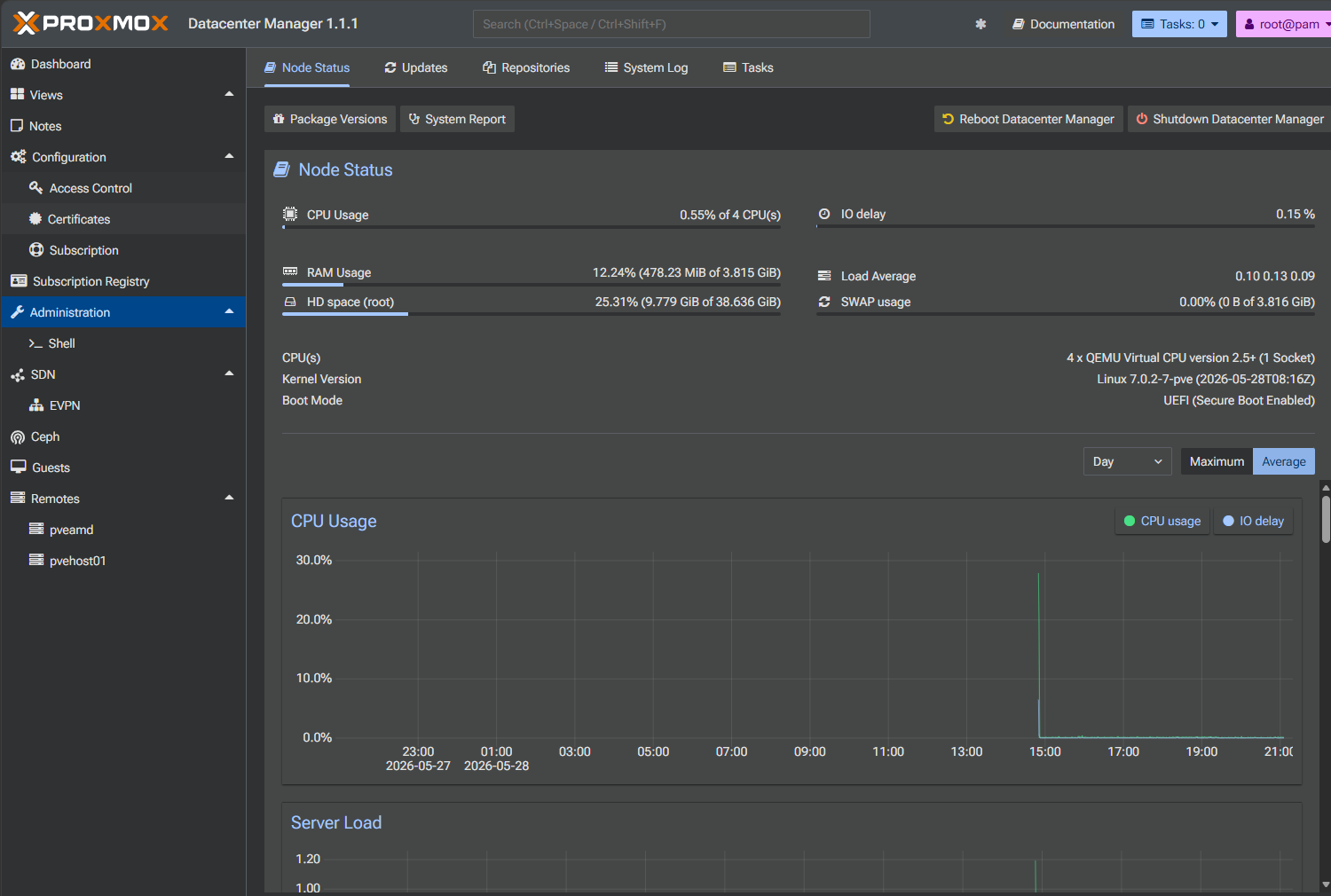
This is not a super glamorous feature, but if your management platform becomes overloaded or under-resourced, that can affect visibility and responsiveness in management in general. So, I think being able to glance at host utilization and understand how the PDM system itself is behaving is a basic requirement that is now going to be met with Proxmox Datacenter Manager 1.1.
The world map view is interesting, but niche
One addition that I think some might love but may not be that interesting to others is the new world map view so you can visualize where Proxmox remote nodes are located. PDM can now visualize remote locations geographically.
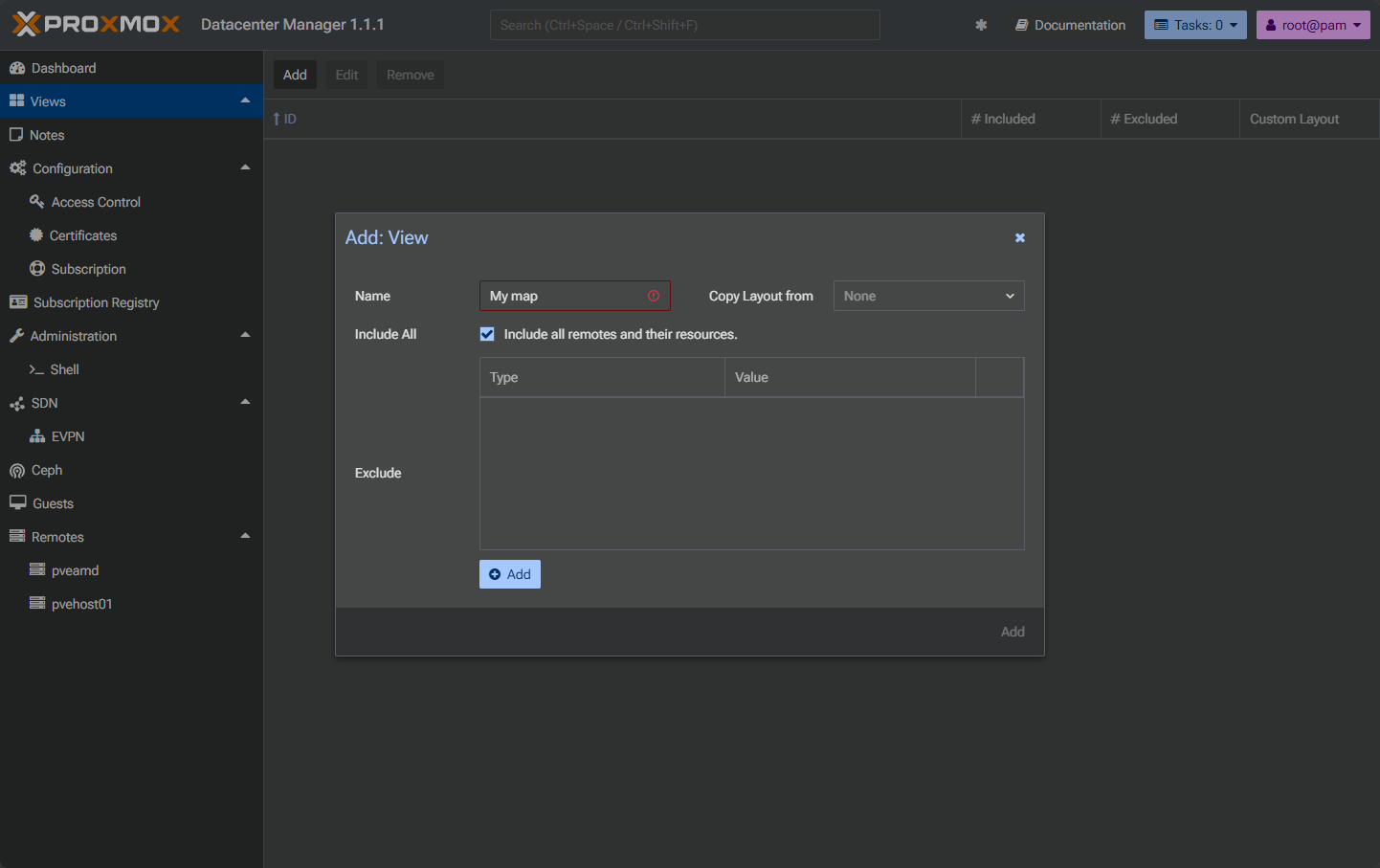
For Proxmox Virtual Environment remotes, location information comes from node or datacenter options. For Proxmox Backup Server deployments, the location is configured through system options.
I think especially for an MSP, consultants, distributed enterprise environments, or others managing infrastructure across geographic locations, this will probably bring value in those cases. You gain a quick visual view of where systems exist and how infrastructure is distributed. For most home lab users, though, this probably falls into the “cool but optional” category.
Proxmox Datacenter Manager 1.1 resources
Take note of the following official resources for Proxmox Datacenter Manager 1.1:
- Release notes – https://pdm.proxmox.com/docs/roadmap.html#proxmox-datacenter-manager-1-1
- Download – https://www.proxmox.com/en/downloads
- Alternate ISO download: https://enterprise.proxmox.com/iso
- Source code – https://git.proxmox.com
Video
Wrapping up
I think Proxmox Datacenter Manager is starting to feel like a more serious platform. I am still waiting on some more serious core features that we are probably all waiting on such as more capabilities for management from within PDM for hosts, guest VMs and other areas of the solution. All in all, these new features are good additions to the platform, but I think still leaves us wanting more. I am excited to see what 1.2 or 1.3 brings to the table. What about you? What do you think about the 1.1 release and what features are you feeling should be added next?
More in this topic



Google is updating how articles are shown. Don’t miss our leading home lab and tech content, written by humans, by setting Virtualization Howto as a preferred source.
About The Author
