



When you start spending enough time self-hosting applications in your home lab, you stop “just deploying” stuff because they look cool. We all still do some of that, no matter what level or size home lab you have. However, I would say that by in large, in the beginning when I saw any new open source project, shiny dashboard, or new Kubernetes toy, I would immediately start spinning them up. Then I ended up with duplicates of everything, including monitoring, ingress proxies, or containers I forgot that I had existed six months later. I realized that good home labs are very intentional. These days before I deploy anything, I mentally walk through a checklist. It saves time, and helps to keep from introducing complexity if it isn’t needed. Here are the eight things I check.
First, does this actually solve a problem?
This is a big one. Anymore, I try to think about what problem the tool, dashboard, app, etc will solve for me. Is there a weakness in my current solutions? Sometimes the answer is just simple in what purpose or problem you are trying to achieve, like the following:
- I want to learn something new
- I have a real problem to solve
- I want to replace an existing tool
- I need to test a technology for work
- I want better visibility, backups, automation, or security
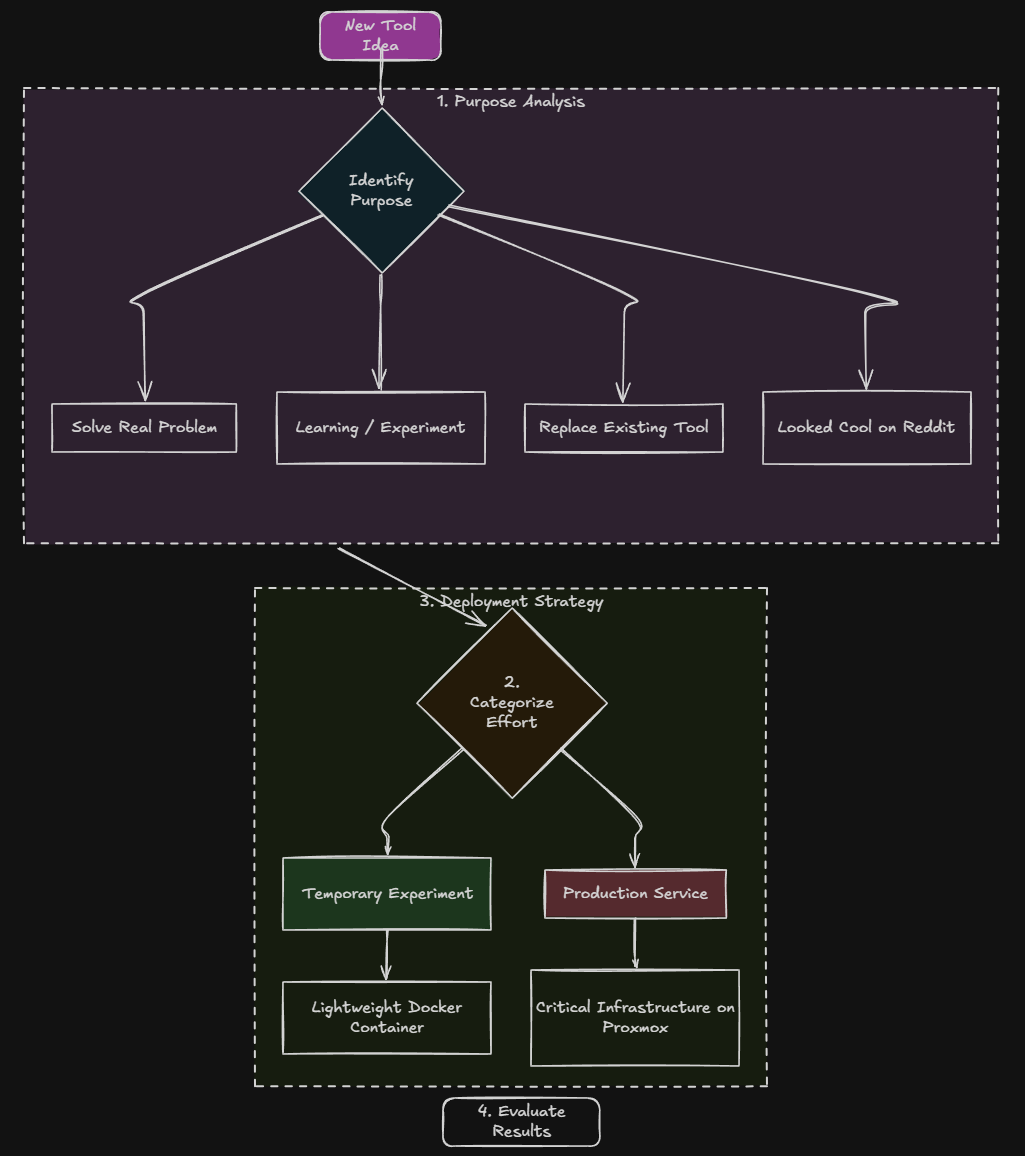
Other times, the honest answer is, “Because it looked cool on Reddit.” Don’t get me wrong, there is nothing wrong with experimentation. I have learned so much with random deployments that create clutter, I wouldn’t trade that for anything. But the point is, approach it with eyes wide open and with a purpose in mind.
Keep in mind that every new tool introduces complexity in some form or fashion. It will result in another container, VM, backup requirement, update cycle, and something that CAN break. These days, I try to decide whether something falls into one of three categories:
- Learning project
- Production home lab service
- Temporary experiment (closely with #1)
That mental exercise helps me know how much effort I should invest in it from the beginning. If, for instance, it is something that is temporary, I may throw it into a lightweight Docker container on one of my container hosts. If it becomes critical infrastructure, I treat it very differently.
Speaking of critical infrastructure, Proxmox VE Server forms the base of my home lab. Proxmox VE 9.2 was released. Check out the features of this new release here:
Should this be a VM, Docker container, or Kubernetes workload?
This is probably the question I think about the most. Please read my in depth article on that front here where I give the workflow and thinking process that I use when I deploy services in the home lab:
Years ago, the answer was almost always a virtual machine. Today, for new services or apps, it is almost always a container. Then, knowing it will run as a container, I decide on Docker host or Kubernetes. Regardless, most things start out on a simple Docker host.
As a summary of my full, in-depth article, note the following points that I have settled on. Docker containers are usually my first choice when the app is lightweight, stateless, easily runs or provided to run in a container image, quick to deploy, resource efficient.
Virtual machines still make sense when I am building a container host. Or, I need OS-level control, Windows-based workloads, certain drivers, infrastructure services, best isolation, to name a few.
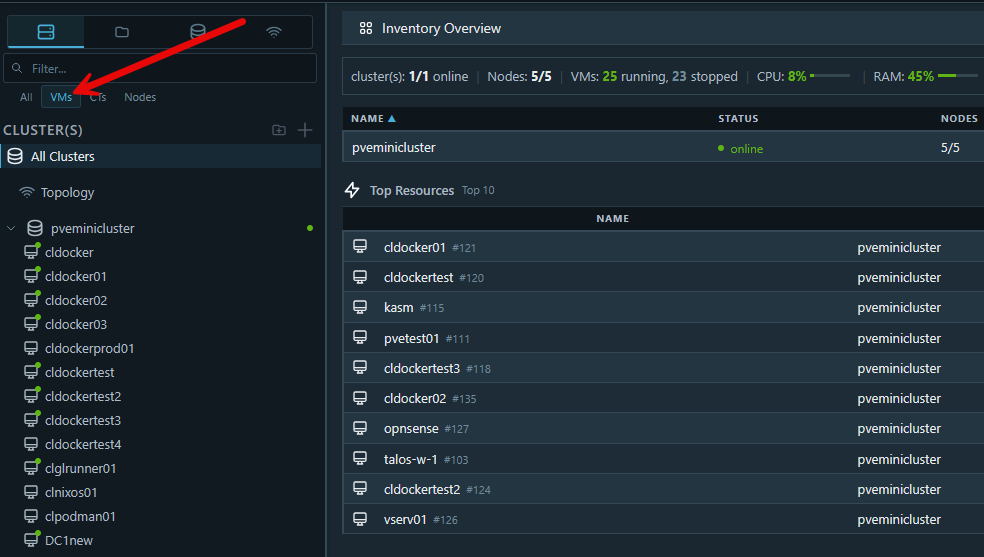
Kubernetes enters the conversation when I am keeping something long term and want the most uptime, high availability, and I need orchestration.
Note some of the questions you can ask:
- Would self-healing help?
- Does scaling matter?
- Will I deploy multiple services together?
- Do I want rolling updates?
- Am I intentionally learning Kubernetes?
Where will the data live?
One of the first things you will want to understand and decisions to be made is where the data will live. Storage definitely matters as that generally affects where you put things. I used to think about the deployment of the app first and then storage second. But I learned very quickly that everything has a sort of data gravity to it. Now I do the opposite.
So, now, I look at where the data is going to live. This gets to be really important for things like Docker and Kubernetes.
For example, will this app or service use:
- Local disk?
- CephFS?
- NFS?
- Bind mounts?
- Persistent volumes?
- Shared storage?
At the same time as you think about where your data will live, you need to think also about portability of the data and the workload. For example, in my own environment, Ceph and CephFS makes sense for me with my containerized workloads since the workloads can move between systems more easily.
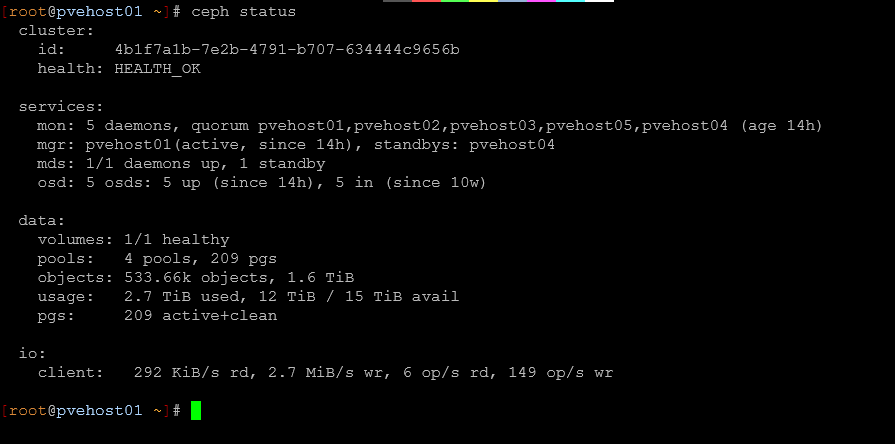
This is what I used with Docker Swarm and with Kubernetes. Not every service needs highly available storage. Sometimes a local disk is fine for your apps. Oftentimes, keeping it simple wins as well. However, just saying all of this to say that the biggest mistake you can make is treating storage as an afterthought..
How will I back this up?
Another important decision to make once you have decided where your data will live, is how do you back up the data of this new app, service, or infrastructure component. This question has saved me countless headaches. Again, before deploying, ask yourself what happens if this dies tonight? Can I recover it easily? Do I want to recover it? Could I just as easily rebuild it? Is it ephemeral, or does it have persistent data?
For virtual machines, I usually lean on backups using Veeam Backup & Replication or Proxmox Backup Server. For containers, I think more carefully about persistent volumes and bind mounts. However, outside of Docker Swarm that I ran for the longest, I back up persistent volumes used by containers using simple virtual machine backups of the Docker host.
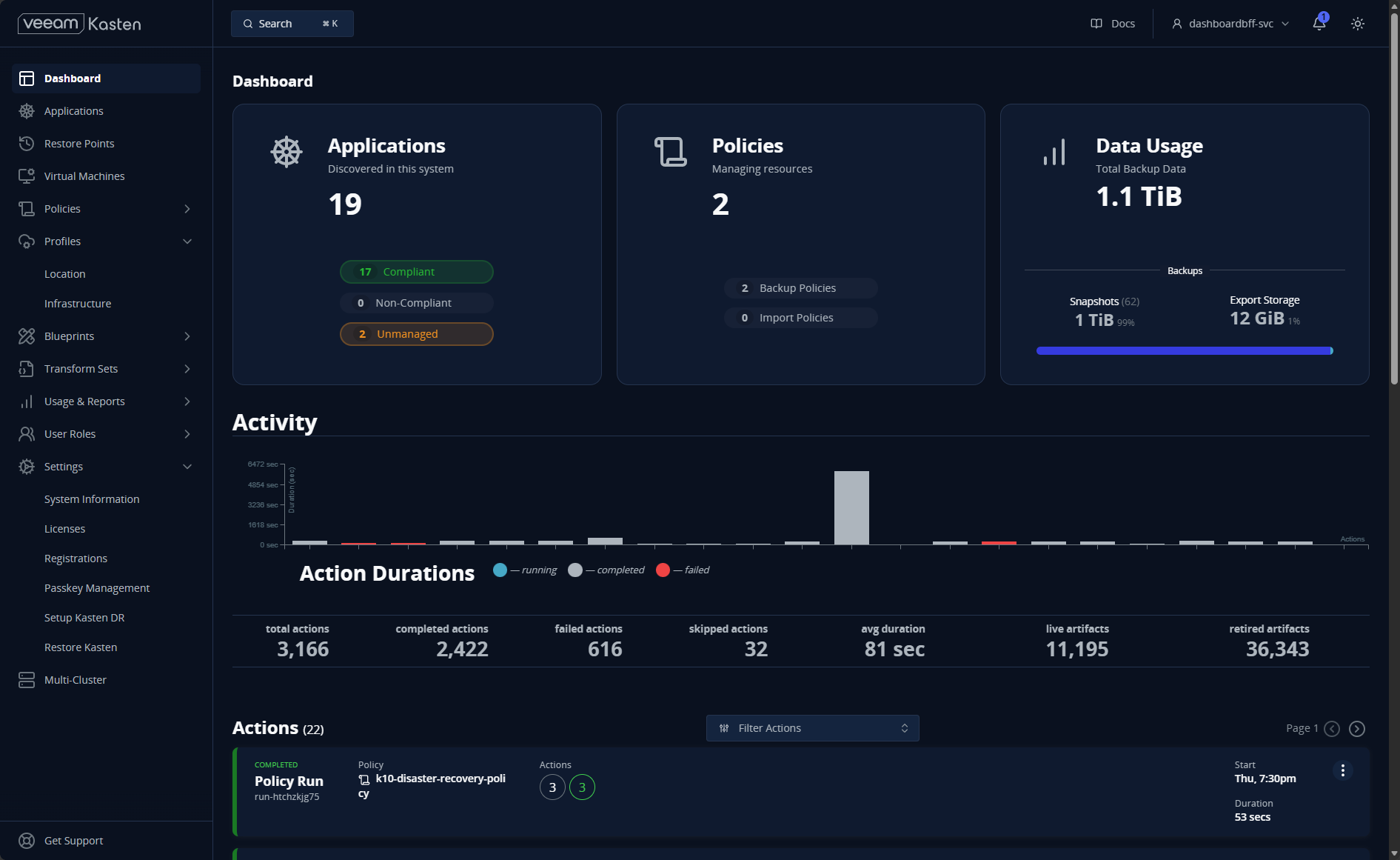
I have become more opinionated about this over time. If rebuilding something would take me three days, I probably designed it poorly. In my opinion, a healthy home lab should tolerate mistakes, failures, upgrades, and even accidental deletions. The goal is not perfection, it is about being resilient, just like we do in production environments.
Does it need to be exposed?
This is an area where my thinking has changed a lot. Years ago, I exposed far too many services directly. I would expose things directly by opening up ports, reverse proxies, port forwarding, public dashboards, etc. But, eventually, I realized that most home lab services dont’ need to be exposed publicly and you don’t want or need that.
Now I intentionally ask: who actually needs access to this? Realistically, options for access usually include LAN only, VPN, private overlay networking, reverse proxy, or public Internet exposure (last resort).
Anymore, 99.999999% of my services are exposed only with a zero-trust VPN solution. I don’t mess around with exposing public services from my home lab as most everything that I self-host is for me and no one else.
How will I monitor this new app/service?
This is another area that you want to think about beforehand. A lot of times, we will spin up new apps or services and view them as temporary or not important until we start to rely on them. Then we don’t remember to go back and properly monitor the solution.
If it is super important in your home lab or important to your infrastructure over all, you want to ask questions like: if this service fails at 2 AM, how will I know?
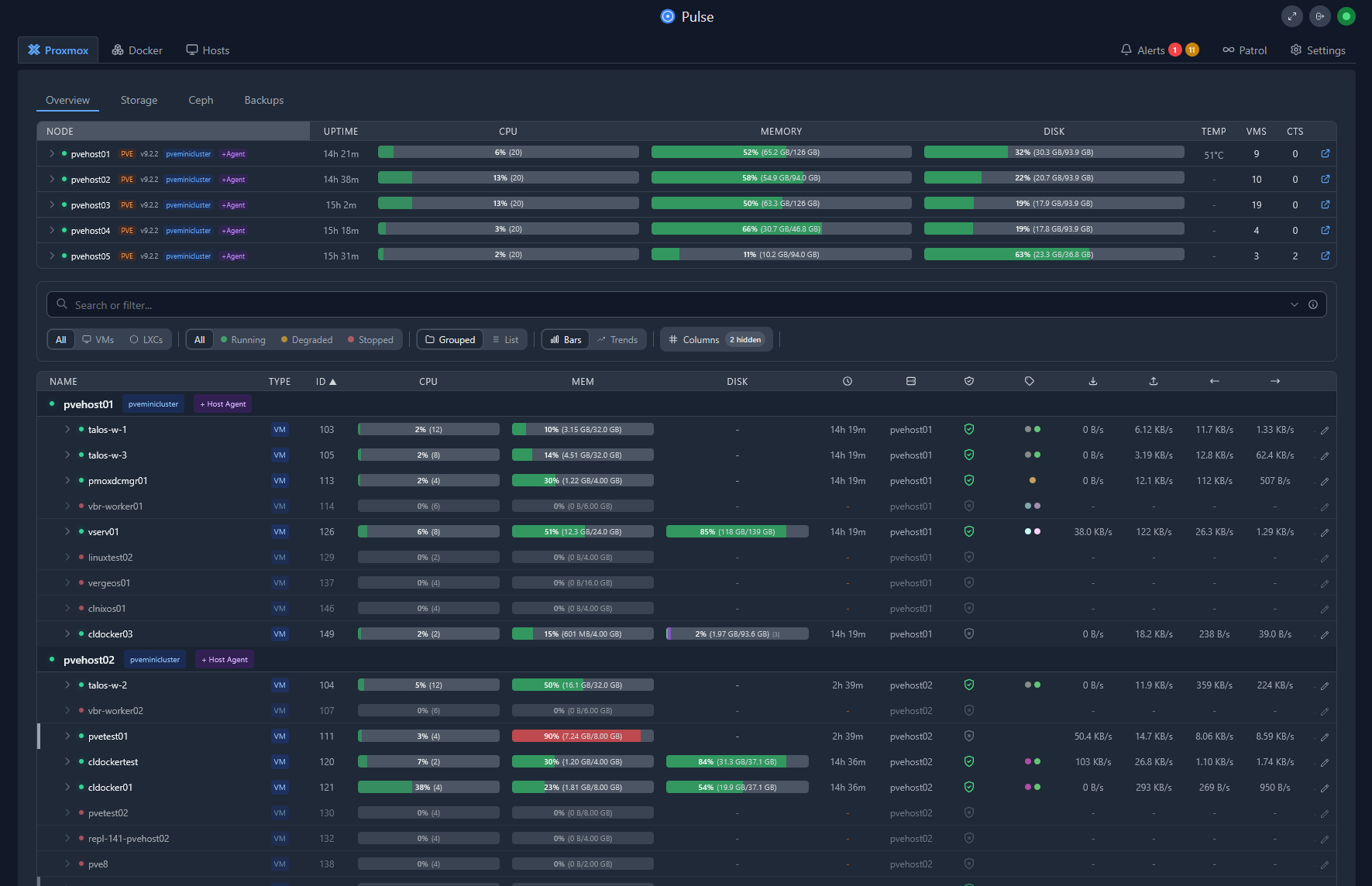
Even in a home lab, visibility matters. Before deploying anything now, I think about things like logging, monitoring, health checks, notifications, and troubleshooting access. Sometimes the answer is simple and only needs something like Docker logs. Other times, you may want more visibility using another tool. For better proactive monitoring in the home lab environment, I have turned to the following solutions:
How is the app or service updated?
This is one that I still overlook very often. People will deploy software, apps, services and never really think about how they will keep it updated. Then, six months later they are scare to touch it. I now ask myself proactively: how will this be maintained? You might think about using the following approaches:
- Manual updates (only when necessary)
- Automated (definitely preferrable)
- Container image based (preferrable along with automation)
- GitOps driven (my approach with Kubernetes)
- Rolling upgrades (Kubernetes, Docker Swarm, etc)
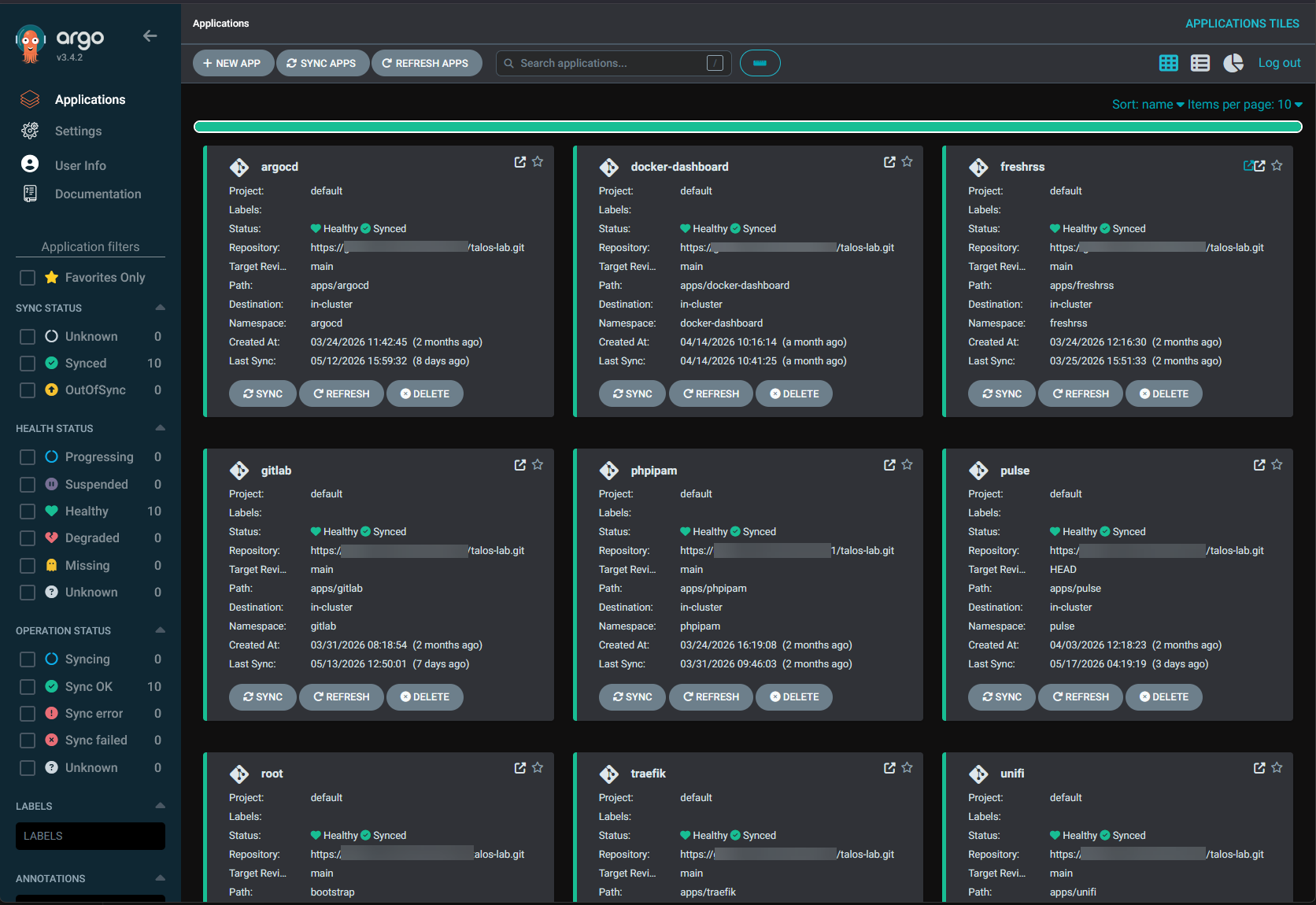
I use ArgoCD in the home lab for a GitOps approach to deploying and aligning my “production” apps.
What resources will this consume?
In 2026, this is unfortunately one that we have to think about more than ever, now with RAM prices being exponentially higher than they once were. Historically for me, and I think most fall into this category, RAM is the resource that you typically run out of first. I have always had more CPU power than I needed and storage usually is plentiful as well. RAM however has always been that limiting factor.
So, with that said, before you deploy anything in your home lab, it is a good idea to think about how many resources are needed realistically BEFORE, you stand up an app or service to self-host. Does it make sense to self-host it if it requires a ton of resources that would strain other things you want to self-host?
Everyone has to make that decision on which apps are important to them and which ones they are willing to spend the resources on. There is always a cost associated in relation to CPU, RAM, storage, networking, and power.
How will I manage secrets and configuration?
Secrets and sensitive information is another extremely important factor to consider. Especially as you get into more infrastructure as code, you want to consider how you will be storing your configuration, how you are handling secrets, and how you keep these secured.
Always try to avoid hardcoding credentials into random scripts or Docker Compose files. Nothing is worse than rebuilding a system and realizing the only copy of an API token lived inside a forgotten YAML file. So, good configuration habits and hygiene saves you time and a lot of frustration later, even in a home lab.
A couple of solutions that I recommend are:
- Doppler (they have a free service that I use)
- Hashicorp Vault (I also self-host this one for free in my home lab)
Wrapping up
Hopefully this checklist and walkthrough of questions you can ask when you are deciding on what you want to self-host or run in your home lab is helpful to help categorize your learning and hosting. I have run into so many problems in my lab when I don’t really think through things properly and just shotgun things into my lab. Then, I realize later I should have thought through things better. However, I do now follow a more gauged approach where I have multiple container hosts and usually first spin up things to test or learn. If it becomes a service or app that I want to keep on longer or permanently, then I make the decision to use one of my production Docker hosts or Kubernetes. How about you? Do you go through some of these checklist exercises when you self-host in your home lab?
More in this topic



Google is updating how articles are shown. Don’t miss our leading home lab and tech content, written by humans, by setting Virtualization Howto as a preferred source.
About The Author
