


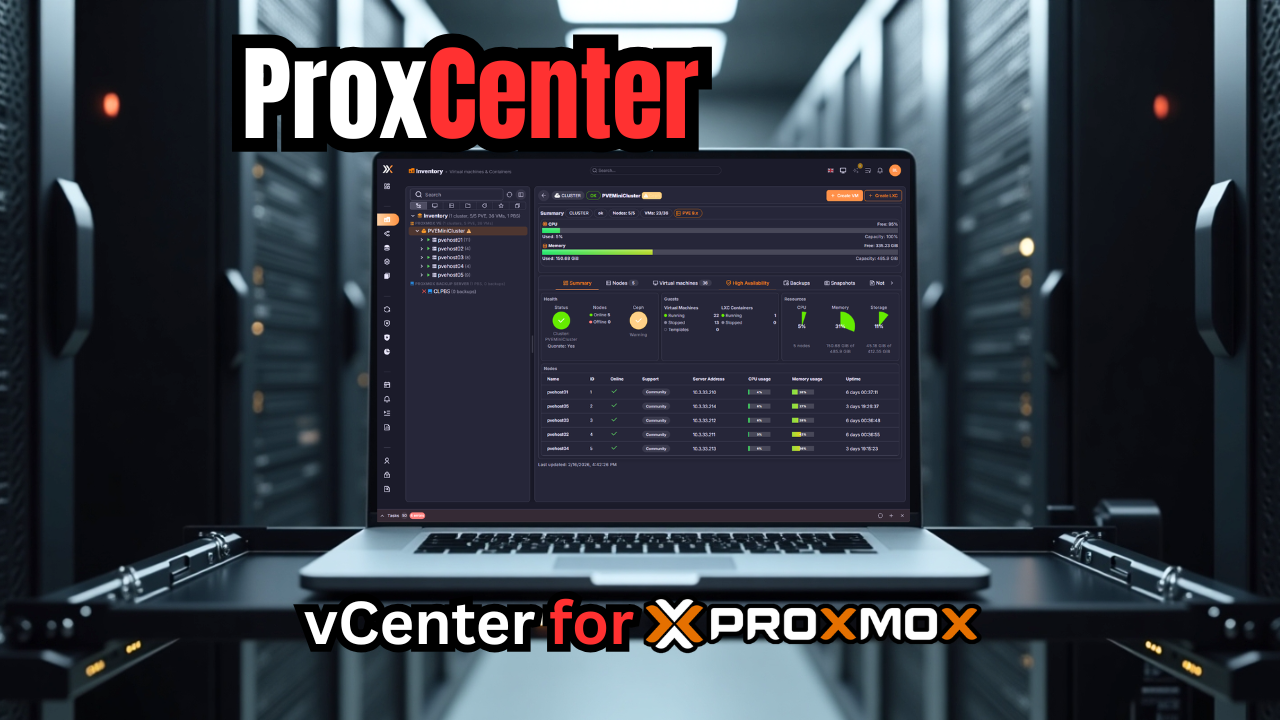
One of the thing that a LOT of VMware vSphere admins feel like they are missing is the vCenter-like experience when they move over to Proxmox. This is where they start feeling a longing to go back to VMware vSphere. However, I am astounded at the projects for Proxmox as of lately that have literally blown me away at just how good they are. I recently took a look at PegaProx which is extremely good as a management plane for Proxmox. A new project caught my attention, called ProxCenter. Wow, this one really blew me away at just how good it is from a look and feel standpoint. Let’s take a look at ProxCenter, what it is and what you can do with it.
What Is ProxCenter?
The ProxCenter solution is a management interface that gives you the look and feel of VMware vCenter and what you are used to coming from VMware vSphere. It aggregates multiple Proxmox environments into a single dashboard. It doesn’t replace your normal Proxmox web UI for management, but it adds to it.
Also, one of the things I do like about Proxmox as opposed to vSphere is that the control plane and cluster inner workings are built into the cluster itself and doesn’t rely on an appliance. It doesn’t modify your cluster as well when you integrated it. It just sits on top of it and communicates with the cluster using the Proxmox API.
ProxCenter is designed to be a modern web-based UI that connects to one or more Proxmox servers or clusters and then shows those hosts and clusters to you in a centralized view.
It gives you the following in your home lab or production environment:
- Inventory – Aggregates nodes, virtual machines, containers, and storage resources across connected clusters into a single searchable view.
- Monitoring – Provides continuously updated dashboards displaying CPU, memory, storage, and network utilization metrics.
- Backup – Consolidates visibility into backup jobs, schedules, and restore points across multiple Proxmox Backup Server instances.
- Events – Collects and displays system events from all connected Proxmox hosts for troubleshooting and auditing purposes.
- User and Permission Management – Allows administrative management of Proxmox users, groups, and role assignments through the centralized interface.
- Automation – Includes workload rebalancing logic, disaster recovery orchestration workflows, and scheduled task execution.
- Access Control and Security Controls – Supports role-based permissions, directory integration, vulnerability visibility, and policy-based network controls.
- Alerting and Reporting – Enables threshold-driven notifications and generation of infrastructure usage reports.
Why I think this matters in 2026
I think Proxmox is on the verge of literally stamping out VMware vSphere across the board and probably exploding across the enterprise. The appetite for VMware post Broadcom couldn’t be more cold. Most are looking to jump ship and Proxmox has what feels like a freight train of momentum behind it. Awesome projects are popping up right and left.
If you have been sticking around with VMware because of vCenter Server with the vSphere Client, ProxCenter helps to move ones past that. I think it does a great job of unifying the interface across multiple standalone hosts and Proxmox clusters so you log into one place and you literally see everything in a single pane of glass.
In a multi-cluster setup, without a tool like this, you end up:
- Logging into different web interfaces
- Manually tracking VM placement
- Switching browser tabs constantly
- Losing quick global visibility
VMware administrators are used to this single pane of glass. Proxmox traditionally operates cluster by cluster. But this unifies that experience and helps to bridge the gap.
Architecture and how it works as a management plane
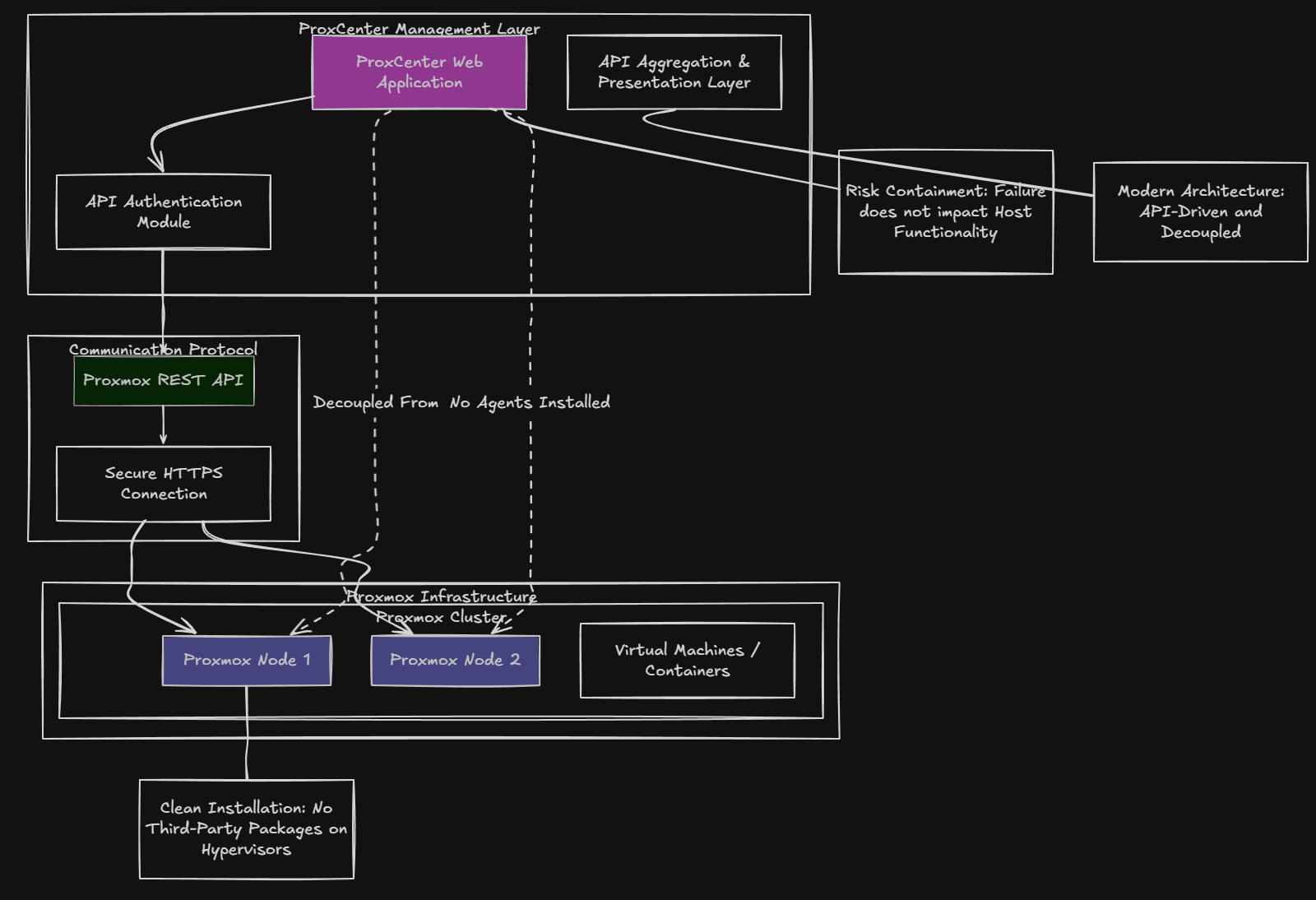
When you compare this to vCenter Server, ProxCenter is a web application that communicates with Proxmox using the Proxmox API. It doesn’t modify your Proxmox nodes, or install agents on your hypervisors. It authenticates to your Proxmox environment using API credentials.
I think this is a good decision for a few reasons. First, it keeps the Proxmox installation clean and undefiled by third-party packages that would probably be a support issue as well. Also, this keeps the risk contained. If ProxCenter fails or you have problems with it, you just remove it. Your Proxmox hosts and clusters continue to function as they always have.
Finally, it seems to line up with how modern management platforms are now built. It is API-driven and decoupled from what it is managing. It acts as an API aggregation and presentation layer for your Proxmox environment. In concept, this is how vCenter server operates, even though the underlying architecture and technologies are different.
Installing ProxCenter
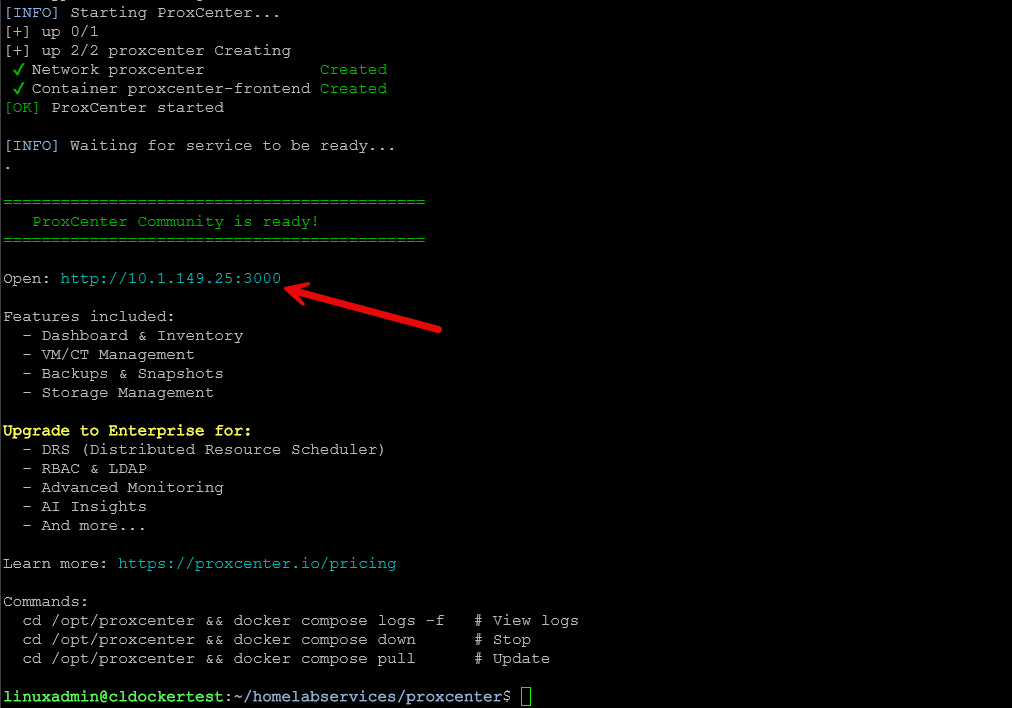
There are a couple of ways you can get started. ProxCenter has a provided script that deploys the solution on a Docker host for you with a pretty hands off approach. You can launch it this way:
curl -fsSL https://proxcenter.io/install/community | sudo bashBelow is me running the command on one of my home lab docker container hosts.
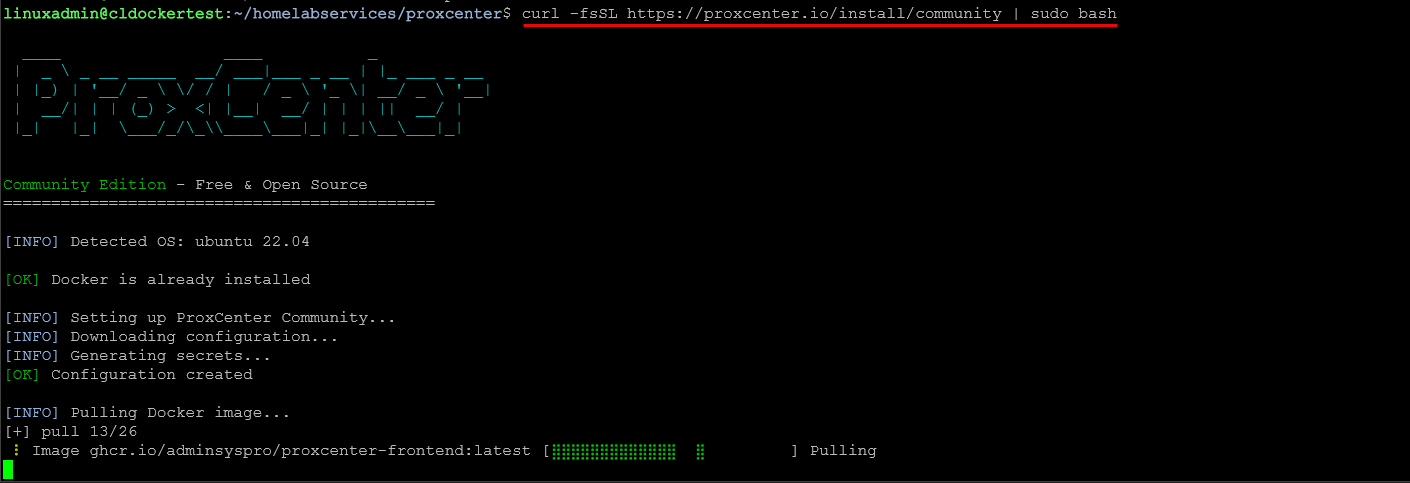
The script finishes out running. It shows you to the port and other information related to the installation and the pay for features.
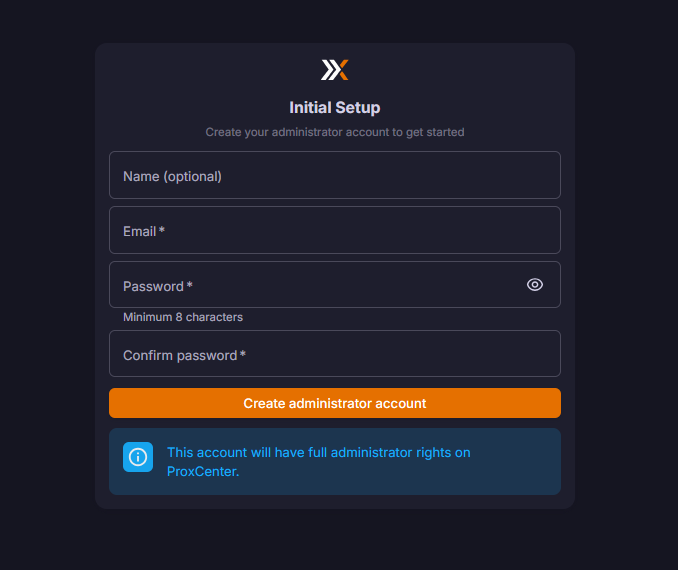
When you first browse out to the interface in a browser, you will be prompted to setup your initial admin account.
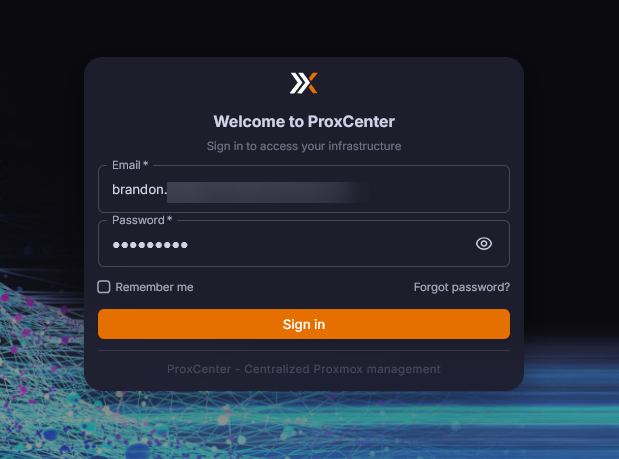
After creating the initial admin account, login with this account to gain access to the ProxCenter interface.
Below, you see the blank dashboard as we haven’t added any clusters to the solution as of yet. Click + Add PVE.
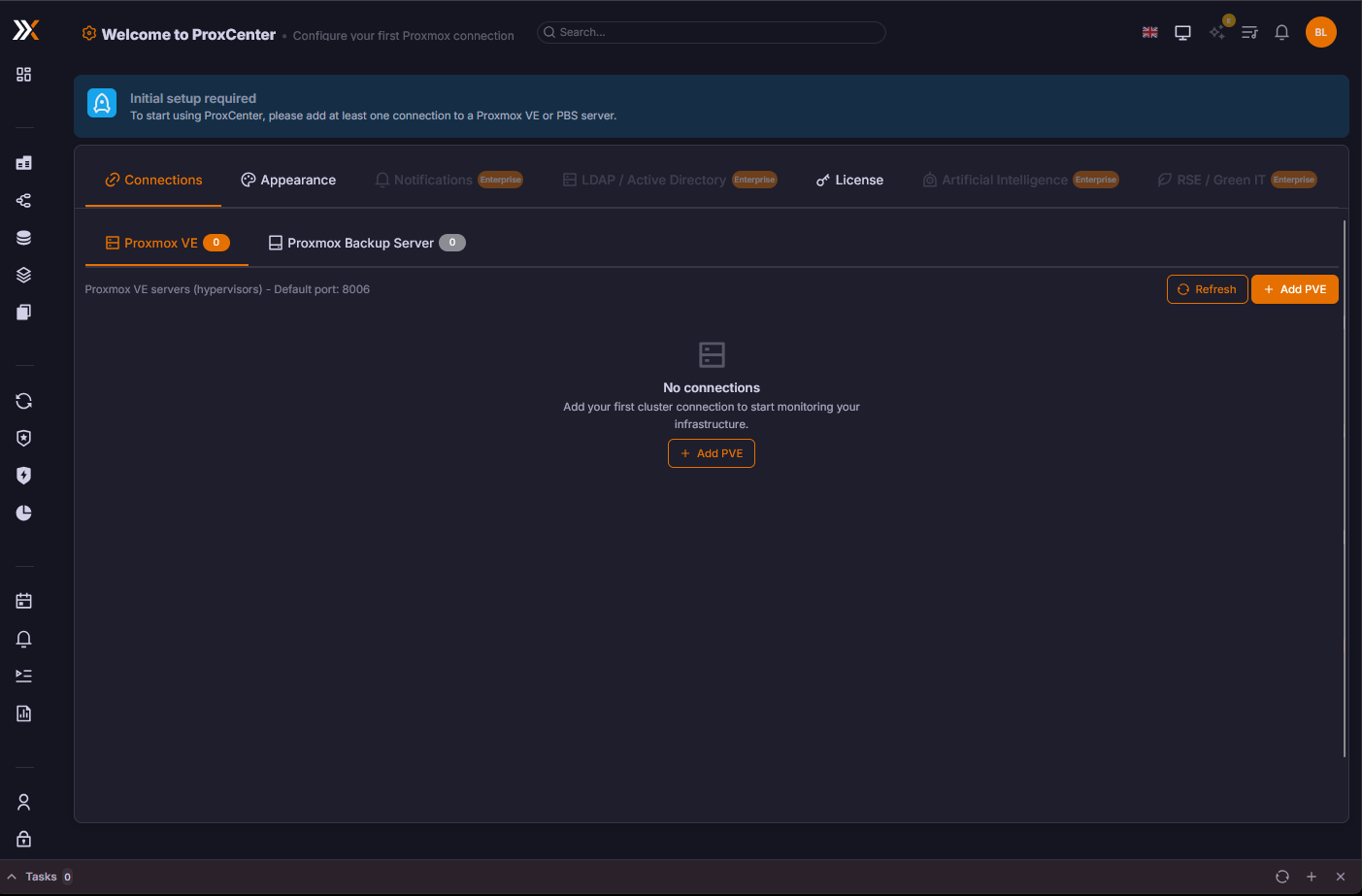
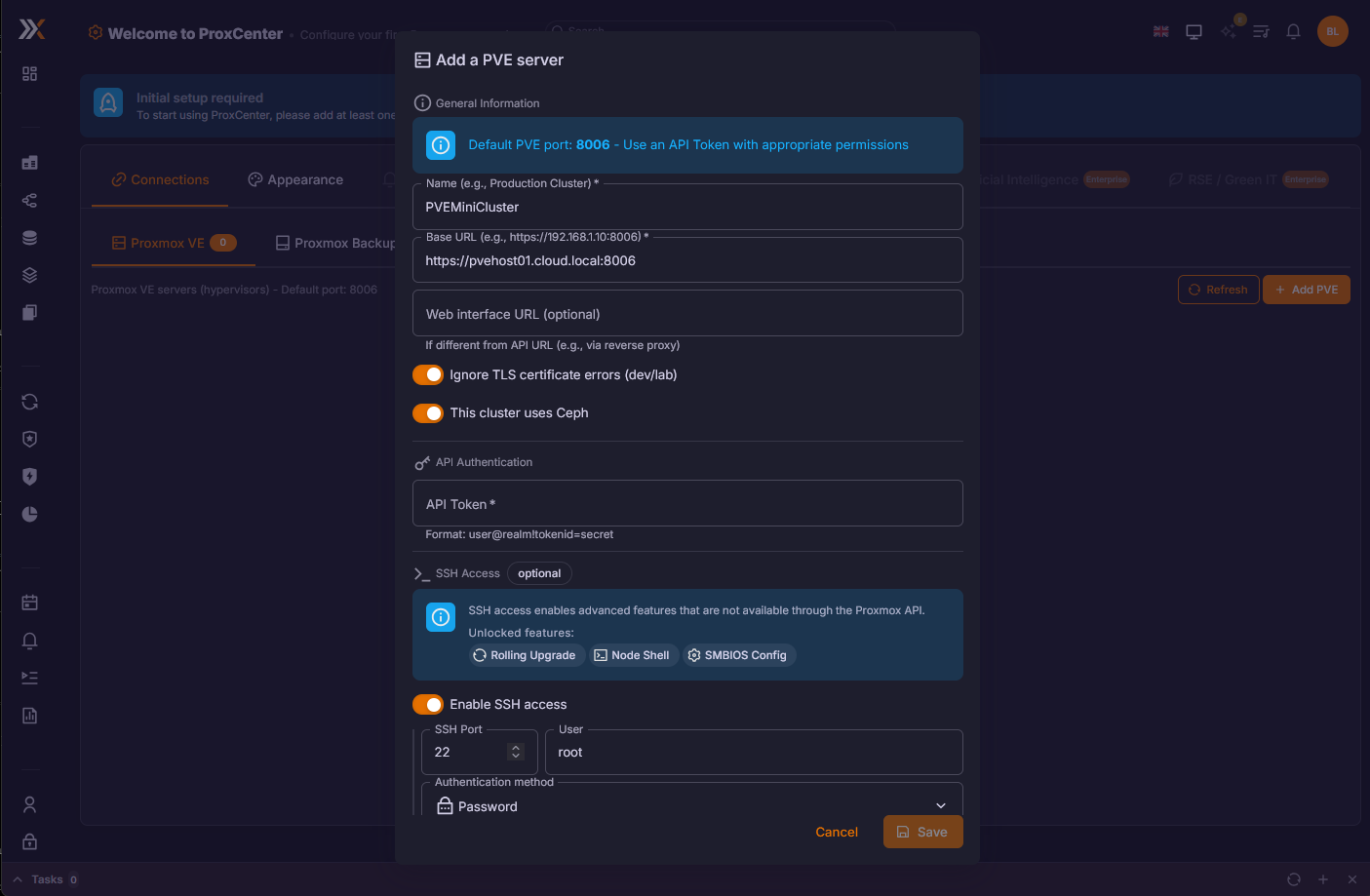
This launches the dialog box below. Enter your connection information and also API credentials. You can also add your SSH credentials which allows it to do additional things.
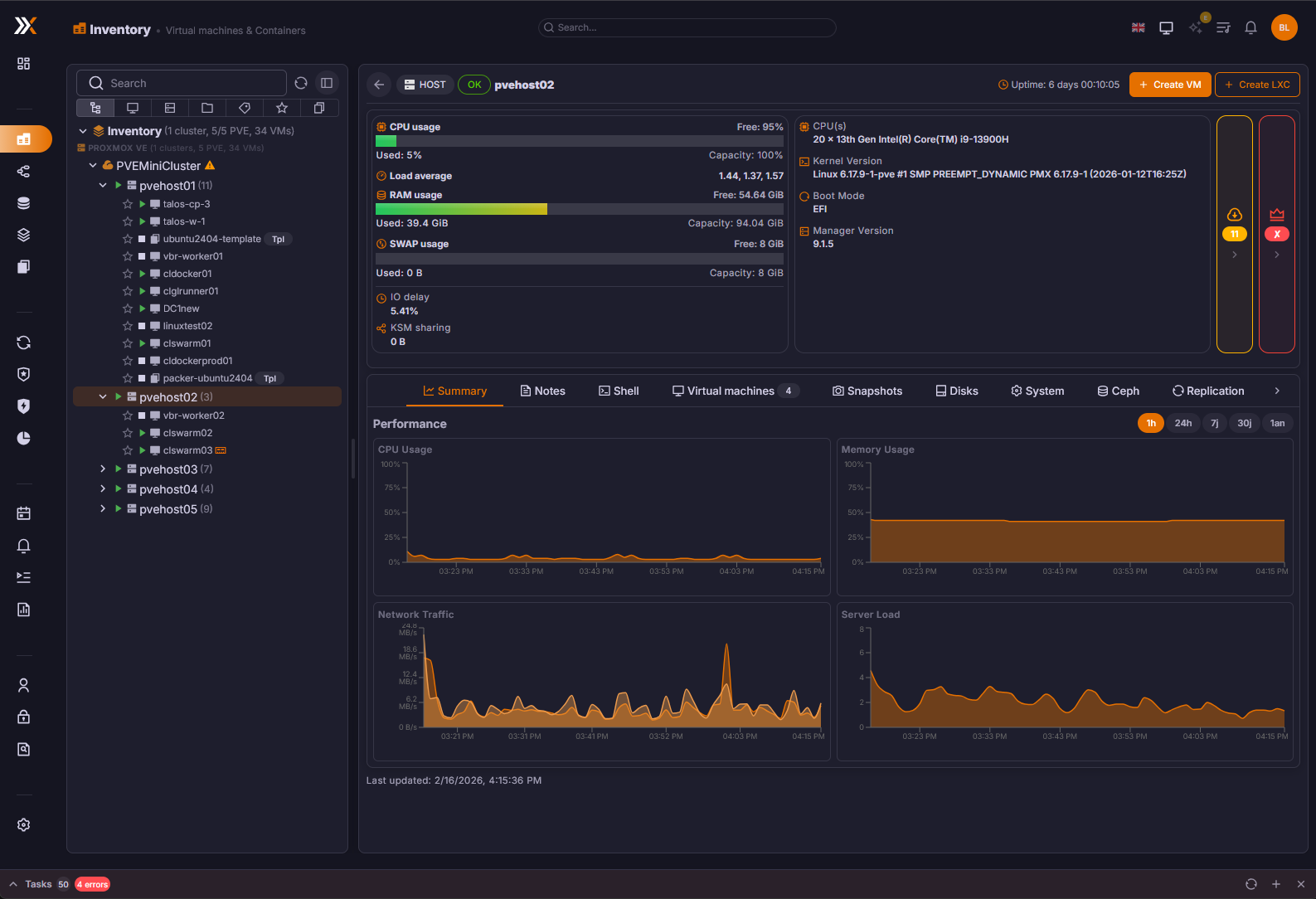
The user interface
After adding the PVE cluster to the interface, it really does give you the “feel” of VMware vCenter. The arrangement of everything, the graphs, buttons, inventory hierarchy, etc.
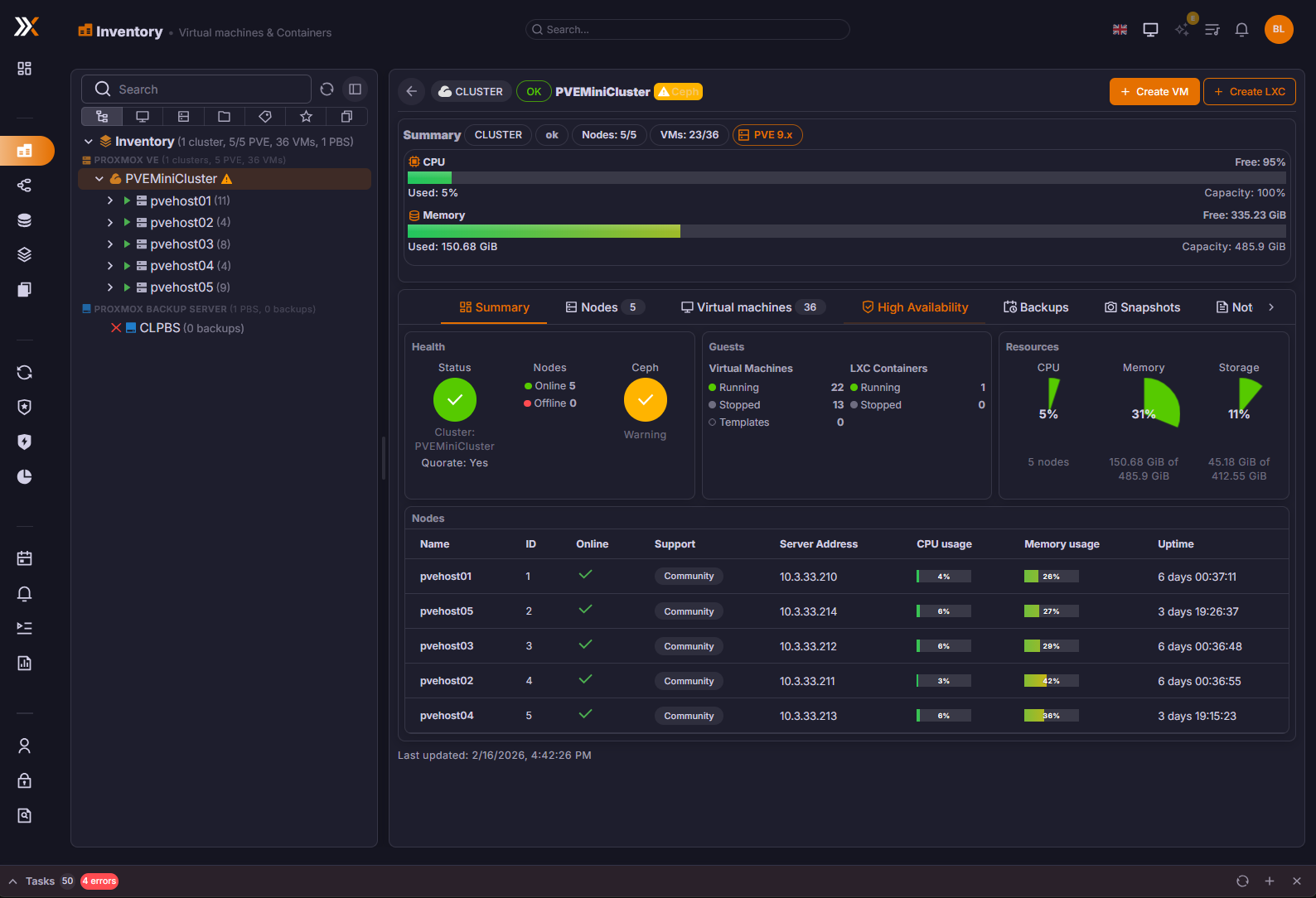
Another view in the inventory dashboard this time focused on the cluster.
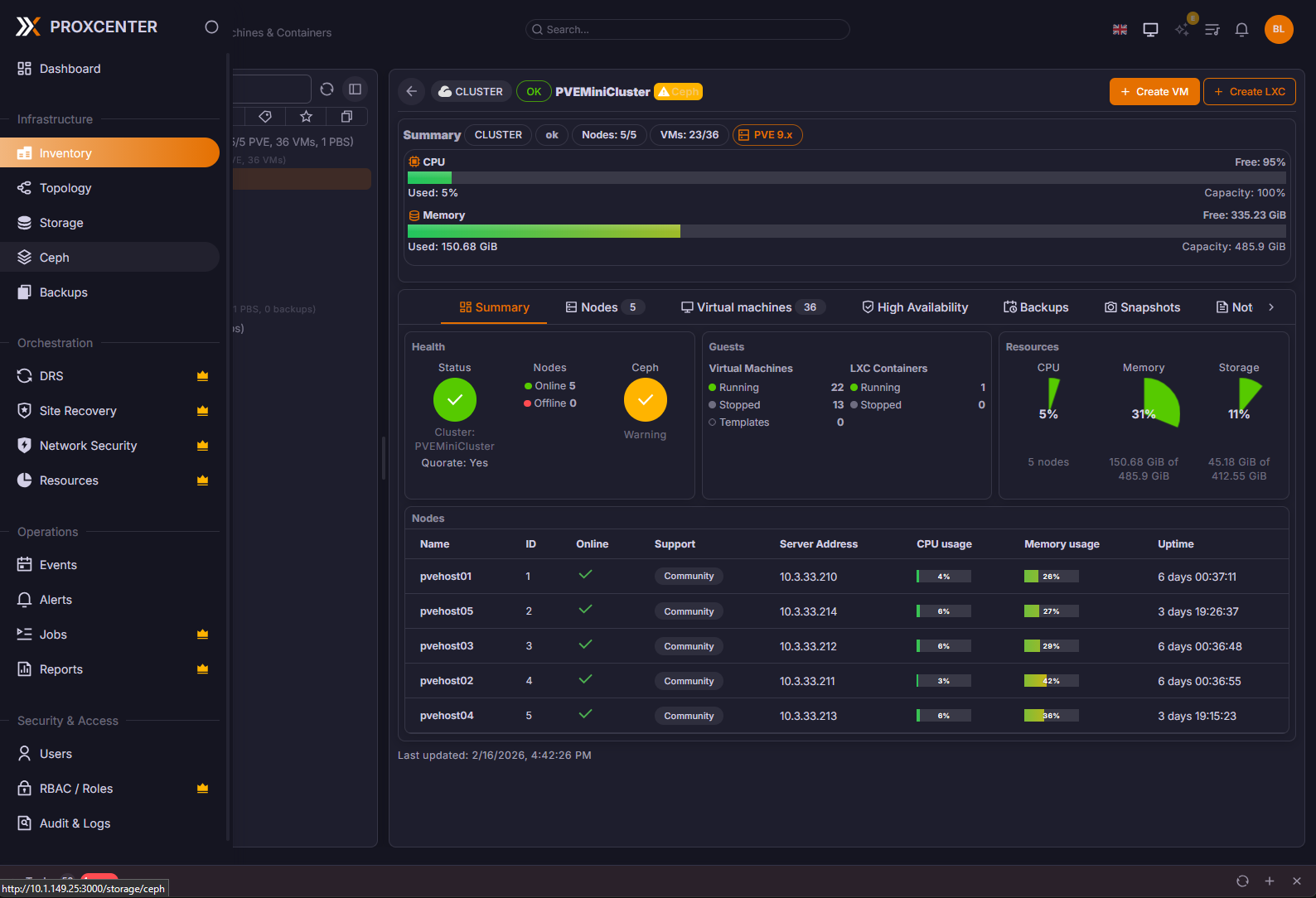
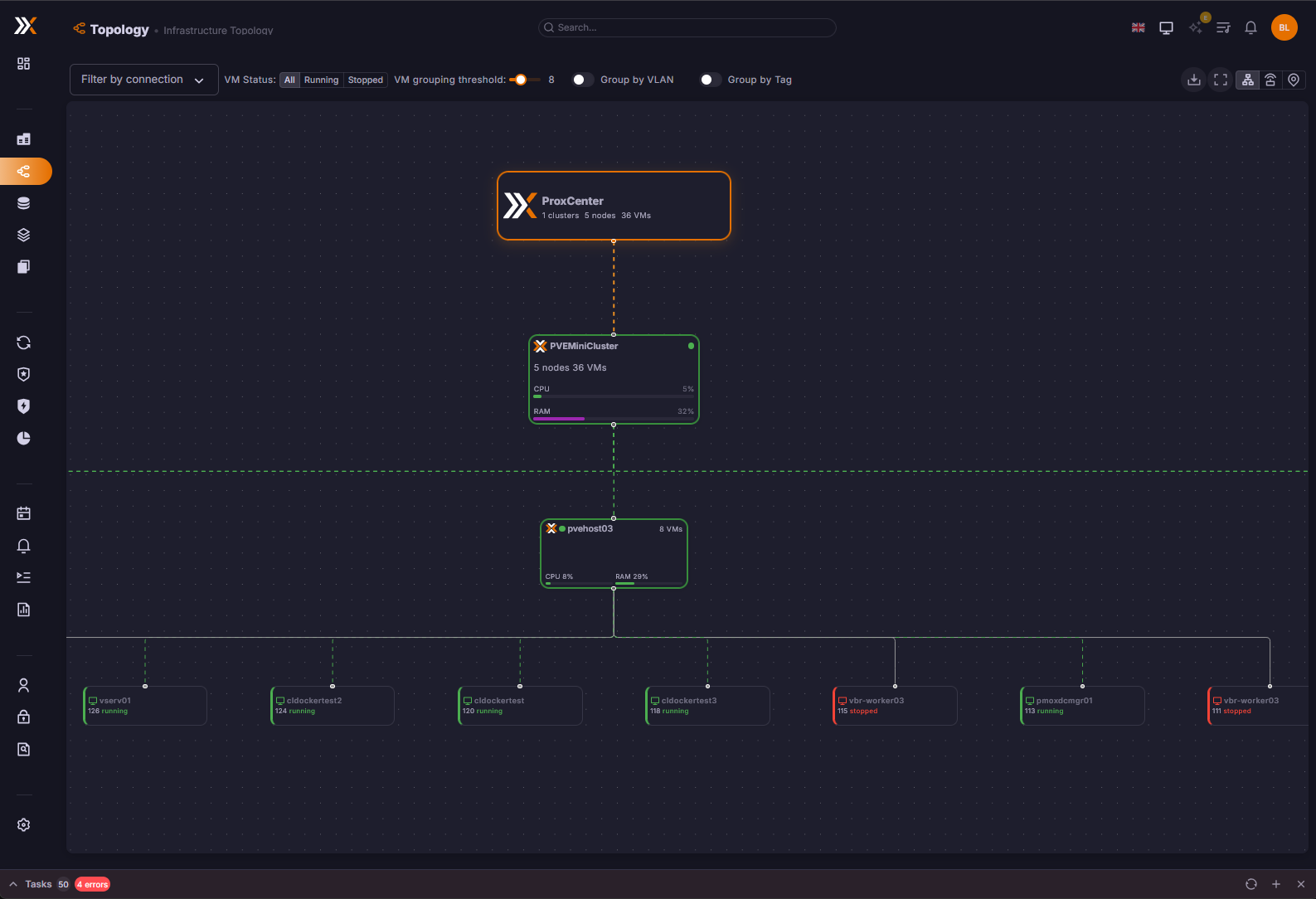
There is also a neat topology view to see the topology of your environment.
You can view the storage you have configured in your Proxmox environment.
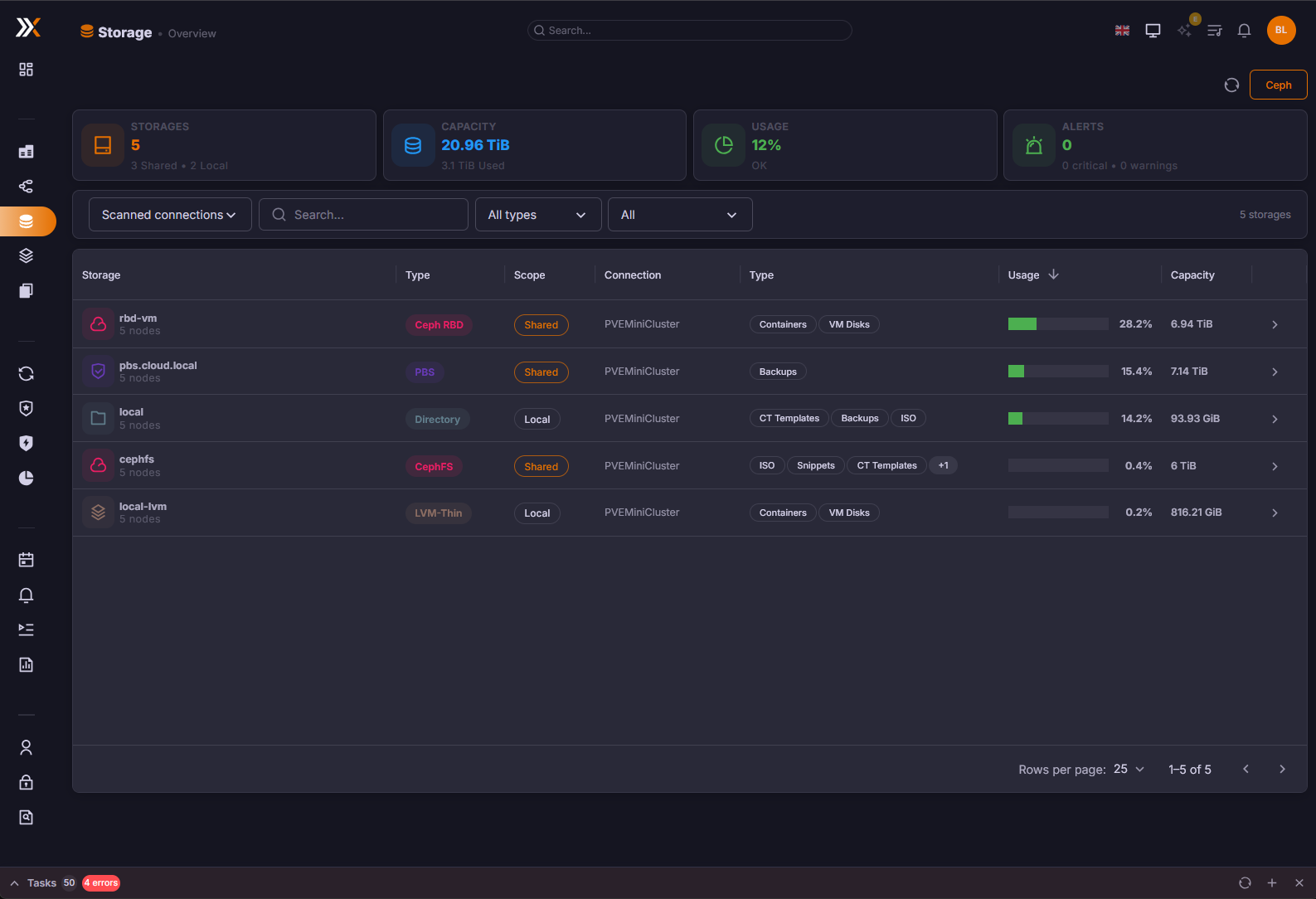
You can get visibility to the following storage backends.
| Type | Description |
|---|---|
| Local | Directory-based storage on the node’s local filesystem |
| NFS | Network File System shares mounted on nodes |
| CIFS/SMB | Windows-compatible network shares |
| ZFS | ZFS pools and datasets, including ZFS-over-iSCSI |
| Ceph RBD | Ceph RADOS Block Devices for VM disk images |
| CephFS | Ceph Filesystem for shared file storage |
| LVM | Logical Volume Manager block storage |
| LVM-thin | Thin-provisioned LVM volumes with snapshot support |
| PBS | Proxmox Backup Server targets for backup storage |
| iSCSI | iSCSI targets for block-level network storage |
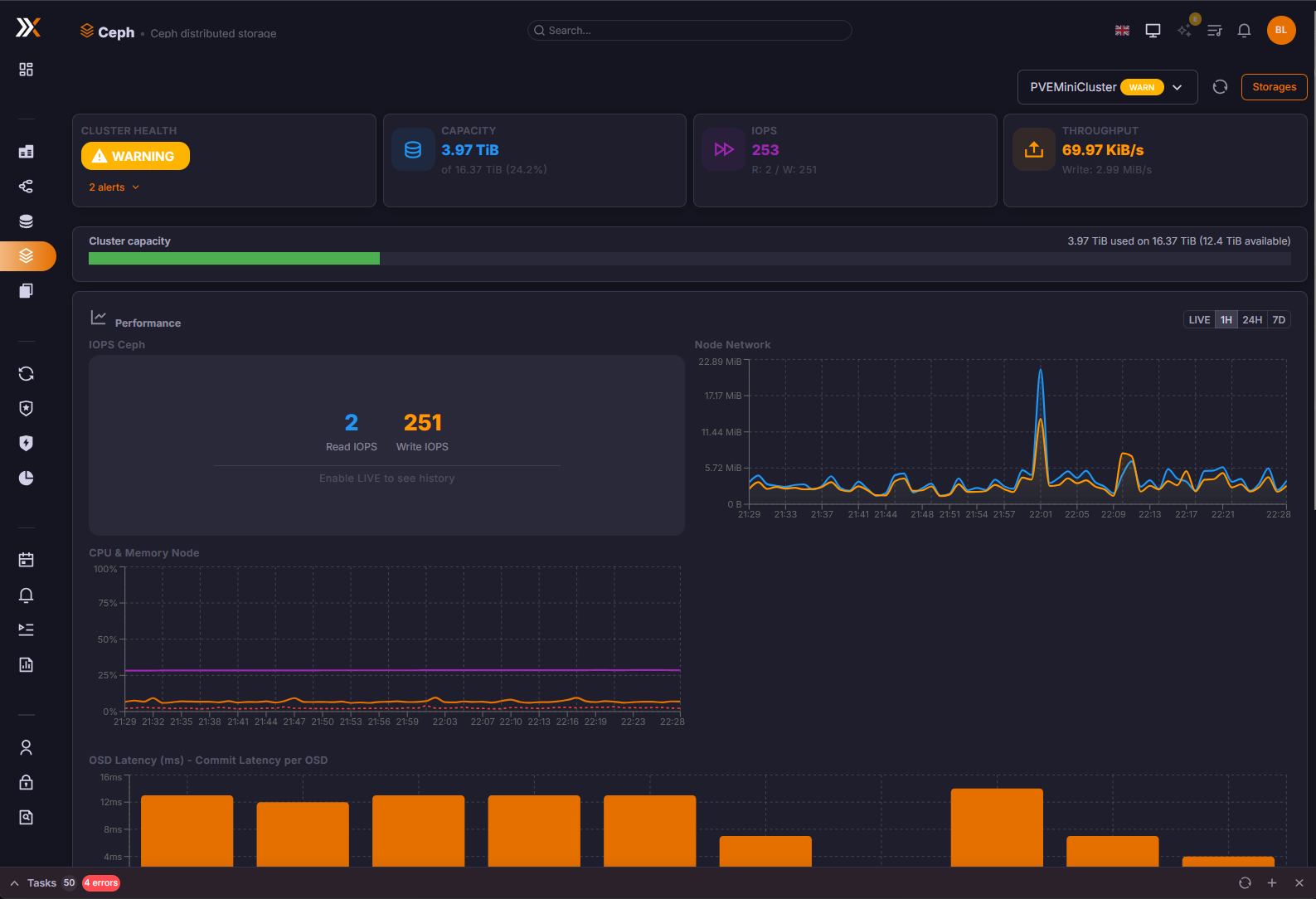
Also, one of the features I really like is the native Ceph dashboard. This gives you a performance peek into how your Ceph storage is running.
It adds DRS for Proxmox
One of the other features that many vSphere admins miss when moving over to Proxmox is the DRS functionality that VMware provides. However, ProxCenter includes a distributed resource scheduler for Proxmox with the paid version that is likely based on the ProxLB project that other projects like PegaProx have included, their own code for scheduling across Proxmox. According to ProxCenter documentation it uses multiple metrics to gauge scheduling and migration of VMs and placement rules.
As a project you can compare, you can check out the open-source project here called ProxLB that has a similar objective.
NSX-like micro-segmentation
There is another interesting feature of ProxCenter in the pay for version that it includes an NSX-like feature that allows you to configure micro-segmentation for your hosts and clusters and VMs.
You can manage multiple Proxmox Backup Servers also
One of the other features of ProxCenter is that it gives you visibility on your Proxmox Backup Server (PBS) estate. You can add multiple PBS servers to ProxCenter for visibility and integration with the PVE environment so you can pull information for backups you have of your critical VMs.
Free vs paid ProxCenter
As you can tell from my screenshots, I am running the community edition, so not paid. So, I couldn’t really test out the DRS functionality and some of the other enterprise features. However, I do think the community edition is great just for day-to-day management and having the fluid feel of a single pane of glass interface.
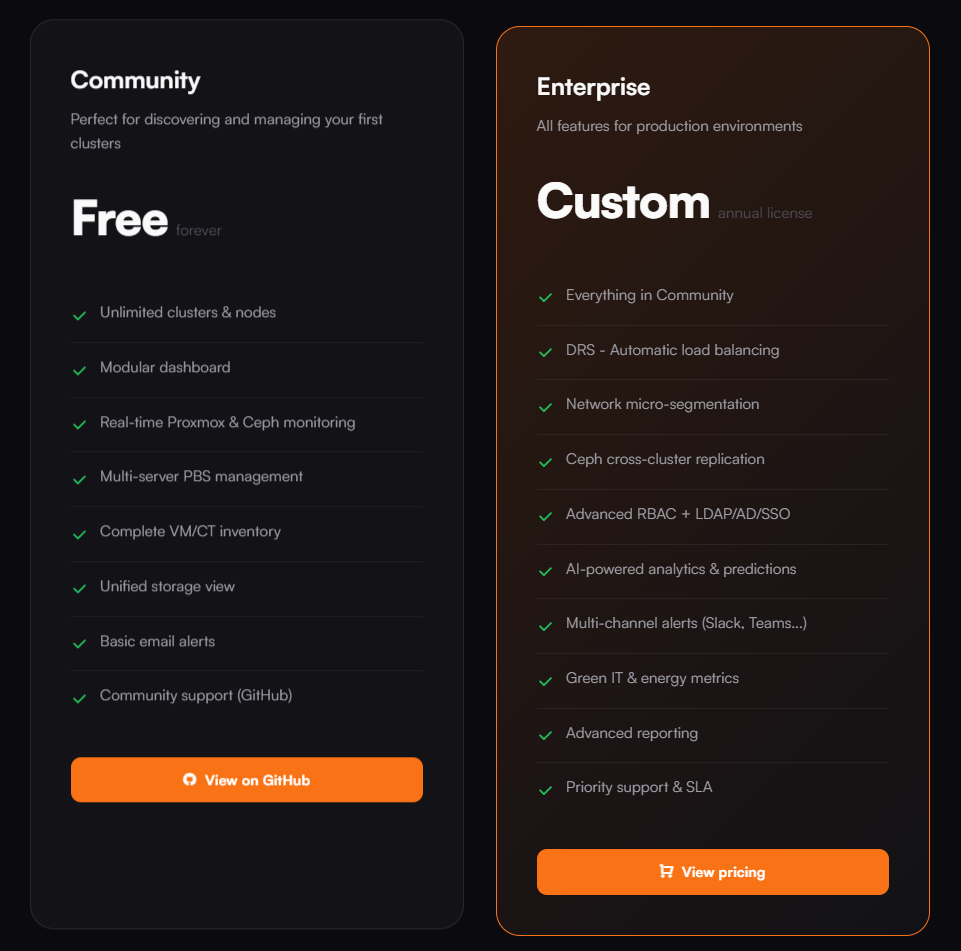
Organizations who are moving away from VMware vCenter and have held out on Proxmox due to lack of management tools, may find this extremely interesting for managing multiple clusters and hosts. Note the screenshot comparing the community edition with the enterprise version of the tool:
ProxCenter vs Proxmox Datacenter Manager (PDM)
Of course one of the big questions ones may have at this point is how does it compare to Proxmox Datacenter Manager (PDM). As you know this is the official tool from Proxmox that is supposed to be the multi-cluster tool that brings everything together. However, it is fairly rudimentary a this point without a lot of features. See how it compares:
| Capability | ProxCenter | Proxmox Datacenter Manager |
|---|---|---|
| Platform Availability | It’s released and ready for production | Released in 1.0 and ready to be used in production |
| Multi-Cluster Management | Yes | Yes |
| Automated Workload Balancing | Built-in intelligent placement | No |
| Network Micro-Segmentation | Advanced segmentation controls | No |
| Integrated Ceph Monitoring | Real-time Ceph visibility | Partial visibility |
| Multi-PBS Management | Yes, you can manage multiple Proxmox Backup Servers | Limited support |
| Predictive Insights & AI Analytics | Yes | No |
| Custom Infrastructure Reporting | You can do advanced reporting | No |
| Power & Sustainability Metrics | Green IT tracking included | No |
| Cross-Cluster Ceph Replication Visibility | Yes | No |
| Role-Based Access with LDAP / AD | Yes | Yes |
| Enhanced VM & Container Inventory | Advanced inventory tools | Standard inventorying tools |
| Unified Storage Overview | Cross-cluster storage view | Partial |
| Event Logging & Audit Tracking | Yes | Yes |
| Smart Notifications (Email / Slack) | Integrated alerting | Basic |
| Free Community Tier | Yes | No (it is free for home lab but you are supposed to only run it for licensed nodes) |
| Self-Hosted Deployment | Yes | Yes |
ProxCenter vs PegaProx
I have also written up a blog that you will be interested in checking out if you like ProxCenter. I took PegaProx for a test spin and was super impressed with it as well. Also, if you are interested, PegaProx is totally free and has the DRS functionality and HA available for free as well. It uses the ProxLB project that is mentioned above.
Read my review of it here: Managing Multiple Proxmox Clusters Gets Messy When You Want Smarter Placement.
However, comparing the two, ProxCenter definitely has the more vCenter-like GUI and definitely will make you feel like you are at home inside the vSphere Client interface more than PegaProx. I recommend that all home labbers running Proxmox check out both projects and get a feel for what I think are two of the best modern interfaces out there currently for Proxmox.
Wrapping up
The tooling and community solutions built around Proxmox are getting super exciting and delivering what I think are top notch management tools for the platform. ProxCenter has that buttery smooth interface that many are accustomed to with the vSphere Client and I think any that have been holding out on transitioning over to Proxmox due to less than modern management experiences will find ProxCenter to make that jump between VMware and Proxmox much easier. ProxCenter I think does hold out the best features for a paid version, like DRS, rolling updates, and other features. But for free, if you are just looking for a much better experience managing daily operations and having a built-in dashboard for things like Ceph, ProxCenter community edition does this really well. What about you? Have you tried this out as of yet?

Google is updating how articles are shown. Don’t miss our leading home lab and tech content, written by humans, by setting Virtualization Howto as a preferred source.
About The Author

SSH doesn’t work API token doesn’t work…. Can you give detailed instructions on what user credentials/roles and permissions need to be created on the cluster please?
Party1988,
Are you entering both by chance, I believe it needs both. Also, I am having issues getting connected to PBS but not PVE. I need to look and see what granular permissions are needed. I just simply added via root and a root API token. Let me know which you are using 👍
Brandon
Setting a Token Secret via “Datacenter”->”API Tokens”
Token ID: root@pam!pvm
Secret: redacted
Setting “API Authentication”
root@pam!pvm=redacted
And now doing it for a 5th time it has worked…. strange, sorry for doubting just the lack of docs on their site was concerning.
I think the one thing I did differently was to uncheck “Privilage Seperation”, I am also having problems with PBS.
Looks pretty, upgrades don’t work, seems very beta, not sure how they can justify charging people for something that doesn’t work. And the only documentation they have is this post.
Can you provide details of the company/people behind this project? There is no contact details or registered company details that I can find and they are asking people to pay!
Party1970,
I did have the developer reach out on Twitter so at least seems like a person or several behind the project. You can reach out to the developer on Github. The official project URL for Github is here: https://github.com/adminsyspro/proxcenter-ui. A lot of these projects evolve quickly and have lots of bugs in the beginning.
Brandon
For PBS you should use : instead of =
root@pam!TokenName:TokenID instead of root@pam!TokenName=TokenID
Nenad,
Gotcha, will give this a try!
Brandon
This doesn’t work! I have tried various user/role/api token settings and even ssh with root and password doesn’t work. Also there is no real documentation on their site. Is this a scam?
Party1970,
Seems like a legitimate tool. I didn’t have any issues connecting to PVE, only PBS. What error are you getting?
Brandon
I have successfully installed and configured my first PVE node. However, there are still several things that need to be adjusted. For example, ISO and template image files should be listed so that we don’t need to manually enter the image names.
Additionally, the VLAN network topology seems to have an issue. I have two network segments, LAN and DC, both using the same VLAN IDs (10, 20, 30, 40, 50, 60). However, in Proxcenter, they are recognized as one when both VLANs share the same VLAN ID.
Asau,
I noticed the same issue with the networking information. Especially on the topology screen. These seem to only be recognized if the VM is directly tagged with a VLAN interface and not connected to a VLAN-tagged bridge. Still the tool shows a LOT of potential I think.
Brandon
Why do you need this? Proxmox Datacenter Manager does the same!
James,
The look and feel of Proxcenter is VERY similar to vCenter Server. So just in terms of look and feel Proxcenter captures the essence of vCenter much more closely. Of course datacenter manager wasn’t designed with this goal in mind. Just little nuances that work like vCenter as an example, when you right-click a node in Proxcenter, you can put a node in maintenance mode, just like you can in the vSphere Client.
Brandon
It actually did give me the vCenter-experience, but not the one I was hoping for. Navigating trough the UI is super slow with very long loading times. Not sure why… The VM it’s running on is bored based on the utilization