I have self-hosted a lot of things over the years in my home lab. However, we all eventually reach a point where we run a few less than normal things in the lab. But, I really think these kinds of experiments is where much of the learning happens. Even if something is unorthodox or strange, it can allow you to gain experience or skills you wouldn’t otherwise gain. This post looks at weird home lab projects I have successfully run in my home lab. None of these were gimmicks and each taught me something about reliability, automation, infrastructure, or other disciplines.
Chaos engineering in a home lab with LitmusChaos
When I was reading the DevOps Handbook (which I highly recommend), it made mention that Netflix had what they called a “chaos monkey” service that had the sole purpose of causing things to break. Why in the world would you want this? Well when you are engineering for system uptime and resiliency, this is a great way to test things on a daily basis.
It turns out chaos engineering is a real thing and used in a lot of large production environments. This might feel strange in the home lab, but as it turns out there is a really cool project that allows you to test this out in your home lab Kubernetes cluster, called LitmusChaos.
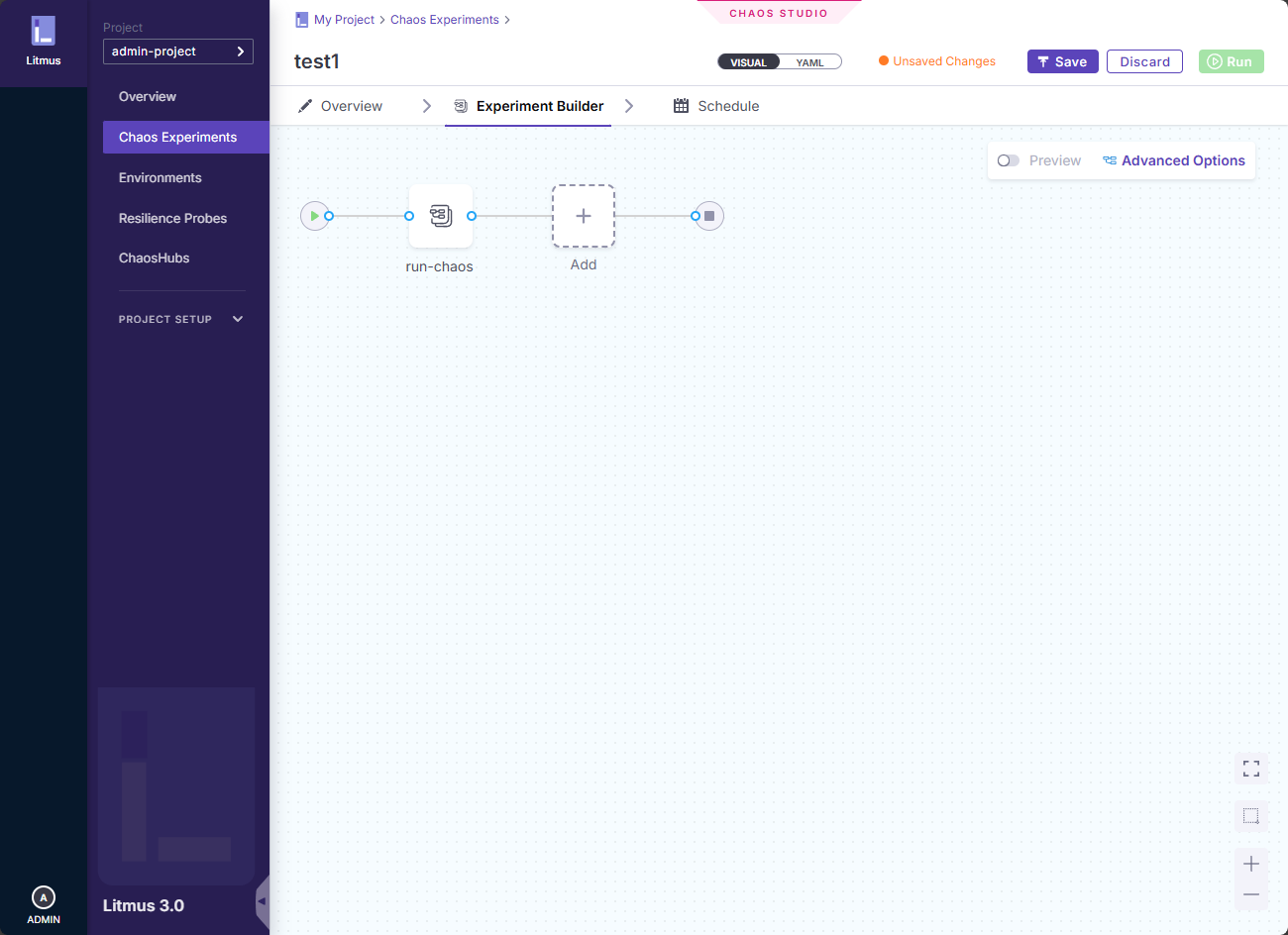
This project can kill pods, apply synthetic loads, network disruptions and other things that you want to simulate. What surprised me was how much this changed the way I thought about my lab. It can expose your assumptions that may not be right. Some services recovered cleanly. Others did not. In a few cases, I realized that what I thought was a resilient setup was actually fragile once even minor chaos was introduced.
Running chaos engineering at home may not sound like something you want to do, but it forced me to think about recovery, observability, and failure domains in a way that when you run only passive monitoring you won’t be able to do. It also made my lab designs better going forward because I stopped trusting “it seems fine” as a way to validate things.
If you are curious about this project, you can check out my full write up here: Home Lab Chaos Engineering Unleashed with LitmusChaos.
Automating power offs and power ons for the entire home lab
One of the projects that I have tackled in the home lab when trying to find the best ways to save power and heat in the lab was to introduce automation to turn off hypervisor hosts and then turn them back on, on a schedule. In other words, kind of operate your home lab like we would with a cloud-based lab where you don’t want to just have VMs running just to run.
This actually turned out very successfully for saving power and heat, especially in the summer months. It also taught me some practical lessons in automating power cycles and forcing myself to thinking about boot order and what system dependencies I had in my lab.
It showed me that there is a beneficial aspect to “downtime” as we usually think of down time as something bad. In a controlled way, it can be a positive thing for your home lab and end of the month bills.
Check out my original post on this project to see if it inspires you to do something similar in your environment: Supermicro VMware Home Lab Automatic Power On and Power Off.

Running Proxmox VE and Proxmox Datacenter Manager inside Docker
This is one of the more recent “weird” experiments that I have stumbled into putting together in the home lab. This was actually based on a Github project where the project owner has created containers for both Proxmox PVE and Proxmox Datacenter Manager so you can run both in containers.
The whole purpose of this experiment is not to run your production workloads on Proxmox running in Docker. Rather, the purpose is to be able to spin up and down quick Proxmox test or learning environments using the Proxmox containers along with PDM.
With this setup, you can create quick and easy learning environments, test environments, environments to test out your automation or API driven automation, and many other projects. I think it will also be helpful for things like testing upgrade processes and anything else that you want to try out quickly in the lab environment.
While this is kind of a weird one to run in the home lab, it holds a lot of value in terms of learning and experimentation. Also, it actually works better than I expected after I got the containers spun up and running in the environment. You can check out my full posts that cover both Proxmox PVE and Proxmox Datacenter Manager here::
- Run Proxmox Inside Docker: A Weekend Home Lab Project to Learn Clustering and HA
- Run Proxmox Datacenter Manager in a Docker Container for Home Labs and Testing

Backing Docker Swarm with MicroCeph for persistent services
Running Docker Swarm in the home lab isn’t necessarily the most popular container orchestration that you will find there. Also, adding software-defined storage to your Docker Swarm environment pushes it even further into the less common, or even “weird home lab projects” territory.
I spun up a Docker Swarm cluster with MicroCeph providing persistent storage. The goal of the environment was to run stateful services backed by my cluster storage. I also wanted to learn more about what challenges appear when you use distributed systems into a home lab.
This has actually been my primary storage in the home lab for my containers for over a year now and it has been rock solid without issues. l have learned a lot about Ceph using this configuration and some of the nuances that matter.
Microceph is actually an opinionated version of Ceph that fits nicely with Microk8s as well. I also cofigured CephFS to run on top of Microceph and this has allowed me to have even easier access to the software defined storage. This allows you to have file level access on top of your Ceph software-defined storage.
The full deployment and lessons learned are documented here: How I Deployed a Self-Hosting Stack with Docker Swarm & MicroCeph.
Automating home lab workflows with n8n and AI
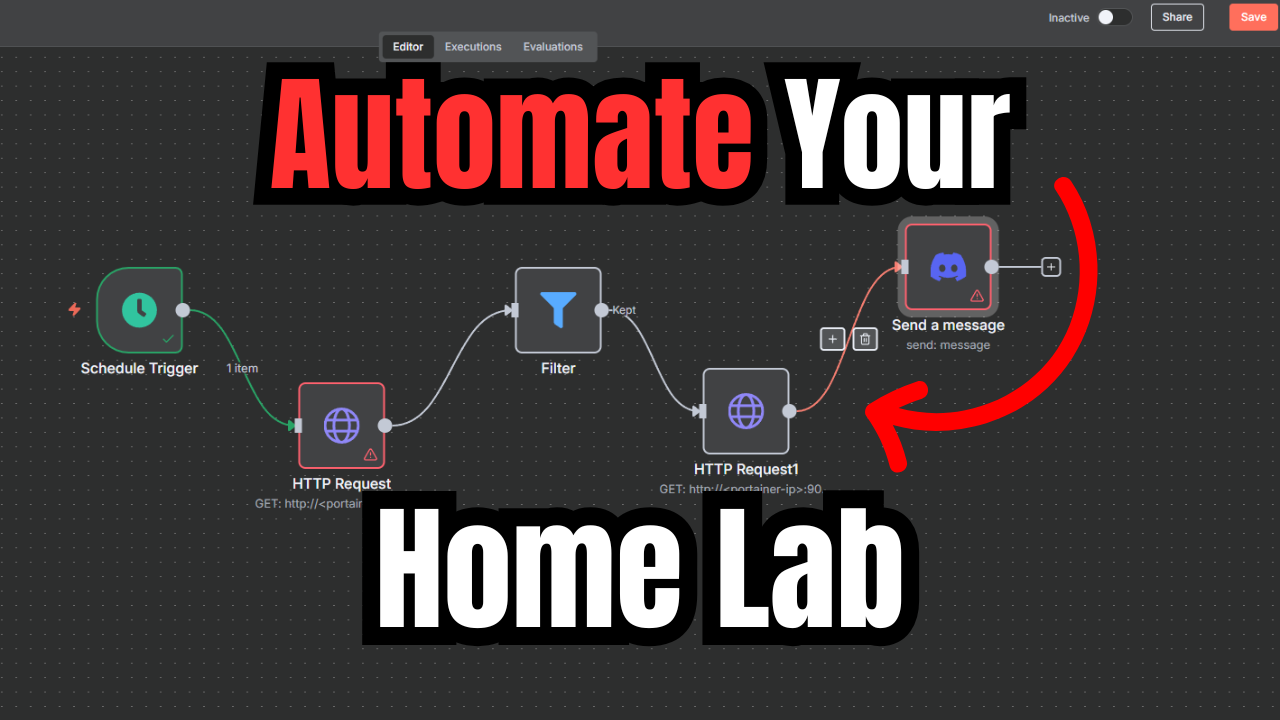
Who doesn’t love weird home lab projects that involve automation and AI? Ever since n8n has caught on and many are self-hosting it in their lab environments, there have been all kinds of examples of home lab workflows demonstrated where home labbers and others have created some pretty interesting walkthroughs of how they are using it in the home lab.
By combining n8n with AI, you can also automate everyday home lab tasks. Just as an example, I have used it to summarize FreshRSS feeds, process information, troubleshoot failed CI/CD pipeline runs and many others. It isn’t just a novelty. It is using AI to actually have our own AI agent working for us to get things done.
Using AI as part of our automation is the future. AI is not just another tool in the tool chain. It is a paradigm shift in how we do things and how we can be even more efficient and get things done. It quickly helped me to automate and remove pain points in my home lab. See my full walkthrough here: Automate Your Home Lab with n8n Workflow Automation and AI.
Letting CI/CD pipelines manage real home lab infrastructure
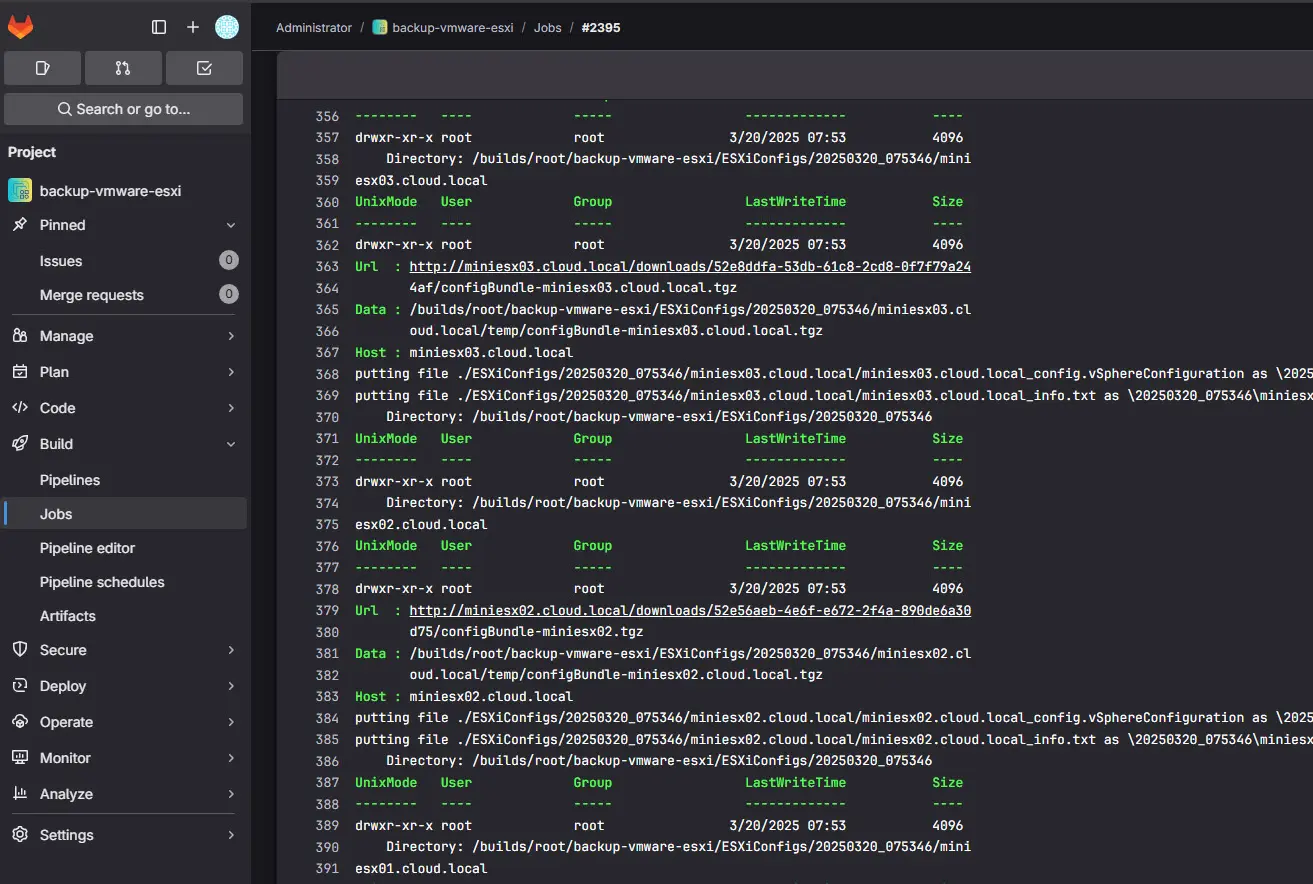
This one is a little less on the weird home lab projects side, but just not what everyone is doing. Many use things like Ansible and Bash scripts to automate different processes and tasks. However, I had as a goal to sharpen up on CI/CD processes and learn more DevOps skills. With that goal in mind, I intentionally saw what I could put inside a CI/CD pipeline and use these to perform various automated tasks in the lab.
Where I was using scripts or scheduled tasks spread across multiple servers in my home lab, I am not triggering these automated tasks with my GitLab instance that I self-host. I have certain CI/CD pipelines that are scheduled to run at certain intervals. This has allowed me to consolidate all of my scripts to run in a centralized location.
This has helped me realize my goal of becoming a DevOps engineer and understanding how DevOps type processes work in the real production world and enterprise datacenters, and ultimately cloud.
Running true pipelines in your home lab, teach you about things like idempotency, error handling, and rollbacks. It also makes changes repeatable and auditable using Git.
Most aren’t thinking about running CI/CD pipelines in their home labs as this may be a bit unusual. But the lessons you will learn will translate into exponential skill growth in DevOps and Platform Engineering.
The full automation approach is documented here: Automating Your Home Lab with Ansible, Terraform, and CI/CD Pipelines.
Running immutable operating systems in the home lab
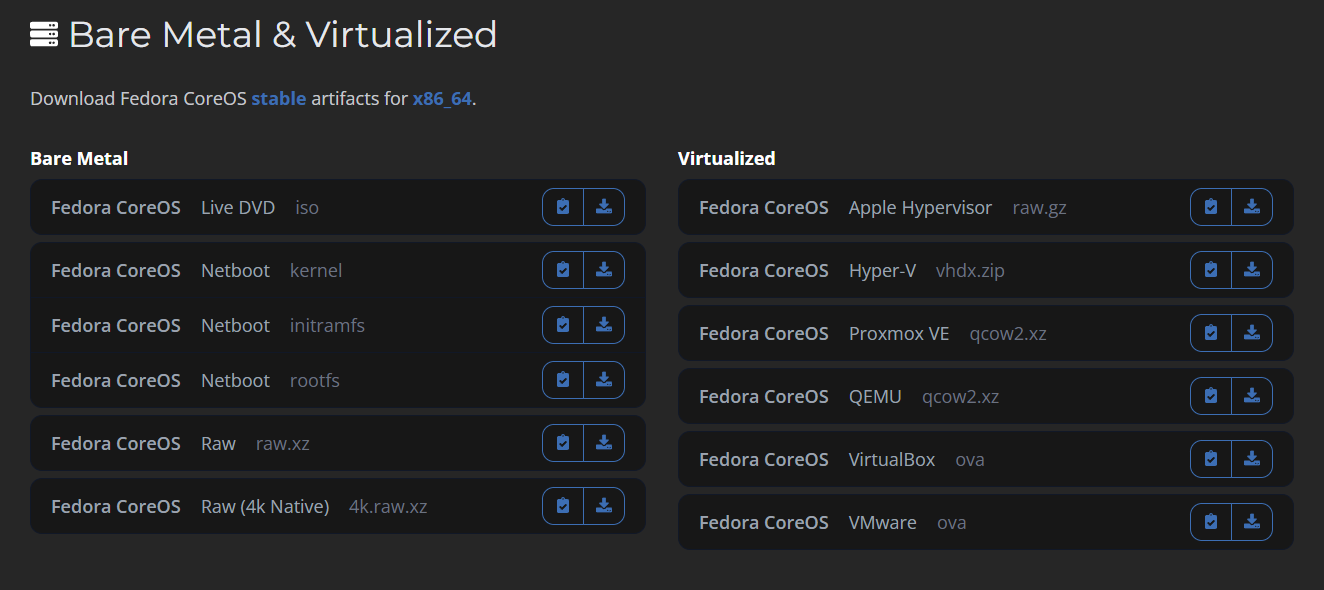
Having a home lab operating system that you can’t upgrade? What in the world? Why would you want something like that? That sounds like a weird home lab projects topic for sure. Well, as it turns out, for containers and running your home lab like a true cloud environment, changes should be intentional and instead of upgrading what is already in place, you deploy something new.
This past year, I started getting more into running immutable operating systems in the home lab and this has forced me to rethink my approach to different things. These include configuration, updates, and rollbacks. So, instead of thinking about fixing problems in place, the mindset this gives you using immutable OS’es is that you simply redeploy and replace what you have.
This is a new mindset that can feel uncomfortable. But this discomfort is exactly what makes you grow as an engineer. It helps expose the assumptions we all make with traditional server management and just how fragile your assumptions can be. Granted, immutable systems are not for every workload. But experimenting with them at home can provide insights into how to run your home lab less like “pets” and more like “cattle”.
If you want to explore this approach in your own lab, check out my discussion of this in the following post: Why You Need an Immutable Home Lab Server OS.
Wrapping up
These are just a few of the weird home lab projects that I have put into my home lab that have been a bit unorthodox but that have taught me a great deal about infrastructure and running things in a resilient and highly available way. I think the whole point of having a home lab outside of self-hosting services that you don’t want to have to pay for in the cloud is to “learn”. Home labs allow you to learn exponentially more than just having your hands on things during the day. It gives you an environment where you don’t have to worry about your day job to learn. You can do it in the comfort of your own lab. In my opinion, no project is weird, ultimately, if it allows you to learn and acquire new skills.

Google is updating how articles are shown. Don’t miss our leading home lab and tech content, written by humans, by setting Virtualization Howto as a preferred source.
About The Author