


Networking like everything else has evolved quite a bit over the past few years, not really in terms of new technologies, but in terms of new hardware, and pricing of network switches and other gear. Now 10 GbE is basically a commodity speed whereas you had to pay a premium back just a few years. Your network is the backbone of everything, so you want to make sure it is fast, has enough bandwidth, and also enough ports to accommodate all your devices. What makes sense to upgrade? Let’s look at a 2025 home lab network upgrade guide to see how to introduce multi-gig connections, VLANs, and smart switching.
Why 2025 is the right time to upgrade your home lab network
Now that we are in late 2025, it may be the right time to upgrade your home lab network. Especially with year-end deals, budget mini pcs and networking gear are easily found. RAM prices have gone to the extreme. So if you are holding off on upgrading RAM and other internal components, the network getting love will pay off even if you don’t upgrade some of the other components in the home lab right now. Most mini PCs and NAS devices now come with 2.5 GbE and 5 GbE connections now as standard.
Most likely if you are running 1 GbE still in the home lab, you will see tremendous improvements in speeds just by upgrading your network backbone. Especially for workloads like Ceph and Proxmox Backup Server, media servers, and migration traffic the more bandwidth you have and faster speeds on the network, these will improve dramatically.
Audit your home lab network
I recommend that you start out by taking an inventory of your home lab network gear, interconnects, speeds, and what technologies you are using across the network you have in place today. A few questions will help you to get a baseline.
- Are you still running a single flat network with everything on VLAN 1
- Are your Proxmox hosts connected using 1 GbE
- Are your NAS devices still on old 1 GbE ports
- Do you have noisy devices like cameras or IoT mixed in with servers
- Are you running virtual networks or nested virtualization that create more east to west traffic
- Do you have backup appliances like Veeam, NAKIVO, or PBS that push a lot of data during certain time windows
Understanding how your network behaves today will help you design the right upgrade path.
1. Move to multi-gig networking
I think this is one of the best upgrades you can make to be honest. Going multi-gig from just a 1 GbE connection will feel profoundly faster just in about every type of operation you can think of, from backups, to file copies.
Keep in mind though when you want to go multi-gig, you have to change everything in between one node and another. This means, you need a switch that can do 2.5 or higher for each port, then also, your mini PC, server, or workstation, etc will need to also have a multi-gig network adapter installed if they don’t already.
However, many mini PCs and NAS devices now come with 2.5 GbE built in. If you are running a home server with NVMe storage, it can easily saturate a 1 GbE link, even 10 GbE for that matter, but 1 GbE for sure. But, you are definitely doing yourself a favor in increasing your overall network speed past 1 GbE.
If you run Ceph, GlusterFS, MinIO, or even basic NFS and SMB, moving to at least 2.5 GbE between nodes will dramatically improve redundancy operations, and things like replication and overall storage performance.
Choosing the Right Multi Gig Speed
- 2.5 GbE – I think this speed is a perfect choice for almost every home lab due to the fact that it is so commonplace now. Most mini PCs have 2.5 GbE adapters and it uses the same standard Cat5e cables. 2.5 GbE switches are also a dime a dozen.
- 5 GbE – This one I am a little on the fence on. Mostly due to the fact that it is just not that common. You will find the occasional NAS or other device that supports 5 GbE, but again, not that common. So instead of paying premium for 5 GbE on a device, I would look for 2.5 GbE and put multiple links together instead.
- 10 GbE – This one is still more expensive across the board but prices have dramatically lowered in the past 5 years or so. To me, this is the sweet spot if you are looking for all out performance and being able to do things you simply can’t do with 1 GbE in a performant way, like software-defined storage.
Below is a great example of a cheap 10 gig switch for home lab in the Mikrotik CRS305 10 Gbps 4 port SFP switch:
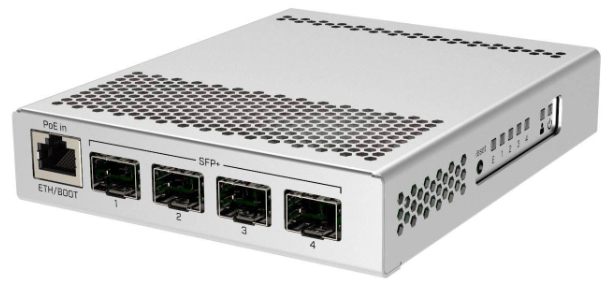
A common approach in 2025 is to run 2.5 GbE everywhere to normal endpoints and use 10 GbE for uplinks or storage heavy devices, virtualization hosts, etc. So, this way, you get the best of both worlds.
Recommended Upgrades
- Multi gig capable switches from TP Link, QNAP, MikroTik, and UniFi
- 2.5 GbE USB adapters to retrofit older nodes
- 10 GbE SFP plus adapters for NAS or heavy storage workloads
The best part is that most switches today offer a mix of 1 GbE, 2.5 GbE, and 10 GbE so you can upgrade gradually without replacing everything at once.
2. Introduce VLANs
This one is a huge “upgrade” when you start introducing them. VLANs are a way to segment your traffic in a logical way by creating logical LANs or “virtual LANs” as they refer to, which segment traffic. VLANs add a frame header with a VLAN tag that separates the traffic from one VLAN vs another.
Without VLANs, all devices share the same broadcast domain. Your Proxmox nodes, IoT devices, security cameras, gaming machines, and lab containers are all seeing and responding to the same unnecessary traffic. When you have a ton of traffic on the same LAN, it increases latency and reduces security, along with increasing overall noise on the network.
A flat network design that mixes all kinds of traffic together looks like the below:

VLANs provide several advantages, including the following:
- Reduces traffic on each particular virtual LAN
- Isolates noisy or insecure devices, like IoT, cameras, etc
- You can build dedicated storage networks
- Improves security by containing the blast radius
- Allows clean separation for homelab vs your normal LAN devices
Common VLAN Layouts
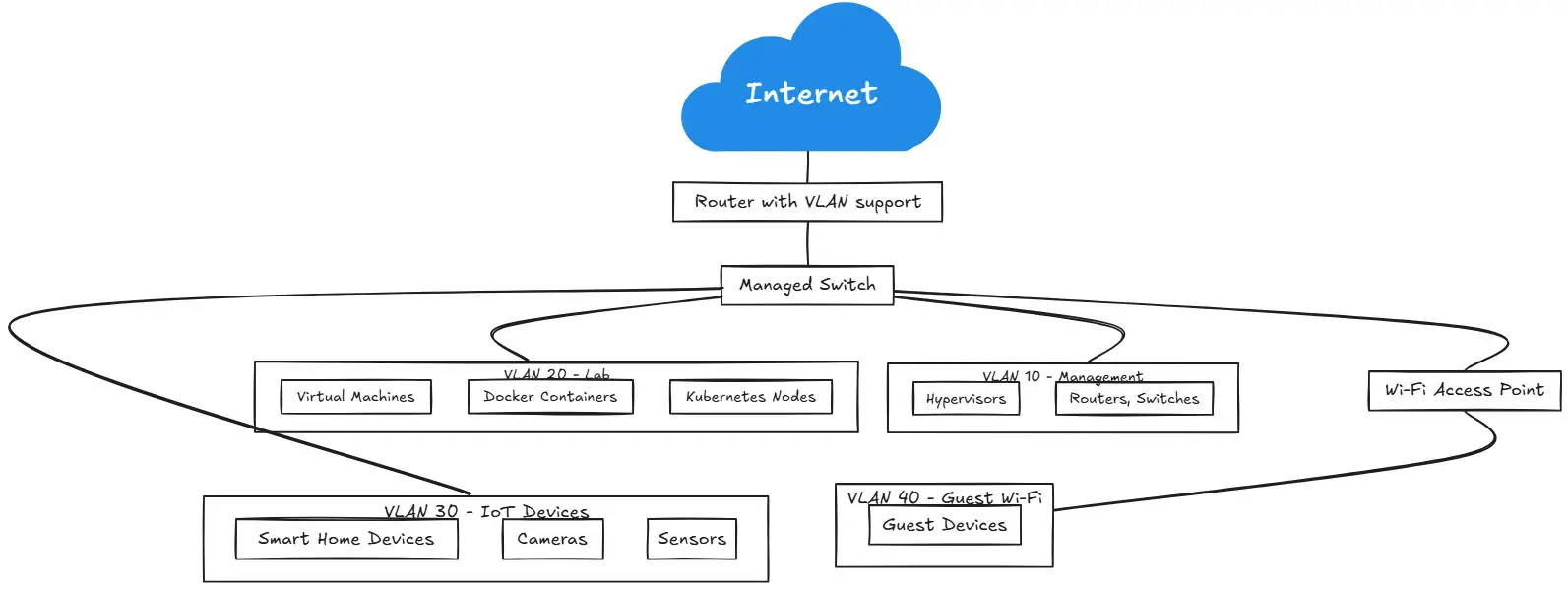
Just as a quick example of what home lab VLANs might look like and contain. You might have something similar to the following:
- VLAN 1 or 10: Main LAN – Regular household devices.
- VLAN 20: Servers and Hypervisors – Proxmox, VMware, Kubernetes nodes.
- VLAN 30: Storage – NAS, Ceph, iSCSI, NFS.
- VLAN 40: IoT or Cameras – Noisy or potentially insecure gear.
- VLAN 50: Management – Out of band management like IPMI or iDRAC.
Your specific VLANs and services might be different from the above as this is just an example. However, the key is always the same. Keep critical services separated from other services you have running in your home lab just like you would in production.
3. Add a smart switch to your network
So, what is a smart switch? Well, smart switches are usually switches that have some type of “administration interface”, whether this is a web GUI or command line, or both. It just means that they have some intelligence about them and allow you to configure certain things, like creating VLANs which we mentioned in the section before.
These days, you can easily get a smart switch that doesn’t cost a fortune. If you are still using unmanaged switches in your home lab and looking for something that will take you to the next level, a smart switch will definitely allow you to take your home lab capabilities to the next level.
Below are just a few of the features that you can expect with most smart network switches:
- VLAN tagging
- LACP links
- Per port speed control
- QoS
- Loop protection (STP, RSTP, MSTP, etc)
- Static routing on some models and capability to run other services like DHCP, etc
You may not think you would need all these services and capabilities and you may not, but having the capability to be able to start using them over time is nice to have as your lab grows and you add more technologies.
What features should you look for when buying a smart switch?
The below are just suggestions that you may look for.
- At least eight 2.5 GbE ports
- One or two 10 GbE SFP plus uplinks
- Good VLAN and LACP support
- A good stable firmware update channel
Examples of cheap managed switches
Sodolo 12 port 10 gb switch – https://geni.us/9G6AfY
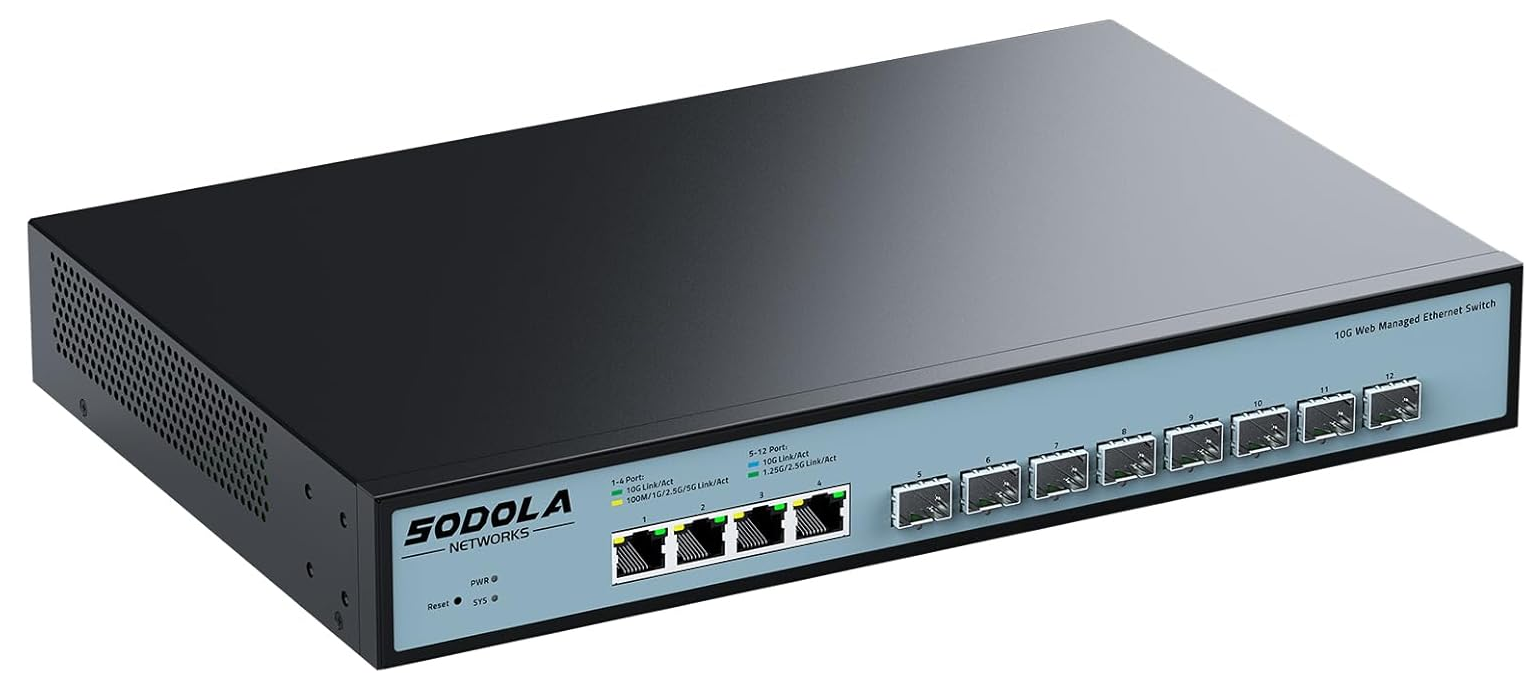
8 Port 2.5G Gigabit PoE Web Managed Switch with 10G SFP – https://geni.us/OPp4XY
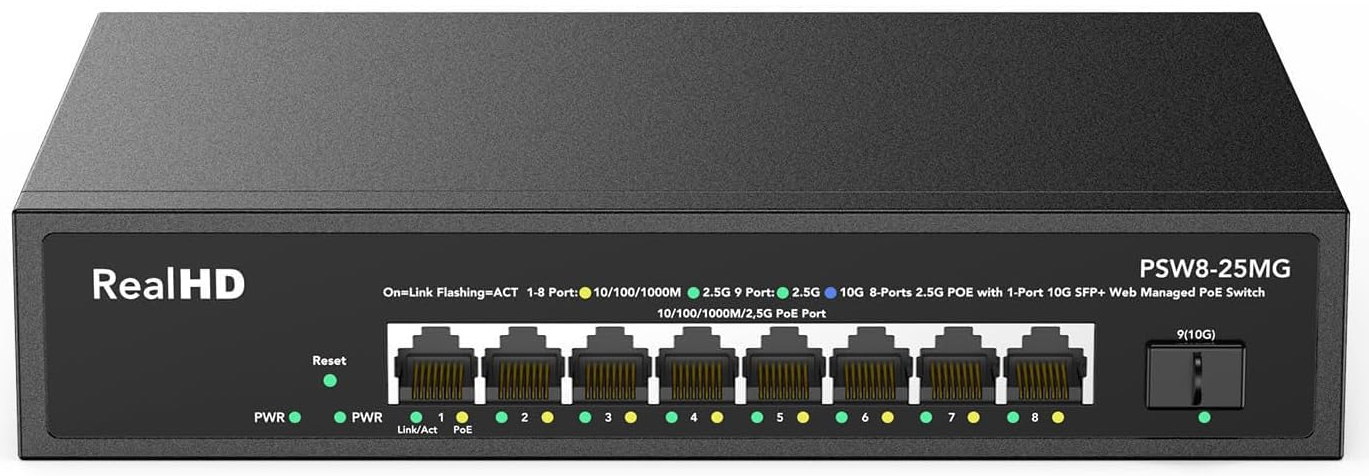
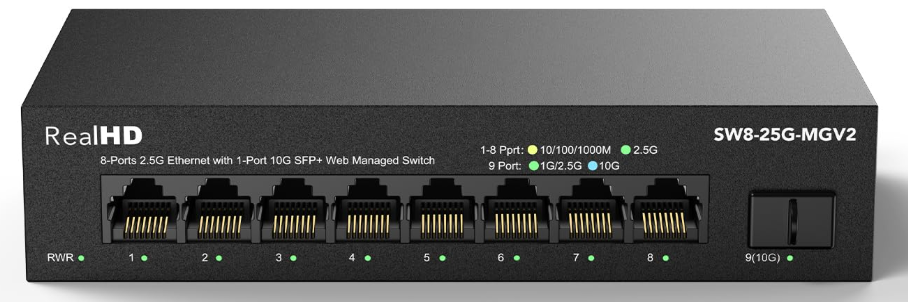
RealHD 8 Port 2.5Gb Web Managed Ethernet Network Switch – https://geni.us/553e
4. Plan how you want to separate traffic
I tell everyone not to just go in and quickly create a bunch of VLANs. Sit down with a piece of paper and pen and start drawing things out. Think about your types of traffic and how you want the traffic to flow. This is a much better approach than just creating a bunch of VLANs just because you can.
Think about different traffic types
There are definitely traffic types that you want to keep separated from everything else. If you are running some type of shared storage or software-defined shared storage, this is a critical storage type to give its own space that is dedicated without any other traffic. Storage traffic might include Ceph cluster networks, NFS, iSCSI, or SMB shared storage, Proxmox Backup Server traffic, and other types of backup network flows.
Consider link aggregation
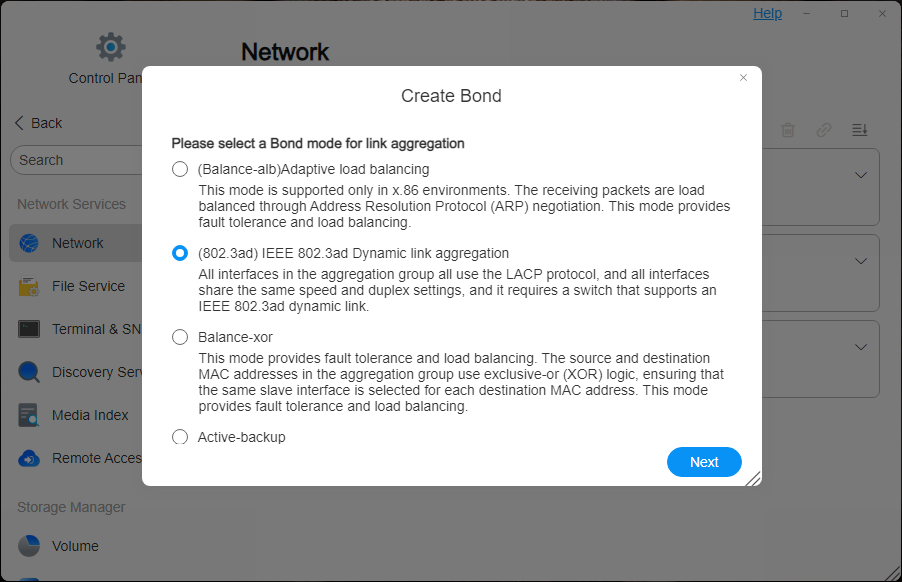
If your switch and servers support it, aggregate two or more ports into a single logical link. This gives you a few advantages, including:
- Increased throughput
- Resiliency if a link gets unplugged
As a note, the following technoligies and solutions support LACP links: Proxmox, TrueNAS, Synology, Terramaster, and most major NAS vendors.
Map VM Networks Cleanly
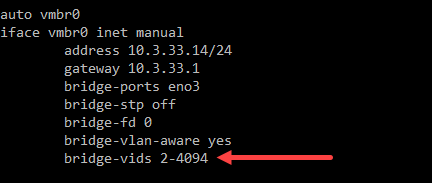
Proxmox makes it easy to attach VMs to different VLANs. You can use its various network configurations, including Linux bridges, Open vSwitch, and VLAN aware bridges to keep VM workloads isolated by function. This helps with “noisy neighbor” type issues due to a very chatty virtual machine
5. Upgrade your router or gateway
Most of us start out with consumer-grade routers or all-in-one wireless gateways that you can buy at your local “big box” retail store. However, you will find that you will outgrow this fairly quickly. Once you start wanting to go beyond just VLAN 1 and you want multi-gig links and things like traffic shaping, this will require a more capable router or firewall.
What are the popular choices in 2025 for a home lab router/gateway? Take a look at the following list of choices:
- OPNsense and pfSense
- Ubiquiti Dream Machine Pro
- Firewalla Gold Pro
- MikroTik RouterOS devices
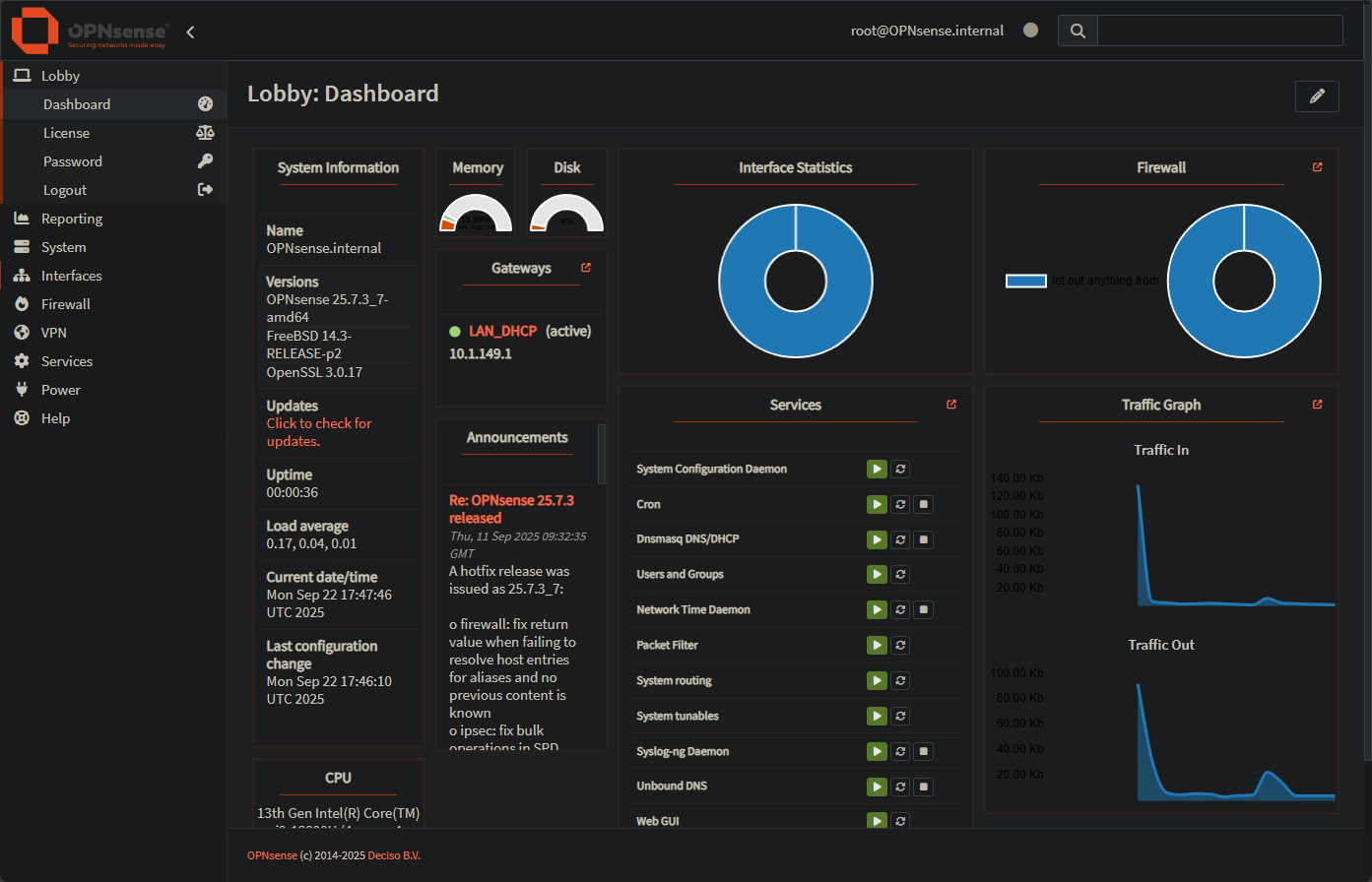
These are not the only options available, but they are some of the most popular options. They support things like VLAN tagging, multi-gig WAN and LAN connections for over 1 Gbps speeds that are now commonly offered. You can also do things like hardware offloading, policy-based routing, and VPNs.
6. Add network monitoring
This is definitely one to add if you don’t have something in place already. Once your network grows, you need a way to keep an eye on performance and this is especially important once you have virtualized environments, VLANs, and other things in place.
Monitoring helps you spot things like a flaky uplink, devices that might be flooding the network, or even help you identify suspicious traffic that you may have going across the wire.
And, spinning up a monitoring solution doesn’t have to be expensive. There are lots of free and open source solutions out there you can spin up and also commercial solutions that offer very cheap or even free home lab monitoring. On the open-source side, using solutions like Prometheus and Grafana, Uptime Kuma, SmokePing, ntopNG and others are great tools. Commercial tools that offer cheap or free monitoring for home labs include Netdata ($90/yr), and PRTG (100 sensors for free).

7. Future proof where it makes sense
When you upgrade, you can build with a view to future-proofing the environment to an extent. It isn’t always about big replacements every year. But doing some smart buying that gives you a few things that will allow you to build on top of them later.
Capabilities like having a switch that supports at least a couple of 10 GbE uplinks will give you the ability to run 10 GbE in the future if you are not quite going there today. Also, run Cat6A for new cable pulls even if you only need 2.5 GbE today. Maybe choose network gear with mature firmware and long term support from reputable or popular vendors. Use VLANs that make sense but don’t just create VLANs to create VLANs. Also, document everything you do so it is easy to make sense of things later.
Check out my post on home lab documentation here: How to Document Your Home Lab (The Right Way).
Wrapping up
There are really what we could say are three pillars i think to a strong home lab network in 2025. These are multi-gig speeds, VLAN segmentation, and smart switches. With these three things in place, you will be able to see a huge jump in performance and capabilities across your home lab. Even a modest home lab with two or three Proxmox nodes will benefit from these types of changes. What about you? Are you snagging some new network gear with the deals currently going on? Do share what you are planning on upgrading.

Google is updating how articles are shown. Don’t miss our leading home lab and tech content, written by humans, by setting Virtualization Howto as a preferred source.
About The Author

I’m looking at snagging another switch I think during cyberweek. Will post back which one.