One of the misnomers of Windows Server 2008 R2 that gave admins fits is the lack of any type of shared folder designation. If you have a folder with several hundred subfolders in which some are shared and others are not, you may find yourself very frustrated trying to figure out which folders are shared without any designation of those particular folders being shared. We were hoping that with Windows Server 2012, Microsoft would once again resurrect this badly needed feature for admins. But alas, in a test VM of Windows Server 2012, we have confirmed the lack of the shared folder icon has been carried over into Server 2012.
As you can see in our test below, the test folder is clearly shared:
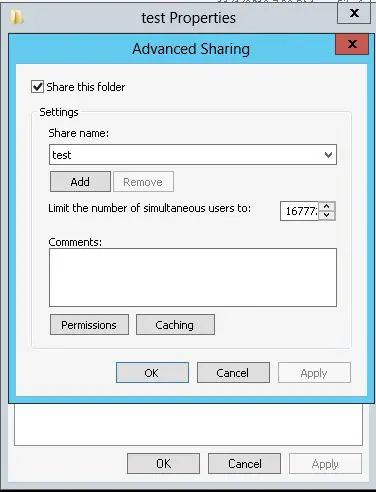
Can you see any difference in the test folder and any of the other folders below?
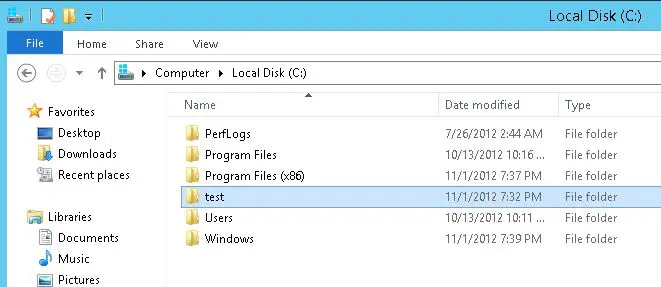
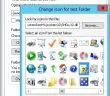
As was the case with Windows Server 2008 R2, you can manually change the folder icon that is displayed to show the shared folder designation, but who wants to have to do this especially if you have tens or hundreds of shares?
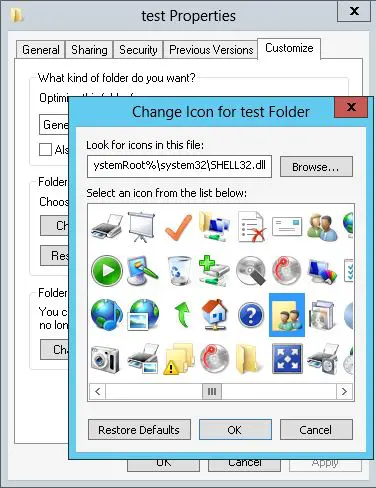
We are not really sure why Microsoft has chosen to eliminate the shared folder designation as it is just one more step and administrative burden that system administrators have to deal with in managing their folder structure. Maybe they are pushing a different methodology when it comes to managing shares such as the File and Storage Services console. However, this still doesn’t solve the issue of seeing visually which folders are shared with others within another folder.

Google is updating how articles are shown. Don’t miss our leading home lab and tech content, written by humans, by setting Virtualization Howto as a preferred source.
About The Author