




I recently noticed that I had a LOT of disk space use with Docker Desktop on my Windows 11 machine. I did the normal things that I do on Linux like running the prune command to kill basically everything that isn't used:
docker system prune -a -f
But I still had a lot of disk space used. Pulling out the trusty WinDirStat tool that I have loaded, I started looking at the Largest Files on my machine and found that my docker_data.vhdx file was around 261 GB!
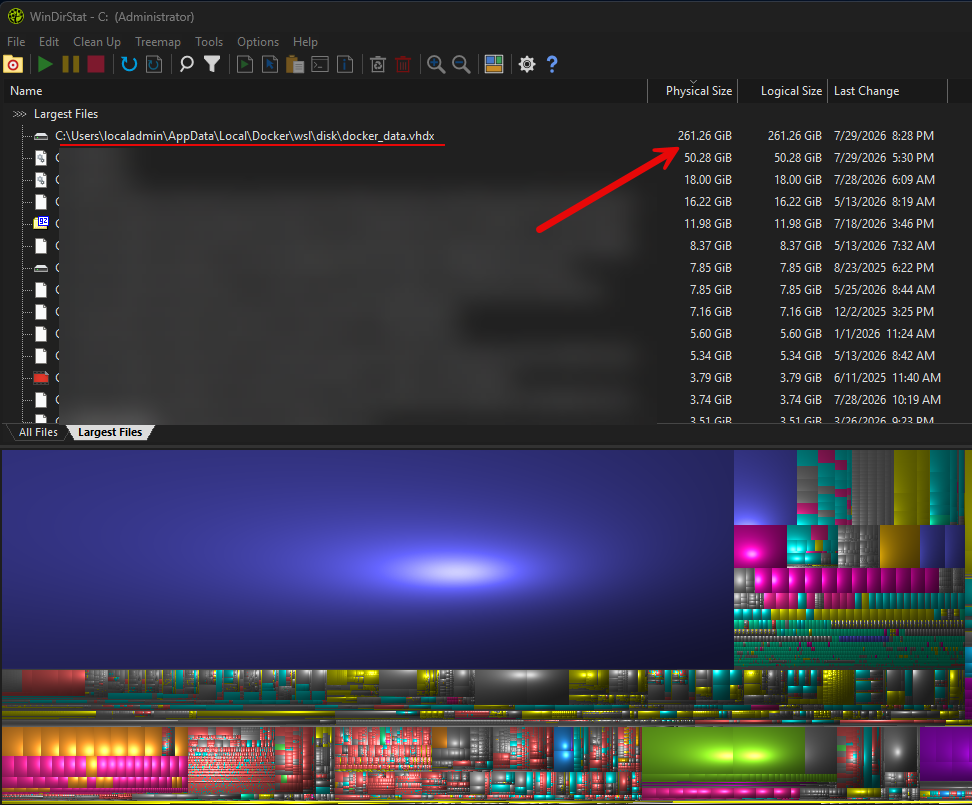
Even after clearing up old images, the VHDX was still large. So we can use diskpart to compact the VHDX like this. First shutdown WSL and see if you have anything else running:
wsl --shutdown
wsl --list --running
Now, we use diskpart to shrink the VHDX. Launch diskpart:
diskpart
Then run the following commands, replacing the vdisk file path with the file path for your machine:
select vdisk file="C:\Users\localadmin\AppData\Local\Docker\wsl\disk\docker_data.vhdx"
attach vdisk readonly
compact vdisk
detach vdisk
exit
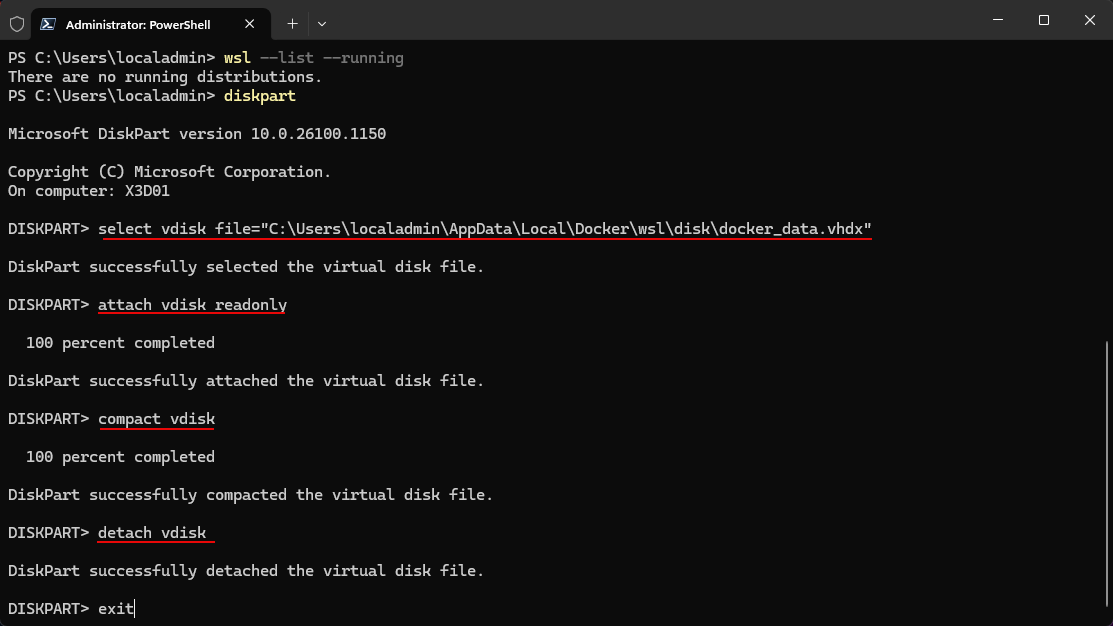
Hopefully these simple steps helps someone else facing this same issue!
Brandon