


I have been spending quite a bit of time with TrueNAS in my home lab lately, especially with the new Proxmox storage plugin. You can read about my adventures with the new plugin and TrueNAS here. If you have been listening to the news on the TrueNAS front, TrueNAS 27 RC1 has been released and there are several new features in this release that have caught my attention, especially for home lab environments. Let’s take a look at the new features contained in this release candidate that I think will change the game for our home lab environments.
First what happened to TrueNAS 26?
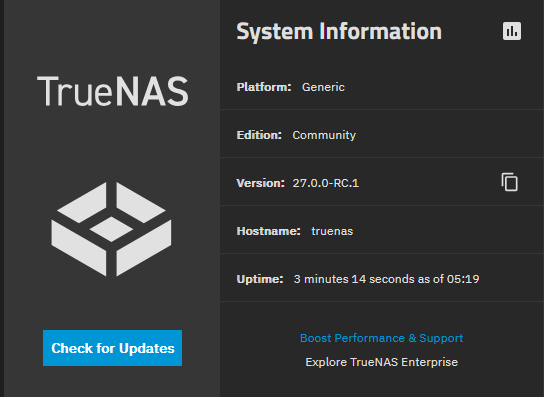
So, if you are familiar with TrueNAS, you know the current GA release is version 25 which is what I am currently running. So, what happened to TrueNAS 26? I had the same question when I saw the TrueNAS 27 announcement myself. So, apparently the release called TureNAS 26 was renamed to TrueNAS 27 starting with RC1. The TrueNAS releases are moving to one major release per year and chose the number 27 because this is what most users will run in 2027. The final release of this new version is planned to be scheduled for December 2026. But, the best way I can think of it is like a new car’s model year. The earlier TrueNAS 26 beta builds keep the original names. But, the same cycle now continues under TrueNAS 27. So this isn’t a missing release but just a numbering change.
1. Native S3 storage
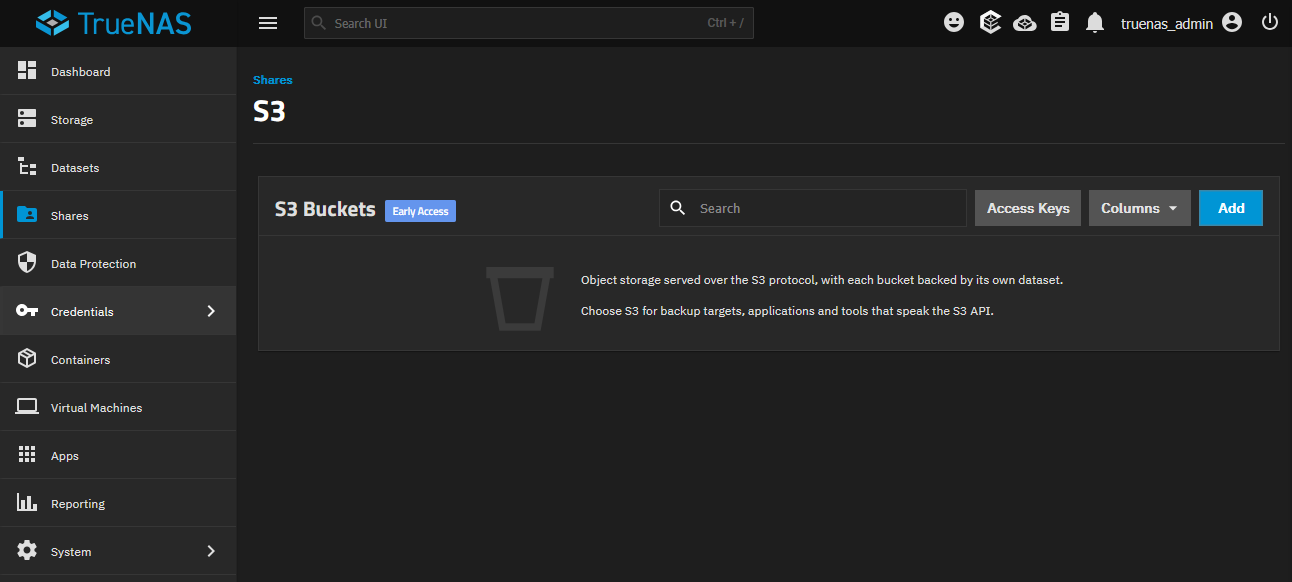
One of the features that caught my attention in this release is that TrueNAS 27 adds an S3 compatible object storage service directly into the platform. When you see “S3 compatible” service, it means the apps that target it for S3 storage can use the same native S3 APIs to store and retrieve objects from buckets on your NAS or feeding AI workloads. So, it doesn’t mean it is going to Amazon AWS S3.
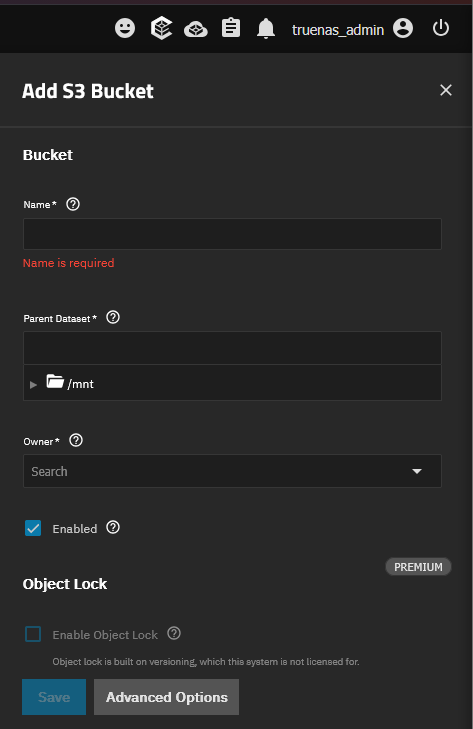
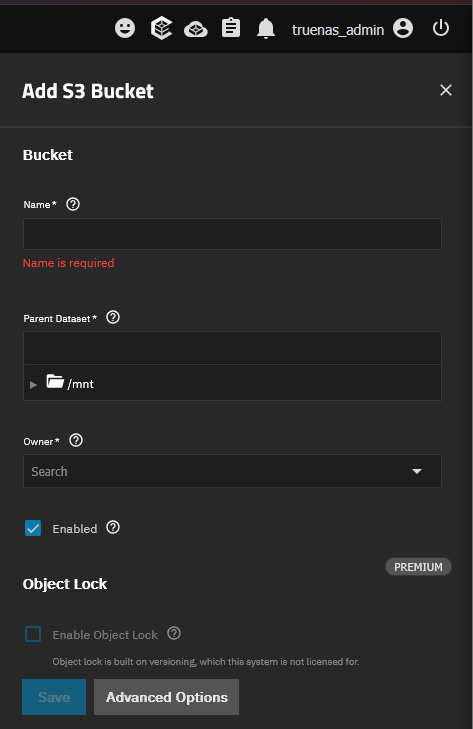
With this, TrueNAS creates a dedicated ZFS dataset for each bucket. So, this brings all of the familiar capabilities that you get from ZFS. This includes things like snapshots, quotas, replication, and encryption. Basic buckets are available across all the different TrueNAS editions. The feature is still in Early Access access and you will see the “experimental” label in the UI.
Why S3 storage in the home lab is important
I think there is a lot of potential with TrueNAS picking up S3 compatibility. Many of us used MinIO until the licensing went crazy and removed features from the free edition. So, not only will you be able to switch over your storage to TrueNAS for your S3 needs, it also means some pretty interesting things for your Proxmox Backup Server storage strategies. What do we mean?
Well, Proxmox Backup Server has already introduced support for S3-backed datastores. It requires HTTPS for S3 connection and persistent local cache. But, you can see where I am going with this that you could potentially integrate your PBS storage with TrueNAS that will now provide object storage. You could create a test bucket and have your PBS server target your S3 location on TrueNAS as another location for storing backups.
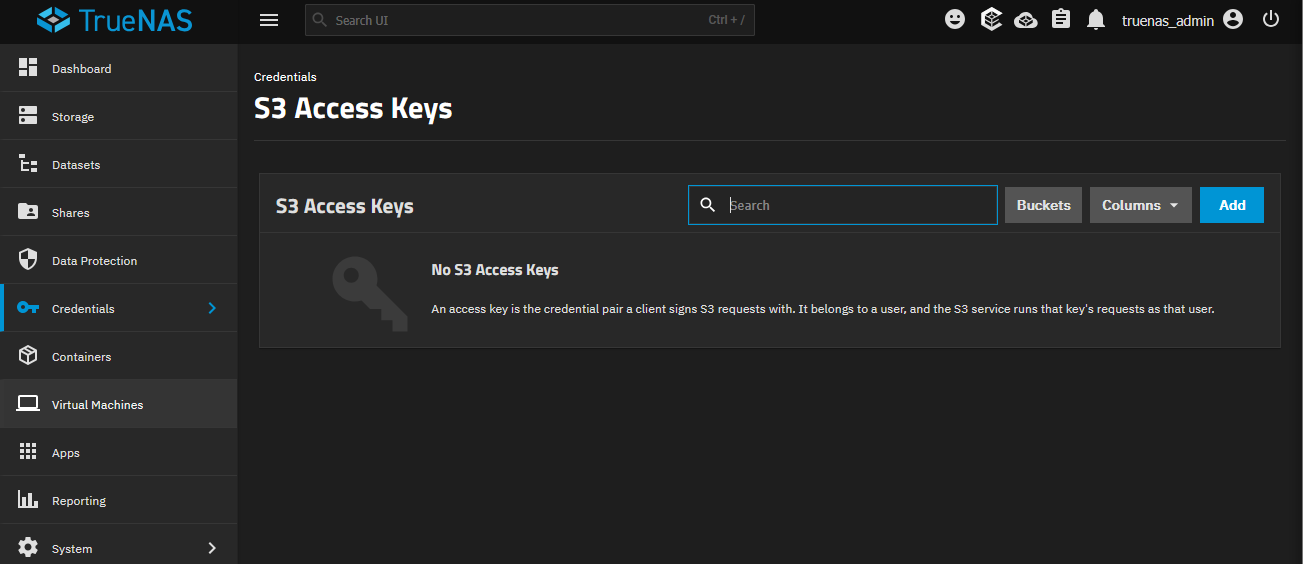
The documented default TrueNAS S3 service listens on port 9000 without encryption. I would definitely configure TLS before connecting PBS. Then, you can verify the endpoint name, certificate, access key, and bucket permissions. Check out the official documentation on this here: TrueNAS Documentation Hub.
I am wondering too about the licensing for the S3 features. While all of the versions will have basic S3 functionally, I am still not sure on all the advanced features depending on the licensing.
2. LXC containers fully supported
This I think is a pretty cool development that now with TrueNAS 27, LXC containers are moving into fully supported territory. This a pretty cool thing to see I think since there are many who want to be able to host a few lightweight Linux environments on their home lab NAS. These are also identified as a supported path for CORE users who may have before relied on custom jails.
Those of us who use Proxmox are familiar with LXC containers as we use them effectively in our Proxmox self-hosted environments and we know that they are a very efficient way to host resources. I am not sure that I would choose since I am running Proxmox to instead host most of my Linux containers on TrueNAS, but again, this gives us options. If you need to host a couple of little services on your TrueNAS box, this will be a great way to do it.
Networking I think may present challenges with this configuration with your LXC containers. TrueNAS documents that it has an automatic bridge option with MACVLAN on the same physical interface not being able to communicate with the host itself. So, there will be some challenges here with networking I think.
3. TrueSearch and WebShare for easier file sharing
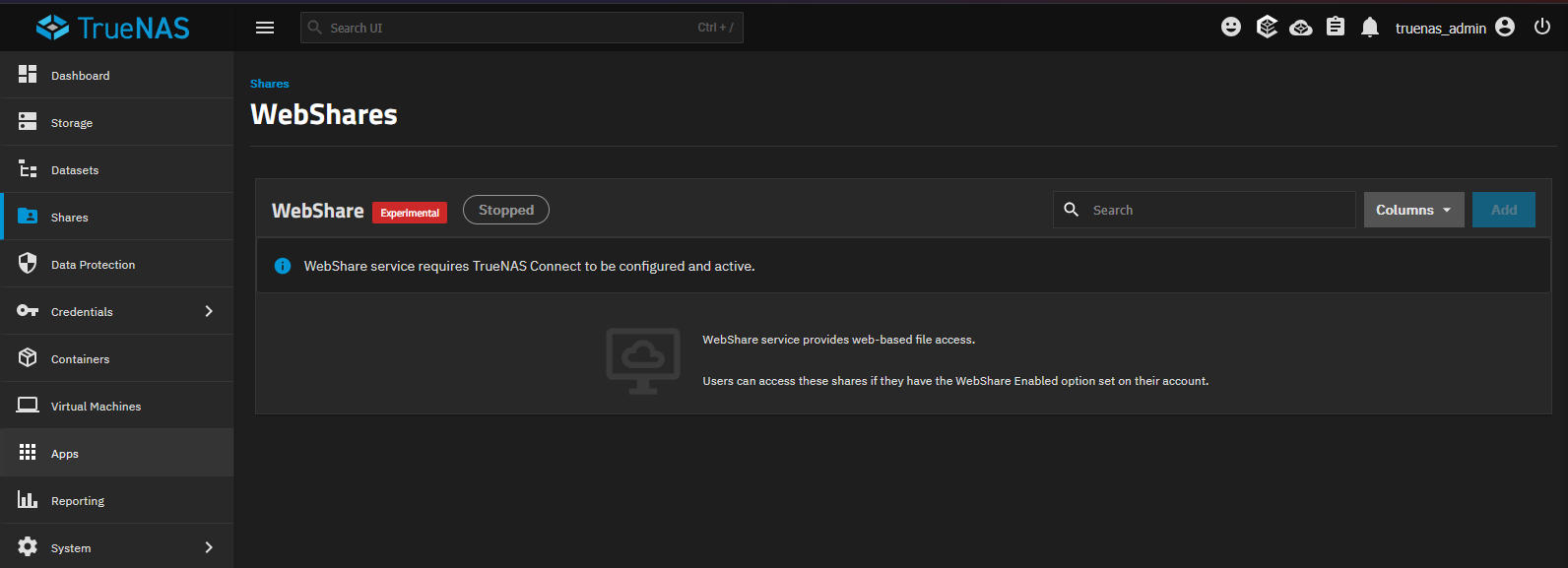
I think a lot about virtualization storage in the home lab, but honestly finding and accessing files is usually what most are using NAS devices for in the home lab in general. The WebShare feature provides browser-based access for users to authenticate to browse, upload, download, and search for files.
You have to use TrueNAS Connect to be configured. TrueSearch adds indexing. This includes file-content search and powers Spotlight search for SMB clients on macOS. The documentation says it excludes encrypted datasets from indexing. Spotlight functionality requires TrueNAS Connect or you need an Enterprise license that has TrueSearch.
I can see the appeal here especially for a home lab that has tons of files you have accumulated. You might have tons of documentation, exported configs, household files, etc. If you are like me, folder names are only remembered so far. A year from now, I usually don’t remember where I saved something.
The WebShare functionality is also interesting. When you configure it, the configuration guide warns you about file access of the same files through WebShare and SMB can cause corruption. Initial indexing is another area to be considered. One of the RC1 current issues notes that TrueSearch indexes in the background without any type of progress indicator. It is also said to consume a large amount of CPU and disk I/O. So, of course, your storage backend is going to be one of the biggest factors here. TrueNAS recommends SSD-backed index storage.
4. OpenZFS 2.4 and Linux 6.18
Two of the changes underneath the hood witht hsi release are OpenZFS 2.4 and Linux kernel 6.18. In terms of the OpenZFS 2.4 upgrade, this includes default user, group, and project quotas. It also gives you the ability to limit scrubs to a time window which is nice.
Also, you get faster encryption times on CPUs that have the AVX2-capable instructions which many modern CPUs have. Write improvements also help to drastically minimize things like fragmentation while you get updated drivers. These driver improvements matter so you get support for things like Broadcom tri-mode HBAs and newer NVIDIA GPUs.
But just know that this isn’t going to make EVERY NAS automatically faster. It really depends on your specific NAS hardware, and which types of workloads you are running and the ZFS pool layout. So obviously spindles are going to benefit differently than NVMe drives.
I think the scrub window features are also interesting. I want to make sure the integrity checks of the scrubs are completing as they need to do regularly. But, it is also really nice to be able to add a background maintenance window so that these operations aren’t competing with my busy workload times.
5. Fusion Pools 2.0 gives us more hybrid storage options
The Fusion Pools 2.0 feature is worth taking a look at I think, even if you aren’t necessarily going to rebuild your storage with version 27. So, what is a Fusion Pool? It combines normal data vdevs with a special allocation class. It typically uses flash for metadata and select small blocks and then uses HDDs to give you the bulk capacity with your storage.
With TrueNAS 27, it expands the available special vdev layouts to include RAIDZ and it adds the ability for the special vdev to be a part of handling the ZFS intent log. So, of course, this gives you the hybrid benefits of having the capacity of HDDs and then the speed of SSDs so that you can have the best of both worlds without having to have an all flash setup.
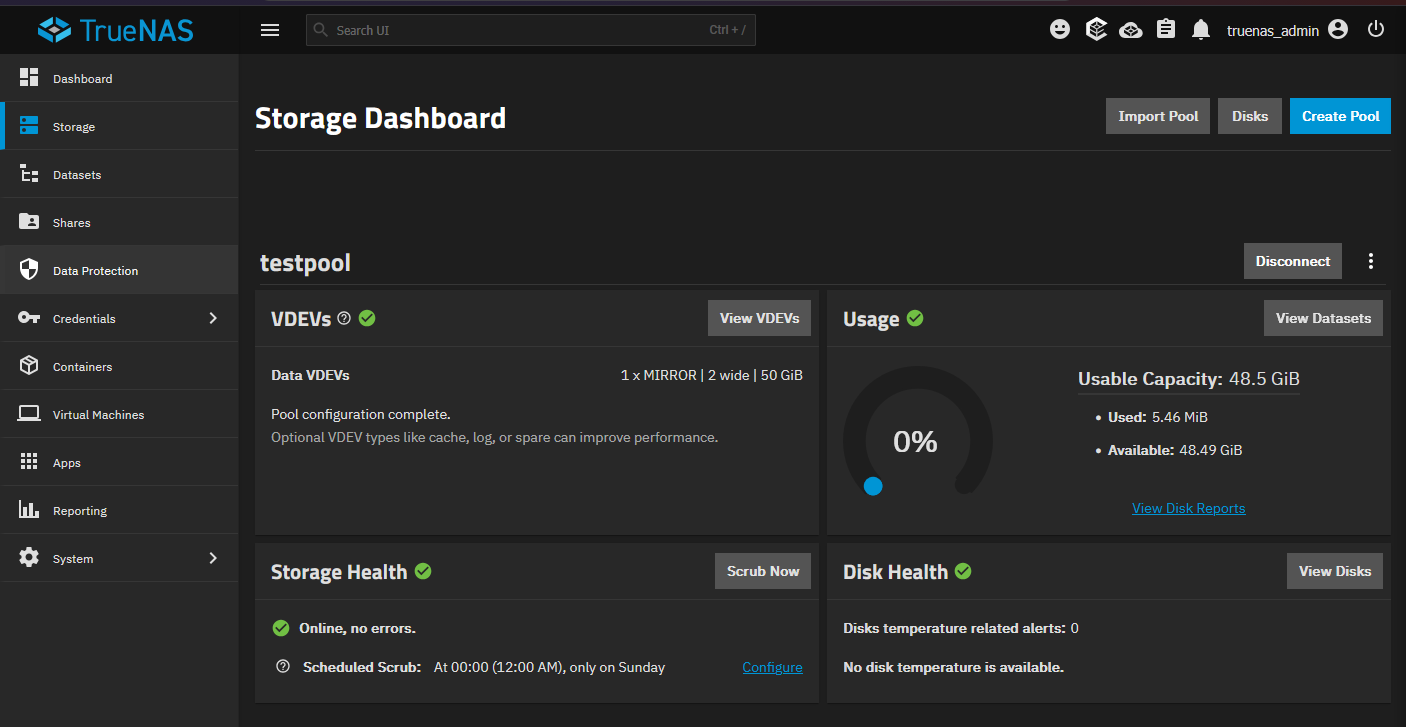
One of the interesting differences though compared to other types of read cache that we have known over the years that is disposable, this special vdev that holds the metadata is not disposable. The TrueNAS docs say the metadata vdevs are critical to your data integrity and require redundancy. Also, you cannot remove a special vdev from a RAIDZ data vdev. Check out their official docs on creating the fusion pool here.
So, be sure with this “devil in the details” to have a plan and don’t treat it as just a quick performance tweak. Make sure you account for redundancy and replacement drives as well as a backup strategy before adding one.
There is also another feature that is called Live Dataset Tiering that is a separate feature found only in the enterprise version. It allows data to be moved between performance and capacity tiers of your data set. So, if you are sticking with Community Edition, don’t plan on having this as part of your capabilities when designing your storage.
Be sure to thoroughly test this
Storage solutions are one area where I take pause on being on the bleeding edge of releases. Usually it takes a while to work on the kinks that are found in a new version of a storage solution like TrueNAS. So, for my “production” home lab, I wouldn’t upgrade to 27 right off the bat, especially a release candidate version.
But, testing this inside a nested VM would definitely be something that I would consider doing in my home lab to get familiar with and check out some of the new features without loading this into production.
Wrapping up
I think the TrueNAS 27 RC1 release is shaping up to be a really great release overall. Especially with features like native S3 compatible object storage as part of the solution, this I think will be a very popular feature to take over from where MinIO has left off. It will help fill a gap that we have had in the home lab with only a few options to cover it. I think once this release is GA and maybe a few patches under it, I would be keen to evaluate using it with Proxmox Backup Server to bolster my data protection scheme. Also, the LXC container support going GA is a big deal to allow us to run LXC containers on our NAS platform to provide even more options for running light Linux services, etc. For now, I am going to continue watching as the release progresses and testing in a test VM. How about you? What are your thoughts on the features of this new release?
More in this topic



Google is updating how articles are shown. Don’t miss our leading home lab and tech content, written by humans, by setting Virtualization Howto as a preferred source.
About The Author
