I have been on a documentation kick lately, especially since there seem to be so many great tools landing on the documentation side of things for Proxmox powered home labs. There is a field in Proxmox that I would dare say is drastically underutilized. It is the Notes field. If you are anything like me, this field is either blank or filled with a random paragraph you typed six months ago and never updated again. Part of what makes it this way is the notes field feels a little bit bland and no real way to spruce them up. But all of this changed though recently when i started using an open source tool called PVE Note Buddy, and it completely changed how I think about documentation inside Proxmox and how information is presented. This is not some massive platform or complicated add-on. It is a small tool that changes how you can format your notes for a VM. Let’s see.
Why Proxmox notes usually get ignored by most
What’s the deal with the Proxmox notes field? Let’s be honest. When we build out our home labs, we get excited about:
- Spinning up new VMs
- Testing new storage backends
- Deploying Kubernetes clusters
- Segmenting VLANs
- Benchmarking Ceph
We are not thinking about documentation in that moment. We tell ourselves we will document it later. Maybe we drop a quick note into the VM. Maybe we do not. The notes field just isn’t that interesting to us historically as there have been flashier ways to document things. However, would it make a difference if we could actually make the notes field cool and actually represent the app the VM is running in a way that is visually appealing and we can actually add useful information to? This is where PVE Note Buddy comes in.
What Is PVE Note Buddy?
PVE Note Buddy is an open source project created by the GitHub developer JangaJones that connects to your Proxmox cluster through the Proxmox API and allows you to manage VM and container notes programmatically.
Instead of clicking through each VM in the web UI and editing notes one at a time, you can standardize, update, and manage them in a more structured way. At first glance, that may not sound revolutionary. But once you think about treating notes as structured data instead of random text, then lightbulbs start going off. You are no longer just jotting down thoughts. You are capturing consistent information about your workloads.
Installing PVE Note Buddy
There is no typical installation process with PVE Note Buddy. The PVE Note Buddy solution is a web tool that is hosted from github.io that gives you access to use the tool and customize the notes field in your PVE environment with the output generated when you create your template of information.
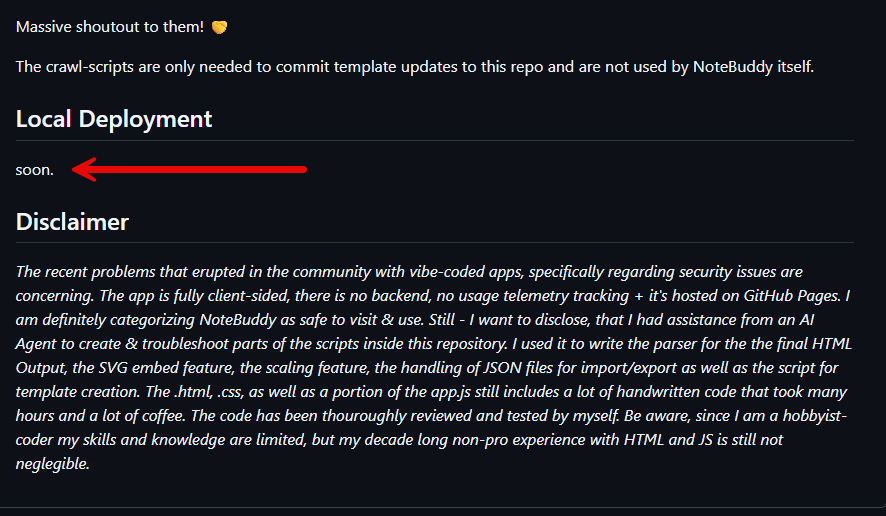
You can access the tool from GitHub here: PVE NoteBuddy. Is there going to be a self-hosted local deployment of the solution? There isn’t much information on the GitHub repo about this officially, but there is a section found in the documentation for Local Deployment that simply says “soon”. So hopefully, this will be something we can even self-host as part of home lab tools and utilities.
Using the PVE Note Buddy tool
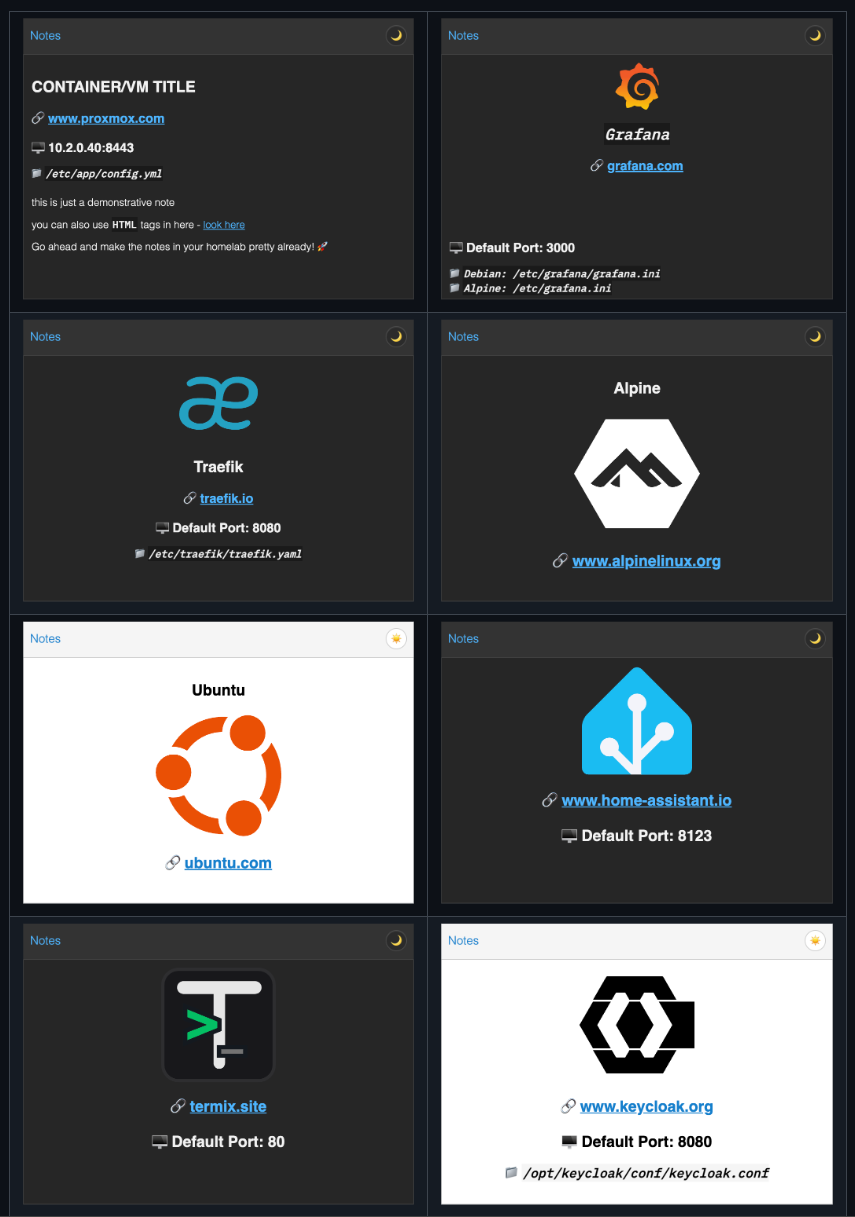
Within just a couple of minutes of playing around with settings on the tool, you will feel comfortable generating your notes output with information you want to include. I think one of the best aspects of the tool is that the developer has hooked it into the community scripts repo and it crawls the curated repo and transforms .json files there into Note Buddy .json files that allow the tool to have 400 templates with service names and their icons, website links, default ports & default config locations which is pretty cool.
You can see these when you click in the search field and start typing a solution name.
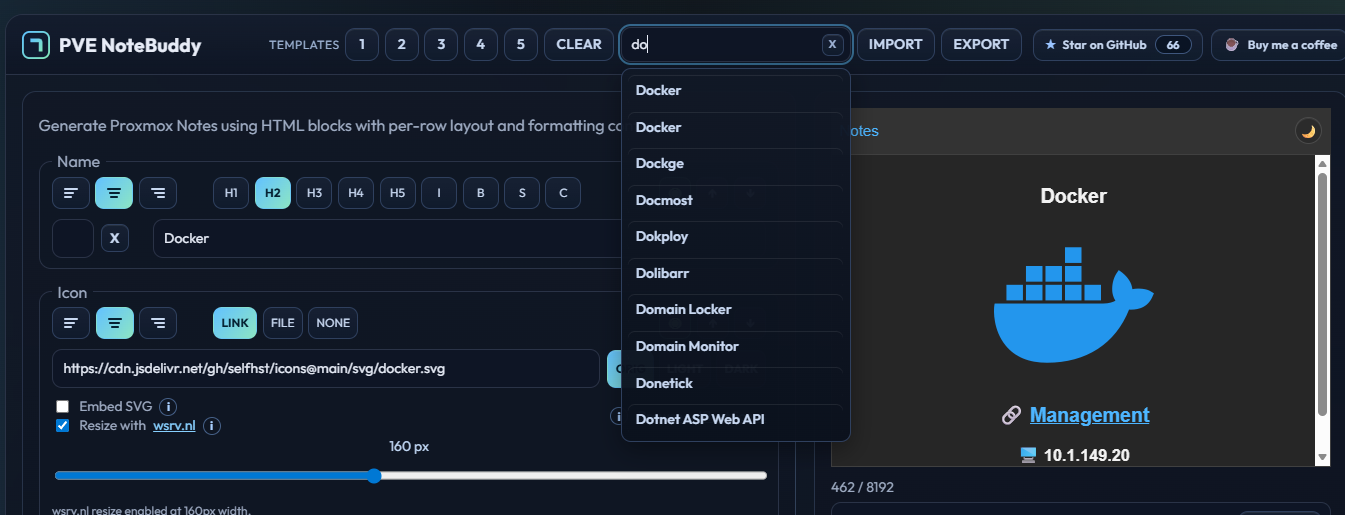
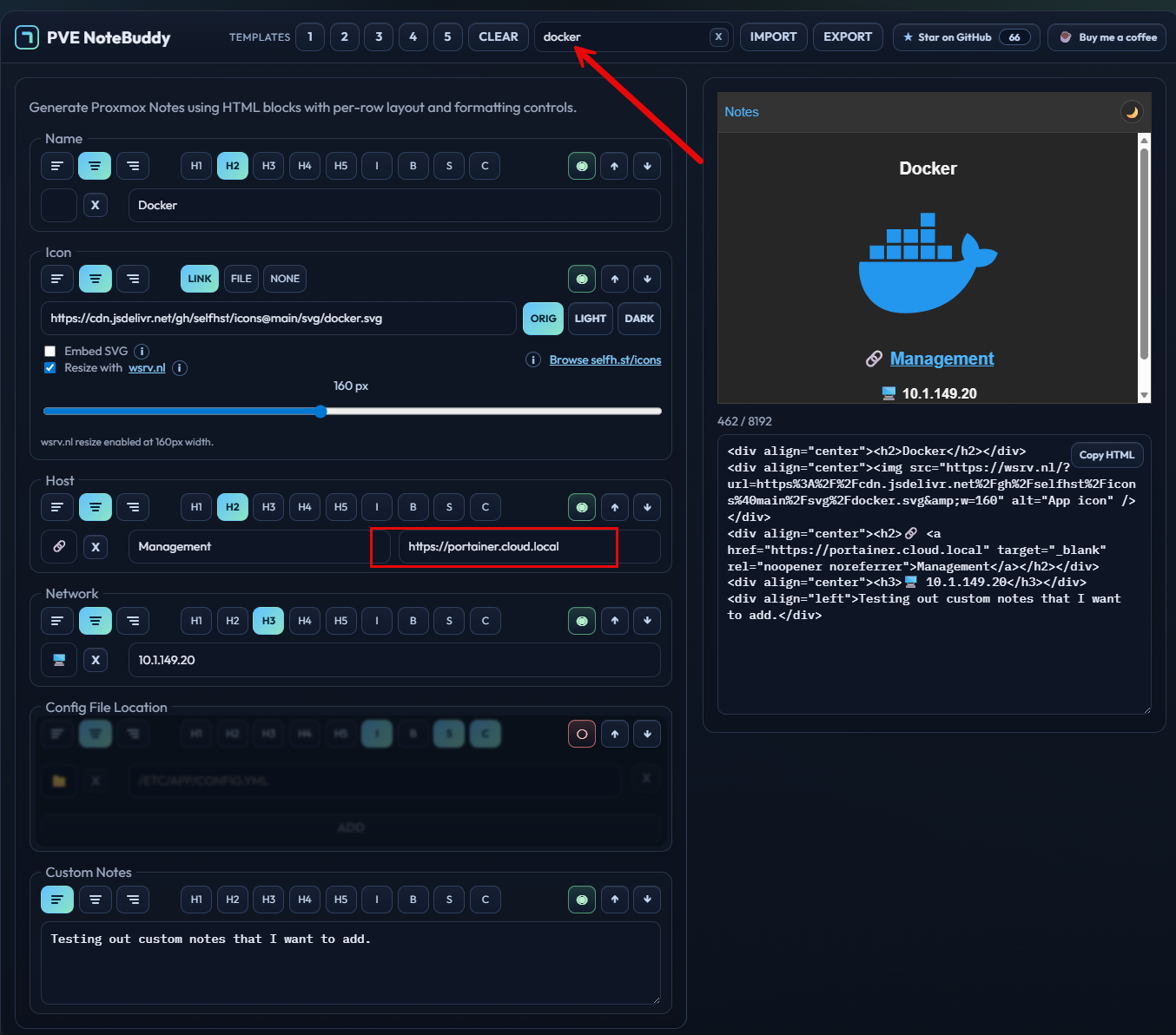
Here is an example of me choosing “docker” for the template and then modifying the host and the link for the host which I am setting to a portainer instance there. Also, I am adding the IP address here and using the custom notes field to add even more information.
Turning notes into structured metadata
The biggest shift for me was realizing that the Notes field can be more than a paragraph and it can have rich formatting which PVE Note Buddy helps with.
For example, imagine every VM in your cluster includes something like this in its notes and you can create templates that absolutely allow you to do this easily.
Environment: Production, Lab, Dev
Primary VLAN: 20
IP Address: 10.10.20.15
Role: DNS, Web, Kubernetes Worker
Owner: Brandon
Created: 2026-02-15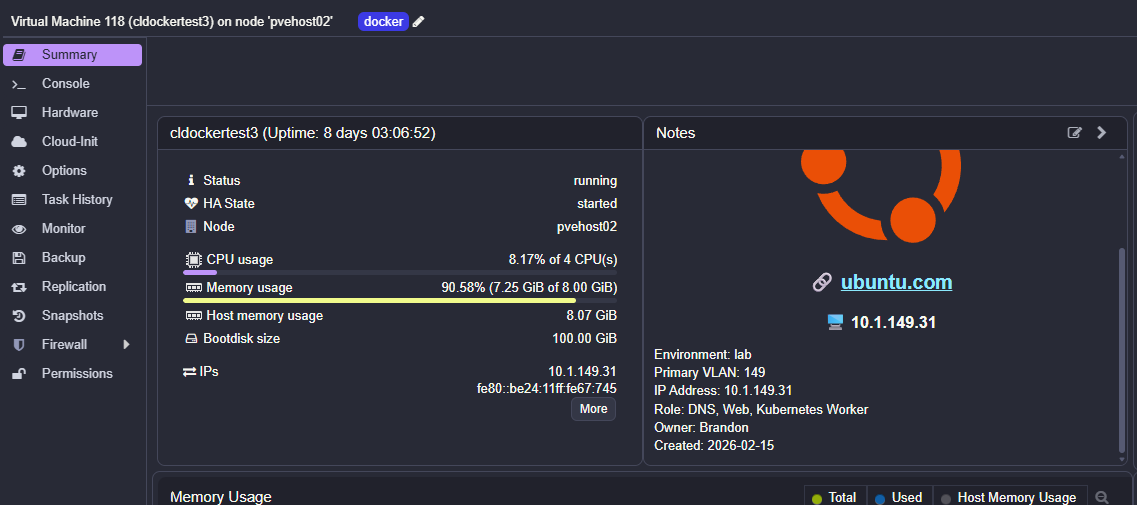
Now when you click into any VM, you immediately see its purpose and context. You do not have to guess or check three different tabs. You do not have to look in your external documentation tools. it is just found right in the notes field in your PVE interface which is right at your fingertips.
PVE Note Buddy makes it realistic to enforce that kind of structure across your entire cluster with all your VM resources. This makes it awesome and goes from “nice to have” to something that is a tool you can rely on every day. Note the following features of using PVE Note Buddy:
- Fully client-side and lightweight
- One-click HTML output ready for Proxmox Notes
- Live preview that matches the PVE web UI
- Large built-in service template library
- SVG logo support with offline capability
- Optional external image resizing
- Native self-hosted icon support
- Structured fields for VM, network, and config details
- Custom section with Markdown and HTML support
- Flexible layout and styling controls
- Import and export your saved templates
Exporting and importing templates
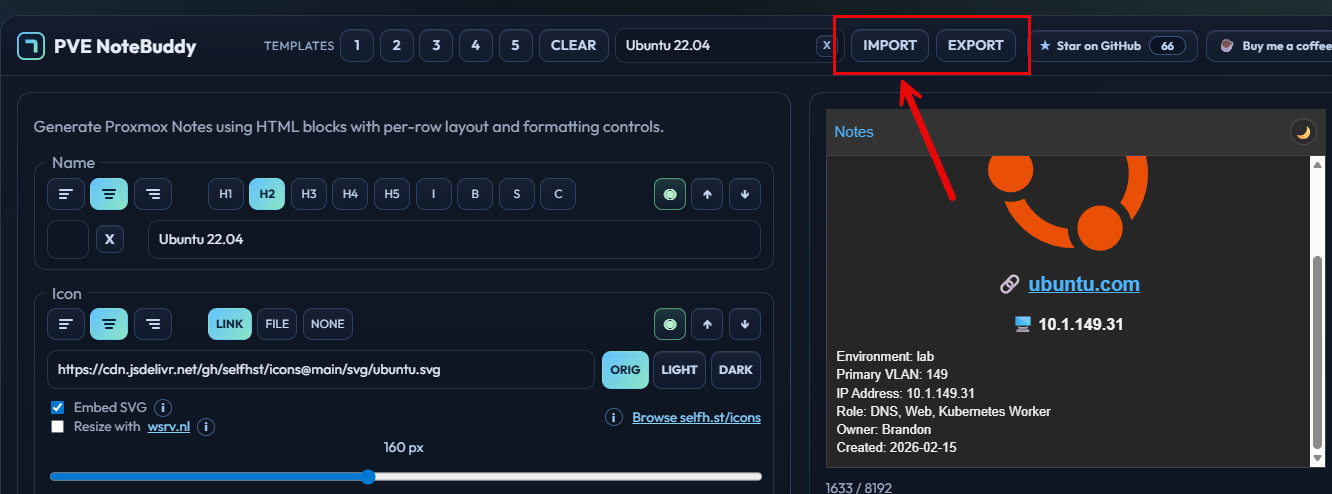
Another call out here I think that is powerful is the fact that you can save your template. When you save a template, you export all the formatting and its current text, etc to a file that allows you to import this and use it when you want to or for another set of VM resources down the road.
Is the tool perfect?
No, I do think it is a little rough around the edges, but it is certainly a tool that is evolving. I think what the developer has done here is pretty neat and definitely a project that is helpful for your PVE home lab and making much better use of the notes field which for most is a pretty neglected tool.
Also, currently, there is no automatic updating of notes in PVE from this tool. I first thought that is what its purpose was, but when it comes down to what it does, it gives you an easy and very quick way to format your notes like you want them to look and it takes the heavy lifting out of bringing in common information like project logos, config file locations, and other general information where this is all right at your fingertips and you don’t have to come up with the formatting and HTML to make it look as good as it does with PVE Note Buddy.
Why not just use an external documentation tool?
Does PVE Note Buddy totally replace your external documentation tools? No it doesn’t and in fact I think everyone should have external documentation stored in git (Markdown, compose code, internal documentation systems, diagrams, etc).
But when you embed the documentation close to where the workload lives, this makes it super useful and reduces friction. If you are like me, have you skipped looking up documentation just because you didn’t want to go through the effort of clicking out of where you are and into another tool and searching for it?
With this, the note is right there with the VM, you don’t have to look it up somewhere else. So, PVE Note Buddy doesn’t replace your current documentation system and probably is not going to be as powerful as that. But I think for the critical details of your environment, it places it right where you can benefit the quickest from that information.
Wrapping up
One of the things that I appreciate about PVE Note Buddy is that it isn’t trying to be everything. It is simply trying to give us a way to better use a very underutilized tool in Proxmox VE Server. I think it solves this problem very well and fits into the Proxmox community ecosystem in a good way.
Also, I think most will appreciate there is nothing they have to install in on their Proxmox VE Server or in their cluster that makes this work. You simply copy and paste information into the Notes field which is nice. Now, would it be incredibly cool if there were a way for the tool to be told to dynamically update the notes filed in Proxmox based on tags or VM names? Yes that would be very cool, but not until we can self-host the solution in the home lab. What about you? Have you tried PVE Note Buddy yet? Are you currently using the notes field? Would this be something you would try with this solution?

Google is updating how articles are shown. Don’t miss our leading home lab and tech content, written by humans, by setting Virtualization Howto as a preferred source.
About The Author