


Over he past couple of years now we have been seeing a paradigm shift in how we think about our home lab environments. I think the Broadcom buyout of VMware was a catalyst that possibly needed to happen to help move us forward from being so tied to the underlying hypervisor. We love our favorite hypervisors, but at the end of the day, applications and actually hosting things we can consume is the whole point. This is why I think as we look ahead into 2026, containers are going from “nice to have” to “central pillar” of our home lab environments. And, this is becoming less about the hypervisor and more about the containerized applications themselves. Hypervisors are not going away, but there is a “gravity shift” as containers are becoming the primary workload for the home lab in 2026. Let’s look at containers vs hypervisors in the home lab and why it is important this year.
Hypervisors are still important but not as much
Hypervisors like Proxmox, VMware, Hyper-V and others have been the backbone of home labs for years. By running virtual machines on them, they give you the ability to abstract your virtual resources from the hardware. This gives strong isolation, and mobility for your guest operating systems, and a familiar management model. That does not suddenly stop being true.
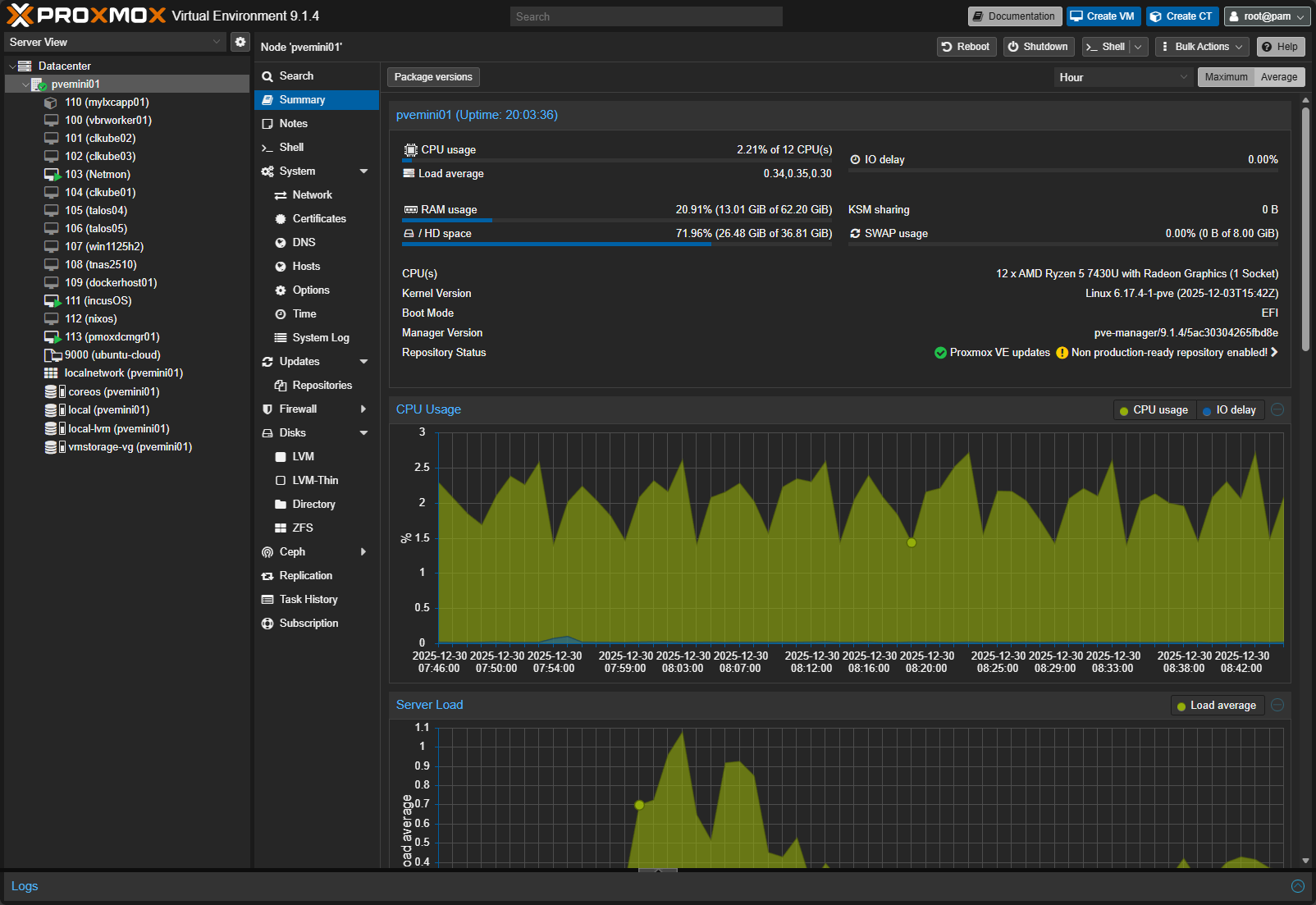
What has changed going into 2026 is where we are placing our focus. In many modern home labs, virtual machines and hypervisors exist primarily to host containers. A VM runs Linux, Docker or containerd gets installed, and all real work happens in containers on top of that VM.
The reason I am framing this as containers will matter more than hypervisors and not virtual machines is that I think we have lumped the two together for so long. And, for so many years now, we have over obsessed with which hypervisor we are running and every bell and whistle of the hypervisor we are running. By running containers, over time, the hypervisor becomes more of an afterthought than the thing you necessarily interact with day to day. It becomes basically a layer that we don’t even think about any longer and spend more time in our container management tools.
So don’t obsess over which hypervisor you are running. The point is run one that allows you to run containers. Learn containers and the orchestration around those and it no longer matters if you are running VMware, Proxmox, XCP-ng, KVM, Hyper-V, etc.
Containers have become more important than ever
If you are like me as a modern home labber, you are not trying to replicate the classic enterprise virtual machine sprawl anymore. For me and I think many others, the modern home lab is a platform services, applications, DevOps, automation, testing, and learning. Container are aligning with those objectives more strongly than ever now.
If you have noticed, when you want to deploy a new service today, chances are the documentation starts with a Docker Compose file or a Helm chart. That applies to monitoring, logging, AI tooling, CI systems, dashboards, and home automation platforms. The container is THE delivery format.
Containers also support the mindset that matches how most I think use their home lab. You spin things up quickly, test them, tear them down, and try something else. Virtual machines are extremely heavy in comparison. Even with templates and automation, a VM still takes a much longer time to spin up and maintain than a container.
When you are experimenting with new things, this approach of using containers is much more efficient. Trying five new tools in a weekend is far easier with containers than with five full virtual machines.
High priced hardware and RAM shortages are pushing us more to containers
If your home lab is like mine, home lab hardware in 2026 looks very different than it did even a few years ago. Mini PCs, NUC-style systems, and small form factor servers dominate most of our labs. These systems are powerful but are often more limited in memory capacity than true enterprise servers.
Memory capacity and density has always been a huge part of virtualized environments. We have always typically ran out of memory before CPU I would say in 95% of cases. Running ten VMs with full operating systems eats RAM quickly. Running ten containers uses a fraction of that memory. And now, when you factor in that RAM is now become a luxury item with AI data centers swallowing up all of the available supply, this has quickly become even more in focus.

Power efficiency matters more as well. Containers start faster, idle lighter, and avoid duplicated OS overhead. On always-on home lab systems, that difference shows up on your power bill over time.
Also, hybrid CPUs that are common in mini PCs with performance and efficiency cores, along with ARM-based systems, are becoming more and more common in home labs. Containerized workloads usually adapt better to these environments than traditional VM-heavy setups in my experience.
The container ecosystem is progressing along much more than VM ecosystem
In 2026, the container ecosystem (containers, containerized solutions, container tooling, etc) simply offers more options than the VM ecosystem. This isn’t a comparison of “what’s better” unilaterally, but it shows where the focus is and what is primarily important for development, applications, etc.
Most new open source projects assume containers as the default deployment model. Documentation, updates, and examples are container-first. VM images, if they exist at all, are often secondary.
Tooling around containers has also matured significantly. There are now numerous tools around container observability, logging, security scanning, and image automation. Think about tools like:
- Portainer
- Komodo
- Dockge
- Arcane
- Logward
- Loggifly
- Pulse
- Gitea
- GitLab
- Trivvy
- and many others
The container ecosystem is deep and growing. Many of these tools are built by people running the same kind of small clusters and home labs that we are.
Kubernetes is not just an enterprise or cloud skill but also a home lab skill
I still see this mentioned from time to time that Kubernetes is overkill for a home lab. This may be true as a general statement. However, I think in 2026 and beyond this is holding less and less weight as a true statement.

Even though it is still a very complex system, Kubernetes and lightweight distributions have gained a lot of tooling that makes it much easier than it used to be to run on small hardware environments. Tooling, documentation, and now the help of AI can help most of us succeed in running a Kubernetes cluster at home.
There are many great solutions you can use in the home lab like Mikrok8s and Talos Linux Kubernetes. You can also use Sidero’s Omni in the home lab as well, which lets you manage multiple Talos Linux clusters.
Check out my post on self-hosting Sidero’s Omni here: How to Install Talos Omni On-Prem for Effortless Kubernetes Management.
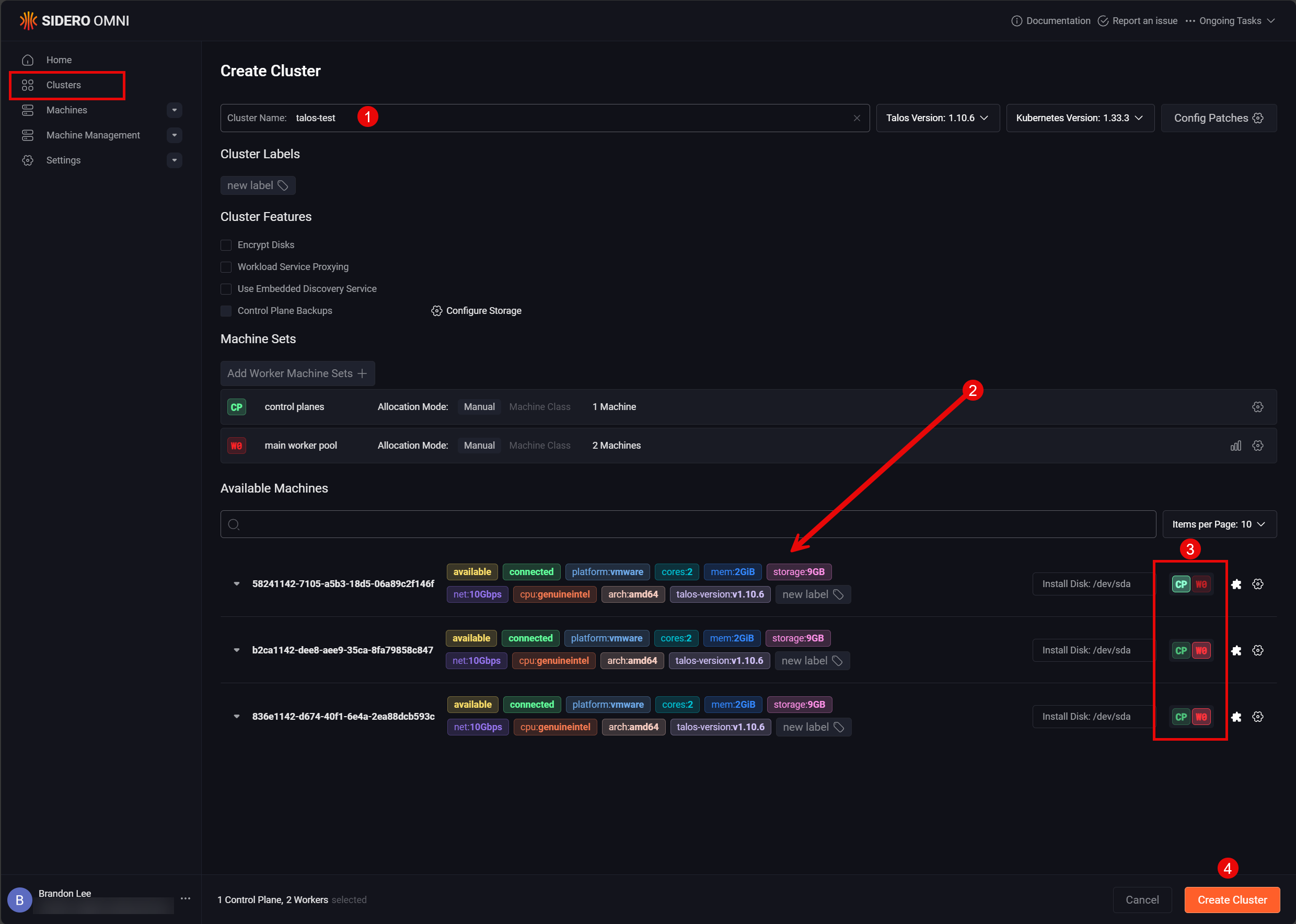
So, do yourself a favor, and learn about pods, services, ingress, and persistent volumes and how these relate to Kubernetes. Spin up a small Kubernetes cluster or even a single node cluster (think Minikube or use Docker Desktop) to start getting familiar with Kubernetes in general. It also helps you out when looking at cloud-native infrastructure, whether you are using Kubernetes directly or not. Many platforms are now building Kubernetes concepts into their own systems, blurring the line between “Kubernetes lab” and “container lab.”
You do not need to run a massive cluster or chase certifications. But having hands-on familiarity with Kubernetes in a home lab is getting more and more valuable, not only for learning but also for running and self-hosting real services.
Containers encourage DevOps and Infrastructure as Code
One of the best skills you can develop right now is DevOps skills using infrastructure as code. Containers nudge you towards those habits. They allow you to start getting familiar with Git as you can start storing your Docker Compose in Git and then start learning GitOps.
My suggestion for anyone wanting to get started is to focus on project based learning. Take something that you run in a virtual machine environment and then get it into a container. Learn how to take your data and reconnect it to a persistent volume in Docker
Take an example of a project I recently worked on getting my DNS config for Unbound in code and using a CI/CD pipeline to push changes to my server. Read my post on that here: I Now Manage My DNS Server from Git (and It Changed Everything).
When your services live in Compose files, Helm charts, or manifests, another benefit is rebuilding your environment becomes easier. You stop relying on specialty servers (snowflakes) and start treating your lab as code. That mindset pays off when hardware fails, when you migrate systems, or when you want to document your setup for others. Your Git repos are basically your documentation.
Security is no longer a deal breaker
One of the common arguments you see against containers are the weaker security isolation compared to virtual machines. It is true that containers share the host kernel of the Docker container host. However, container security has drastically improved compared to what it was back in the old days.
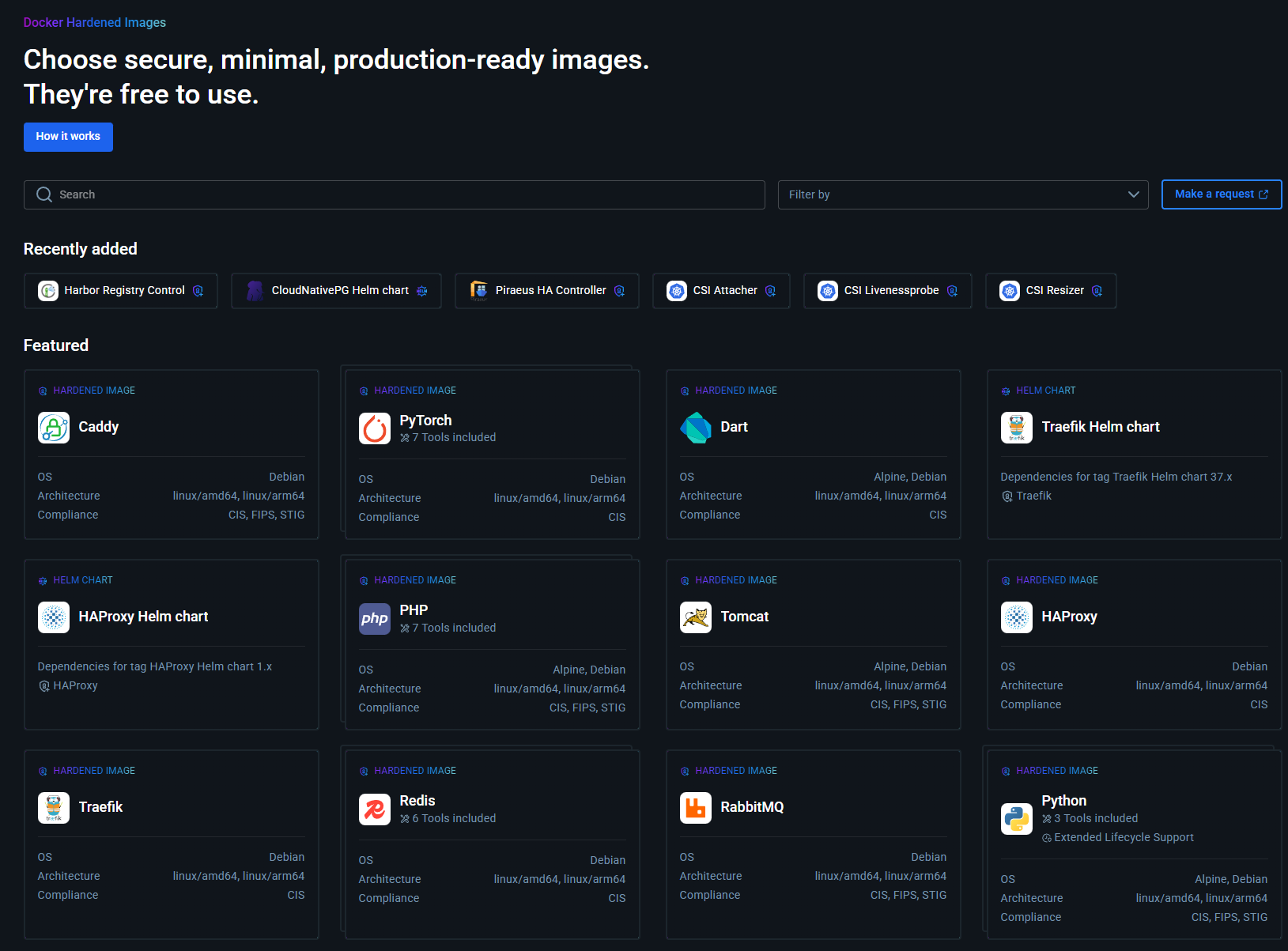
Docker has recently made the Docker Hardened Images available to everyone for free. These are a new type of image that are scanned and secured by Docker and, importantly, maintained by Docker to take the heavy lifting from your shoulders to maintain. See my forum post about that here: Docker Hardened Images.
With containers, we also have things like namespaces, cgroups, seccomp profiles, and rootless containers. These all help as well with better isolation. For most home lab workloads, the practical risk difference between a container and a VM is far smaller than it used to be.
More importantly, many services do not justify the overhead of a full VM from a threat model perspective. Running your dashboard, monitoring stack, or internal automation tool in a VM often adds complexity without improving security.
In 2026, the decision is less about “containers are insecure” and it is more about choosing the right level of isolation for each workload.
Hypervisors are becoming container-native
Proxmox has long been a great hypervisor when it comes to running containers. As we all know, it has natively supported LXC containers for a long time. However, as of recently with the release of Proxmox VE 9.1, Proxmox supports running native OCI container images. Now, these are first-class features in Proxmox and the hypervisor is really more of a resource manager.
See my full write up on Proxmox VE 9.1 and the new features and capabilities around OCI containers: Proxmox VE 9.1 Launches with OCI Image Support, vTPM Snapshots, and Big SDN Upgrades.
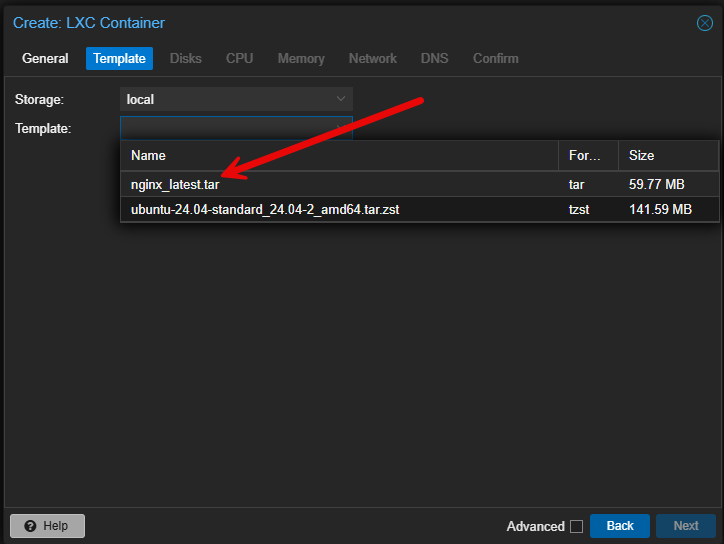
Proxmox is definitely making it much easier to adopt containers and is a great example in this containers vs hypervisors in the home lab discussion. You can run both VMs and containers side by side and use each where they make sense.
AI workloads work really well with containers
AI is becoming an undeniable service that most are at the very least thinking about running in their home lab if they aren’t already running it. I have written quite a few posts on this topic. Local AI solutions work very well with containers. With Proxmox, you can easily pass through the GPU to an LXC container for something like Ollama.
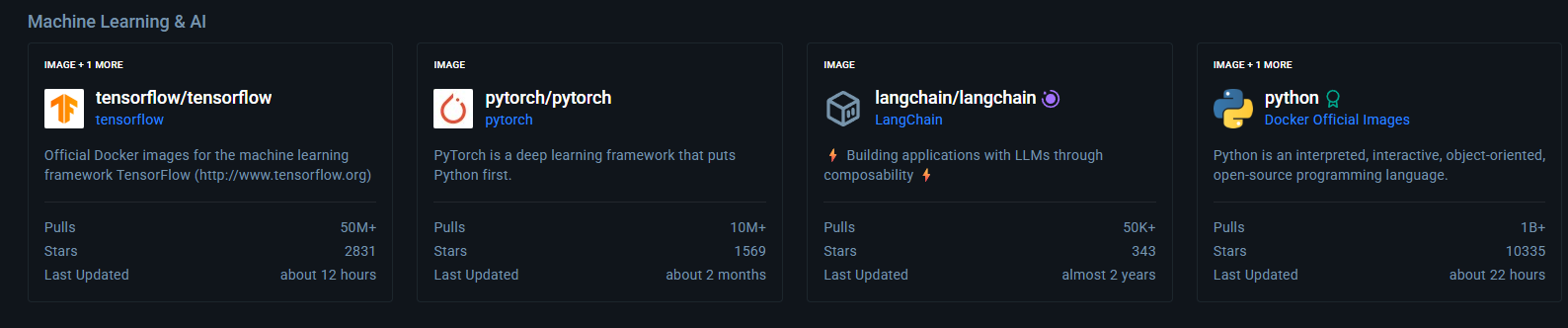
Also, there is the new Docker Model Runner solution that is built right into Docker desktop that absolutely makes running AI models extremely easy. You can pull down models as easy as you can pull down new container images.
GPU-enabled containers, versioned images, and reproducible environments make experimentation far easier than building custom VM images. Many AI tools are distributed as containers by default as well. Check out my full walkthrough on GPU passthrough into Proxmox LXC containers here: How to Enable GPU Passthrough to LXC Containers in Proxmox.
What this means for your 2026 home lab strategy
Take a look at a few thoughts on what this all means for our home labs in 2026.
| Home lab area | Focus for 2026 | Why it matters |
|---|---|---|
| Overall Strategy | Design your lab with containers as the default and hypervisors as supporting infrastructure, not obsessing over necessarily which hypervisor you are using. Although Proxmox is a super strong choice I think | Containers are where the magic really happens any way and running the right containers and container tooling makes a bigger difference |
| Hardware Buying Decisions | Prioritize memory efficiency and fast storage over raw VM density potential. Fast networking is important as well | Containers use fewer resources and benefit more from fast I/O and efficient RAM usage |
| CPU and platform choice | Look for CPUs and platforms that handle mixed workloads and power efficiency well | Container workloads scale and benefit from efficient cores and lower idle power draw |
| Skills to focus on learning | Focus on container tooling, basic orchestration concepts, and infrastructure as code | These skills transfer across Docker, Kubernetes, cloud platforms, and modern on-prem environments |
| Virtual machine usage | Use VMs for workloads that need strong isolation, or you need legacy OS support, or special drivers | VMs still add value, especially as container hosts but no longer need to host every service by default |
| Container usage | Run most applications, services, and tooling as containers | Containers are faster to deploy, easier to manage, and more simple to reproduce or migrate |
| Lab architecture | Keep designs simple and modular, favoring declarative configs over manual builds | Simple architectures are easier to maintain, rebuild, and document over time |
| Long-term maintenance | Treat your lab like code with versioned configs and repeatable deployments | This reduces drift, helps in recovery, and makes your lab experiments easier |
Wrapping up
I think we are seeing the dawn of cloud-native infrastructure everywhere. With RAM pressure sitting on top of us like a lead weight, running workloads as efficiently as possible is going to be the important aspect of modern home labs in 2026 and beyond. Who knows if the RAM shortage will lift any time soon. But, we do know that we can run our workloads as efficiently as possible. This will also I think help us to improve our skills in resource management and efficiency tuning. With the thought of containers vs hypervisors in the home lab embracing containers full on doesn’t mean that you totally abandon what you know. It means that your approach will evolve and match where things are headed. What about you? Are you looking at spinning up more containers in your home lab in 2026? What containerized projects are you currently working on or will be working on?

Google is updating how articles are shown. Don’t miss our leading home lab and tech content, written by humans, by setting Virtualization Howto as a preferred source.
About The Author



Man I am hard and heavy getting things over to containers already so this post strikes a chord. I have a lot of my apps containerized right now but need to press on with the rest. Great post!