


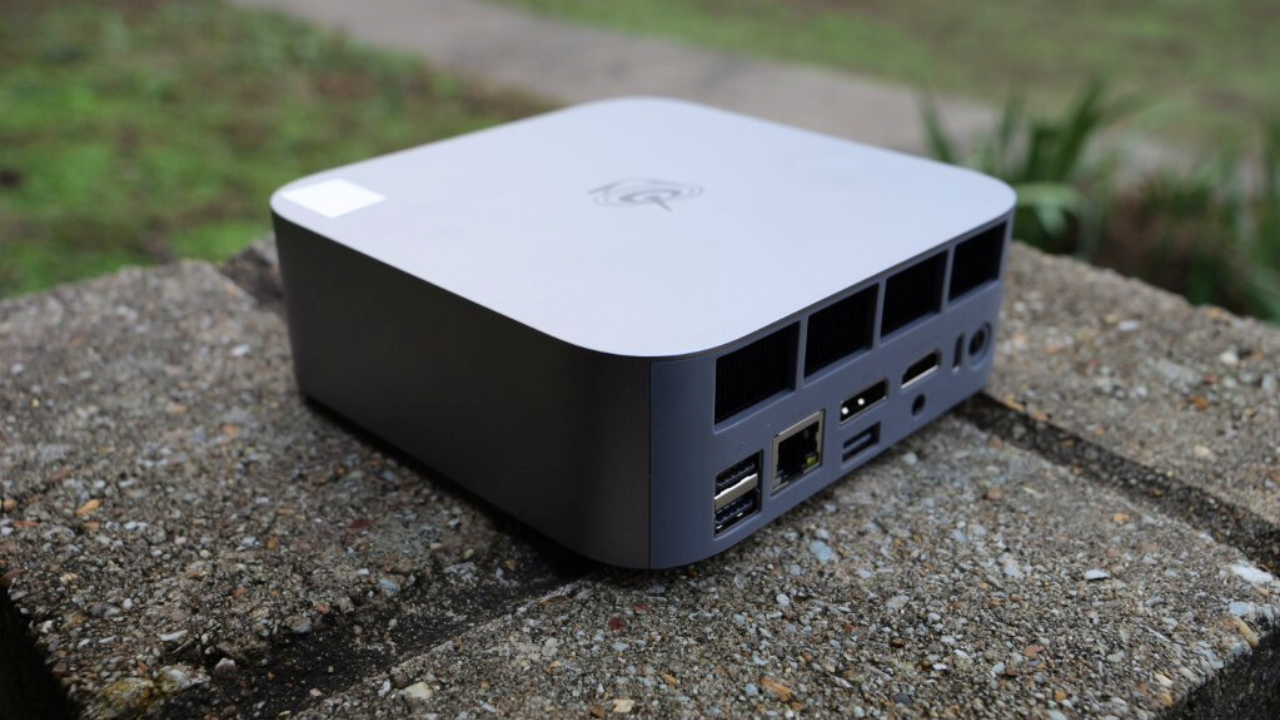
We are always looking out for great little mini PCs for the home lab that have the capabilities we expect and great features to self-host workloads. Beelink sent over a review unit of the Beelink SER9 Max for me to review. While I did get the review unit for free, this is not a paid review otherwise and my thoughts and opinions are my own. Let’s dive into a review of the Beelink SER9 Max and see how this stacks up as a home lab server running your self-hosted workloads.
About the Beelink SER9 Max
Typically I have liked the Beelink mini PCs that I have had my hands on in the past. They are great little mini PCs in general with good features and performance. The new Beelink SER9 Max variant is an upgrade over the SER8, not so much in terms of processor, but in terms of networking. This is what I think is the big story here, 10 gig networking.
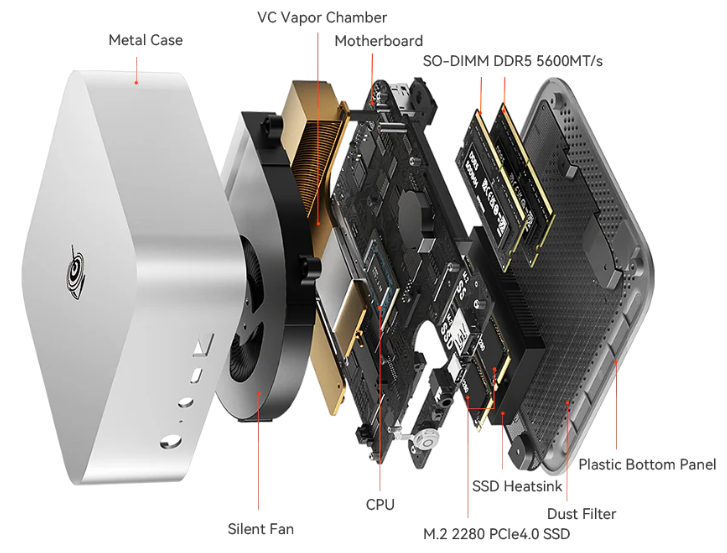
It also has a redesigned cooling system according to the information about the SER9 that also has the benefit of being quieter compared to previous SER models. So, I was looking forward to getting into a review of this one with the capabilities it offers.
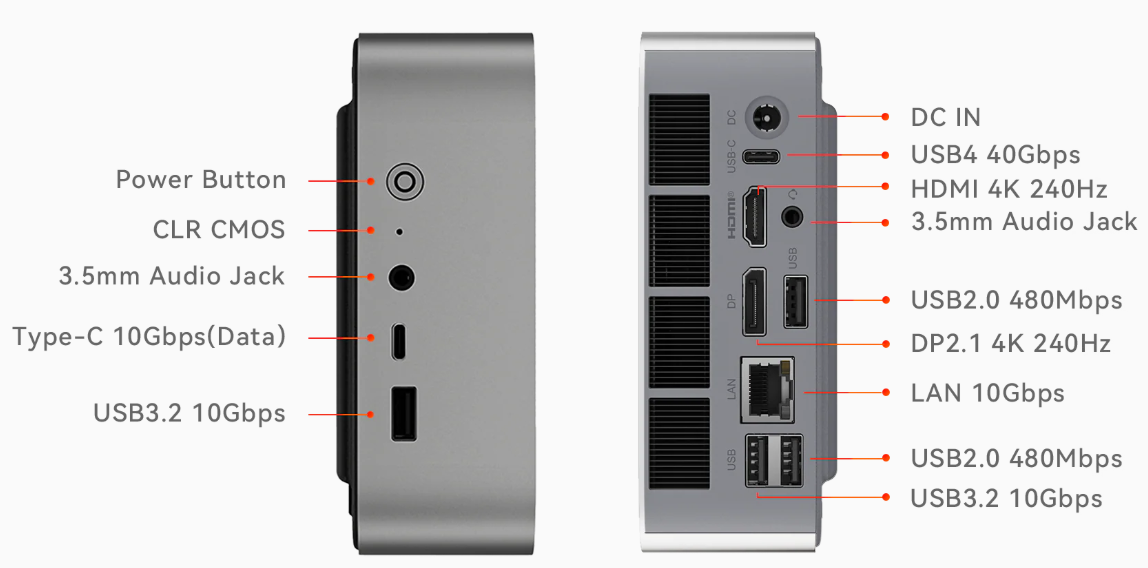
Below is a look at the I/O connectivity on front and back:
SER9 Max CPU
The biggest internal change comes from the jump to AMD’s Ryzen 7 H 255 processor. While the Ryzen 7 H 255 is a newer processor, it is not a pure benchmark upgrade over the Ryzen 7 8745HS found in the SER8. In synthetic CPU tests, the SER8 still holds a small lead in both single core and multi core performance. Take a look at the cpu benchmarks below from Passmark: AMD Ryzen 7 H 255 vs Ryzen 7 8745HS [cpubenchmark.net] by PassMark Software.
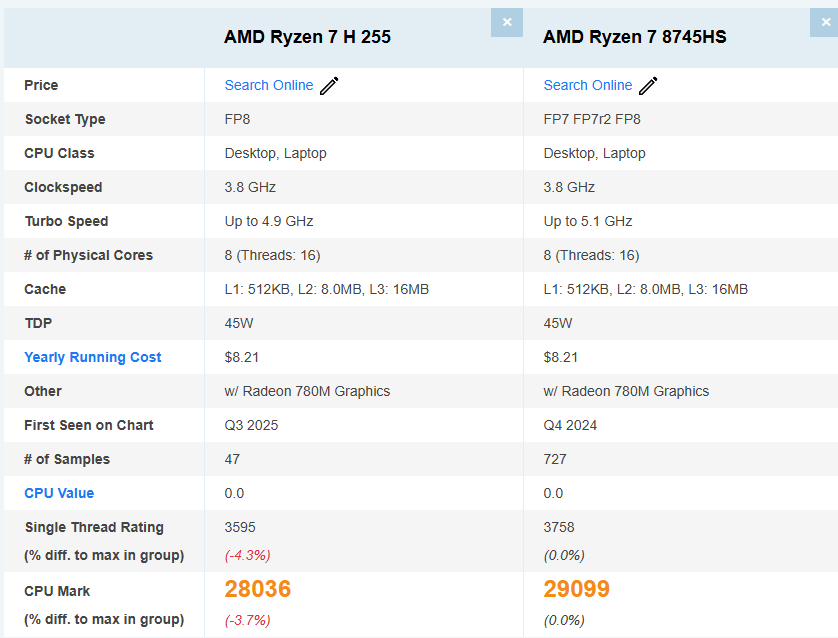
However, the newer architecture and better cooling will pay dividends for those who want to run this as a home lab server in their environment. So again, not a major upgrade in raw benchmark numbers CPU-wise, but more an upgrade in architecture and a newer platform.
Built-in 10 gig networking
I think the big story with this little mini PC is that it features a full 10 gigabit port. So, you are getting an upgrade from the 2.5 GbE port on the SER8 to the 10 gig port. To be honest with what we are still seeing in models of mini PCs coming out late 2025, 10 gig is still not something you see a lot. It feels more like manufacturers have settled on 2.5 gig as the new standard for mini PCs, but 10 gig is still only found in a few models.
What are the advantages of having 10 gig in this mini PC?
- You can use it as a fast Proxmox or VMware ESXi host that can benefit from the 10 gig speed of the network port
- You could use it as a high throughput NAS front end or file server
- Using it as a Docker or Kubernetes node will benefit from the increased benefit to move around larger container images quickly as well as backups
- You could use it as a caching or database node where network bandwidth matters
- Also, Jellyfin or Plex will benefit in being able handle large 4K streams with no network bottlenecks
One of the cool things about the SER9 Max is that the 10 gig port will down speed to 2.5 GbE. This is great as many of the 10 gig cards out there, will only do 1 Gbps or 10 Gbps only, not anything in between. So, it will still do 2.5 Gbps if you haven’t yet upgraded to 10 gig which is nice.
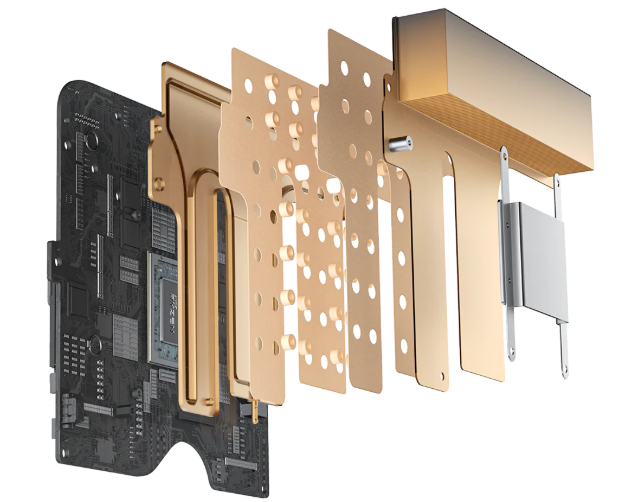
Upgraded MSC 2.0 cooling system
The SER9 Max has a new MSC 2.0 cooling system as described by Beelink that uses a vapor chamber heat spreader instead of a traditional heat pipe design. Vapor chambers help to dissipate more heat across the surface area of the cooler to help prevent hotspot buildups. Also, this has the trickle down effect that the fan needs to ramp up less often. In my testing, the unit was very quiet, so no issues there.
Storage and Memory Support
The SER9 Max supports PCIe 4.0 NVMe storage. The PCIe 4 drives are much faster than PCIe 3.0 which is still found in many of the mini PCs on the market. having a PCIe 4.0 NVMe drive makes a tremendous difference.
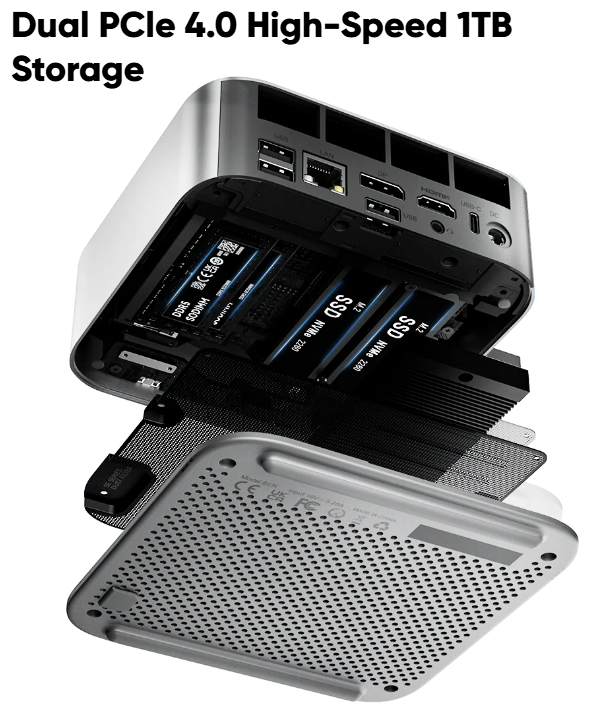
The configuration inside the SER9 Max includes fast NVMe storage and DDR5 memory modules. This means you could theoretically max it out at 128 GB of RAM with the latest DDR5 modules. However, with today’s prices, you might not want to do that, unfortunately.
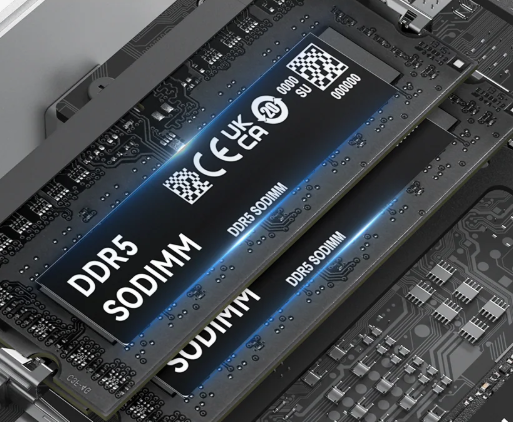
These hardware specs work well with the Ryzen 7 H 255 processor to give it an overall feeling of being quick even running multiple applications and services or running as a hypervisor for the home lab running something like Proxmox.
Triple display output for workstation use cases
One good feature of the SER9 Max is that it supports triple displays. You have the output from the HDMI, Display port, and the USB-C port. So you can turn this into quite a powerful productivity PC if you want to stick with Windows or load your favorite desktop Linux OS.
It has good GPU performance using the integrated Radeon graphics for general desktop use, video playback, and light creative workloads. Beelink says that it can “effortlessly handle AAA titles and meet various gaming needs. Smooth Performance for Running AAA Titles…High frame rates, high graphics quality, and high resolution provide you with an immersive gaming.”
For anyone who needs a workstation that can also double as a home lab testing machine and lighter gaming, the SER9 Max I think strikes a good balance between size, power draw, noise profile, and performance.
Unboxing the Beelink SER9 Max
Below are a few pics of the Beelink SER9 Max unboxing. This is after I removed the plastic from the box and just removed the top lid.
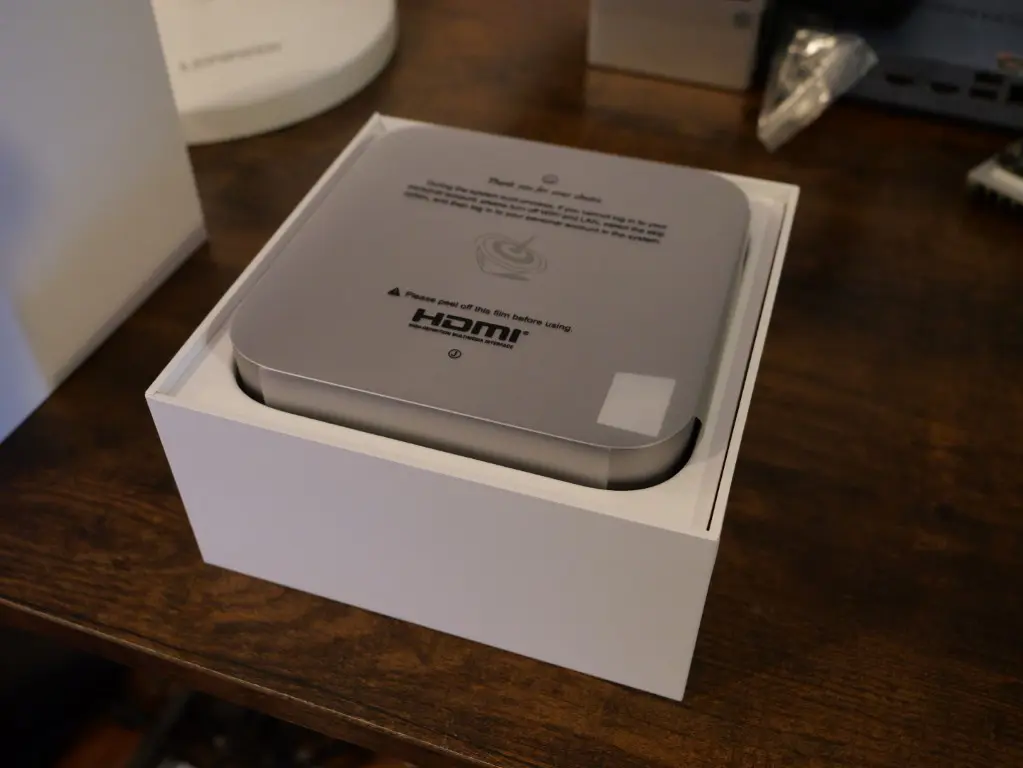
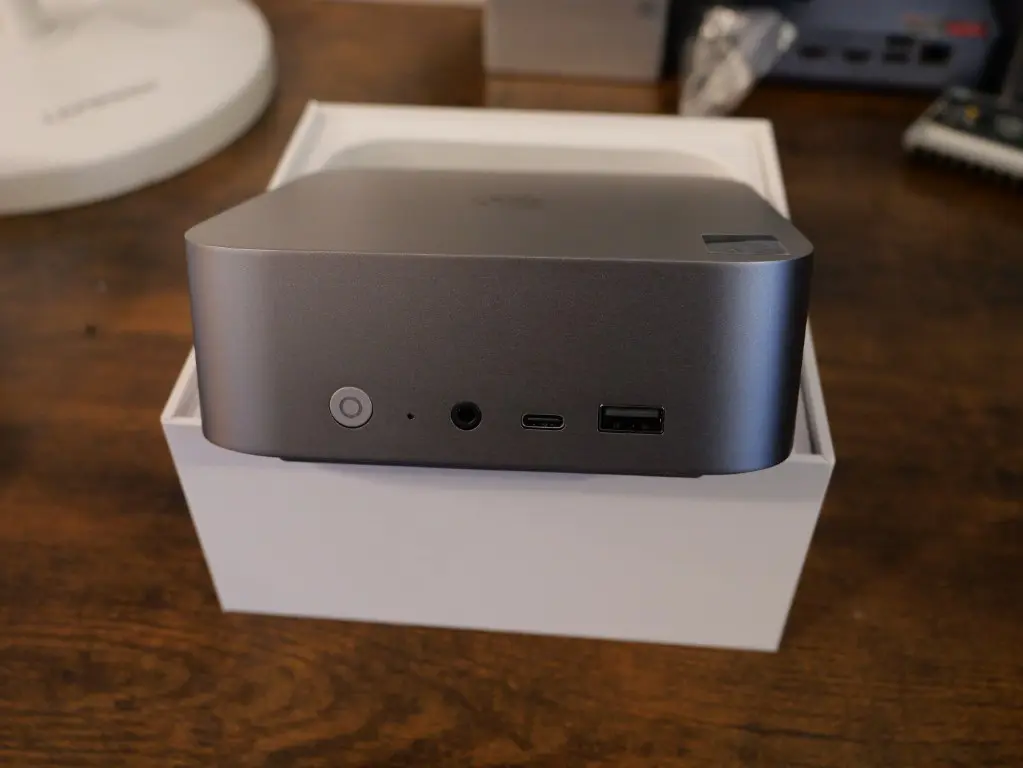
After unwrapping the plastic from the SER9 Max. Here is the front side of the unit. You can see the USB-A and USB-C along with headphone jack and power button.
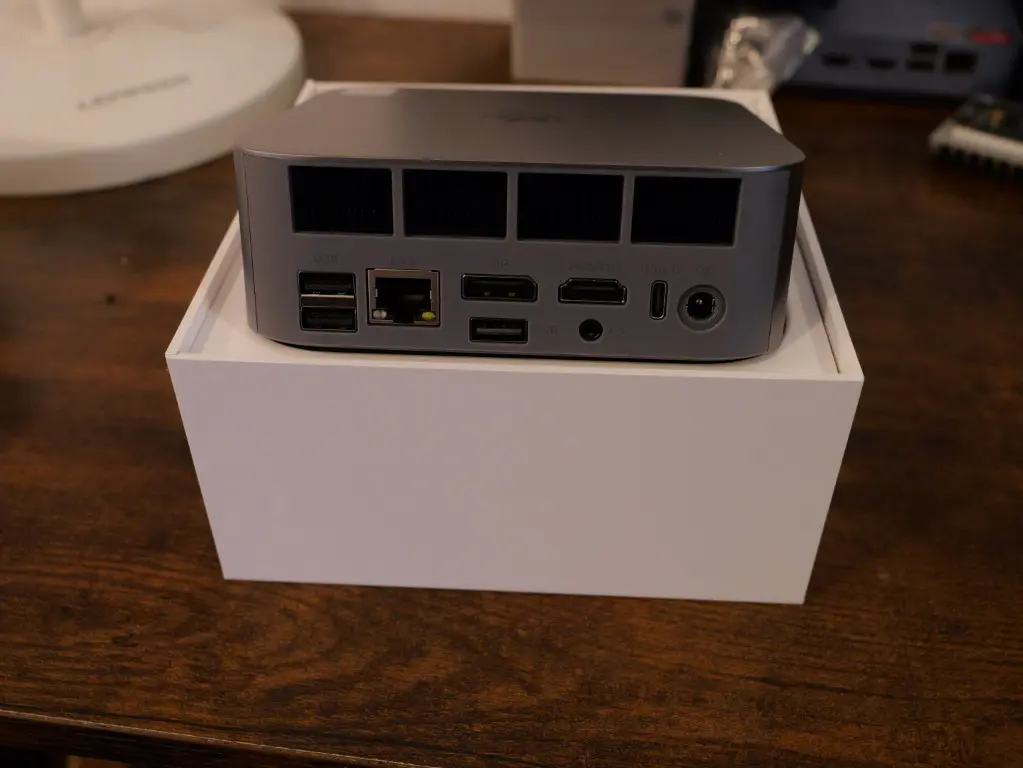
On the business end of the SER9 Max, you see the back I/O, USB-A, 10 GbE port, display port, HDMI port, USB-C, and the barrel adapter for power.
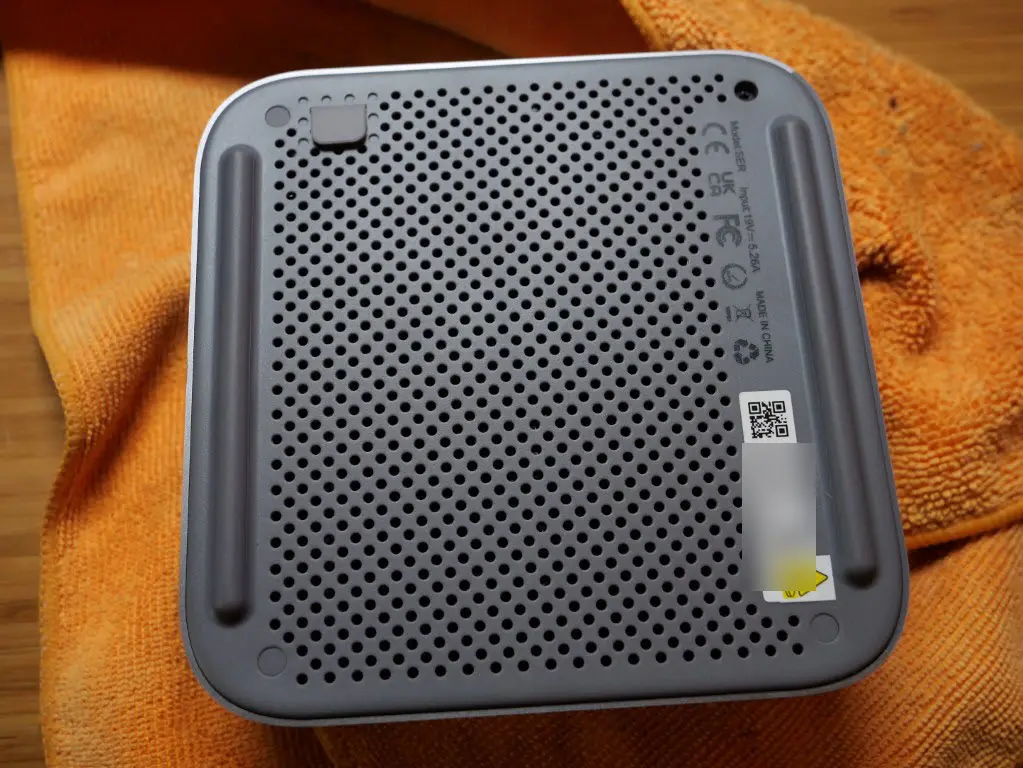
Also, on the bottom side, you can see the mesh bottom cover. Also, still a little frustrating in 2025, that we have the little rubber “covers” over the screws to get into the internals.
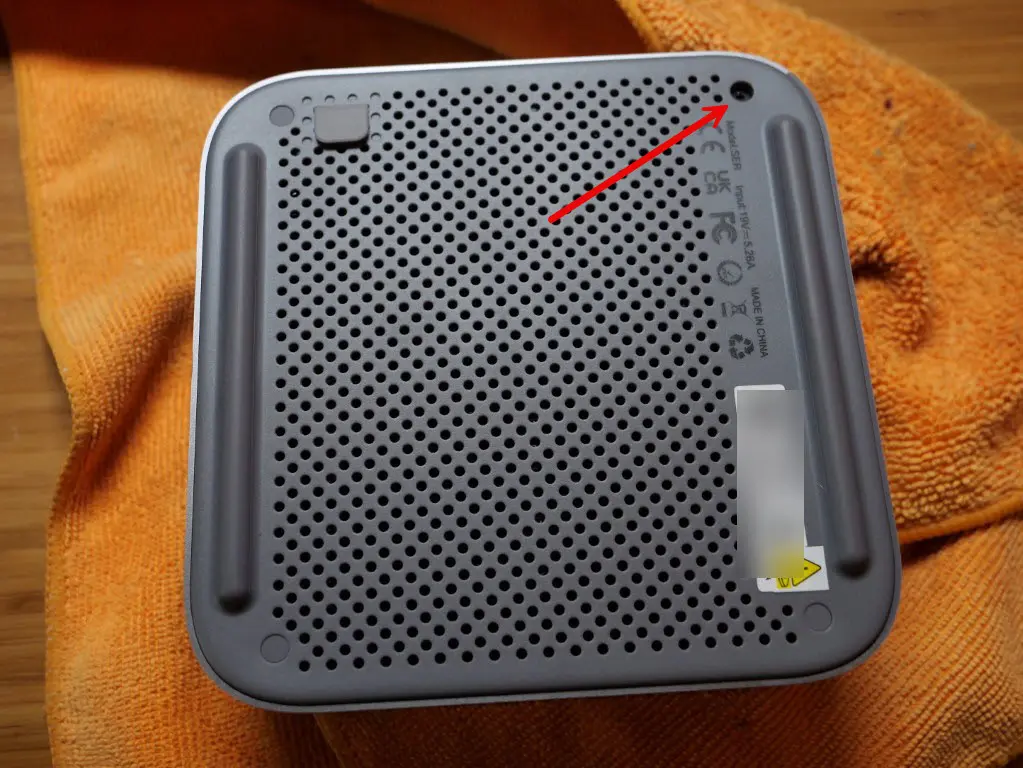
You can see here I have removed one of the covers.
After removing the bottom cover, you see the dust filter. This is a little metal mesh plate that you can take out and clean after some time has passed and you will want to do that as it will catch quite a bit of dust.
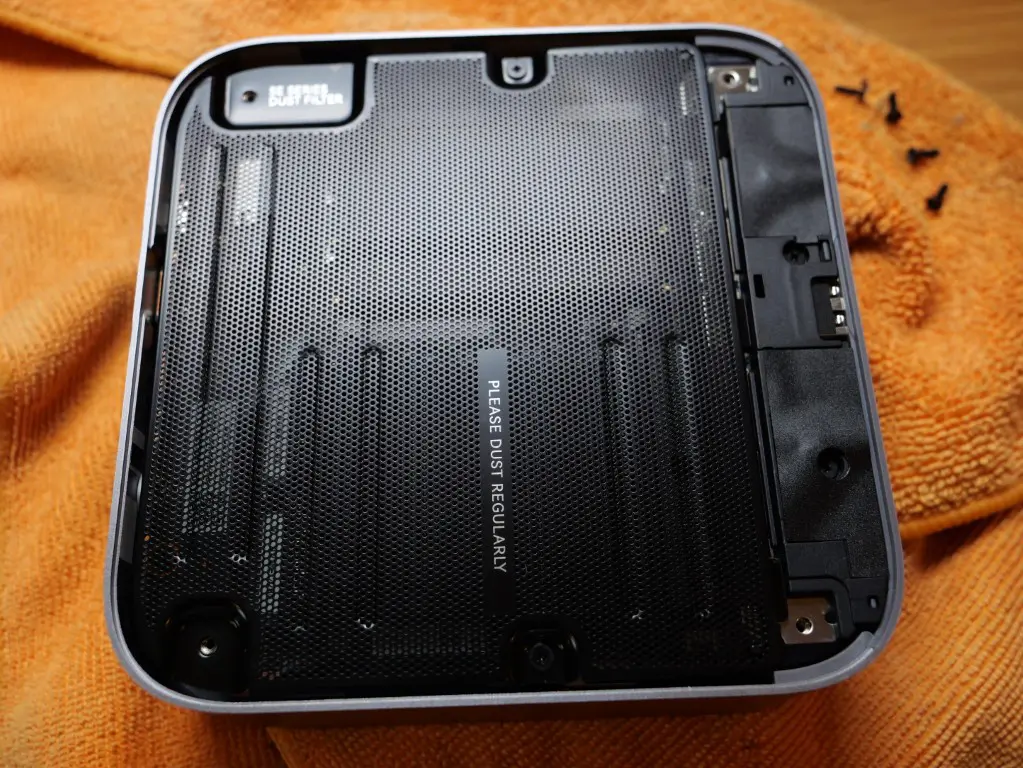
After removing the (2) screws holding the dust mesh in, you see the RAM and the heatsink covering the NVME M.2 slots.
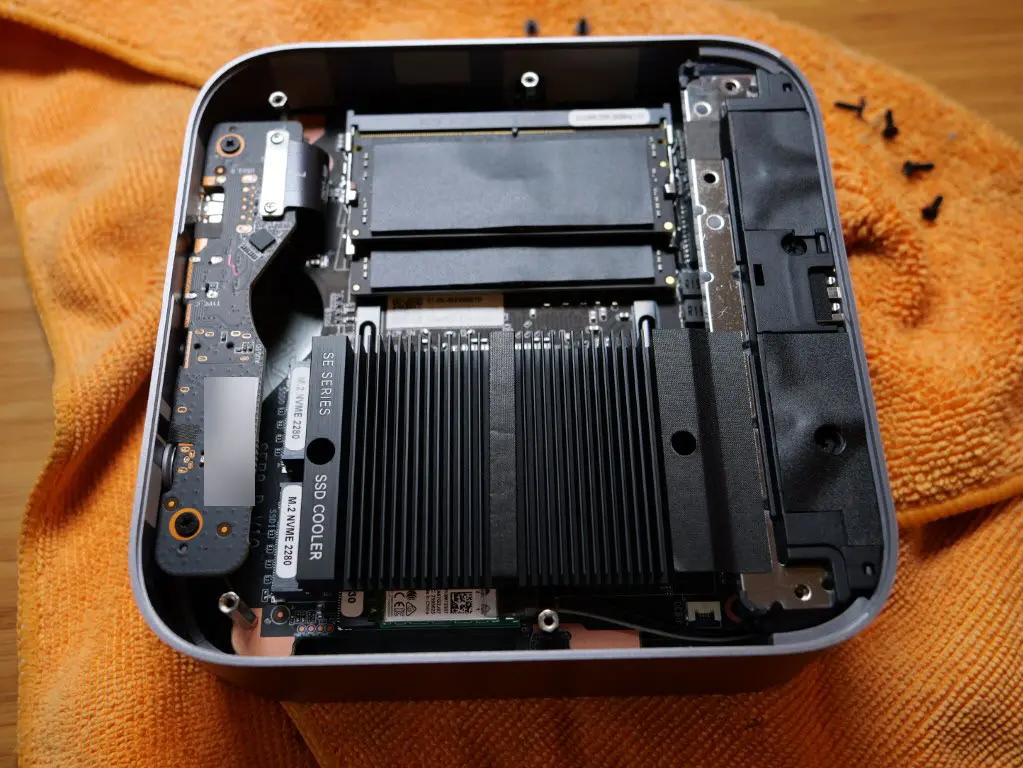
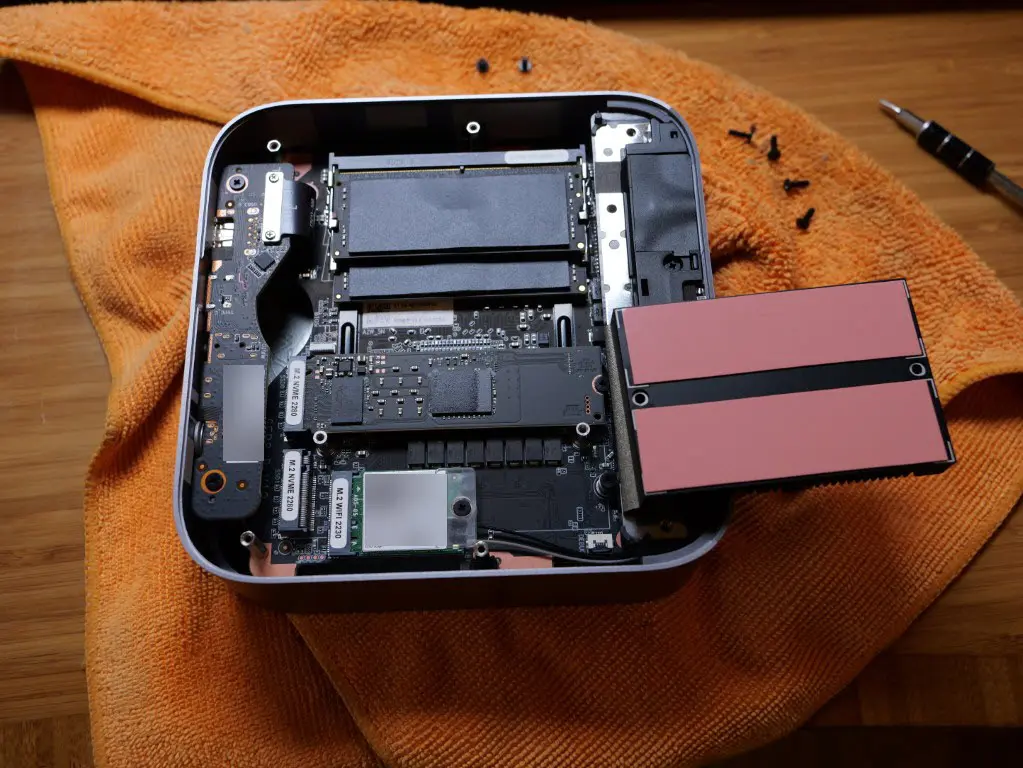
Another 2 screws removed will reveal the single NVMe drive that is installed from the factory. However, it is nice, here we have 2 M.2 2280 ports we can take advantage of. This is a great configuration for running a hypervisor on the unit as you can have a boot and a storage drive dedicated to VMs and containers, etc.
Power consumption of the Beelink SER9 Max
I loaded up Proxmox 9 and took the power draw readings using Proxmox VE Server as the hypervisor I tested with. Booting up, the mini PC drew around 25 watts give or take a couple of watts.
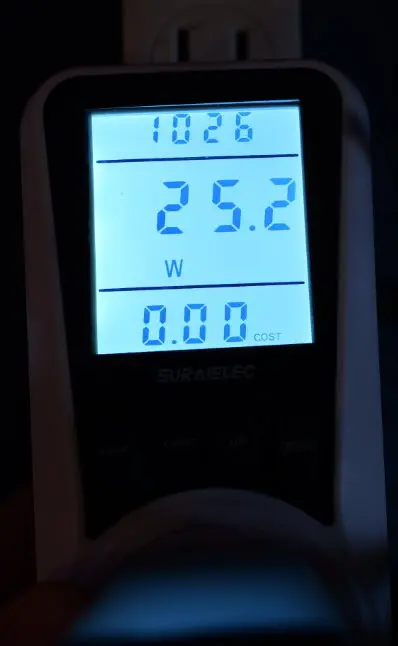
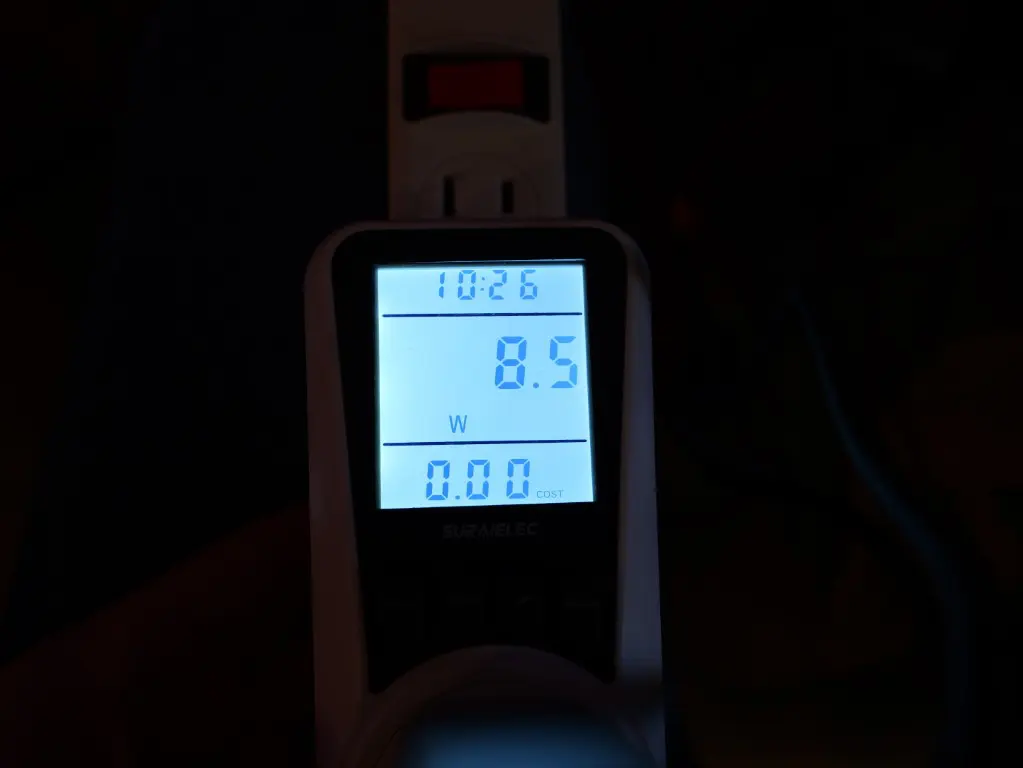
After the SER9 Max settled into Proxmox VE 9 the idle power draw was really good at around 8.5 watts.
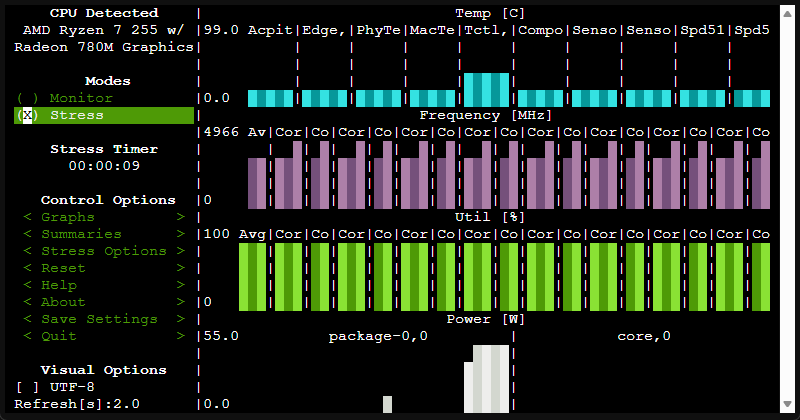
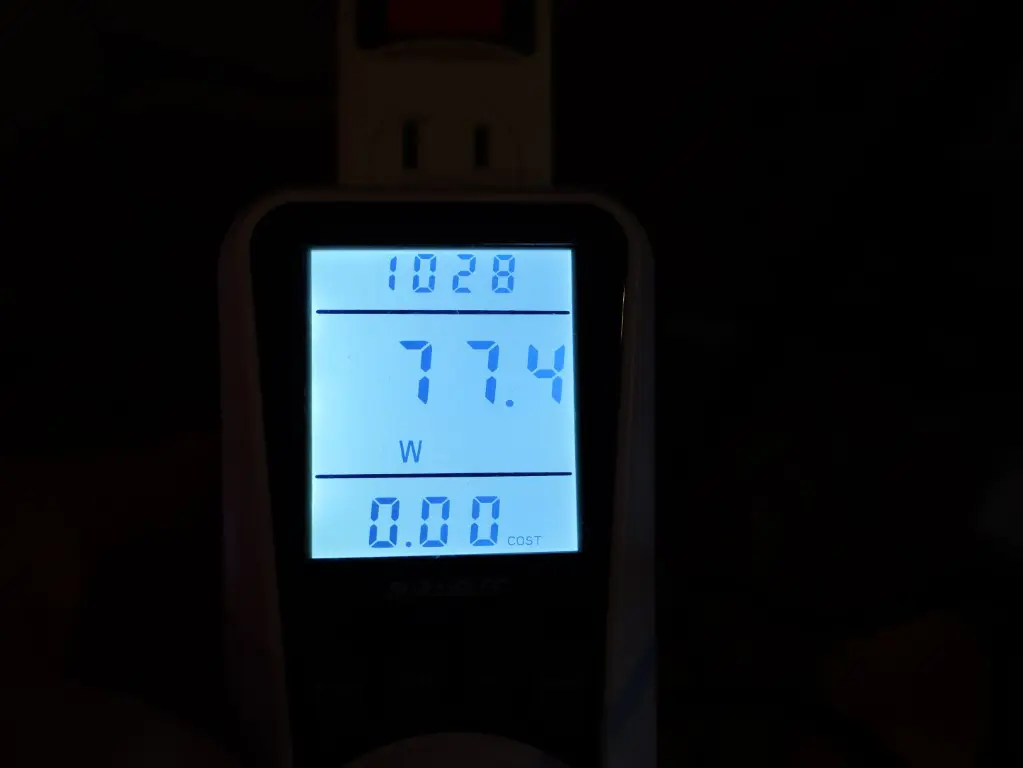
As I typically do, I used the Linux Stress utility and the S-TUI utility to throw some synthetic load on the CPU and saw around 77 watts at 100% CPU.
Below is the readout from my power meter.
Hypervisor support and installs
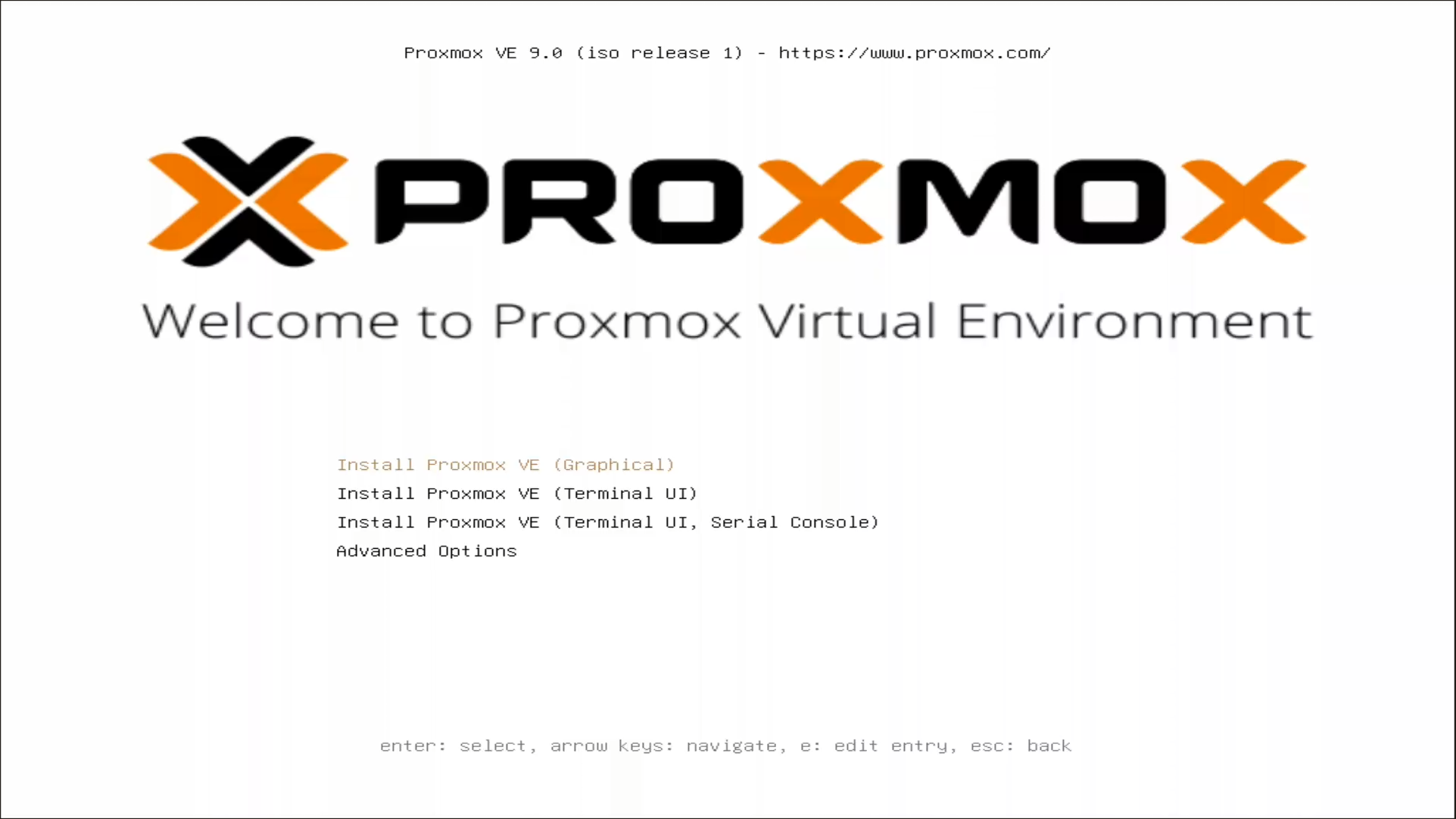
The hypervisor I think that most will want to run on this little mini PC is Proxmox. Proxmox VE Server runs fine on the Beelink SER9 Max. I will mention one little quirk. The Proxmox VE 9 installation would get to the splash screen of the installer and then blink and go right back to the splash screen. However, I was installing it using the virtual media of the Tiny Pilot I had this hooked up to so it may have been some weirdness coming from that. Proxmox VE 8 installed fine and then I upgraded to Proxmox 9.
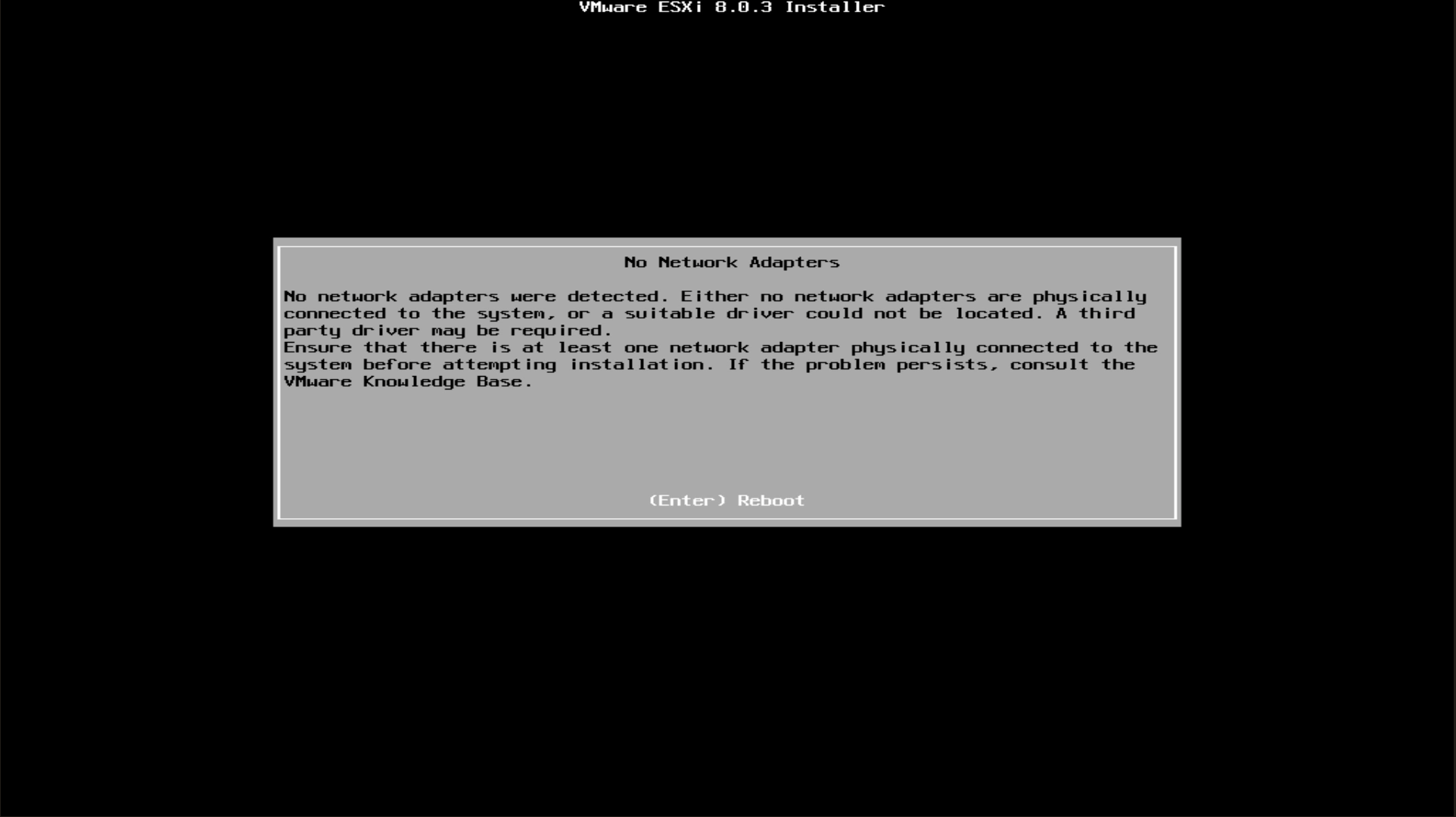
The Beelink SER9 Max has a Realtek NIC so VMware won’t install. There is a brand new fling to add Realtek adapters to VMware surprisingly. See my forum post on that here: VMware ESXi Realtek adapter. But still sounds like there are quirks with the driver as well.
Comparing the Beelink SER9 Max to the SER8
Take a look at the table below comparing the SER9 Max to the SER8:
| Feature | Beelink SER9 Max | Beelink SER8 |
|---|---|---|
| Processor | Ryzen 7 H 255 (FP8) | Ryzen 7 8745HS (FP7) |
| CPU Performance | Slightly lower in synthetic benchmarks | Slightly higher in both single and multi core benchmarks |
| Platform | Newer FP8 platform | Older FP7 platform |
| Integrated GPU | Newer Radeon graphics with better efficiency | Previous generation integrated Radeon GPU |
| Ethernet | 10 Gigabit Ethernet | 2.5 Gigabit Ethernet |
| WiFi | Updated wireless module (SER9 variant dependent) | Previous generation WiFi card |
| Cooling System | MSC 2.0 cooling with vapor chamber | Traditional heat pipe cooling |
| Noise Levels | Quieter under sustained load | Louder when under CPU stress |
| Storage Support | PCIe 4.0 NVMe | PCIe 4.0 NVMe |
| Memory | DDR5 | DDR5 |
| Display Output | Triple display support | Triple display support |
| Power Efficiency | Improved due to FP8 chip design | Slightly higher power draw under load |
| Ideal Use Case | High bandwidth home lab setups, Proxmox, NAS front end, Docker and container workloads | CPU heavy workloads, light gaming, general desktop use |
Don’t get me wrong, the SER8 is still a great set of hardware compared to the SER9. But, I think the SER9 Max newer CPU and definitely the 10 gig networking make a huge difference in home lab use cases.
Home lab use cases
The SER9 Max shines in several home lab scenarios. The one I am of course really thinking about for this unit is as a virtualization host running Proxmox VE Server. It looks to work well with Proxmox VE Server 9 and everything is recognized including the networking, etc.
You could also use it as a bare metal Docker server to spin up lots of containers on this platform. The dual M2. NVMe storage will give you plenty of space to store containers, storage, and images, and then the 10 gig networking will make sure things perform really well.
And, if you just want to leave the included Windows installation on the stock NVME drive, you can do that too and run either Hyper-V or something like VMware Workstation as well as Docker Desktop.
Should you purchase the SER9 Max?
I think it depends on what you have currently and what your goals are. If you are looking to upgrade to a modern mini PC with tons of performance and 10 gig networking, it is a great option. However, if you already have the SER8 or another fairly new mini PC, it may not be worth it, especially if you don’t have 10 gig connectivity already in your home lab.
Pricing
You can get the Beelink SER9 Max on Amazon for $799, but also with a $120 coupon you can clip off of that. So pretty good deal at $679. Click below:
Wrapping up
In this Beelink SER9 Max review, we have taken a look at this very capable little mini PC that checks a lot of the right boxes for home lab purposes. It runs Proxmox VE Server 9 without issues. It has 10 gig networking, 2 M.2 NVMe slots, and good I/O connectivity. Even if you want to run it as a Windows workstation that doubles as a home lab workstation, you can do that too with Hyper-V or VMware Workstation and Docker Desktop. It can do three monitors and the Ryzen 7 H 255 processor is an FP8 platform upgrade that is super efficient. How about you? Have you purchased the Beelink SER9 Max? If not, are you considering it?

Google is updating how articles are shown. Don’t miss our leading home lab and tech content, written by humans, by setting Virtualization Howto as a preferred source.
About The Author

Thanks for the review. It’s an interesting little box, but there’s some stiff competition at this price range. I’ve been pleased with the slightly larger minisforum options that can include multiple 10gbe ports and a pcie slot to add more if desired. Guess it depends on your scenario but I’d like to see something like this closer to 500, though I guess once you factor in crazy ram costs, it’s not way overpriced at the moment.
Josh,
Thanks for the comment and insights here! Yeah definitely agreed, there are a lot of great options these days. Minisforum has been my goto vendor for most of my home lab mini PC builds. It is going to get super interesting to see where prices and availability are at going into 2026. Are you currently running a Beelink mini PC or Minisforum?
Brandon